display LEXUS LS460L 2016 Manual Online
[x] Cancel search | Manufacturer: LEXUS, Model Year: 2016, Model line: LS460L, Model: LEXUS LS460L 2016Pages: 708, PDF Size: 36.57 MB
Page 408 of 708
4085-1. Remote Touch screen
LS460/LS460L_GE (OM50G06E)
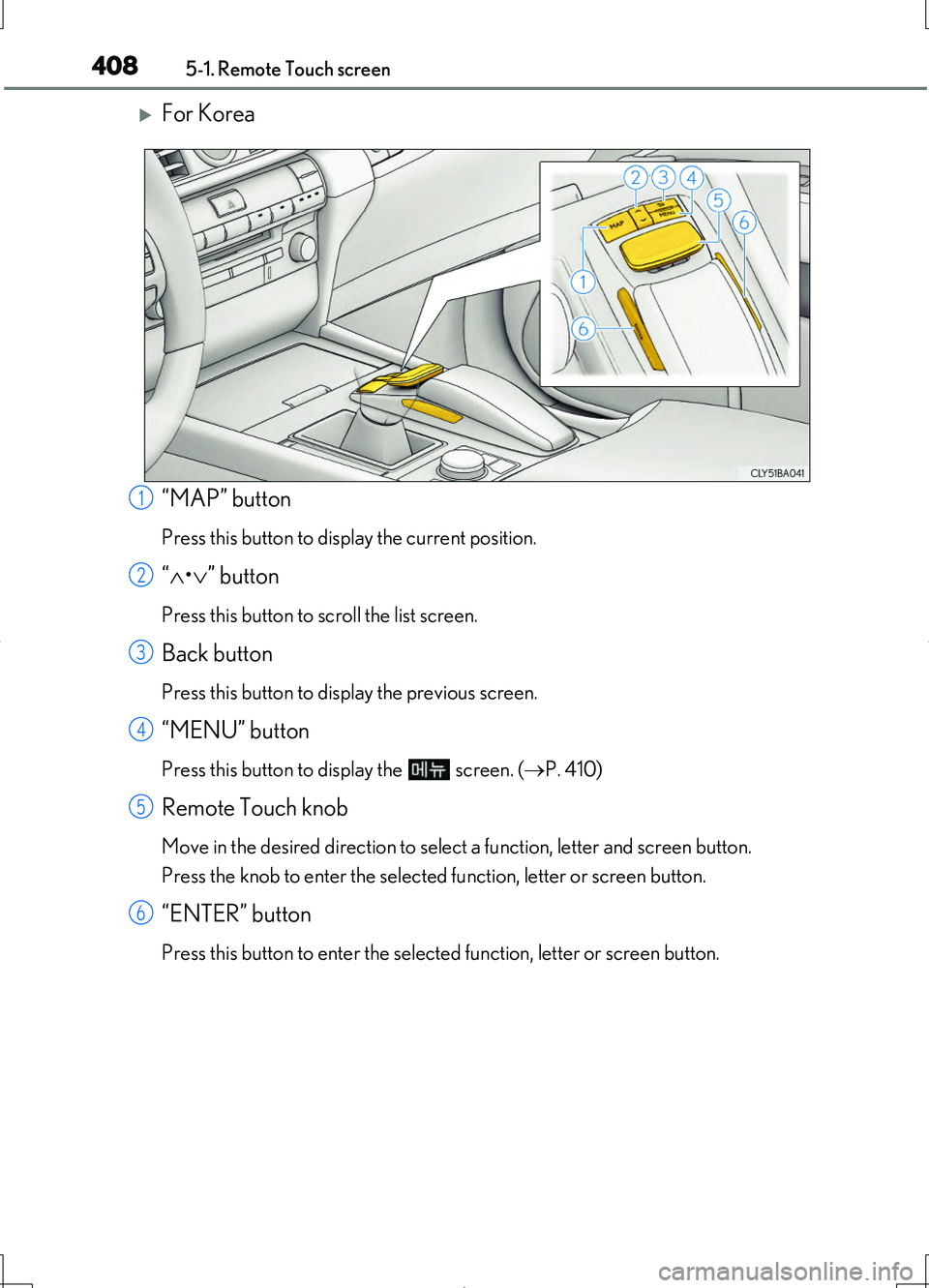
For Korea
“MAP” button
Press this button to display the current position.
“ •” button
Press this button to scroll the list screen.
Back button
Press this button to display the previous screen.
“MENU” button
Press this button to display the screen. (P. 410)
Remote Touch knob
Move in the desired direction to select a function, letter and screen button.
Press the knob to enter the selected function, letter or screen button.
“ENTER” button
Press this button to enter the selected function, letter or screen button.
1
2
3
4
5
6
Page 409 of 708
4095-1. Remote Touch screen
5
Interior features
LS460/LS460L_GE (OM50G06E)
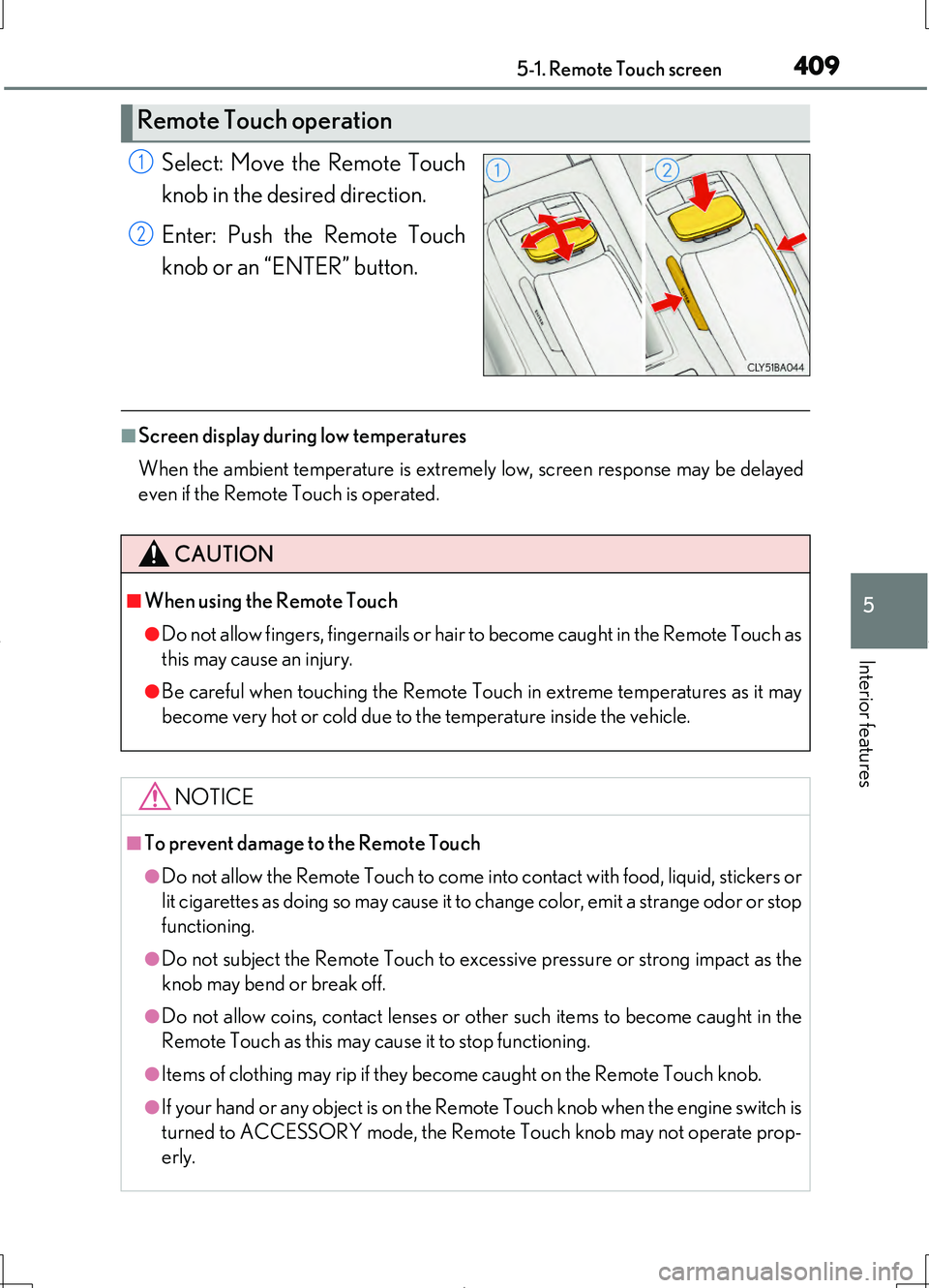
Select: Move the Remote Touch
knob in the desired direction.
Enter: Push the Remote Touch
knob or an “ENTER” button.
■Screen display during low temperatures
When the ambient temperature is extremely low, screen response may be delayed
even if the Remote Touch is operated.
Remote Touch operation
1
2
CAUTION
■When using the Remote Touch
●Do not allow fingers, fingernails or hair to become caught in the Remote Touch as
this may cause an injury.
●Be careful when touching the Remote Touch in extreme temperatures as it may
become very hot or cold due to the temperature inside the vehicle.
NOTICE
■To prevent damage to the Remote Touch
●Do not allow the Remote Touch to come into contact with food, liquid, stickers or
lit cigarettes as doing so may cause it to change color, emit a strange odor or stop
functioning.
●Do not subject the Remote Touch to excess ive pressure or strong impact as the
knob may bend or break off.
●Do not allow coins, contact lenses or ot her such items to become caught in the
Remote Touch as this may cause it to stop functioning.
●Items of clothing may rip if they become caught on the Remote Touch knob.
●If your hand or any object is on the Remote Touch knob when the engine switch is
turned to ACCESSORY mode, the Remote Touch knob may not operate prop-
erly.
Page 410 of 708
4105-1. Remote Touch screen
LS460/LS460L_GE (OM50G06E)
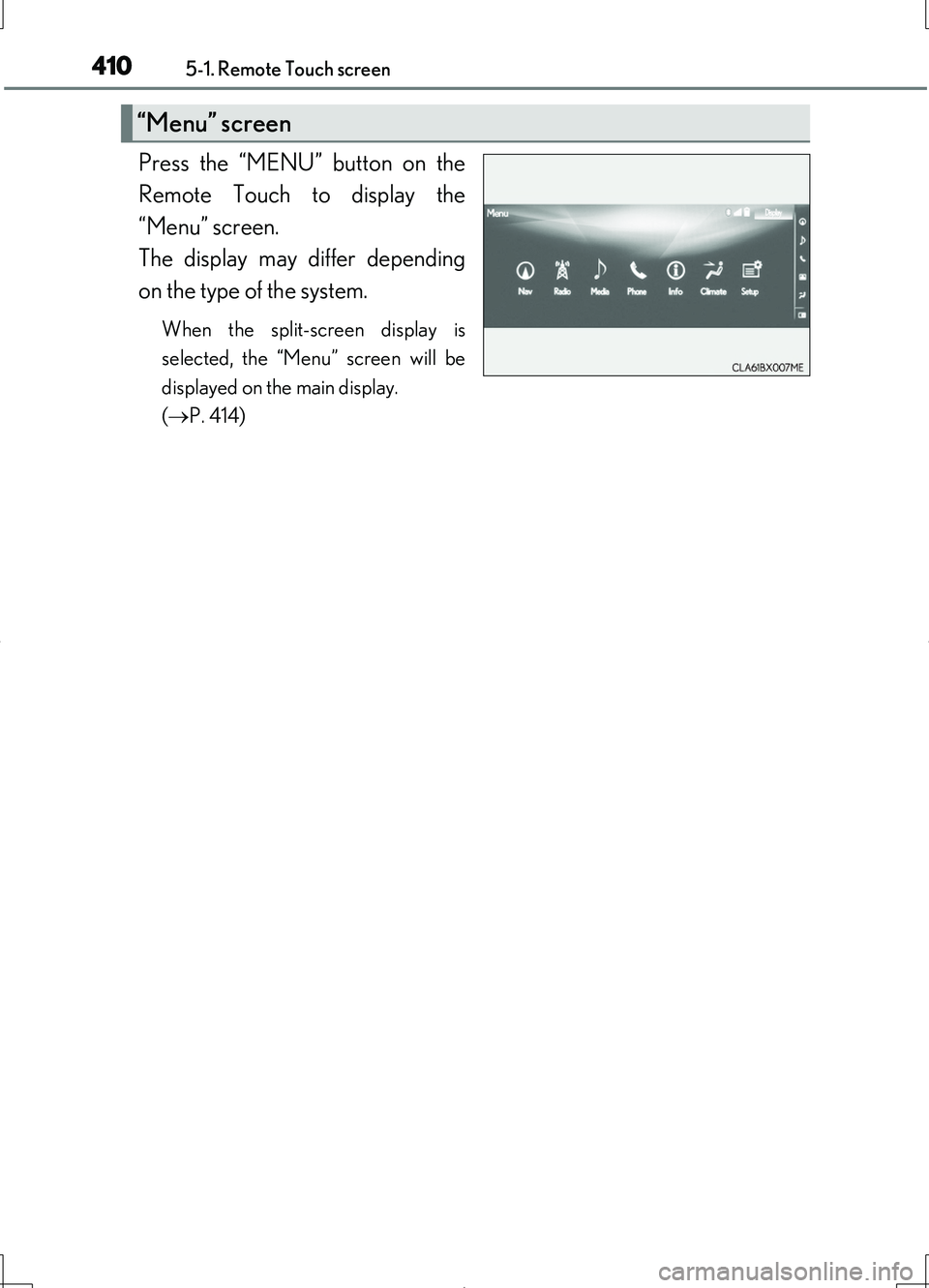
Press the “MENU” button on the
Remote Touch to display the
“Menu” screen.
The display may differ depending
on the type of the system.
When the split-screen display is
selected, the “Menu” screen will be
displayed on the main display.
( P. 414)
“Menu” screen
Page 411 of 708
4115-1. Remote Touch screen
5
Interior features
LS460/LS460L_GE (OM50G06E)
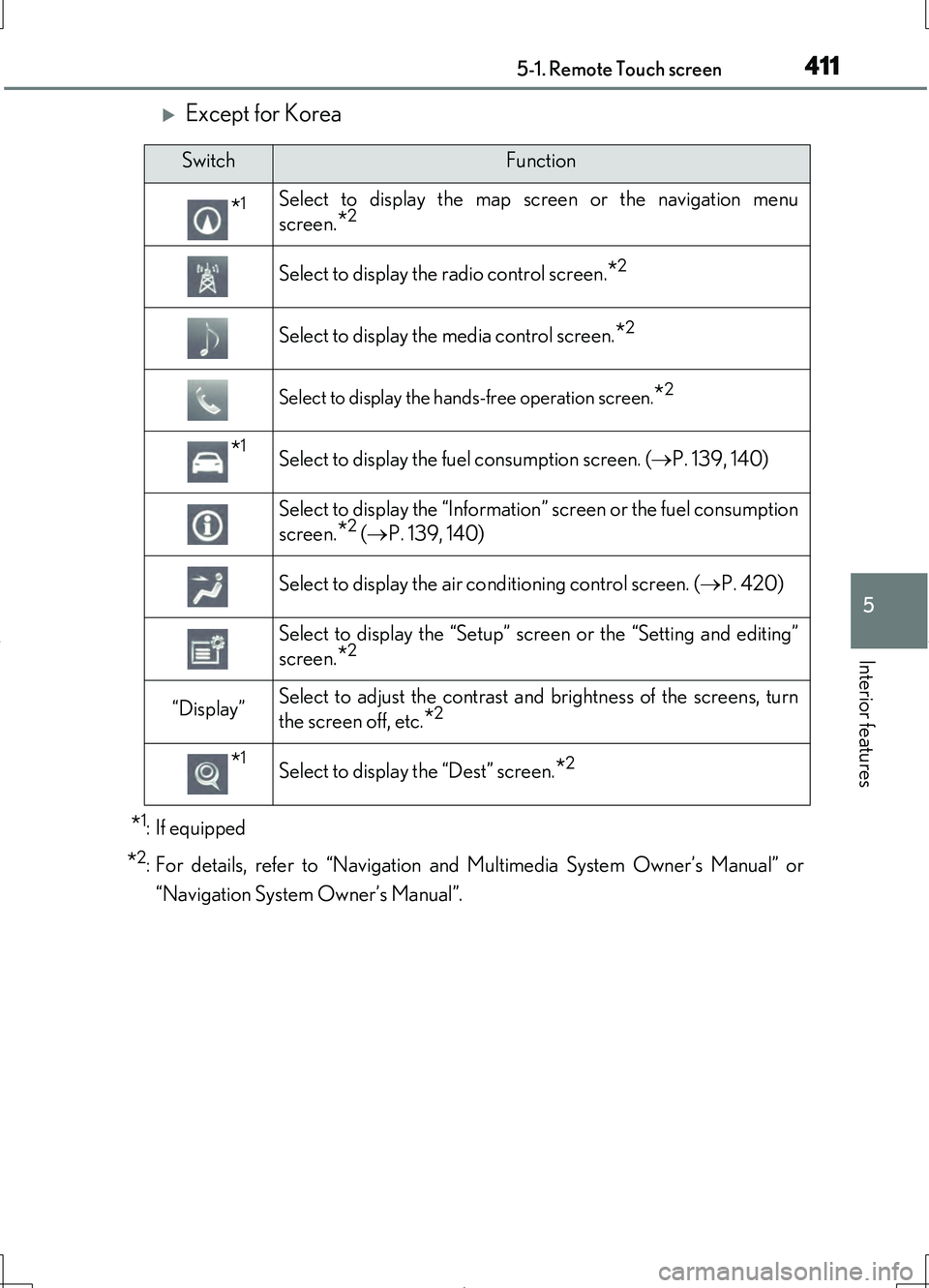
Except for Korea
*1: If equipped
*2:For details, refer to “Navigation and Multimedia System Owner’s Manual” or
“Navigation System Owner’s Manual”.
SwitchFunction
*1Select to display the map screen or the navigation menu
screen.
*2
Select to display the radio control screen.*2
Select to display the media control screen.*2
Select to display the hand s-free operation screen.*2
*1Select to display the fuel consumption screen. ( P. 139, 140)
Select to display the “Information” screen or the fuel consumption
screen.
*2 ( P. 139, 140)
Select to display the air conditioning control screen. ( P. 420)
Select to display the “Setup” screen or the “Setting and editing”
screen.
*2
“Display”Select to adjust the contrast and brightness of the screens, turn
the screen off, etc.
*2
*1Select to display the “Dest” screen.*2
Page 412 of 708
4125-1. Remote Touch screen
LS460/LS460L_GE (OM50G06E)
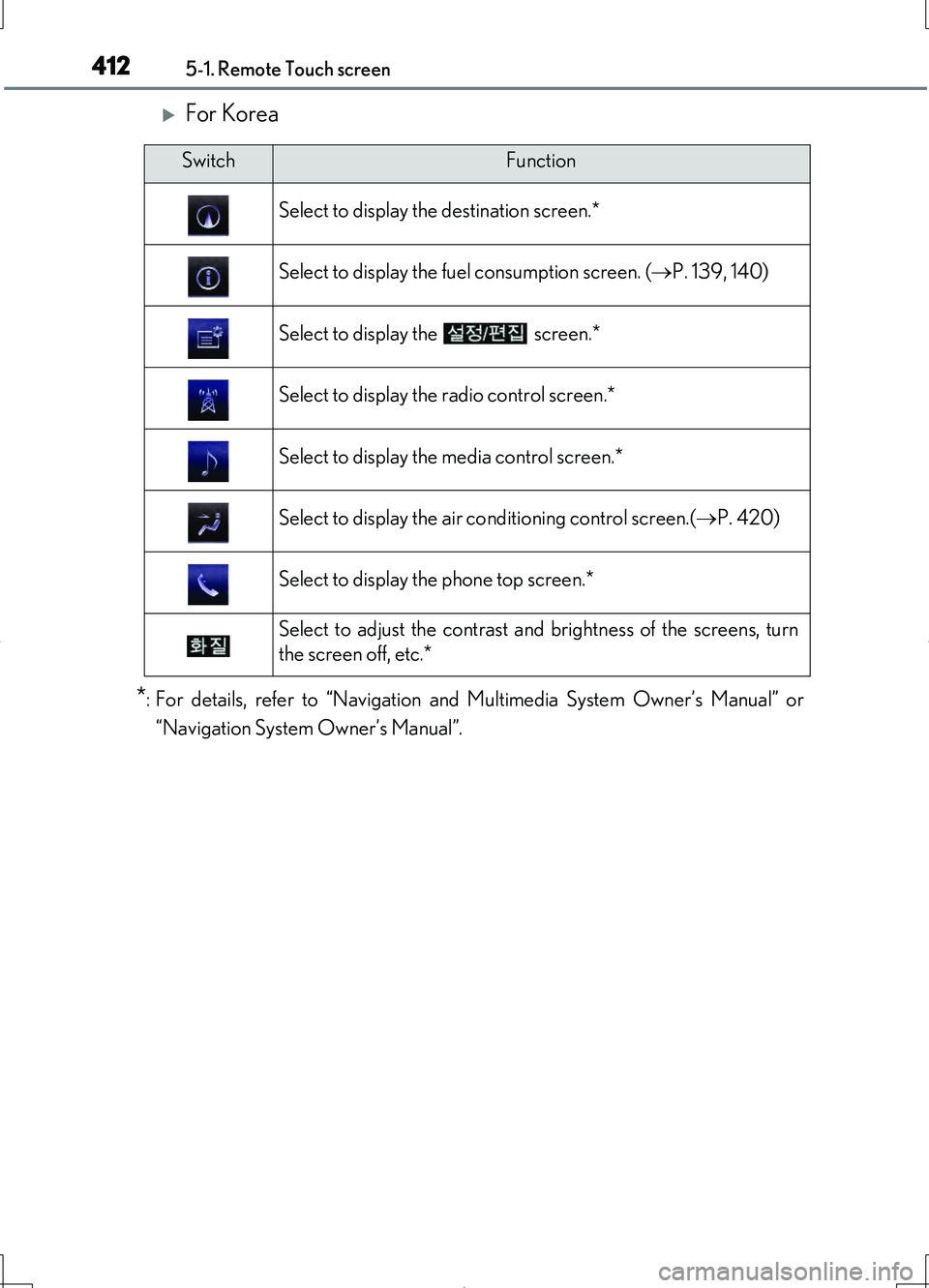
For Korea
*:For details, refer to “Navigation and Multimedia System Owner’s Manual” or
“Navigation System Owner’s Manual”.
SwitchFunction
Select to display the destination screen.*
Select to display the fuel consumption screen. ( P. 139, 140)
Select to display the screen.*
Select to display the radio control screen.*
Select to display the media control screen.*
Select to display the air conditioning control screen.( P. 420)
Select to display the phone top screen.*
Select to adjust the contrast and brightness of the screens, turn
the screen off, etc.*
Page 413 of 708
4135-1. Remote Touch screen
5
Interior features
LS460/LS460L_GE (OM50G06E)
■Full screen display
The following functions can be displayed full screen:
• Initial screen
•“Menu” screen ( P. 410)
•Map screen*1
•Audio screen*1,2
• Fuel consumption screen*2 ( P. 138)
• Air conditioning control screen*2 ( P. 418)
*1: For details, refer to “Navigation and Multimedia System Owner’s Manual” or
“Navigation System Owner’s Manual”.
*2: Except for Hong Kong and Macau
12.3-inch display
12.3-inch display operation
Page 414 of 708
4145-1. Remote Touch screen
LS460/LS460L_GE (OM50G06E)
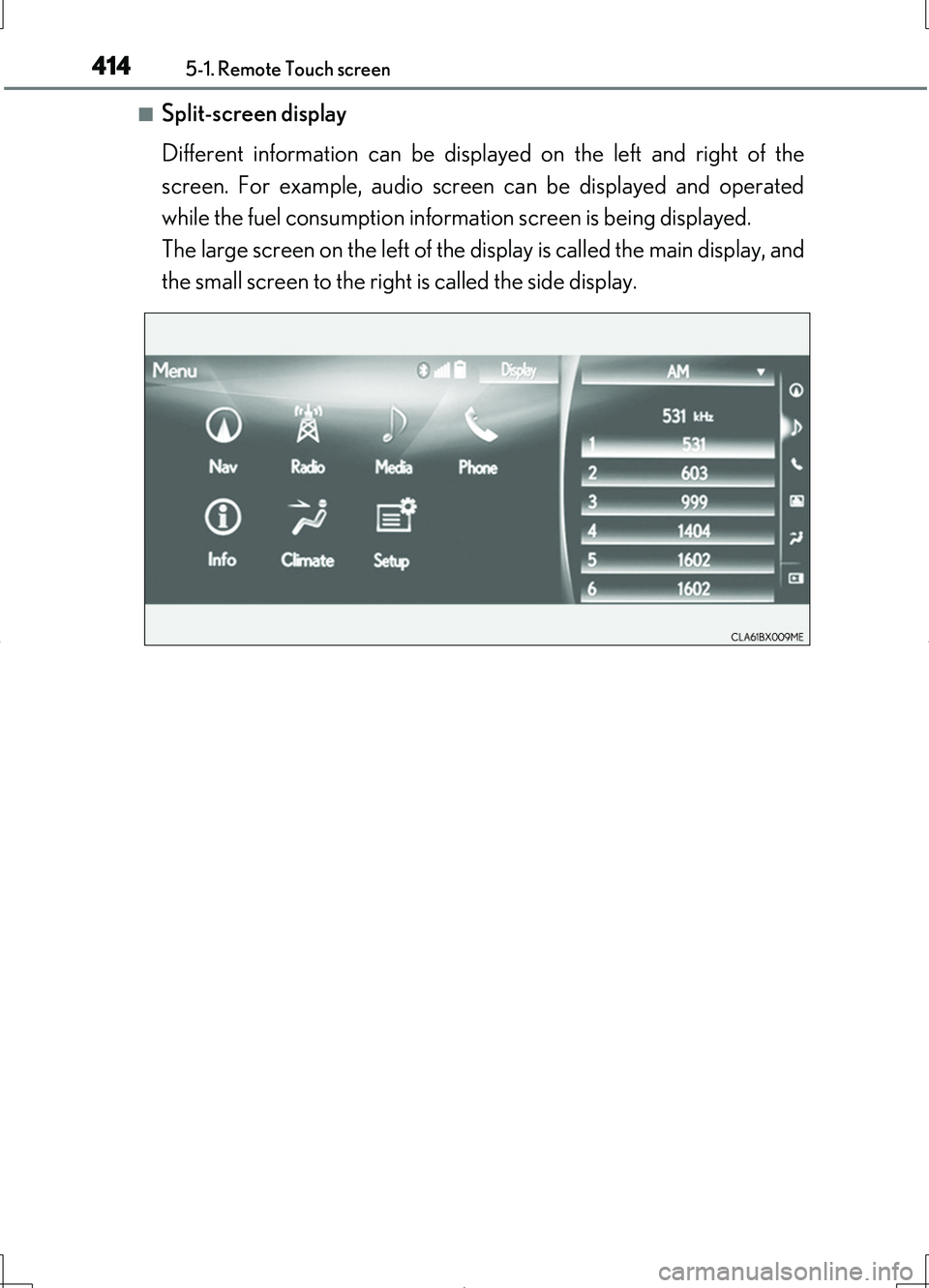
■Split-screen display
Different information can be displayed on the left and right of the
screen. For example, audio screen can be displayed and operated
while the fuel consumption information screen is being displayed.
The large screen on the left of the display is called the main display, and
the small screen to the right is called the side display.
Page 415 of 708
4155-1. Remote Touch screen
5
Interior features
LS460/LS460L_GE (OM50G06E)
■ Selecting the operation screen
When selecting the main display, move the Remote Touch knob to the
left. When selecting the side display, move the Remote Touch knob to
the right.
■Main display
For details about the functions and operation of the main display, refer
to the respective section and “Navigation and Multimedia System
Owner’s Manual” or “Navigation System Owner’s Manual”.
■Side display
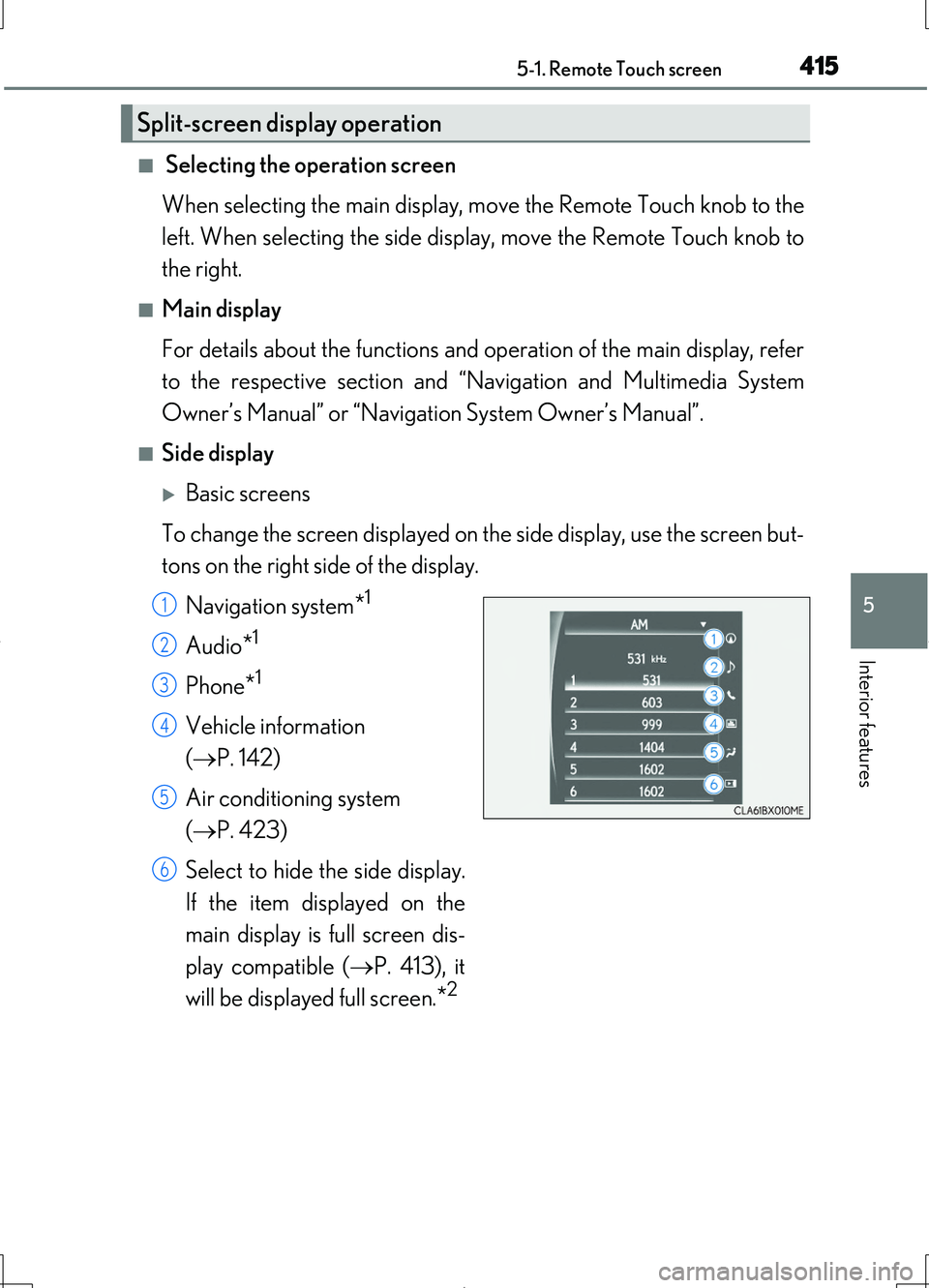
Basic screens
To change the screen displayed on th e side display, use the screen but-
tons on the right side of the display.
Navigation system*1
Audio*1
Phone*1
Vehicle information
( P. 142)
Air conditioning system
( P. 423)
Select to hide the side display.
If the item displayed on the
main display is full screen dis-
play compatible ( P. 413), it
will be displayed full screen.*2
Split-screen display operation
1
2
3
4
5
6
Page 416 of 708
4165-1. Remote Touch screen
LS460/LS460L_GE (OM50G06E)
Interruption screens
Each of the following screens is displayed automatically in accordance
with conditions.
• Lexus parking assist-sensor
•Phone*1
• Driving mode
• Lexus night view (if equipped) ( P. 395)
*1: For details, refer to “Navigation and Multimedia System Owner’s Manual” or
“Navigation System Owner’s Manual”.
*2: Except for Hong Kong and Macau
Page 418 of 708
418
LS460/LS460L_GE (OM50G06E)
5-3. Using the air conditioning system and defogger
Front automatic air conditioning system
Air outlets and fan speed are automatically adjusted according to the
temperature setting.
Press the “MENU” button on the Re mote Touch, and then select
to display the air conditioning operation screen.
The air conditioning system can be displayed and operated on the side
display. ( P. 414)
The illustrations below are for left-hand drive vehicles.
The button positions and shapes will differ for right-hand drive vehicles.
Also, the display and button positions will differ depending on the type
of the system.