lock LEXUS LS500 2018 Repair Manual
[x] Cancel search | Manufacturer: LEXUS, Model Year: 2018, Model line: LS500, Model: LEXUS LS500 2018Pages: 514, PDF Size: 10.62 MB
Page 161 of 514
1614-2. Driving procedures
LS500_OM_OM50F54U_(U) 4
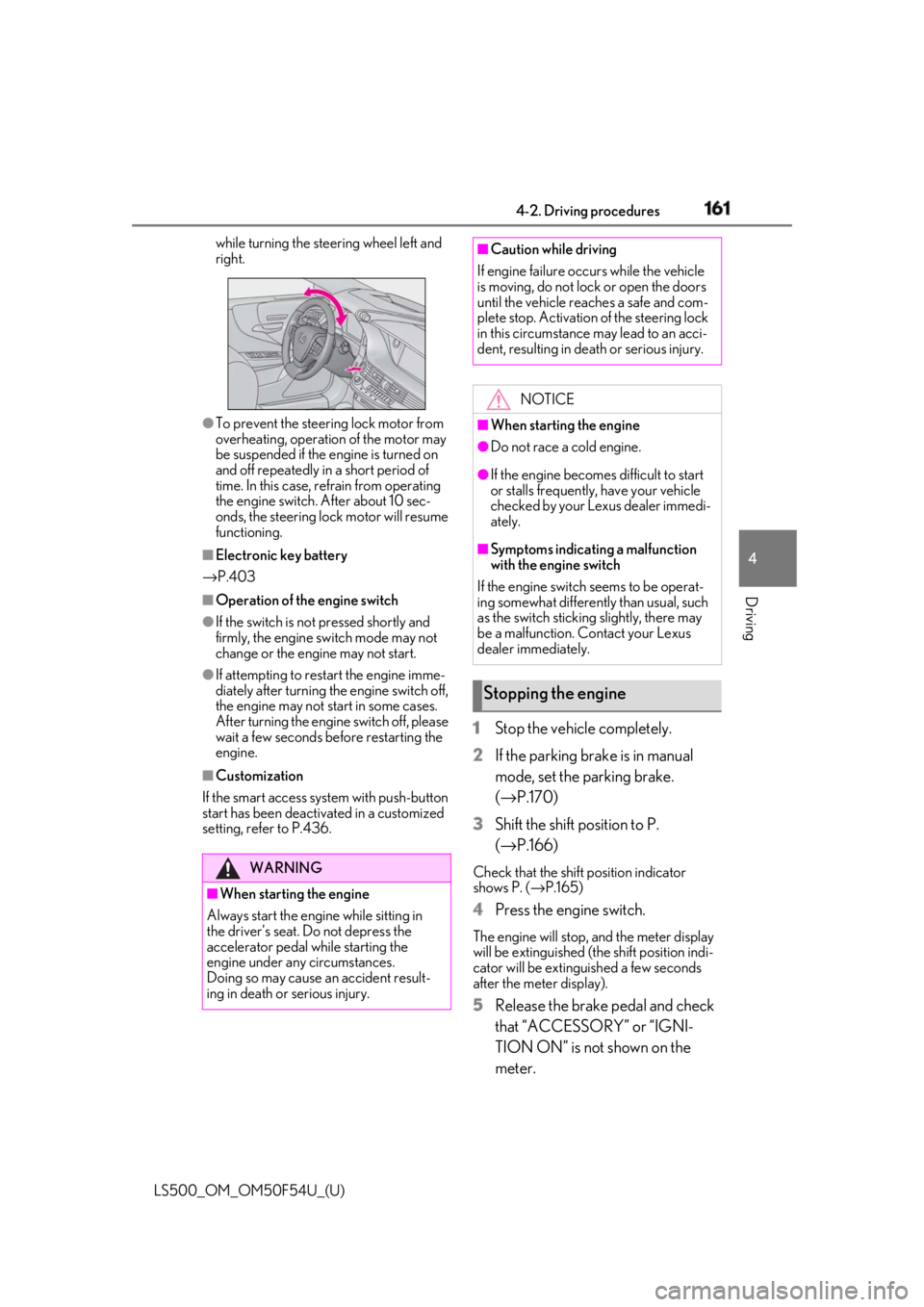
Driving while turning the steering wheel left and
right.
●
To prevent the steering lock motor from
overheating, operation of the motor may
be suspended if the engine is turned on
and off repeatedly in a short period of
time. In this case, refrain from operating
the engine switch. After about 10 sec-
onds, the steering lock motor will resume
functioning.■
Electronic key battery
→ P.403■
Operation of the engine switch●
If the switch is not pressed shortly and
firmly, the engine switch mode may not
change or the engine may not start.●
If attempting to restart the engine imme-
diately after turning the engine switch off,
the engine may not start in some cases.
After turning the engine switch off, please
wait a few seconds before restarting the
engine.■
Customization
If the smart access sy stem with push-button
start has been deactivated in a customized
setting, refer to P.436. 1 Stop the vehicle completely.
2 If the parking brake is in manual
mode, set the parking brake.
( → P.170)
3 Shift the shift position to P.
( → P.166) Check that the shift position indicator
shows P. ( → P.165)
4 Press the engine switch. The engine will stop, and the meter display
will be extinguished (the shift position indi-
cator will be extinguished a few seconds
after the meter display).
5 Release the brake pedal and check
that “ACCESSORY” or “IGNI-
TION ON” is not shown on the
meter.WARNING
■
When starting the engine
Always start the engine while sitting in
the driver’s seat. Do not depress the
accelerator pedal while starting the
engine under any circumstances.
Doing so may cause an accident result-
ing in death or serious injury. ■
Caution while driving
If engine failure occurs while the vehicle
is moving, do not lock or open the doors
until the vehicle reaches a safe and com-
plete stop. Activation of the steering lock
in this circumstance may lead to an acci-
dent, resulting in death or serious injury.
NOTICE■
When starting the engine ●
Do not race a cold engine. ●
If the engine becomes difficult to start
or stalls frequently, have your vehicle
checked by your Lexus dealer immedi-
ately. ■
Symptoms indicating a malfunction
with the engine switch
If the engine switch seems to be operat-
ing somewhat differently than usual, such
as the switch sticking slightly, there may
be a malfunction. Contact your Lexus
dealer immediately.
Stopping the engine
Page 176 of 514
176 4-3. Operating the lights and wipers
LS500_OM_OM50F54U_(U) The sensor may not function properly if an
object is placed on th e sensor, or anything
that blocks the sensor is affixed to the wind-
shield.
Doing so interferes with the sensor detect-
ing the level of ambient light and may cause
the automatic headlight system to malfunc-
tion. ■
Automatic light off system●
When the headlights are on: The head-
lights and tail lights tu rn off 30 seconds
after the driver’s door is opened and
closed if the engine switch is turned to
ACCESSORY mode or turned off. (The
lights turn off immediately if on the
key is pressed after all the doors are
closed.)●
When only the tail lights are on: The tail
lights turn off automatically if the engine
switch is turned to ACCESSORY mode
or turned off and the driver’s door is
opened.
To turn the lights on again, turn the engine
switch to IGNITION ON mode, or turn the
light switch off once and then back to
or . ■
Light reminder buzzer
A buzzer sounds when the engine switch is
turned off or turned to ACCESSORY
mode and the driver’s door is opened while
the lights are turned on. ■
Automatic headlight leveling system
The level of the headlights is automatically
adjusted according to the number of pas-
sengers and the loading condition of the
vehicle to ensure that the headlights do not
interfere with other road users.
■
Windshield wiper linked headlight illu-
mination
When driving during daytime with the
headlight switch turned to , if the wind-
shield wipers are used, the headlights will
turn on automatically after several seconds
to help enhance the visibility of your vehicle.
■
Battery-saving function
In order to prevent the battery of the vehicle from discharging, if the headlights and/or
tail lights are on when the engine switch is
turned off the battery saving function will
operate and automatically turn off all the
lights after approximately 20 minutes.
When the engine switch is turned to IGNI-
TION ON mode, the battery-saving func-
tion will be disabled.
When any of the following are performed,
the battery-saving function is canceled
once and then reactivated. All the lights will
turn off automatically 20 minutes after the
Battery- saving function has been reacti-
vated: ●
When the headlight switch is operated●
When a door is opened or closed ■
Welcome light illumination control
The front position and tail lights automati-
cally turn on at night when the doors are
unlocked using the entr y function or wire-
less remote control if the light switch is in
the position. ■
Customization
Some functions can be customized.
( → P.468)
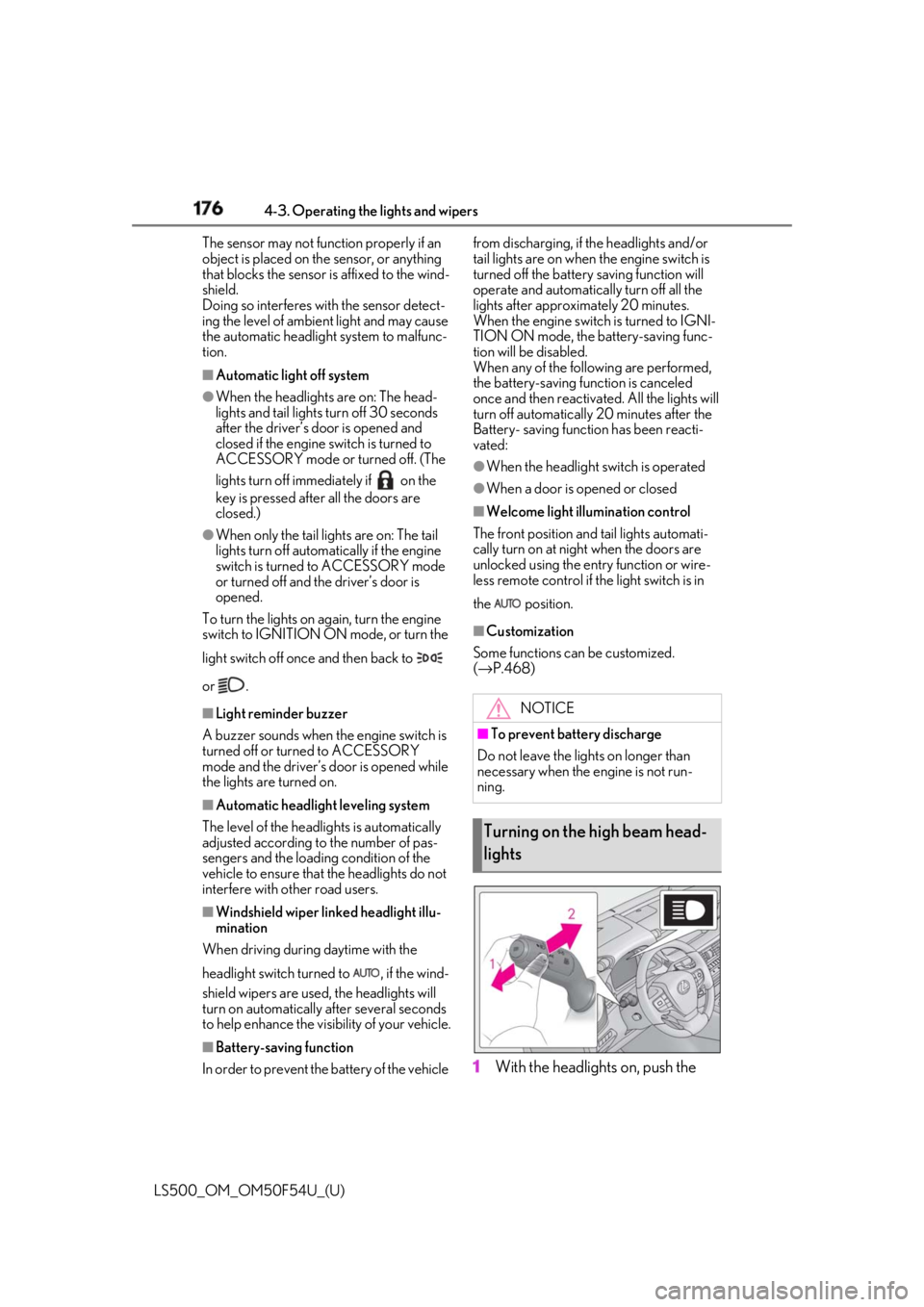
1 With the headlights on, push the NOTICE■
To prevent battery discharge
Do not leave the lights on longer than
necessary when the engine is not run-
ning.
Turning on the high beam head-
lights
Page 182 of 514
182 4-3. Operating the lights and wipers
LS500_OM_OM50F54U_(U) ●
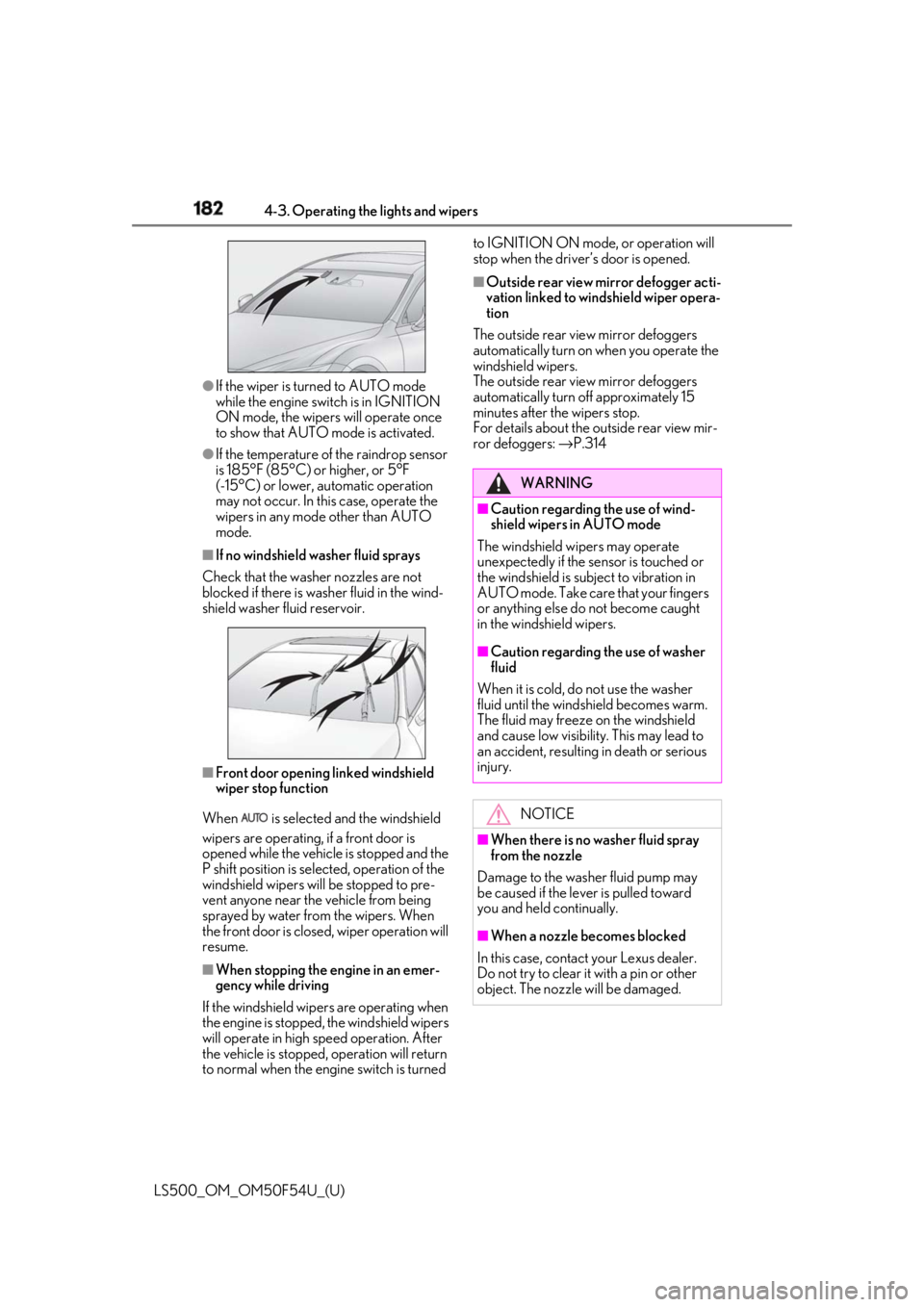
If the wiper is turned to AUTO mode
while the engine switch is in IGNITION
ON mode, the wipers will operate once
to show that AUTO mode is activated.●
If the temperature of the raindrop sensor
is 185°F (85°C) or higher, or 5°F
(-15°C) or lower, automatic operation
may not occur. In this case, operate the
wipers in any mode other than AUTO
mode.■
If no windshield washer fluid sprays
Check that the washer nozzles are not
blocked if there is wash er fluid in the wind-
shield washer fluid reservoir.
■
Front door opening linked windshield
wiper stop function
When is selected and the windshield
wipers are operating, if a front door is
opened while the vehicle is stopped and the
P shift position is sele cted, operation of the
windshield wipers w ill be stopped to pre-
vent anyone near the vehicle from being
sprayed by water from the wipers. When
the front door is closed, wiper operation will
resume.
■
When stopping the engine in an emer-
gency while driving
If the windshield wipers are operating when
the engine is stopped, the windshield wipers
will operate in high speed operation. After
the vehicle is stopped, operation will return
to normal when the engi ne switch is turned to IGNITION ON mode, or operation will
stop when the driver’s door is opened. ■
Outside rear view mirror defogger acti-
vation linked to windshield wiper opera-
tion
The outside rear view mirror defoggers
automatically turn on when you operate the
windshield wipers.
The outside rear view mirror defoggers
automatically turn off approximately 15
minutes after the wipers stop.
For details about the outside rear view mir-
ror defoggers: → P.314
WARNING■
Caution regarding the use of wind-
shield wipers in AUTO mode
The windshield wipers may operate
unexpectedly if the sensor is touched or
the windshield is subj ect to vibration in
AUTO mode. Take care that your fingers
or anything else do not become caught
in the windshield wipers. ■
Caution regarding the use of washer
fluid
When it is cold, do not use the washer
fluid until the windshield becomes warm.
The fluid may freeze on the windshield
and cause low visibility. This may lead to
an accident, resulting in death or serious
injury.
NOTICE
■
When there is no washer fluid spray
from the nozzle
Damage to the washer fluid pump may
be caused if the lever is pulled toward
you and held continually.
■
When a nozzle becomes blocked
In this case, contact your Lexus dealer.
Do not try to clear it with a pin or other
object. The nozzle will be damaged.
Page 202 of 514
202 4-5. Using the driving support systems
LS500_OM_OM50F54U_(U) WARNING■
Pre-collision braking●
When the pre-collision braking func-
tion is operating, a large amount of
braking force will be applied.●
If the vehicle is stopped by the opera-
tion of the pre-collision braking func-
tion, the pre-collision braking function
operation will be canceled after
approximately 2 seco nds. Depress the
brake pedal as necessary.●
The pre-collision braking function may
not operate if certain operations are
performed by the driver. If the acceler-
ator pedal is being depressed strongly
or the steering wheel is being turned,
the system may determine that the
driver is taking evasive action and may
prevent the pre-collision braking func-
tion from operating.●
In some situations, while the pre-colli-
sion braking function is operating,
operation of the function may be can-
celed if the accelerator pedal is
depressed strongly or the steering
wheel is turned and the system deter-
mines that the driver is taking evasive
action.
●
If the brake pedal is being depressed,
the system may determine that the
driver is taking evasive action and pos-
sibly delay the operation timing of the
pre-collision braking function.
■
Active steering assist●
The steering wheel may turn automati-
cally when active steering assist is
operating.
●
As active steering assist operation will
be canceled when the system deter-
mines that a collision has been
avoided, operate the steering wheel as
necessary. ●
In the following situations, the system
may determine that th e driver is taking
evasive action. In this case, the active
steering assist may not operate or may
be canceled.
• If the accelerator pedal is being
depressed strongly or the steering
wheel is being operat ed. In this case
the system may determine that the
driver is taking evasive action and the
pre-collision braking may not operate.
• In some situations, while the active
steering assist is operating, operation
of the function may be canceled if the
accelerator pedal is depressed
strongly or the steering wheel is turned
and the system determines that the
driver is taking evasive action.
• When the active steering assist is
operating, if the stee ring wheel is held
firmly or is operated in the opposite
direction to that which the system is
generating torque, the function may be
canceled.
• If the brake pedal is depressed, the sys-
tem may determine that the driver is
taking evasive action and the active
steering assist operation may be
delayed.
■
Pre-collision seat belts with comfort
function
If the pre-collision se at belts have oper-
ated and the seat belts are locked in a
retracted position, immediately stop the
vehicle in a safe place, release and
retract the seat belts to unlock them and
then fasten them again.
Also, if a seat belt ca n be loosened, it can
be unlocked by slightly retracting it with-
out releasing it.
■
When to disable the pre-collision sys-
tem
In the following situations, disable the
system, as it may not operate properly,
possibly leading to an accident resulting
in death or serious injury:
●
When the vehicle is being towed
Page 208 of 514
208 4-5. Using the driving support systems
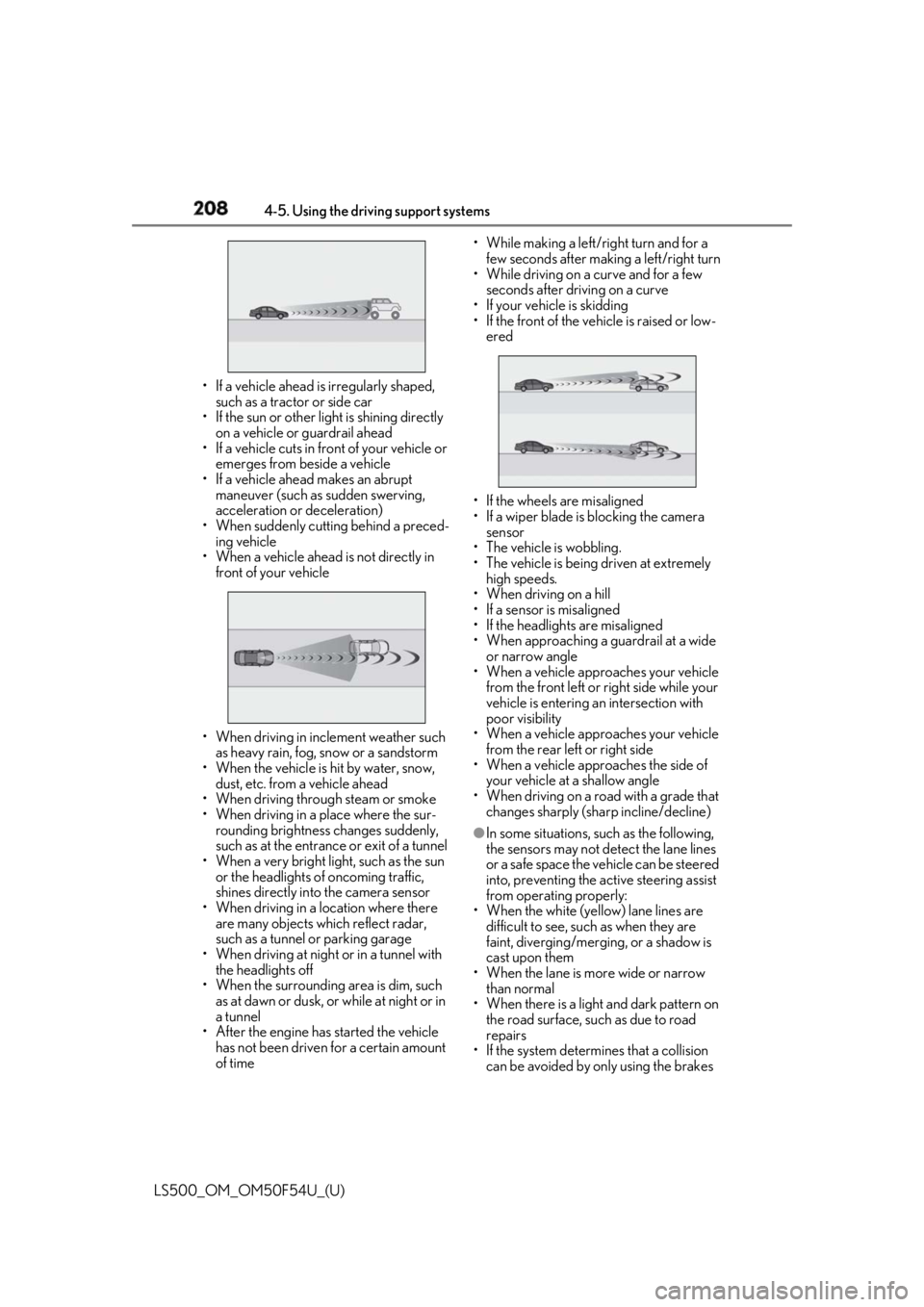
LS500_OM_OM50F54U_(U) • If a vehicle ahead is irregularly shaped,
such as a tractor or side car
• If the sun or other light is shining directly
on a vehicle or guardrail ahead
• If a vehicle cuts in front of your vehicle or
emerges from beside a vehicle
• If a vehicle ahead makes an abrupt
maneuver (such as sudden swerving,
acceleration or deceleration)
• When suddenly cutting behind a preced-
ing vehicle
• When a vehicle ahead is not directly in
front of your vehicle
• When driving in incl ement weather such
as heavy rain, fog, snow or a sandstorm
• When the vehicle is hit by water, snow,
dust, etc. from a vehicle ahead
• When driving through steam or smoke
• When driving in a place where the sur-
rounding brightness changes suddenly,
such as at the entrance or exit of a tunnel
• When a very bright light, such as the sun
or the headlights of oncoming traffic,
shines directly in to the camera sensor
• When driving in a lo cation where there
are many objects which reflect radar,
such as a tunnel or parking garage
• When driving at night or in a tunnel with
the headlights off
• When the surrounding area is dim, such
as at dawn or dusk, or while at night or in
a tunnel
• After the engine has started the vehicle
has not been driven for a certain amount
of time • While making a left/r ight turn and for a
few seconds after making a left/right turn
• While driving on a curve and for a few
seconds after driving on a curve
• If your vehicle is skidding
• If the front of the vehicle is raised or low-
ered
• If the wheels are misaligned
• If a wiper blade is blocking the camera
sensor
• The vehicle is wobbling.
• The vehicle is being driven at extremely
high speeds.
• When driving on a hill
• If a sensor is misaligned
• If the headlights are misaligned
• When approaching a guardrail at a wide
or narrow angle
• When a vehicle approaches your vehicle
from the front left or right side while your
vehicle is entering an intersection with
poor visibility
• When a vehicle approaches your vehicle
from the rear left or right side
• When a vehicle approaches the side of
your vehicle at a shallow angle
• When driving on a road with a grade that
changes sharply (sha rp incline/decline)●
In some situations, such as the following,
the sensors may not detect the lane lines
or a safe space the vehicle can be steered
into, preventing the active steering assist
from operating properly:
• When the white (yellow) lane lines are
difficult to see, such as when they are
faint, diverging/merging, or a shadow is
cast upon them
• When the lane is more wide or narrow
than normal
• When there is a light and dark pattern on
the road surface, such as due to road
repairs
• If the system determines that a collision
can be avoided by only using the brakes
Page 216 of 514
216 4-5. Using the driving support systems
LS500_OM_OM50F54U_(U) road or a wall that may be mistaken for a
vehicle or pedestrian
• When driving near an object that reflects
radio waves, such as a large truck or
guardrail
• When driving near a TV tower, broad-
casting station, electric power plant, or
other location where strong radio waves
or electrical noise may be present■
Situations in which the system may not
operate properly●
In some situations such as the following, a
vehicle may not be detected by the radar
sensor and camera sensor, preventing
the system from operating properly:
• If an oncoming vehicle is approaching
your vehicle
• If a vehicle ahead is a motorcycle or bicy-
cle
• When approaching the side or front of a
vehicle
• If a preceding vehicle has a small rear
end, such as an unloaded truck
• If a preceding vehicle has a low rear end,
such as a low bed trailer
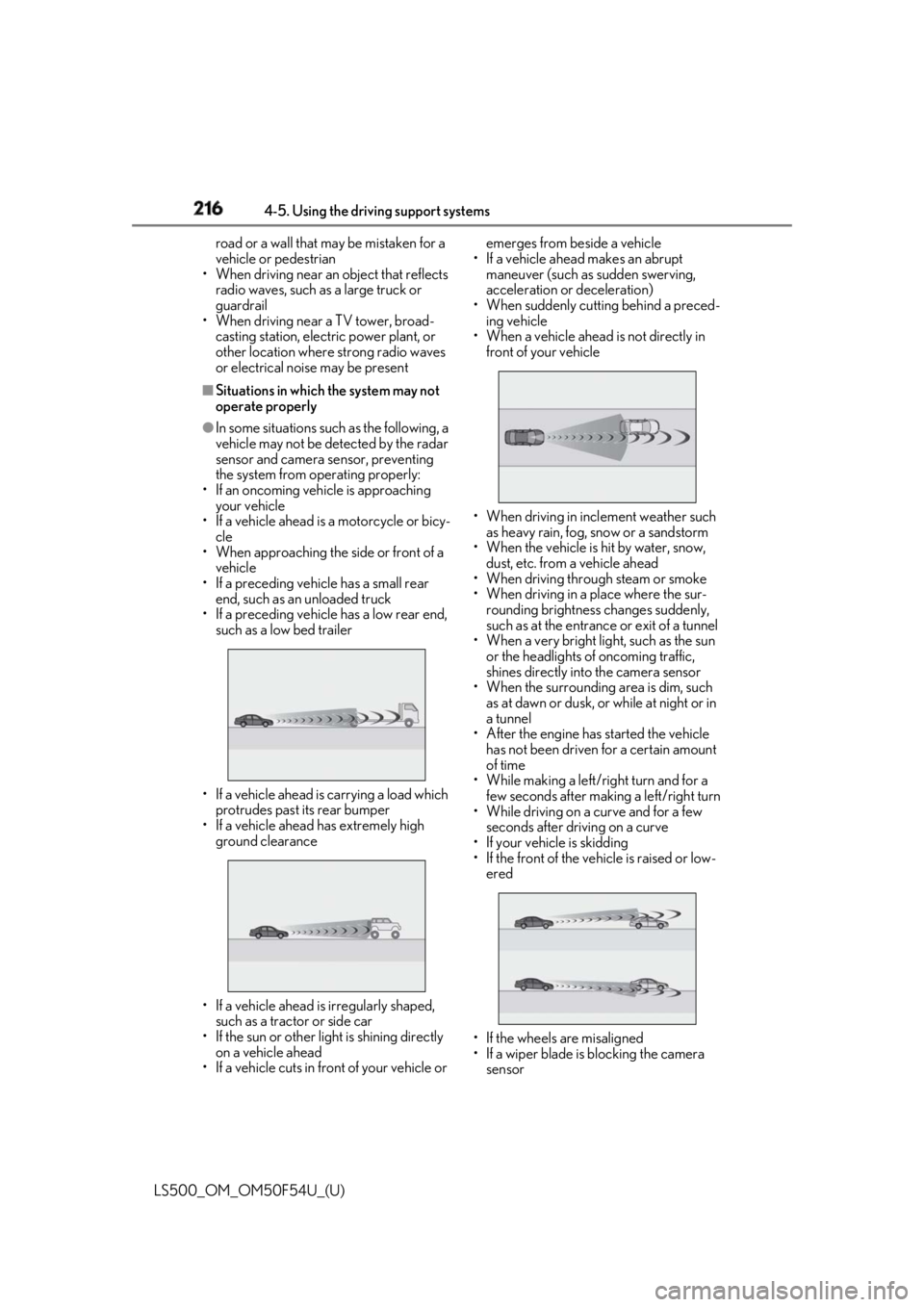
• If a vehicle ahead is carrying a load which
protrudes past its rear bumper
• If a vehicle ahead has extremely high
ground clearance
• If a vehicle ahead is irregularly shaped,
such as a tractor or side car
• If the sun or other light is shining directly
on a vehicle ahead
• If a vehicle cuts in front of your vehicle or emerges from beside a vehicle
• If a vehicle ahead makes an abrupt
maneuver (such as sudden swerving,
acceleration or deceleration)
• When suddenly cutting behind a preced-
ing vehicle
• When a vehicle ahead is not directly in
front of your vehicle
• When driving in incl ement weather such
as heavy rain, fog, snow or a sandstorm
• When the vehicle is hit by water, snow,
dust, etc. from a vehicle ahead
• When driving through steam or smoke
• When driving in a place where the sur-
rounding brightness changes suddenly,
such as at the entrance or exit of a tunnel
• When a very bright light, such as the sun
or the headlights of oncoming traffic,
shines directly into the camera sensor
• When the surrounding area is dim, such
as at dawn or dusk, or while at night or in
a tunnel
• After the engine has started the vehicle
has not been driven for a certain amount
of time
• While making a left/r ight turn and for a
few seconds after making a left/right turn
• While driving on a curve and for a few
seconds after driving on a curve
• If your vehicle is skidding
• If the front of the vehicle is raised or low-
ered
• If the wheels are misaligned
• If a wiper blade is blocking the camera
sensor
Page 291 of 514
2914-5. Using the driving support systems
LS500_OM_OM50F54U_(U) 4
Driving *
:If equipped
■
Situations in which the vehicle height
control may not operate properly●
In the following situations, the vehicle
height may change slowly or may not
change to the correct height:
• When the vehicle comes into contact
with snow, ice, stone, etc.
• When the ambient temperature is low
• When the accumulator tank pressure is
low●
In the following situations, the vehicle
height may not change:
• If the hood or trunk is not fully closed
• If the brake pedal depressed and the
vehicle is stopped
• When the vehicle is on a significantly
uneven or undulating road
• When the vehicle is on a slanted road or a
slope
■
Operating sound of the air suspension
compressor and valves
When the vehicle height is changed, such
as due to passengers entering the vehicle or
cargo being loaded, or when the vehicle
height is changed using the vehicle height
adjustment switch, the air suspension com-
pressor and valves may operate and a
sound may be heard. This does not indicate a malfunction. ■
When the accumulator tank pressure is
low
When the accumulator tank pressure is low,
the air suspension compressor and valves
may operate repeatedly even though the
vehicle height is not being changed. This
does not indicate a malfunction.
Electronically modulated air
suspension *
The height of the vehicle when driv-
ing can be selected using the vehi-
cle height adjustment switch. The
selected height level will be main-
tained regardless of the number of
passengers or weight of cargo.
Additionally, setti ngs of the follow-
ing functions can be changed:
Access mode control
Parking height control
Vehicle height control WARNING■
Situations in whic h the operation of
the electronically modulated air sus-
pension should be canceled
In the following situations, make sure to
disable all functions of the vehicle height
control of the electronically modulated
air suspension and then stopping the
engine. Otherwise, the vehicle height
may change and part of your body may
be caught under the vehicle, possibly
causing injury. ●
When the vehicle is parked on a curb ●
If any of the wheels is not touching the
ground ●
If the vehicle needs to be jacked up ●
If the vehicle is to be tied down ●
If the vehicle is to be towed
■
Vehicle height control precautions
In the following situations, make sure to
check the safety of the area around the
vehicle, as the vehicle height may change
and part of someone’s body may be
caught in the vehicle, possibly causing
injury or the vehicle may be damaged.
●
When opening a door
●
When unlocking the doors using the
smart access system with push-button
start
●
When changing the vehicle height
using the vehicle height adjustment
switch
Page 292 of 514
292 4-5. Using the driving support systems
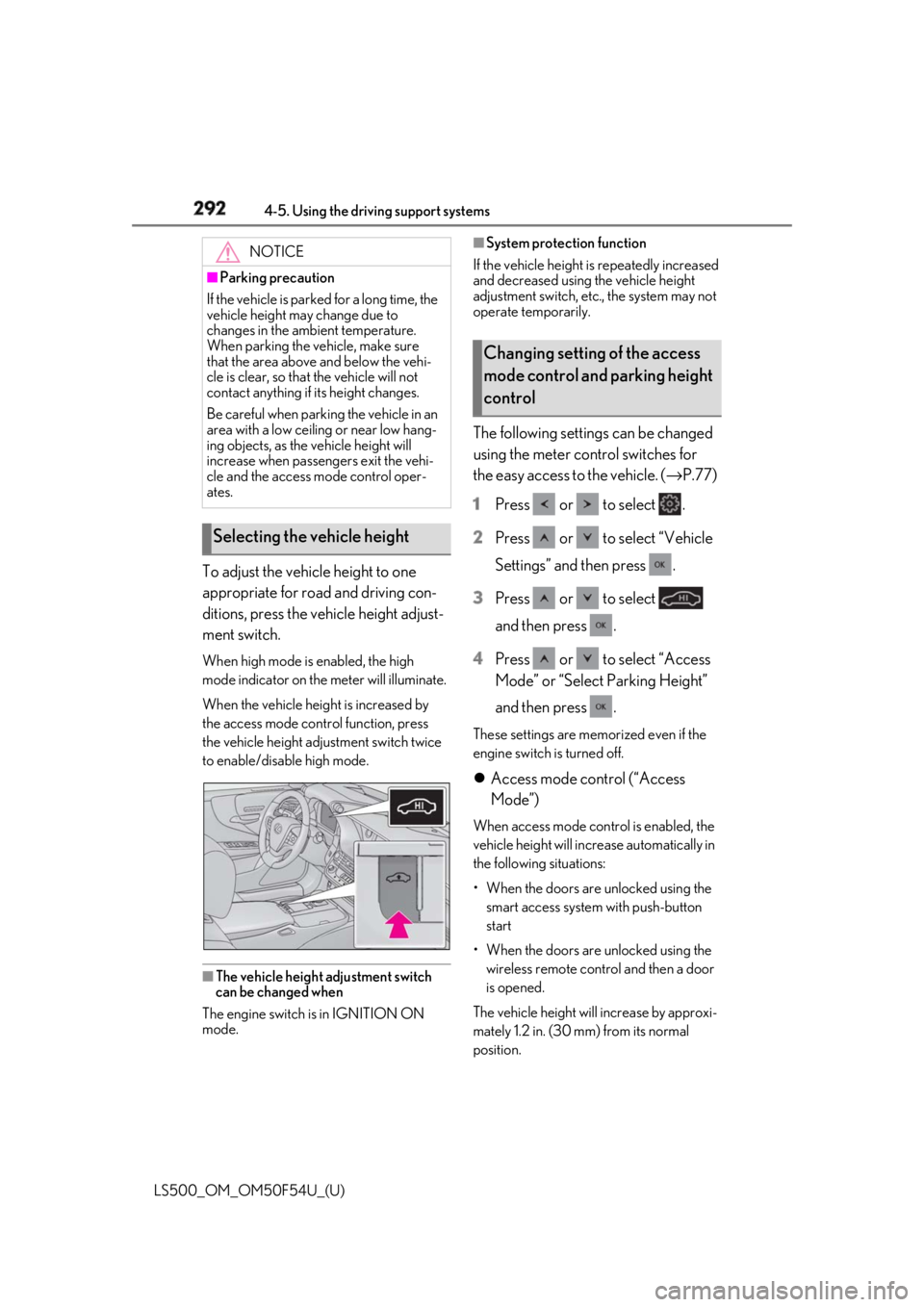
LS500_OM_OM50F54U_(U) To adjust the vehicle height to one
appropriate for road and driving con-
ditions, press the vehicle height adjust-
ment switch. When high mode is enabled, the high
mode indicator on the meter will illuminate.
When the vehicle height is increased by
the access mode control function, press
the vehicle height adjustment switch twice
to enable/disable high mode.
■
The vehicle height adjustment switch
can be changed when
The engine switch is in IGNITION ON
mode. ■
System protection function
If the vehicle height is repeatedly increased
and decreased using the vehicle height
adjustment switch, etc ., the system may not
operate temporarily.
The following settings can be changed
using the meter control switches for
the easy access to the vehicle. ( → P.77)
1 Press or to select .
2 Press or to select “Vehicle
Settings” and then press .
3 Press or to select
and then press .
4 Press or to select “Access
Mode” or “Select Parking Height”
and then press . These settings are memorized even if the
engine switch is turned off.
Access mode control (“Access
Mode”) When access mode cont rol is enabled, the
vehicle height will incr ease automatically in
the following situations:
• When the doors are unlocked using the
smart access system with push-button
start
• When the doors are unlocked using the
wireless remote control and then a door
is opened.
The vehicle height will increase by approxi-
mately 1.2 in. (30 mm) from its normal
position.NOTICE■
Parking precaution
If the vehicle is parked for a long time, the
vehicle height may change due to
changes in the ambient temperature.
When parking the vehicle, make sure
that the area above and below the vehi-
cle is clear, so that the vehicle will not
contact anything if its height changes.
Be careful when parking the vehicle in an
area with a low ceiling or near low hang-
ing objects, as the vehicle height will
increase when passengers exit the vehi-
cle and the access mode control oper-
ates.
Selecting the vehicle height Changing setting of the access
mode control and parking height
control
Page 294 of 514
294 4-5. Using the driving support systems
LS500_OM_OM50F54U_(U) ■
ECB (Electronically Controlled
Brake System) (if equipped)
The electronically controlled system
generates braking force correspond-
ing to the brake operation ■
ABS (Anti-lock Brake System)
Helps to prevent wheel lock when the
brakes are applied suddenly, or if the
brakes are applied while driving on a
slippery road surface ■
Brake assist
Generates an increased level of brak-
ing force after the brake pedal is
depressed when the system detects a
panic stop situation ■
VSC (Vehicle Stability Control)
Helps the driver to control skidding
when swerving sudden ly or turning on
slippery road surfaces. ■
Secondary Collision Brake
When the airbag sensor detects a colli-
sion, the brakes and brake lights are
automatically controlled to reduce the vehicle speed and that helps reduce
the possibility of further damage due to
a secondary collision. ■
TRAC (Traction Control)
Helps to maintain drive power and pre-
vent the drive wheels from spinning
when starting the vehicle or accelerat-
ing on slippery roads ■
Hill-start assist control
Helps to reduce the backward move-
ment of the vehicle when starting on an
uphill ■
VGRS (Variable Gear Ratio Steer-
ing) (if equipped)
Adjusts the front wheel turning angle in
accordance with the vehicle speed and
steering wheel movement ■
DRS (Dynamic Rear Steering) (if
equipped)
Contributes to the turning characteris-
tics and responsiveness of the vehicle
by adjusting the rear wheel angle of the
vehicle in accordance with steering
wheel movement. ■
EPS (Electric Power Steering)
Employs an electric motor to reduce
the amount of effort needed to turn the
steering wheel. ■
Active stabilizer suspension sys-
tem (if equipped)
Reduces sway when cornering accord-
ing to steering wheel movement in
order to maintain a stable vehicle pos-
ture.Driving assist systems To keep driving safety and perfor-
mance, the following systems oper-
ate automatically in response to
various driving situations. Be aware,
however, that these systems are
supplementary and should not be
relied upon too heavily when oper-
ating the vehicle.
Summary of the driving assist
systems
Page 300 of 514
300 4-6. Driving tips
LS500_OM_OM50F54U_(U) Perform the following according to the
driving conditions:
Do not try to forcib ly open a window
or move a wiper that is frozen. Pour
warm water over the frozen area to
melt the ice. Wipe away the water
immediately to prevent it from
freezing.
To ensure proper operation of the
climate control system fan, remove
any snow that has accumulated on
the air inlet vents in front of the
windshield.
Check for and remove any excess
ice or snow that may have accumu-
lated on the exterior lights, vehicle’s
roof, chassis, around the tires or on
the brakes.
Remove any snow or mud from the
bottom of your shoes before getting
in the vehicle.
Accelerate the vehicle slowly, keep a
safe distance between you and the
vehicle ahead, and drive at a reduced
speed suitable to road conditions. Park the vehicle and shift the shift posi-
tion to P without setting the parking
brake. The parking brake may freeze
up, preventing it from being released. If
the vehicle is parked without setting
the parking brake, make sure to block
the wheels.
Failure to do so may be dangerous
because it may cause the vehicle to
move unexpectedly, possibly leading to
an accident.
Vehicles with front and rear tires of
the same size
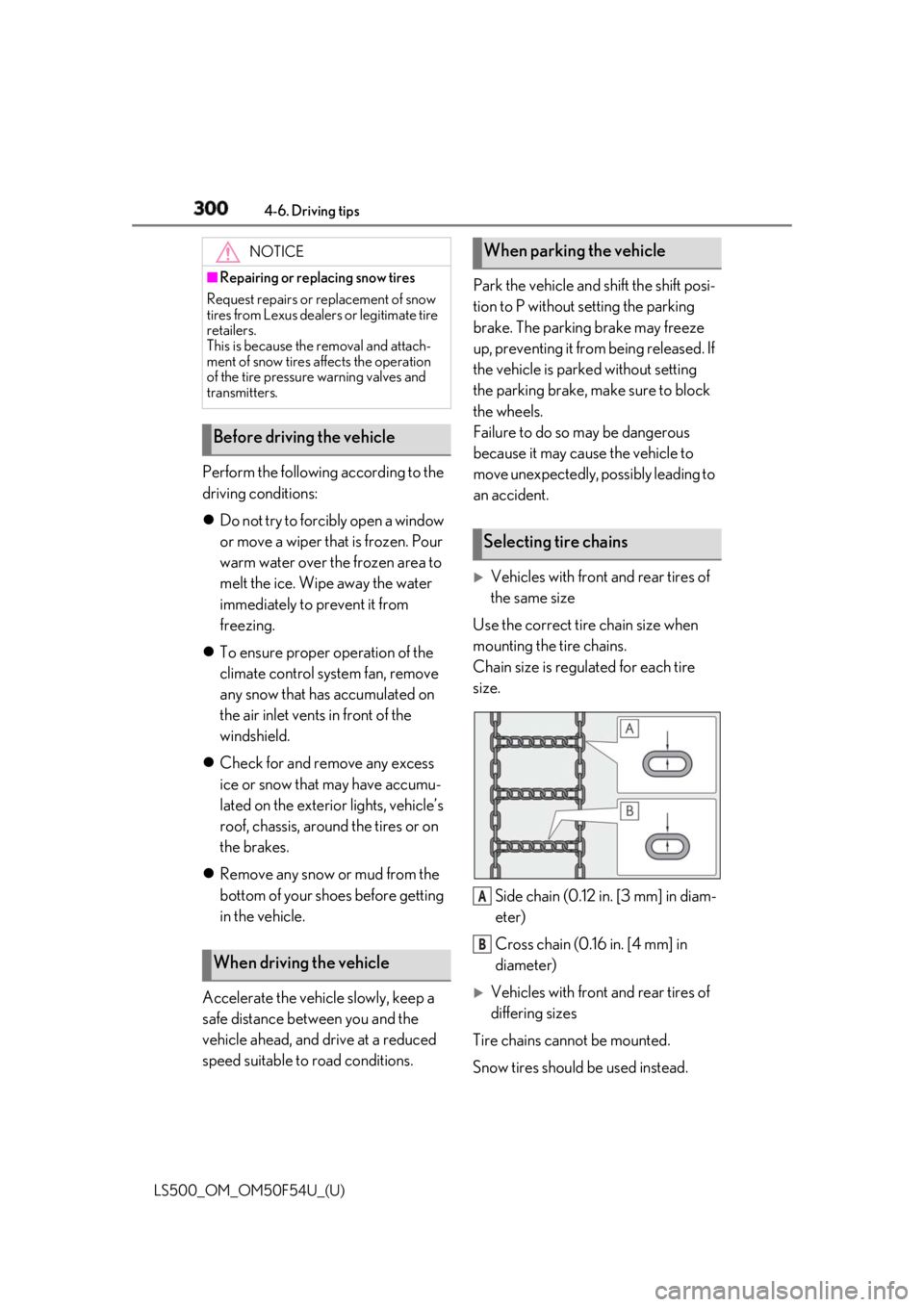
Use the correct tire chain size when
mounting the tire chains.
Chain size is regulated for each tire
size.
Side chain (0.12 in. [3 mm] in diam-
eter)
Cross chain (0.16 in. [4 mm] in
diameter)
Vehicles with front and rear tires of
differing sizes
Tire chains cannot be mounted.
Snow tires should be used instead.NOTICE■
Repairing or replacing snow tires
Request repairs or replacement of snow
tires from Lexus dealers or legitimate tire
retailers.
This is because the removal and attach-
ment of snow tires affects the operation
of the tire pressure warning valves and
transmitters.
Before driving the vehicle
When driving the vehicle When parking the vehicle
Selecting tire chains
A
B