door lock LEXUS LS500 2018 Owners Manual
[x] Cancel search | Manufacturer: LEXUS, Model Year: 2018, Model line: LS500, Model: LEXUS LS500 2018Pages: 514, PDF Size: 10.62 MB
Page 2 of 514
2
LS500_OM_OM50F54U_(U) TABLE OF CONTENTS
For your information ...................................... 6
Reading this manual .................................... 10
How to search ................................................. 11
Pictorial index ................................................. 12
1-1. For safe use
Before driving .................................... 22
For safe driving.................................. 23
Seat belts ............................................. 24
SRS airbags ........................................ 29
Pop Up Hood ................................... 38
Front passenger occupant classifi-
cation system ................................. 40
Exhaust gas precautions .............. 44
1-2. Child safety
Riding with children........................ 45
Child restraint systems ................. 45
1-3. Theft deterrent system
Engine immobilizer system ......... 58
Alarm.................................................... 60
2-1. Instrument cluster
Warning lights and indicators .... 64
Gauges and meters (except F
SPORT models) ........................... 69
Gauges and meters (F SPORT
models) .............................................. 72
Multi-information display............. 76
Head-up display .............................. 83
Fuel consumption information ... 87 3-1. Key information
Keys ....................................................... 92
3-2. Opening, closing and locking the
doors and trunk
Doors .................................................... 96
Trunk .................................................. 100
Smart access system with push-but-
ton start .......................................... 107
3-3. Adjusting the seats
Front seats.......................................... 116
Power rear seat .............................. 123
Driving position memory ............ 127
Rear seat position memory......... 131
Head restraints ............................... 132
3-4. Adjusting the steering wheel and
mirrors
Steering wheel ............................... 135
Inside rear view mirror ............... 136
Outside rear view mirrors.......... 137
3-5. Opening, closing the windows and
moon roof
Power windows ............................. 139
Moon roof ......................................... 142
Panoramic moon roof .................. 144
4-1. Before driving
Driving the vehicle........................ 150
Cargo and luggage...................... 156
Vehicle load limits......................... 158
Trailer towing.................................. 159
Dinghy towing ................................ 1591
For safety and security
2
Vehicle status information and
indicators 3
Before driving
4
Driving
Page 12 of 514
12 Pictorial index
LS500_OM_OM50F54U_(U)Pictorial index ■ Exterior
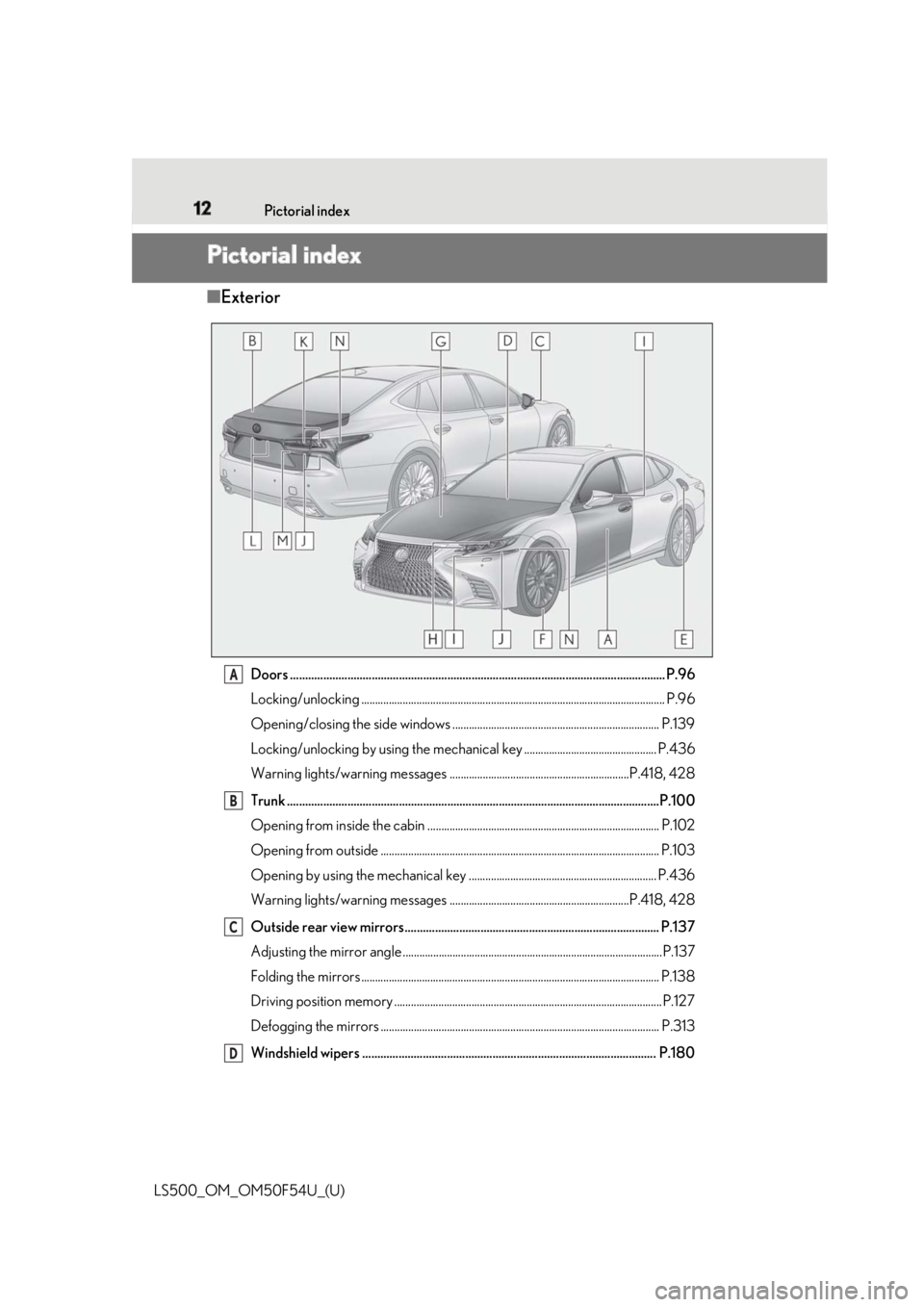
Doors .......................................................................................................................... .. P.96
Locking/unlocking .............................................................................................................. P.96
Opening/closing the side windows ........................................................................... P.139
Locking/unlocking by using th e mechanical key ................................................ P.436
Warning lights/warning messages .................................................................P.418, 428
Trunk .......................................................................................................................... .P.100
Opening from inside the cabin .................................................................................... P.102
Opening from outside ..................................................................................................... P.103
Opening by using the mechanical key .................................................................... P.436
Warning lights/warning messages .................................................................P.418, 428
Outside rear view mirrors.................................................................................... P.137
Adjusting the mirror angle ..............................................................................................P.137
Folding the mirrors ............................................................................................................ P.138
Driving position memory ................................................................................................. P.127
Defogging the mirrors ..................................................................................................... P.313
Windshield wipers ................................................................................................. P.180 A
B
C
D
Page 17 of 514
17Pictorial index
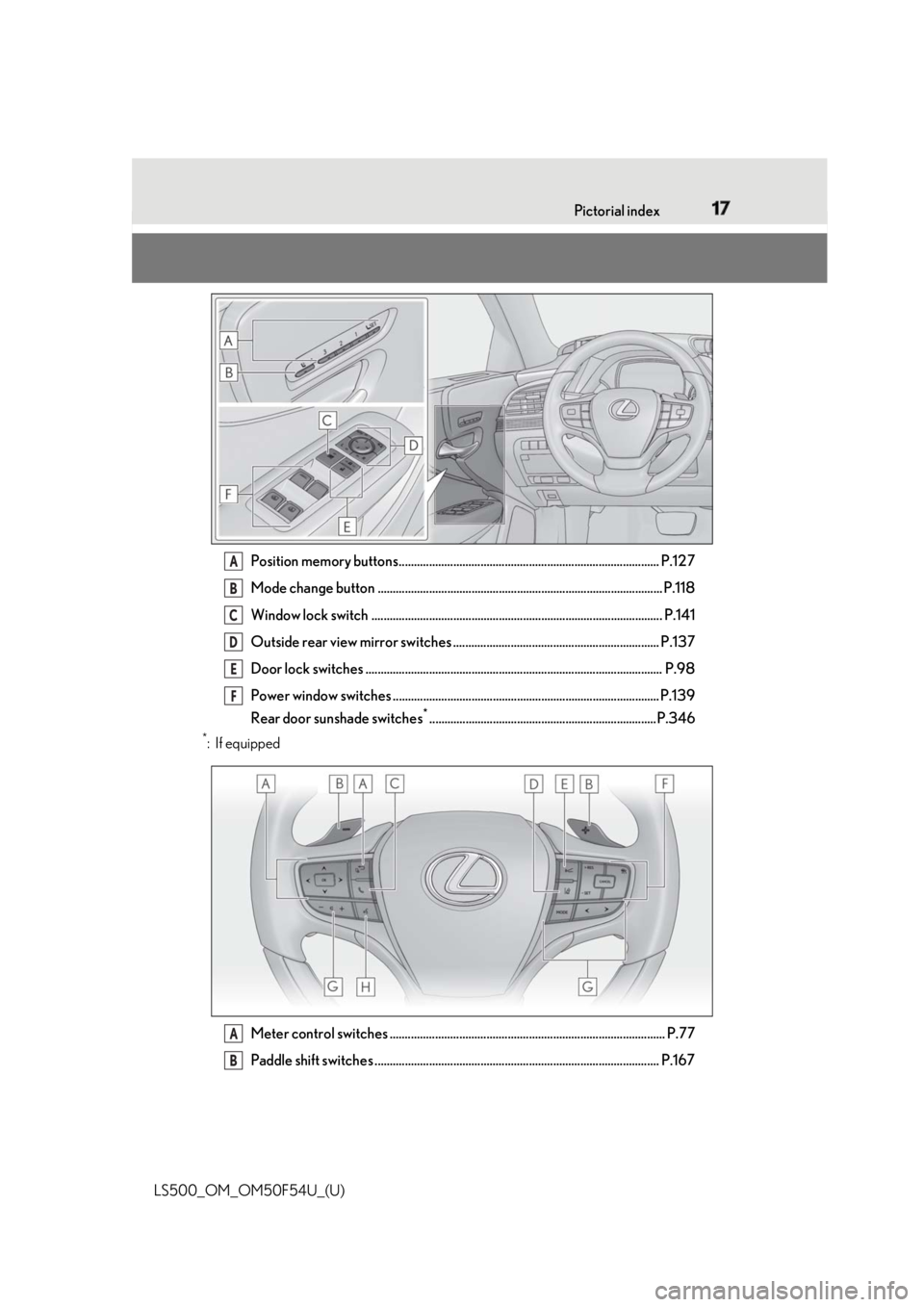
LS500_OM_OM50F54U_(U) Position memory buttons...................................................................................... P.127
Mode change button .............................................................................................. P.118
Window lock switch ................................................................................................ P.141
Outside rear view mirror switches .................................................................... P.137
Door lock switches .................................................................................................. P.98
Power window switches ........................................................................................ P.139
Rear door sunshade switches *
...........................................................................P.346*
:If equipped
Meter control switches ........................................................................................... P.77
Paddle shift switches .............................................................................................. P.167 A
B
C
D
E
F
A
B
Page 26 of 514
26 1-1. For safe use
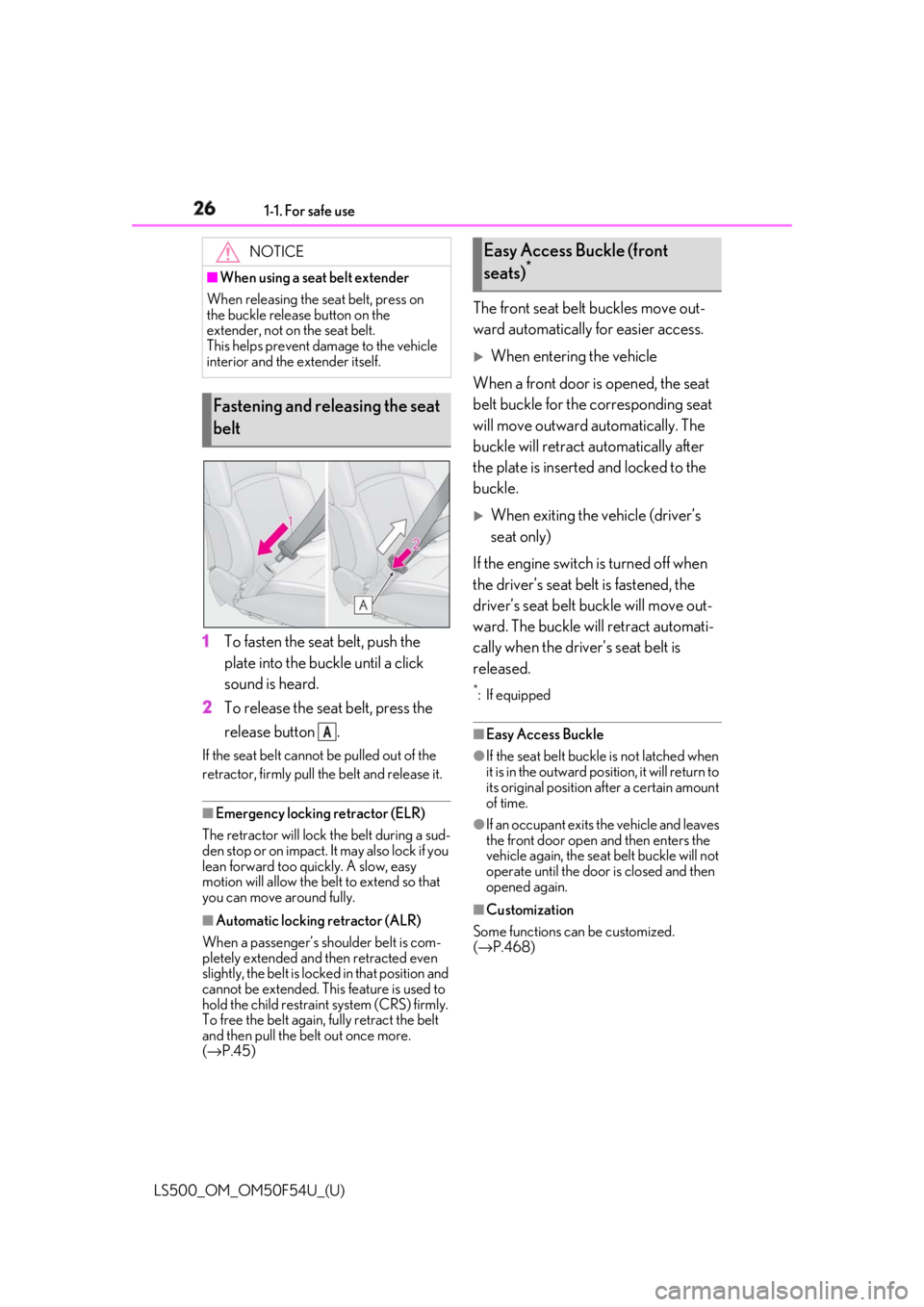
LS500_OM_OM50F54U_(U) 1 To fasten the seat belt, push the
plate into the buckle until a click
sound is heard.
2 To release the seat belt, press the
release button .If the seat belt cannot be pulled out of the
retractor, firmly pull the belt and release it.
■
Emergency locking retractor (ELR)
The retractor will lock the belt during a sud-
den stop or on impact. It may also lock if you
lean forward too quickly. A slow, easy
motion will allow the belt to extend so that
you can move around fully.
■
Automatic locking retractor (ALR)
When a passenger’s sh oulder belt is com-
pletely extended and then retracted even
slightly, the belt is locked in that position and
cannot be extended. This feature is used to
hold the child restraint system (CRS) firmly.
To free the belt again, fully retract the belt
and then pull the belt out once more.
( → P.45) The front seat belt buckles move out-
ward automatically for easier access.
When entering the vehicle
When a front door is opened, the seat
belt buckle for the corresponding seat
will move outward automatically. The
buckle will retract automatically after
the plate is inserted and locked to the
buckle.
When exiting the vehicle (driver’s
seat only)
If the engine switch is turned off when
the driver’s seat belt is fastened, the
driver’s seat belt buckle will move out-
ward. The buckle will retract automati-
cally when the driver’s seat belt is
released. *
: If equipped
■
Easy Access Buckle ●
If the seat belt buckle is not latched when
it is in the outward position, it will return to
its original position after a certain amount
of time. ●
If an occupant exits the vehicle and leaves
the front door open and then enters the
vehicle again, the seat belt buckle will not
operate until the door is closed and then
opened again.
■
Customization
Some functions can be customized.
( → P.468)NOTICE■
When using a seat belt extender
When releasing the se at belt, press on
the buckle release button on the
extender, not on the seat belt.
This helps prevent damage to the vehicle
interior and the extender itself.
Fastening and releasing the seat
belt
AEasy Access Buckle (front
seats) *
Page 45 of 514
451-2. Child safety
LS500_OM_OM50F54U_(U) 1
For safety and security 1-2.Child safety
Points to remember: P.45
Child restraint system: P.46
When using a child restraint system:
P.47
Child restraint system installation
method
• Fixed with a seat belt: P.49
• Fixed with a child restraint LATCH
anchor: P.53
• Using an anchor bracket (for top
tether strap): P.55
The laws of all 50 states of the U.S.A.
as well as Canada now require the use
of child restraint systems.
Prioritize and observe the warn-
ings, as well as the laws and regula-Riding with children Observe the following precautions
when children are in the vehicle.
Use a child restraint system appro-
priate for the child , until the child
becomes large enough to properly
wear the vehicle’s seat belt.
It is recommended that children
sit in the rear seats to avoid acci-
dental contact with the shift lever,
wiper switch etc.
Use the rear door child-protector
lock or the window lock switch to
avoid children opening the door
while driving or operating the
power window accidentally.
( → P.99, 141)
Do not let small children operate
equipment which may catch or
pinch body parts, such as the
power window, hood, trunk, seats
etc. WARNING
■
When children are in the vehicle
Never leave children unattended in the
vehicle, and never allow children to have
or use the key.
Children may be able to start the vehicle
or shift the vehicle into neutral. There is
also a danger that children may injure
themselves by playing with the windows,
the moon roof or panoramic moon roof,
or other features of the vehicle. In addi-
tion, heat build-up or extremely cold
temperatures inside the vehicle can be
fatal to children. Child restraint systems Before installing a child restraint
system in the vehicle, there are pre-
cautions that need to be observed,
different types of child restraint sys-
tems, as well as installation meth-
ods, etc., written in this manual.
Use a child restraint system when
riding with a small child that cannot
properly use a seat belt. For the
child’s safety, install the child restraint
system to a rear seat. Be sure to fol-
low the installation method that is in
the operation manual enclosed with
the restraint system.
Table of contents
Points to remember
Page 49 of 514
491-2. Child safety
LS500_OM_OM50F54U_(U) 1
For safety and security
A child restraint system for a small
child or baby must itself be properly
restrained on the seat with the lap por-
tion of the lap/shoulder belt. ■
Installing child restraint system
using a seat belt (child restraint
lock function belt)
Install the child restraint system in
accordance to the operation manual
enclosed with the child restraint sys-
tem.WARNING●
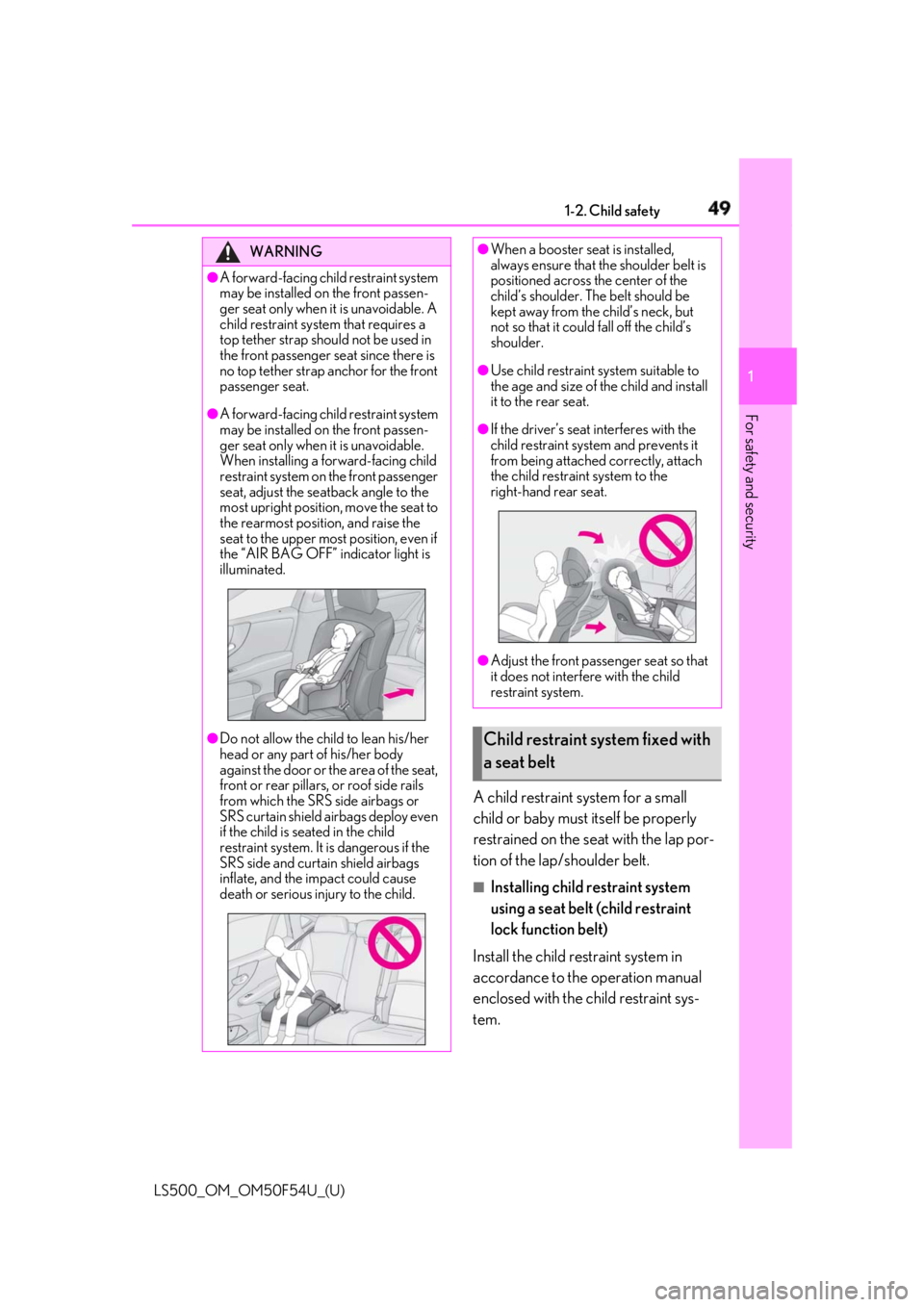
A forward-facing child restraint system
may be installed on the front passen-
ger seat only when it is unavoidable. A
child restraint system that requires a
top tether strap should not be used in
the front passenger seat since there is
no top tether strap anchor for the front
passenger seat.●
A forward-facing child restraint system
may be installed on the front passen-
ger seat only when it is unavoidable.
When installing a forward-facing child
restraint system on the front passenger
seat, adjust the seatback angle to the
most upright position, move the seat to
the rearmost position, and raise the
seat to the upper most position, even if
the “AIR BAG OFF” indicator light is
illuminated.
●
Do not allow the child to lean his/her
head or any part of his/her body
against the door or the area of the seat,
front or rear pillars, or roof side rails
from which the SRS side airbags or
SRS curtain shield ai rbags deploy even
if the child is seated in the child
restraint system. It is dangerous if the
SRS side and curtain shield airbags
inflate, and the impact could cause
death or serious injury to the child. ●
When a booster seat is installed,
always ensure that th e shoulder belt is
positioned across the center of the
child’s shoulder. The belt should be
kept away from the child’s neck, but
not so that it could fall off the child’s
shoulder. ●
Use child restraint system suitable to
the age and size of the child and install
it to the rear seat. ●
If the driver’s seat interferes with the
child restraint system and prevents it
from being attached correctly, attach
the child restraint system to the
right-hand rear seat.
●
Adjust the front passe nger seat so that
it does not interfere with the child
restraint system.
Child restraint system fixed with
a seat belt
Page 60 of 514
60 1-3. Theft deterrent system
LS500_OM_OM50F54U_(U) ■
Items to check before locking the
vehicle
To prevent unexpected triggering of
the alarm and vehicle theft, make sure
of the following:
Nobody is in the vehicle.
The windows, moon roof (if
equipped) and panoramic moon
roof (if equipped) are closed before
the alarm is set.
No valuables or other personal
items are left in the vehicle. ■
Setting
Close the doors, trunk and hood, and
lock all the doors. The system will be
set automatically after 30 seconds. The indicator light changes from being on
to flashing when the system is set. ■
Canceling or stopping
Do one of the following to deactivate
or stop the alarms:
Unlock the doors.
Turn the engine switch to ACCES-
SORY or IGNITION ON mode, or
start the engine. (The alarm will be
deactivated or stopped after a few
seconds.) ■
System maintenance
The vehicle has a maintenance-free type
alarm system. ■
Triggering of the alarm
The alarm may be triggered in the following
situations:
(Stopping the alarm deactivates the alarm
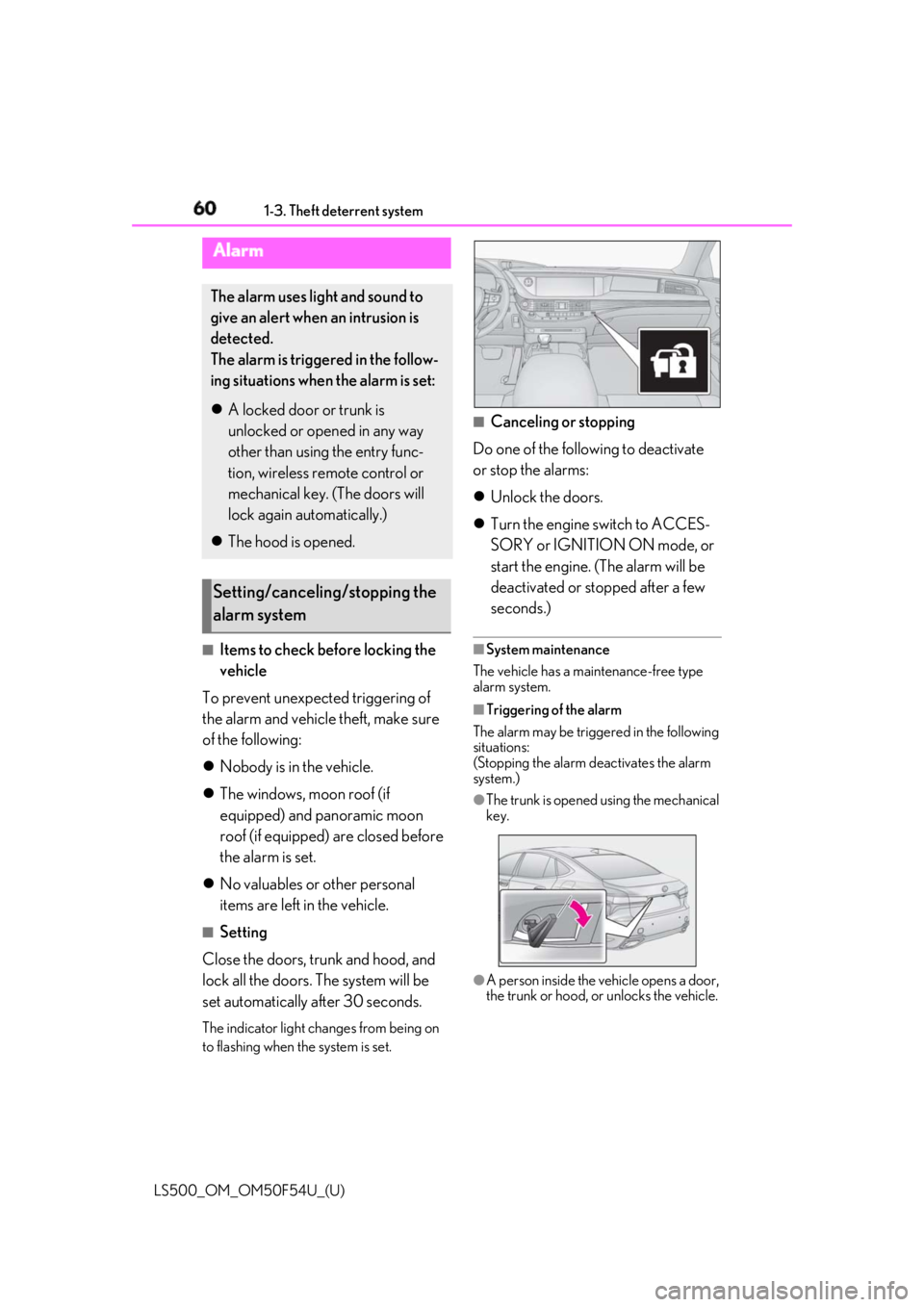
system.) ●
The trunk is opened using the mechanical
key.
●
A person inside the vehicle opens a door,
the trunk or hood, or unlocks the vehicle.Alarm The alarm uses light and sound to
give an alert when an intrusion is
detected.
The alarm is triggered in the follow-
ing situations when the alarm is set:
A locked door or trunk is
unlocked or opened in any way
other than using the entry func-
tion, wireless remote control or
mechanical key. (The doors will
lock again automatically.)
The hood is opened.
Setting/canceling/stopping the
alarm system
Page 61 of 514
611-3. Theft deterrent system
LS500_OM_OM50F54U_(U) 1
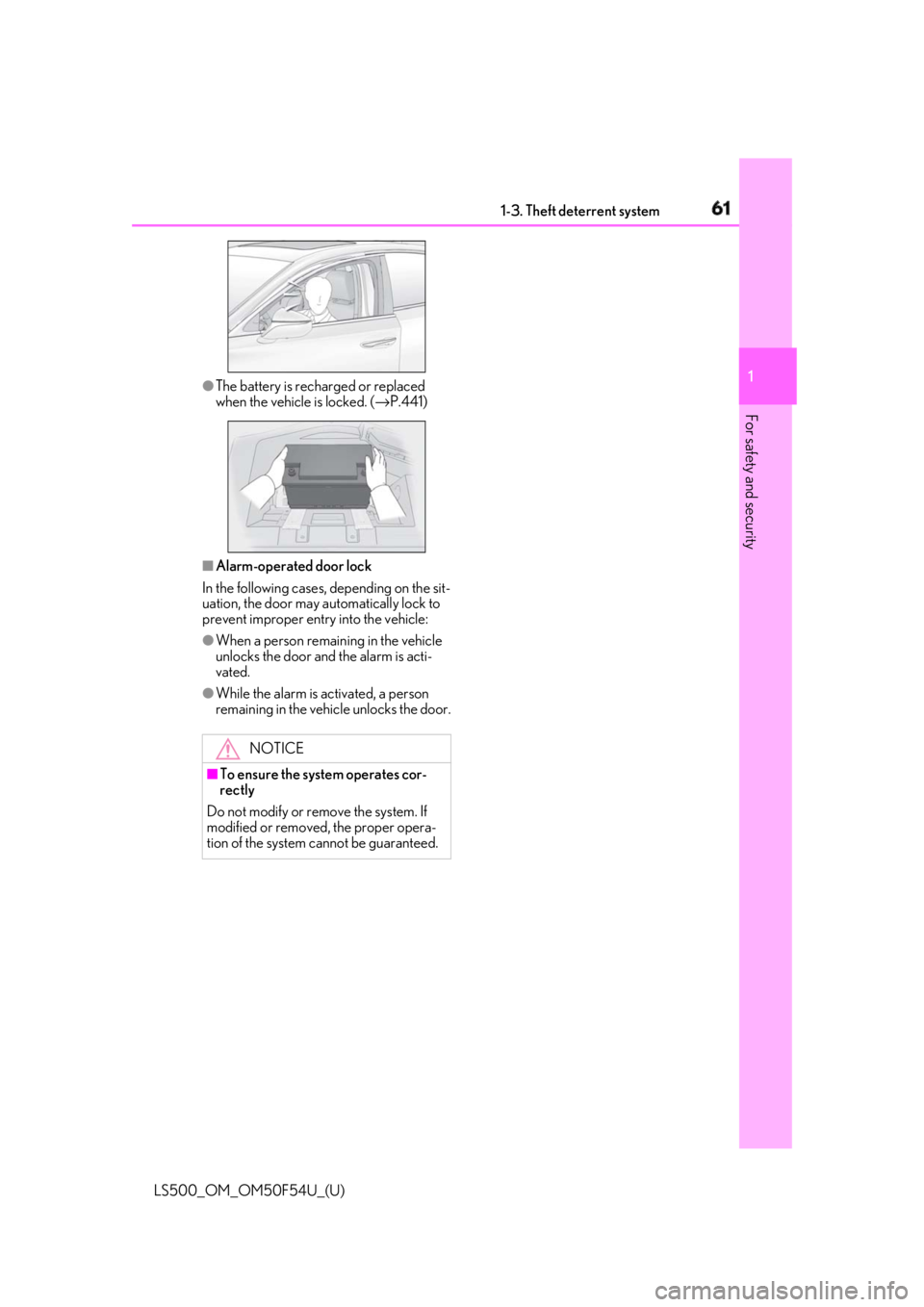
For safety and security ●
The battery is rech arged or replaced
when the vehicle is locked. ( → P.441)
■
Alarm-operated door lock
In the following cases, depending on the sit-
uation, the door may automatically lock to
prevent improper entry into the vehicle: ●
When a person remaining in the vehicle
unlocks the door and the alarm is acti-
vated.●
While the alarm is activated, a person
remaining in the vehicle unlocks the door.
NOTICE■
To ensure the system operates cor-
rectly
Do not modify or remove the system. If
modified or removed, the proper opera-
tion of the system cannot be guaranteed.
Page 91 of 514
91
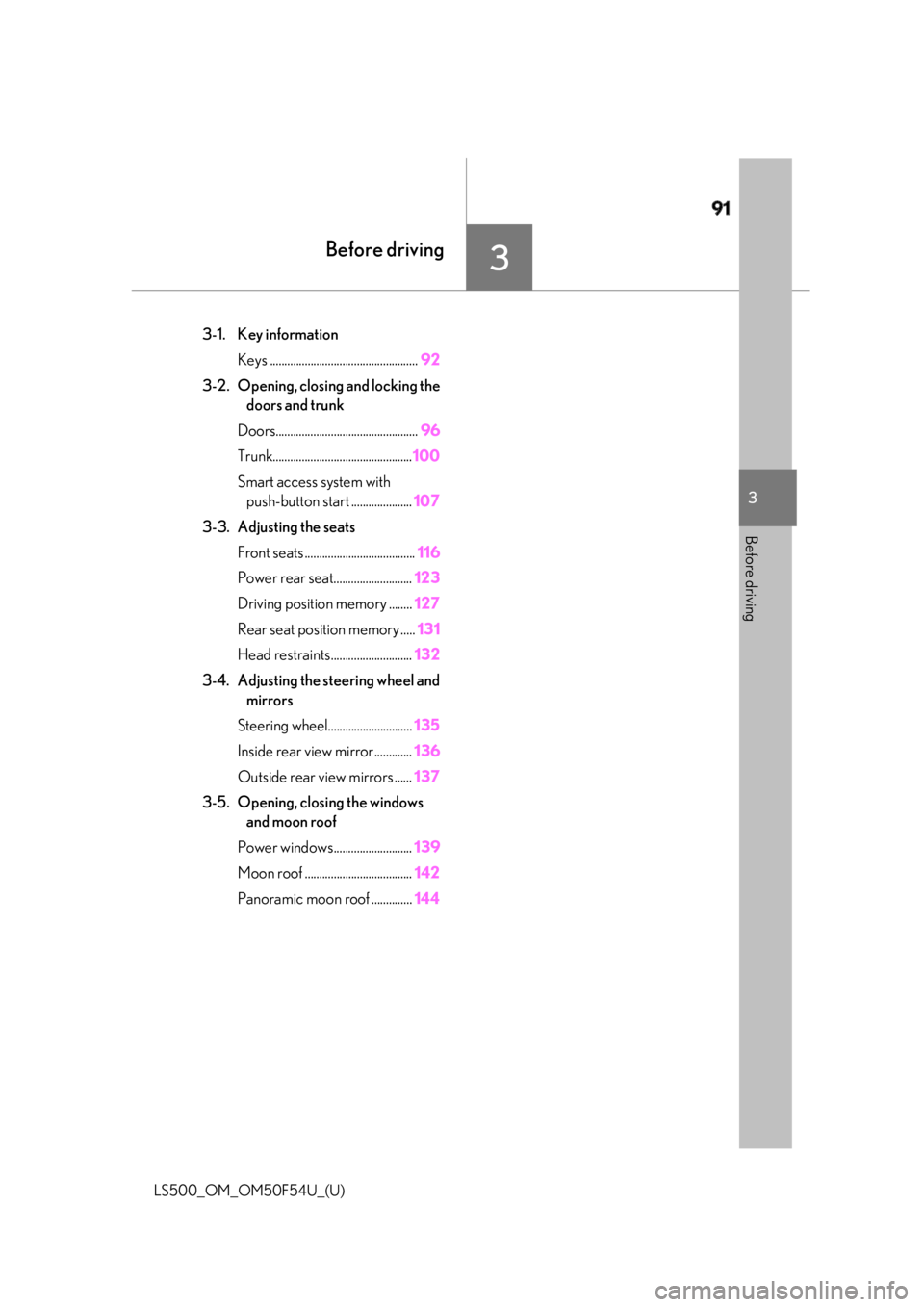
LS500_OM_OM50F54U_(U) 3 3
Before driving Before driving .
3-1. Key information
Keys ................................................... 92
3-2. Opening, closing and locking the
doors and trunk
Doors................................................. 96
Trunk................................................ 100
Smart access system with
push-button start ..................... 107
3-3. Adjusting the seats
Front seats ...................................... 116
Power rear seat........................... 123
Driving position memory ........ 127
Rear seat position memory ..... 131
Head restraints............................ 132
3-4. Adjusting the steering wheel and
mirrors
Steering wheel............................. 135
Inside rear view mirror............. 136
Outside rear view mirrors ...... 137
3-5. Opening, closing the windows
and moon roof
Power windows........................... 139
Moon roof ..................................... 142
Panoramic moon roof .............. 144
Page 93 of 514
933-1. Key information
LS500_OM_OM50F54U_(U) 3
Before driving ●
To reduce key battery depletion when the
electronic key is to not be used for long
periods of time, set the electronic key to
the battery-saving mode. ( → P.108)●
As the electronic ke y always receives
radio waves, the battery will become
depleted even if the electronic key is not
used. The following symptoms indicate
that the electronic key battery may be
depleted. Replace the battery when nec-
essary. ( → P.403)
• The smart access system with push-but-
ton start or the wireless remote control
does not operate.
• The detection area becomes smaller.
•The LED indicator on the key surface
does not turn on.●
To avoid serious deterioration, do not
leave the electronic ke y within 3 ft. (1 m)
of the following electr ical appliances that
produce a magnetic field:
•TVs
• Personal computers
• Cellular phones, cordless phones and
battery chargers
• Recharging cellular phones or cordless
phones
• Table lamps
• Induction cookers ■
Replacing the battery
→ P.403■
Confirmation of the number of regis-
tered keys
The number of keys already registered to
the vehicle can be confirmed. Ask your
Lexus dealer for details.
■
If “A New Key has been Registered
Contact Your Dealer for Details” is
shown on the multi-information display
This message will be displayed each time
the driver’s door is opened when the doors
are unlocked from the outside for approxi-
mately 10 days after a new electronic key
has been registered.
If this message is disp layed but you have not
had a new electronic key registered, ask
your Lexus dealer to check if an unknown
electronic key (other than those in your
possession) has been registered. NOTICE■
To prevent key damage ●
Do not drop the keys, subject them to
strong shocks or bend them. ●
Do not expose the keys to high tem-
peratures for a long period of time. ●
Do not get the keys wet or wash them
in an ultrasonic washer etc. ●
Do not attach metallic or magnetic
materials to the keys or place the keys
close to such materials. ●
Do not disassemble the keys. ●
Do not attach a sticker or anything else
to the surface of the electronic key. ●
Do not place the keys near objects that
produce magnetic fields, such as TVs,
audio systems and induction cookers,
or medical electrical equipment, such
as low-frequency therapy equipment. ■
Carrying the electronic key on your
person
Carry the electronic key 3.9 in. (10 cm)
or more away from electric appliances
that are turned on. Radio waves emitted
from electric applianc es within 3.9 in. (10
cm) of the electronic key may interfere
with the key, causing the key to not func-
tion properly.
■
In case of a smart access system with
push-button start malfunction or
other key-rela ted problems
→ P.436
■
When an electronic key is lost
→ P.435
■
Handling the card key (if equipped)
●
Do not apply excess force when insert-
ing the mechanical key into the card
key. Doing so may damage the card
key.