engine oil LEXUS LS500 2018 Owners Manual
[x] Cancel search | Manufacturer: LEXUS, Model Year: 2018, Model line: LS500, Model: LEXUS LS500 2018Pages: 514, PDF Size: 10.62 MB
Page 1 of 514

1
2
3
4
5
6
7
8
9
LS500_OM_OM50F54U_(U) Pictorial index Search by illustration
For safety
and security Make sure to read through them
(Main topics: Child seat, theft deterrent system)
Vehicle status
information and
indicators Reading driving-related information
(Main topics: Meters, multi-information display)
Before driving Opening and closing the doors and windows,
adjustment before driving
(Main topics: Keys, doors, seats)
Driving Operations and advice which are necessary for driving
(Main topics: Starting engine, refueling)
Interior features Usage of the interior features
(Main topics: Air conditioner, storage features)
Maintenance
and care Caring for your vehicle and maintenance procedures
(Main topics: Interior and exterior, light bulbs)
When trouble
arises What to do in case of malfunction and emergency
(Main topics: Battery discharge, flat tire)
Vehicle
specifications Vehicle specifications, customizable features
(Main topics: Fuel, oil, tire inflation pressure)
For owners Reporting safety defects for U.S. owners, seat belt and
SRS airbag instructions for Canadian owners
Index Search by symptom
Search alphabetically
Page 4 of 514
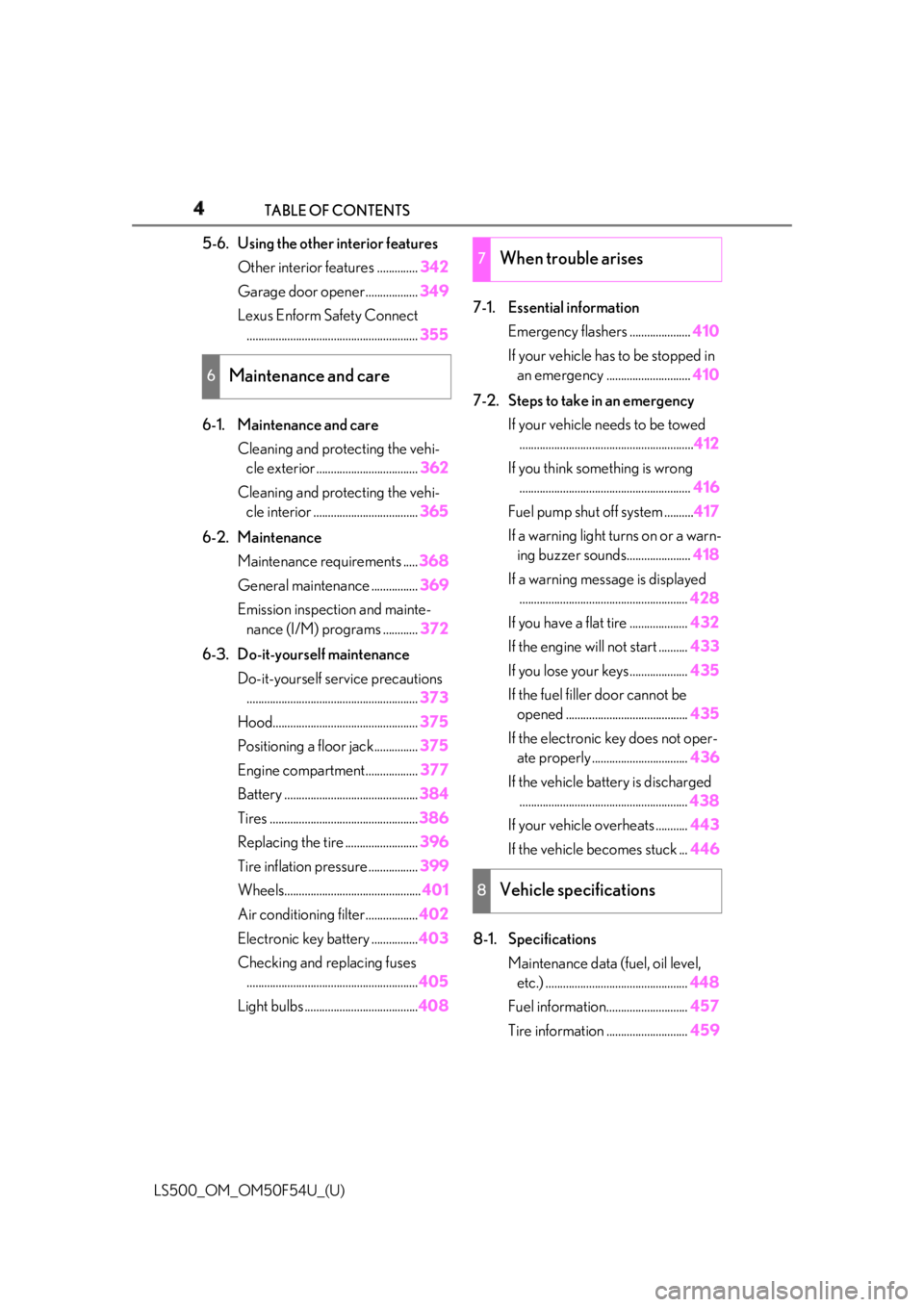
4 TABLE OF CONTENTS
LS500_OM_OM50F54U_(U) 5-6. Using the other interior features
Other interior features .............. 342
Garage door opener.................. 349
Lexus Enform Safety Connect
........................................................... 355
6-1. Maintenance and care
Cleaning and protecting the vehi-
cle exterior ................................... 362
Cleaning and protecting the vehi-
cle interior .................................... 365
6-2. Maintenance
Maintenance requirements ..... 368
General maintenance ................ 369
Emission inspection and mainte-
nance (I/M) programs ............ 372
6-3. Do-it-yourself maintenance
Do-it-yourself service precautions
........................................................... 373
Hood.................................................. 375
Positioning a floor jack............... 375
Engine compartment.................. 377
Battery .............................................. 384
Tires ................................................... 386
Replacing the tire ......................... 396
Tire inflation pressure ................. 399
Wheels............................................... 401
Air conditioning filter.................. 402
Electronic key battery ................ 403
Checking and replacing fuses
........................................................... 405
Light bulbs ....................................... 408 7-1. Essential information
Emergency flashers ..................... 410
If your vehicle has to be stopped in
an emergency ............................. 410
7-2. Steps to take in an emergency
If your vehicle needs to be towed
............................................................ 412
If you think something is wrong
........................................................... 416
Fuel pump shut off system .......... 417
If a warning light turns on or a warn-
ing buzzer sounds...................... 418
If a warning messa ge is displayed
.......................................................... 428
If you have a flat tire .................... 432
If the engine will not start .......... 433
If you lose your keys.................... 435
If the fuel filler door cannot be
opened .......................................... 435
If the electronic key does not oper-
ate properly ................................. 436
If the vehicle battery is discharged
.......................................................... 438
If your vehicle overheats ........... 443
If the vehicle becomes stuck ... 446
8-1. Specifications
Maintenance data (fuel, oil level,
etc.) ................................................. 448
Fuel information............................ 457
Tire information ............................ 4596
Maintenance and care 7
When trouble arises
8
Vehicle specifications
Page 13 of 514
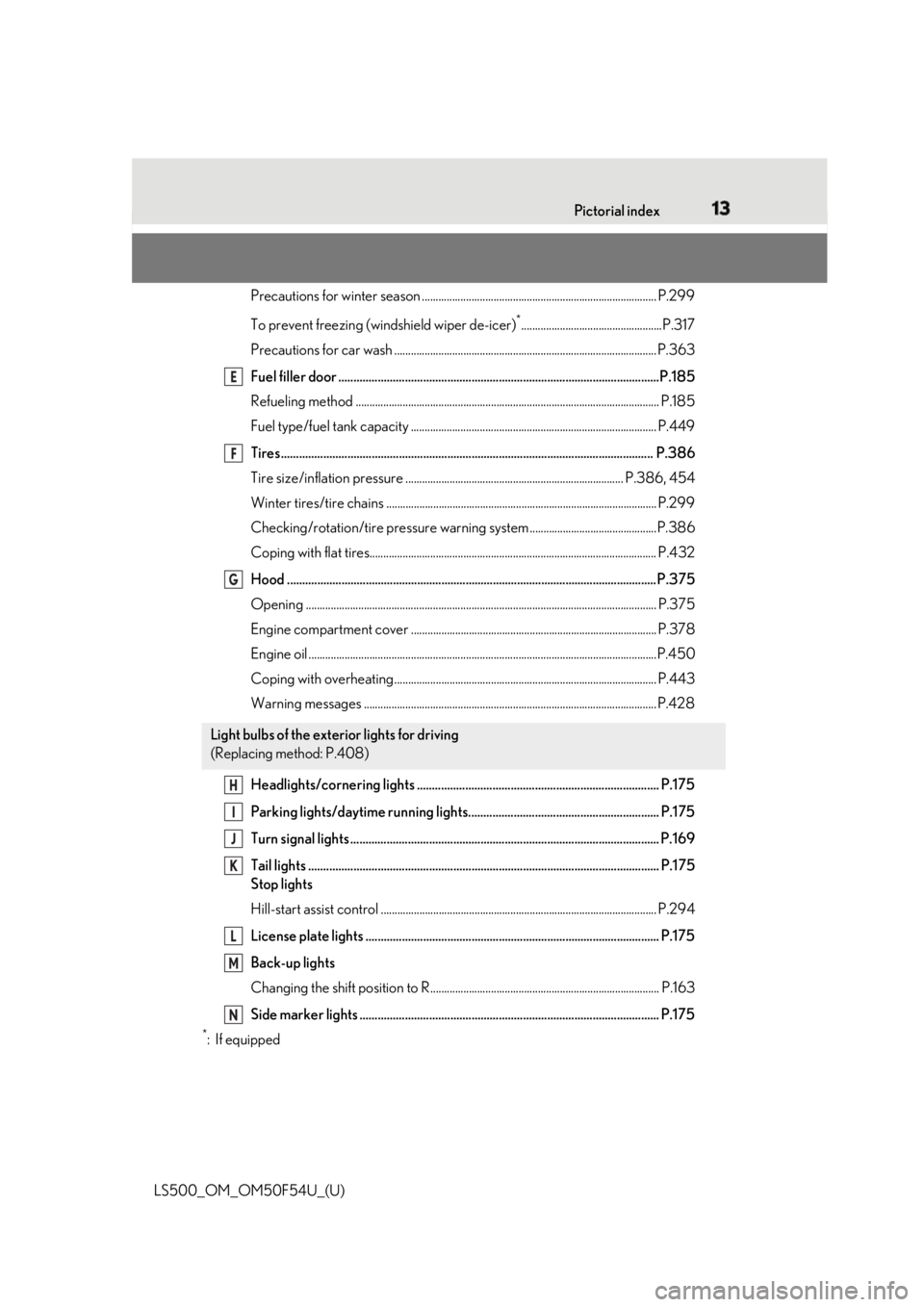
13Pictorial index
LS500_OM_OM50F54U_(U) Precautions for winter season .. ................................................................................... P.299
To prevent freezing (windshield wiper de-icer) *
...................................................P.317
Precautions for car wash ............................................................................................... P.363
Fuel filler door ..........................................................................................................P.185
Refueling method .............................................................................................................. P .185
Fuel type/fuel tank capacity ...... ................................................................................... P.449
Tires.......................................................................................................................... .P.386
Tire size/inflation pressure ............................ ................................................... P.386, 454
Winter tires/tire chains .................................................................................................. P.299
Checking/rotation/tire pressu re warning system..............................................P.386
Coping with flat tires........................................................................................................ P .432
Hood .......................................................................................................................... P .375
Opening ........................................................................................................................ ....... P.375
Engine compartment cover ......................................................................................... P.378
Engine oil ..................................................................................................................... .........P.450
Coping with overheating ............................................................................................... P.443
Warning messages .......................................................................................................... P.428
Headlights/cornering lights ................................................................................ P.175
Parking lights/daytime running lights............................................................... P.175
Turn signal lights ...................................................................................................... P.169
Tail lights .................................................................................................................... P.175
Stop lights
Hill-start assist control .................................................................................................... P. 294
License plate lights ................................................................................................. P.175
Back-up lights
Changing the shift position to R................................................................................... P.163
Side marker lights ................................................................................................... P.175 *
:If equipped Light bulbs of the exterior lights for driving
(Replacing method: P.408) E
F
G
H
I
J
K
L
M
N
Page 65 of 514
652-1. Instrument cluster
LS500_OM_OM50F54U_(U) 2
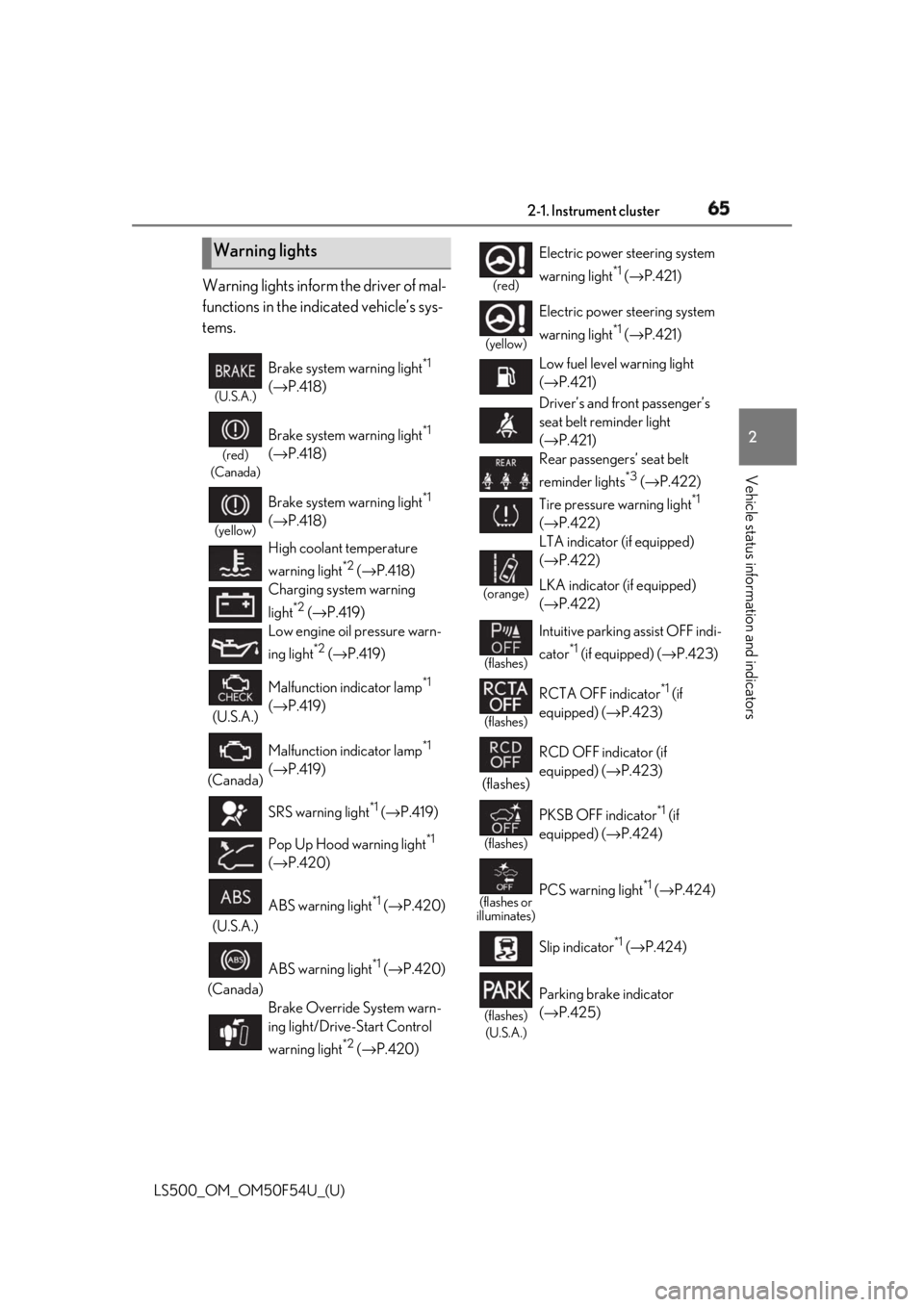
Vehicle status information and indicators Warning lights inform the driver of mal-
functions in the indicated vehicle’s sys-
tems.
Warning lights (U.S.A.)
Brake system warning light *1
( → P.418)(red)
(Canada)
Brake system warning light *1
( → P.418)(yellow)
Brake system warning light *1
( → P.418)
High coolant temperature
warning light *2
( → P.418)
Charging system warning
light *2
( → P.419)
Low engine oil pressure warn-
ing light *2
( → P.419)
(U.S.A.) Malfunction indicator lamp *1
( → P.419)
(Canada) Malfunction indicator lamp *1
( → P.419)
SRS warning light *1
( → P.419)
Pop Up Hood warning light *1
( → P.420)
(U.S.A.) ABS warning light *1
( → P.420)
(Canada) ABS warning light *1
( → P.420)
Brake Override System warn-
ing light/Drive-Start Control
warning light *2
( → P.420) (red)
Electric power steering system
warning light *1
( → P.421)(yellow)
Electric power steering system
warning light *1
( → P.421)
Low fuel level warning light
( → P.421)
Driver’s and front passenger’s
seat belt reminder light
( → P.421)
Rear passengers’ seat belt
reminder lights *3
( → P.422)
Tire pressure warning light *1
( → P.422)(orange)
LTA indicator (if equipped)
( → P.422)
LKA indicator (if equipped)
( → P.422)(flashes)
Intuitive parking assist OFF indi-
cator *1
(if equipped) ( → P.423)
(flashes)
RCTA OFF indicator *1
(if
equipped) ( → P.423)
(flashes) RCD OFF indicator (if
equipped) ( → P.423)
(flashes)
PKSB OFF indicator *1
(if
equipped) ( → P.424)
(flashes or
illuminates)
PCS warning light *1
( → P.424)
Slip indicator *1
( → P.424)
(flashes)
(U.S.A.) Parking brake indicator
( → P.425)
Page 70 of 514
70 2-1. Instrument cluster
LS500_OM_OM50F54U_(U) Displays warning messages if a malfunction occurs ( → P.428)■
Outside temperature display●
In the following situations, the correct
outside temperature may not be dis-
played, or the display may take longer
than normal to change:
• When stopped, or driving at low speeds
(less than 12 mph [20 km/h])
• When the outside temperature has
changed suddenly (at the entrance/exit of
a garage, tunnel, etc.)●
When “--” or “E” is displayed, the system
may be malfunctioning. Take your vehicle
to your Lexus dealer.■
Liquid crystal display
→ P.77■
Customization
The gauges and meters can be customized
on of the multi-information display.
( → P.81) ■
Display items
Odometer Displays the total distance the vehicle has
been driven.
Trip meter A/trip meter B Displays the distance the vehicle has been
driven since the meter was last reset. Trip
meters A and B can be used to record and
display different distances independently.
Distance until next engine oil
change Displays the distance the vehicle can be
driven until an oil change is necessary. ■
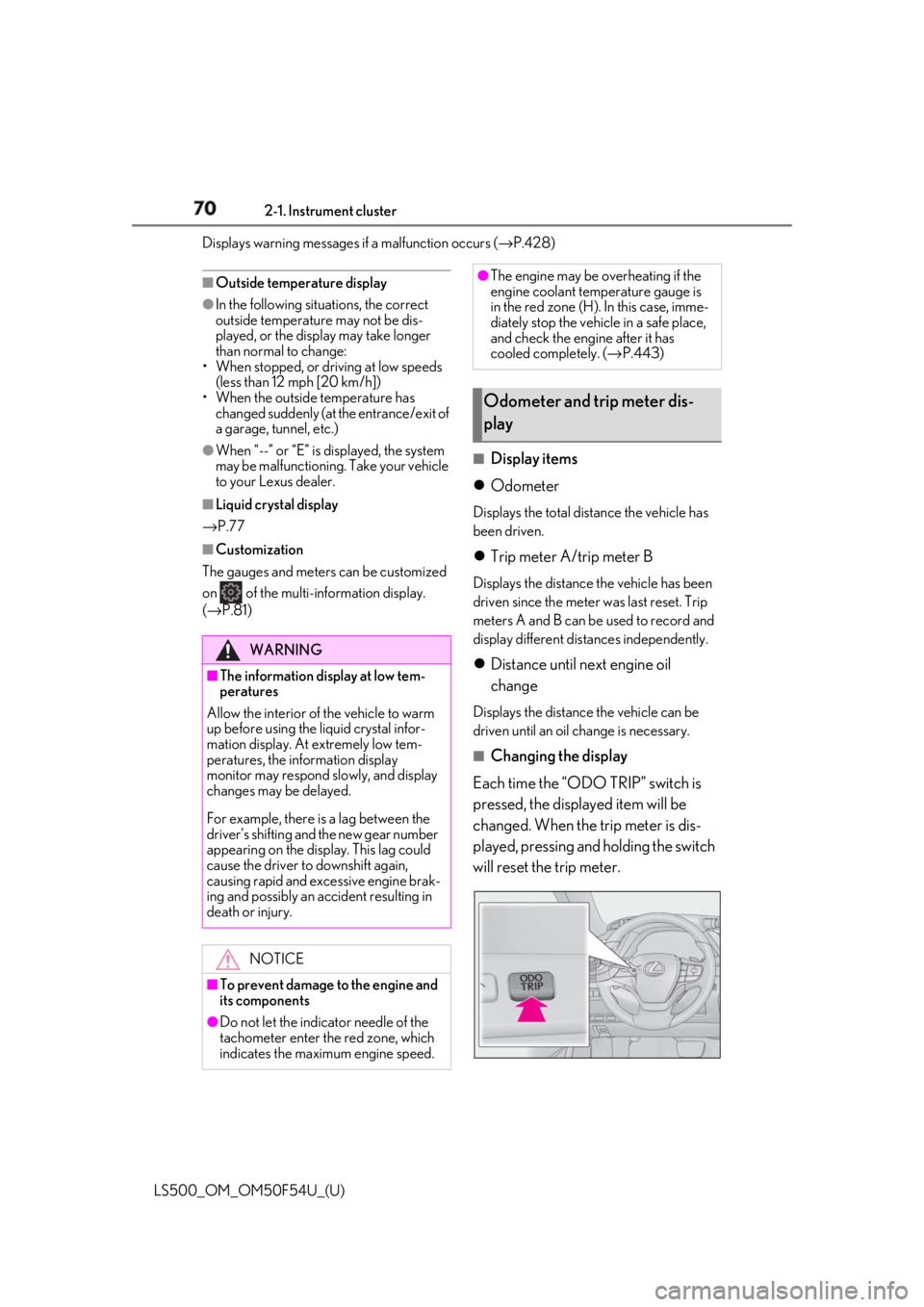
Changing the display
Each time the “ODO TRIP” switch is
pressed, the displayed item will be
changed. When the trip meter is dis-
played, pressing and holding the switch
will reset the trip meter.WARNING■
The information display at low tem-
peratures
Allow the interior of the vehicle to warm
up before using the liquid crystal infor-
mation display. At extremely low tem-
peratures, the in formation display
monitor may respond slowly, and display
changes may be delayed.
For example, there is a lag between the
driver’s shifting and the new gear number
appearing on the display. This lag could
cause the driver to downshift again,
causing rapid and excessive engine brak-
ing and possibly an accident resulting in
death or injury.
NOTICE
■
To prevent damage to the engine and
its components
●
Do not let the indicator needle of the
tachometer enter the red zone, which
indicates the maximum engine speed. ●
The engine may be overheating if the
engine coolant temperature gauge is
in the red zone (H). In this case, imme-
diately stop the vehicle in a safe place,
and check the engine after it has
cooled completely. ( → P.443)
Odometer and trip meter dis-
play
Page 71 of 514
712-1. Instrument cluster
LS500_OM_OM50F54U_(U) 2
Vehicle status information and indicators ■
Pop-up display
Distance until the next engine oil
change will displayed when a warning
message indicating that oil mainte-
nance should be performed soon or is
required is displayed.
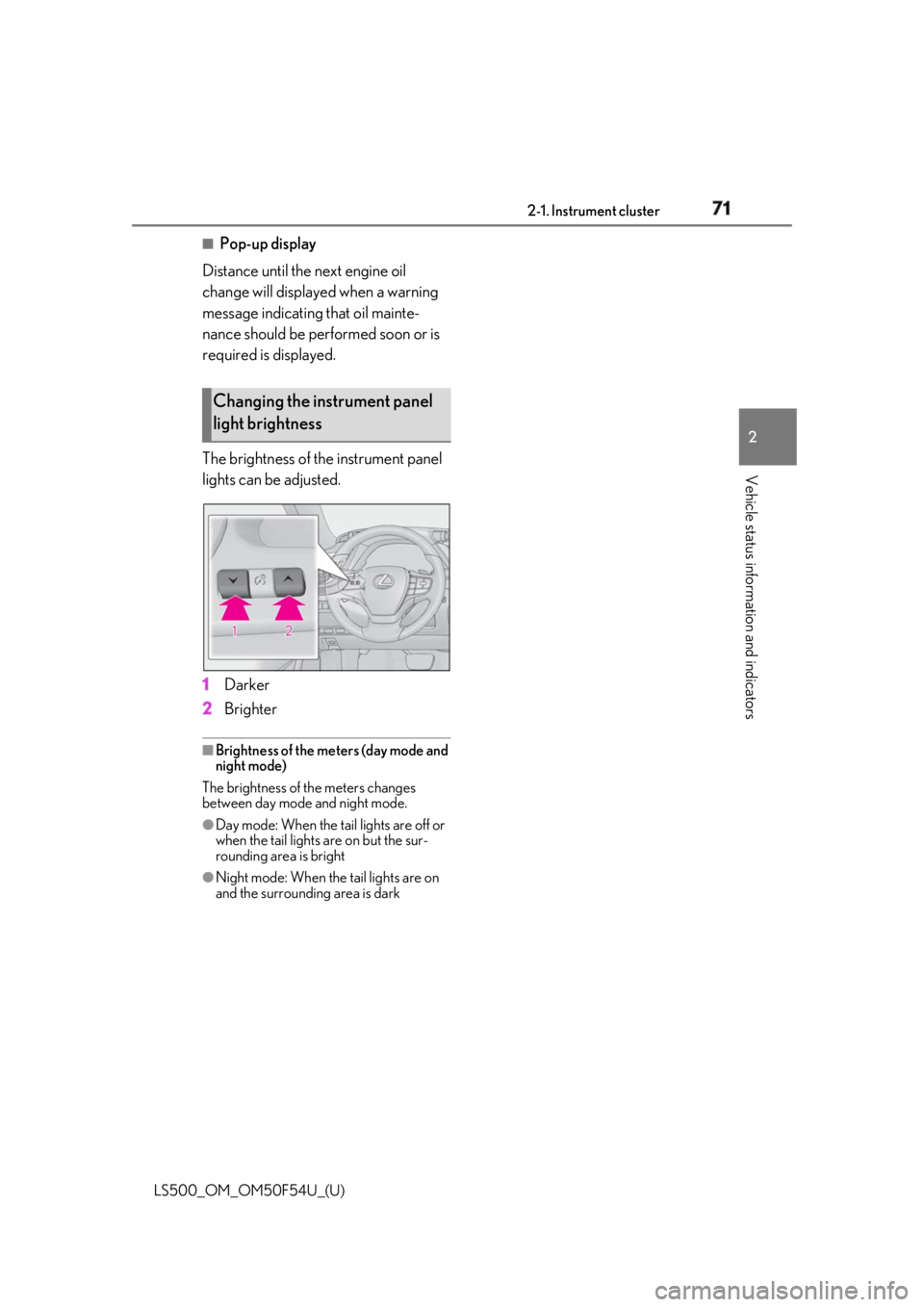
The brightness of the instrument panel
lights can be adjusted.
1 Darker
2 Brighter ■
Brightness of the meters (day mode and
night mode)
The brightness of th e meters changes
between day mode and night mode. ●
Day mode: When the tail lights are off or
when the tail lights are on but the sur-
rounding area is bright
●
Night mode: When the tail lights are on
and the surrounding area is darkChanging the instrument panel
light brightness
Page 75 of 514
752-1. Instrument cluster
LS500_OM_OM50F54U_(U) 2
Vehicle status information and indicators
■
Display items
Odometer Displays the total distance the vehicle has
been driven.
Trip meter A/trip meter B Displays the distance the vehicle has been
driven since the meter was last reset. Trip
meters A and B can be used to record and
display different distances independently.
Distance until next engine oil
change Displays the distance the vehicle can be
driven until an oil change is necessary.
■
Changing the display
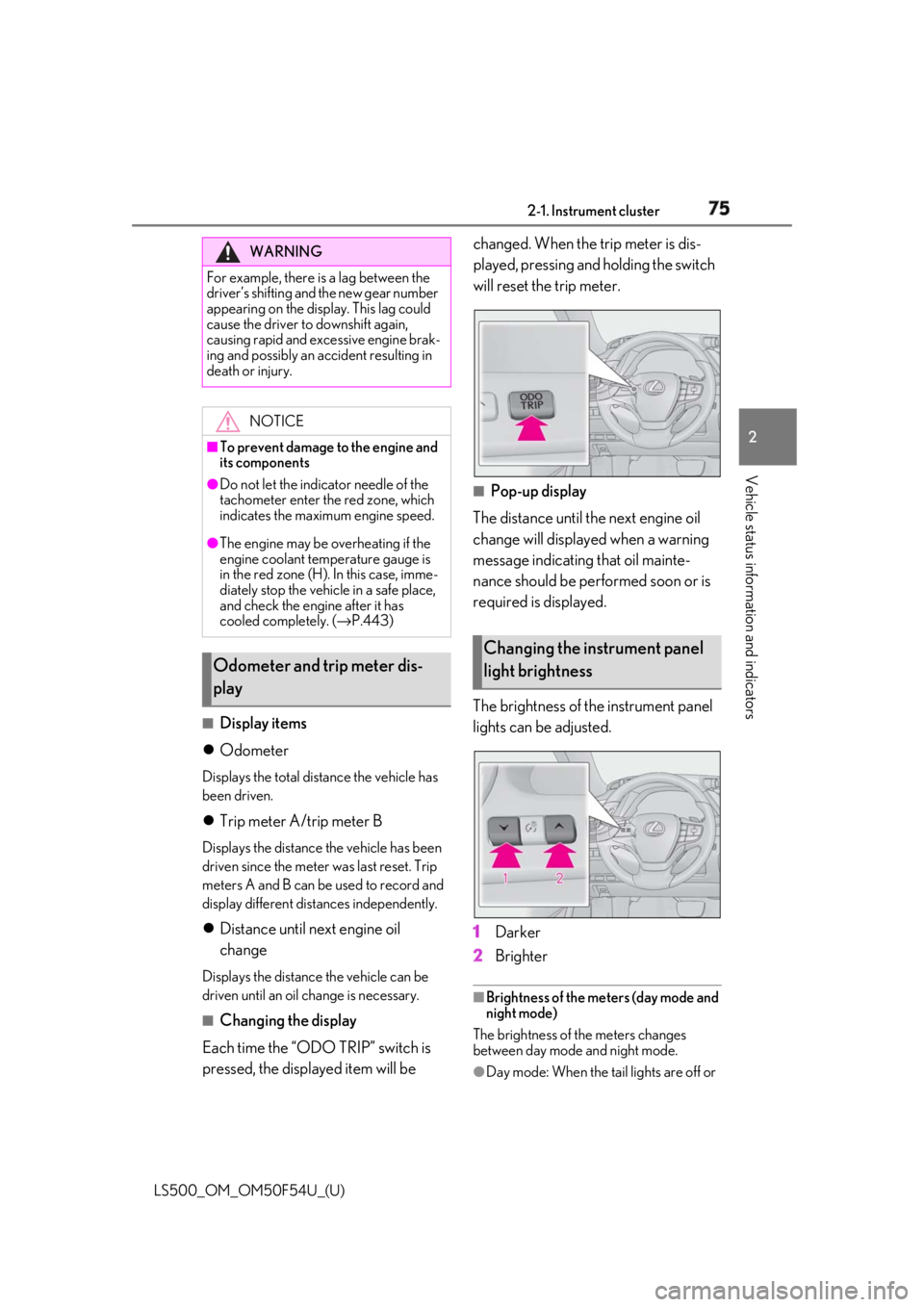
Each time the “ODO TRIP” switch is
pressed, the displayed item will be changed. When the trip meter is dis-
played, pressing and holding the switch
will reset the trip meter.
■
Pop-up display
The distance until the next engine oil
change will displayed when a warning
message indicating that oil mainte-
nance should be performed soon or is
required is displayed.
The brightness of the instrument panel
lights can be adjusted.
1 Darker
2 Brighter ■
Brightness of the meters (day mode and
night mode)
The brightness of the meters changes
between day mode and night mode.
●
Day mode: When the tail lights are off or WARNING
For example, there is a lag between the
driver’s shifting and the new gear number
appearing on the display. This lag could
cause the driver to downshift again,
causing rapid and excessive engine brak-
ing and possibly an accident resulting in
death or injury.
NOTICE■
To prevent damage to the engine and
its components●
Do not let the indicator needle of the
tachometer enter the red zone, which
indicates the maximum engine speed.●
The engine may be overheating if the
engine coolant temperature gauge is
in the red zone (H). In this case, imme-
diately stop the vehicle in a safe place,
and check the engine after it has
cooled completely. ( → P.443)
Odometer and trip meter dis-
play Changing the instrument panel
light brightness
Page 109 of 514

1093-2. Opening, closing and locking the doors and trunk
LS500_OM_OM50F54U_(U) 3
Before driving gas station, radio stat ion, large display,
airport or other faci lity that generates
strong radio waves or electrical noise●
When carrying a portable radio, cellular
phone, cordless phone or other wireless
communication device●
When the electronic key is in contact
with, or is covered by the following metal-
lic objects
• Cards to which aluminum foil is attached
• Cigarette boxes that have aluminum foil
inside
• Metallic wallets or bags
•Coins
• Hand warmers made of metal
• Media such as CDs and DVDs ●
When other wireless ke ys (that emit radio
waves) are being used nearby●
When carrying the electronic key
together with the following devices that
emit radio waves
• Another vehicle’s electronic key or a
wireless key that emits radio waves
• Personal computers or personal digital
assistants (PDAs)
• Digital audio players
• Portable game systems ●
If window tint with a metallic content or
metallic objects are attached to the rear
window●
When the electronic key is placed near a
battery charger or electronic devices●
When the vehicle is parked in a pay park-
ing spot where radio waves are emitted.■
Note for the entry function●
Even when the electronic key is within the
effective range (detection areas), the sys-
tem may not operate properly in the fol-
lowing cases:
• The electronic key is too close to the win-
dow or outside door handle, near the
ground, or in a high place when the doors
are locked or unlocked.
• The electronic key is near the ground or
in a high place, or too close to the center
of the rear bumper when the trunk is
opened.
• The electronic key is on the instrument
panel, rear package tray or floor, or in the
door pockets or glove box when the engine is started or engine switch modes
are changed. ●
Do not leave the electronic key on top of
the instrument panel or near the door
pockets when exiting the vehicle.
Depending on the radio wave reception
conditions, it may be detected by the
antenna outside the cabin and the doors
will become lockable from the outside,
possibly trapping the electronic key
inside the vehicle. ●
As long as the electronic key is within the
effective range, the doors may be locked
or unlocked by anyone. However, only
the doors detecting the electronic key
can be used to unlock the vehicle. ●
Even if the electronic key is not inside the
vehicle, it may be po ssible to start the
engine if the electronic key is near the
window. ●
The doors may unlock or lock if a large
amount of water splashes on the door
handle, such as in the rain or in a car
wash, when the electronic key is within
the effective range. (The doors will auto-
matically be locked after approximately
60 seconds if the doors are not opened
and closed.) ●
If the wireless remote control is used to
lock the doors when the electronic key is
near the vehicle, there is a possibility that
the door may not be unlocked by the
entry function. (Use the wireless remote
control to unlock the doors.) ●
Touching the door lock sensor while
wearing gloves may delay or prevent lock
operation. ●
When the lock operation is performed
using the lock sensor, recognition signals
will be shown up to two consecutive
times. After this, no recognition signals
will be given.
●
If the door handle becomes wet while the
electronic key is within the effective
range, the door may lock and unlock
repeatedly. In this case, follow the follow-
ing correction procedures to wash the
vehicle:
• Place the electronic key in a location 6 ft.
(2 m) or more away from the vehicle.
(Take care to ensure that the key is not
Page 156 of 514
156 4-1. Before driving
LS500_OM_OM50F54U_(U) Cargo capacity depends on the total
weight of the occupants.
(Cargo capacity) = (Total load capac-
ity) — (Total weight of occupants)
Steps for Determining Correct Load
Limit —
(1) Locate the statement “The com-
bined weight of occupants and cargo
should never exceed XXX kg or XXX
lbs.” on your vehicle’s placard.
(2) Determine the combined weight of
the driver and passengers that will be
riding in your vehicle.
(3) Subtract the combined weight of
the driver and passengers from XXX
kg or XXX lbs.
(4) The resulting figure equals the
available amount of cargo and luggage
load capacity.
For example, if the “XXX” amount
equals 1400 lbs. and there will be five
150 lb passengers in your vehicle, the
amount of available cargo and luggage
load capacity is 650 lbs. (1400 − 750
(5 × 150) = 650 lbs.)
(5) Determine the combined weight of
luggage and cargo being loaded on
the vehicle. That weight may not safely
exceed the available cargo and lug-NOTICE
Information on what to do in case of a flat
tire ( → P.432)■
When encountering flooded roads
Do not drive on a road that has flooded
after heavy rain etc. Doing so may cause
the following serious damage to the vehi-
cle: ●
Engine stalling●
Short in electrical components●
Engine damage caused by water
immersion
In the event that you drive on a flooded
road and the vehicle is flooded, be sure
to have your Lexus dealer check the fol-
lowing: ●
Brake function●
Changes in quantity and quality of oil
and fluid used for the engine, transmis-
sion, transfer (AWD models), differen-
tial, etc.●
Lubricant condition for the propeller
shaft, bearings and suspension joints
(where possible), and the function of
all joints, bearings, etc.
If the shift control system is damaged by
flooding, it may not be possible to shift
the shift position to P, or from P to other
positions. In this case, contact your Lexus
dealer.
■
When parking the vehicle
Always set the parking brake, and shift
the shift position to P. Failure to do so
may cause the vehicle to move or the
vehicle may accelerate suddenly if the
accelerator pedal is accidentally
depressed. Cargo and luggage Take notice of the following infor-
mation about storage precautions,
cargo capacity and load:
Capacity and distribution
Page 299 of 514
2994-6. Driving tips
LS500_OM_OM50F54U_(U) 4
Driving 4-6.Driving tips
Use fluids that are appropriate to
the prevailing outside temperatures. •Engine oil
• Engine coolant
•Washer fluid
Have a service technician inspect
the condition of the battery.
Have the vehicle fitted with four
snow tires or purchase a set of tire
chains for the rear tires. *
Ensure that all tires are the specified size
and brand, and that chains match the size
of the tires. *
: Tire chains cannot be mounted on vehi-
cles with front and rear tires of differing
sizes.Winter driving tips Carry out the necessary prepara-
tions and inspections before driving
the vehicle in winter. Always drive
the vehicle in a manner appropriate
to the prevailing weather condi-
tions.
Preparation for winter
WARNING
■
Driving with snow tires
Observe the following precautions to
reduce the risk of accidents.
Failure to do so may result in a loss of
vehicle control and cause death or seri-
ous injury.
●
Use tires of the specified size.
●
Maintain the recommended level of air
pressure. ●
Do not drive in excess of 75 mph (120
km/h), regardless of the type of snow
tires being used. ●
Use snow tires on all, not just some
wheels. ■
When installing tire chains
Before installing tire chains, make sure to
disable all functions of the vehicle height
control of the electronically modulated
air suspension. Otherwise, the vehicle
height may change while installing the
tire chains and part or your body may be
caught under the vehicle, possibly caus-
ing injury. ( → P.293)■
Driving with tire chains
Observe the following precautions to
reduce the risk of accidents.
Failure to do so may result in the vehicle
being unable to be driven safely, and may
cause death or serious injury. ●
Do not drive in excess of the speed
limit specified for the tire chains being
used, or 30 mph (50 km/h), which-
ever is lower. ●
Avoid driving on bumpy road surfaces
or over potholes. ●
Avoid sudden acceleration, abrupt
steering, sudden br aking and shifting
operations that cause sudden engine
braking.
●
Slow down sufficiently before entering
a curve to ensure that vehicle control is
maintained.
●
Do not use LTA (Lane Tracing Assist)
system. (if equipped)
●
Do not use LKA (Lane-Keeping
Assist) system. (if equipped)