stop LEXUS LS500 2019 Owner's Manual
[x] Cancel search | Manufacturer: LEXUS, Model Year: 2019, Model line: LS500, Model: LEXUS LS500 2019Pages: 512, PDF Size: 9.71 MB
Page 101 of 512
1013-2. Opening, closing and locking the doors and trunk
LS500_OM_(U)_1810 3
Before driving
To prevent unintended triggering of the
alarm, unlock the doors using the wireless
remote control and open and close a door
once after the settings have been changed.
(If a door is not opened within 60 seconds
after is pressed, the doors will be
locked again and the alarm will automati-
cally be set.)
In a case that the alarm is triggered, imme-
diately stop the alarm. ( P.65)■
Impact detection door lock release sys-
tem
In the event that the vehicle is subject to a
strong impact, all the doors are unlocked.
Depending on the force of the impact or the
type of accident, however, the system may
not operate.
■
Operation signals
A buzzer sounds and the emergency flash-
ers flash to indicate that the doors have
been locked/unlocked. (Locked: once;
Unlocked: twice)
A buzzer sounds to indicate that the win-
dows and moon roof or panoramic moon
roof are operating.
■
Security feature
If a door is not opened within approximately 60 seconds after the vehicle is unlocked,
the security feature automatically locks the
vehicle again. ■
When the doors cannot be locked by the
lock sensor on the upper part of the
door handle
When the doors cannot be locked even if
the lock sensor on th e upper part of the
door handle is touched by a finger, touch
the lock sensor with the palm.
If you are wearing gloves, remove them.
■
Open door warning buzzer
If an attempt to lock the doors is made when
a door is not fully closed, a buzzer sounds
continuously for 5 seconds. Fully close the
door to stop the buzzer, and lock the vehi-
cle once more. ■
Setting the alarm
Locking the doors will set the alarm system.
( P.65) ■
Conditions affecting the operation of
the smart access system with push-but-
ton start or wireless remote control
P.113 ■
If the smart access system with
push-button start or the wireless remote
control does not operate properly
Use the mechanical key to lock and unlock
the doors. ( P.433)
Replace the key battery with a new one if it
is depleted. ( P.399)
■
If the battery is discharged
The doors cannot be locked and unlocked
using the smart access system with
push-button start or wireless remote con-
trol. Lock or unlock the doors using the
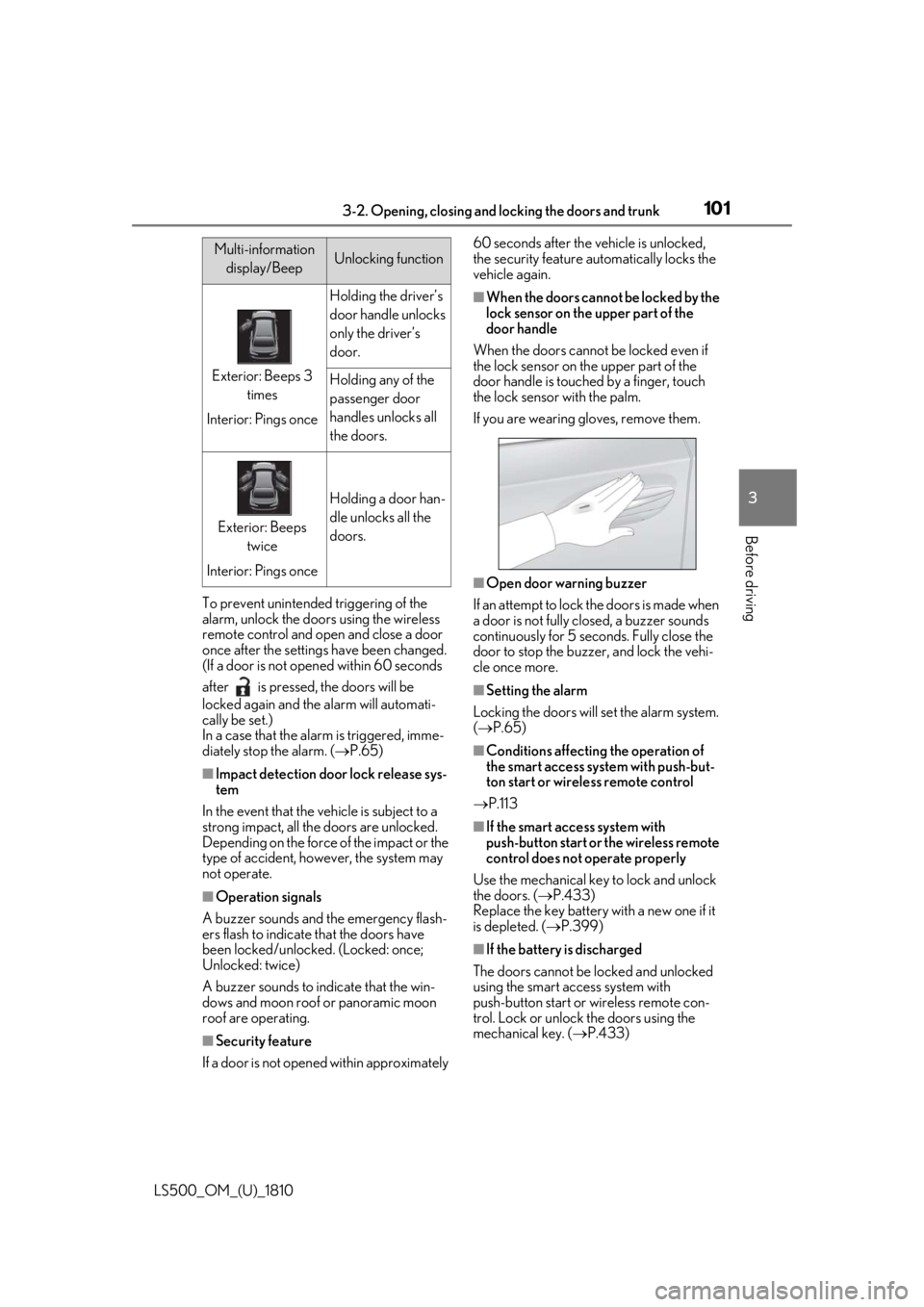
mechanical key. ( P.433)Multi-information
display/Beep Unlocking function
Exterior: Beeps 3
times
Interior: Pings once Holding the driver’s
door handle unlocks
only the driver’s
door.
Holding any of the
passenger door
handles unlocks all
the doors.
Exterior: Beeps
twice
Interior: Pings once Holding a door han-
dle unlocks all the
doors.
Page 103 of 512
1033-2. Opening, closing and locking the doors and trunk
LS500_OM_(U)_1810 3
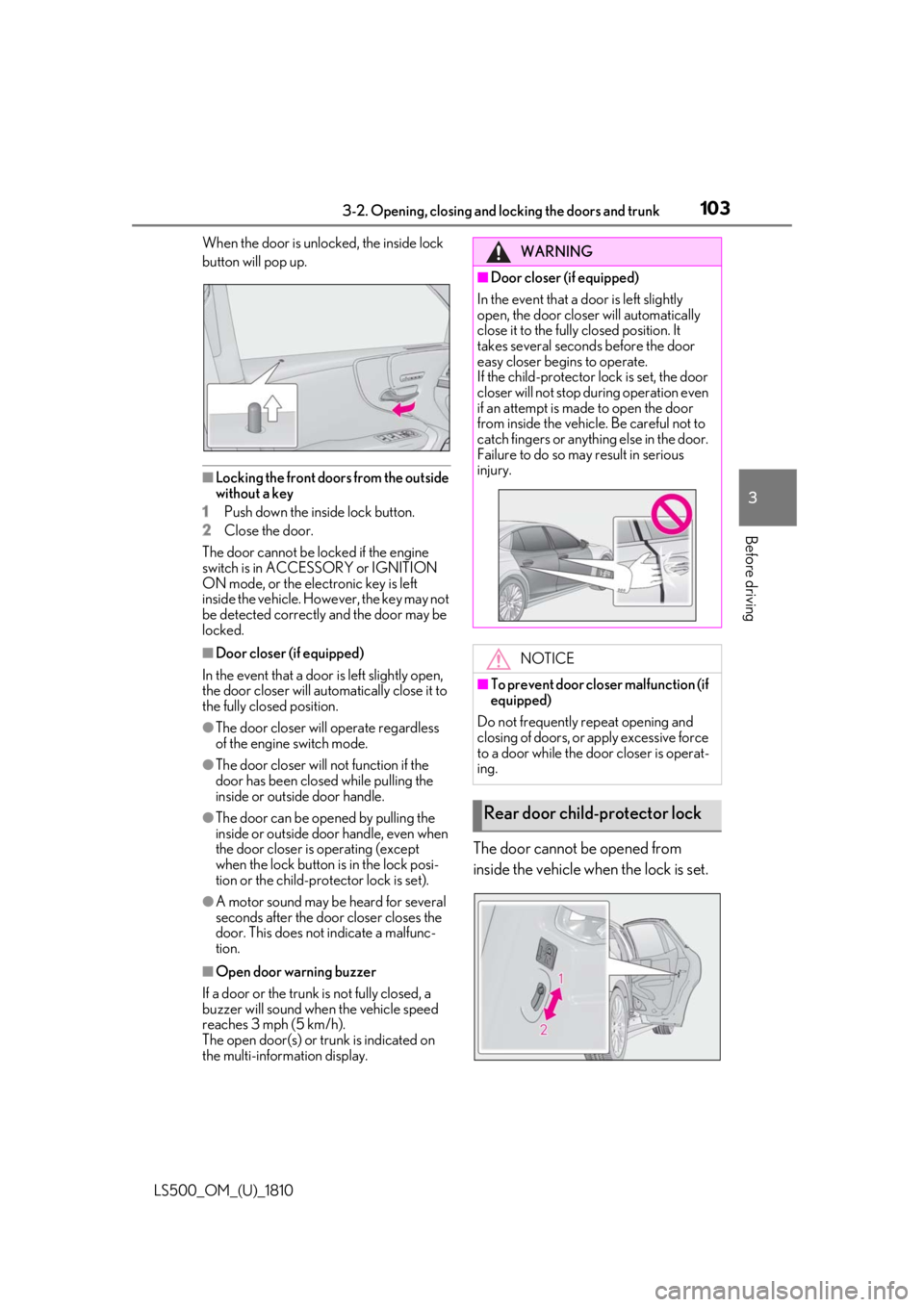
Before driving When the door is unlocked, the inside lock
button will pop up.
■
Locking the front doors from the outside
without a key
1 Push down the inside lock button.
2 Close the door.
The door cannot be locked if the engine
switch is in ACCESSORY or IGNITION
ON mode, or the electronic key is left
inside the vehicle. However, the key may not
be detected correctly and the door may be
locked. ■
Door closer (if equipped)
In the event that a door is left slightly open,
the door closer will automatically close it to
the fully closed position. ●
The door closer will operate regardless
of the engine switch mode.●
The door closer will not function if the
door has been clos ed while pulling the
inside or outside door handle.●
The door can be opened by pulling the
inside or outside door handle, even when
the door closer is operating (except
when the lock button is in the lock posi-
tion or the child-protector lock is set).
●
A motor sound may be heard for several
seconds after the door closer closes the
door. This does not indicate a malfunc-
tion.
■
Open door warning buzzer
If a door or the trunk is not fully closed, a
buzzer will sound when the vehicle speed
reaches 3 mph (5 km/h).
The open door(s) or trunk is indicated on
the multi-information display. The door cannot be opened from
inside the vehicle when the lock is set. WARNING■
Door closer (if equipped)
In the event that a d oor is left slightly
open, the door closer will automatically
close it to the fully closed position. It
takes several second s before the door
easy closer begins to operate.
If the child-protector lock is set, the door
closer will not stop during operation even
if an attempt is made to open the door
from inside the vehicle. Be careful not to
catch fingers or anything else in the door.
Failure to do so may result in serious
injury.
NOTICE■
To prevent door closer malfunction (if
equipped)
Do not frequently repeat opening and
closing of doors, or apply excessive force
to a door while the door closer is operat-
ing.
Rear door child-protector lock
Page 105 of 512
1053-2. Opening, closing and locking the doors and trunk
LS500_OM_(U)_1810 3
Before driving WARNING●
Remove any heavy loads, such as snow
and ice, from the trunk lid before
opening it. Failure to do so may cause
the trunk lid to suddenly shut again
after it is opened.●
When opening or closing the trunk lid,
thoroughly check to make sure the
surrounding area is safe.●
If anyone is in the vicinity, make sure
they are safe and let them know that
the trunk is about to open or close.●
Use caution when opening or closing
the trunk lid in windy weather as it may
move abruptly in strong wind.●
The trunk lid may sudden ly shut if it is
not opened fully. It is more difficult to
open or close the trunk lid on an
incline than on a level surface, so
beware of the trunk lid unexpectedly
opening or closing by itself. Make sure
that the trunk lid is fully open and
secure before using the trunk.
●
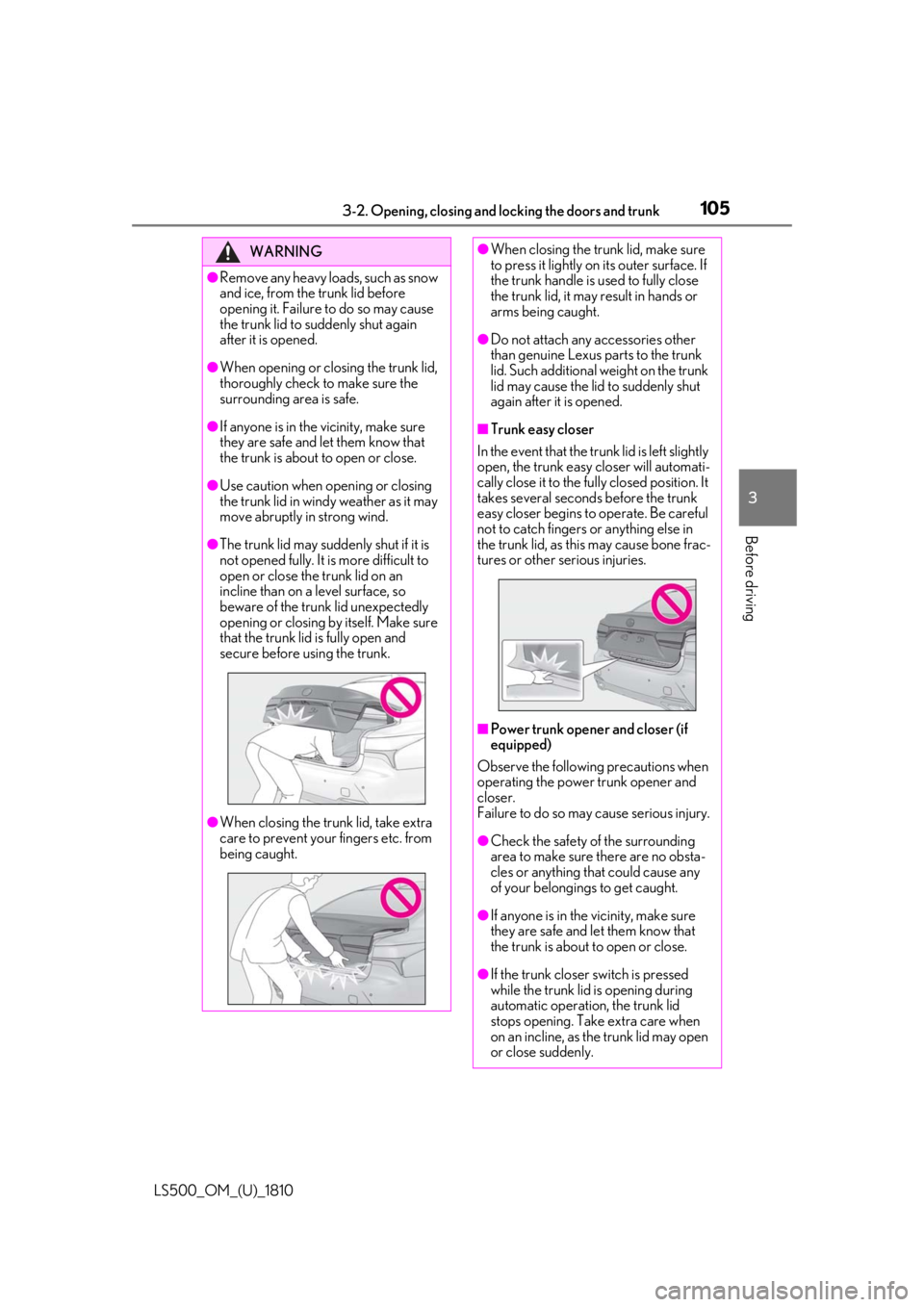
When closing the trunk lid, take extra
care to prevent your fingers etc. from
being caught. ●
When closing the trunk lid, make sure
to press it lightly on its outer surface. If
the trunk handle is used to fully close
the trunk lid, it may result in hands or
arms being caught. ●
Do not attach any accessories other
than genuine Lexus parts to the trunk
lid. Such additional weight on the trunk
lid may cause the lid to suddenly shut
again after it is opened. ■
Trunk easy closer
In the event that the trun k lid is left slightly
open, the trunk easy closer will automati-
cally close it to the fully closed position. It
takes several second s before the trunk
easy closer begins to operate. Be careful
not to catch fingers or anything else in
the trunk lid, as this may cause bone frac-
tures or other serious injuries.
■
Power trunk opener and closer (if
equipped)
Observe the following precautions when
operating the power trunk opener and
closer.
Failure to do so may cause serious injury.
●
Check the safety of the surrounding
area to make sure there are no obsta-
cles or anything that could cause any
of your belongings to get caught.
●
If anyone is in the vicinity, make sure
they are safe and let them know that
the trunk is about to open or close.
●
If the trunk closer switch is pressed
while the trunk lid is opening during
automatic operation, the trunk lid
stops opening. Take extra care when
on an incline, as the trunk lid may open
or close suddenly.
Page 106 of 512
106 3-2. Opening, closing and locking the doors and trunk
LS500_OM_(U)_1810 ■
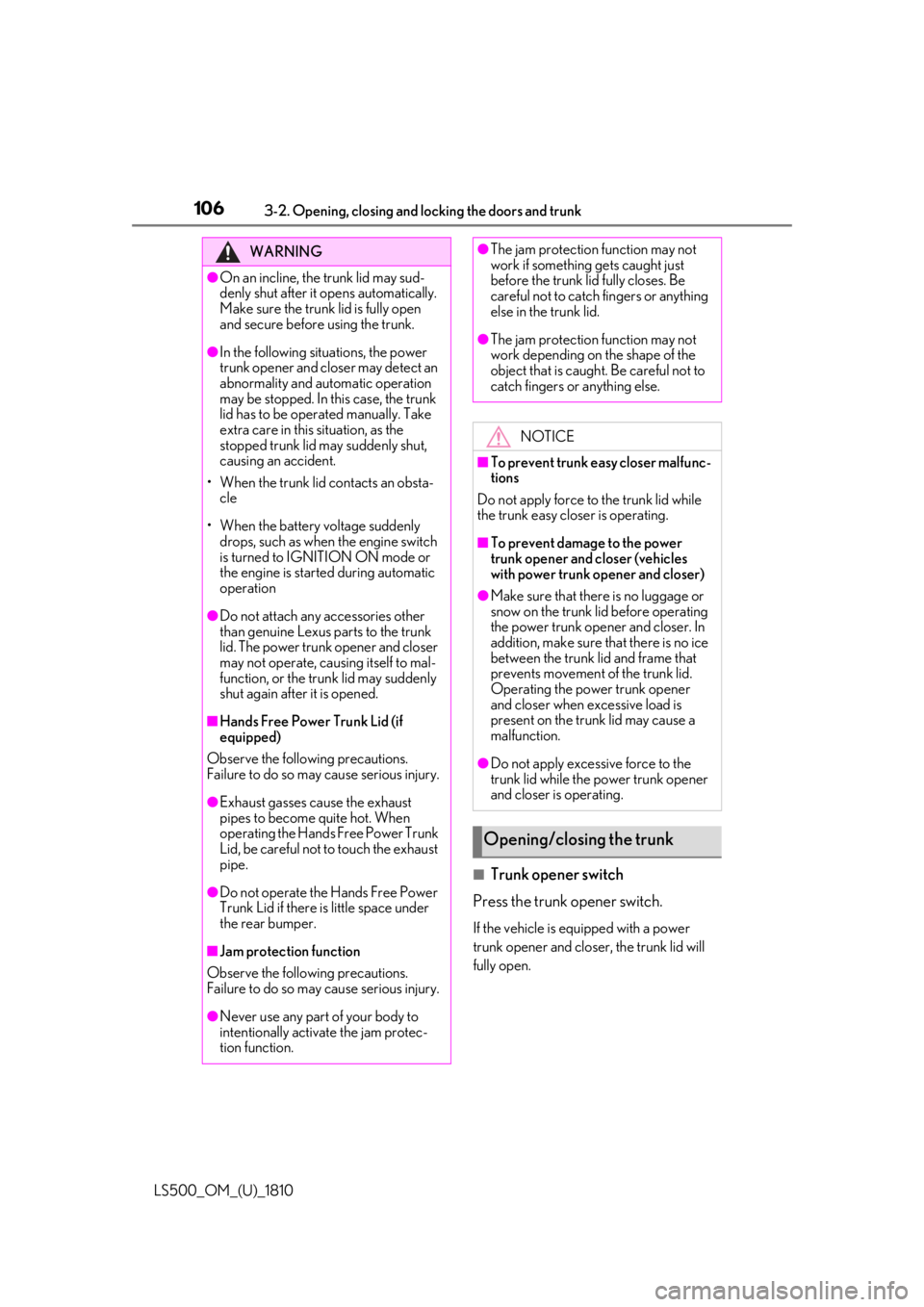
Trunk opener switch
Press the trunk opener switch. If the vehicle is equipped with a power
trunk opener and closer, the trunk lid will
fully open.WARNING●
On an incline, the trunk lid may sud-
denly shut after it opens automatically.
Make sure the trunk lid is fully open
and secure before using the trunk.●
In the following situations, the power
trunk opener and closer may detect an
abnormality and automatic operation
may be stopped. In this case, the trunk
lid has to be operated manually. Take
extra care in this situation, as the
stopped trunk lid ma y suddenly shut,
causing an accident.
• When the trunk lid contacts an obsta-
cle
• When the battery voltage suddenly
drops, such as when the engine switch
is turned to IGNITION ON mode or
the engine is started during automatic
operation●
Do not attach any accessories other
than genuine Lexus parts to the trunk
lid. The power trunk opener and closer
may not operate, caus ing itself to mal-
function, or the trun k lid may suddenly
shut again after it is opened.■
Hands Free Power Trunk Lid (if
equipped)
Observe the following precautions.
Failure to do so may cause serious injury.
●
Exhaust gasses cause the exhaust
pipes to become quite hot. When
operating the Hands Free Power Trunk
Lid, be careful not to touch the exhaust
pipe.
●
Do not operate the Hands Free Power
Trunk Lid if there is little space under
the rear bumper.
■
Jam protection function
Observe the following precautions.
Failure to do so may cause serious injury.
●
Never use any part of your body to
intentionally activate the jam protec-
tion function. ●
The jam protection function may not
work if something gets caught just
before the trunk lid fully closes. Be
careful not to catch fingers or anything
else in the trunk lid. ●
The jam protection function may not
work depending on the shape of the
object that is caught. Be careful not to
catch fingers or anything else.
NOTICE■
To prevent trunk easy closer malfunc-
tions
Do not apply force to the trunk lid while
the trunk easy closer is operating. ■
To prevent damage to the power
trunk opener and closer (vehicles
with power trunk opener and closer) ●
Make sure that there is no luggage or
snow on the trunk lid before operating
the power trunk opener and closer. In
addition, make sure that there is no ice
between the trunk lid and frame that
prevents movement of the trunk lid.
Operating the power trunk opener
and closer when excessive load is
present on the trunk lid may cause a
malfunction.
●
Do not apply excessive force to the
trunk lid while the power trunk opener
and closer is operating.
Opening/closing the trunk
Page 107 of 512
1073-2. Opening, closing and locking the doors and trunk
LS500_OM_(U)_1810 3
Before driving ■
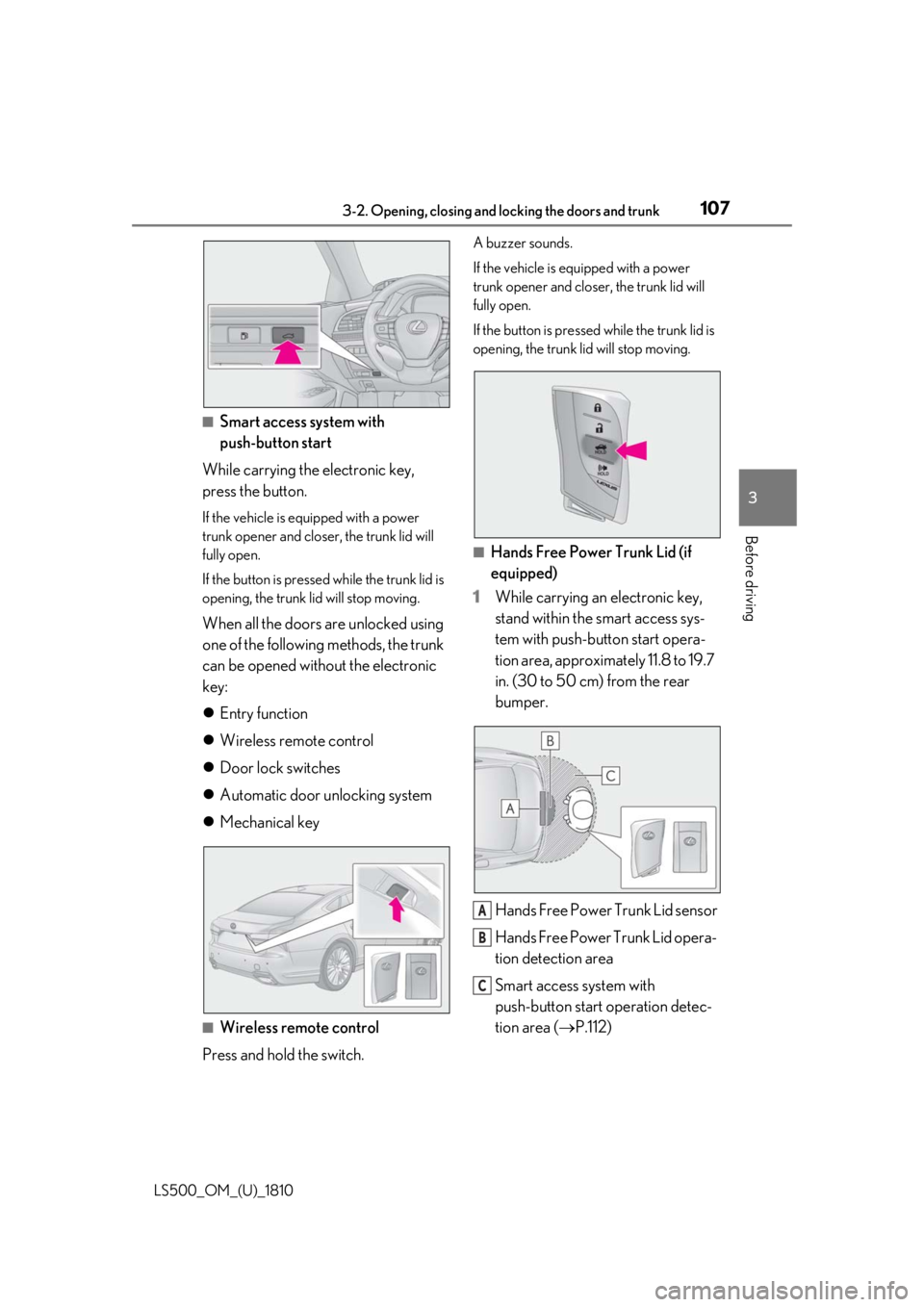
Smart access system with
push-button start
While carrying the electronic key,
press the button. If the vehicle is equipped with a power
trunk opener and closer, the trunk lid will
fully open.
If the button is presse d while the trunk lid is
opening, the trunk lid will stop moving.
When all the doors are unlocked using
one of the following methods, the trunk
can be opened without the electronic
key:
Entry function
Wireless remote control
Door lock switches
Automatic door unlocking system
Mechanical key
■
Wireless remote control
Press and hold the switch. A buzzer sounds.
If the vehicle is equipped with a power
trunk opener and closer, the trunk lid will
fully open.
If the button is presse d while the trunk lid is
opening, the trunk lid will stop moving.
■
Hands Free Power Trunk Lid (if
equipped)
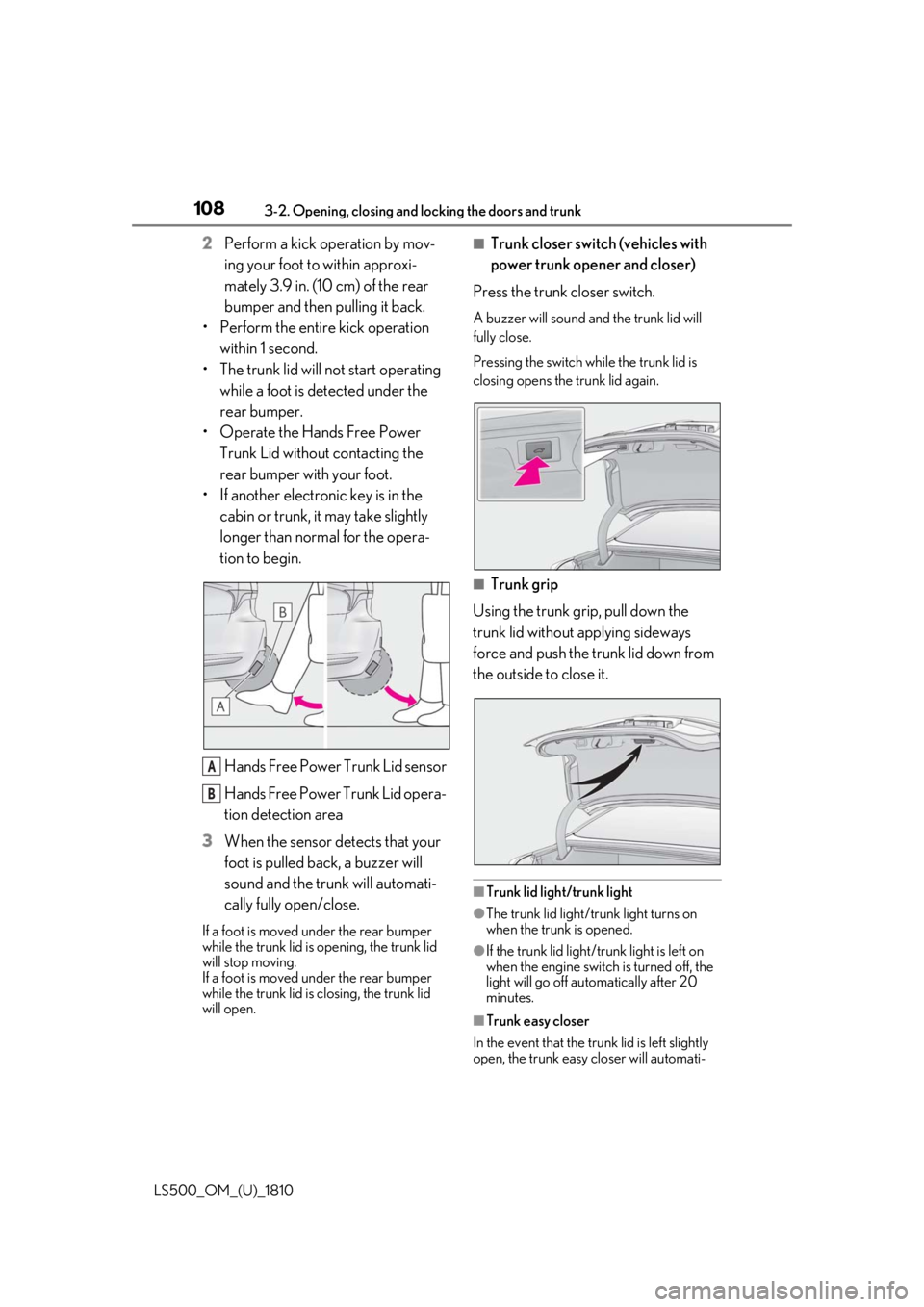
1 While carrying an electronic key,
stand within the smart access sys-
tem with push-button start opera-
tion area, approximately 11.8 to 19.7
in. (30 to 50 cm) from the rear
bumper.
Hands Free Power Trunk Lid sensor
Hands Free Power Trunk Lid opera-
tion detection area
Smart access system with
push-button start operation detec-
tion area ( P.112) A
B
C
Page 108 of 512
108 3-2. Opening, closing and locking the doors and trunk
LS500_OM_(U)_1810 2 Perform a kick operation by mov-
ing your foot to within approxi-
mately 3.9 in. (10 cm) of the rear
bumper and then pulling it back.
• Perform the entire kick operation
within 1 second.
• The trunk lid will not start operating
while a foot is detected under the
rear bumper.
• Operate the Hands Free Power
Trunk Lid without contacting the
rear bumper with your foot.
• If another electronic key is in the
cabin or trunk, it may take slightly
longer than normal for the opera-
tion to begin.
Hands Free Power Trunk Lid sensor
Hands Free Power Trunk Lid opera-
tion detection area
3 When the sensor detects that your
foot is pulled back, a buzzer will
sound and the trunk will automati-
cally fully open/close.If a foot is moved under the rear bumper
while the trunk lid is opening, the trunk lid
will stop moving.
If a foot is moved under the rear bumper
while the trunk lid is closing, the trunk lid
will open. ■
Trunk closer switch (vehicles with
power trunk opener and closer)
Press the trunk closer switch. A buzzer will sound and the trunk lid will
fully close.
Pressing the switch while the trunk lid is
closing opens the trunk lid again.
■
Trunk grip
Using the trunk grip, pull down the
trunk lid without applying sideways
force and push the trunk lid down from
the outside to close it.
■
Trunk lid light/trunk light
●
The trunk lid light/trunk light turns on
when the trunk is opened.
●
If the trunk lid light/trunk light is left on
when the engine switch is turned off, the
light will go off automatically after 20
minutes.
■
Trunk easy closer
In the event that the trun k lid is left slightly
open, the trunk easy closer will automati-A
B
Page 109 of 512
1093-2. Opening, closing and locking the doors and trunk
LS500_OM_(U)_1810 3
Before driving cally close it to the fully closed position. ●
The trunk easy closer will operate
regardless of the en gine switch mode.●
If the trunk easy closer does not operate,
open the trunk to the half open position
or more and then close it.■
Function to prevent the trunk being
locked with the electronic key inside●
When all doors are locked, closing the
trunk lid with the electr onic key left inside
the trunk will sound an alarm.
In this case, the trunk lid can be opened
pressing the trunk release button on the
trunk lid.●
If the spare electronic key is put in the
trunk with all the doors locked, the key
confinement prevention function is acti-
vated so the trunk can be opened. In
order to prevent theft, take all electronic
keys with you when leaving the vehicle.●
If the electronic key is put in the trunk with
all the doors locked, the key may not be
detected depending on the location of
the key and the surrounding radio wave
conditions. In this case, the key confine-
ment prevention function cannot be acti-
vated, causing the doors to lock when the
trunk is closed. Make sure to check
where the key is before closing the trunk.●
The key confinement prevention function
cannot be activated if any one of the
doors is unlocked. In this case, open the
trunk using the trunk opener.■
Overload protection function (vehicles
with power trunk opener and closer)
The trunk lid will not operate when exces-
sive load is present on the top of the trunk
lid.
■
Fall-down protection function (vehicles
with power trunk opener and closer)
While the trunk lid is opening automatically,
applying excessive force to it will stop the
opening operation to prevent the trunk lid
from rapidly falling down.
■
Jam protection function (vehicles with
power trunk opener and closer)
While the trunk lid is closing automatically,
the trunk lid will stop closing and open if something gets caught. ■
Internal trunk release lever
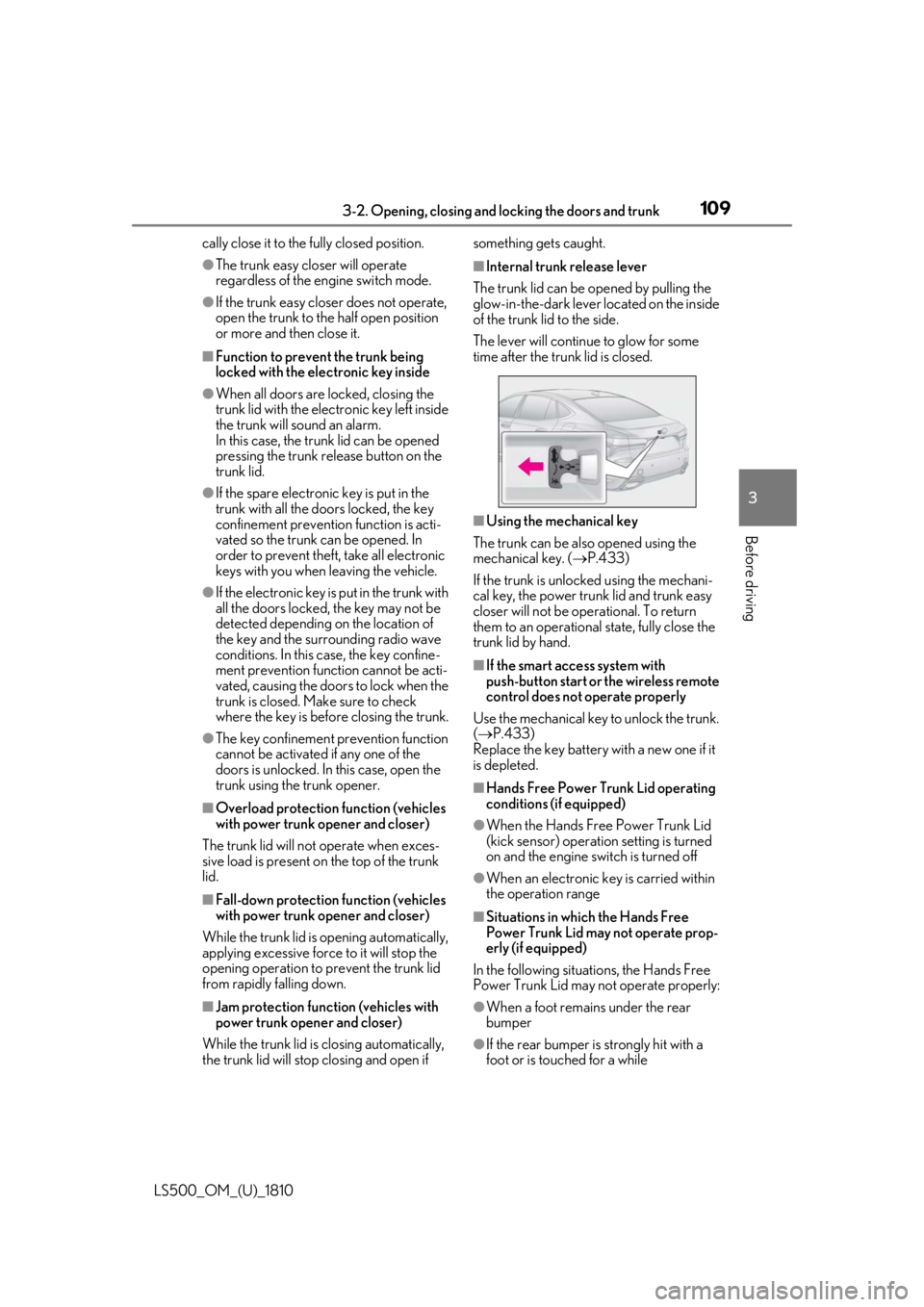
The trunk lid can be opened by pulling the
glow-in-the-dark lever located on the inside
of the trunk lid to the side.
The lever will continue to glow for some
time after the trunk lid is closed.
■
Using the mechanical key
The trunk can be also opened using the
mechanical key. ( P.433)
If the trunk is unlocked using the mechani-
cal key, the power trunk lid and trunk easy
closer will not be operational. To return
them to an operational state, fully close the
trunk lid by hand. ■
If the smart access system with
push-button start or the wireless remote
control does not operate properly
Use the mechanical key to unlock the trunk.
( P.433)
Replace the key battery with a new one if it
is depleted. ■
Hands Free Power Trunk Lid operating
conditions (if equipped) ●
When the Hands Free Power Trunk Lid
(kick sensor) operatio n setting is turned
on and the engine switch is turned off
●
When an electronic key is carried within
the operation range
■
Situations in which the Hands Free
Power Trunk Lid may not operate prop-
erly (if equipped)
In the following situations, the Hands Free
Power Trunk Lid may not operate properly:
●
When a foot remain s under the rear
bumper
●
If the rear bumper is strongly hit with a
foot or is touched for a while
Page 113 of 512
1133-2. Opening, closing and locking the doors and trunk
LS500_OM_(U)_1810 3
Before driving take some time to unlock the doors.
• The electronic key has been left in an
area of approximately 6 ft. (2 m) of the
outside of the vehicle for 10 minutes or
longer.
• The smart access system with push-but-
ton start has not been used for 5 days or
longer.●
If the smart access system with push-but-
ton start has not been used for 14 days or
longer, the doors cannot be unlocked at
any doors except the driver’s door. In this
case, take hold of the driver’s door han-
dle, or use the wireless remote control or
the mechanical key, to unlock the doors.■
Turning an electronic key to bat-
tery-saving mode
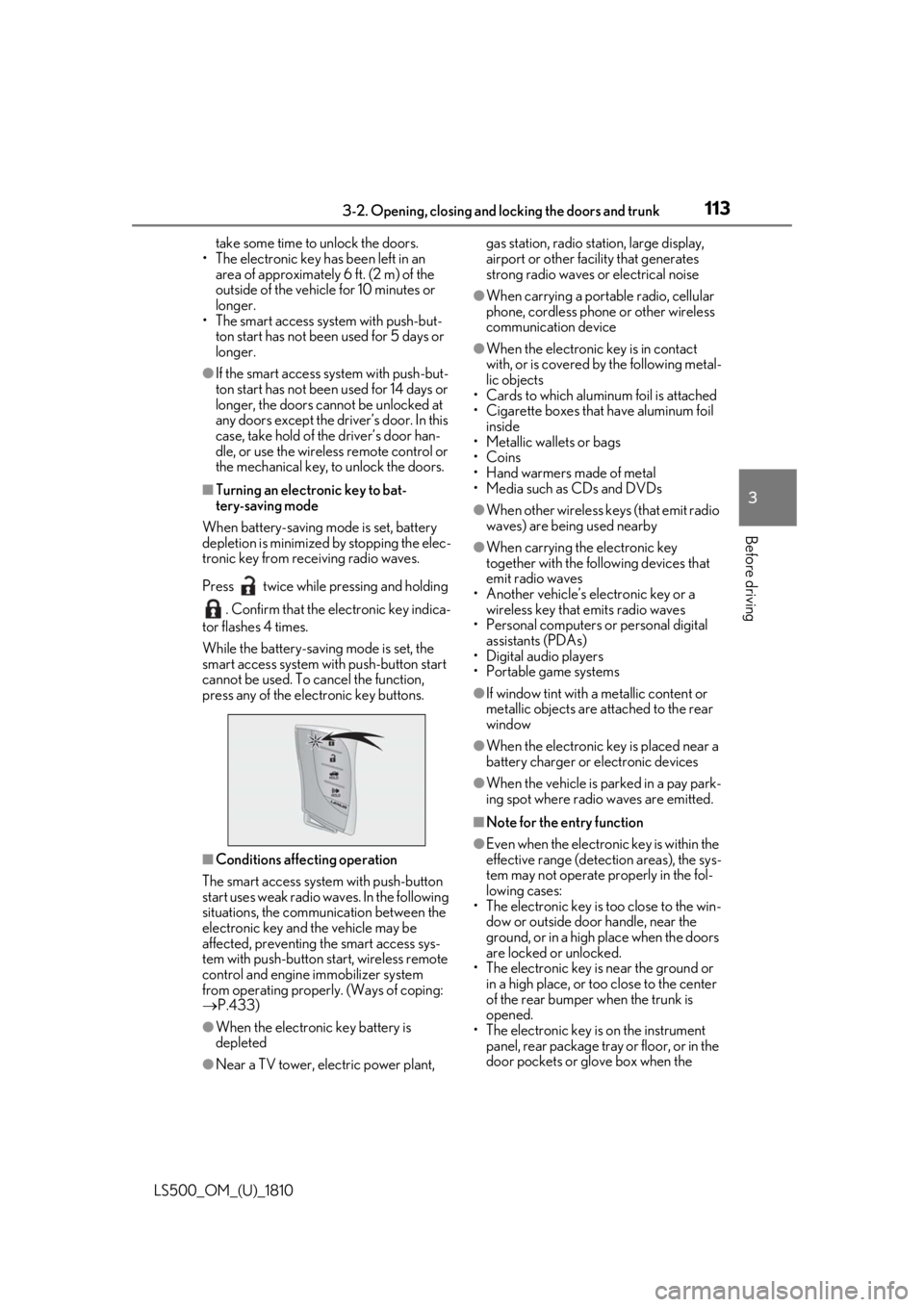
When battery-saving mode is set, battery
depletion is minimized by stopping the elec-
tronic key from re ceiving radio waves.
Press twice while pressing and holding
. Confirm that the electronic key indica-
tor flashes 4 times.
While the battery-saving mode is set, the
smart access system with push-button start
cannot be used. To cancel the function,
press any of the electronic key buttons.
■
Conditions affe cting operation
The smart access system with push-button
start uses weak radio waves. In the following
situations, the communication between the
electronic key and the vehicle may be
affected, preventing the smart access sys-
tem with push-button start, wireless remote
control and engine immobilizer system
from operating properly. (Ways of coping:
P.433)
●
When the electronic key battery is
depleted
●
Near a TV tower, electric power plant, gas station, radio stat ion, large display,
airport or other fac ility that generates
strong radio waves or electrical noise ●
When carrying a portable radio, cellular
phone, cordless phone or other wireless
communication device ●
When the electronic key is in contact
with, or is covered by the following metal-
lic objects
• Cards to which aluminum foil is attached
• Cigarette boxes that have aluminum foil
inside
• Metallic wallets or bags
•Coins
• Hand warmers made of metal
• Media such as CDs and DVDs ●
When other wireless keys (that emit radio
waves) are being used nearby ●
When carrying the electronic key
together with the following devices that
emit radio waves
• Another vehicle’s electronic key or a
wireless key that emits radio waves
• Personal computers or personal digital
assistants (PDAs)
• Digital audio players
• Portable game systems ●
If window tint with a metallic content or
metallic objects are attached to the rear
window ●
When the electronic key is placed near a
battery charger or electronic devices ●
When the vehicle is parked in a pay park-
ing spot where radio waves are emitted. ■
Note for the entry function ●
Even when the electronic key is within the
effective range (detection areas), the sys-
tem may not operate properly in the fol-
lowing cases:
• The electronic key is too close to the win-
dow or outside door handle, near the
ground, or in a high place when the doors
are locked or unlocked.
• The electronic key is near the ground or
in a high place, or too close to the center
of the rear bumper when the trunk is
opened.
• The electronic key is on the instrument
panel, rear package tray or floor, or in the
door pockets or glove box when the
Page 115 of 512
1153-2. Opening, closing and locking the doors and trunk
LS500_OM_(U)_1810 3
Before driving The key confinement prevention function
may not operate, depending on the loca-
tion of the key (the inside edge of the
trunk), conditions (inside a metal bag,
close to metallic objects) and the radio
waves in the surrounding area. ( P.109)■
If the smart access system with
push-button start does not operate
properly●
Locking and unlocking the doors and
trunk: P.433●
Starting the engine: P.434 ■
Customization
Some functions can be customized.
( P.466) ■
If the smart access system with
push-button start has been deactivated
in a customized setting ●
Locking and unloc king the doors and
opening the trunk:
Use the wireless remote control or
mechanical key. ( P.100, 107, 433)●
Starting the engine and changing engine
switch modes: P.434●
Stopping the engine: P.165■
Certification for the smart access system with push-button start
For vehicles sold in the U.S.A. , Hawaii, Guam and Puerto Rico
Page 121 of 512
1213-3. Adjusting the seats
LS500_OM_(U)_1810 3
Before driving ■
Using the driver’s seat adjustment
switches to adjust the front passen-
ger’s seat (front passenger mode)
The mode of the driver’s seat adjust-
ment switches can be changed to
adjust the front passenger’s seat.
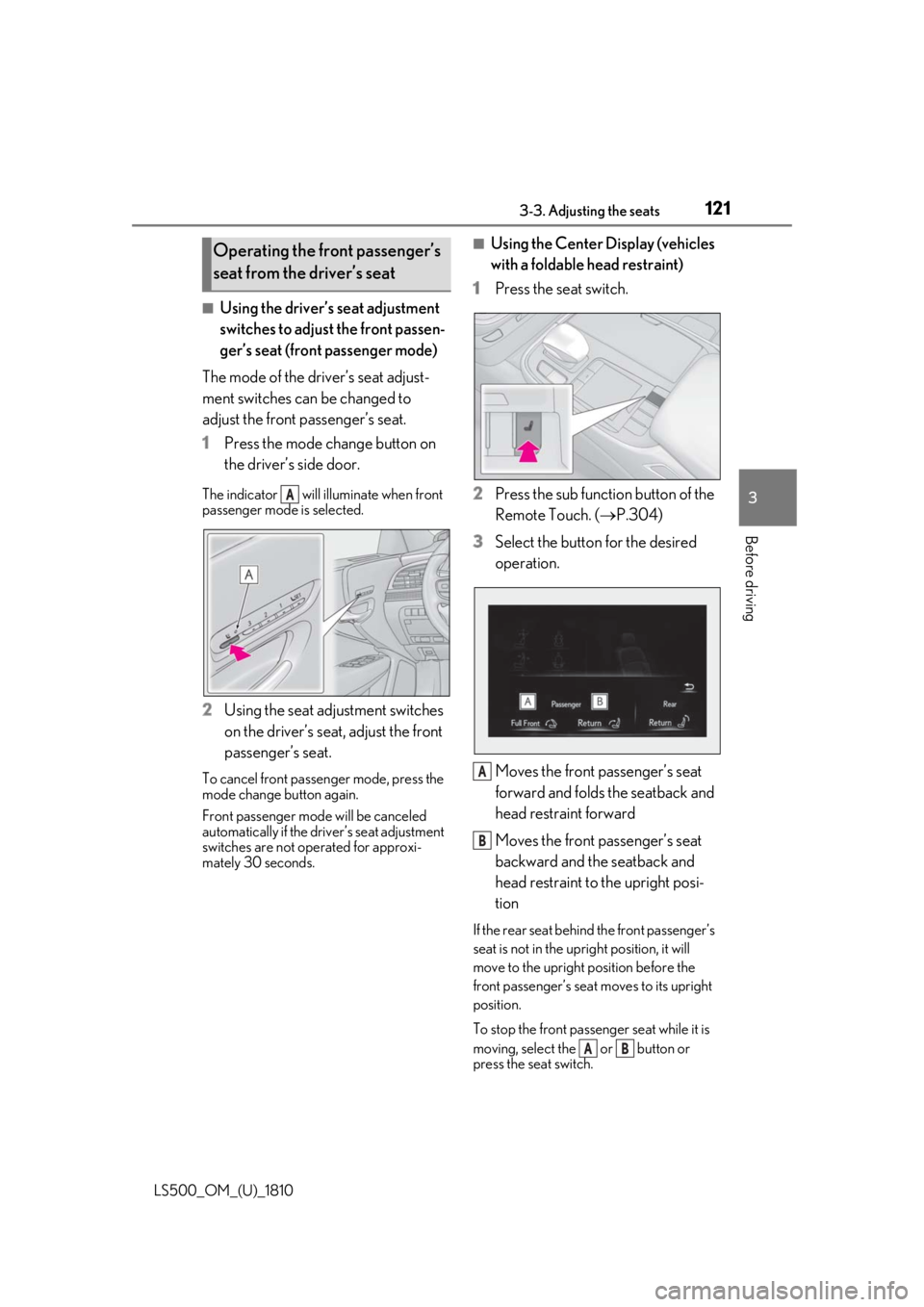
1 Press the mode change button on
the driver’s side door.The indicator will illuminate when front
passenger mode is selected.
2 Using the seat adjustment switches
on the driver’s seat, adjust the front
passenger’s seat.To cancel front passenger mode, press the
mode change button again.
Front passenger mode will be canceled
automatically if the driv er’s seat adjustment
switches are not operated for approxi-
mately 30 seconds. ■
Using the Center Display (vehicles
with a foldable head restraint)
1 Press the seat switch.
2 Press the sub function button of the
Remote Touch. ( P.304)
3 Select the button for the desired
operation.
Moves the front passenger’s seat
forward and folds the seatback and
head restraint forward
Moves the front passenger’s seat
backward and the seatback and
head restraint to the upright posi-
tion If the rear seat behind the front passenger’s
seat is not in the up right position, it will
move to the upright position before the
front passenger’s seat moves to its upright
position.
To stop the front passen ger seat while it is
moving, select the or button or
press the seat switch.Operating the front passenger’s
seat from the driver’s seat
A
A
B
A B