stop LEXUS LS500 2019 User Guide
[x] Cancel search | Manufacturer: LEXUS, Model Year: 2019, Model line: LS500, Model: LEXUS LS500 2019Pages: 512, PDF Size: 9.71 MB
Page 46 of 512
46 1-2. Child safety
LS500_OM_(U)_1810 tions for child restraint systems.
Use a child restraint system until the
child becomes large enough to
properly wear the vehicle’s seat belt.
Choose a child restraint system that
suits your vehicle and is appropriate
to the age and size of the child.
■
Types of child restraint system installation methods
Confirm with the operation manual enclosed with the child restraint system about
the installation of the child restraint system. WARNING■
When a child is riding
Observe the following precautions.
Failure to do so may result in death or
serious injury. ●
For effective protection in automobile
accidents and sudden stops, a child
must be properly restrained, using a
seat belt or child restraint system
which is correctly installed. For installa-
tion details, refer to the operation man-
ual enclosed with the child restraint
system. General insta llation instruction
is provided in this manual.●
Lexus strongly urges the use of a
proper child restraint system that con-
forms to the weight and size of the
child, installed on the rear seat.
According to accident statistics, the
child is safer when properly restrained
in the rear seat than in the front seat. ●
Holding a child in your or someone
else’s arms is not a substitute for a child
restraint system. In an accident, the
child can be crushe d against the wind-
shield or between the holder and the
interior of the vehicle. ■
Handling the child restraint system
If the child re straint system is not prop-
erly fixed in place, the child or other pas-
sengers may be seriously injured or even
killed in the event of sudden braking, sud-
den swerving, or an accident. ●
If the vehicle were to receive a strong
impact from an accident, etc., it is pos-
sible that the child restraint system has
damage that is not readily visible. In
such cases, do not reuse the restraint
system. ●
Make sure you have complied with all
installation instructions provided with
the child restraint system manufac-
turer and that the system is properly
secured. ●
Keep the child rest raint system prop-
erly secured on the seat even if it is not
in use. Do not store the child restraint
system unsecured in the passenger
compartment.
●
If it is necessary to detach the child
restraint system, remove it from the
vehicle or store it securely in the trunk.
Child restraint system
Page 63 of 512
631-4. Theft deterrent system
LS500_OM_(U)_1810 1
For safety and security 1-4.Theft deterrent system
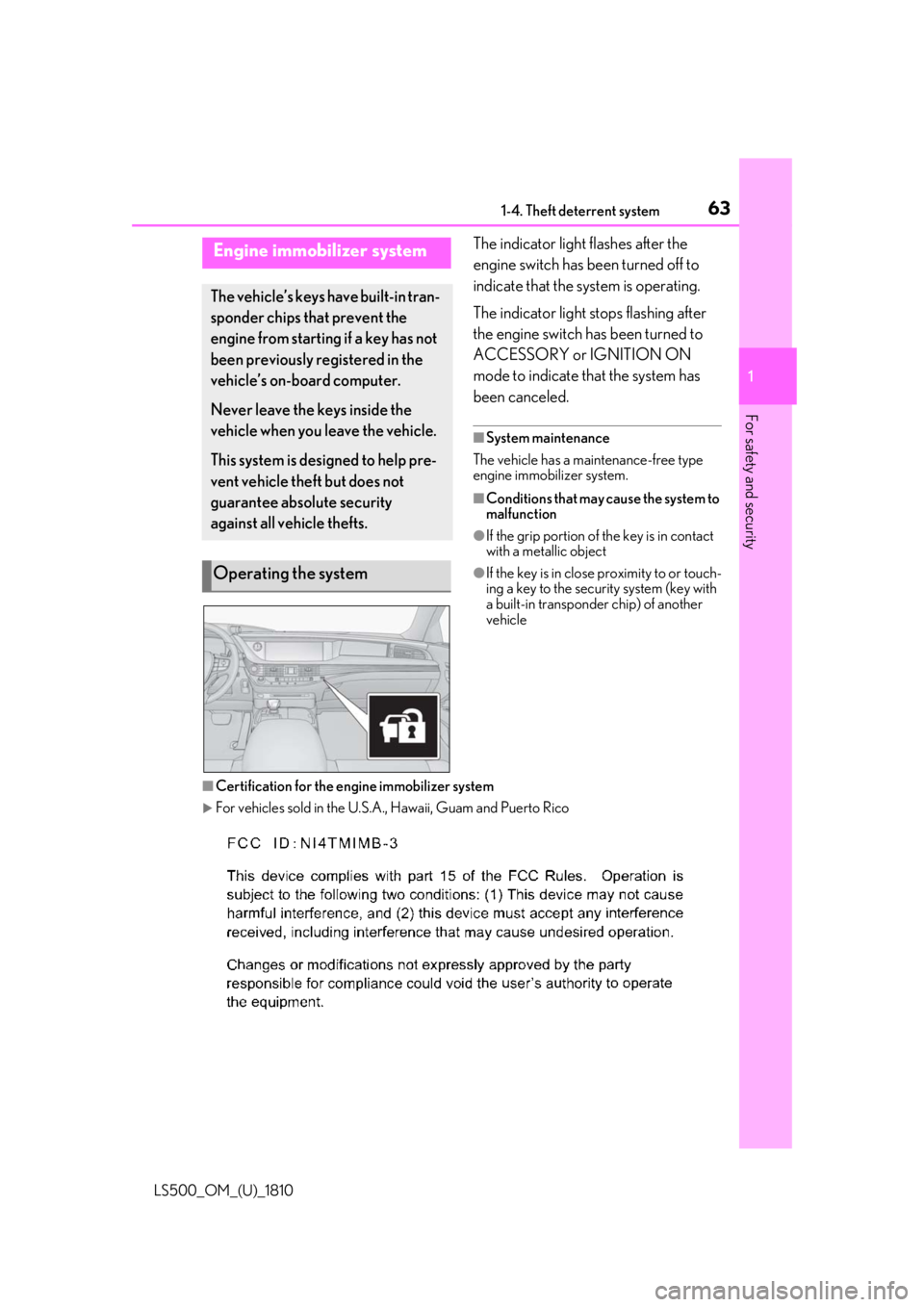
The indicator light flashes after the
engine switch has been turned off to
indicate that the system is operating.
The indicator light stops flashing after
the engine switch has been turned to
ACCESSORY or IGNITION ON
mode to indicate that the system has
been canceled. ■
System maintenance
The vehicle has a maintenance-free type
engine immobilizer system. ■
Conditions that may cause the system to
malfunction ●
If the grip portion of the key is in contact
with a metallic object ●
If the key is in close proximity to or touch-
ing a key to the security system (key with
a built-in transponder chip) of another
vehicle
■
Certification for the en gine immobilizer system
For vehicles sold in the U.S.A. , Hawaii, Guam and Puerto RicoEngine immobilizer system The vehicle’s keys have built-in tran-
sponder chips that prevent the
engine from starting if a key has not
been previously registered in the
vehicle’s on-board computer.
Never leave the keys inside the
vehicle when you leave the vehicle.
This system is designed to help pre-
vent vehicle theft but does not
guarantee absolute security
against all vehicle thefts.
Operating the system
Page 65 of 512
651-4. Theft deterrent system
LS500_OM_(U)_1810 1
For safety and security
■
Items to check before locking the
vehicle
To prevent unexpected triggering of
the alarm and vehicle theft, make sure
of the following:
Nobody is in the vehicle.
The windows, moon roof (if
equipped) and panoramic moon
roof (if equipped) are closed before
the alarm is set.
No valuables or other personal
items are left in the vehicle. ■
Setting
Close the doors, trunk and hood, and
lock all the doors. The system will be
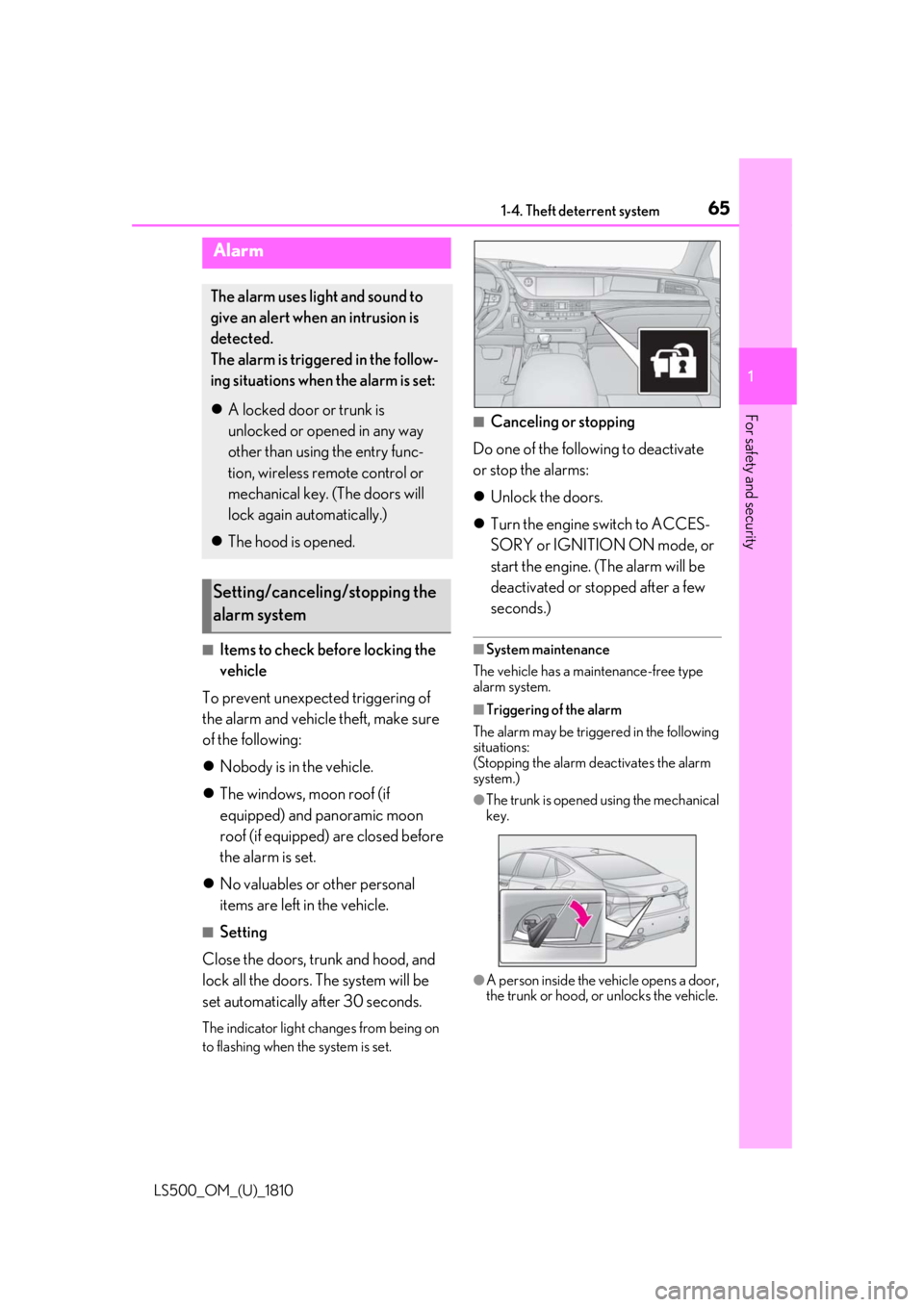
set automatically after 30 seconds. The indicator light changes from being on
to flashing when the system is set. ■
Canceling or stopping
Do one of the following to deactivate
or stop the alarms:
Unlock the doors.
Turn the engine switch to ACCES-
SORY or IGNITION ON mode, or
start the engine. (The alarm will be
deactivated or stopped after a few
seconds.) ■
System maintenance
The vehicle has a maintenance-free type
alarm system. ■
Triggering of the alarm
The alarm may be triggered in the following
situations:
(Stopping the alarm deactivates the alarm
system.) ●
The trunk is opened using the mechanical
key.
●
A person inside the vehicle opens a door,
the trunk or hood, or unlocks the vehicle.Alarm The alarm uses light and sound to
give an alert when an intrusion is
detected.
The alarm is triggered in the follow-
ing situations when the alarm is set:
A locked door or trunk is
unlocked or opened in any way
other than using the entry func-
tion, wireless remote control or
mechanical key. (The doors will
lock again automatically.)
The hood is opened.
Setting/canceling/stopping the
alarm system
Page 74 of 512
74 2-1. Instrument cluster
LS500_OM_(U)_1810 Displays warning messages if a malfunction occurs ( P.425)■
Outside temperature display●
In the following situations, the correct
outside temperature may not be dis-
played, or the display may take longer
than normal to change:
• When stopped, or driving at low speeds
(less than 12 mph [20 km/h])
• When the outside temperature has
changed suddenly (at the entrance/exit of
a garage, tunnel, etc.)●
When “--” or “E” is displayed, the system
may be malfunctioning. Take your vehicle
to your Lexus dealer.■
Liquid crystal display
P.81■
Customization
The gauges and meters can be customized
on of the multi-information display.
( P.85) ■
Display items
Odometer Displays the total distance the vehicle has
been driven.
Trip meter A/trip meter B Displays the distance the vehicle has been
driven since the meter was last reset. Trip
meters A and B can be used to record and
display different distances independently.
Distance until next engine oil
change Displays the distance the vehicle can be
driven until an oil change is necessary. ■
Changing the display
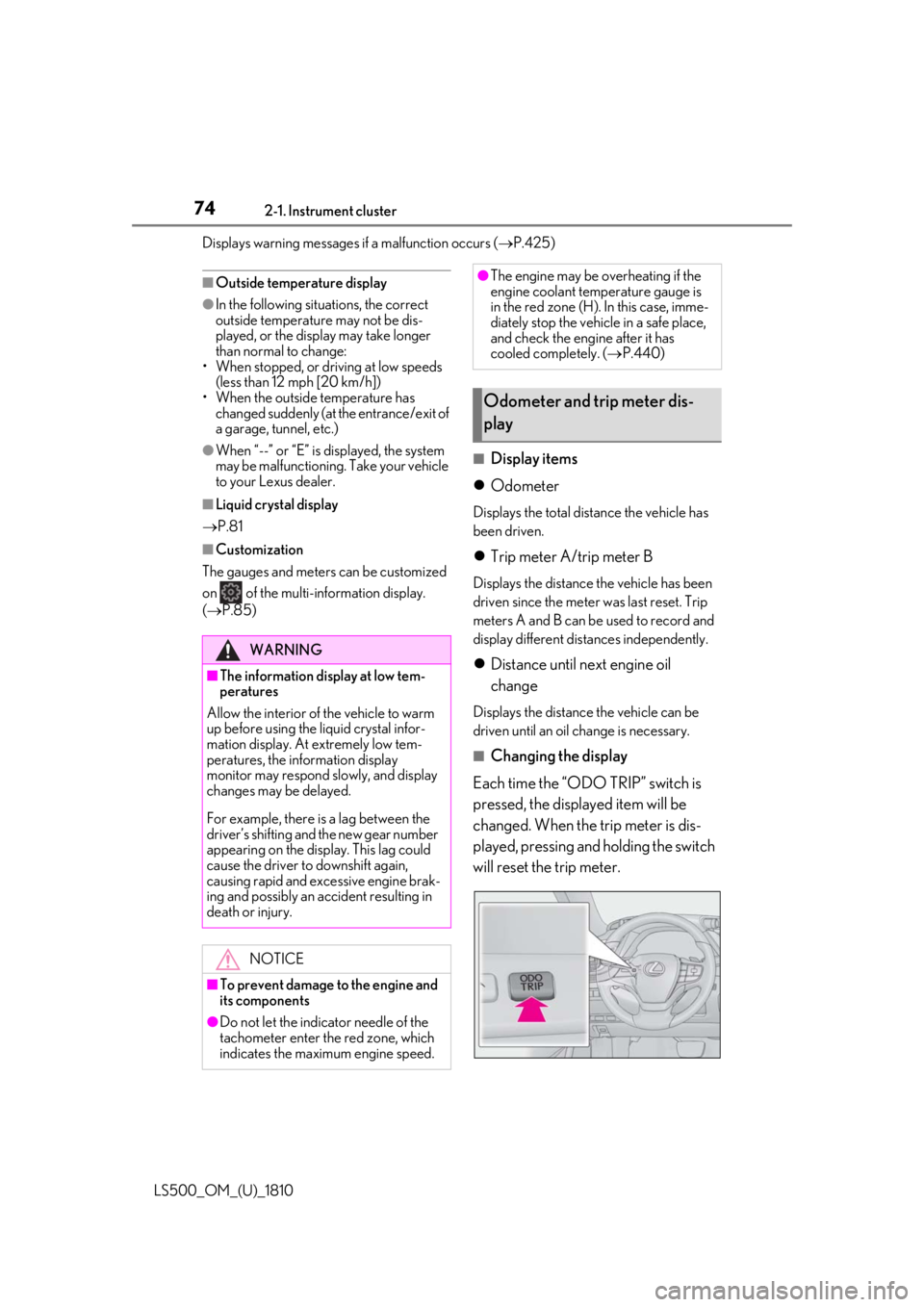
Each time the “ODO TRIP” switch is
pressed, the displayed item will be
changed. When the trip meter is dis-
played, pressing and holding the switch
will reset the trip meter.WARNING■
The information display at low tem-
peratures
Allow the interior of the vehicle to warm
up before using the liquid crystal infor-
mation display. At extremely low tem-
peratures, the in formation display
monitor may respond slowly, and display
changes may be delayed.
For example, there is a lag between the
driver’s shifting and the new gear number
appearing on the display. This lag could
cause the driver to downshift again,
causing rapid and excessive engine brak-
ing and possibly an accident resulting in
death or injury.
NOTICE
■
To prevent damage to the engine and
its components
●
Do not let the indicator needle of the
tachometer enter the red zone, which
indicates the maximum engine speed. ●
The engine may be overheating if the
engine coolant temperature gauge is
in the red zone (H). In this case, imme-
diately stop the vehicle in a safe place,
and check the engine after it has
cooled completely. ( P.440)
Odometer and trip meter dis-
play
Page 78 of 512
78 2-1. Instrument cluster
LS500_OM_(U)_1810 Engine coolant temperature gaugeDisplays the engine coolant temperature
Multi-information displayPresents the driver with a variety of vehicle data ( P.80)
Displays warning messages if a malfunction occurs ( P.425)■
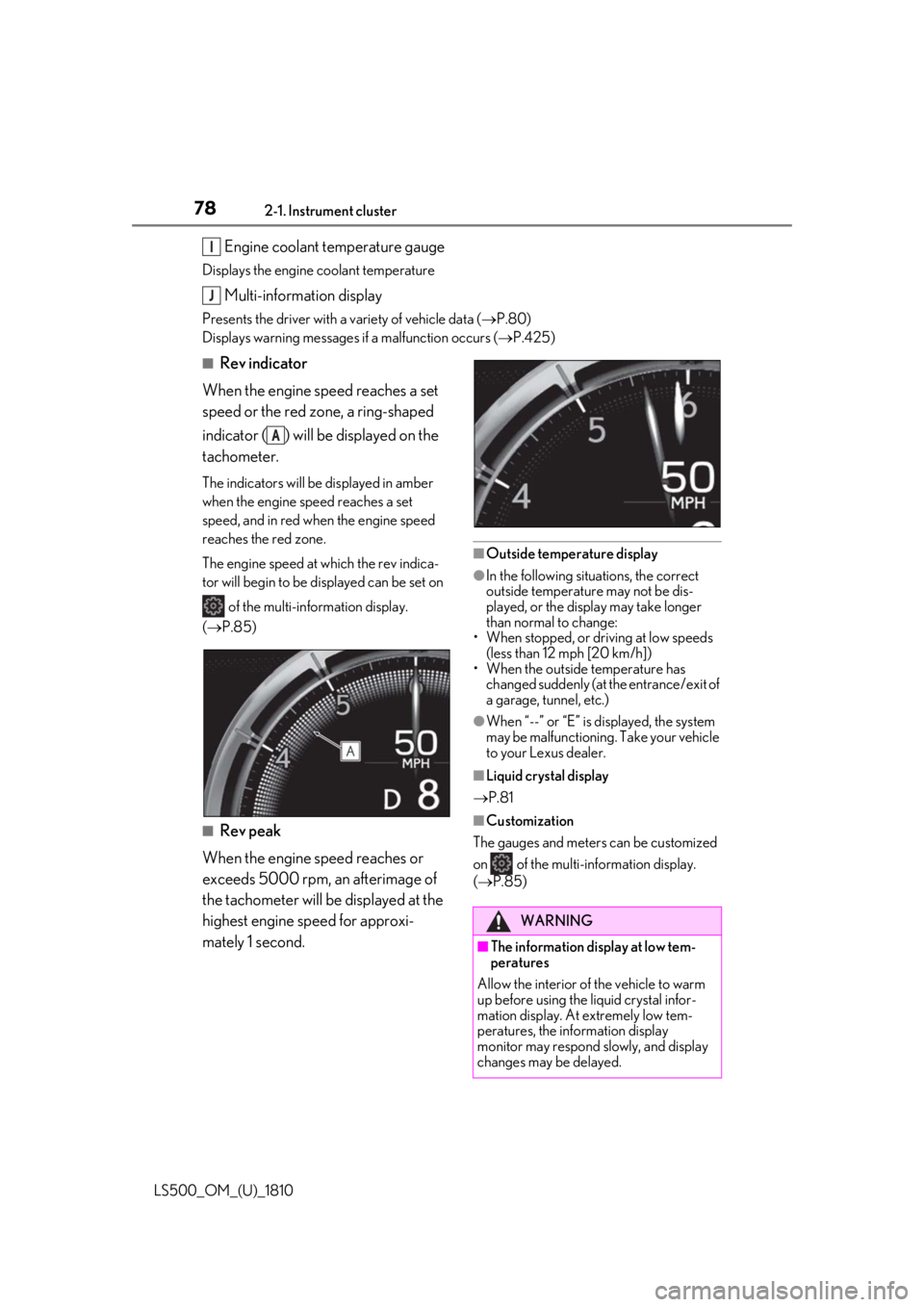
Rev indicator
When the engine speed reaches a set
speed or the red zone, a ring-shaped
indicator ( ) will be displayed on the
tachometer. The indicators will be displayed in amber
when the engine speed reaches a set
speed, and in red when the engine speed
reaches the red zone.
The engine speed at which the rev indica-
tor will begin to be displayed can be set on
of the multi-information display.
( P.85)
■
Rev peak
When the engine speed reaches or
exceeds 5000 rpm, an afterimage of
the tachometer will be displayed at the
highest engine speed for approxi-
mately 1 second. ■
Outside temperature display ●
In the following situations, the correct
outside temperature may not be dis-
played, or the display may take longer
than normal to change:
• When stopped, or driving at low speeds
(less than 12 mph [20 km/h])
• When the outside temperature has
changed suddenly (at the entrance/exit of
a garage, tunnel, etc.) ●
When “--” or “E” is displayed, the system
may be malfunctioning. Take your vehicle
to your Lexus dealer. ■
Liquid crystal display
P.81 ■
Customization
The gauges and meters can be customized
on of the multi-information display.
( P.85)I
J
A
WARNING
■
The information display at low tem-
peratures
Allow the interior of the vehicle to warm
up before using the liquid crystal infor-
mation display. At extremely low tem-
peratures, the information display
monitor may respond slowly, and display
changes may be delayed.
Page 79 of 512
792-1. Instrument cluster
LS500_OM_(U)_1810 2
Vehicle status information and indicators
■
Display items
Odometer Displays the total distance the vehicle has
been driven.
Trip meter A/trip meter B Displays the distance the vehicle has been
driven since the meter was last reset. Trip
meters A and B can be used to record and
display different distances independently.
Distance until next engine oil
change Displays the distance the vehicle can be
driven until an oil change is necessary.
■
Changing the display
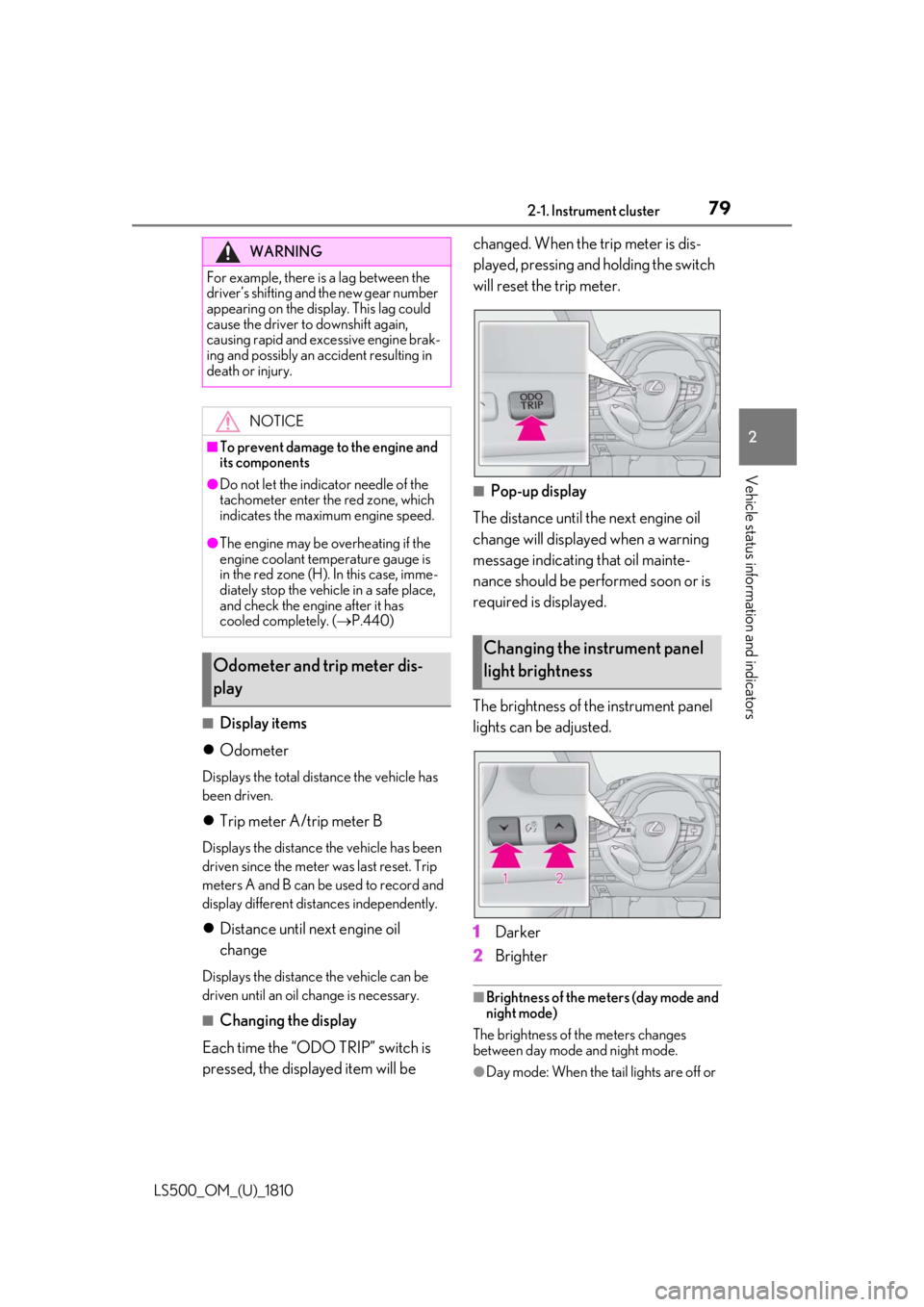
Each time the “ODO TRIP” switch is
pressed, the displayed item will be changed. When the trip meter is dis-
played, pressing and holding the switch
will reset the trip meter.
■
Pop-up display
The distance until the next engine oil
change will displayed when a warning
message indicating that oil mainte-
nance should be performed soon or is
required is displayed.
The brightness of the instrument panel
lights can be adjusted.
1 Darker
2 Brighter ■
Brightness of the meters (day mode and
night mode)
The brightness of the meters changes
between day mode and night mode.
●
Day mode: When the tail lights are off or WARNING
For example, there is a lag between the
driver’s shifting and the new gear number
appearing on the display. This lag could
cause the driver to downshift again,
causing rapid and excessive engine brak-
ing and possibly an accident resulting in
death or injury.
NOTICE■
To prevent damage to the engine and
its components●
Do not let the indicator needle of the
tachometer enter the red zone, which
indicates the maximum engine speed.●
The engine may be overheating if the
engine coolant temperature gauge is
in the red zone (H). In this case, imme-
diately stop the vehicle in a safe place,
and check the engine after it has
cooled completely. ( P.440)
Odometer and trip meter dis-
play Changing the instrument panel
light brightness
Page 83 of 512
832-1. Instrument cluster
LS500_OM_(U)_1810 2
Vehicle status information and indicators Average fuel economy After reset: Displays average fuel con-
sumption since the display was reset *1
After start: Displays average fuel con-
sumption since engine start
After refuel: Displays average fuel con-
sumption since refuel
Average vehicle speed After reset: Displays average vehicle
speed since the display was reset *1
After start: Displays average vehicle speed
since engine start
Elapsed time After reset: Displays elapsed time since the
display was reset *1
After start: Displays elapsed time since
engine start
Distance Driving range: Displays driving range with
remaining fuel *2, 3
After start: Displays the distance driven
since engine start
Other Blank: No item *1
: To reset, display the desired item and
press and hold of the meter control
switch. *2
: This distance is computed based on
your average fuel consumption. As a
result, the actual distance that can be
driven may differ from that displayed. *3
: When only a small amount of fuel is
added to the tank, the display may not
be updated.
When refueling, turn the engine switch
off. If the vehicle is refueled without
turning the engine switch off, the display may not be updated. ■
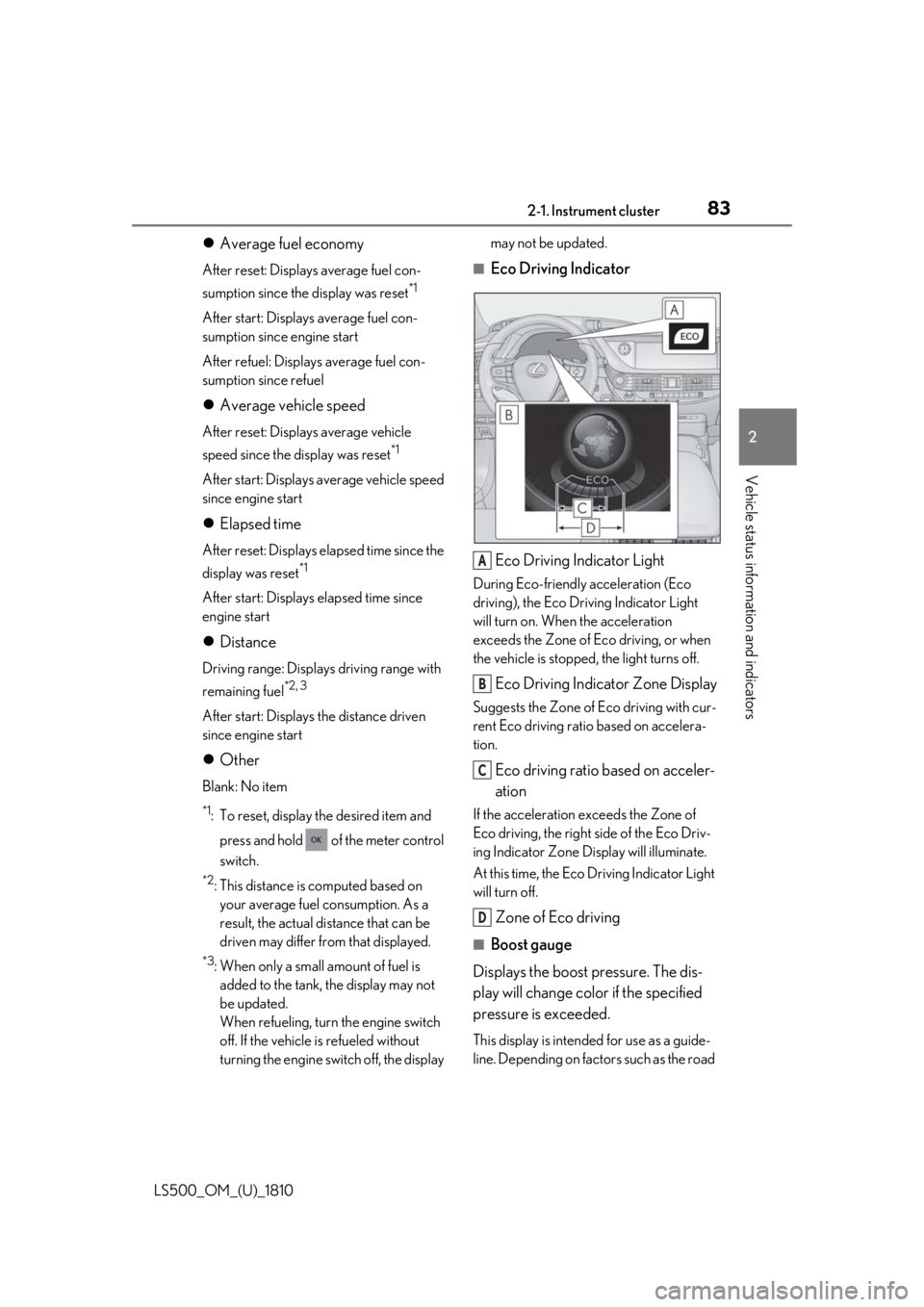
Eco Driving Indicator
Eco Driving Indicator Light During Eco-friendly acceleration (Eco
driving), the Eco Driving Indicator Light
will turn on. When the acceleration
exceeds the Zone of Eco driving, or when
the vehicle is stopped, the light turns off.
Eco Driving Indicator Zone Display Suggests the Zone of Eco driving with cur-
rent Eco driving ratio based on accelera-
tion.
Eco driving ratio based on acceler-
ation If the acceleration exceeds the Zone of
Eco driving, the right side of the Eco Driv-
ing Indicator Zone Display will illuminate.
At this time, the Eco Driving Indicator Light
will turn off.
Zone of Eco driving ■
Boost gauge
Displays the boost pressure. The dis-
play will change color if the specified
pressure is exceeded. This display is intended for use as a guide-
line. Depending on fact ors such as the road A
B
C
D
Page 88 of 512
88 2-1. Instrument cluster
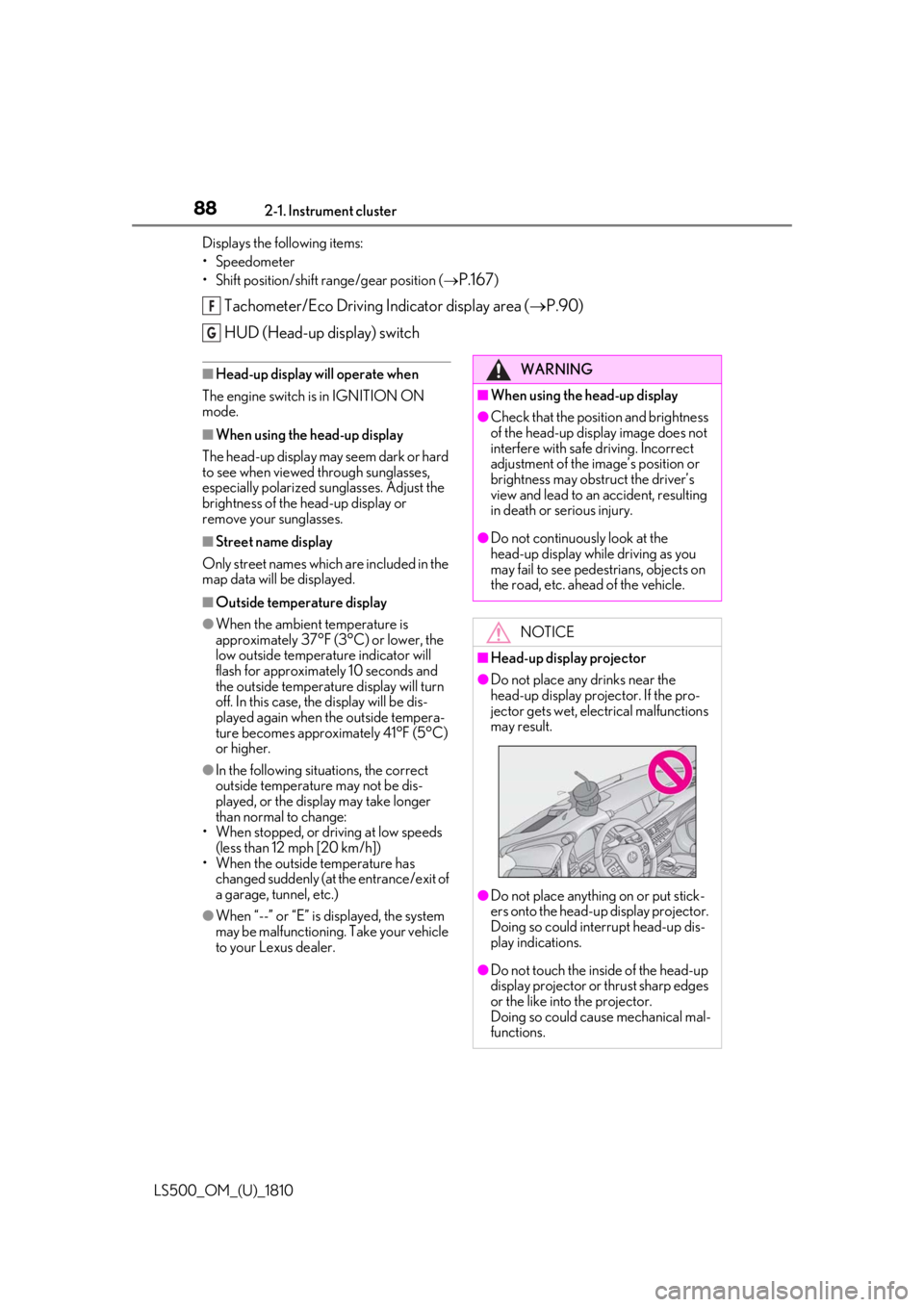
LS500_OM_(U)_1810 Displays the following items:
• Speedometer
• Shift position/shift range/gear position (
P.167 )
Tachometer/Eco Driving Indicator display area ( P.90)
HUD (Head-up display) switch ■
Head-up display will operate when
The engine switch is in IGNITION ON
mode. ■
When using the head-up display
The head-up display may seem dark or hard
to see when viewed through sunglasses,
especially polarized su nglasses. Adjust the
brightness of the head-up display or
remove your sunglasses. ■
Street name display
Only street names whic h are included in the
map data will be displayed. ■
Outside temperature display●
When the ambient temperature is
approximately 37°F (3°C) or lower, the
low outside temperature indicator will
flash for approximately 10 seconds and
the outside temperature display will turn
off. In this case, the display will be dis-
played again when the outside tempera-
ture becomes approximately 41°F (5°C)
or higher.●
In the following situations, the correct
outside temperature may not be dis-
played, or the display may take longer
than normal to change:
• When stopped, or driving at low speeds
(less than 12 mph [20 km/h])
• When the outside temperature has
changed suddenly (at the entrance/exit of
a garage, tunnel, etc.)
●
When “--” or “E” is displayed, the system
may be malfunctioning. Take your vehicle
to your Lexus dealer. F
G
WARNING■
When using the head-up display ●
Check that the position and brightness
of the head-up display image does not
interfere with safe driving. Incorrect
adjustment of the image’s position or
brightness may obstruct the driver’s
view and lead to an accident, resulting
in death or serious injury. ●
Do not continuously look at the
head-up display while driving as you
may fail to see pedestrians, objects on
the road, etc. ahead of the vehicle.
NOTICE■
Head-up display projector ●
Do not place any drinks near the
head-up display projector. If the pro-
jector gets wet, electrical malfunctions
may result.
●
Do not place anything on or put stick-
ers onto the head-up display projector.
Doing so could interrupt head-up dis-
play indications.
●
Do not touch the inside of the head-up
display projector or thrust sharp edges
or the like into the projector.
Doing so could cause mechanical mal-
functions.
Page 96 of 512
96 3-1. Key information
LS500_OM_(U)_1810 3-1.Key information
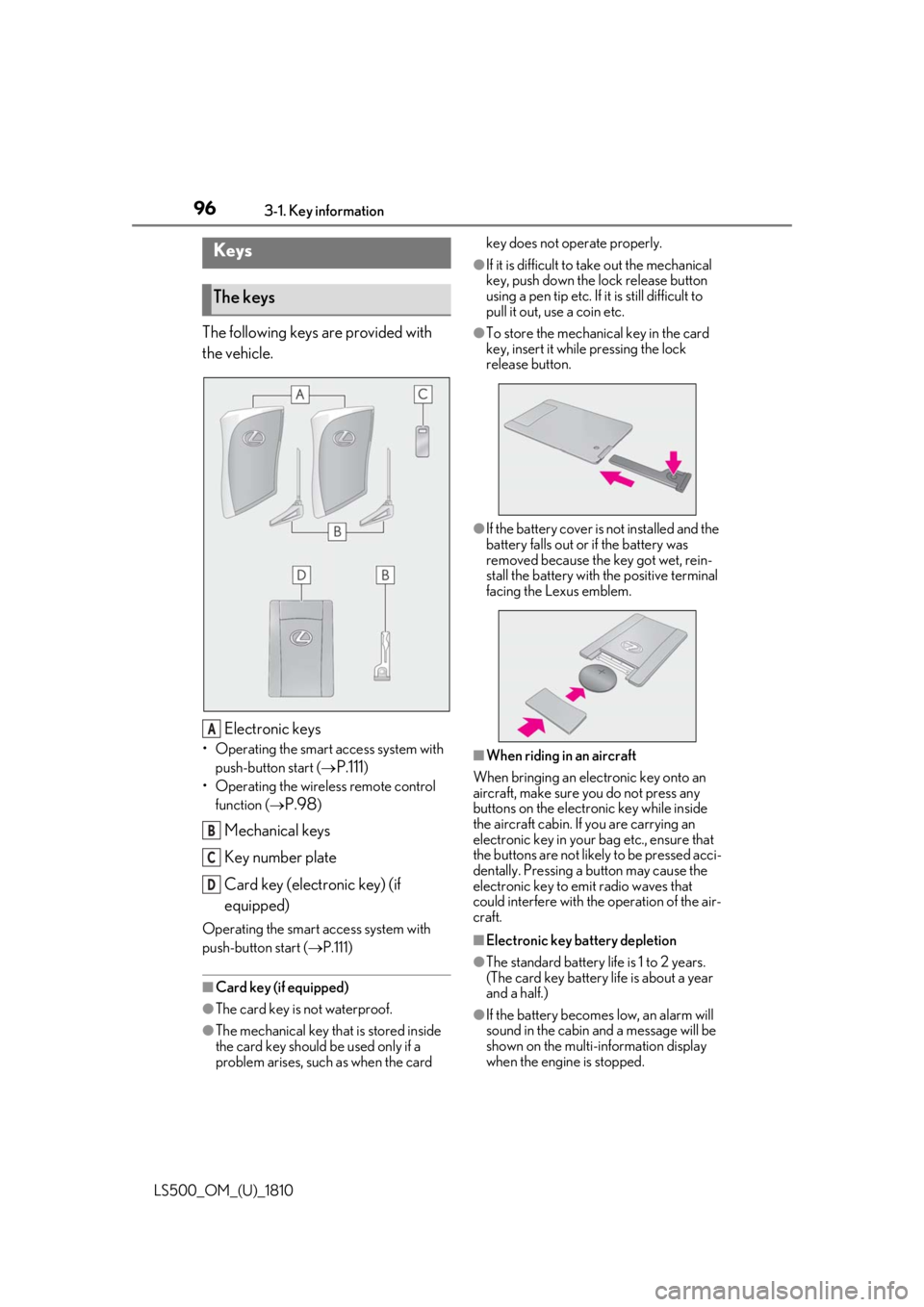
The following keys are provided with
the vehicle.
Electronic keys• Operating the smart access system with
push-button start (
P.111 )
• Operating the wireless remote control
function (
P.98 )
Mechanical keys
Key number plate
Card key (electronic key) (if
equipped)Operating the smart access system with
push-button start ( P.111)
■
Card key (if equipped)
●
The card key is not waterproof.
●
The mechanical key that is stored inside
the card key should be used only if a
problem arises, such as when the card key does not operate properly. ●
If it is difficult to take out the mechanical
key, push down the lock release button
using a pen tip etc. If it is still difficult to
pull it out, use a coin etc. ●
To store the mechanical key in the card
key, insert it while pressing the lock
release button.
●
If the battery cover is not installed and the
battery falls out or if the battery was
removed because the key got wet, rein-
stall the battery with the positive terminal
facing the Lexus emblem.
■
When riding in an aircraft
When bringing an electronic key onto an
aircraft, make sure you do not press any
buttons on the electronic key while inside
the aircraft cabin. If you are carrying an
electronic key in your bag etc., ensure that
the buttons are not likely to be pressed acci-
dentally. Pressing a button may cause the
electronic key to em it radio waves that
could interfere with the operation of the air-
craft.
■
Electronic key battery depletion
●
The standard battery life is 1 to 2 years.
(The card key battery life is about a year
and a half.)
●
If the battery becomes low, an alarm will
sound in the cabin and a message will be
shown on the multi-information display
when the engine is stopped.Keys
The keys
A
B
C
D
Page 98 of 512
98 3-1. Key information
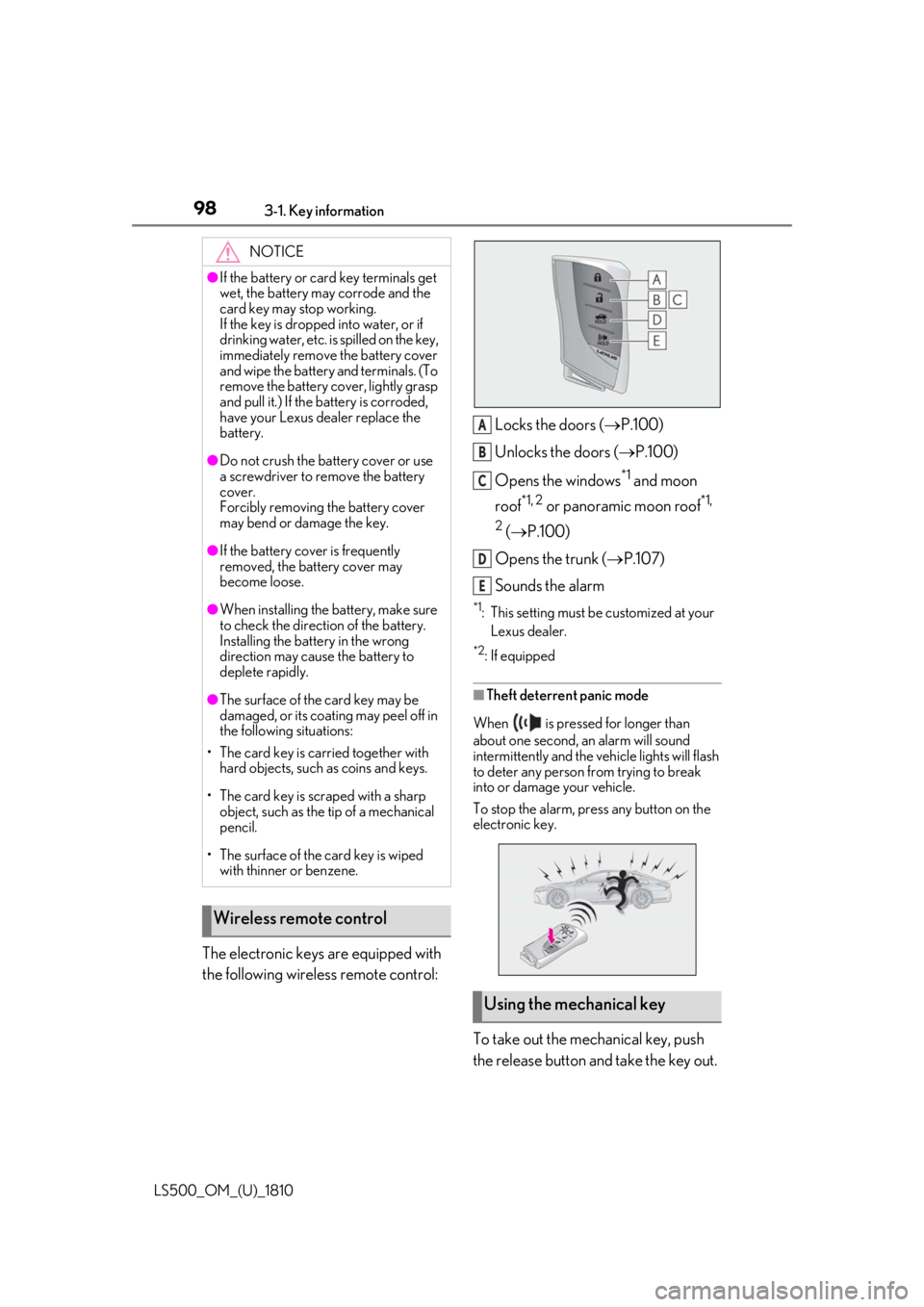
LS500_OM_(U)_1810 The electronic keys are equipped with
the following wireless remote control: Locks the doors ( P.100)
Unlocks the doors ( P.100)
Opens the windows *1
and moon
roof *1, 2
or panoramic moon roof *1,
2
( P.100)
Opens the trunk ( P.107)
Sounds the alarm *1
: This setting must be customized at your
Lexus dealer. *2
: If equipped
■
Theft deterrent panic mode
When is pressed for longer than
about one second, an alarm will sound
intermittently and the vehicle lights will flash
to deter any person from trying to break
into or damage your vehicle.
To stop the alarm, press any button on the
electronic key.
To take out the mechanical key, push
the release button and take the key out.NOTICE●
If the battery or card key terminals get
wet, the battery may corrode and the
card key may stop working.
If the key is dropped into water, or if
drinking water, etc. is spilled on the key,
immediately remove the battery cover
and wipe the battery and terminals. (To
remove the battery co ver, lightly grasp
and pull it.) If the battery is corroded,
have your Lexus dealer replace the
battery.●
Do not crush the battery cover or use
a screwdriver to remove the battery
cover.
Forcibly removing the battery cover
may bend or damage the key.●
If the battery cover is frequently
removed, the battery cover may
become loose.●
When installing the ba ttery, make sure
to check the direction of the battery.
Installing the battery in the wrong
direction may cause the battery to
deplete rapidly.●
The surface of the card key may be
damaged, or its coating may peel off in
the following situations:
• The card key is carried together with
hard objects, such as coins and keys.
• The card key is scraped with a sharp
object, such as the tip of a mechanical
pencil.
• The surface of the card key is wiped
with thinner or benzene.
Wireless remote control
Using the mechanical key A
B
C
D
E