air LEXUS LS500 2019 Service Manual
[x] Cancel search | Manufacturer: LEXUS, Model Year: 2019, Model line: LS500, Model: LEXUS LS500 2019Pages: 512, PDF Size: 9.71 MB
Page 196 of 512
196 4-5. Using the driving support systems
LS500_OM_(U)_1810 ■
If a warning message is displayed on the multi-information display
A system may be temporarily unavailable or there may be a malfunction in the system.●
In the following situations, perform the actions specified in the table. When the normal
operating conditions are detected, the me ssage will disappear and the system will
become operational.
If the message does not disappea r, contact your Lexus dealer.
Situation Actions
When the area around a sensor is covered
with dirt, moisture (f ogged up, covered with
condensation, ice, etc.), or other foreign
matter To clean the part of the windshield in front of
the front camera , use the windshield wipers
or the windshield defo gger of the air condi-
tioning system ( P.314).
Page 197 of 512
1974-5. Using the driving support systems
LS500_OM_(U)_1810 4
Driving
●
In the following situations, if the situation has changed (or the vehicle has been driven for
some time) and the normal operating conditio ns are detected, the message will disappear
and the system will become operational.
If the message does not disappear, contact your Lexus dealer.
• When the temperature around the radar sensor is outside of the operational range, such
as when the vehicle is in the sun or in an extremely cold environment
• When the front camera cannot detect objects in front of the vehicle, such as when driving
in the dark, snow, or fog, or when brig ht lights are shining into the front cameraWhen the temperature around the front
camera is outside of the operational range,
such as when the vehicle is in the sun or in an
extremely cold environment If the front camera is hot, such as after the
vehicle had been parked in the sun, use the
air conditioning system to decrease the tem-
perature around the front camera.
If a sunshade was used when the vehicle
was parked, depending on its type, the sun-
light reflected from the surface of the sun-
shade may cause the temperature of the
front camera to become excessively high.
If the front camera is cold, such after the
vehicle is parked in an extremely cold envi-
ronment, use the air conditioning system to
increase the temperature around the front
camera.
The area in front of the front camera is
obstructed, such as when the hood is open
or a sticker is attached to the part of the
windshield in front of the front camera. Close the hood, remove the sticker, etc. to
clear the obstruction.Situation Actions
Page 202 of 512
202 4-5. Using the driving support systems
LS500_OM_(U)_1810 ■
If a warning message is displayed on the multi-information display
A system may be temporarily unavailable or there may be a malfunction in the system.●
In the following situations, perform the actions specified in the table. When the normal
operating conditions are detected, the me ssage will disappear and the system will
become operational.
If the message does not disappea r, contact your Lexus dealer.
Situation Actions
When the area around a sensor is covered
with dirt, moisture (f ogged up, covered with
condensation, ice, etc.), or other foreign
matter To clean the part of the windshield in front of
the front camera , use the windshield wipers
or the windshield defo gger of the air condi-
tioning system ( P.314).
When the temperature around the front
camera is outside of the operational range,
such as when the vehicle is in the sun or in an
extremely cold environment If the front camera is hot, such as after the
vehicle had been parked in the sun, use the
air conditioning system to decrease the tem-
perature around the front camera.
If a sunshade was used when the vehicle
was parked, depending on its type, the sun-
light reflected from the surface of the sun-
shade may cause the temperature of the
front camera to become excessively high.
If the front camera is cold, such after the
vehicle is parked in an extremely cold envi-
ronment, use the air conditioning system to
increase the temperature around the front
camera.
Page 207 of 512
2074-5. Using the driving support systems
LS500_OM_(U)_1810 4
Driving ■
Enabling/disabling the pre-colli-
sion system
The pre-collision system can be
enabled/disabled on ( P.80) of
the multi-information display. The system is automa tically enabled each
time the engine switch is turned to IGNI-
TION ON mode.
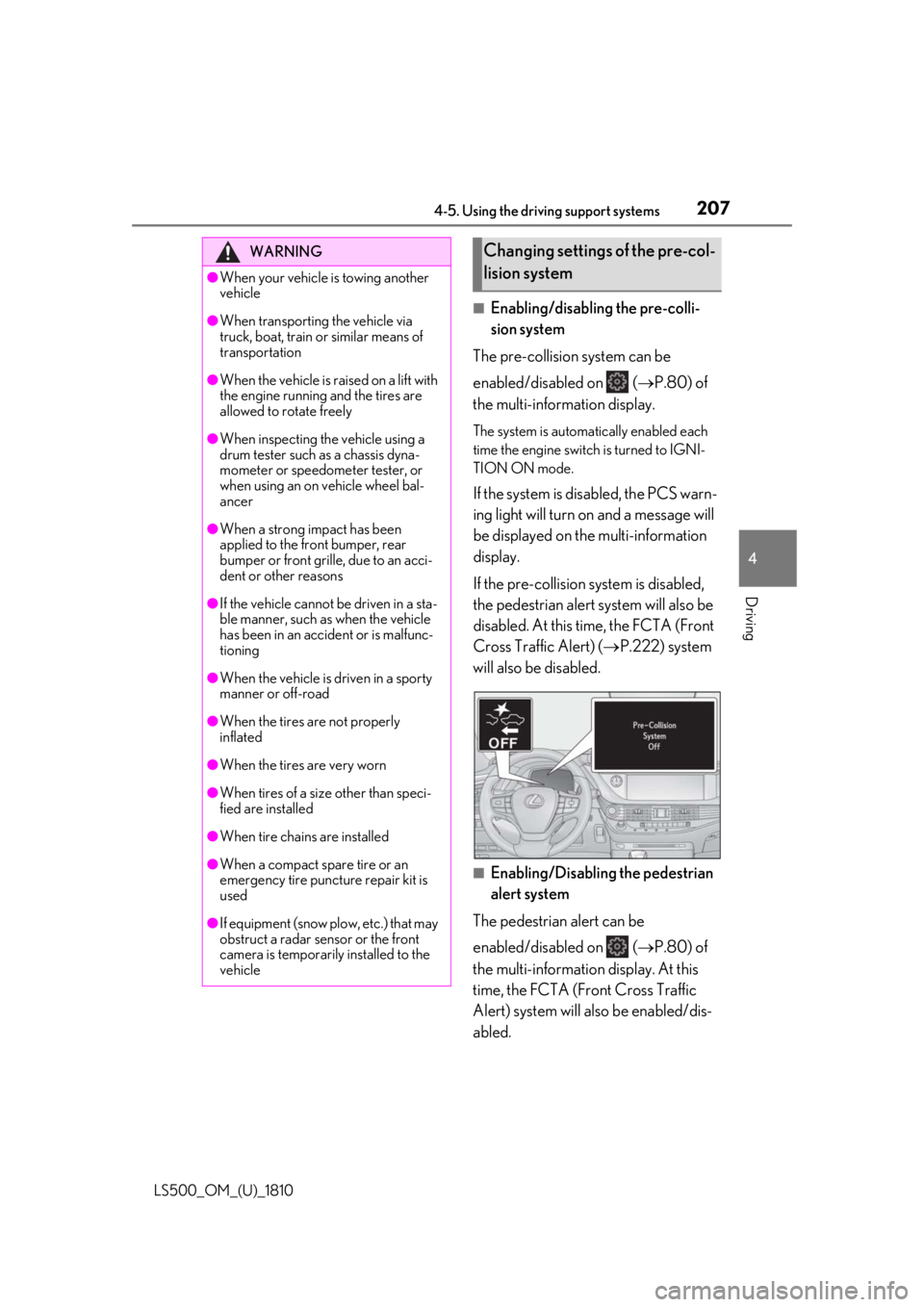
If the system is disabled, the PCS warn-
ing light will turn on and a message will
be displayed on the multi-information
display.
If the pre-collision sy stem is disabled,
the pedestrian alert system will also be
disabled. At this time, the FCTA (Front
Cross Traffic Alert) ( P.222) system
will also be disabled.
■
Enabling/Disabling the pedestrian
alert system
The pedestrian alert can be
enabled/disabled on ( P.80) of
the multi-information display. At this
time, the FCTA (Front Cross Traffic
Alert) system will also be enabled/dis-
abled.WARNING●
When your vehicle is towing another
vehicle●
When transporting the vehicle via
truck, boat, train or similar means of
transportation●
When the vehicle is raised on a lift with
the engine running and the tires are
allowed to rotate freely●
When inspecting the vehicle using a
drum tester such as a chassis dyna-
mometer or speedometer tester, or
when using an on vehicle wheel bal-
ancer●
When a strong impact has been
applied to the front bumper, rear
bumper or front grille, due to an acci-
dent or other reasons●
If the vehicle cannot be driven in a sta-
ble manner, such as when the vehicle
has been in an accident or is malfunc-
tioning●
When the vehicle is driven in a sporty
manner or off-road●
When the tires are not properly
inflated
●
When the tires are very worn
●
When tires of a size other than speci-
fied are installed
●
When tire chains are installed
●
When a compact spare tire or an
emergency tire puncture repair kit is
used
●
If equipment (snow plow, etc.) that may
obstruct a radar sensor or the front
camera is temporarily installed to the
vehicle Changing settings of the pre-col-
lision system
Page 213 of 512
2134-5. Using the driving support systems
LS500_OM_(U)_1810 4
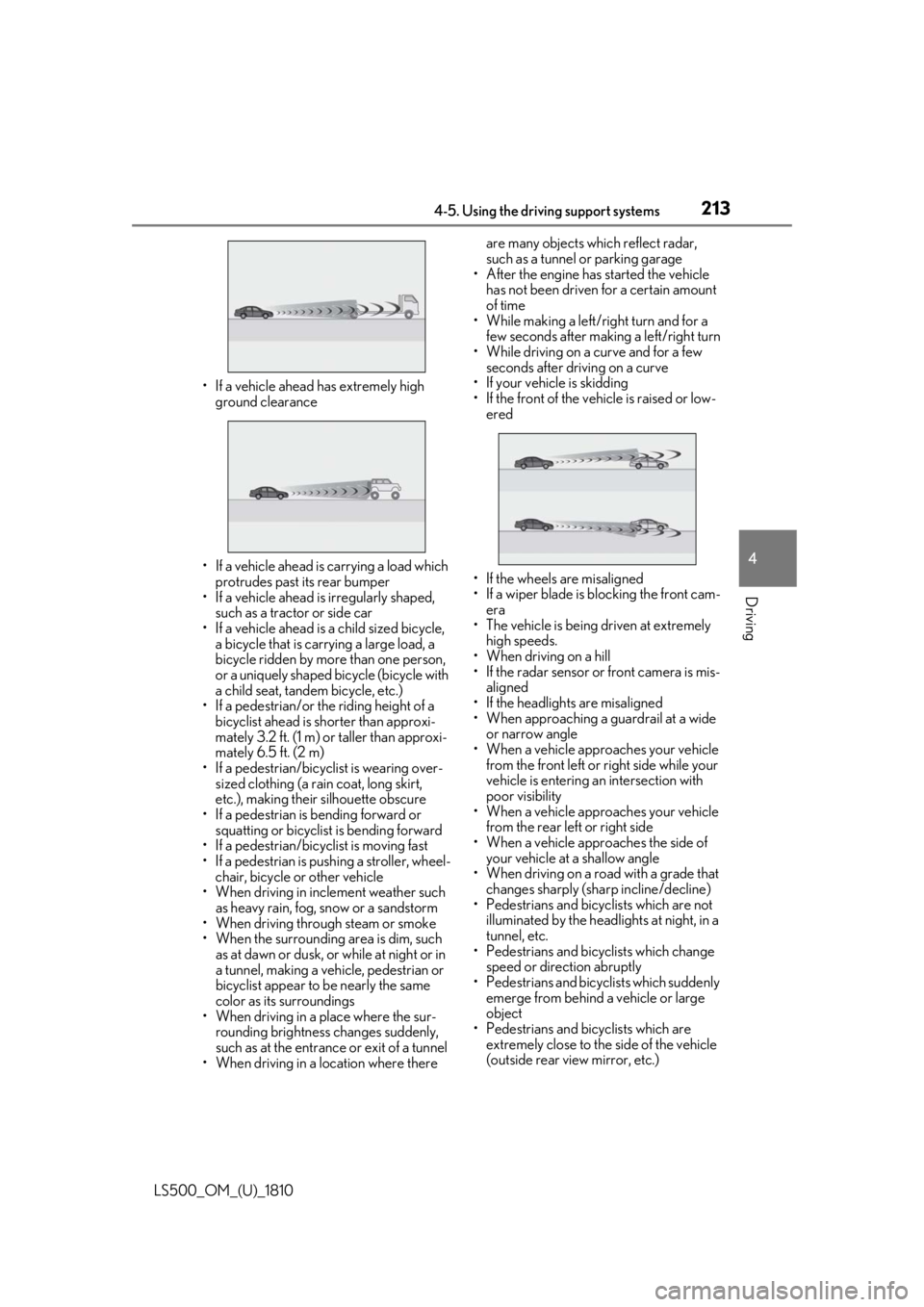
Driving • If a vehicle ahead has extremely high
ground clearance
• If a vehicle ahead is carrying a load which
protrudes past its rear bumper
• If a vehicle ahead is irregularly shaped,
such as a tractor or side car
• If a vehicle ahead is a child sized bicycle,
a bicycle that is carrying a large load, a
bicycle ridden by more than one person,
or a uniquely shaped bicycle (bicycle with
a child seat, tandem bicycle, etc.)
• If a pedestrian/or the riding height of a
bicyclist ahead is shorter than approxi-
mately 3.2 ft. (1 m) or taller than approxi-
mately 6.5 ft. (2 m)
• If a pedestrian/bicyclist is wearing over-
sized clothing (a rain coat, long skirt,
etc.), making their silhouette obscure
• If a pedestrian is bending forward or
squatting or bicyclist is bending forward
• If a pedestrian/bicyclist is moving fast
• If a pedestrian is pushing a stroller, wheel-
chair, bicycle or other vehicle
• When driving in incl ement weather such
as heavy rain, fog, snow or a sandstorm
• When driving through steam or smoke
• When the surrounding area is dim, such
as at dawn or dusk, or while at night or in
a tunnel, making a vehicle, pedestrian or
bicyclist appear to be nearly the same
color as its surroundings
• When driving in a place where the sur-
rounding brightness changes suddenly,
such as at the entrance or exit of a tunnel
• When driving in a lo cation where there are many objects which reflect radar,
such as a tunnel or parking garage
• After the engine has started the vehicle
has not been driven for a certain amount
of time
• While making a left/r ight turn and for a
few seconds after making a left/right turn
• While driving on a curve and for a few
seconds after driving on a curve
• If your vehicle is skidding
• If the front of the vehicle is raised or low-
ered
• If the wheels are misaligned
• If a wiper blade is blocking the front cam-
era
• The vehicle is being driven at extremely
high speeds.
• When driving on a hill
• If the radar sensor or front camera is mis-
aligned
• If the headlights are misaligned
• When approaching a guardrail at a wide
or narrow angle
• When a vehicle approaches your vehicle
from the front left or right side while your
vehicle is entering an intersection with
poor visibility
• When a vehicle approaches your vehicle
from the rear left or right side
• When a vehicle approaches the side of
your vehicle at a shallow angle
• When driving on a road with a grade that
changes sharply (sha rp incline/decline)
• Pedestrians and bicyclists which are not
illuminated by the head lights at night, in a
tunnel, etc.
• Pedestrians and bicyclists which change
speed or direction abruptly
• Pedestrians and bicyclists which suddenly
emerge from behind a vehicle or large
object
• Pedestrians and bicyclists which are
extremely close to the side of the vehicle
(outside rear view mirror, etc.)
Page 214 of 512

214 4-5. Using the driving support systems
LS500_OM_(U)_1810 ●
In some situations, such as the following,
the sensors may not detect the lane lines
or a safe space the vehicle can be steered
into, preventing the ac tive steering assist
from operating properly:
• When the white (yellow) lane lines are
difficult to see, such as when they are
faint, diverging/merging, or a shadow is
cast upon them
• When the lane is more wide or narrow
than normal
• When there is a light and dark pattern on
the road surface, such as due to road
repairs
• If the system determines that a collision
can be avoided by only using the brakes
• When a pedestrian is detected near the
centerline of the vehicle●
In some situations such as the following,
sufficient braking force or steering force
may not be obtained, preventing the sys-
tem from performing properly:
• If the braking functions cannot operate to
their full extent, such as when the brake
parts are extremely cold, extremely hot,
or wet
• If the vehicle is not properly maintained
(brakes or tires are excessively worn,
improper tire inflation pressure, etc.)
• When the vehicle is being driven on a
gravel road or other slippery surface
• If there are deep ruts in the road
• When driving on a slope
• When driving on a horizontally slanted
road●
Some guardrails, such as the following,
may not be detected by the sensors, pre-
venting the system from operating prop-
erly:
• Guardrails which are less than approxi-
mately 1.9 ft. (60 cm) tall
• Short guardrails
• Irregularly-shaped guardrails (wire cable
guardrails, guardrails made of thin poles,
etc.)
• Guardrails which are not illuminated by
the headlights at night, in a tunnel, etc.
• Guardrails which appear to be nearly the
same color or brig htness as their sur-
roundings
• Guardrails which appear to be nearly the
same shape as their surroundings (walls,
etc.) • Guardrails which are over a metal object
(manhole cover, steel plate, etc.)
• Guardrails which are hidden behind thick
grass
• Guardrails which are extremely close to
the side of the vehicle (outside rear view
mirror, etc.)
• Curved guardrails or guardrails at the
entrance of a curve ●
In some situations su ch as the following,
the system may detect a pedestrian and
display a warning on the head-up display,
even though no pedestrian exists:
• If the front of the vehicle is raised or low-
ered, such as when the road surface is
uneven or undulating (due to ruts, etc.)
• When driving on a slope
• When driving on a horizontally slanted
road
• If the driver’s posture (driver seat posi-
tion) is extreme, such as excessively
reclined
• If the head-up display position is set
extremely high ■
If VSC is disabled ●
If VSC is disabled ( P.294), the pre-col-
lision brake assist and pre-collision brak-
ing functions are also disabled. ●
The PCS warning light will turn on and
“VSC Turned Off Pre-Collision Brake
System Unavailable” will be displayed on
the multi-information display.
Page 217 of 512
2174-5. Using the driving support systems
LS500_OM_(U)_1810 4
Driving ■
Enabling/disabling the pre-colli-
sion system
The pre-collision system can be
enabled/disabled on ( P.80) of
the multi-information display. The system is automa tically enabled each
time the engine switch is turned to IGNI-
TION ON mode.
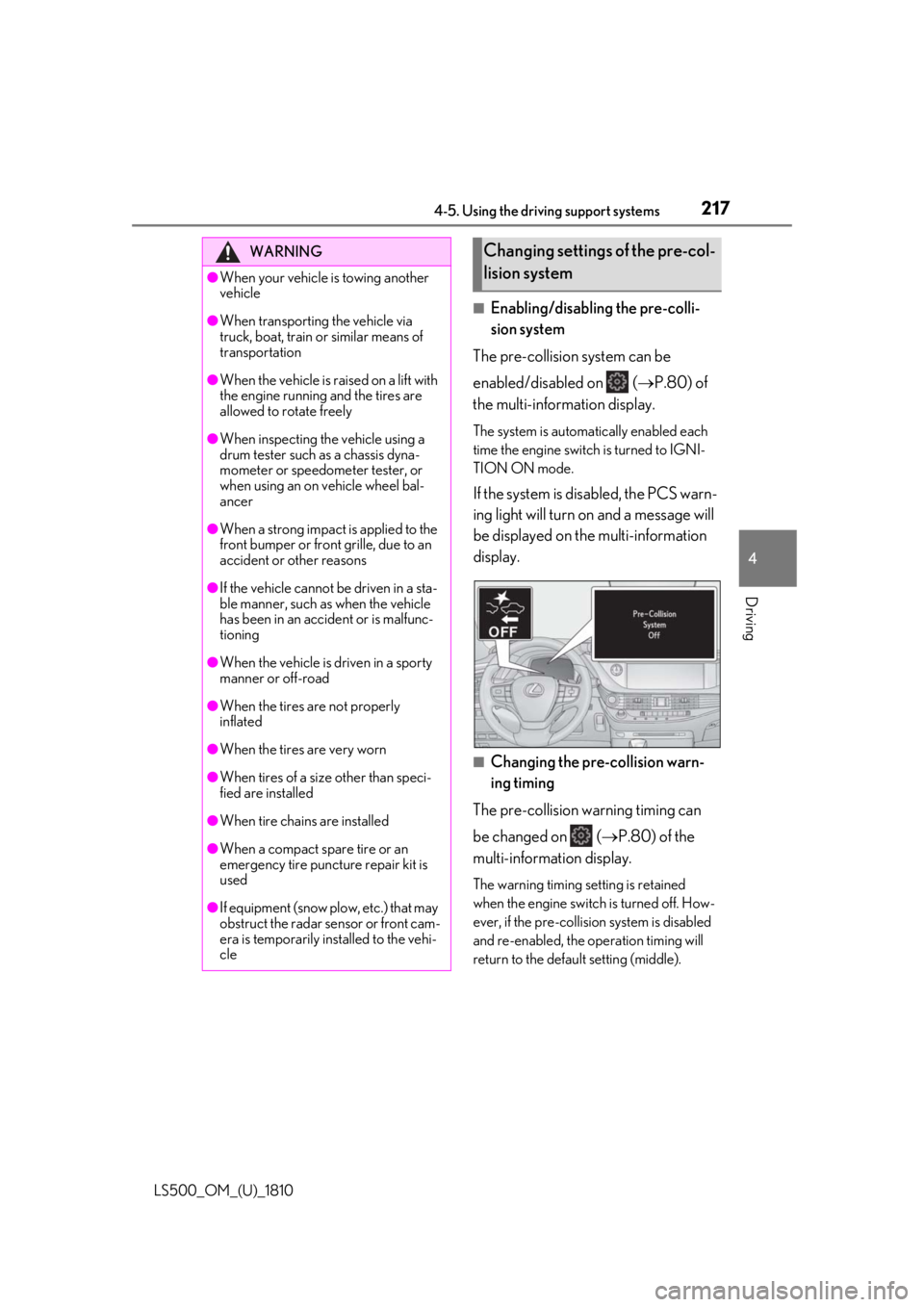
If the system is disabled, the PCS warn-
ing light will turn on and a message will
be displayed on the multi-information
display.
■
Changing the pre-collision warn-
ing timing
The pre-collision warning timing can
be changed on ( P.80) of the
multi-information display. The warning timing setting is retained
when the engine switch is turned off. How-
ever, if the pre-collisio n system is disabled
and re-enabled, the operation timing will
return to the default setting (middle).WARNING●
When your vehicle is towing another
vehicle●
When transporting the vehicle via
truck, boat, train or similar means of
transportation●
When the vehicle is raised on a lift with
the engine running and the tires are
allowed to rotate freely●
When inspecting the vehicle using a
drum tester such as a chassis dyna-
mometer or speedometer tester, or
when using an on vehicle wheel bal-
ancer●
When a strong impact is applied to the
front bumper or front grille, due to an
accident or other reasons●
If the vehicle cannot be driven in a sta-
ble manner, such as when the vehicle
has been in an accident or is malfunc-
tioning●
When the vehicle is driven in a sporty
manner or off-road●
When the tires are not properly
inflated●
When the tires are very worn
●
When tires of a size other than speci-
fied are installed
●
When tire chains are installed
●
When a compact spare tire or an
emergency tire puncture repair kit is
used
●
If equipment (snow plow, etc.) that may
obstruct the radar sensor or front cam-
era is temporarily installed to the vehi-
cle Changing settings of the pre-col-
lision system
Page 221 of 512
2214-5. Using the driving support systems
LS500_OM_(U)_1810 4
Driving • When a detectable object is near a wall,
fence, guardrail, manhole cover, vehicle,
steel plate on the road, etc.
• When a detectable object is under a
structure
•When part of a detect able object is hid-
den by an object, such as large baggage,
an umbrella, or guardrail
• When multiple dete ctable objects are
close together
• If the sun or other light is shining directly
on a detectable object
• When a detectable object is a shade of
white and looks extremely bright
• When a detectable object appears to be
nearly the same color or brightness as its
surroundings
• If a detectable object cuts or suddenly
emerges in front of your vehicle
• When the front of your vehicle is hit by
water, snow, dust, etc.
• When a very bright light ahead, such as
the sun or the headlights of oncoming
traffic, shines directly into the front cam-
era
• When approaching the side or front of a
vehicle ahead
• If a vehicle ahead is a motorcycle
• If a vehicle ahead is narrow, such as a per-
sonal mobility vehicle
• If a preceding vehicle has a small rear
end, such as an unloaded truck
• If a preceding vehicle has a low rear end,
such as a low bed trailer
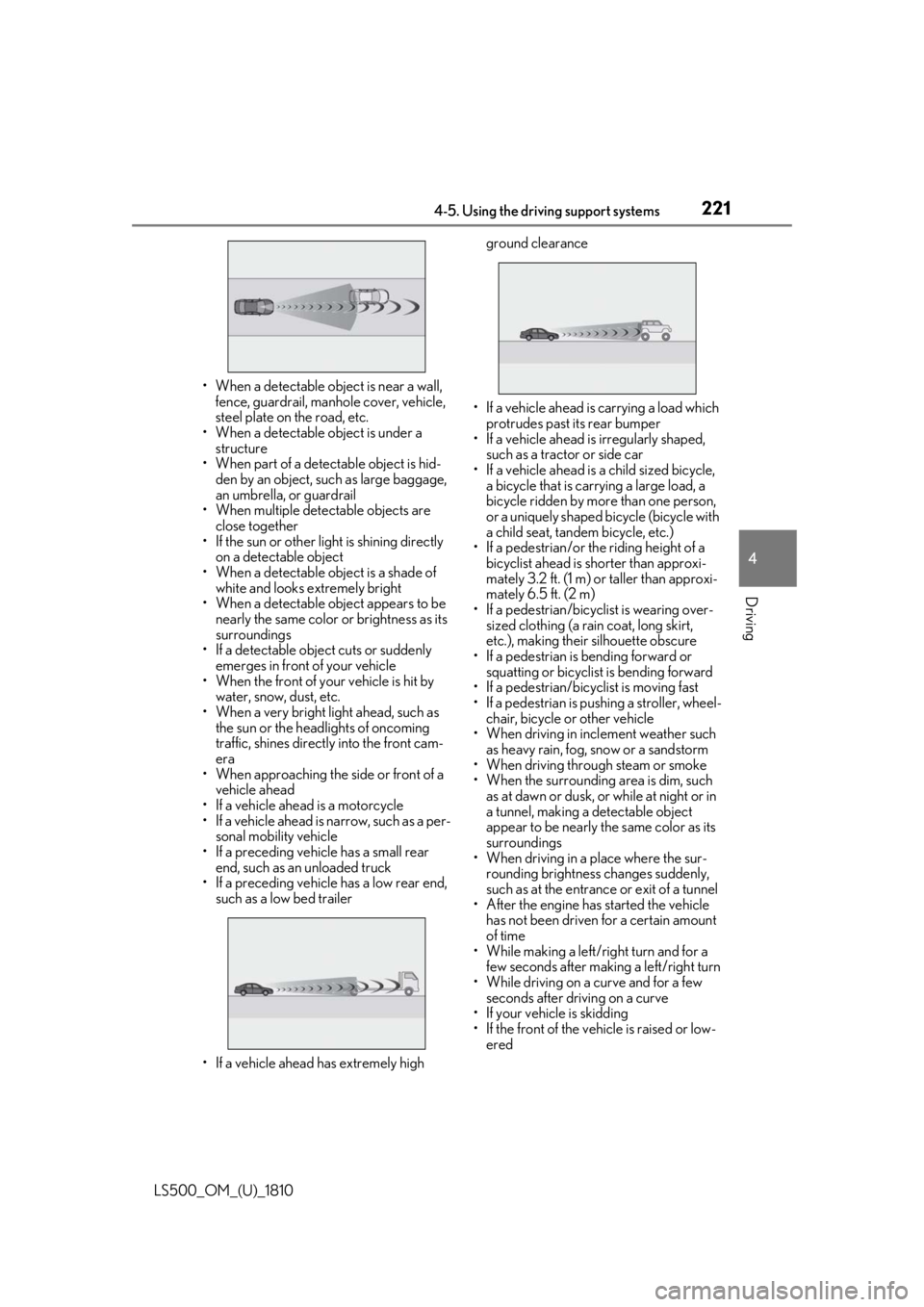
• If a vehicle ahead has extremely high ground clearance
• If a vehicle ahead is carrying a load which
protrudes past its rear bumper
• If a vehicle ahead is irregularly shaped,
such as a tractor or side car
• If a vehicle ahead is a child sized bicycle,
a bicycle that is carrying a large load, a
bicycle ridden by more than one person,
or a uniquely shaped bicycle (bicycle with
a child seat, tandem bicycle, etc.)
• If a pedestrian/or the riding height of a
bicyclist ahead is shorter than approxi-
mately 3.2 ft. (1 m) or taller than approxi-
mately 6.5 ft. (2 m)
• If a pedestrian/bicyclist is wearing over-
sized clothing (a rain coat, long skirt,
etc.), making their silhouette obscure
• If a pedestrian is bending forward or
squatting or bicyclist is bending forward
• If a pedestrian/bicyclist is moving fast
• If a pedestrian is pushing a stroller, wheel-
chair, bicycle or other vehicle
• When driving in incl ement weather such
as heavy rain, fog, snow or a sandstorm
• When driving through steam or smoke
• When the surrounding area is dim, such
as at dawn or dusk, or while at night or in
a tunnel, making a de tectable object
appear to be nearly the same color as its
surroundings
• When driving in a place where the sur-
rounding brightness changes suddenly,
such as at the entrance or exit of a tunnel
• After the engine has started the vehicle
has not been driven for a certain amount
of time
• While making a left/r ight turn and for a
few seconds after making a left/right turn
• While driving on a curve and for a few
seconds after driving on a curve
• If your vehicle is skidding
• If the front of the vehicle is raised or low-
ered
Page 226 of 512
226 4-5. Using the driving support systems
LS500_OM_(U)_1810 WARNING■
Before using LTA system
Do not rely solely upon the LTA system.
The LTA system does not automatically
drive the vehicle or reduce the amount of
attention that must be paid to the area in
front of the vehicle. The driver must
always assume full responsibility for driv-
ing safely by paying careful attention to
the surrounding conditions and operat-
ing the steering wheel to correct the path
of the vehicle. Also, the driver must take
adequate breaks when fatigued, such as
from driving for a long period of time.
Failure to perform appropriate driving
operations and pay careful attention may
lead to an accident, resulting in death or
serious injury. ■
Situations unsuitable for LTA system
In the following situations, use the LTA
switch to turn the system off. Failure to do
so may lead to an acc ident, resulting in
death or serious injury. ●
Vehicle is driven on a road surface
which is slippery due to rainy weather,
fallen snow, freezing, etc.●
Vehicle is driven on a snow-covered
road.
●
White (yellow) lines are difficult to see
due to rain, snow, fog, dust, etc.
●
Vehicle is driven in a temporary lane or
restricted lane due to construction
work.
●
Vehicle is driven in a construction
zone.
●
A spare tire, tire chains, etc. are
equipped.
●
When the tires have been excessively
worn, or when the tire inflation pres-
sure is low.
●
When tires of a size other than speci-
fied are installed. ●
Vehicle is driven in traffic lanes other
than that highways and freeways. ●
During emergency towing. ■
Situations in whic h the lane change
assist function should not be used ●
When driving on a one lane road or
road without lane markers ●
When there is no broken white line
between your vehicle and the lane
toward which the turn signal is oper-
ated ■
Preventing LTA system malfunctions
and operations performed by mistake ●
Do not modify the headlights or place
stickers, etc. on the surface of the
lights. ●
Do not modify the suspension etc. If
the suspension etc. needs to be
replaced, contact your Lexus dealer. ●
Do not install or place anything on the
hood or grille. Also, do not install a
grille guard (bull bars, kangaroo bar,
etc.). ●
If your windshield needs repairs, con-
tact your Lexus dealer. ■
Conditions in which functions may
not operate properly
In the following situations, the functions
may not operate properly and the vehicle
may depart from its la ne. Drive safely by
always paying careful attention to your
surroundings and operate the steering
wheel to correct the path of the vehicle
without relying solely on the functions.
Page 227 of 512
2274-5. Using the driving support systems
LS500_OM_(U)_1810 4
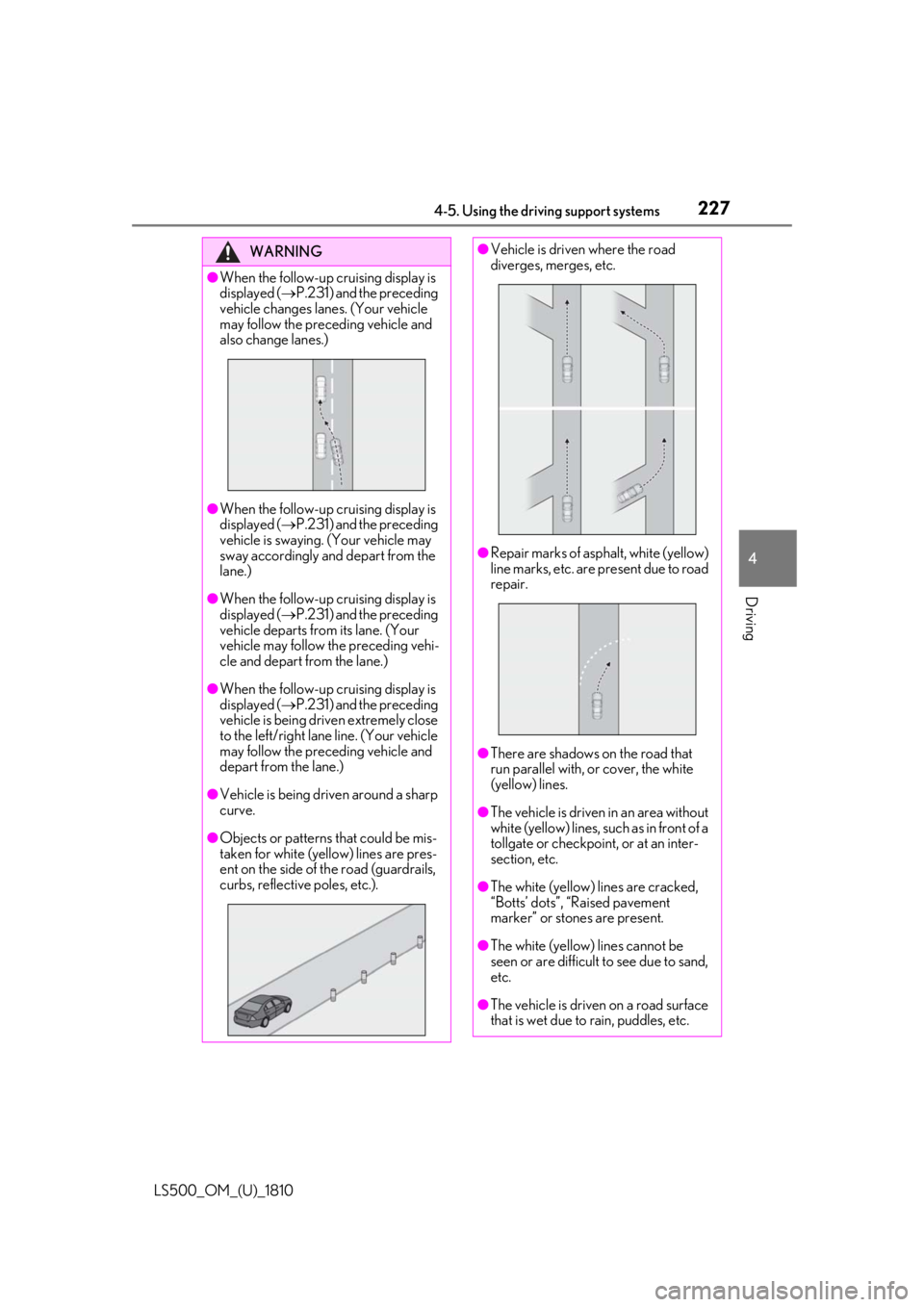
Driving WARNING●
When the follow-up cruising display is
displayed ( P.231) and the preceding
vehicle changes lanes. (Your vehicle
may follow the preceding vehicle and
also change lanes.)
●
When the follow-up cruising display is
displayed ( P.231) and the preceding
vehicle is swaying. (Your vehicle may
sway accordingly and depart from the
lane.)●
When the follow-up cruising display is
displayed ( P.231) and the preceding
vehicle departs from its lane. (Your
vehicle may follow the preceding vehi-
cle and depart from the lane.)●
When the follow-up cruising display is
displayed ( P.231) and the preceding
vehicle is being driven extremely close
to the left/right lane line. (Your vehicle
may follow the preceding vehicle and
depart from the lane.)
●
Vehicle is being driven around a sharp
curve.
●
Objects or patterns that could be mis-
taken for white (yellow) lines are pres-
ent on the side of th e road (guardrails,
curbs, reflective poles, etc.). ●
Vehicle is driven where the road
diverges, merges, etc.
●
Repair marks of asphalt, white (yellow)
line marks, etc. are present due to road
repair.
●
There are shadows on the road that
run parallel with, or cover, the white
(yellow) lines.
●
The vehicle is driven in an area without
white (yellow) lines, such as in front of a
tollgate or checkpoi nt, or at an inter-
section, etc.
●
The white (yellow) lines are cracked,
“Botts’ dots”, “Raised pavement
marker” or stones are present.
●
The white (yellow) lines cannot be
seen or are difficult to see due to sand,
etc.
●
The vehicle is driven on a road surface
that is wet due to rain, puddles, etc.