air LEXUS LS500 2019 Owner's Guide
[x] Cancel search | Manufacturer: LEXUS, Model Year: 2019, Model line: LS500, Model: LEXUS LS500 2019Pages: 512, PDF Size: 9.71 MB
Page 61 of 512

611-3. Lexus Enform
LS500_OM_(U)_1810 1
For safety and security tor light comes on, indicating that the
service is active.
The following indicator light patterns
indicate specific system usage condi-
tions:
Green indicator light on = Active
service
Green indicator light flashing =
Safety Connect call in process
Red indicator light (except at vehi-
cle start-up) = System malfunction
(contact your Lexus dealer)
No indicator light (off) = Safety
Connect service not active ■
Automatic Collision Notification
In case of either airbag deployment or
severe rear-end collision, the system is
designed to automatically call the
response center. The responding agent
receives the vehicle’s location and
attempts to speak with the vehicle
occupants to assess the level of emer-
gency. If the occupants are unable to
communicate, the ag ent automatically
treats the call as an emergency, con-
tacts the nearest emergency services
provider to describe the situation, and
requests that assistance be sent to the
location. ■
Stolen Vehicle Location
If your vehicle is stolen, Safety Connect
can work with local authorities to assist
them in locating and recovering the
vehicle. After filing a police report, call
the Safety Connect response center at 1-800-25-LEXUS
(1-800-255-3987) in the United
States, 1-877-539-8777 in Puerto
Rico or 1-800-265-3987 in Canada,
and follow the prompts for Safety Con-
nect to initiate this service.
In addition to assisting law enforce-
ment with recovery of a stolen vehicle,
Safety-Connect-equipped vehicle
location data may, under certain cir-
cumstances, be shared with third par-
ties to locate your vehicle. Further
information is available at Lexus.com. ■
Emergency Assistance Button
(“SOS”)
In the event of an emergency on the
road, push the “SOS” button to reach
the Safety Connect response center.
The answering agent will determine
your vehicle’s location, assess the
emergency, and dispatch the neces-
sary assistance required. If you accidentally press the “SOS” button,
tell the response-center agent that you are
not experiencing an emergency.
■
Enhanced Roadside Assistance
Enhanced Roadside Assistance adds
GPS data to the already included war-
ranty-based Lexus roadside service.
Subscribers can press the “SOS” but-
ton to reach a Safety Connect
response-center agent, who can help
with a wide range of needs, such as:
towing, flat tire, fuel delivery, etc. For a
description of the Roadside Assistance
services and their limitations, please
see the Safety Connect Terms and
Conditions, which are available at Safety Connect services
Page 71 of 512
712-1. Instrument cluster
LS500_OM_(U)_1810 2
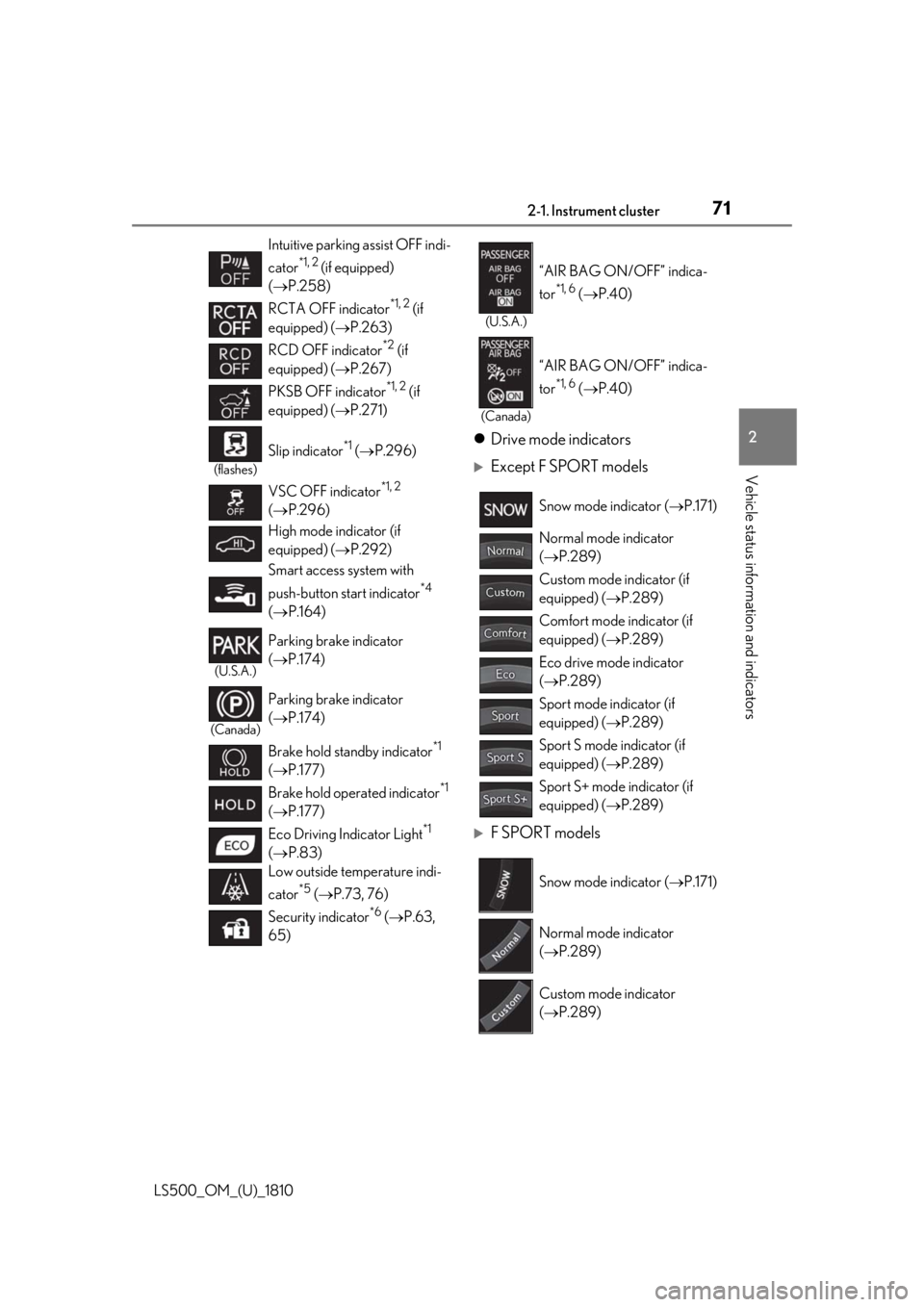
Vehicle status information and indicators Drive mode indicators
Except F SPORT models
F SPORT modelsIntuitive parking assist OFF indi-
cator *1, 2
(if equipped)
( P.258)
RCTA OFF indicator *1, 2
(if
equipped) ( P.263)
RCD OFF indicator *2
(if
equipped) ( P.267)
PKSB OFF indicator *1, 2
(if
equipped) ( P.271)(flashes)
Slip indicator *1
( P.296)
VSC OFF indicator *1, 2
( P.296)
High mode indicator (if
equipped) ( P.292)
Smart access system with
push-button start indicator *4
( P.164)(U.S.A.)
Parking brake indicator
( P.174)
(Canada)
Parking brake indicator
( P.174)
Brake hold standby indicator *1
( P.177)
Brake hold operated indicator *1
( P.177)
Eco Driving Indicator Light *1
( P.83)
Low outside temperature indi-
cator *5
( P.73, 76)
Security indicator *6
( P.63,
65) (U.S.A.)
“AIR BAG ON/OFF” indica-
tor *1, 6
( P.40)
(Canada)
“AIR BAG ON/OFF” indica-
tor *1, 6
( P.40)
Snow mode indicator ( P.171)
Normal mode indicator
( P.289)
Custom mode indicator (if
equipped) ( P.289)
Comfort mode indicator (if
equipped) ( P.289)
Eco drive mode indicator
( P.289)
Sport mode indicator (if
equipped) ( P.289)
Sport S mode indicator (if
equipped) ( P.289)
Sport S+ mode indicator (if
equipped) ( P.289)
Snow mode indicator ( P.171)
Normal mode indicator
( P.289)
Custom mode indicator
( P.289)
Page 96 of 512
96 3-1. Key information
LS500_OM_(U)_1810 3-1.Key information
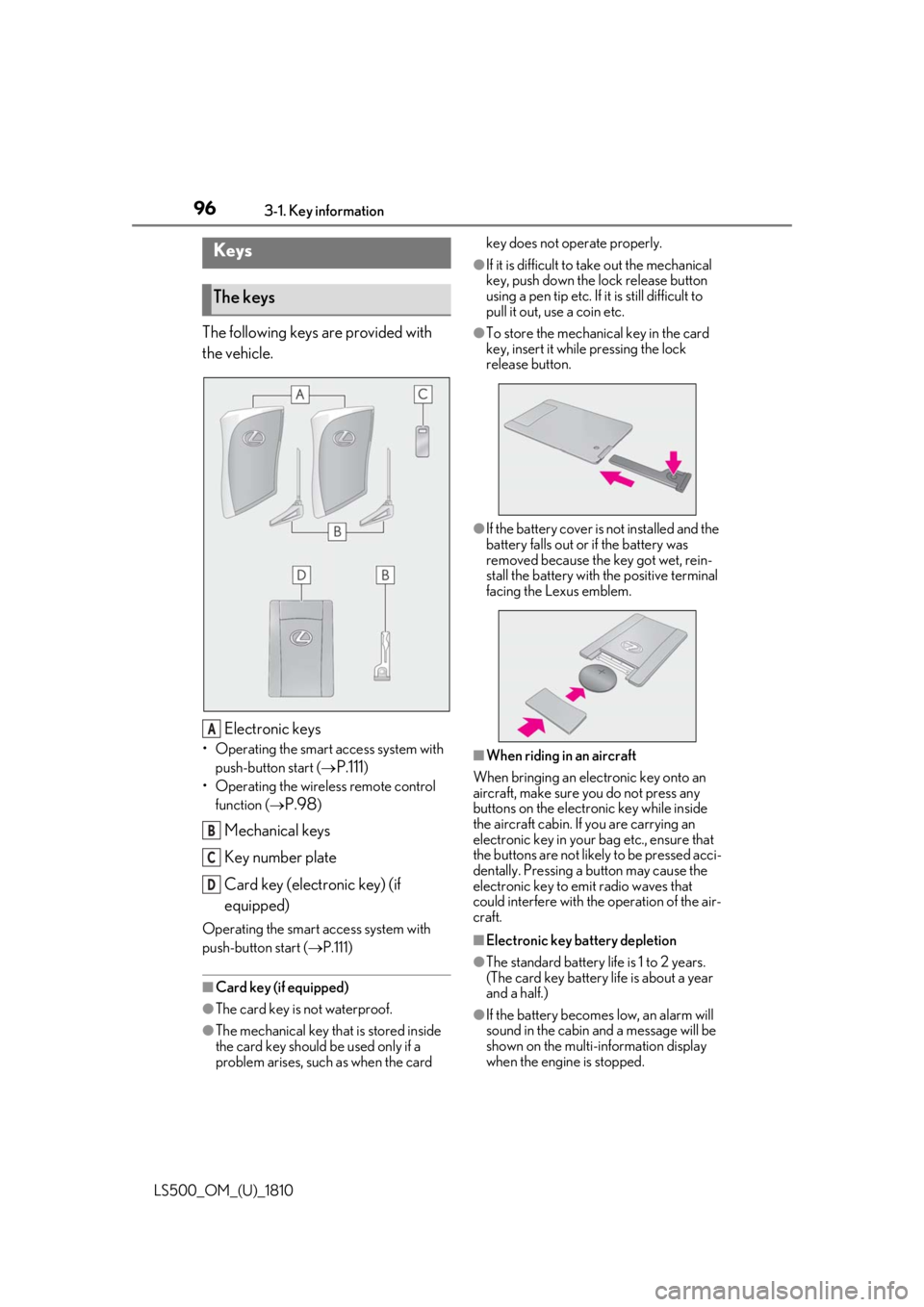
The following keys are provided with
the vehicle.
Electronic keys• Operating the smart access system with
push-button start (
P.111 )
• Operating the wireless remote control
function (
P.98 )
Mechanical keys
Key number plate
Card key (electronic key) (if
equipped)Operating the smart access system with
push-button start ( P.111)
■
Card key (if equipped)
●
The card key is not waterproof.
●
The mechanical key that is stored inside
the card key should be used only if a
problem arises, such as when the card key does not operate properly. ●
If it is difficult to take out the mechanical
key, push down the lock release button
using a pen tip etc. If it is still difficult to
pull it out, use a coin etc. ●
To store the mechanical key in the card
key, insert it while pressing the lock
release button.
●
If the battery cover is not installed and the
battery falls out or if the battery was
removed because the key got wet, rein-
stall the battery with the positive terminal
facing the Lexus emblem.
■
When riding in an aircraft
When bringing an electronic key onto an
aircraft, make sure you do not press any
buttons on the electronic key while inside
the aircraft cabin. If you are carrying an
electronic key in your bag etc., ensure that
the buttons are not likely to be pressed acci-
dentally. Pressing a button may cause the
electronic key to em it radio waves that
could interfere with the operation of the air-
craft.
■
Electronic key battery depletion
●
The standard battery life is 1 to 2 years.
(The card key battery life is about a year
and a half.)
●
If the battery becomes low, an alarm will
sound in the cabin and a message will be
shown on the multi-information display
when the engine is stopped.Keys
The keys
A
B
C
D
Page 102 of 512
102 3-2. Opening, closing and locking the doors and trunk
LS500_OM_(U)_1810 ■
Customization
Some functions can be customized.
( P.466) ■
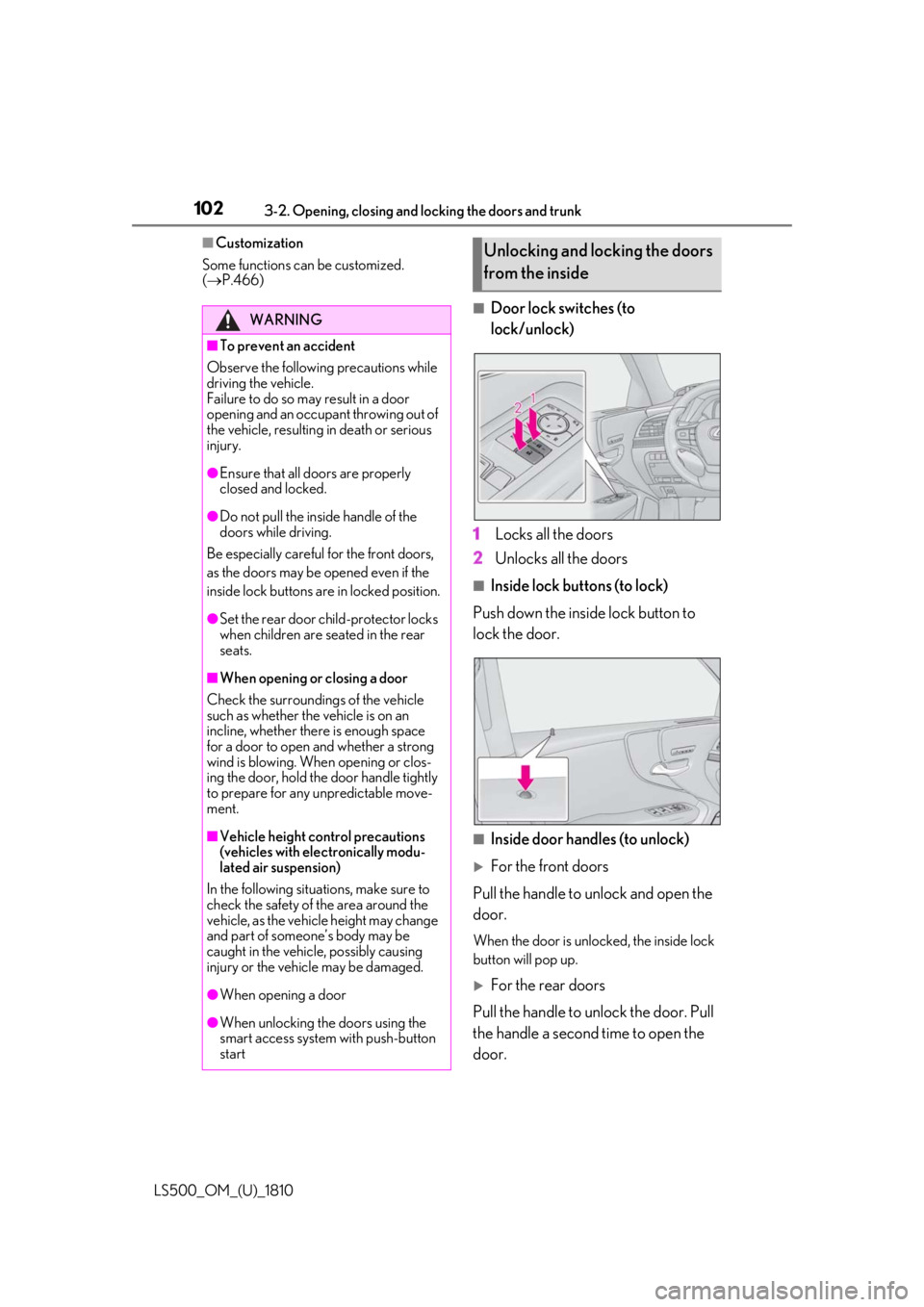
Door lock switches (to
lock/unlock)
1 Locks all the doors
2 Unlocks all the doors ■
Inside lock buttons (to lock)
Push down the inside lock button to
lock the door.
■
Inside door handles (to unlock)
For the front doors
Pull the handle to unlock and open the
door. When the door is unlo cked, the inside lock
button will pop up.
For the rear doors
Pull the handle to unlock the door. Pull
the handle a second time to open the
door.WARNING■
To prevent an accident
Observe the following precautions while
driving the vehicle.
Failure to do so may result in a door
opening and an occupant throwing out of
the vehicle, resulting in death or serious
injury. ●
Ensure that all doors are properly
closed and locked.●
Do not pull the inside handle of the
doors while driving.
Be especially careful for the front doors,
as the doors may be opened even if the
inside lock buttons are in locked position. ●
Set the rear door ch ild-protector locks
when children are seated in the rear
seats.■
When opening or closing a door
Check the surroundings of the vehicle
such as whether the vehicle is on an
incline, whether ther e is enough space
for a door to open and whether a strong
wind is blowing. When opening or clos-
ing the door, hold the door handle tightly
to prepare for any unpredictable move-
ment.
■
Vehicle height co ntrol precautions
(vehicles with electronically modu-
lated air suspension)
In the following situations, make sure to
check the safety of the area around the
vehicle, as the vehicle height may change
and part of someone’s body may be
caught in the vehicle, possibly causing
injury or the vehicle may be damaged.
●
When opening a door
●
When unlocking the doors using the
smart access system with push-button
start Unlocking and locking the doors
from the inside
Page 110 of 512

110 3-2. Opening, closing and locking the doors and trunk
LS500_OM_(U)_1810 If the rear bumper has been touched for a
while, wait for a short time before
attempting to operate the Hands Free
Power Trunk Lid again.●
When standing excessively close to the
rear bumper●
When an external radio wave source
interferes with the communication
between the electronic key and the vehi-
cle ( P.113)●
When the vehicle is parked near an elec-
trical noise source which affects the sen-
sitivity of the Hands Free Power Trunk Lid,
such as a pay parking spot, gas station,
electrically heated road, or fluorescent
light●
When the vehicle is near a TV tower,
electric power plant, radio station, large
display, airport or other facility that gen-
erates strong radio waves or electrical
noise●
When a large amount of water is applied
to the rear bumper, such as when the
vehicle is being washed or in heavy rain●
When mud, snow, ice, etc. is attached to
the rear bumper●
When the vehicle has been parked for a
while near objects that may move and
contact the rear bumper, such as plants●
When an accessory is installed to the rear
bumper
If an accessory has been installed, turn the
Hands Free Power Trunk Lid (kick sensor)
operation setting off.
■
Preventing unintentional operation of
the Hands Free Power Trunk Lid (if
equipped)
When an electronic ke y is in the operation
detection area, the Ha nds Free Power Trunk
Lid may operate unintentionally, so be care-
ful in the following situations:
●
When a large amount of water is applied
to the rear bumper, such as when the
vehicle is being washed or in heavy rain
●
When dirt is wiped off the rear bumper
●
When a small animal or small object, such
as a ball, moves under the rear bumper ●
When an object is moved from under the
rear bumper ●
If someone is swinging their legs while sit-
ting on the rear bumper ●
If the legs or another part of someone’s
body contacts the rear bumper while
passing by the vehicle ●
When the vehicle is parked near an elec-
trical noise source which affects the sen-
sitivity of the Hands Free Power Trunk Lid,
such as a pay parking spot, gas station,
electrically heated road, or fluorescent
light ●
When the vehicle is near a TV tower,
electric power plant, radio station, large
display, airport or ot her facility that gen-
erates strong radio waves or electrical
noise ●
When the vehicle is parked in a place
where objects such as plants are near the
rear bumper ●
If luggage, etc. is set near the rear
bumper ●
If accessories or a vehicle cover is
installed/removed ne ar the rear bumper●
When the vehicle is being towed
To prevent unintentiona l operation, turn the
Hands Free Power Trunk Lid (kick sensor)
operation setting off. ■
Open door warning buzzer
P.103 ■
Customization
Some functions can be customized.
( P.466)
The trunk opener switch can be tem-
porarily disabled to protect luggage
stored in the trunk against theft.
Turn the main switch in the glove box
off to disable the trunk opener.Luggage security system
Page 113 of 512
1133-2. Opening, closing and locking the doors and trunk
LS500_OM_(U)_1810 3
Before driving take some time to unlock the doors.
• The electronic key has been left in an
area of approximately 6 ft. (2 m) of the
outside of the vehicle for 10 minutes or
longer.
• The smart access system with push-but-
ton start has not been used for 5 days or
longer.●
If the smart access system with push-but-
ton start has not been used for 14 days or
longer, the doors cannot be unlocked at
any doors except the driver’s door. In this
case, take hold of the driver’s door han-
dle, or use the wireless remote control or
the mechanical key, to unlock the doors.■
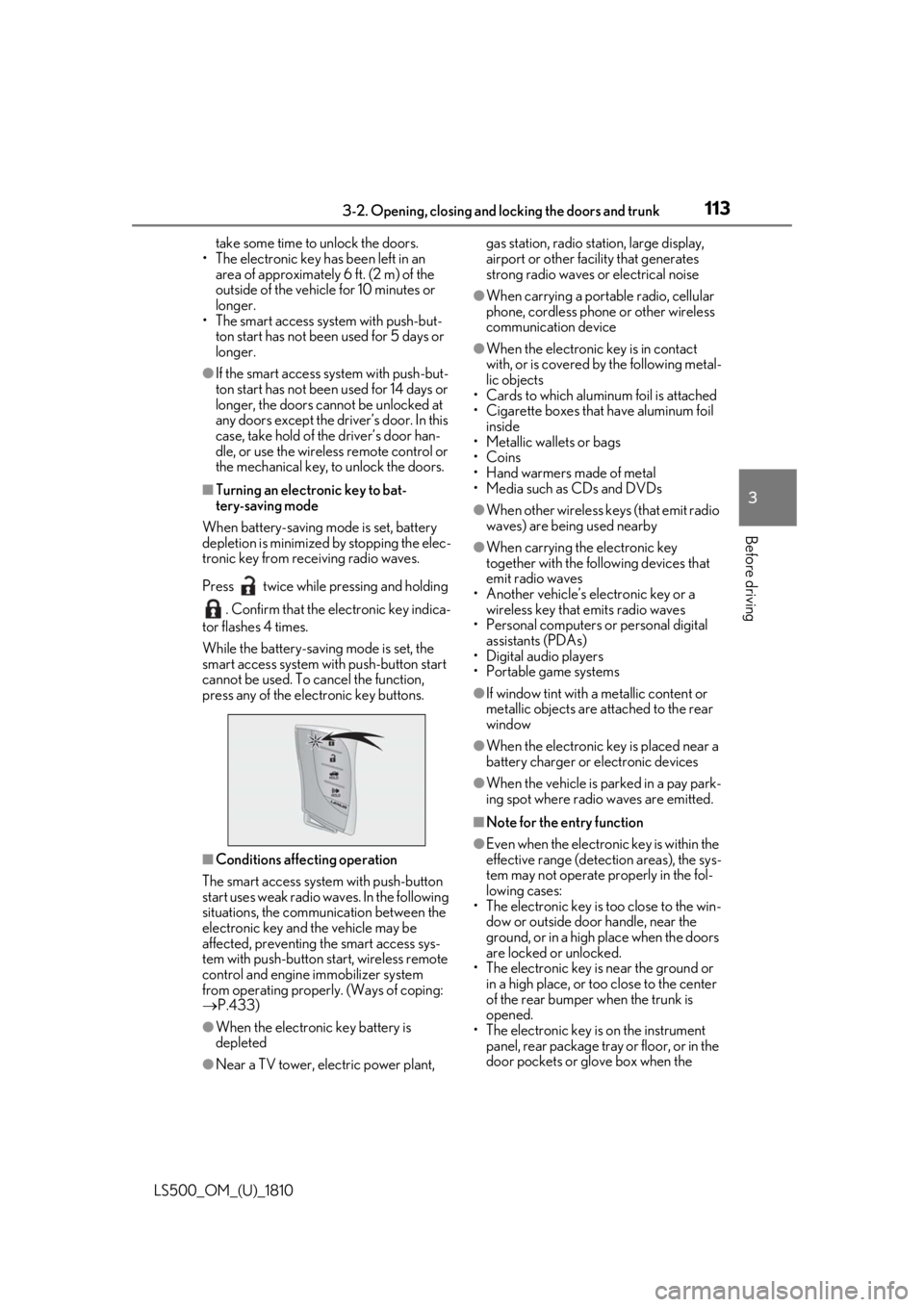
Turning an electronic key to bat-
tery-saving mode
When battery-saving mode is set, battery
depletion is minimized by stopping the elec-
tronic key from re ceiving radio waves.
Press twice while pressing and holding
. Confirm that the electronic key indica-
tor flashes 4 times.
While the battery-saving mode is set, the
smart access system with push-button start
cannot be used. To cancel the function,
press any of the electronic key buttons.
■
Conditions affe cting operation
The smart access system with push-button
start uses weak radio waves. In the following
situations, the communication between the
electronic key and the vehicle may be
affected, preventing the smart access sys-
tem with push-button start, wireless remote
control and engine immobilizer system
from operating properly. (Ways of coping:
P.433)
●
When the electronic key battery is
depleted
●
Near a TV tower, electric power plant, gas station, radio stat ion, large display,
airport or other fac ility that generates
strong radio waves or electrical noise ●
When carrying a portable radio, cellular
phone, cordless phone or other wireless
communication device ●
When the electronic key is in contact
with, or is covered by the following metal-
lic objects
• Cards to which aluminum foil is attached
• Cigarette boxes that have aluminum foil
inside
• Metallic wallets or bags
•Coins
• Hand warmers made of metal
• Media such as CDs and DVDs ●
When other wireless keys (that emit radio
waves) are being used nearby ●
When carrying the electronic key
together with the following devices that
emit radio waves
• Another vehicle’s electronic key or a
wireless key that emits radio waves
• Personal computers or personal digital
assistants (PDAs)
• Digital audio players
• Portable game systems ●
If window tint with a metallic content or
metallic objects are attached to the rear
window ●
When the electronic key is placed near a
battery charger or electronic devices ●
When the vehicle is parked in a pay park-
ing spot where radio waves are emitted. ■
Note for the entry function ●
Even when the electronic key is within the
effective range (detection areas), the sys-
tem may not operate properly in the fol-
lowing cases:
• The electronic key is too close to the win-
dow or outside door handle, near the
ground, or in a high place when the doors
are locked or unlocked.
• The electronic key is near the ground or
in a high place, or too close to the center
of the rear bumper when the trunk is
opened.
• The electronic key is on the instrument
panel, rear package tray or floor, or in the
door pockets or glove box when the
Page 153 of 512
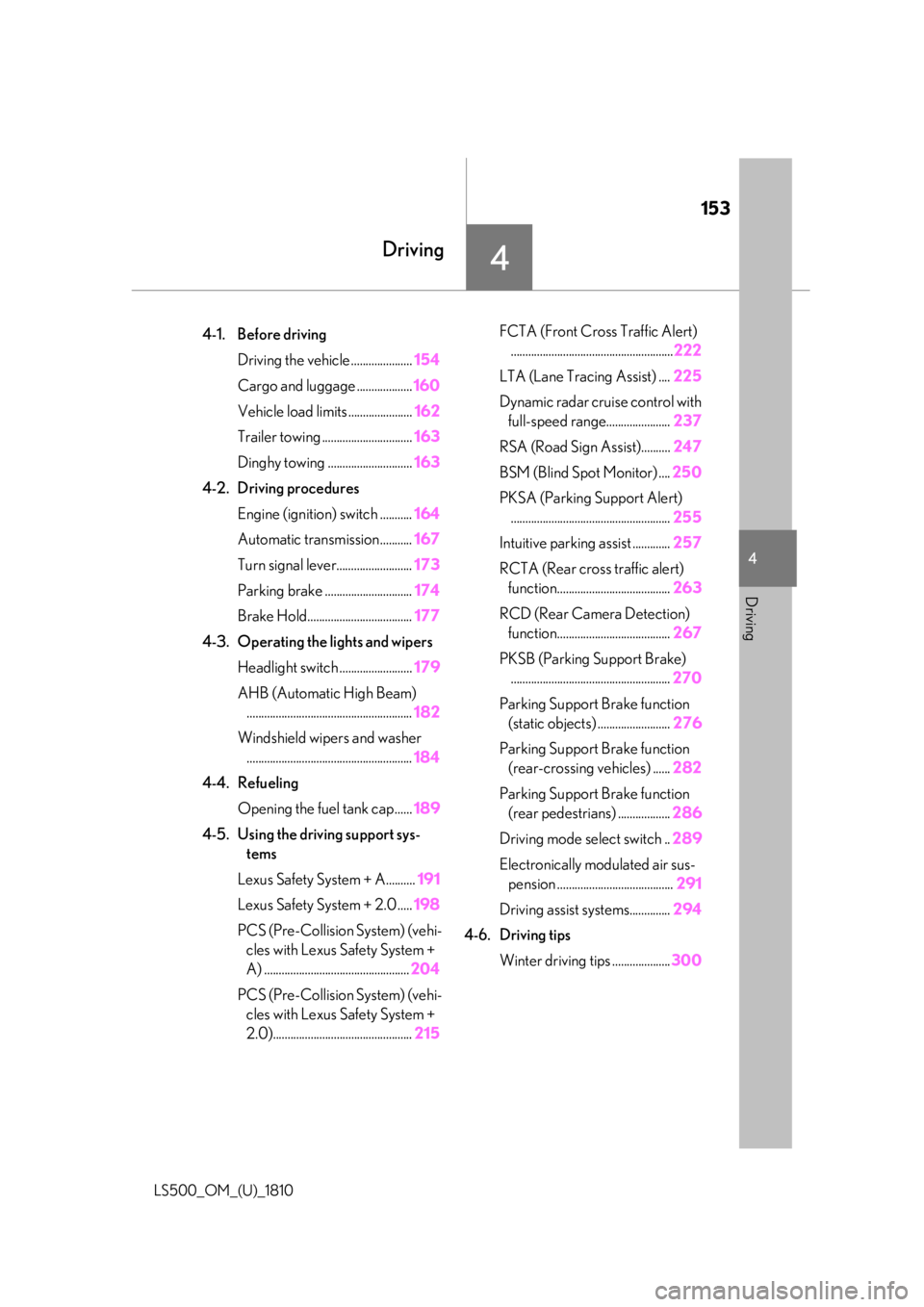
153
LS500_OM_(U)_1810 4 4
Driving Driving .
4-1. Before driving
Driving the vehicle ..................... 154
Cargo and luggage ................... 160
Vehicle load limits ...................... 162
Trailer towing ............................... 163
Dinghy towing ............................. 163
4-2. Driving procedures
Engine (ignition) switch ........... 164
Automatic transmission........... 167
Turn signal lever.......................... 173
Parking brake .............................. 174
Brake Hold.................................... 177
4-3. Operating the lights and wipers
Headlight switch ......................... 179
AHB (Automatic High Beam)
......................................................... 182
Windshield wipers and washer
......................................................... 184
4-4. Refueling
Opening the fuel tank cap...... 189
4-5. Using the driving support sys-
tems
Lexus Safety System + A.......... 191
Lexus Safety System + 2.0 ..... 198
PCS (Pre-Collision System) (vehi-
cles with Lexus Safety System +
A) .................................................. 204
PCS (Pre-Collision System) (vehi-
cles with Lexus Safety System +
2.0)................................................ 215 FCTA (Front Cross Traffic Alert)
........................................................ 222
LTA (Lane Tracing Assist) .... 225
Dynamic radar cruise control with
full-speed range...................... 237
RSA (Road Sign Assist).......... 247
BSM (Blind Spot Monitor) .... 250
PKSA (Parking Support Alert)
....................................................... 255
Intuitive parking assist ............. 257
RCTA (Rear cross traffic alert)
function....................................... 263
RCD (Rear Camera Detection)
function....................................... 267
PKSB (Parking Support Brake)
....................................................... 270
Parking Support Brake function
(static objects) ......................... 276
Parking Support Brake function
(rear-crossing vehicles) ...... 282
Parking Support Brake function
(rear pedestrians) .................. 286
Driving mode select switch .. 289
Electronically modulated air sus-
pension ........................................ 291
Driving assist systems.............. 294
4-6. Driving tips
Winter driving tips .................... 300
Page 158 of 512
158 4-1. Before driving
LS500_OM_(U)_1810 WARNING●
In order to prevent accidents due to
the vehicle rolling away, always keep
depressing the brake pedal while the
engine is running, and apply the park-
ing brake as necessary.●
If the vehicle is stopped on an incline,
in order to prevent accidents caused
by the vehicle rolling forward or back-
ward, always depress the brake pedal
and securely apply the parking brake
as needed.●
Avoid revving or racing the engine.
Running the engine at high speed
while the vehicle is stopped may cause
the exhaust system to overheat, which
could result in a fire if combustible
material is nearby.■
When the vehicle is parked●
Do not leave glasses, cigarette lighters,
spray cans, or soft drink cans in the
vehicle when it is in the sun.
Doing so may result in the following:
• Gas may leak from a cigarette lighter
or spray can, and may lead to a fire.
• The temperature inside the vehicle
may cause the plastic lenses and plas-
tic material of glasses to deform or
crack.
• Soft drink cans may fracture, causing
the contents to spray over the interior
of the vehicle, and may also cause a
short circuit in the vehicle’s electrical
components.
●
Do not leave cigarette lighters in the
vehicle. If a cigarette lighter is in a
place such as the glove box or on the
floor, it may be lit accidentally when
luggage is loaded or the seat is
adjusted, causing a fire.
●
Do not attach adhesive discs to the
windshield or windows. Do not place
containers such as air fresheners on
the instrument pane l or dashboard.
Adhesive discs or containers may act
as lenses, causing a fire in the vehicle. ●
Do not leave a door or window open if
the curved glass is coated with a met-
allized film such as a silver-colored
one. Reflected sunlight may cause the
glass to act as a lens, causing a fire. ●
Always apply the parking brake, shift
the shift position to P, stop the engine
and lock the vehicle.
Do not leave the vehicle unattended
while the engine is running.
If the vehicle is parked with the shift
position in P but the parking brake is
not set, the vehicle may start to move,
possibly leading to an accident. ●
Do not touch the exhaust pipes while
the engine is running or immediately
after turning the engine off.
Doing so may cause burns. ■
When taking a nap in the vehicle
Always turn the engine off. Otherwise, if
you accidentally move the shift lever or
depress the accelerator pedal, this could
cause an accident or fire due to engine
overheating. Additionally, if the vehicle is
parked in a poorly ventilated area,
exhaust gases may collect and enter the
vehicle, leading to death or a serious
health hazard. ■
When braking ●
When the brakes are wet, drive more
cautiously.
Braking distance in creases when the
brakes are wet, and this may cause one
side of the vehicle to brake differently
than the other side. Also, the parking
brake may not securely hold the vehi-
cle.
●
Vehicles without Lexus Safety System
+ A: If the brake booster device does
not operate, do not follow other vehi-
cles closely and avoid hills or sharp
turns that require braking.
In this case, braking is still possible, but
the brake pedal should be depressed
more firmly than usual. Also, the brak-
ing distance will in crease. Have your
brakes fixed immediately.
Page 159 of 512
1594-1. Before driving
LS500_OM_(U)_1810 4
Driving WARNING●
Vehicles with Lexus Safety System + A:
If the electronically controlled brake
system does not operate, do not follow
other vehicles closely and avoid hills or
sharp turns that require braking.
In this case, braking is still possible, but
the brake pedal should be depressed
more firmly than usual. Also, the brak-
ing distance will increase. Have your
brakes fixed immediately.●
Vehicles without Lexus Safety System
+ A: Do not pump the brake pedal if
the engine stalls.
Each push on the brake pedal uses up
the reserve for the power-assisted
brakes.●
Vehicles without Lexus Safety System
+ A: The brake system consists of 2
individual hydraulic systems; if one of
the systems fails, the other will still
operate. In this case, the brake pedal
should be depressed more firmly than
usual and the braking distance will
increase. Have your brakes fixed
immediately.●
Vehicles with Lexus Safety System + A:
The brake system consists of 2 or more
individual hydraulic systems; if one of
the systems fails, the other(s) will still
operate. In this case, the brake pedal
should be depressed more firmly than
usual and the braking distance will
increase. Have your brakes fixed
immediately.
■
If the vehicle becomes stuck
Do not spin the wheels excessively when
a driven wheel is up in the air, or the vehi-
cle is stuck in sand, mud, etc. This may
damage the driveline components or
propel the vehicle forward or backward,
causing an accident. NOTICE■
When driving the vehicle ●
Do not depress the accelerator and
brake pedals at the same time during
driving, as this may restrain the engine
output. ●
Do not use the accelerator pedal or
depress the accelerator and brake
pedals at the same time to hold the
vehicle on a hill. ■
When parking the vehicle
Always set the parking brake, and shift
the shift position to P. Failure to do so
may cause the vehicle to move or the
vehicle may accelerate suddenly if the
accelerator pedal is accidentally
depressed. ■
Avoiding damage to vehicle parts ●
Do not turn the steering wheel fully in
either direction and hold it there for an
extended period of time.
Doing so may damage the power
steering motor. ●
When driving over bumps in the road,
drive as slowly as possible to avoid
damaging the wheels, underside of the
vehicle, etc.
●
Make sure to idle the engine immedi-
ately after high-load driving. Stop the
engine only after the turbocharger has
cooled down.
Failure to do so may cause damage to
the turbocharger.
■
If you get a flat tire while driving
A flat or damaged tire may cause the fol-
lowing situations. Hold the steering
wheel firmly and gradually depress the
brake pedal to slow down the vehicle.
●
It may be difficult to control your vehi-
cle.
●
The vehicle will make abnormal
sounds or vibrations.
●
The vehicle will lean abnormally.
Page 163 of 512
1634-1. Before driving
LS500_OM_(U)_1810 4
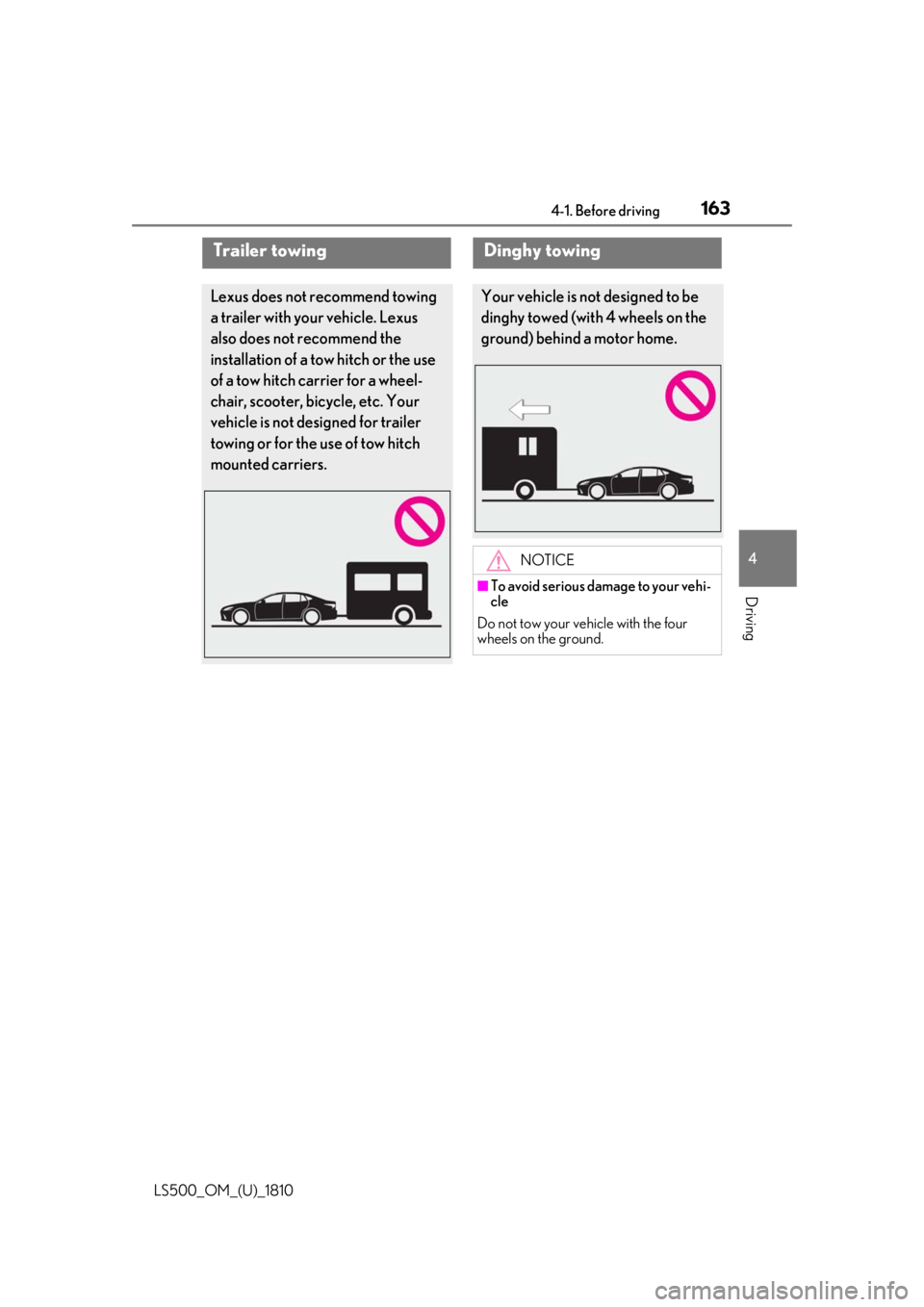
Driving Trailer towing Lexus does not recommend towing
a trailer with your vehicle. Lexus
also does not recommend the
installation of a tow hitch or the use
of a tow hitch carrier for a wheel-
chair, scooter, bicycle, etc. Your
vehicle is not desi gned for trailer
towing or for the use of tow hitch
mounted carriers. Dinghy towing Your vehicle is not designed to be
dinghy towed (with 4 wheels on the
ground) behind a motor home.
NOTICE■
To avoid serious damage to your vehi-
cle
Do not tow your vehicle with the four
wheels on the ground.