park assist LEXUS LS500 2019 Owners Manual
[x] Cancel search | Manufacturer: LEXUS, Model Year: 2019, Model line: LS500, Model: LEXUS LS500 2019Pages: 512, PDF Size: 9.71 MB
Page 3 of 512
3TABLE OF CONTENTS
LS500_OM_(U)_1810 1
2
3
4
5
6
7
8
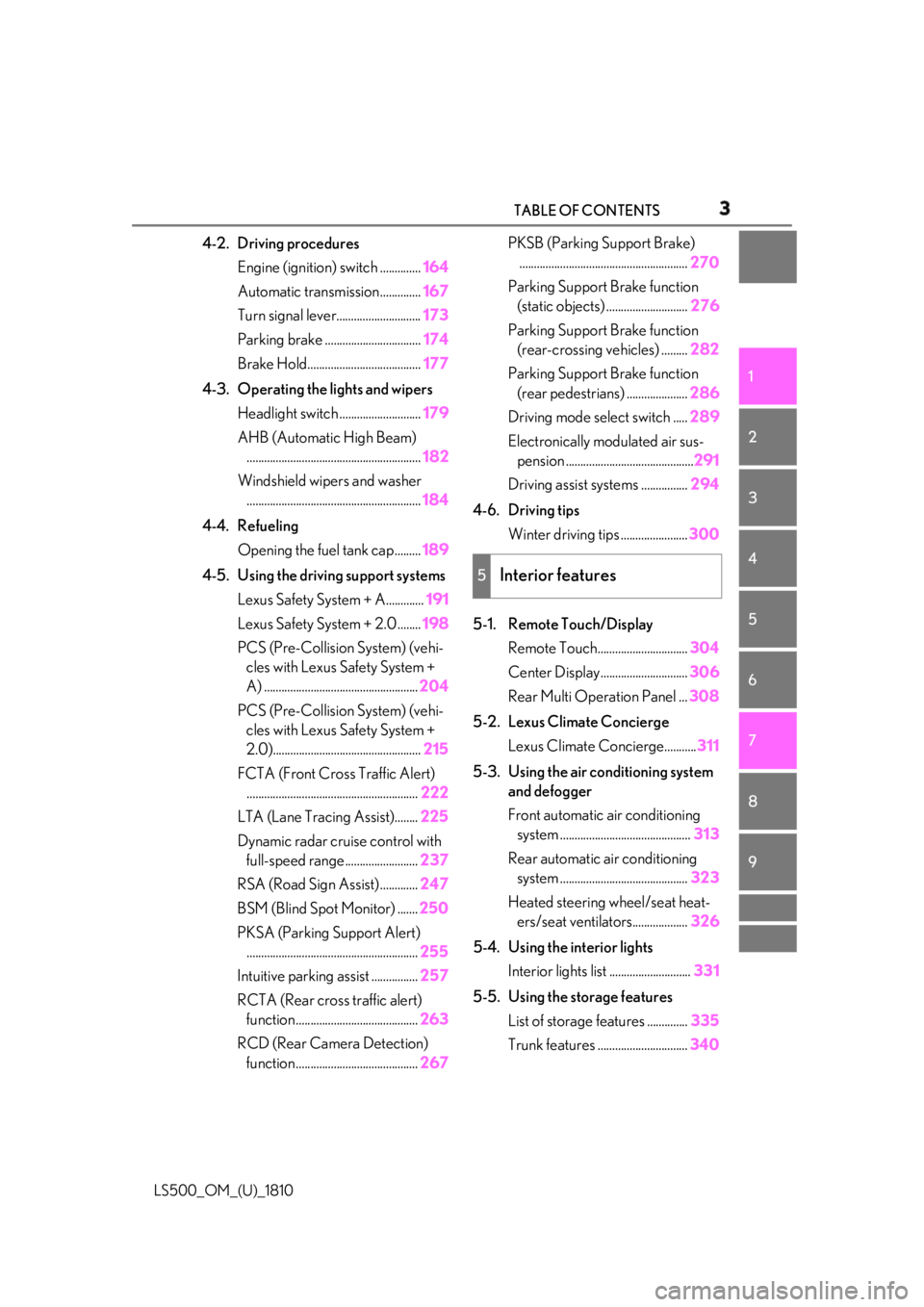
94-2. Driving procedures
Engine (ignition) switch .............. 164
Automatic transmission.............. 167
Turn signal lever............................. 173
Parking brake ................................. 174
Brake Hold....................................... 177
4-3. Operating the lights and wipers
Headlight switch ............................ 179
AHB (Automatic High Beam)
............................................................ 182
Windshield wipers and washer
............................................................ 184
4-4. Refueling
Opening the fuel tank cap......... 189
4-5. Using the driving support systems
Lexus Safety System + A............. 191
Lexus Safety System + 2.0 ........ 198
PCS (Pre-Collision System) (vehi-
cles with Lexus Safety System +
A) ..................................................... 204
PCS (Pre-Collision System) (vehi-
cles with Lexus Safety System +
2.0)................................................... 215
FCTA (Front Cross Traffic Alert)
........................................................... 222
LTA (Lane Tracing Assist)........ 225
Dynamic radar crui se control with
full-speed range......................... 237
RSA (Road Sign Assist) ............. 247
BSM (Blind Spot Monitor) ....... 250
PKSA (Parking Support Alert)
........................................................... 255
Intuitive parking assist ................ 257
RCTA (Rear cross traffic alert)
function .......................................... 263
RCD (Rear Camera Detection)
function .......................................... 267 PKSB (Parking Support Brake)
.......................................................... 270
Parking Support Brake function
(static objects) ............................ 276
Parking Support Brake function
(rear-crossing vehicles) ......... 282
Parking Support Brake function
(rear pedestrians) ..................... 286
Driving mode select switch ..... 289
Electronically modulated air sus-
pension ............................................ 291
Driving assist systems ................ 294
4-6. Driving tips
Winter driving tips ....................... 300
5-1. Remote Touch/Display
Remote Touch............................... 304
Center Display.............................. 306
Rear Multi Operation Panel ... 308
5-2. Lexus Climate Concierge
Lexus Climate Concierge........... 311
5-3. Using the air conditioning system
and defogger
Front automatic air conditioning
system ............................................. 313
Rear automatic air conditioning
system ............................................ 323
Heated steering wheel/seat heat-
ers/seat ventilators................... 32
6
5-4. Using the inte rior lights
Interior lights list ............................ 331
5-5. Using the storage features
List of storag e features .............. 335
Trunk features ............................... 3405
Interior features
Page 13 of 512
13Pictorial index
LS500_OM_(U)_1810 Precautions for winter season .. .................................................................................. P.300
To prevent freezing (windshield wiper de-icer) *
.................................................. P.318
Precautions for car wash ...............................................................................................P.359
Fuel filler door ..........................................................................................................P.189
Refueling method .............................................................................................................. P .189
Fuel type/fuel tank capacity ...... ................................................................................... P.447
Tires.......................................................................................................................... .P.382
Tire size/inflation pressure ............................................................................... P.382, 452
Winter tires/tire chains ................................................................................................. P.300
Checking/rotation/tire pressu re warning system..............................................P.382
Coping with flat tires........................................................................................................ P .429
Hood ........................................................................................................................... P.371
Opening ........................................................................................................................ .........P.371
Engine compartment cover ......................................................................................... P.374
Engine oil ..................................................................................................................... ......... P.448
Coping with overheating ............................................................................................... P.440
Warning messages .......................................................................................................... P.425
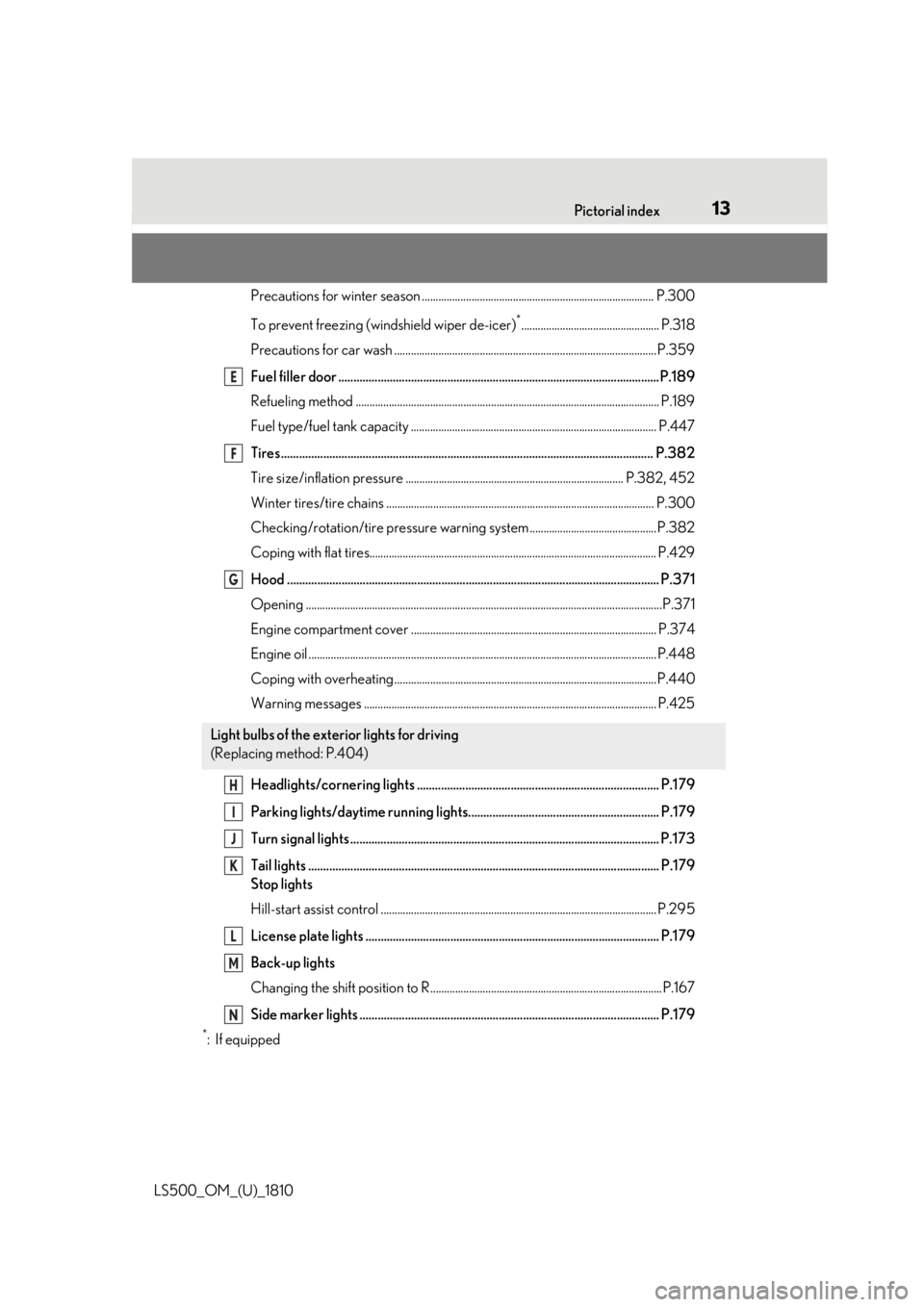
Headlights/cornering lights ................................................................................ P.179
Parking lights/daytime running lights............................................................... P.179
Turn signal lights ...................................................................................................... P.173
Tail lights .................................................................................................................... P.179
Stop lights
Hill-start assist control .................................................................................................... P. 295
License plate lights ................................................................................................. P.179
Back-up lights
Changing the shift position to R....................................................................................P.167
Side marker lights ................................................................................................... P.179 *
:If equipped Light bulbs of the exterior lights for driving
(Replacing method: P.404) E
F
G
H
I
J
K
L
M
N
Page 69 of 512
692-1. Instrument cluster
LS500_OM_(U)_1810 2
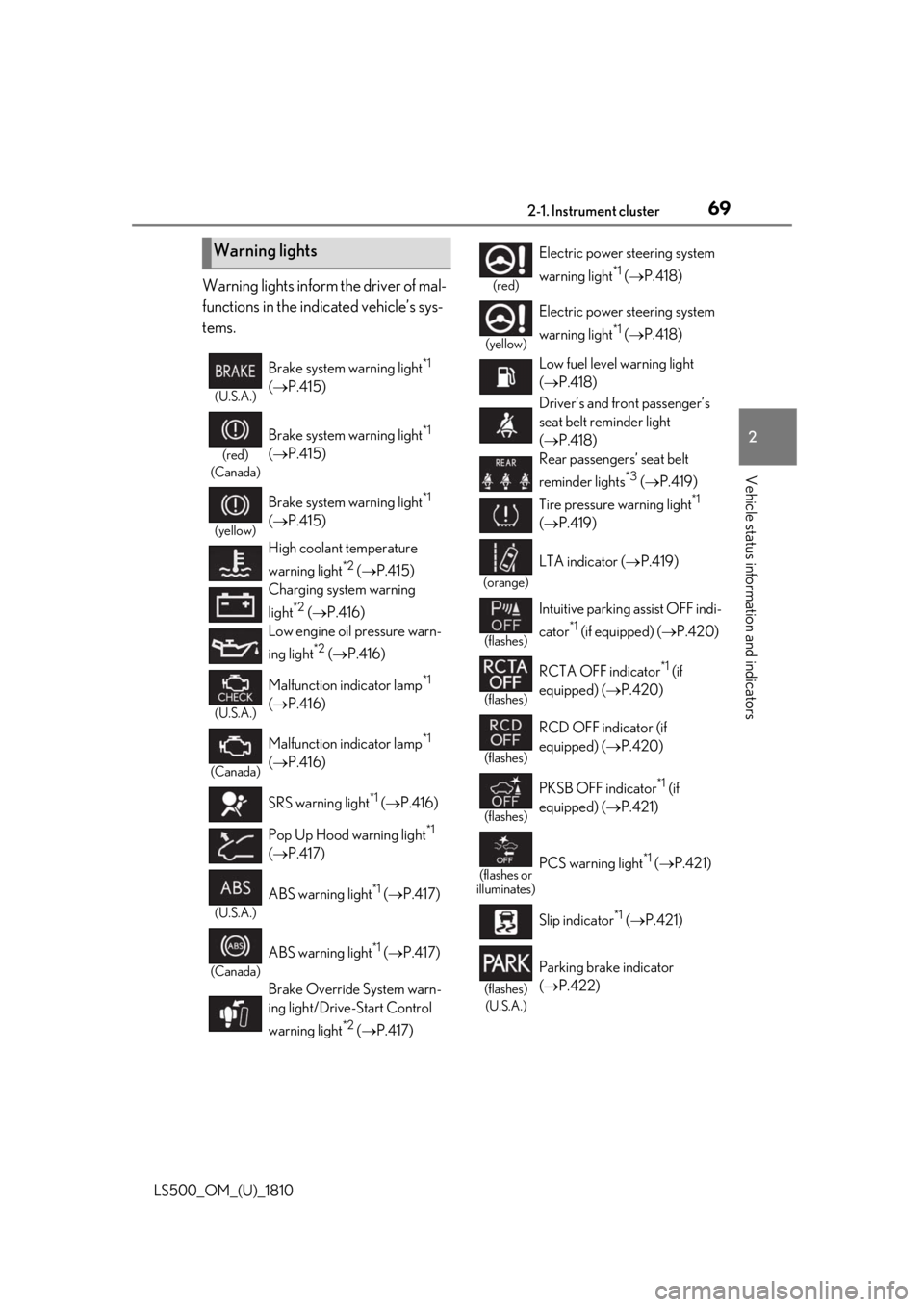
Vehicle status information and indicators Warning lights inform the driver of mal-
functions in the indicated vehicle’s sys-
tems.
Warning lights (U.S.A.)
Brake system warning light *1
( P.415)(red)
(Canada)
Brake system warning light *1
( P.415)(yellow)
Brake system warning light *1
( P.415)
High coolant temperature
warning light *2
( P.415)
Charging system warning
light *2
( P.416)
Low engine oil pressure warn-
ing light *2
( P.416)(U.S.A.)
Malfunction indicator lamp *1
( P.416)
(Canada)
Malfunction indicator lamp *1
( P.416)
SRS warning light *1
( P.416)
Pop Up Hood warning light *1
( P.417)
(U.S.A.)
ABS warning light *1
( P.417)
(Canada)
ABS warning light *1
( P.417)
Brake Override System warn-
ing light/Drive-Start Control
warning light *2
( P.417) (red)
Electric power steering system
warning light *1
( P.418)(yellow)
Electric power steering system
warning light *1
( P.418)
Low fuel level warning light
( P.418)
Driver’s and front passenger’s
seat belt reminder light
( P.418)
Rear passengers’ seat belt
reminder lights *3
( P.419)
Tire pressure warning light *1
( P.419)(orange)
LTA indicator ( P.419)
(flashes)
Intuitive parking assist OFF indi-
cator *1
(if equipped) ( P.420)
(flashes)
RCTA OFF indicator *1
(if
equipped) ( P.420)
(flashes)
RCD OFF indicator (if
equipped) ( P.420)
(flashes)
PKSB OFF indicator *1
(if
equipped) ( P.421)
(flashes or
illuminates)
PCS warning light *1
( P.421)
Slip indicator *1
( P.421)
(flashes)
(U.S.A.) Parking brake indicator
( P.422)
Page 71 of 512
712-1. Instrument cluster
LS500_OM_(U)_1810 2
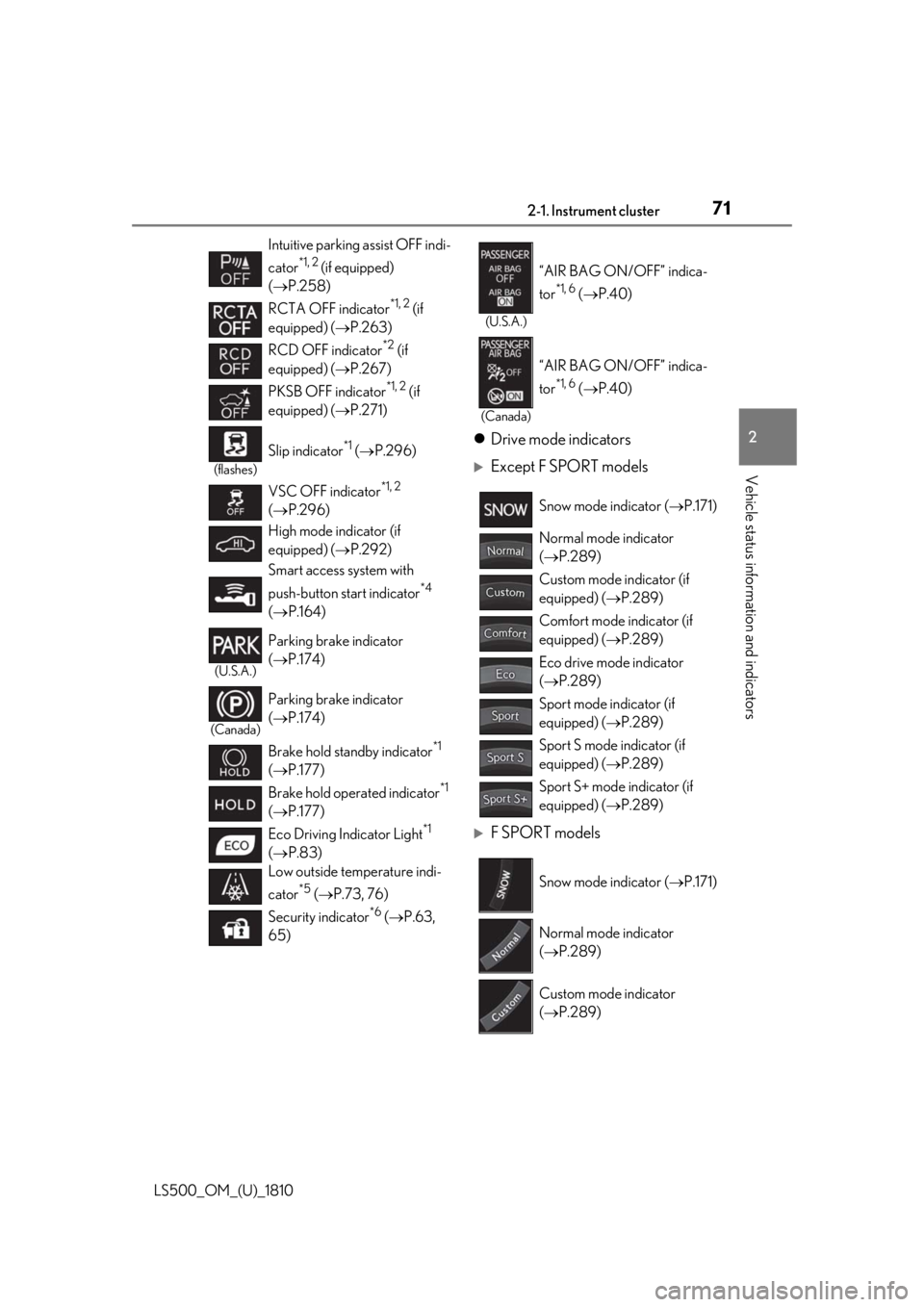
Vehicle status information and indicators Drive mode indicators
Except F SPORT models
F SPORT modelsIntuitive parking assist OFF indi-
cator *1, 2
(if equipped)
( P.258)
RCTA OFF indicator *1, 2
(if
equipped) ( P.263)
RCD OFF indicator *2
(if
equipped) ( P.267)
PKSB OFF indicator *1, 2
(if
equipped) ( P.271)(flashes)
Slip indicator *1
( P.296)
VSC OFF indicator *1, 2
( P.296)
High mode indicator (if
equipped) ( P.292)
Smart access system with
push-button start indicator *4
( P.164)(U.S.A.)
Parking brake indicator
( P.174)
(Canada)
Parking brake indicator
( P.174)
Brake hold standby indicator *1
( P.177)
Brake hold operated indicator *1
( P.177)
Eco Driving Indicator Light *1
( P.83)
Low outside temperature indi-
cator *5
( P.73, 76)
Security indicator *6
( P.63,
65) (U.S.A.)
“AIR BAG ON/OFF” indica-
tor *1, 6
( P.40)
(Canada)
“AIR BAG ON/OFF” indica-
tor *1, 6
( P.40)
Snow mode indicator ( P.171)
Normal mode indicator
( P.289)
Custom mode indicator (if
equipped) ( P.289)
Comfort mode indicator (if
equipped) ( P.289)
Eco drive mode indicator
( P.289)
Sport mode indicator (if
equipped) ( P.289)
Sport S mode indicator (if
equipped) ( P.289)
Sport S+ mode indicator (if
equipped) ( P.289)
Snow mode indicator ( P.171)
Normal mode indicator
( P.289)
Custom mode indicator
( P.289)
Page 85 of 512
852-1. Instrument cluster
LS500_OM_(U)_1810 2
Vehicle status information and indicators display is enabled on the head-up display, it
will not be displayed on the multi-informa-
tion display. ( P.89)
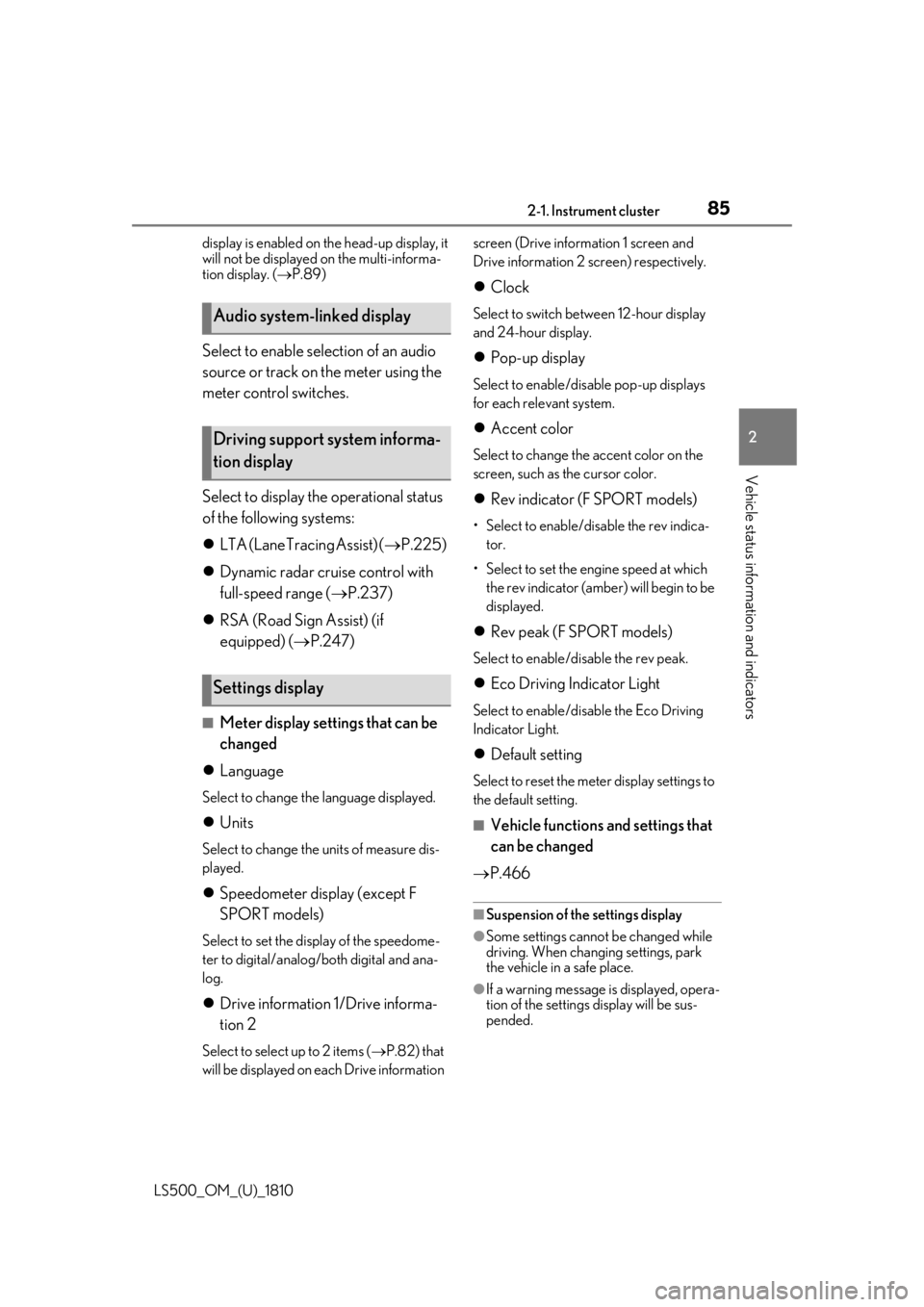
Select to enable selection of an audio
source or track on the meter using the
meter control switches.
Select to display the operational status
of the following systems:
LTA (Lane Tracing Assist) ( P.225)
Dynamic radar cruise control with
full-speed range ( P.237)
RSA (Road Sign Assist) (if
equipped) ( P.247)■
Meter display settings that can be
changed
Language Select to change th e language displayed.
Units Select to change the units of measure dis-
played.
Speedometer display (except F
SPORT models) Select to set the display of the speedome-
ter to digital/analog/both digital and ana-
log.
Drive information 1/Drive informa-
tion 2
Select to select up to 2 items ( P.82) that
will be displayed on ea ch Drive information screen (Drive information 1 screen and
Drive information 2 sc reen) respectively.
Clock Select to switch between 12-hour display
and 24-hour display.
Pop-up display Select to enable/disable pop-up displays
for each relevant system.
Accent color Select to change the accent color on the
screen, such as the cursor color.
Rev indicator (F SPORT models) • Select to enable/disable the rev indica-
tor.
• Select to set the engine speed at which
the rev indicator (amber) will begin to be
displayed.
Rev peak (F SPORT models) Select to enable/disable the rev peak.
Eco Driving Indicator Light Select to enable/disable the Eco Driving
Indicator Light.
Default setting Select to reset the meter display settings to
the default setting.
■
Vehicle functions and settings that
can be changed
P.466 ■
Suspension of the settings display
●
Some settings cannot be changed while
driving. When changing settings, park
the vehicle in a safe place.
●
If a warning message is displayed, opera-
tion of the settings display will be sus-
pended.Audio system-linked display
Driving support system informa-
tion display
Settings display
Page 90 of 512
90 2-1. Instrument cluster
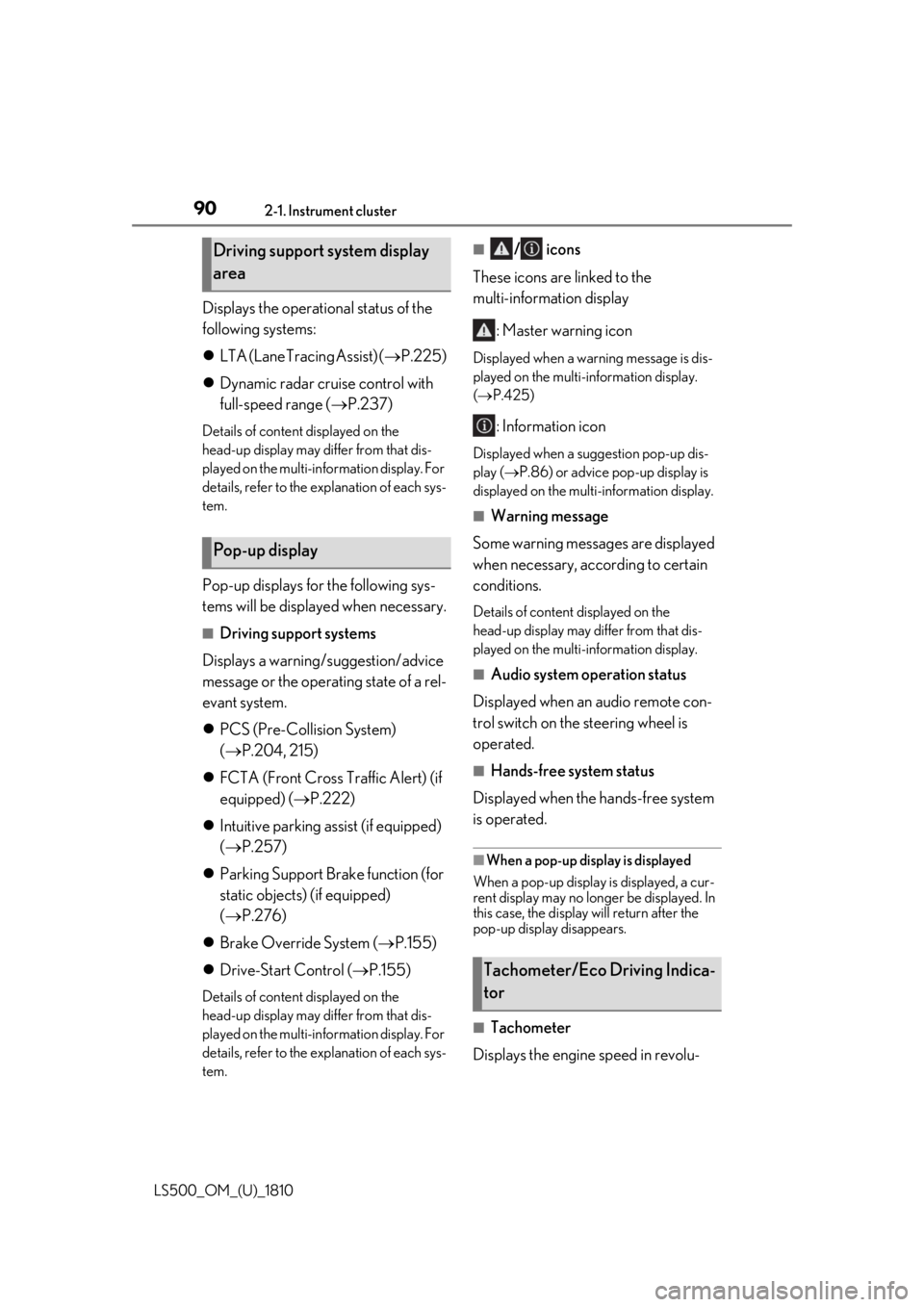
LS500_OM_(U)_1810 Displays the operational status of the
following systems:
LTA (Lane Tracing Assist) ( P.225)
Dynamic radar cruise control with
full-speed range ( P.237)Details of content displayed on the
head-up display may differ from that dis-
played on the multi-information display. For
details, refer to the explanation of each sys-
tem.
Pop-up displays for the following sys-
tems will be displayed when necessary. ■
Driving support systems
Displays a warning/suggestion/advice
message or the operating state of a rel-
evant system.
PCS (Pre-Collision System)
( P.204, 215)
FCTA (Front Cross Traffic Alert) (if
equipped) ( P.222)
Intuitive parking assist (if equipped)
( P.257)
Parking Support Brake function (for
static objects) (if equipped)
( P.276)
Brake Override System ( P.155)
Drive-Start Control ( P.155)Details of content displayed on the
head-up display may differ from that dis-
played on the multi-information display. For
details, refer to the explanation of each sys-
tem. ■
/ icons
These icons are linked to the
multi-information display
: Master warning icon Displayed when a warn ing message is dis-
played on the multi-information display.
( P.425)
: Information icon Displayed when a suggestion pop-up dis-
play ( P.86) or advice pop-up display is
displayed on the multi-information display. ■
Warning message
Some warning messages are displayed
when necessary, according to certain
conditions. Details of content displayed on the
head-up display may differ from that dis-
played on the multi-information display. ■
Audio system operation status
Displayed when an audio remote con-
trol switch on the steering wheel is
operated. ■
Hands-free system status
Displayed when the hands-free system
is operated. ■
When a pop-up display is displayed
When a pop-up display is displayed, a cur-
rent display may no long er be displayed. In
this case, the display will return after the
pop-up display disappears.
■
Tachometer
Displays the engine speed in revolu-Driving support system display
area
Pop-up display
Tachometer/Eco Driving Indica-
tor
Page 113 of 512
1133-2. Opening, closing and locking the doors and trunk
LS500_OM_(U)_1810 3
Before driving take some time to unlock the doors.
• The electronic key has been left in an
area of approximately 6 ft. (2 m) of the
outside of the vehicle for 10 minutes or
longer.
• The smart access system with push-but-
ton start has not been used for 5 days or
longer.●
If the smart access system with push-but-
ton start has not been used for 14 days or
longer, the doors cannot be unlocked at
any doors except the driver’s door. In this
case, take hold of the driver’s door han-
dle, or use the wireless remote control or
the mechanical key, to unlock the doors.■
Turning an electronic key to bat-
tery-saving mode
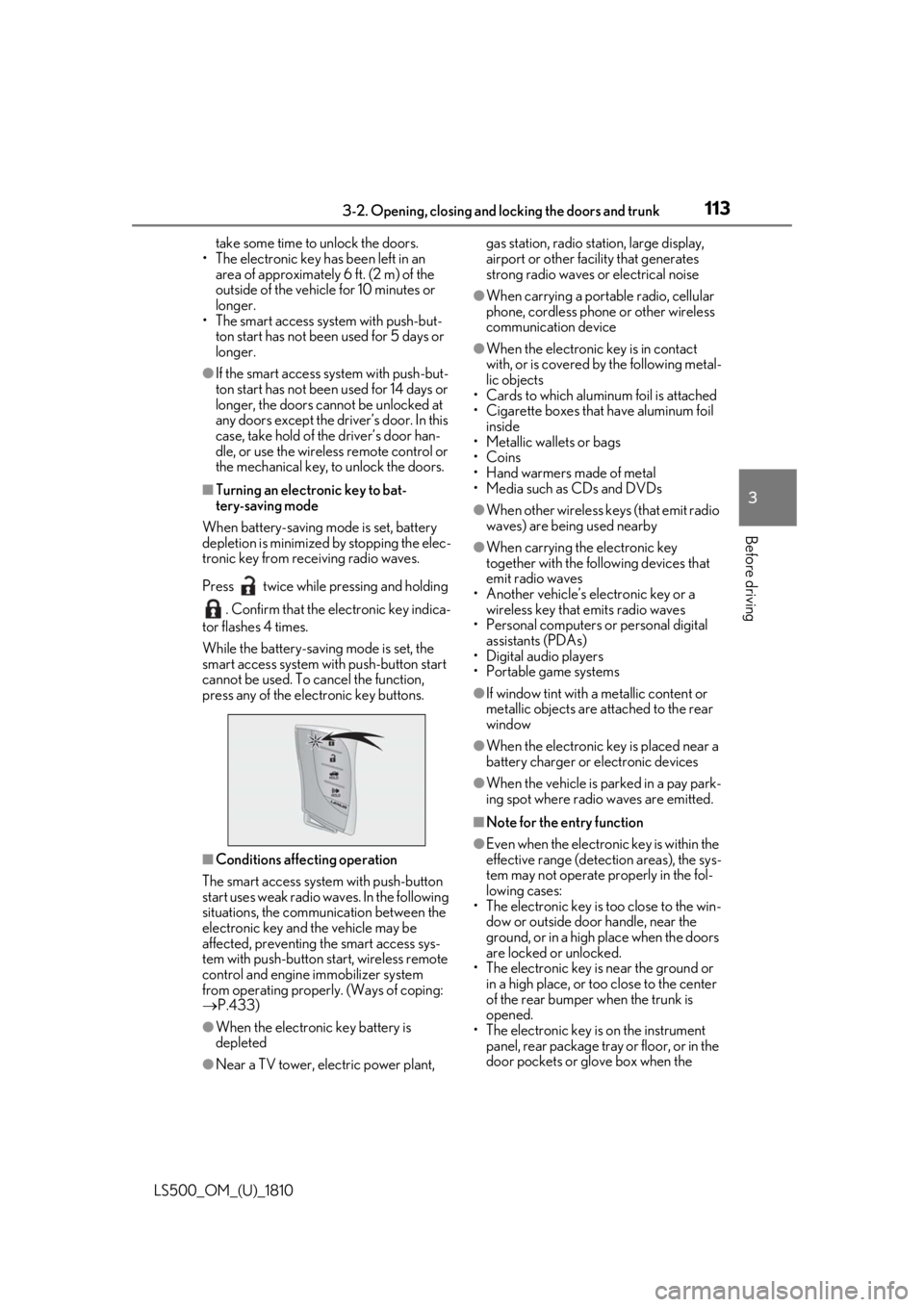
When battery-saving mode is set, battery
depletion is minimized by stopping the elec-
tronic key from re ceiving radio waves.
Press twice while pressing and holding
. Confirm that the electronic key indica-
tor flashes 4 times.
While the battery-saving mode is set, the
smart access system with push-button start
cannot be used. To cancel the function,
press any of the electronic key buttons.
■
Conditions affe cting operation
The smart access system with push-button
start uses weak radio waves. In the following
situations, the communication between the
electronic key and the vehicle may be
affected, preventing the smart access sys-
tem with push-button start, wireless remote
control and engine immobilizer system
from operating properly. (Ways of coping:
P.433)
●
When the electronic key battery is
depleted
●
Near a TV tower, electric power plant, gas station, radio stat ion, large display,
airport or other fac ility that generates
strong radio waves or electrical noise ●
When carrying a portable radio, cellular
phone, cordless phone or other wireless
communication device ●
When the electronic key is in contact
with, or is covered by the following metal-
lic objects
• Cards to which aluminum foil is attached
• Cigarette boxes that have aluminum foil
inside
• Metallic wallets or bags
•Coins
• Hand warmers made of metal
• Media such as CDs and DVDs ●
When other wireless keys (that emit radio
waves) are being used nearby ●
When carrying the electronic key
together with the following devices that
emit radio waves
• Another vehicle’s electronic key or a
wireless key that emits radio waves
• Personal computers or personal digital
assistants (PDAs)
• Digital audio players
• Portable game systems ●
If window tint with a metallic content or
metallic objects are attached to the rear
window ●
When the electronic key is placed near a
battery charger or electronic devices ●
When the vehicle is parked in a pay park-
ing spot where radio waves are emitted. ■
Note for the entry function ●
Even when the electronic key is within the
effective range (detection areas), the sys-
tem may not operate properly in the fol-
lowing cases:
• The electronic key is too close to the win-
dow or outside door handle, near the
ground, or in a high place when the doors
are locked or unlocked.
• The electronic key is near the ground or
in a high place, or too close to the center
of the rear bumper when the trunk is
opened.
• The electronic key is on the instrument
panel, rear package tray or floor, or in the
door pockets or glove box when the
Page 153 of 512
153
LS500_OM_(U)_1810 4 4
Driving Driving .
4-1. Before driving
Driving the vehicle ..................... 154
Cargo and luggage ................... 160
Vehicle load limits ...................... 162
Trailer towing ............................... 163
Dinghy towing ............................. 163
4-2. Driving procedures
Engine (ignition) switch ........... 164
Automatic transmission........... 167
Turn signal lever.......................... 173
Parking brake .............................. 174
Brake Hold.................................... 177
4-3. Operating the lights and wipers
Headlight switch ......................... 179
AHB (Automatic High Beam)
......................................................... 182
Windshield wipers and washer
......................................................... 184
4-4. Refueling
Opening the fuel tank cap...... 189
4-5. Using the driving support sys-
tems
Lexus Safety System + A.......... 191
Lexus Safety System + 2.0 ..... 198
PCS (Pre-Collision System) (vehi-
cles with Lexus Safety System +
A) .................................................. 204
PCS (Pre-Collision System) (vehi-
cles with Lexus Safety System +
2.0)................................................ 215 FCTA (Front Cross Traffic Alert)
........................................................ 222
LTA (Lane Tracing Assist) .... 225
Dynamic radar cruise control with
full-speed range...................... 237
RSA (Road Sign Assist).......... 247
BSM (Blind Spot Monitor) .... 250
PKSA (Parking Support Alert)
....................................................... 255
Intuitive parking assist ............. 257
RCTA (Rear cross traffic alert)
function....................................... 263
RCD (Rear Camera Detection)
function....................................... 267
PKSB (Parking Support Brake)
....................................................... 270
Parking Support Brake function
(static objects) ......................... 276
Parking Support Brake function
(rear-crossing vehicles) ...... 282
Parking Support Brake function
(rear pedestrians) .................. 286
Driving mode select switch .. 289
Electronically modulated air sus-
pension ........................................ 291
Driving assist systems.............. 294
4-6. Driving tips
Winter driving tips .................... 300
Page 154 of 512
154 4-1. Before driving
LS500_OM_(U)_1810 4-1.Before driving
■
Starting the engine
P.164 ■
Driving
1 With the brake pedal depressed,
shift the shift position to D.
( P.167)Check that the shift position indicator
shows D.
2 If the parking brake is in manual
mode, release the parking brake.
( P.174)
3 Gradually release the brake pedal
and gently depress the accelerator
pedal to accelerate the vehicle. ■
Stopping
1 With the shift position in D, depress
the brake pedal.
2 If necessary, set the parking brake.If the vehicle is to be stopped for an
extended period of time, shift the shift posi-
tion to P. ( P.170)
■
Parking the vehicle
1 With the shift position in D, depress
the brake pedal to stop the vehicle
completely.
2 If the parking brake is in manual
mode, set the parking brake.
( P.174)
3 Shift the shift position to P.
( P.170) Check that the shift position indicator
shows P and the parking brake indicator is
illuminated.
4 Press the engine switch to stop the
engine.
5 Slowly release the brake pedal.
6 Lock the door, making sure that you
have the electronic key on your
person. If parking on a hill, block the wheels as
needed. ■
Starting off on a steep uphill
1 Make sure that the parking brake is
set and shift the shift position to D. Hill-start assist control will operate.
( P.295)
2 Gently depress the accelerator
pedal.
3 Release the parking brake. ■
Driving in the rain ●
Drive carefully when it is raining, because
visibility will be reduced, the windows
may become fogged-up, and the road
will be slippery. ●
Drive carefully when it starts to rain,
because the road surface will be espe-
cially slippery. ●
Refrain from high speeds when driving on
an expressway in the rain, because there
may be a layer of wa ter between the tires
and the road surface, preventing the
steering and brakes from operating prop-
erly.
■
Engine speed while driving
In the following conditions, the engine
speed may become high while driving. This
is due to automatic up-shifting control or
down-shifting implementation to meet driv-
ing conditions. It does not indicate sudden
acceleration.
●
The vehicle is judged to be driving uphill
or downhillDriving the vehicle The following procedures should be
observed to ensure safe driving:
Driving procedure
Page 159 of 512
1594-1. Before driving
LS500_OM_(U)_1810 4
Driving WARNING●
Vehicles with Lexus Safety System + A:
If the electronically controlled brake
system does not operate, do not follow
other vehicles closely and avoid hills or
sharp turns that require braking.
In this case, braking is still possible, but
the brake pedal should be depressed
more firmly than usual. Also, the brak-
ing distance will increase. Have your
brakes fixed immediately.●
Vehicles without Lexus Safety System
+ A: Do not pump the brake pedal if
the engine stalls.
Each push on the brake pedal uses up
the reserve for the power-assisted
brakes.●
Vehicles without Lexus Safety System
+ A: The brake system consists of 2
individual hydraulic systems; if one of
the systems fails, the other will still
operate. In this case, the brake pedal
should be depressed more firmly than
usual and the braking distance will
increase. Have your brakes fixed
immediately.●
Vehicles with Lexus Safety System + A:
The brake system consists of 2 or more
individual hydraulic systems; if one of
the systems fails, the other(s) will still
operate. In this case, the brake pedal
should be depressed more firmly than
usual and the braking distance will
increase. Have your brakes fixed
immediately.
■
If the vehicle becomes stuck
Do not spin the wheels excessively when
a driven wheel is up in the air, or the vehi-
cle is stuck in sand, mud, etc. This may
damage the driveline components or
propel the vehicle forward or backward,
causing an accident. NOTICE■
When driving the vehicle ●
Do not depress the accelerator and
brake pedals at the same time during
driving, as this may restrain the engine
output. ●
Do not use the accelerator pedal or
depress the accelerator and brake
pedals at the same time to hold the
vehicle on a hill. ■
When parking the vehicle
Always set the parking brake, and shift
the shift position to P. Failure to do so
may cause the vehicle to move or the
vehicle may accelerate suddenly if the
accelerator pedal is accidentally
depressed. ■
Avoiding damage to vehicle parts ●
Do not turn the steering wheel fully in
either direction and hold it there for an
extended period of time.
Doing so may damage the power
steering motor. ●
When driving over bumps in the road,
drive as slowly as possible to avoid
damaging the wheels, underside of the
vehicle, etc.
●
Make sure to idle the engine immedi-
ately after high-load driving. Stop the
engine only after the turbocharger has
cooled down.
Failure to do so may cause damage to
the turbocharger.
■
If you get a flat tire while driving
A flat or damaged tire may cause the fol-
lowing situations. Hold the steering
wheel firmly and gradually depress the
brake pedal to slow down the vehicle.
●
It may be difficult to control your vehi-
cle.
●
The vehicle will make abnormal
sounds or vibrations.
●
The vehicle will lean abnormally.