warning LEXUS LS500 2021 Owners Manual
[x] Cancel search | Manufacturer: LEXUS, Model Year: 2021, Model line: LS500, Model: LEXUS LS500 2021Pages: 520, PDF Size: 9.81 MB
Page 347 of 520
3475-5. Using the storage features
5
Interior features
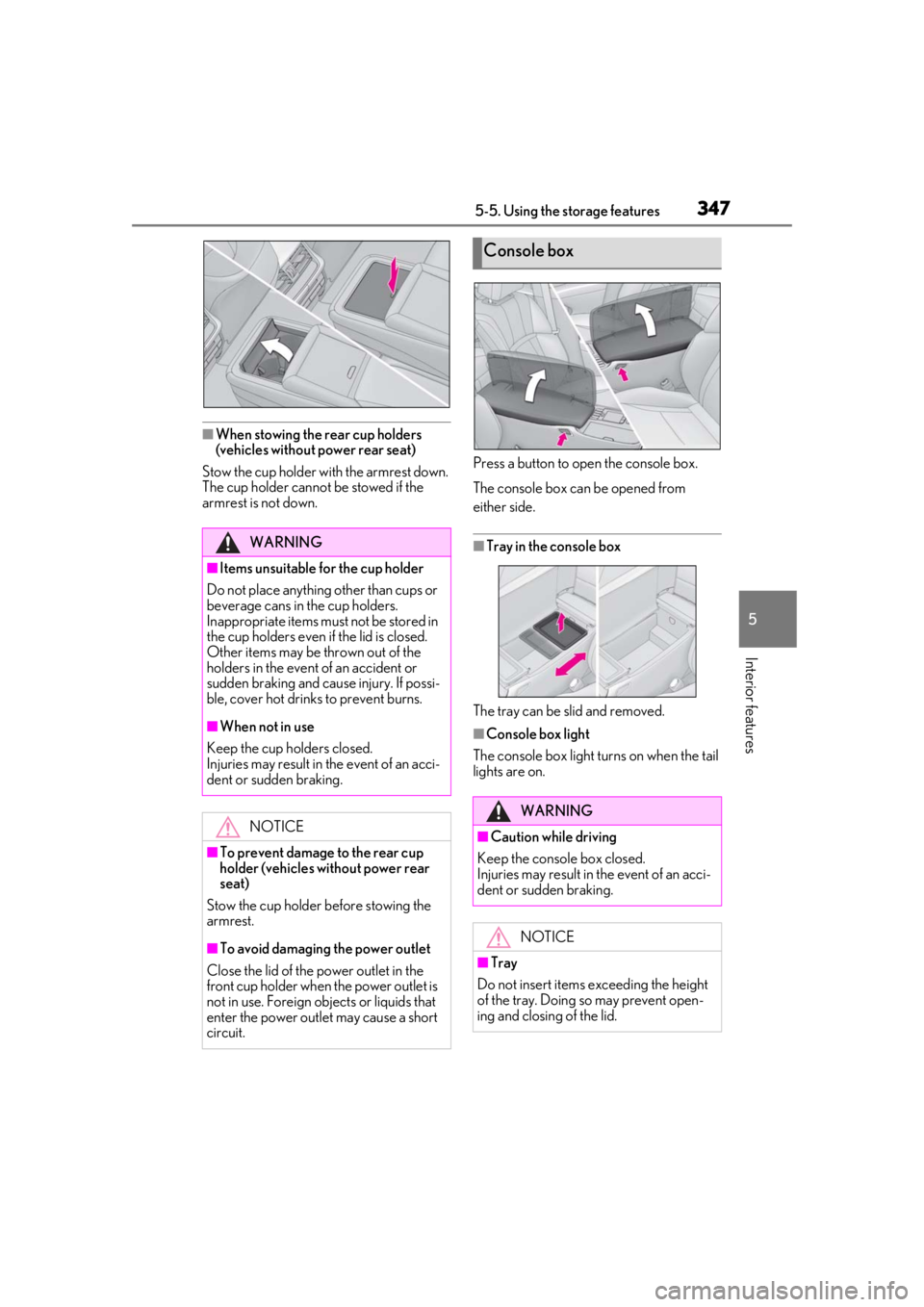
■When stowing the rear cup holders
(vehicles without power rear seat)
Stow the cup holder with the armrest down.
The cup holder cannot be stowed if the
armrest is not down. Press a button to open the console box.
The console box can be opened from
either side.
■Tray in the console box
The tray can be slid and removed.
■Console box light
The console box light turns on when the tail
lights are on.
WARNING
■Items unsuitable for the cup holder
Do not place anything other than cups or
beverage cans in the cup holders.
Inappropriate items must not be stored in
the cup holders even if the lid is closed.
Other items may be thrown out of the
holders in the event of an accident or
sudden braking and cause injury. If possi-
ble, cover hot drinks to prevent burns.
■When not in use
Keep the cup holders closed.
Injuries may result in the event of an acci-
dent or sudden braking.
NOTICE
■To prevent damage to the rear cup
holder (vehicles without power rear
seat)
Stow the cup holder before stowing the
armrest.
■To avoid damaging the power outlet
Close the lid of the power outlet in the
front cup holder when the power outlet is
not in use. Foreign ob jects or liquids that
enter the power outlet may cause a short
circuit.
Console box
WARNING
■Caution while driving
Keep the console box closed.
Injuries may result in the event of an acci-
dent or sudden braking.
NOTICE
■Tray
Do not insert items exceeding the height
of the tray. Doing so may prevent open-
ing and closing of the lid.
Page 348 of 520
3485-5. Using the storage features
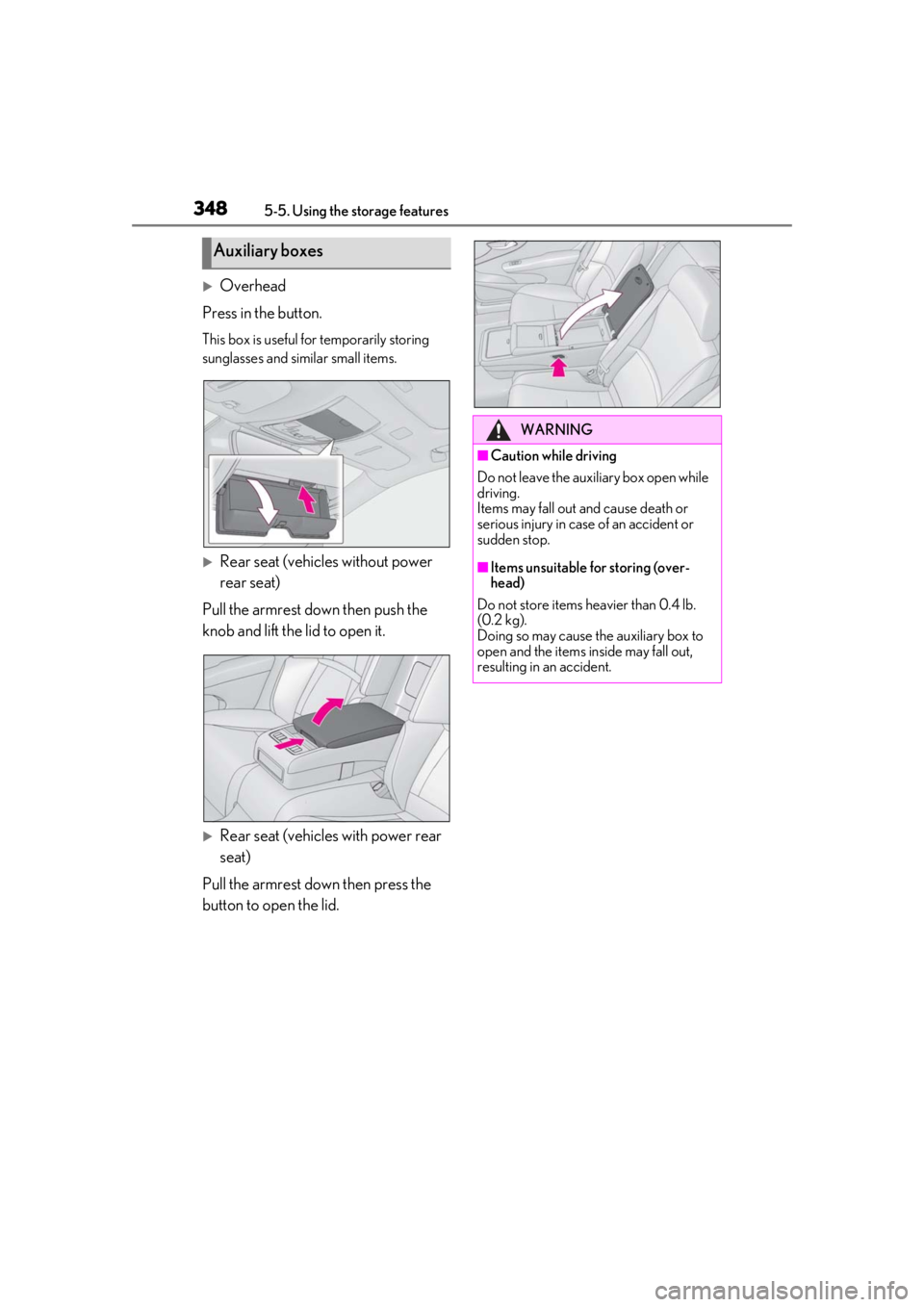
Overhead
Press in the button.
This box is useful for temporarily storing
sunglasses and similar small items.
Rear seat (vehicles without power
rear seat)
Pull the armrest down then push the
knob and lift the lid to open it.
Rear seat (vehicles with power rear
seat)
Pull the armrest down then press the
button to open the lid.
Auxiliary boxes
WARNING
■Caution while driving
Do not leave the aux iliary box open while
driving.
Items may fall out and cause death or
serious injury in case of an accident or
sudden stop.
■Items unsuitable for storing (over-
head)
Do not store items heavier than 0.4 lb.
(0.2 kg).
Doing so may cause the auxiliary box to
open and the items inside may fall out,
resulting in an accident.
Page 349 of 520
3495-5. Using the storage features
5
Interior features
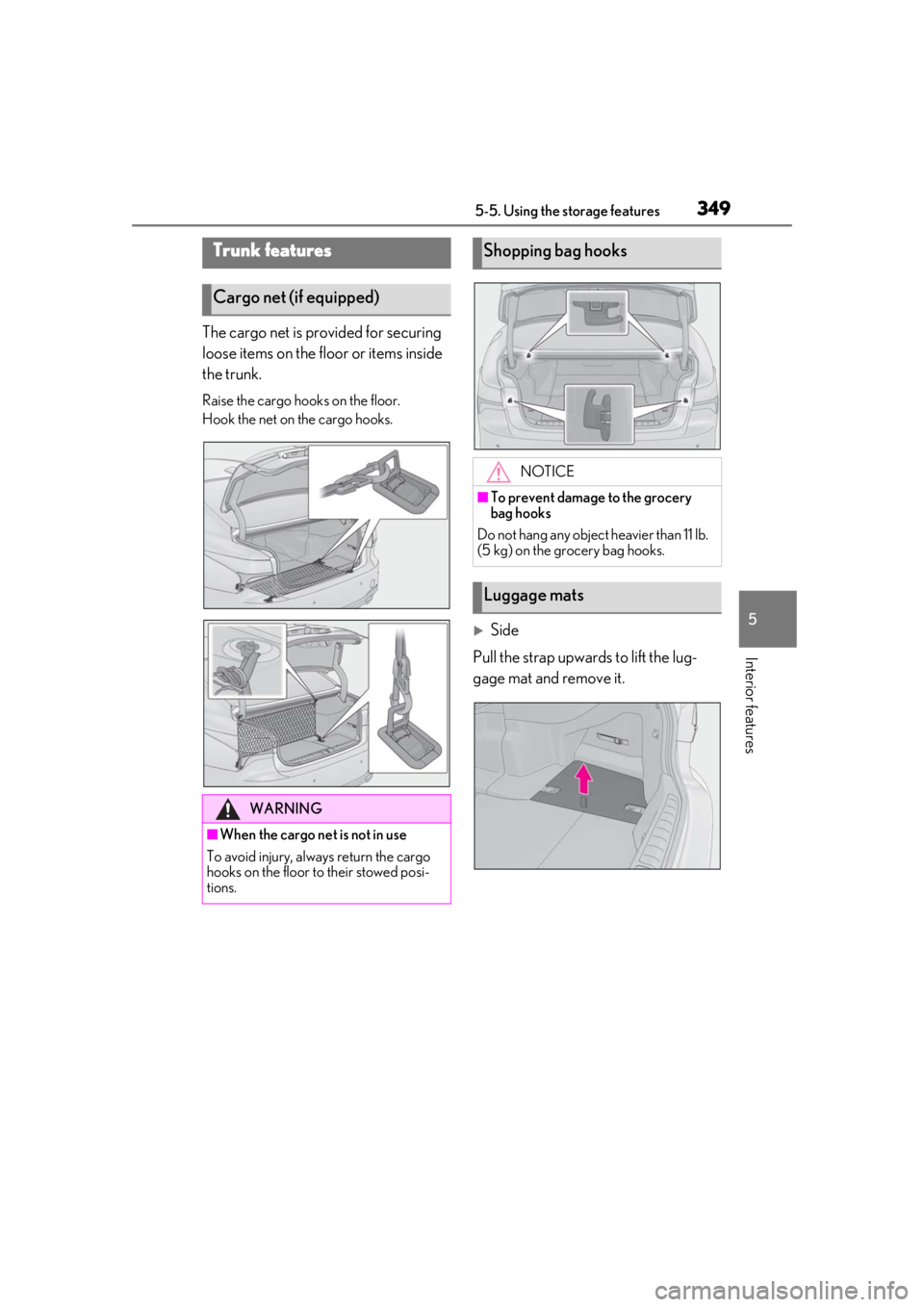
The cargo net is provided for securing
loose items on the floor or items inside
the trunk.
Raise the cargo hooks on the floor.
Hook the net on the cargo hooks.
Side
Pull the strap upwards to lift the lug-
gage mat and remove it.
Trunk features
Cargo net (if equipped)
WARNING
■When the cargo net is not in use
To avoid injury, always return the cargo
hooks on the floor to their stowed posi-
tions.
Shopping bag hooks
NOTICE
■To prevent damage to the grocery
bag hooks
Do not hang any object heavier than 11 lb.
(5 kg) on the grocery bag hooks.
Luggage mats
Page 350 of 520
3505-5. Using the storage features
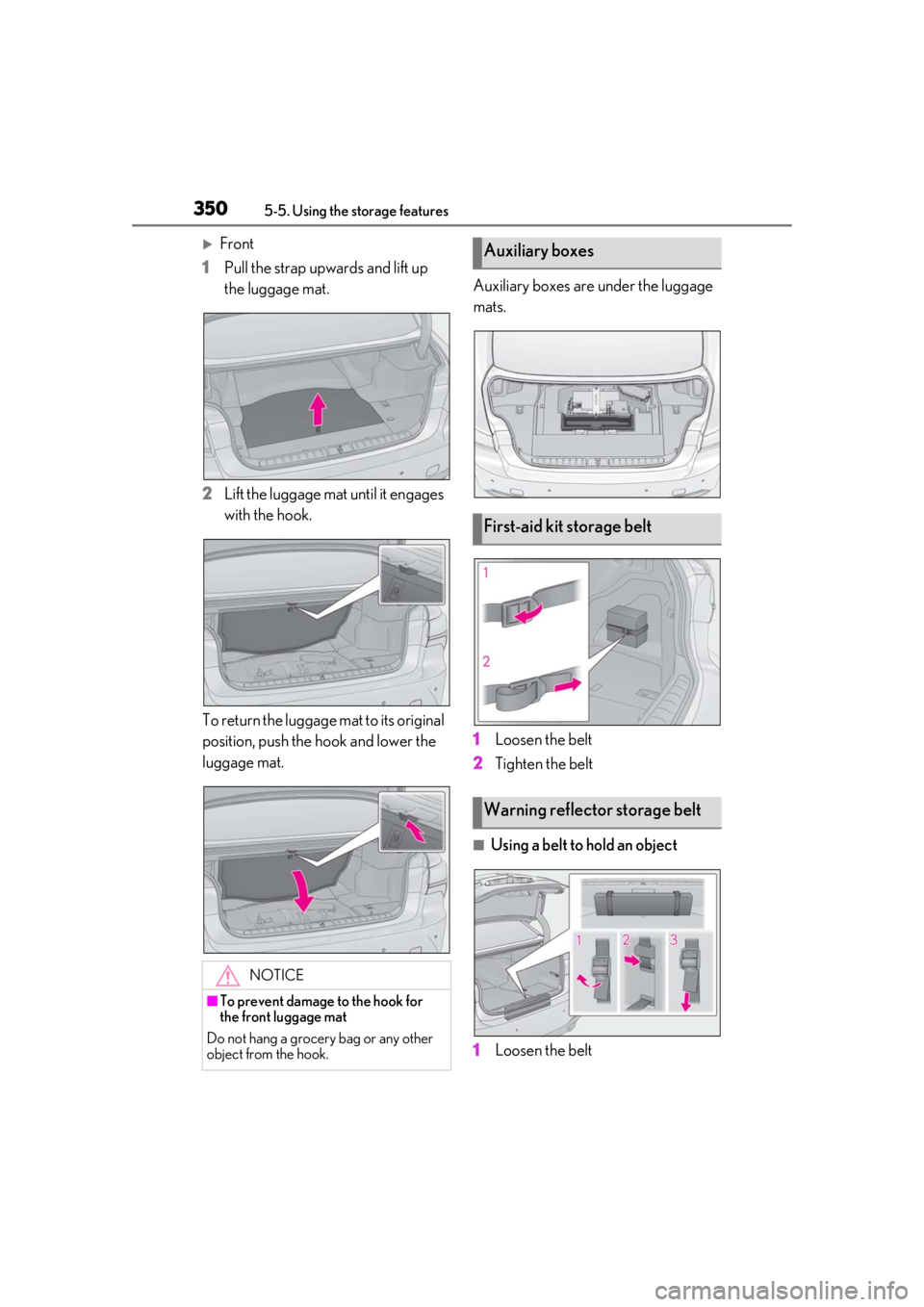
Front
1 Pull the strap upwards and lift up
the luggage mat.
2 Lift the luggage mat until it engages
with the hook.
To return the luggage mat to its original
position, push the hook and lower the
luggage mat. Auxiliary boxes are under the luggage
mats.
1
Loosen the belt
2 Tighten the belt
■Using a belt to hold an object
1 Loosen the belt
NOTICE
■To prevent damage to the hook for
the front luggage mat
Do not hang a grocery bag or any other
object from the hook.
Auxiliary boxes
First-aid kit storage belt
Warning reflector storage belt
Page 351 of 520
3515-5. Using the storage features
5
Interior features
2Pass the belt through the clip
3 Tighten the belt
Depending on the size and shape of an
object, such as the case of a warning
reflector, the object may not be able to be
secured with the belts or stowed in an aux-
iliary box.
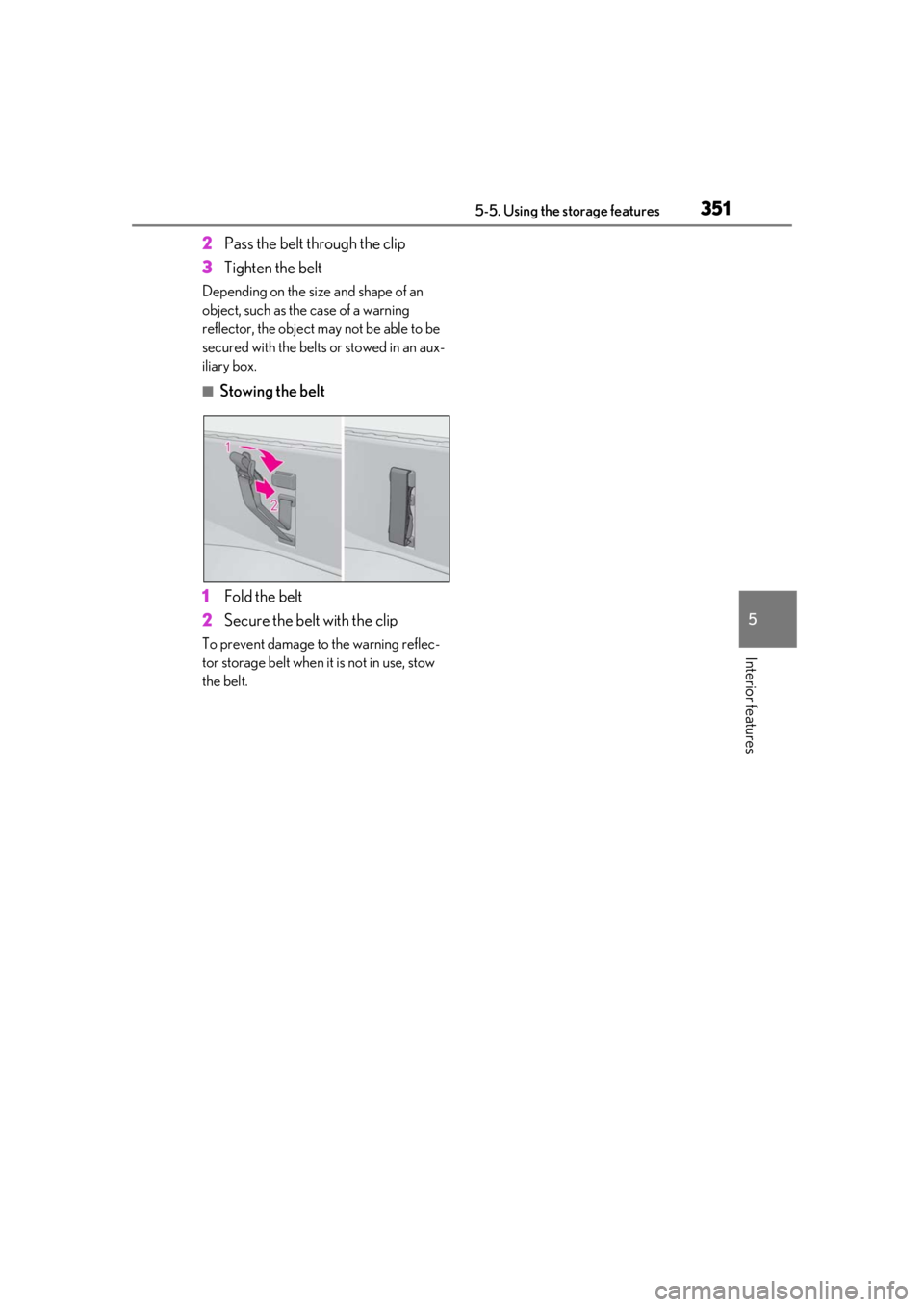
■Stowing the belt
1 Fold the belt
2 Secure the belt with the clip
To prevent damage to the warning reflec-
tor storage belt when it is not in use, stow
the belt.
Page 353 of 520
3535-6. Using the other interior features
5
Interior features
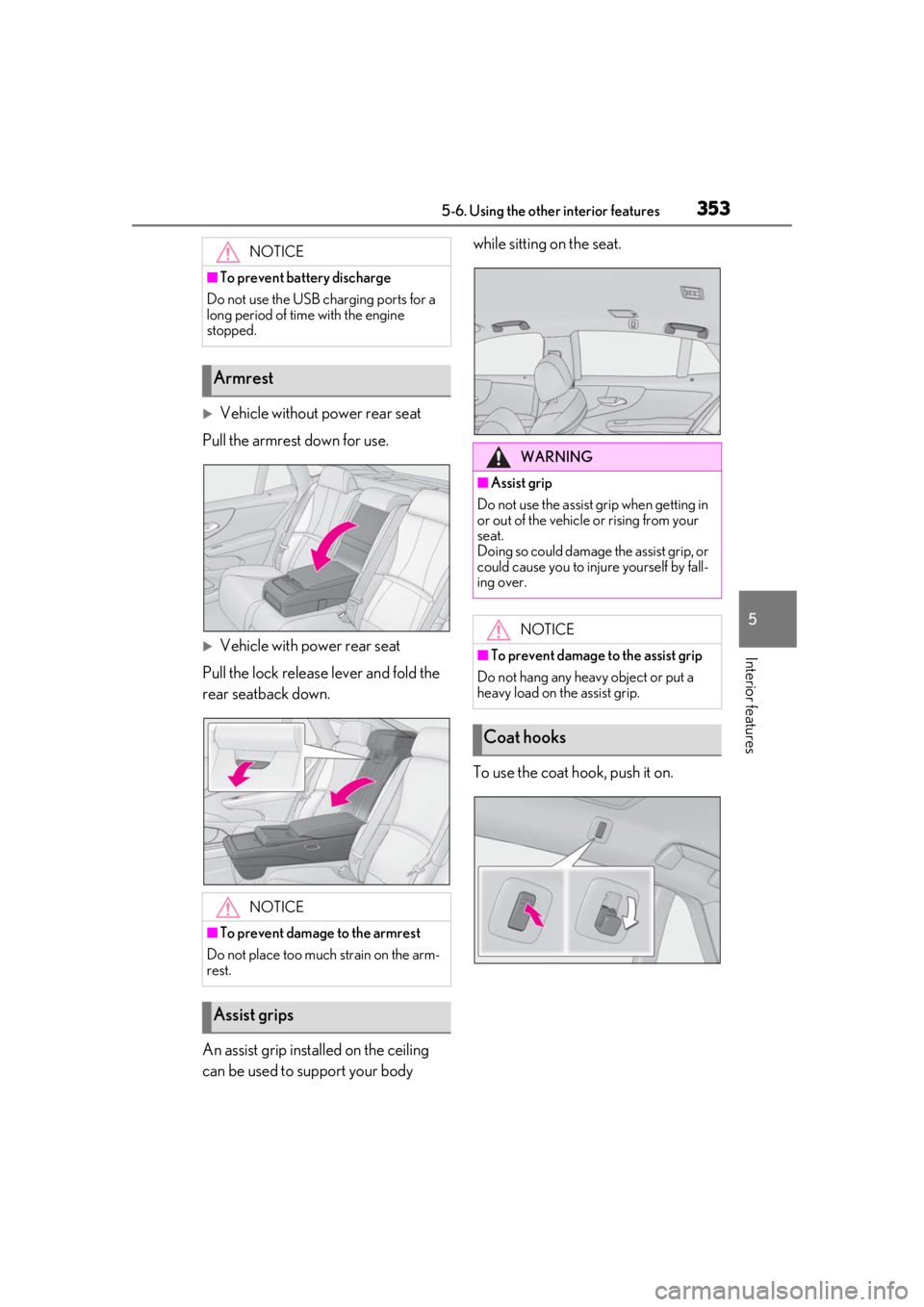
Vehicle without power rear seat
Pull the armrest down for use.
Vehicle with power rear seat
Pull the lock release lever and fold the
rear seatback down.
An assist grip installed on the ceiling
can be used to support your body while sitting on the seat.
To use the coat hook, push it on.
NOTICE
■To prevent battery discharge
Do not use the USB charging ports for a
long period of time with the engine
stopped.
Armrest
NOTICE
■To prevent damage to the armrest
Do not place too much strain on the arm-
rest.
Assist grips
WARNING
■Assist grip
Do not use the assist grip when getting in
or out of the vehicle or rising from your
seat.
Doing so could damage the assist grip, or
could cause you to injure yourself by fall-
ing over.
NOTICE
■To prevent damage to the assist grip
Do not hang any heavy object or put a
heavy load on the assist grip.
Coat hooks
Page 354 of 520
3545-6. Using the other interior features
The GPS clock’s time is automatically
adjusted by utilizing GPS time infor-
mation. For details, refer to “NAVIGA-
TION AND MULTIMEDIA SYSTEM
OWNER’S MANUAL”.
The power outlet can be used for the
following components:
12 V: Accessories that run on less than
10 A.
120 VAC: Accessories that use less
than 100 W.
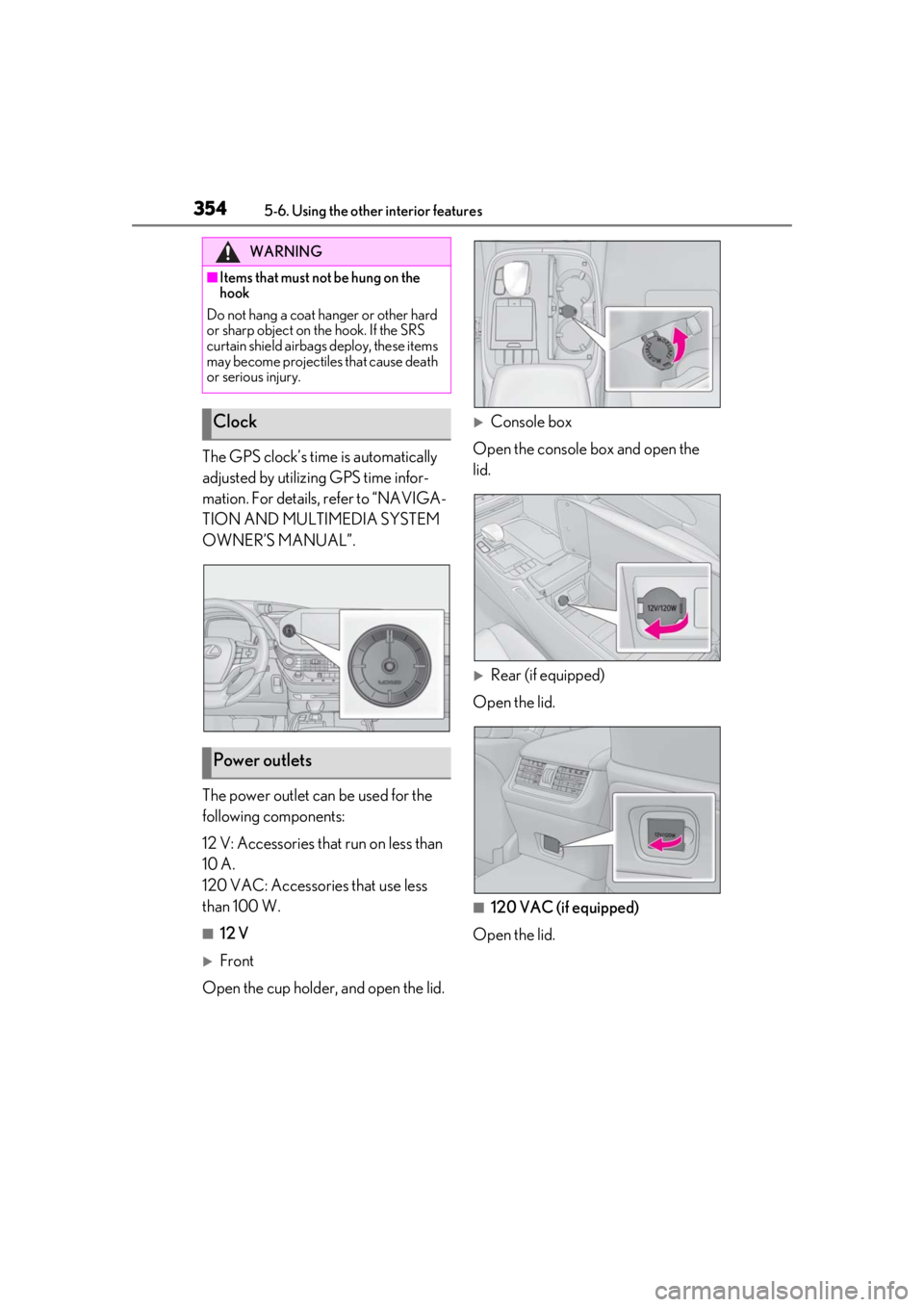
■12 V
Front
Open the cup holder , and open the lid.
Console box
Open the console box and open the
lid.
Rear (if equipped)
Open the lid.
■120 VAC (if equipped)
Open the lid.
WARNING
■Items that must not be hung on the
hook
Do not hang a coat ha nger or other hard
or sharp object on the hook. If the SRS
curtain shield airbags deploy, these items
may become projectiles that cause death
or serious injury.
Clock
Power outlets
Page 358 of 520
3585-6. Using the other interior features
The rear sunshade can be can be
extended and retracted using the rear
sunshade switch and Rear Multi Oper-
ation Panel.
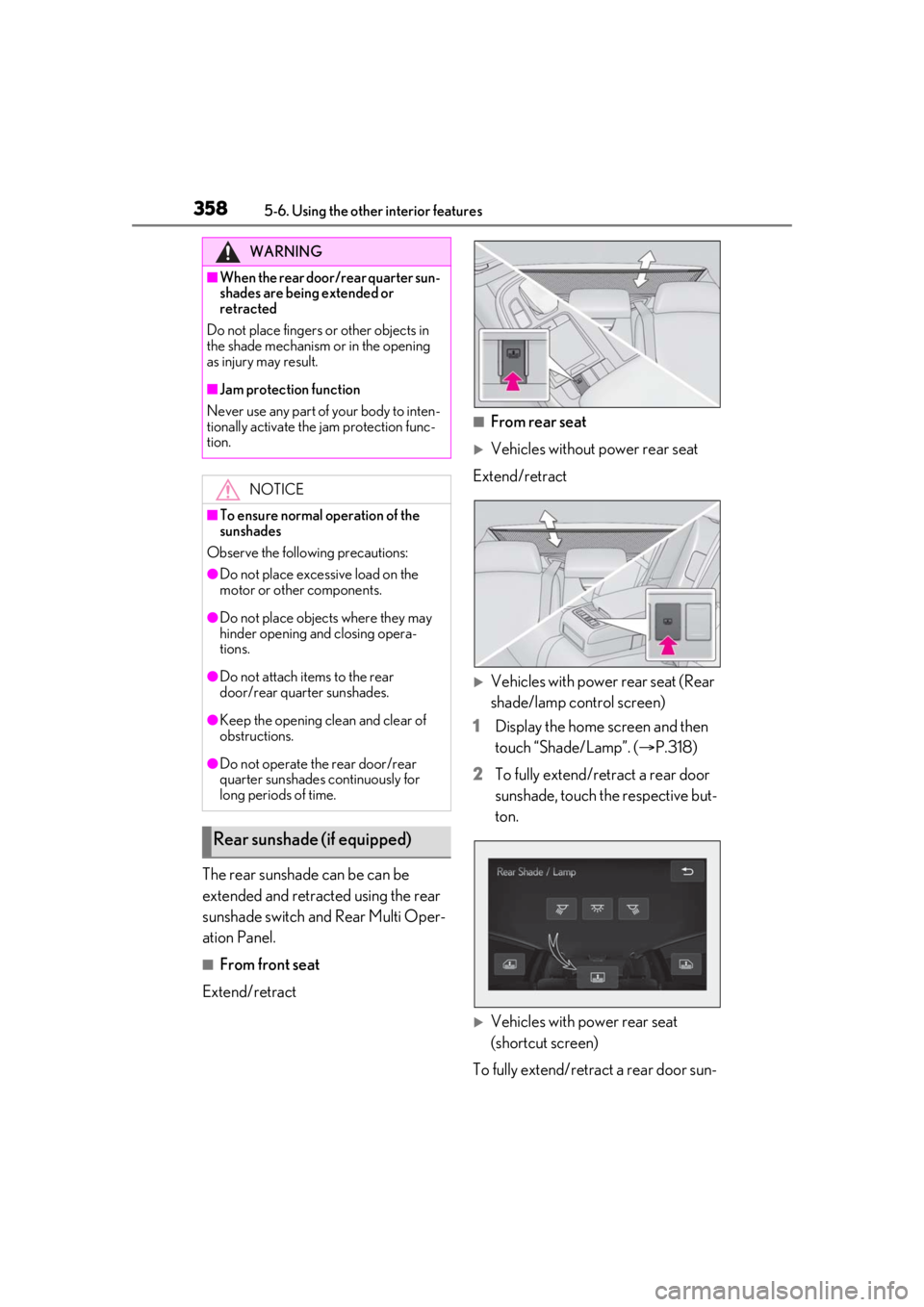
■From front seat
Extend/retract
■From rear seat
Vehicles without power rear seat
Extend/retract
Vehicles with power rear seat (Rear
shade/lamp control screen)
1 Display the home screen and then
touch “Shade/Lamp”. ( P.318)
2 To fully extend/retract a rear door
sunshade, touch the respective but-
ton.
Vehicles with power rear seat
(shortcut screen)
To fully extend/retract a rear door sun-
WARNING
■When the rear door/rear quarter sun-
shades are being extended or
retracted
Do not place fingers or other objects in
the shade mechanism or in the opening
as injury may result.
■Jam protection function
Never use any part of your body to inten-
tionally activate the jam protection func-
tion.
NOTICE
■To ensure normal operation of the
sunshades
Observe the following precautions:
●Do not place excessive load on the
motor or other components.
●Do not place objects where they may
hinder opening and closing opera-
tions.
●Do not attach items to the rear
door/rear quarter sunshades.
●Keep the opening clean and clear of
obstructions.
●Do not operate the rear door/rear
quarter sunshades continuously for
long periods of time.
Rear sunshade (if equipped)
Page 359 of 520
3595-6. Using the other interior features
5
Interior features
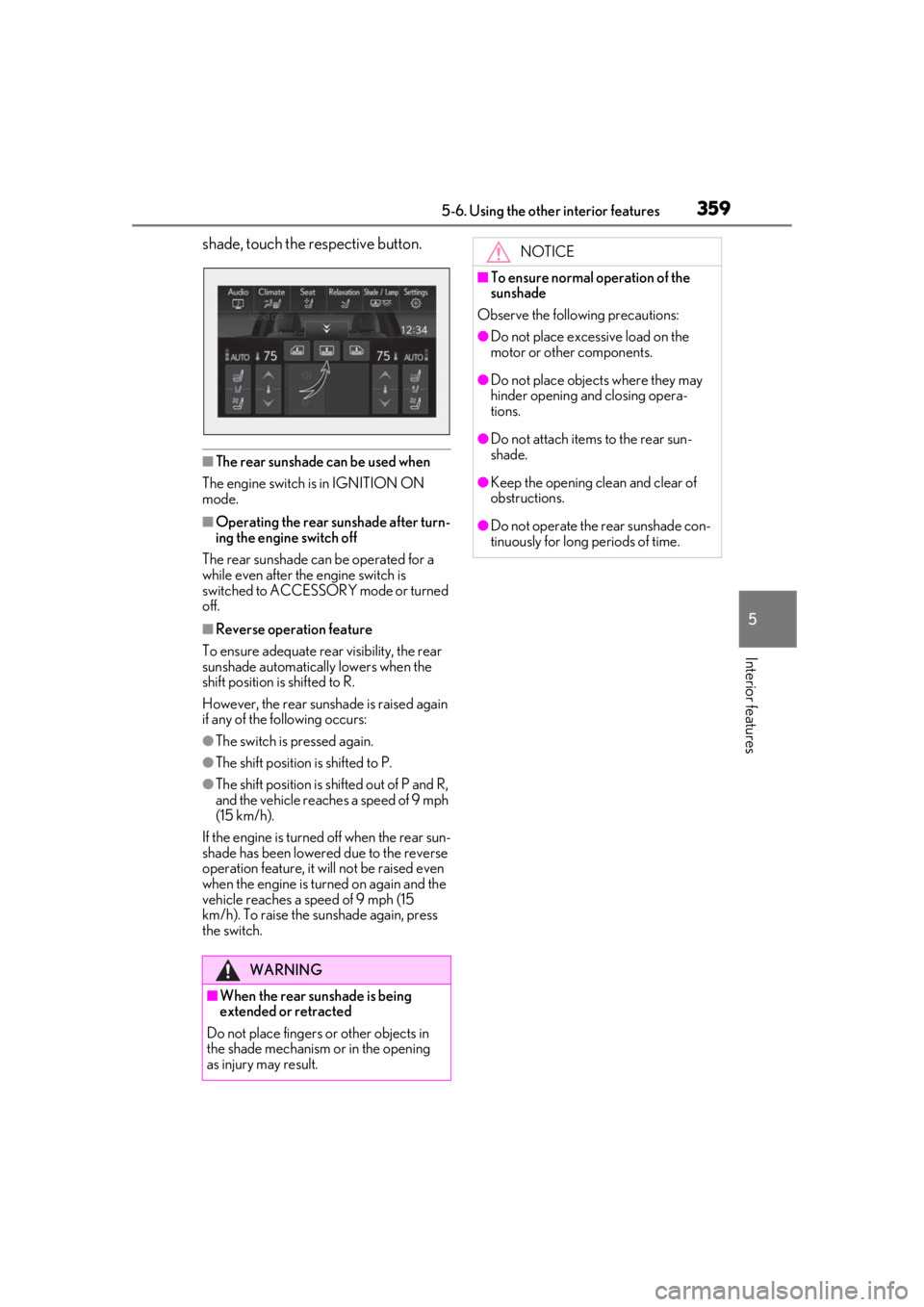
shade, touch the respective button.
■The rear sunshade can be used when
The engine switch is in IGNITION ON
mode.
■Operating the rear sunshade after turn-
ing the engine switch off
The rear sunshade can be operated for a
while even after the engine switch is
switched to ACCESSORY mode or turned
off.
■Reverse operation feature
To ensure adequate rear visibility, the rear
sunshade automatically lowers when the
shift position is shifted to R.
However, the rear suns hade is raised again
if any of the following occurs:
●The switch is pressed again.
●The shift position is shifted to P.
●The shift position is sh ifted out of P and R,
and the vehicle reaches a speed of 9 mph
(15 km/h).
If the engine is turned off when the rear sun-
shade has been lowered due to the reverse
operation feature, it w ill not be raised even
when the engine is turned on again and the
vehicle reaches a speed of 9 mph (15
km/h). To raise the su nshade again, press
the switch.
WARNING
■When the rear sunshade is being
extended or retracted
Do not place fingers or other objects in
the shade mechanism or in the opening
as injury may result.
NOTICE
■To ensure normal operation of the
sunshade
Observe the following precautions:
●Do not place excessive load on the
motor or other components.
●Do not place objects where they may
hinder opening and closing opera-
tions.
●Do not attach items to the rear sun-
shade.
●Keep the opening clean and clear of
obstructions.
●Do not operate the rear sunshade con-
tinuously for long periods of time.
Page 361 of 520
3615-6. Using the other interior features
5
Interior features
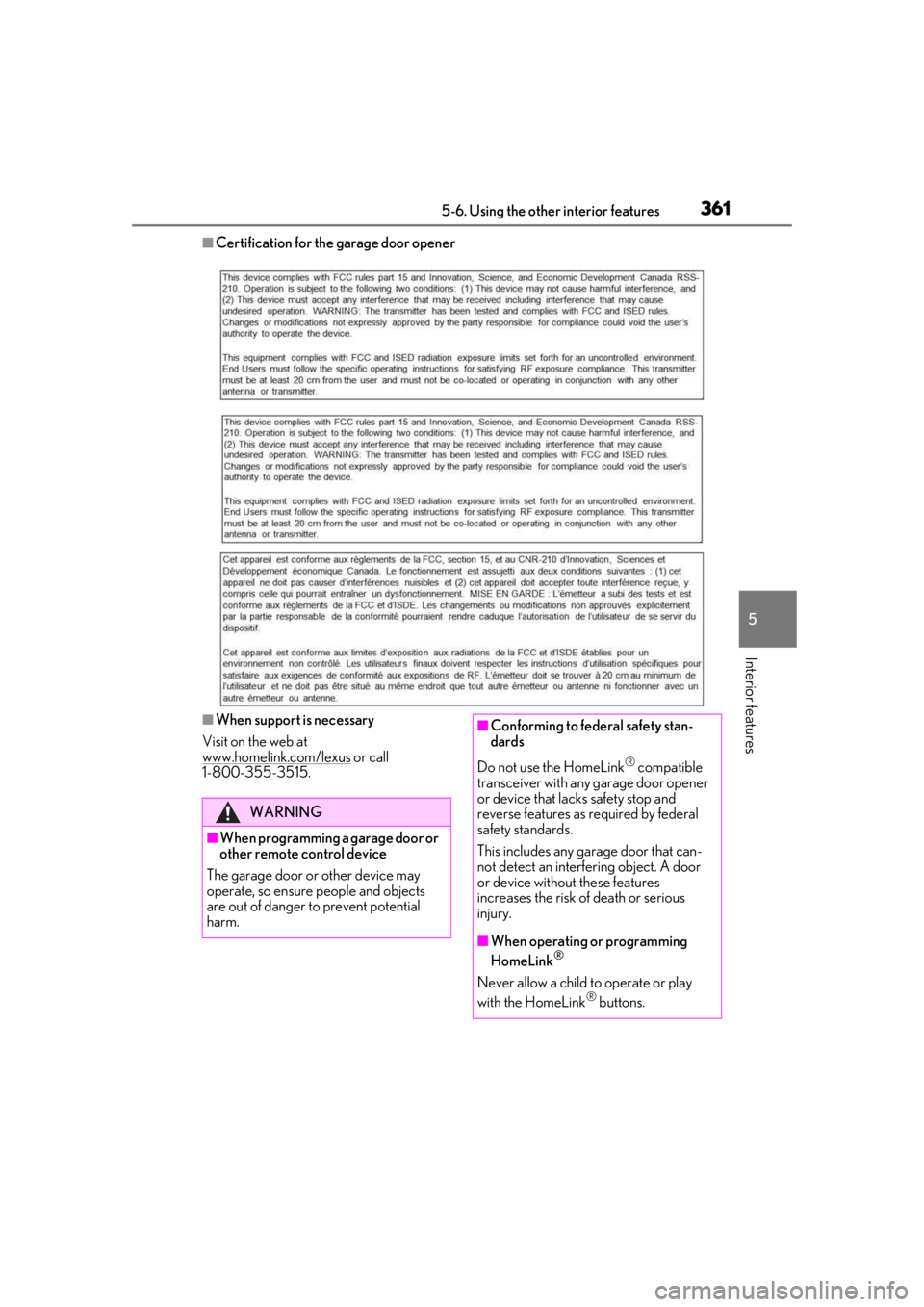
■Certification for the garage door opener
■When support is necessary
Visit on the web at
www.homelink.com/lexus
or call
1-800-355-3515.
WARNING
■When programming a garage door or
other remote control device
The garage door or other device may
operate, so ensure people and objects
are out of danger to prevent potential
harm.
■Conforming to federal safety stan-
dards
Do not use the HomeLink
® compatible
transceiver with any garage door opener
or device that lacks safety stop and
reverse features as required by federal
safety standards.
This includes any garage door that can-
not detect an interf ering object. A door
or device without these features
increases the risk of death or serious
injury.
■When operating or programming
HomeLink®
Never allow a child to operate or play
with the HomeLink® buttons.