navigation LEXUS LS500 2022 User Guide
[x] Cancel search | Manufacturer: LEXUS, Model Year: 2022, Model line: LS500, Model: LEXUS LS500 2022Pages: 104, PDF Size: 16.15 MB
Page 74 of 104
73
LS500_QG_U
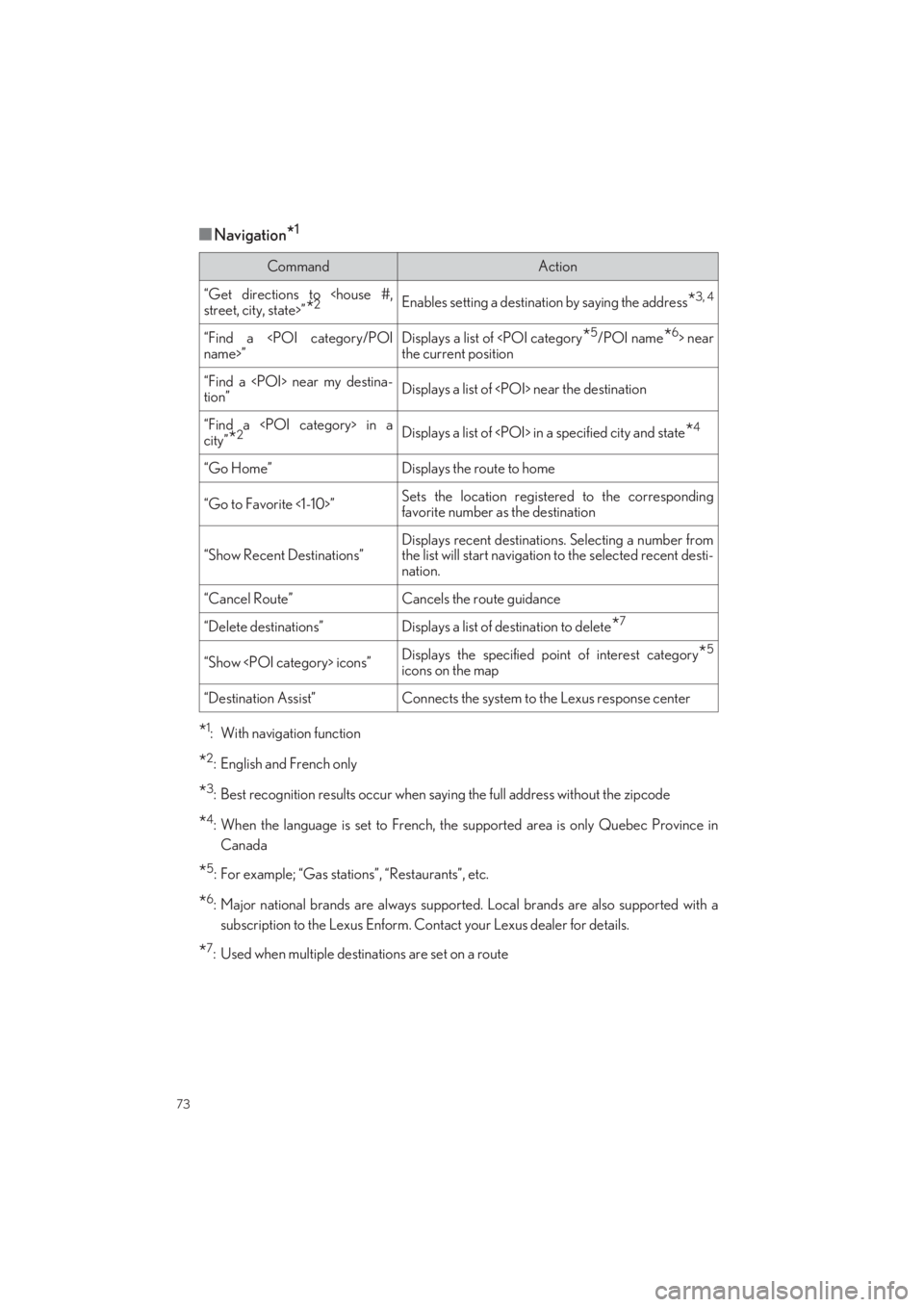
■Navigation*1
*1: With navigation function
*2: English and French only
*3: Best recognition results occur when saying the full address without the zipcode
*4: When the language is set to French, the supported area is only Quebec Province in
Canada
*5: For example; “Gas stations”, “Restaurants”, etc.
*6: Major national brands are always supporte d. Local brands are also supported with a
subscription to the Lexus Enform. Contact your Lexus dealer for details.
*7: Used when multiple destinations are set on a route
CommandAction
“Get directions to
“Find a
Displays a list of
the current position
“Find a
tion”Displays a list of
“Find a
“Go Home”Displays the route to home
“Go to Favorite <1-10>”Sets the location registered to the corresponding
favorite number as the destination
“Show Recent Destinations”
Displays recent destinatio ns. Selecting a number from
the list will start navigation to the selected recent desti- nation.
“Cancel Route”Cancels the route guidance
“Delete destinations”Displays a list of destination to delete*7
“Show
icons on the map
“Destination Assist”Connects the system to the Lexus response center
Page 77 of 104
76
LS500_QG_U
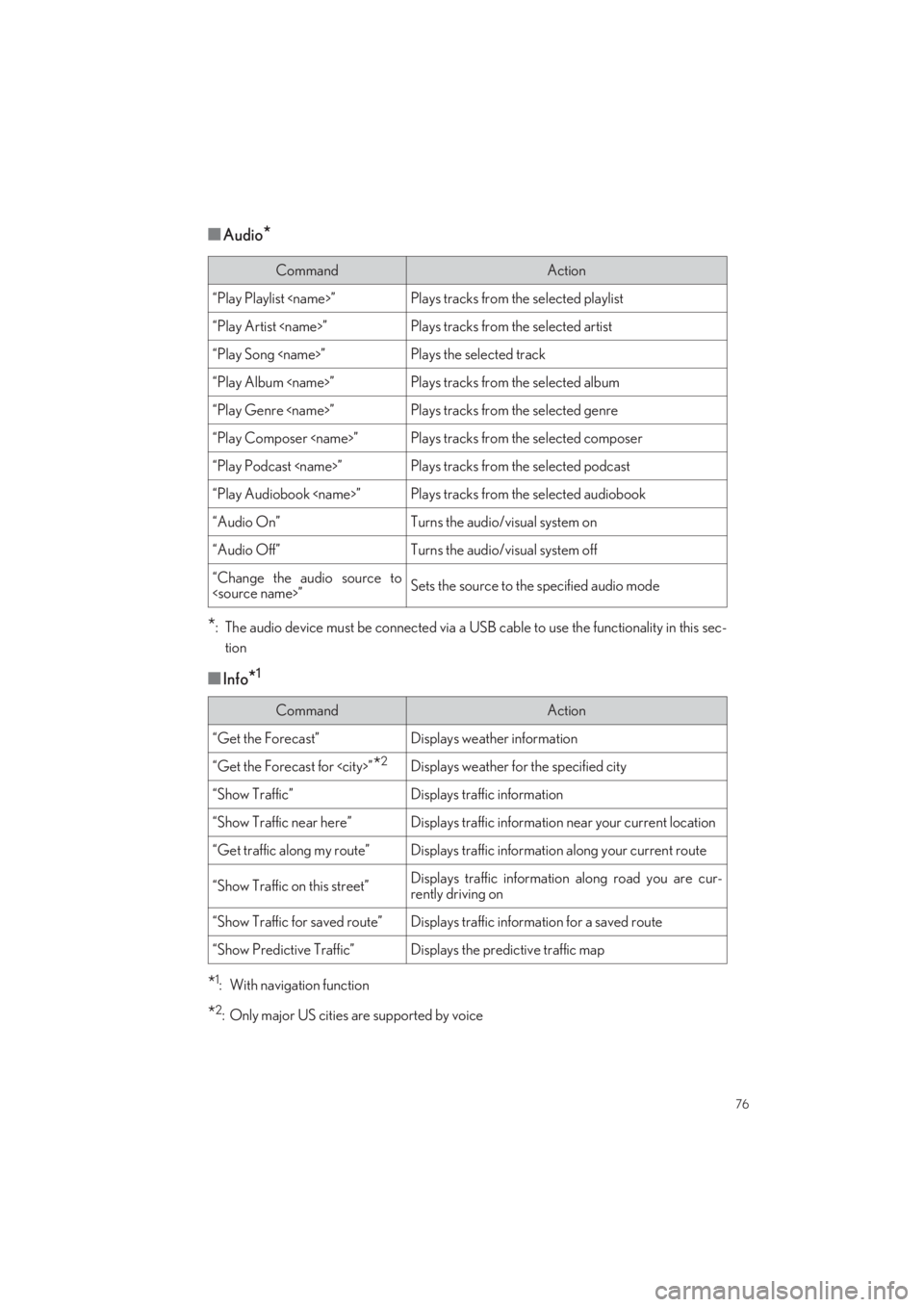
■Audio*
*: The audio device must be connected via a USB cable to use the functionality in this sec-
tion
■Info*1
*1: With navigation function
*2: Only major US cities are supported by voice
CommandAction
“Play Playlist
“Play Artist
“Play Song
“Play Album
“Play Genre
“Play Composer
“Play Podcast
“Play Audiobook
“Audio On”Turns the audio/visual system on
“Audio Off”Turns the audio/visual system off
“Change the audio source to
CommandAction
“Get the Forecast”Displays weather information
“Get the Forecast for
“Show Traffic”Displays traffic information
“Show Traffic near here”Displays traffic information near your current location
“Get traffic along my route”Displays traffic information along your current route
“Show Traffic on this street”Displays traffic information along road you are cur-
rently driving on
“Show Traffic for saved route”Displays traffic inform ation for a saved route
“Show Predictive Traffic”Displays the predictive traffic map
Page 88 of 104
87
LS500_QG_U
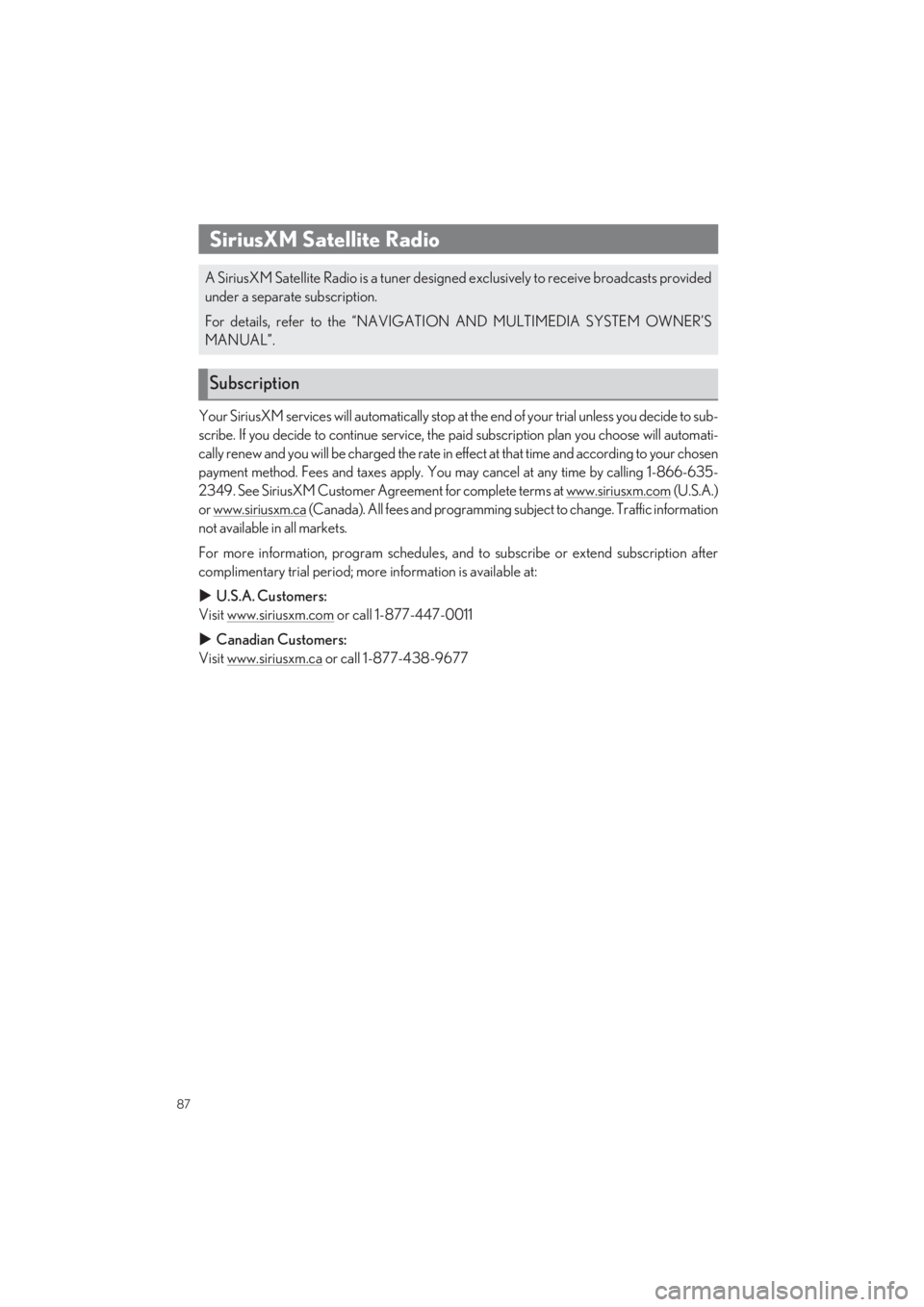
Your SiriusXM services will automatically stop at the end of your trial unless you decide to sub-
scribe. If you decide to continue service, the paid subscription plan you choose will automati-
cally renew and you will be charged the rate in e ffect at that time and according to your chosen
payment method. Fees and taxes apply. You ma y cancel at any time by calling 1-866-635-
2349. See SiriusXM Customer Agreement for complete terms at www.siriusxm.com (U.S.A.)
or www.siriusxm.ca (Canada). All fees and programming subject to change. Traffic information
not available in all markets.
For more information, program schedules, and to subscribe or extend subscription after
complimentary trial period; more information is available at:
U.S.A. Customers:
Visit www.siriusxm.com or call 1-877-447-0011
Canadian Customers:
Visit www.siriusxm.ca or call 1-877-438-9677
SiriusXM Satellite Radio
A SiriusXM Satellite Radio is a tuner designed exclusively to receive broadcasts provided
under a separate subscription.
For details, refer to the “NAVIGATION AND MULTIMEDIA SYSTEM OWNER’S
MANUAL”.
Subscription