steering LEXUS LS500H 2018 Workshop Manual
[x] Cancel search | Manufacturer: LEXUS, Model Year: 2018, Model line: LS500H, Model: LEXUS LS500H 2018Pages: 528, PDF Size: 10.8 MB
Page 244 of 528
244 4-5. Using the driving support systems
LS500h_OM_OM50F42U_(U)
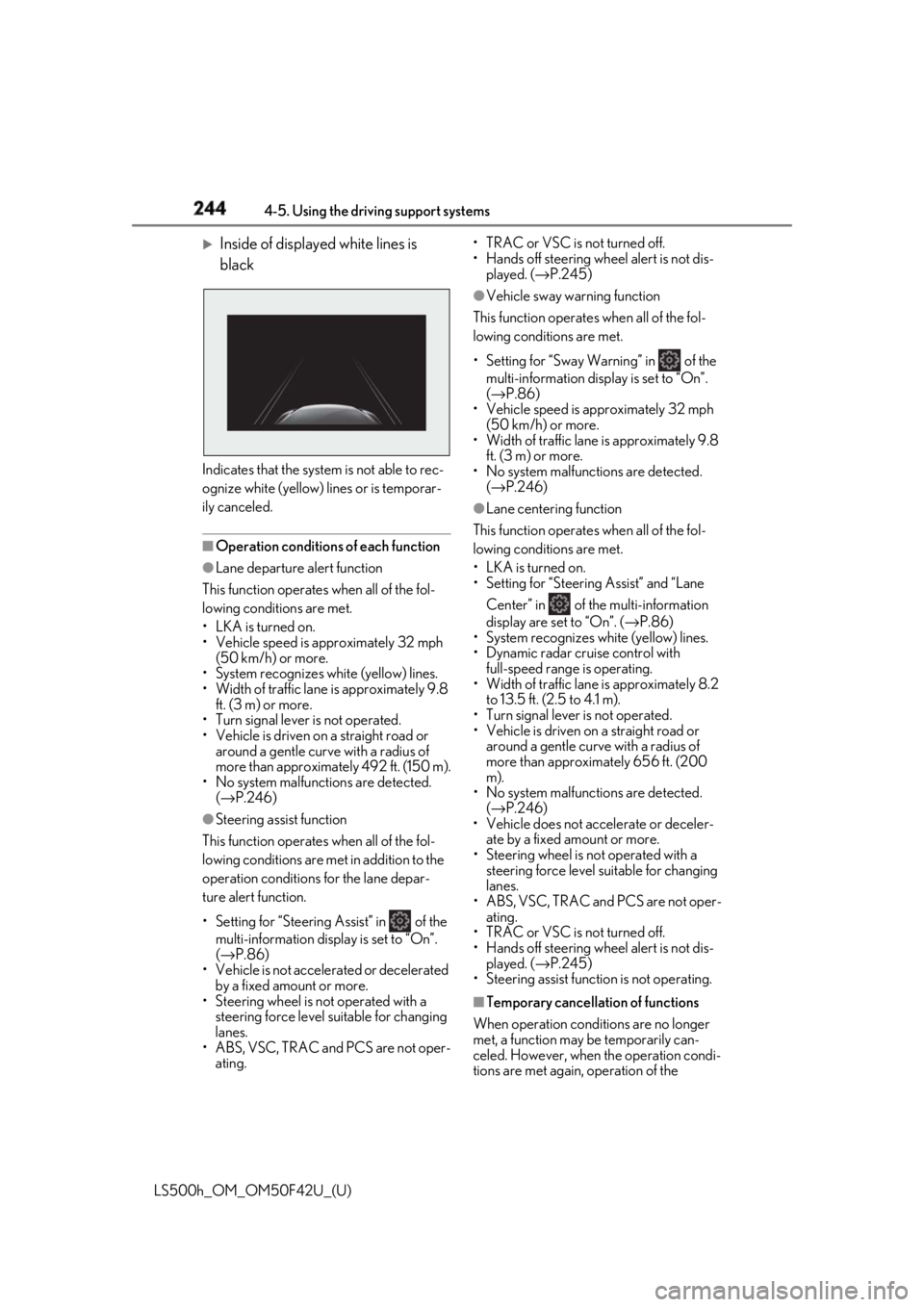
Inside of displayed white lines is
black
Indicates that the system is not able to rec-
ognize white (yellow) lines or is temporar-
ily canceled.
■
Operation conditions of each function●
Lane departure alert function
This function operates when all of the fol-
lowing conditions are met.
• LKA is turned on.
• Vehicle speed is approximately 32 mph
(50 km/h) or more.
• System recognizes white (yellow) lines.
• Width of traffic lane is approximately 9.8
ft. (3 m) or more.
• Turn signal lever is not operated.
• Vehicle is driven on a straight road or
around a gentle curve with a radius of
more than approximately 492 ft. (150 m).
• No system malfunctions are detected.
( → P.246)●
Steering assist function
This function operates when all of the fol-
lowing conditions are me t in addition to the
operation conditions for the lane depar-
ture alert function.
•Setting for “Steering Assist” in of the
multi-information display is set to “On”.
( → P.86)
• Vehicle is not accelerated or decelerated
by a fixed amount or more.
• Steering wheel is not operated with a
steering force level su itable for changing
lanes.
• ABS, VSC, TRAC and PCS are not oper-
ating. • TRAC or VSC is not turned off.
• Hands off steering wheel alert is not dis-
played. ( → P.245)●
Vehicle sway warning function
This function operates when all of the fol-
lowing conditions are met.
• Setting for “Sway Warning” in of the
multi-information display is set to “On”.
( → P.86)
• Vehicle speed is ap proximately 32 mph
(50 km/h) or more.
• Width of traffic lane is approximately 9.8
ft. (3 m) or more.
• No system malfunctions are detected.
( → P.246)●
Lane centering function
This function operates when all of the fol-
lowing conditions are met.
• LKA is turned on.
• Setting for “Steering Assist” and “Lane
Center” in of the multi-information
display are set to “On”. ( → P.86)
• System recognizes white (yellow) lines.
• Dynamic radar cruise control with
full-speed range is operating.
• Width of traffic lane is approximately 8.2
to 13.5 ft. (2.5 to 4.1 m).
• Turn signal lever is not operated.
• Vehicle is driven on a straight road or
around a gentle curve with a radius of
more than approximately 656 ft. (200
m).
• No system malfunctions are detected.
( → P.246)
• Vehicle does not ac celerate or deceler-
ate by a fixed amount or more.
• Steering wheel is not operated with a
steering force level su itable for changing
lanes.
• ABS, VSC, TRAC and PCS are not oper-
ating.
• TRAC or VSC is not turned off.
• Hands off steering wheel alert is not dis-
played. ( → P.245)
• Steering assist function is not operating.
■
Temporary cancellation of functions
When operation condit ions are no longer
met, a function may be temporarily can-
celed. However, when the operation condi-
tions are met again, operation of the
Page 245 of 528
2454-5. Using the driving support systems
LS500h_OM_OM50F42U_(U) 4
Driving function is automatically restored.
( → P.244)■
Steering assist function/lane centering
function
Depending on the vehicle speed, lane
departure situation, ro ad conditions, etc.,
the driver may not feel the function is oper-
ating or the function may not operate at all.■
Lane departure alert function
The warning buzzer may be difficult to hear
due to external noise, audio playback, etc.
Also, it may be difficult to feel steering
wheel vibrations due to the road conditions,
etc. ■
Hands off steering wheel alert
When the system determines that the driver
has removed the hands from the steering
wheel while the steering assist function or
lane centering function is operating, a warn-
ing message is displaye d on the multi-infor-
mation display. If the driver continues to
keep the hands off of the steering wheel, a
warning message is displayed and the func-
tion is temporarily canceled. This alert also
operates in the same way when the driver
continuously operates the steering wheel
only a small amount. However, depending
on the road conditions , etc., the function
may not cancel. ■
White (yellow) lines ar e only on one side
of road
The LKA system will not operate for the
side on which white (yellow) lines could not
be recognized. ■
Conditions in whic h functions may not
operate properly
In the following situations, the camera sen-
sor may not detect white (yellow) lines and
various functions may not operate normally.
●
There are shadows on the road that run
parallel with, or cover, the white (yellow)
lines.
●
The vehicle is driven in an area without
white (yellow) lines, such as in front of a
tollgate or checkpoint, or at an intersec-
tion, etc.
●
The white (yellow) lines are cracked,
“Botts’ dots”, “Raised pavement marker” or stones are present. ●
The white (yellow) lines cannot be seen
or are difficult to see due to sand, etc. ●
The vehicle is driven on a road surface
that is wet due to rain, puddles, etc. ●
The traffic lines are yellow (which may be
more difficult to reco gnize than lines that
are white). ●
The white (yellow) lines cross over a curb,
etc. ●
The vehicle is driven on a bright surface,
such as concrete. ●
The vehicle is driven on a surface that is
bright due to reflected light, etc. ●
The vehicle is driven in an area where the
brightness changes sudd enly, such as at
the entrances and exits of tunnels, etc. ●
Light from the headlights of an oncoming
vehicle, the sun, etc. enters the camera. ●
The vehicle is driven where the road
diverges, merges, etc. ●
The vehicle is driven on a slope. ●
The vehicle is driven on a road which tilts
left or right, or a winding road. ●
The vehicle is driven on an unpaved or
rough road. ●
The vehicle is driven around a sharp
curve. ●
The traffic lane is excessively narrow or
wide. ●
The vehicle is extremely tilted due to car-
rying heavy luggage or having improper
tire pressure. ●
The distance to the preceding vehicle is
extremely short.
●
The vehicle is moving up and down a
large amount due to road conditions
during driving (poor roads or road
seams).
●
The headlight lenses are dirty and emit a
faint amount of light at night, or the beam
axis has deviated.
●
The vehicle is struck by a crosswind.
●
The vehicle has just changed lanes or
crossed an intersection.
●
Snow tires, etc. are equipped.
Page 246 of 528
246 4-5. Using the driving support systems
LS500h_OM_OM50F42U_(U) ■
Warning message
If the following warning message is dis-
played on the multi-information display and
the LKA indicator illumi nates in orange, fol-
low the appropriate troubleshooting proce-
dure.
If a different warning message is displayed,
follow the instructio ns displayed on the
screen.
■
Customization
The following settings can be changed.Warning message Details/Actions
“Lane Keeping
Assist Malfunc-
tion Visit Your
Dealer” The system may not be
operating properly.
→ Have the vehicle
inspected at your
Lexus dealer.
“Front Camera
Unavailable
Remove Debris
On Windshield” Dirt, rain, condensa-
tion, ice, snow, etc., are
present on the wind-
shield in front of the
camera sensor.
→ Turn the LKA sys-
tem off, remove any
dirt, rain, condensa-
tion, ice, snow, etc.,
from the windshield,
and then turn the LKA
system back on. “Front Camera
Unavailable” The operation condi-
tions of the camera
sensor (temperature,
etc.) are not met.
→ When the opera-
tion conditions of the
camera sensor (tem-
perature, etc.) are met,
the LKA system will
become available. Turn
the LKA system off,
wait for a little while,
and then turn the LKA
system back on.
“Lane Keeping
Assist Unavail-
able” The LKA system is
temporarily canceled
due to a malfunction in
a sensor other than the
camera sensor.
→ Turn the LKA sys-
tem off and follow the
appropriate trouble-
shooting procedures
for the warning mes-
sage. Afterward, drive
the vehicle for a short
time, and then turn the
LKA system back on.
Function Setting details
Lane departure
alert function Adjust alert sensitivity
Adjust alert type
Steering assist
function Turn steering wheel
assistance on and offWarning message Details/Actions
Page 249 of 528
2494-5. Using the driving support systems
LS500h_OM_OM50F42U_(U) 4
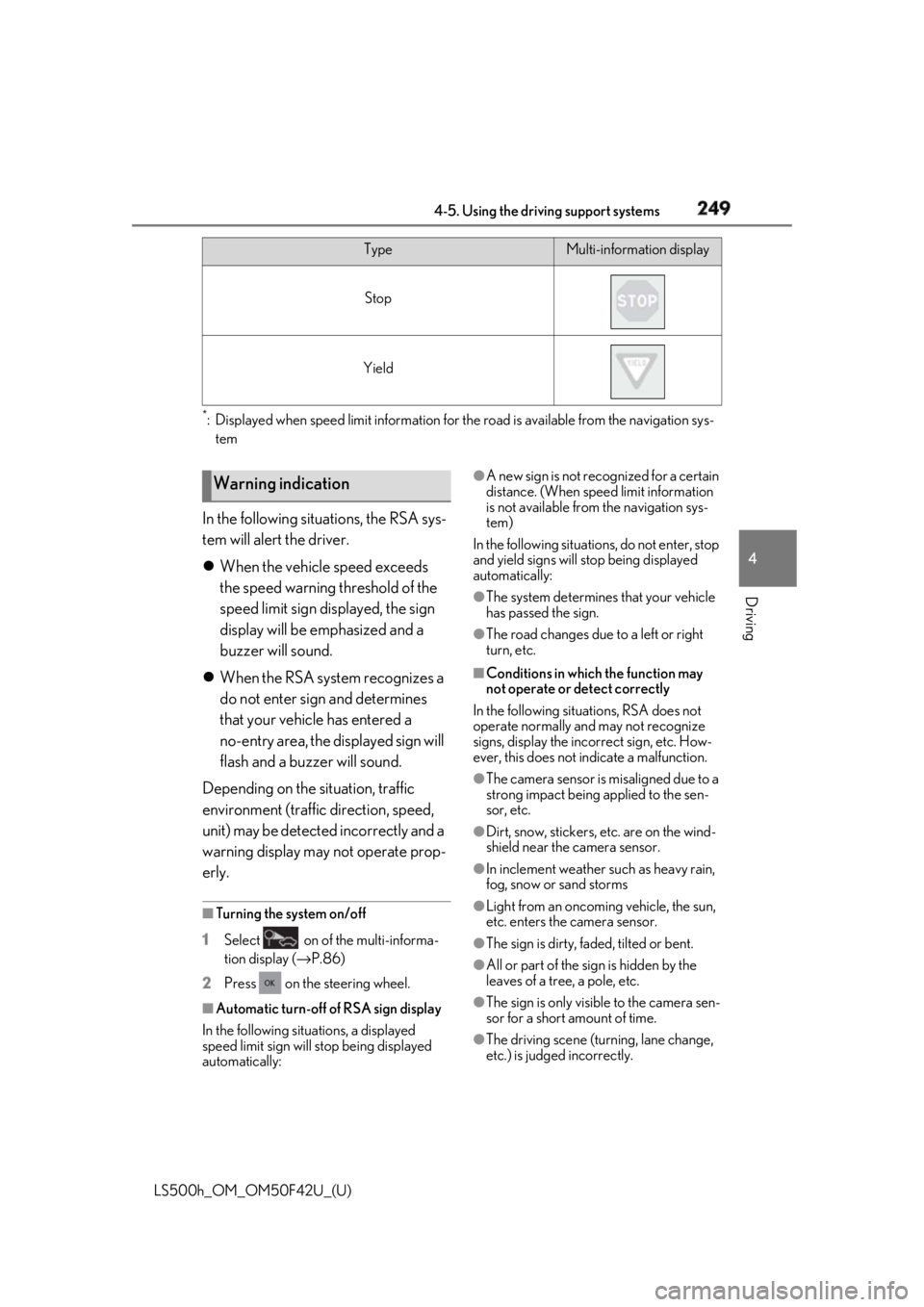
Driving *
: Displayed when speed limit information for th e road is available from the navigation sys-
tem
In the following situations, the RSA sys-
tem will alert the driver.
When the vehicle speed exceeds
the speed warning threshold of the
speed limit sign displayed, the sign
display will be emphasized and a
buzzer will sound.
When the RSA system recognizes a
do not enter sign and determines
that your vehicle has entered a
no-entry area, the displayed sign will
flash and a buzzer will sound.
Depending on the situation, traffic
environment (traffic direction, speed,
unit) may be detected incorrectly and a
warning display may not operate prop-
erly. ■
Turning the system on/off
1 Select on of the multi-informa-
tion display ( → P.86)
2 Press on the steering wheel.
■
Automatic turn-off of RSA sign display
In the following situations, a displayed
speed limit sign will stop being displayed
automatically: ●
A new sign is not recognized for a certain
distance. (When speed limit information
is not available from the navigation sys-
tem)
In the following situations, do not enter, stop
and yield signs will stop being displayed
automatically: ●
The system determines that your vehicle
has passed the sign. ●
The road changes due to a left or right
turn, etc. ■
Conditions in which the function may
not operate or detect correctly
In the following situations, RSA does not
operate normally and may not recognize
signs, display the incorrect sign, etc. How-
ever, this does not indicate a malfunction. ●
The camera sensor is misaligned due to a
strong impact being applied to the sen-
sor, etc. ●
Dirt, snow, stickers, etc. are on the wind-
shield near the camera sensor. ●
In inclement weather such as heavy rain,
fog, snow or sand storms
●
Light from an oncoming vehicle, the sun,
etc. enters the camera sensor.
●
The sign is dirty, faded, tilted or bent.
●
All or part of the sign is hidden by the
leaves of a tree, a pole, etc.
●
The sign is only visible to the camera sen-
sor for a short amount of time.
●
The driving scene (turning, lane change,
etc.) is judged incorrectly.Stop
Yield Type Multi-information display
Warning indication
Page 259 of 528
2594-5. Using the driving support systems
LS500h_OM_OM50F42U_(U) 4
Driving ■
Warning messages and buzzers for
dynamic radar cruise control with
full-speed range
Warning messages and buzzers are used to
indicate a system malfunction or to inform
the driver of the need for caution while driv-
ing. If a warning message is shown on the
multi-information display, read the message
and follow the instructions. ■
When the sensor may not be correctly
detecting the vehicle ahead
In the case of the following and depending
on the conditions, operate the brake pedal
when deceleration of the system is insuffi-
cient or operate the accelerator pedal
when acceleration is required.
As the sensor may not be able to correctly
detect these types of vehicles, the approach
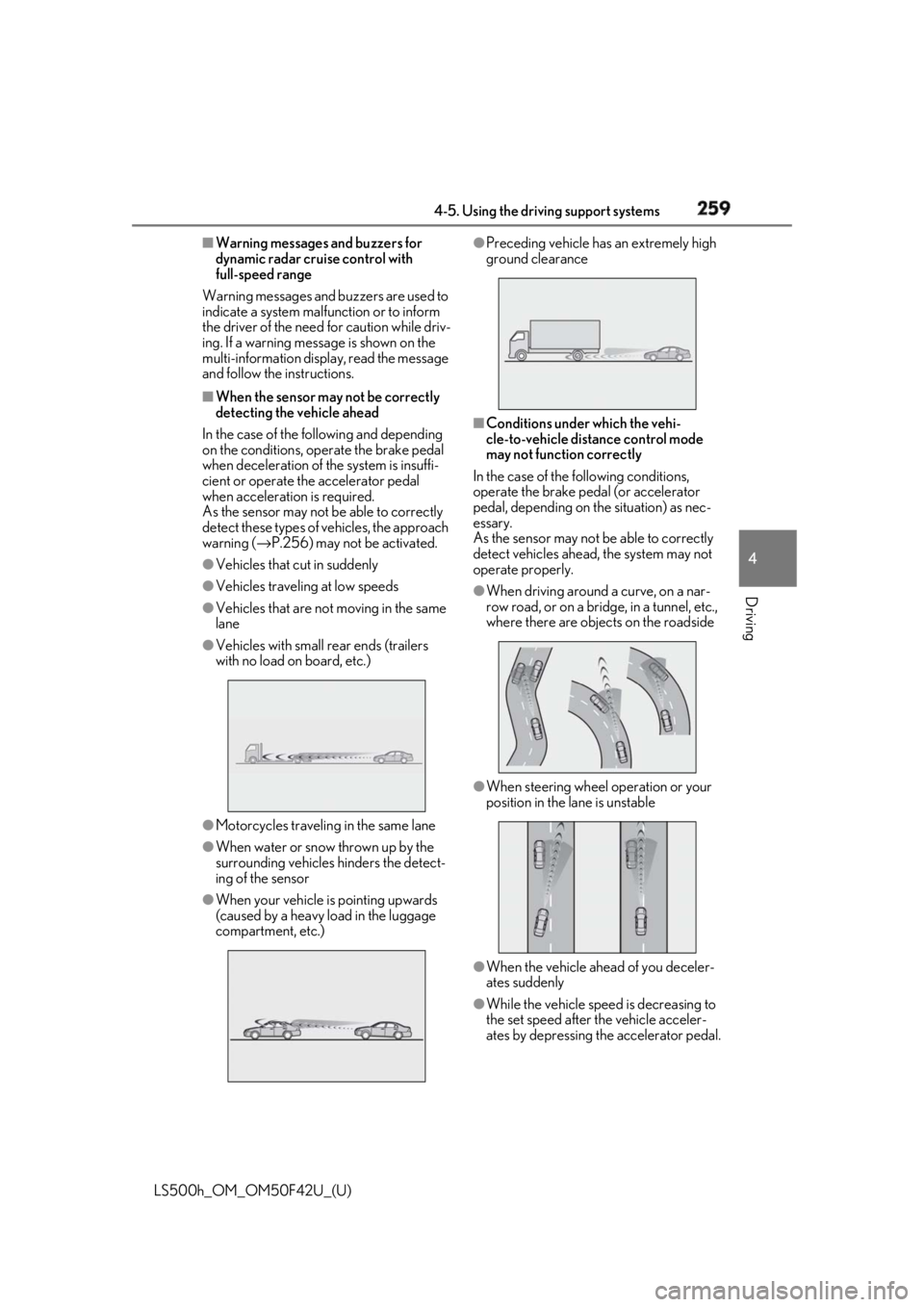
warning ( → P.256) may not be activated.●
Vehicles that cut in suddenly●
Vehicles traveling at low speeds●
Vehicles that are not moving in the same
lane●
Vehicles with small rear ends (trailers
with no load on board, etc.)
●
Motorcycles travelin g in the same lane●
When water or snow thrown up by the
surrounding vehicles hinders the detect-
ing of the sensor
●
When your vehicle is pointing upwards
(caused by a heavy load in the luggage
compartment, etc.) ●
Preceding vehicle has an extremely high
ground clearance
■
Conditions under which the vehi-
cle-to-vehicle dist ance control mode
may not function correctly
In the case of the following conditions,
operate the brake pedal (or accelerator
pedal, depending on the situation) as nec-
essary.
As the sensor may not be able to correctly
detect vehicles ahead, the system may not
operate properly. ●
When driving around a curve, on a nar-
row road, or on a bridge, in a tunnel, etc.,
where there are objects on the roadside
●
When steering wheel operation or your
position in the lane is unstable
●
When the vehicle ahead of you deceler-
ates suddenly
●
While the vehicle speed is decreasing to
the set speed after the vehicle acceler-
ates by depressing the accelerator pedal.
Page 278 of 528
278 4-5. Using the driving support systems
LS500h_OM_OM50F42U_(U) 2 Press or to select “PKSA”
and then press .
3 Press or to select “RCD”
and then press .When the RCD function is disabled, the
RCD OFF icon ( → P.72) illuminates on the
multi-information display.
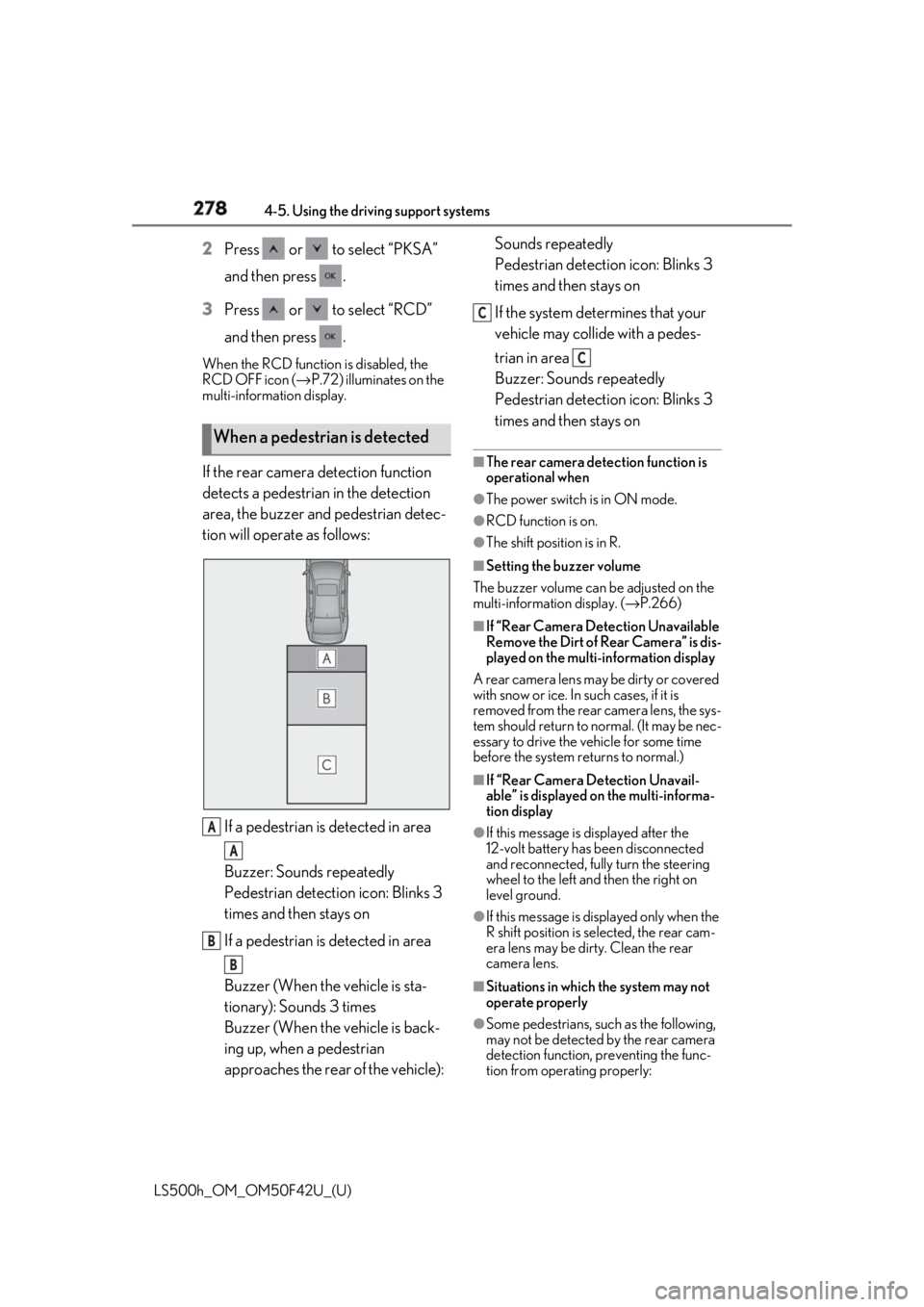
If the rear camera detection function
detects a pedestrian in the detection
area, the buzzer and pedestrian detec-
tion will operate as follows:
If a pedestrian is detected in area
Buzzer: Sounds repeatedly
Pedestrian detection icon: Blinks 3
times and then stays on
If a pedestrian is detected in area
Buzzer (When the vehicle is sta-
tionary): Sounds 3 times
Buzzer (When the vehicle is back-
ing up, when a pedestrian
approaches the rear of the vehicle): Sounds repeatedly
Pedestrian detection icon: Blinks 3
times and then stays on
If the system determines that your
vehicle may collide with a pedes-
trian in area
Buzzer: Sounds repeatedly
Pedestrian detection icon: Blinks 3
times and then stays on ■
The rear camera dete ction function is
operational when ●
The power switch is in ON mode. ●
RCD function is on. ●
The shift position is in R. ■
Setting the buzzer volume
The buzzer volume can be adjusted on the
multi-information display. ( → P.266)■
If “Rear Camera Detection Unavailable
Remove the Dirt of Rear Camera” is dis-
played on the multi-information display
A rear camera lens ma y be dirty or covered
with snow or ice. In such cases, if it is
removed from the rear camera lens, the sys-
tem should return to normal. (It may be nec-
essary to drive the vehicle for some time
before the system returns to normal.) ■
If “Rear Camera Detection Unavail-
able” is displayed on the multi-informa-
tion display ●
If this message is displayed after the
12-volt battery has been disconnected
and reconnected, fully turn the steering
wheel to the left and then the right on
level ground.
●
If this message is di splayed only when the
R shift position is selected, the rear cam-
era lens may be dirty. Clean the rear
camera lens.
■
Situations in which the system may not
operate properly
●
Some pedestrians, such as the following,
may not be detected by the rear camera
detection function, preventing the func-
tion from operating properly:When a pedestrian is detected
A
A
B
B C
C
Page 285 of 528

2854-5. Using the driving support systems
LS500h_OM_OM50F42U_(U) 4
Driving Additionally, for vehicles with the Parking
Support Brake function, turn the steering
wheel fully to the left and right with the vehi-
cle stopped.
Page 299 of 528
2994-5. Using the driving support systems
LS500h_OM_OM50F42U_(U) 4
Driving Helps to ensure stee ring performance and
driving stability by simultaneously con-
trolling the steering and suspension in
addition to the hybrid system. Suitable for
sportier driving.
When in Sport S mode, if the driving mode
select switch is turned forward, the Sport
S+ mode indicator comes on. ■
If the driving mode se lect switch is oper-
ated while the opening screen is being
displayed
If the driving mode sele ct switch is operated
while the opening screen is being displayed,
the driving mode will be changed and the
meter display will change accordingly after
the opening screen operation has com-
pleted. ■
Operation of the air conditioning sys-
tem in Eco drive mode
Eco drive mode controls the heating/cool-
ing operations and fan speed of the air con-
ditioning system to enhance fuel efficiency.
To improve air condit ioning performance,
perform the following operations: ●
Turn off eco air conditioning mode
( → P.327)●
Adjust the fan speed ( → P.323)●
Turn off Eco drive mode■
Automatic deactivation of sport mode
and custom mode
If the power switch is turned off after driving
in sport mode or custom mode, the drive
mode will be changed to normal mode.
■
Driving mode pop-up display
When the driving mode is changed, the
selected driving mode will be temporarily
displayed on the side display. ( → P.317) *
: If equipped
■
Situations in which the vehicle height
control may not operate properly ●
In the following situations, the vehicle
height may change slowly or may not
change to the correct height:
• When the vehicle comes into contact
with snow, ice, stone, etc.
• When the ambient temperature is low
• When the accumulator tank pressure is
low ●
In the following situations, the vehicle
height may not change:
• If the hood or trunk is not fully closed
• If the brake pedal depressed and the
vehicle is stopped
• When the vehicle is on a significantly
uneven or undulating road
• When the vehicle is on a slanted road or a
slope
■
Operating sound of the air suspension
compressor and valves
When the vehicle height is changed, such
as due to passengers entering the vehicle or
cargo being loaded, or when the vehicle
height is changed using the vehicle height
adjustment switch, the air suspension com-
pressor and valves may operate and a
sound may be heard. This does not indicate Electronically modulated air
suspension *
The height of the vehicle when driv-
ing can be selected using the vehi-
cle height adjustment switch. The
selected height level will be main-
tained regardless of the number of
passengers or weight of cargo.
Additionally, settings of the follow-
ing functions can be changed:
Access mode control
Parking height control
Vehicle height control
Page 303 of 528
3034-5. Using the driving support systems
LS500h_OM_OM50F42U_(U) 4
Driving vehicle speed and that helps reduce
the possibility of further damage due to
a secondary collision. ■
TRAC (Traction Control)
Helps to maintain drive power and pre-
vent the drive wheels from spinning
when starting the vehicle or accelerat-
ing on slippery roads ■
Hill-start assist control
Helps to reduce the backward move-
ment of the vehicle when starting on an
uphill ■
VGRS (Variable Gear Ratio Steer-
ing) (if equipped)
Adjusts the front wheel turning angle in
accordance with the vehicle speed and
steering wheel movement ■
DRS (Dynamic Rear Steering) (if
equipped)
Contributes to the turning characteris-
tics and responsiveness of the vehicle
by adjusting the rear wheel angle of the
vehicle in accordance with steering
wheel movement. ■
EPS (Electric Power Steering)
Employs an electric motor to reduce
the amount of effort needed to turn the
steering wheel. ■
Adaptive Variable Suspension Sys-
tem
By independently controlling the
damping force of the shock absorbers
for each of the 4 wheels according to
the road and driving conditions, this
system helps riding comfort with supe-
rior vehicle stabilit y, and helps good vehicle posture.
Also, the damping force changes
depending on the selected driving
mode. ( → P.298) ■
LDH (Lexus Dynamic Handling
system) (if equipped)
Provides integrated control of the
VGRS, DRS and EPS. Contributes to
turning characteristics at low speeds,
responsiveness at medium speeds and
safety at high speeds by controlling the
steering angle of the front and rear
wheels in accordance with the steering
wheel operation and vehicle speed. ■
VDIM (Vehicle Dynamics Inte-
grated Management)
Provides integrated control of the
ABS, brake assist, TRAC, VSC,
hill-start assist control, EPS, VGRS (if
equipped), DRS (if equipped) and
Adaptive Variable Suspension System
Helps to maintain vehicle stability when
swerving on slippery road surfaces by
controlling the brakes, hybrid system
output, steering assist, and steering
ratio ■
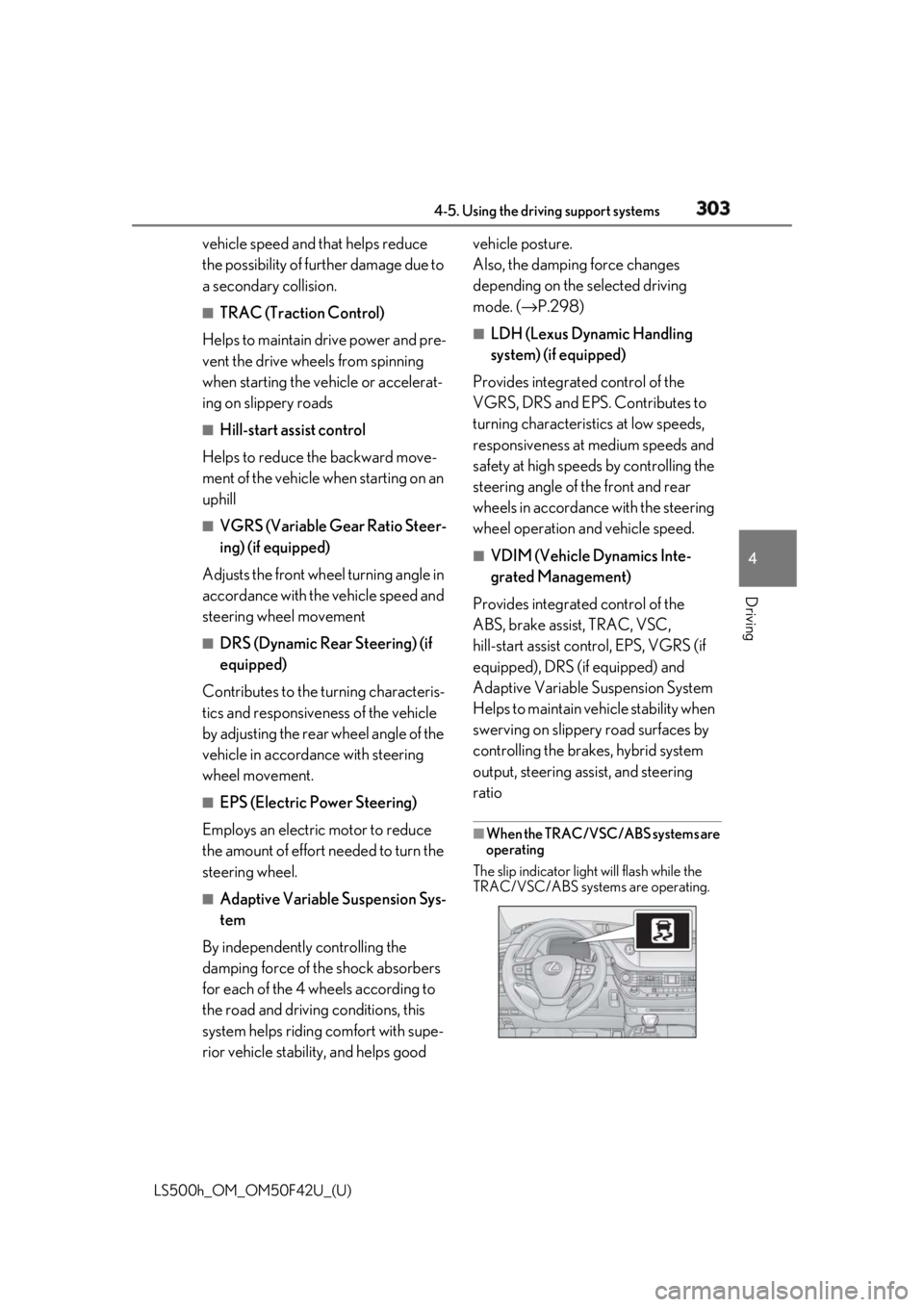
When the TRAC/VSC/ABS systems are
operating
The slip indicator light will flash while the
TRAC/VSC/ABS systems are operating.
Page 304 of 528
304 4-5. Using the driving support systems
LS500h_OM_OM50F42U_(U) ■
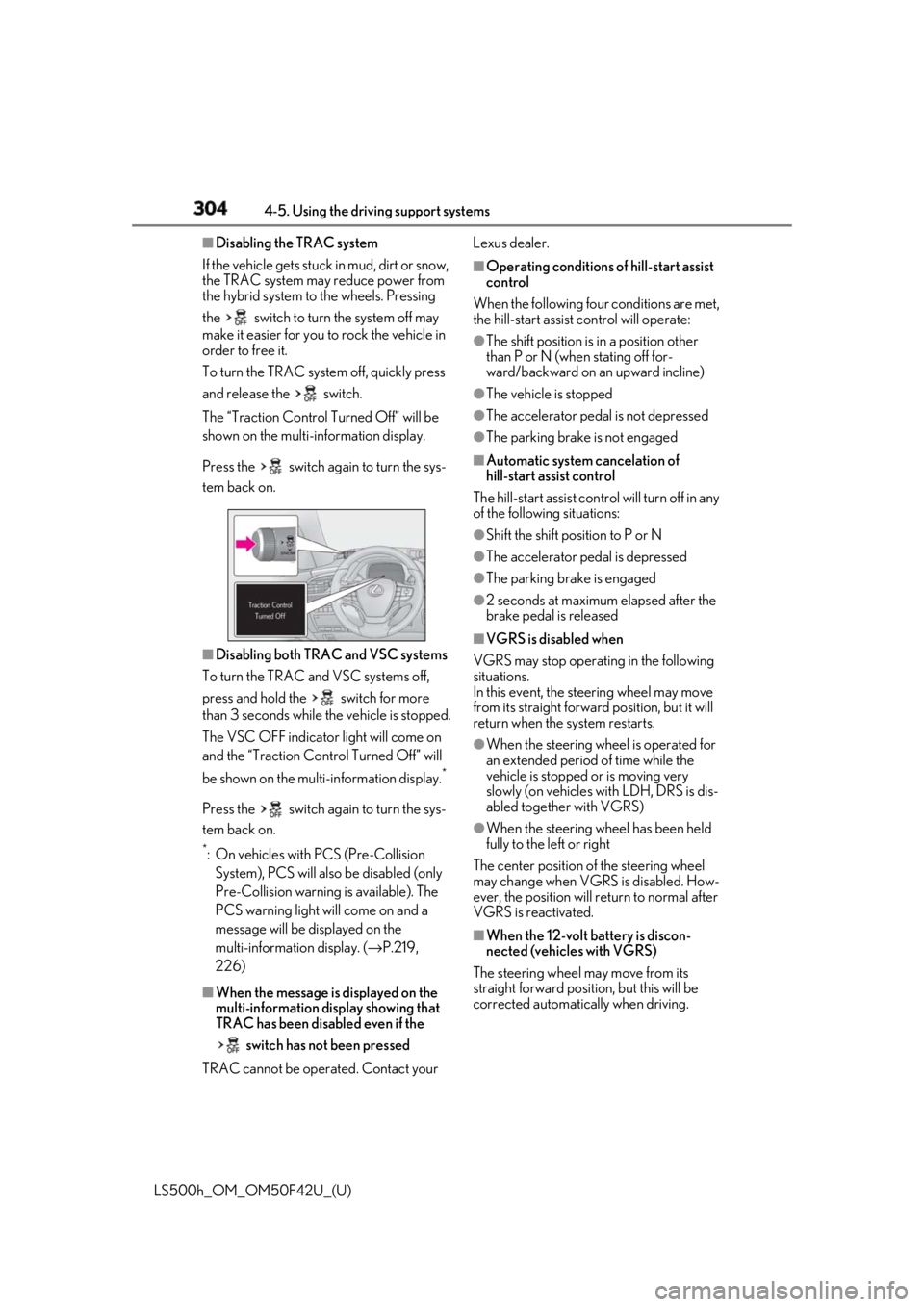
Disabling the TRAC system
If the vehicle gets stuck in mud, dirt or snow,
the TRAC system may reduce power from
the hybrid system to the wheels. Pressing
the switch to turn the system off may
make it easier for you to rock the vehicle in
order to free it.
To turn the TRAC system off, quickly press
and release the switch.
The “Traction Control Turned Off” will be
shown on the multi-information display.
Press the switch again to turn the sys-
tem back on.
■
Disabling both TRAC and VSC systems
To turn the TRAC and VSC systems off,
press and hold the switch for more
than 3 seconds while the vehicle is stopped.
The VSC OFF indicator light will come on
and the “Traction Cont rol Turned Off” will
be shown on the mult i-information display. *
Press the switch again to turn the sys-
tem back on. *
: On vehicles with PCS (Pre-Collision
System), PCS will also be disabled (only
Pre-Collision warning is available). The
PCS warning light will come on and a
message will be displayed on the
multi-information display. ( → P.219,
226)
■
When the message is displayed on the
multi-information display showing that
TRAC has been disabled even if the
switch has not been pressed
TRAC cannot be operated. Contact your Lexus dealer. ■
Operating conditions of hill-start assist
control
When the following four conditions are met,
the hill-start assist control will operate:●
The shift position is in a position other
than P or N (when stating off for-
ward/backward on an upward incline) ●
The vehicle is stopped ●
The accelerator pedal is not depressed ●
The parking brake is not engaged ■
Automatic system cancelation of
hill-start assist control
The hill-start assist control will turn off in any
of the following situations: ●
Shift the shift position to P or N ●
The accelerator pedal is depressed ●
The parking brake is engaged ●
2 seconds at maximum elapsed after the
brake pedal is released ■
VGRS is disabled when
VGRS may stop operat ing in the following
situations.
In this event, the steering wheel may move
from its straight forward position, but it will
return when the system restarts. ●
When the steering wheel is operated for
an extended period of time while the
vehicle is stopped or is moving very
slowly (on vehicles with LDH, DRS is dis-
abled together with VGRS) ●
When the steering wheel has been held
fully to the left or right
The center position of the steering wheel
may change when VGRS is disabled. How-
ever, the position will return to normal after
VGRS is reactivated.
■
When the 12-volt battery is discon-
nected (vehicles with VGRS)
The steering wheel may move from its
straight forward position, but this will be
corrected automatically when driving.