reset LEXUS LS500H 2019 User Guide
[x] Cancel search | Manufacturer: LEXUS, Model Year: 2019, Model line: LS500H, Model: LEXUS LS500H 2019Pages: 523, PDF Size: 15.79 MB
Page 138 of 523
1383-3. Adjusting the seats
LS500h_OM_(U)_1809
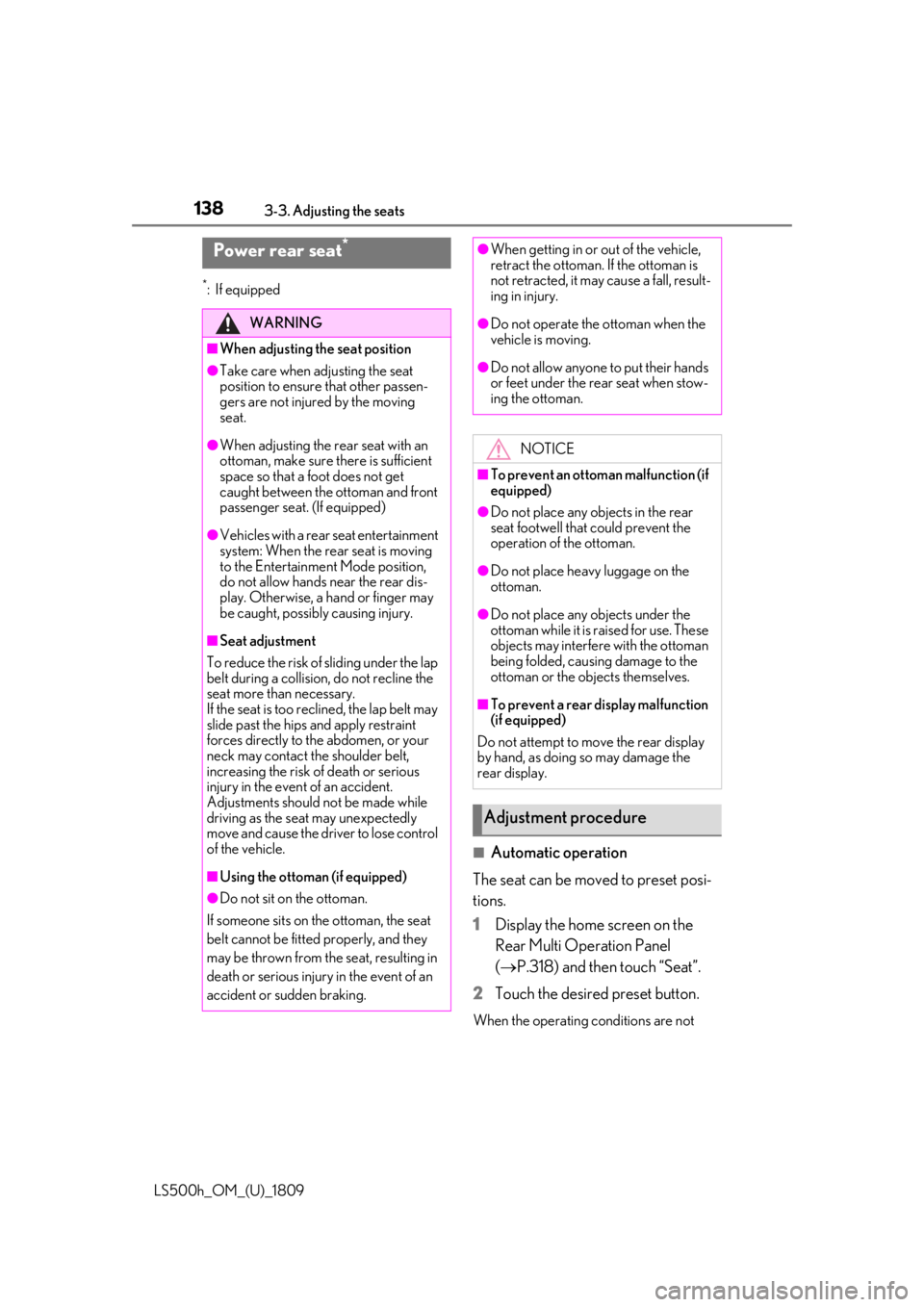
*:If equipped
■Automatic operation
The seat can be moved to preset posi-
tions.
1 Display the home screen on the
Rear Multi Operation Panel
(P.318) and then touch “Seat”.
2 Touch the desired preset button.
When the operating conditions are not
Power rear seat*
WARNING
■When adjusting the seat position
●Take care when ad justing the seat
position to ensure that other passen-
gers are not injured by the moving
seat.
●When adjusting the rear seat with an
ottoman, make sure there is sufficient
space so that a foot does not get
caught between the ottoman and front
passenger seat . (If equipped)
●Vehicles with a rear seat entertainment
system: When the rear seat is moving
to the Entertainment Mode position,
do not allow hands near the rear dis-
play. Otherwise, a hand or finger may
be caught, possibly causing injury.
■Seat adjustment
To reduce the risk of sliding under the lap
belt during a collision, do not recline the
seat more than necessary.
If the seat is too reclined, the lap belt may
slide past the hips and apply restraint
forces directly to the abdomen, or your
neck may contact the shoulder belt,
increasing the risk of death or serious
injury in the event of an accident.
Adjustments should not be made while
driving as the seat may unexpectedly
move and cause the driver to lose control
of the vehicle.
■Using the ottoman (if equipped)
●Do not sit on the ottoman.
If someone sits on the ottoman, the seat
belt cannot be fitted properly, and they
may be thrown from the seat, resulting in
death or serious injury in the event of an
accident or sudden braking.
●When getting in or out of the vehicle,
retract the ottoman. If the ottoman is
not retracted, it may cause a fall, result-
ing in injury.
●Do not operate the ottoman when the
vehicle is moving.
●Do not allow anyone to put their hands
or feet under the re ar seat when stow-
ing the ottoman.
NOTICE
■To prevent an ottoman malfunction (if
equipped)
●Do not place any objects in the rear
seat footwell that could prevent the
operation of the ottoman.
●Do not place heavy luggage on the
ottoman.
●Do not place any objects under the
ottoman while it is raised for use. These
objects may interfere with the ottoman
being folded, causing damage to the
ottoman or the objects themselves.
■To prevent a rear display malfunction
(if equipped)
Do not attempt to move the rear display
by hand, as doing so may damage the
rear display.
Adjustment procedure
Page 139 of 523
1393-3. Adjusting the seats
LS500h_OM_(U)_1809
3
Before driving
met, the preset buttons will be grayed out.
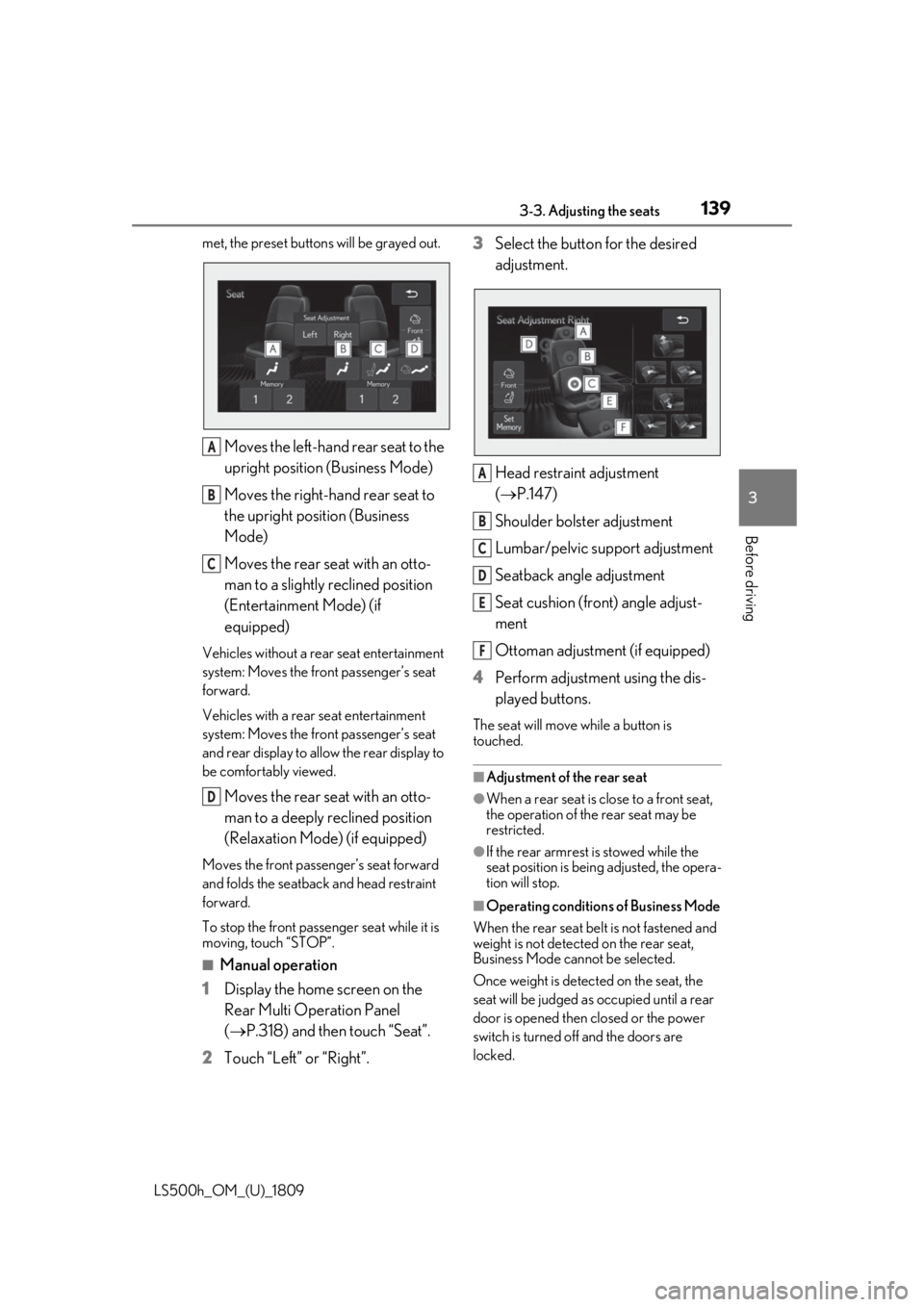
Moves the left-hand rear seat to the
upright position (Business Mode)
Moves the right-hand rear seat to
the upright position (Business
Mode)
Moves the rear seat with an otto-
man to a slightly reclined position
(Entertainment Mode) (if
equipped)
Vehicles without a rear seat entertainment
system: Moves the front passenger’s seat
forward.
Vehicles with a rear seat entertainment
system: Moves the front passenger’s seat
and rear display to allow the rear display to
be comfortably viewed.
Moves the rear seat with an otto-
man to a deeply reclined position
(Relaxation Mode) (if equipped)
Moves the front passen ger’s seat forward
and folds the seatback and head restraint
forward.
To stop the front passenger seat while it is
moving, touch “STOP”.
■Manual operation
1 Display the home screen on the
Rear Multi Operation Panel
(P.318) and then touch “Seat”.
2 Touch “Left” or “Right”. 3
Select the button for the desired
adjustment.
Head restraint adjustment
(P.147)
Shoulder bolster adjustment
Lumbar/pelvic support adjustment
Seatback angle adjustment
Seat cushion (front) angle adjust-
ment
Ottoman adjustment (if equipped)
4 Perform adjustment using the dis-
played buttons.
The seat will move while a button is
touched.
■Adjustment of the rear seat
●When a rear seat is close to a front seat,
the operation of the rear seat may be
restricted.
●If the rear armrest is stowed while the
seat position is bein g adjusted, the opera-
tion will stop.
■Operating conditions of Business Mode
When the rear seat belt is not fastened and
weight is not detected on the rear seat,
Business Mode cannot be selected.
Once weight is detected on the seat, the
seat will be judged as occupied until a rear
door is opened then closed or the power
switch is turned off and the doors are
locked.
A
B
C
D
A
B
C
D
E
F
Page 144 of 523
1443-3. Adjusting the seats
LS500h_OM_(U)_1809
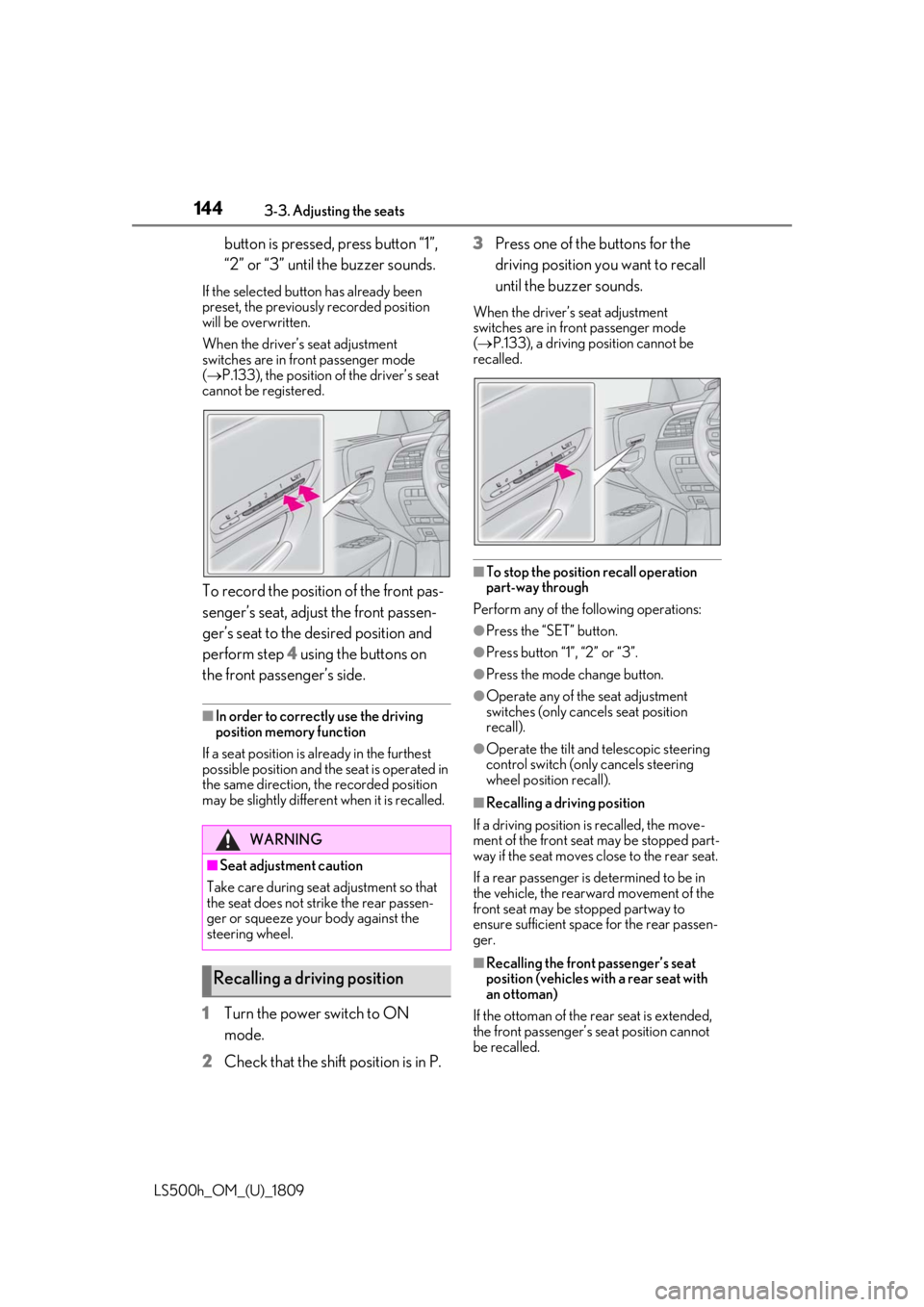
button is pressed, press button “1”,
“2” or “3” until the buzzer sounds.
If the selected button has already been
preset, the previously recorded position
will be overwritten.
When the driver’s seat adjustment
switches are in front passenger mode
( P.133), the position of the driver’s seat
cannot be registered.
To record the position of the front pas-
senger’s seat, adjust the front passen-
ger’s seat to the desired position and
perform step 4 using the buttons on
the front passenger’s side.
■In order to correctly use the driving
position memory function
If a seat position is already in the furthest
possible position and the seat is operated in
the same direction, the recorded position
may be slightly differen t when it is recalled.
1Turn the power switch to ON
mode.
2 Check that the shift position is in P. 3
Press one of the buttons for the
driving position you want to recall
until the buzzer sounds.
When the driver’s seat adjustment
switches are in front passenger mode
( P.133), a driving position cannot be
recalled.
■To stop the position recall operation
part-way through
Perform any of the following operations:
●Press the “SET” button.
●Press button “1”, “2” or “3”.
●Press the mode change button.
●Operate any of the seat adjustment
switches (only cancels seat position
recall).
●Operate the tilt and telescopic steering
control switch (onl y cancels steering
wheel position recall).
■Recalling a driving position
If a driving position is recalled, the move-
ment of the front seat may be stopped part-
way if the seat moves close to the rear seat.
If a rear passenger is determined to be in
the vehicle, the rearward movement of the
front seat may be stopped partway to
ensure sufficient space for the rear passen-
ger.
■Recalling the front passenger’s seat
position (vehicles with a rear seat with
an ottoman)
If the ottoman of the rear seat is extended,
the front passenger’s se at position cannot
be recalled.
WARNING
■Seat adjustment caution
Take care during seat adjustment so that
the seat does not strike the rear passen-
ger or squeeze your body against the
steering wheel.
Recalling a driving position
Page 146 of 523
1463-3. Adjusting the seats
LS500h_OM_(U)_1809cle easier.
If the driving position is in a position that
has already been recorded, the seat and
outside rear view mirrors will not move.
2
Turn the power switch to ACCES-
SORY mode or ON mode, or fas-
ten a seat belt.
The seat, steering wheel and head-up dis-
play (if equipped) will move to the
recorded position.
■Recalling the driving position using the
memory recall function
●Different driving positions can be regis-
tered for each electronic key. Therefore,
the driving position that is recalled may
be different depending on the key being
carried.
●If a door other than the driver’s door is
unlocked with the smart access system
with push-button start, the driving posi-
tion cannot be recalled. In this case, press
the driving position button which has
been set.
■Customization
Some functions can be customized.
( P.479)
*: If equipped
1 Turn the power switch to ON
mode.
2 Display the home screen on the
Rear Multi Operation Panel
(P.318) and then touch “Seat”.
3 Touch “Left” or “Right”.
4 Adjust the rear seat to the desired
position and then touch “Set Mem-
ory”.
5 Touch “1” or “2”.
If the preset is being used, the previously
recorded seat position will be overwritten.
■In order to correctly use the position
memory function
If a seat position is already in the furthest
possible position and the seat is operated in
the same direction, the recorded position
may be slightly differen t when it is recalled.
Rear seat position memory*
The rear seat position can be mem-
orized and recalled with the touch
of a button.
Recording a position into mem-
ory
WARNING
■Seat adjustment caution
Take care during seat adjustment so that
the rear passengers do not strike the
front seats.
Page 375 of 523
3756-2. Maintenance
LS500h_OM_(U)_1809
6
Maintenance and care
6-2.Maintenance
■Repair and replacement
It is recommended that genuine Lexus parts
be used for repairs to ensure performance
of each system. If non-Lexus parts are used
in replacement or if a repair shop other than
a Lexus dealer perfor ms repairs, confirm
the warranty coverage.
■Allow inspection and repairs to be per-
formed by a Lexus dealer
●Lexus technicians are well-trained spe-
cialists and are kept up to date with the
latest service information. They are well
informed about the operation of all sys-
tems on your vehicle.
●Keep a copy of the repa ir order. It proves
that the maintenance that has been per-
formed is under warra nty coverage. If any
problem should arise while your vehicle is
under warranty, your Lexus dealer will
promptly take care of it.
General maintenance should be per-
formed on a daily basis. This can be
done by yourself or by a Lexus dealer.
Scheduled maintenance should be
performed at specified intervals
according to the maintenance sched-
ule.
For details about ma intenance items and
schedules, refer to the “Warranty and Ser-
vice Guide”, “Owner’s Manual Supple-
ment” or “Scheduled Maintenance”.
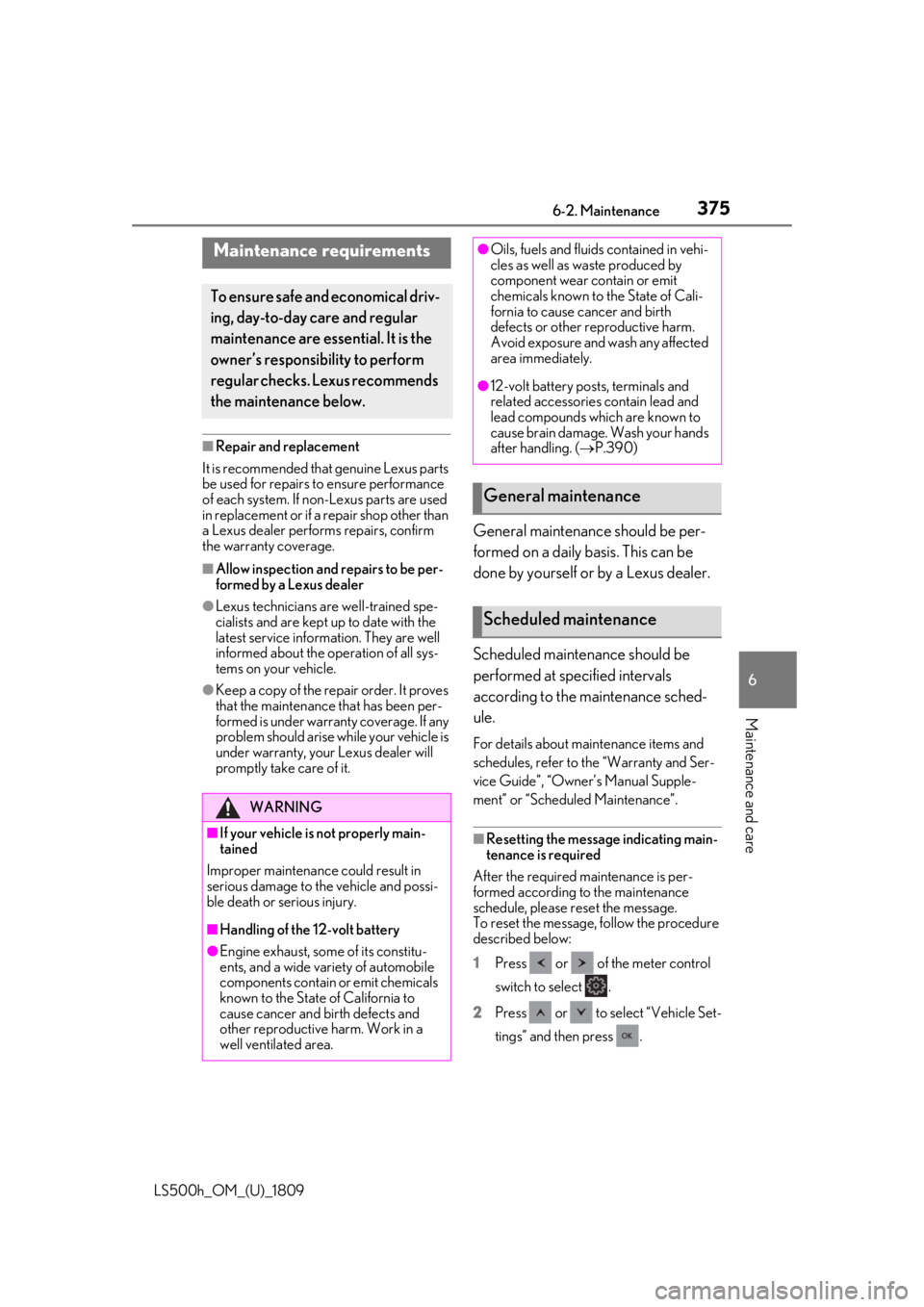
■Resetting the message indicating main-
tenance is required
After the required maintenance is per-
formed according to the maintenance
schedule, please reset the message.
To reset the message, follow the procedure
described below:
1 Press or of the meter control
switch to select .
2 Press or to select “Vehicle Set-
tings” and then press .
Maintenance requirements
To ensure safe and economical driv-
ing, day-to-day care and regular
maintenance are essential. It is the
owner’s responsibility to perform
regular checks. Lexus recommends
the maintenance below.
WARNING
■If your vehicle is not properly main-
tained
Improper maintenanc e could result in
serious damage to the vehicle and possi-
ble death or serious injury.
■Handling of the 12-volt battery
●Engine exhaust, some of its constitu-
ents, and a wide variety of automobile
components contain or emit chemicals
known to the State of California to
cause cancer and birth defects and
other reproductive harm. Work in a
well ventilated area.
●Oils, fuels and fluids contained in vehi-
cles as well as waste produced by
component wear contain or emit
chemicals known to the State of Cali-
fornia to cause cancer and birth
defects or other re productive harm.
Avoid exposure and wash any affected
area immediately.
●12-volt battery post s, terminals and
related accessories contain lead and
lead compounds which are known to
cause brain damage. Wash your hands
after handling. ( P.390)
General maintenance
Scheduled maintenance
Page 376 of 523
3766-2. Maintenance
LS500h_OM_(U)_18093
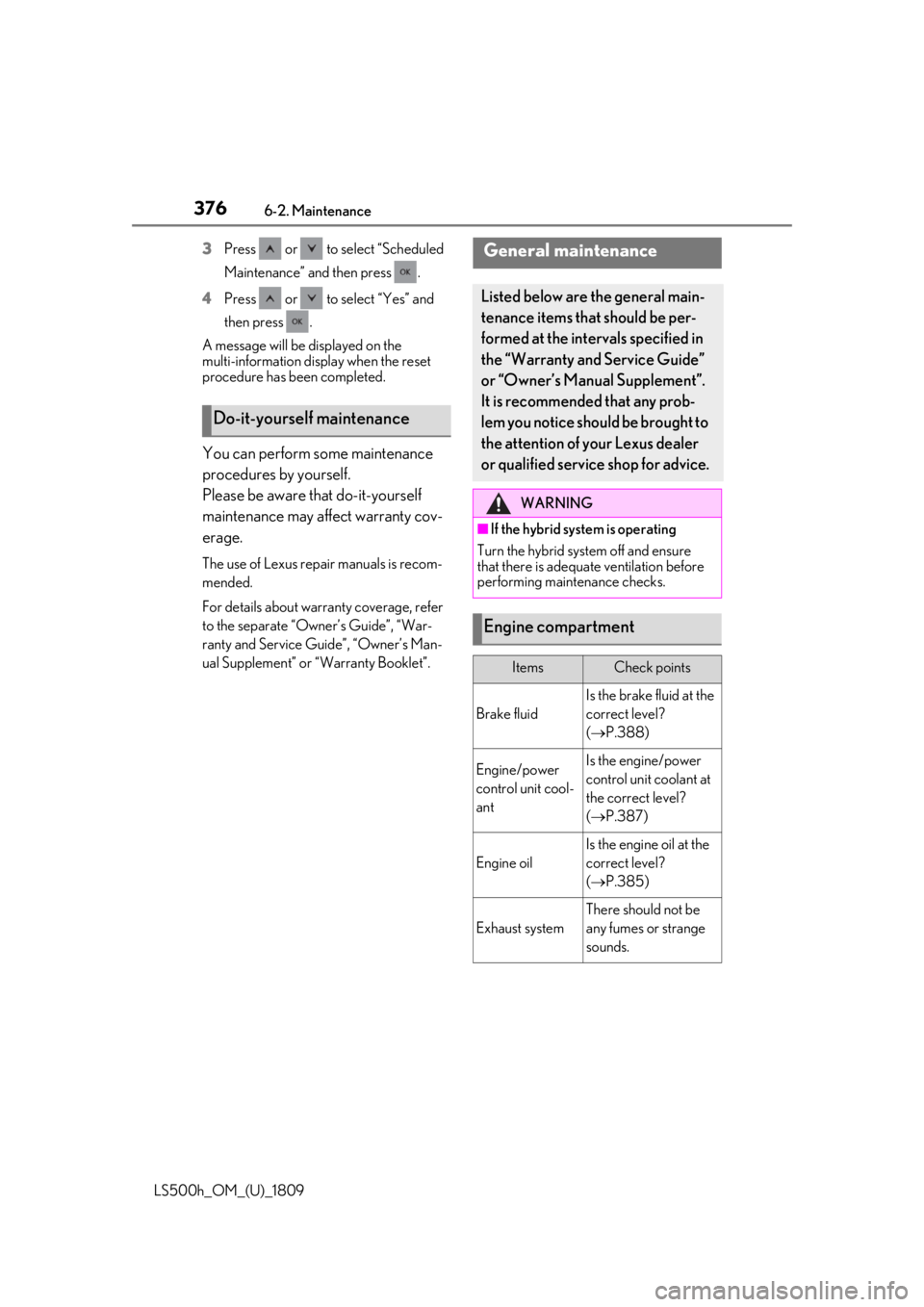
Press or to select “Scheduled
Maintenance” and then press .
4 Press or to select “Yes” and
then press .
A message will be displayed on the
multi-information disp lay when the reset
procedure has been completed.
You can perform some maintenance
procedures by yourself.
Please be aware that do-it-yourself
maintenance may affect warranty cov-
erage.
The use of Lexus repair manuals is recom-
mended.
For details about warra nty coverage, refer
to the separate “Owner’s Guide”, “War-
ranty and Service Guide”, “Owner’s Man-
ual Supplement” or “Warranty Booklet”.
Do-it-yourself maintenance
General maintenance
Listed below are the general main-
tenance items that should be per-
formed at the intervals specified in
the “Warranty and Service Guide”
or “Owner’s Manual Supplement”.
It is recommended that any prob-
lem you notice should be brought to
the attention of your Lexus dealer
or qualified service shop for advice.
WARNING
■If the hybrid system is operating
Turn the hybrid system off and ensure
that there is adequate ventilation before
performing maintenance checks.
Engine compartment
ItemsCheck points
Brake fluid
Is the brake fluid at the
correct level?
( P.388)
Engine/power
control unit cool-
antIs the engine/power
control unit coolant at
the correct level?
( P.387)
Engine oil
Is the engine oil at the
correct level?
( P.385)
Exhaust system
There should not be
any fumes or strange
sounds.
Page 387 of 523
3876-3. Do-it-yourself maintenance
LS500h_OM_(U)_1809
6
Maintenance and care
with a heavy load, or when driving while
accelerating or decelerating frequently
●When leaving the engine idling for a long
time, or when driving frequently through
heavy traffic
■After changing the engine oil
The engine oil maintena nce data should be
reset. Perform the following procedures:
1 Press or of the meter control
switch to select .
2 Press or to select “Vehicle Set-
tings” and then press .
3 Press or to select “Oil Mainte-
nance” and then press .
4 Press or to select “Yes” and
then press .
A message will be displayed on the
multi-information disp lay when the reset
procedure has been completed.
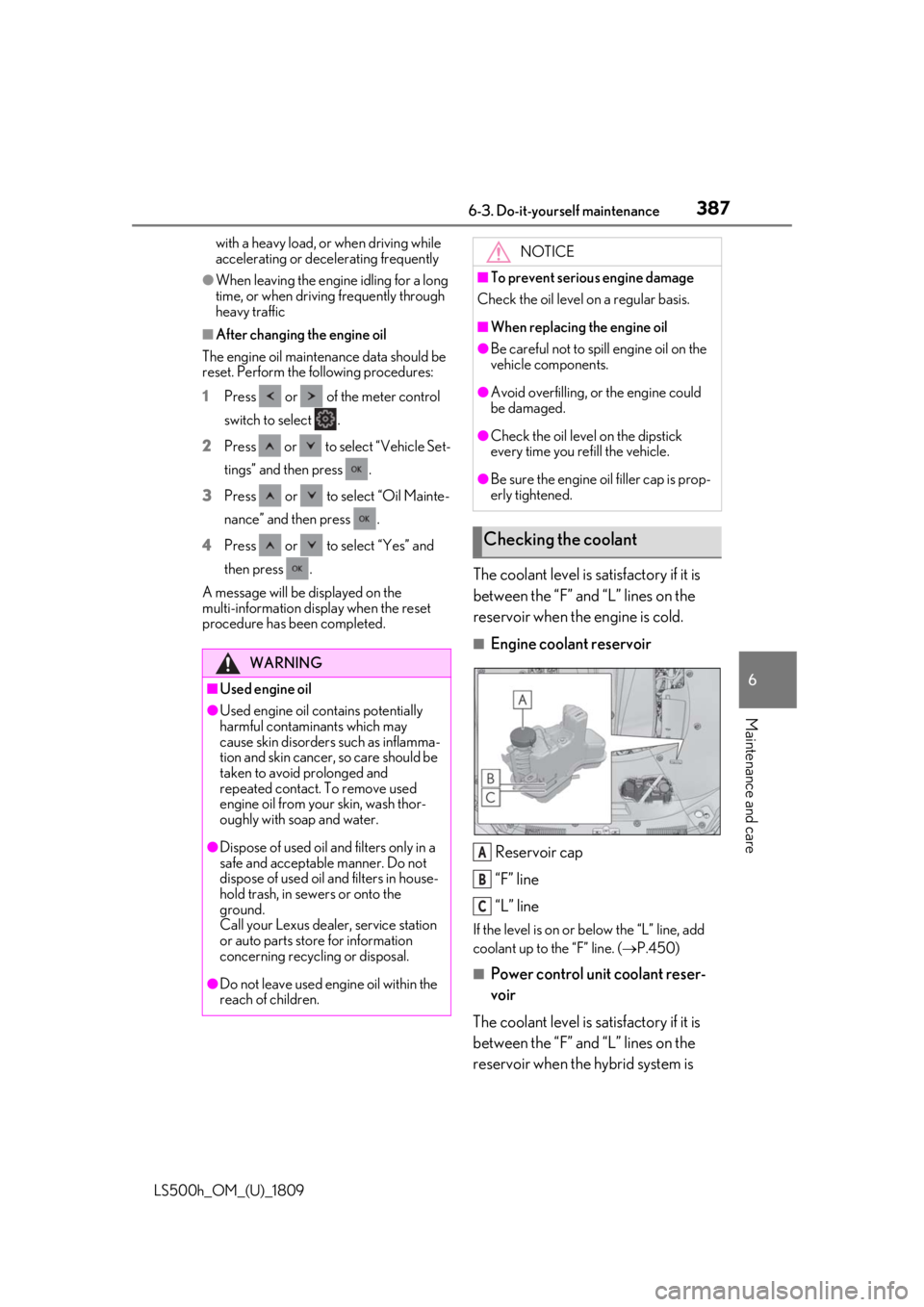
The coolant level is satisfactory if it is
between the “F” and “L” lines on the
reservoir when the engine is cold.
■Engine coolant reservoir
Reservoir cap
“F” line
“L” line
If the level is on or below the “L” line, add
coolant up to the “F” line. ( P.450)
■Power control unit coolant reser-
voir
The coolant level is satisfactory if it is
between the “F” and “L” lines on the
reservoir when the hybrid system is
WARNING
■Used engine oil
●Used engine oil contains potentially
harmful contaminants which may
cause skin disorders such as inflamma-
tion and skin cancer, so care should be
taken to avoid prolonged and
repeated contact. To remove used
engine oil from your skin, wash thor-
oughly with soap and water.
●Dispose of used oil and filters only in a
safe and acceptable manner. Do not
dispose of used oil and filters in house-
hold trash, in sewers or onto the
ground.
Call your Lexus dealer, service station
or auto parts store for information
concerning recycling or disposal.
●Do not leave used engine oil within the
reach of children.
NOTICE
■To prevent serious engine damage
Check the oil level on a regular basis.
■When replacing the engine oil
●Be careful not to spill engine oil on the
vehicle components.
●Avoid overfilling, or the engine could
be damaged.
●Check the oil level on the dipstick
every time you re fill the vehicle.
●Be sure the engine o il filler cap is prop-
erly tightened.
Checking the coolant
A
B
C
Page 437 of 523
4377-2. Steps to take in an emergency
LS500h_OM_(U)_1809
7
When trouble arises
■If “Traction Battery Needs to be Pro-
tected Shift into P to Restart” is dis-
played
This message is displayed when the hybrid
battery (traction battery) charge has
become extremely low because the vehicle
has been left with the N shift position
selected for a certain amount of time.
When operating the vehicle, shift to P and
restart the hybrid system.
■If “Shift Is in N Release Accelerator
Before Shifting” is displayed
The accelerator pedal has been depressed
when the shift position is in N.
Release the accelerator pedal and shift the
shift position to D or R.
■If “Depress Brake When Vehicle Is
Stopped Hybrid Syst em May Overheat”
is displayed
The message may be displayed when the
accelerator pedal is depressed to hold the
vehicle while the vehicle is stopped on an
incline, etc. The hybrid system may over-
heat. Release the accelerator pedal and
depress the brake pedal.
■If “Auto Power Off to Conserve Bat-
tery” is displayed
Power was turned off due to the automatic
power off function. Next time when starting
the hybrid system, operate the hybrid sys-
tem for approximately 5 minutes to
recharge the 12-volt battery.
■If “Headlight System Malfunction Visit
Your Dealer” is displayed
The following systems may be malfunction-
ing. Have the vehicle inspected by your
Lexus dealer immediately.
●The LED headlight system
●AFS (Adaptive Front-lighting System)
●The automatic headlight leveling system
●AHB (Automatic High Beam)
■If “Radar Cruise Control Unavailable
See Owner's Manual” is displayed
The dynamic radar cruise control with
full-speed range system is suspended tem-
porarily or until the problem shown in the
message is resolved. (causes and coping methods:
P.204, 210)
■If “Radar Cruise Control Unavailable” is
displayed
The dynamic radar cruise control with
full-speed range system cannot be used
temporarily. Use the system when it
becomes available again.
■If “Front Camera Unav ailable” or “Front
Camera Unavailable See Owner's
Manual” is displayed
The following systems may be suspended
until the problem shown in the message is
resolved. ( P.204, 210, 430)
●PCS (Pre-Collision system)
●LTA (Lane Tracing Assist)
●Dynamic radar cruise control with
full-speed range
●RSA (Road Sign Assist) (if equipped)
●AHB (Automatic High Beam)
■If “Maintenance Required Soon” is dis-
played
Indicates that all maintenance according to
the driven distance on the maintenance
schedule
* should be performed soon.
Comes on approximately 4500 miles
(7200 km) after the message has been
reset. If necessary, perform maintenance.
Please reset the message after the mainte-
nance is performed. ( P.375)
*: Refer to the separate “Scheduled Main-
tenance” or “Owner’s Manual Supple-
ment” for the main tenance interval
applicable to your vehicle.
■If “Maintenance Required Visit Your
Dealer” is displayed
Indicates that all mainte nance is required to
correspond to the driven distance on the
maintenance schedule
*.
Comes on approximately 5000 miles
(8000 km) after the message has been
reset. (The indicator will not work properly
unless the message ha s been reset.) Per-
form the necessary maintenance. Please
reset the message after the maintenance is
performed. ( P.375)
Page 438 of 523

4387-2. Steps to take in an emergency
LS500h_OM_(U)_1809
*: Refer to the separate “Scheduled Main-
tenance” or “Owner’s Manual Supple-
ment” for the maintenance interval
applicable to your vehicle.
■If “Oil Maintenance Required Soon” is
displayed
Indicates that the engine oil should be
scheduled to be changed.
Check the engine oil and change it if neces-
sary. After changing the engine oil, make
sure to reset the message. ( P.387)
■If “Oil Maintenance Required” is dis-
played
Indicates that the engine oil should be
changed.
Check and change the en gine oil, and oil fil-
ter by your Lexus deal er. After changing the
engine oil, make sure to reset the message.
( P.387)
■If “Shift System Malfunction Driving
Unavailable” is displayed
There is a malfunction in the shift control
system. Have the vehicle inspected by your
Lexus dealer immediately.
■If a message that in dicates the need for
the shift lever oper ation is displayed
To prevent the shift lever from being oper-
ated incorrectly or the vehicle from moving
unexpectedly, a message that requires shift-
ing the shift position may be displayed on
the multi-information display. In that case,
follow the instruction of the message and
shift the shift position.
■If a message that in dicates the need for
visiting your Lexus dealer is displayed
The system or part shown on the
multi-information display is malfunctioning.
Have the vehicle inspected by your Lexus
dealer immediately.
■If a message that in dicates the need for
referring to Owner’s Manual is dis-
played
●If any of the following messages are
shown on the multi-information display,
follow the instructions.
• “Engine Coolant Temp High” ( P.450)
•“Battery Low” ( P.445) • “Transmission Fluid Temp High” (
P.177)
●If any of the following messages are
shown on the multi-info rmation display, it
may indicate a malfunction. Have the
vehicle inspected by your Lexus dealer
immediately.
• “Access System with Elec. Key Malfunc- tion”
• “Shift System Malfunction”
• “P Switch Malfunction”
• “Shift System Unavailable”
• “Hybrid System Malfunction”
•“Check Engine”
• “Hybrid Battery System Malfunction”
• “Accelerator System Malfunction”
●If any of the following messages are
shown on the multi-info rmation display, it
may indicate a malfun ction. Immediately
stop the vehicle and contact your Lexus
dealer.
• “Braking Power Low”
• “Charging System Malfunction”
• “Oil Pressure Low”
●If any of the following messages are
shown on the multi-information display,
the vehicle may have run out of fuel. Stop
the vehicle in a safe place and, if the fuel
level is low, refuel the vehicle. ( P.66)
• “Hybrid System Stopped”
• “Engine Stopped”
●If “Maintenance Required for Traction
Battery Cooling Parts” is shown, the fil-
ters may be clogged, the air intake vents
may be blocked, or there may be a gap in
the duct. Therefore, perform the follow-
ing correction procedure.
• If the air intake vent s and filters of the
hybrid battery (traction battery) are dirty,
perform the procedure on P.372 to clean
them.
• If the warning message is shown when
the air intake vents and filters of the
hybrid battery (traction battery) are not
dirty, have the vehicle inspected by your
Lexus dealer.
Page 481 of 523
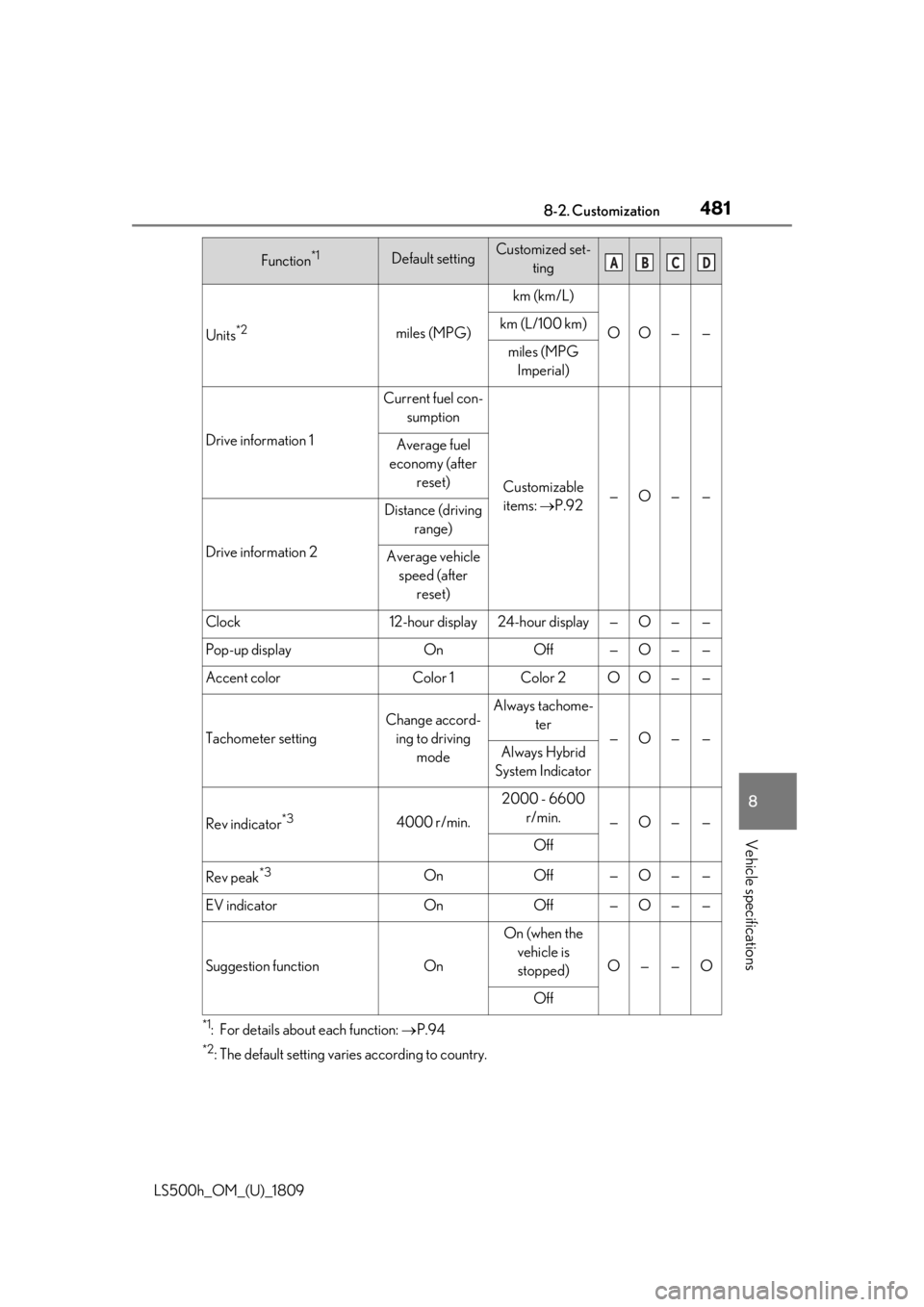
4818-2. Customization
LS500h_OM_(U)_1809
8
Vehicle specifications
*1: For details about each function: P.94
*2: The default setting varies according to country.
Units*2miles (MPG)
km (km/L)
OO——km (L/100 km)
miles (MPG
Imperial)
Drive information 1
Current fuel con- sumption
Customizable items: P.92—O——
Average fuel
economy (after reset)
Drive information 2
Distance (driving range)
Average vehicle speed (after reset)
Clock12-hour display24-hour display—O——
Pop-up displayOnOff—O——
Accent colorColor 1Color 2OO——
Tachometer setting
Change accord-ing to driving modeAlways tachome- ter
—O——Always Hybrid
System Indicator
Rev indicator*34000 r/min.
2000 - 6600 r/min.
—O——
Off
Rev peak*3OnOff—O——
EV indicatorOnOff—O——
Suggestion functionOn
On (when the vehicle is stopped)
O——O
Off
Function*1Default settingCustomized set- tingABCD