display LEXUS LS500H 2022 Workshop Manual
[x] Cancel search | Manufacturer: LEXUS, Model Year: 2022, Model line: LS500H, Model: LEXUS LS500H 2022Pages: 108, PDF Size: 6.79 MB
Page 80 of 108
79
LS500h_QG_U
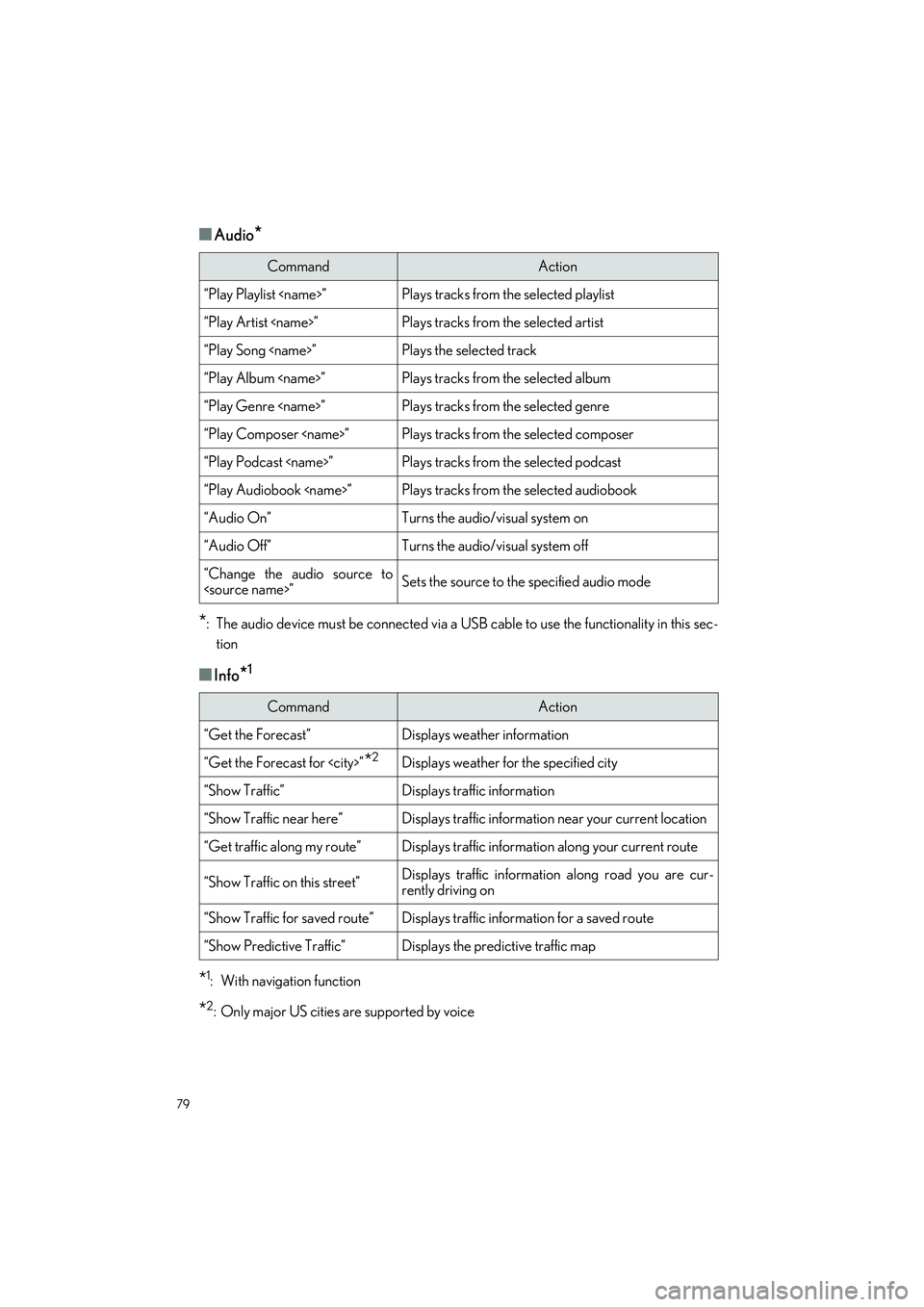
■Audio*
*
: The audio device must be connected via a US B cable to use the functionality in this sec-
tion
■Info*1
*1: With navigation function
*2: Only major US cities are supported by voice
CommandAction
“Play Playlist
“Play Artist
“Play Song
“Play Album
“Play Genre
“Play Composer
“Play Podcast
“Play Audiobook
“Audio On”Turns the audio/visual system on
“Audio Off”Turns the audio/visual system off
“Change the audio source to
CommandAction
“Get the Forecast”Displays weather information
“Get the Forecast for
“Show Traffic”Displays traffic information
“Show Traffic near here”Displays traffic information near your current location
“Get traffic along my route”Displays traffic information along your current route
“Show Traffic on this street”Displays traffic information along road you are cur-
rently driving on
“Show Traffic for saved route”Displays traffic information for a saved route
“Show Predictive Traffic”Displays the predictive traffic map
Page 81 of 108
80
LS500h_QG_U
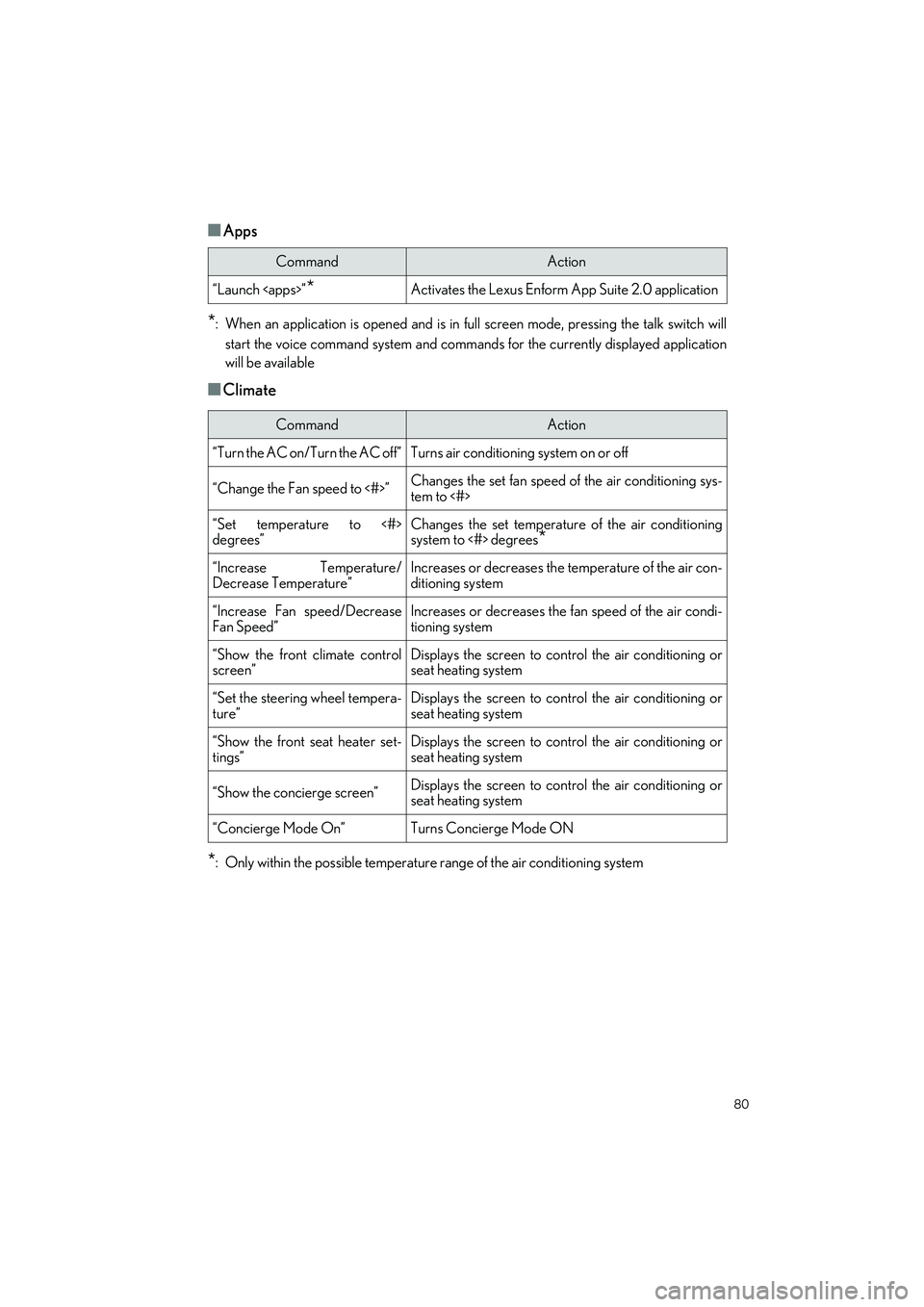
■Apps
*: When an application is opened and is in full screen mode, pressing the talk switch will
start the voice command system and command s for the currently displayed application
will be available
■Climate
*: Only within the possible temperature range of the air conditioning system
CommandAction
“Launch
CommandAction
“Turn the AC on/Turn the AC off”Turns air conditioning system on or off
“Change the Fan speed to <#>”Changes the set fan speed of the air conditioning sys-
tem to <#>
“Set temperature to <#>
degrees”Changes the set temperature of the air conditioning
system to <#> degrees*
“Increase Temperature/
Decrease Temperature”Increases or decreases the temperature of the air con-
ditioning system
“Increase Fan speed/Decrease
Fan Speed”Increases or decreases the fan speed of the air condi-
tioning system
“Show the front climate control
screen”Displays the screen to cont rol the air conditioning or
seat heating system
“Set the steering wheel tempera-
ture”Displays the screen to cont rol the air conditioning or
seat heating system
“Show the front seat heater set-
tings”Displays the screen to cont rol the air conditioning or
seat heating system
“Show the concierge screen”Displays the screen to cont rol the air conditioning or
seat heating system
“Concierge Mode On”Turns Concierge Mode ON
Page 95 of 108
94
LS500h_QG_U
●Close all the doors and windows, and turn the power switch off.
● Confirm the type of fuel.
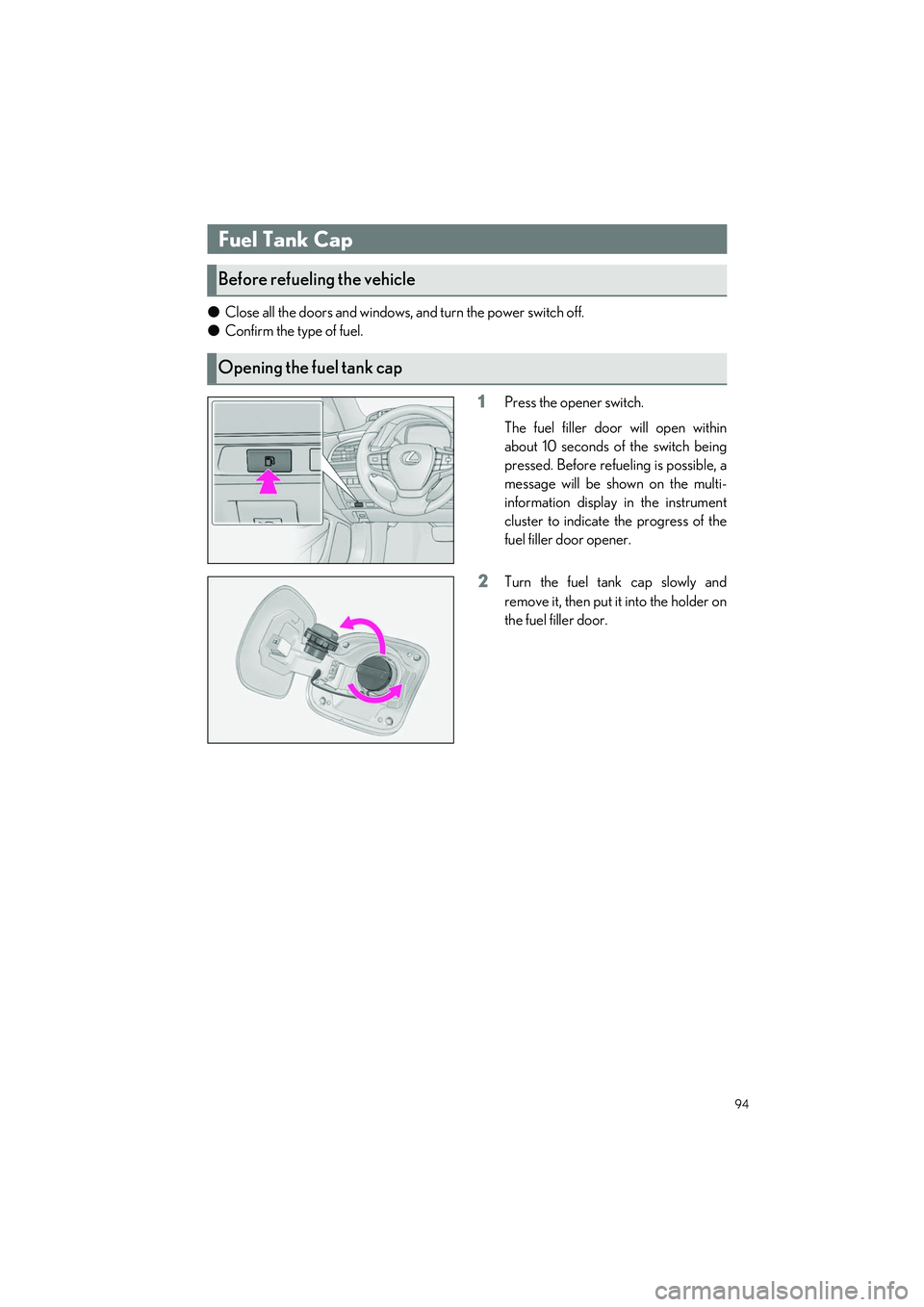
1Press the opener switch.
The fuel filler door will open within
about 10 seconds of the switch being
pressed. Before refueling is possible, a
message will be shown on the multi-
information display in the instrument
cluster to indicate the progress of the
fuel filler door opener.
2Turn the fuel tank cap slowly and
remove it, then put it into the holder on
the fuel filler door.
Fuel Tank Cap
Before refueling the vehicle
Opening the fuel tank cap
Page 104 of 108
What to do if...
103
LS500h_QG_U
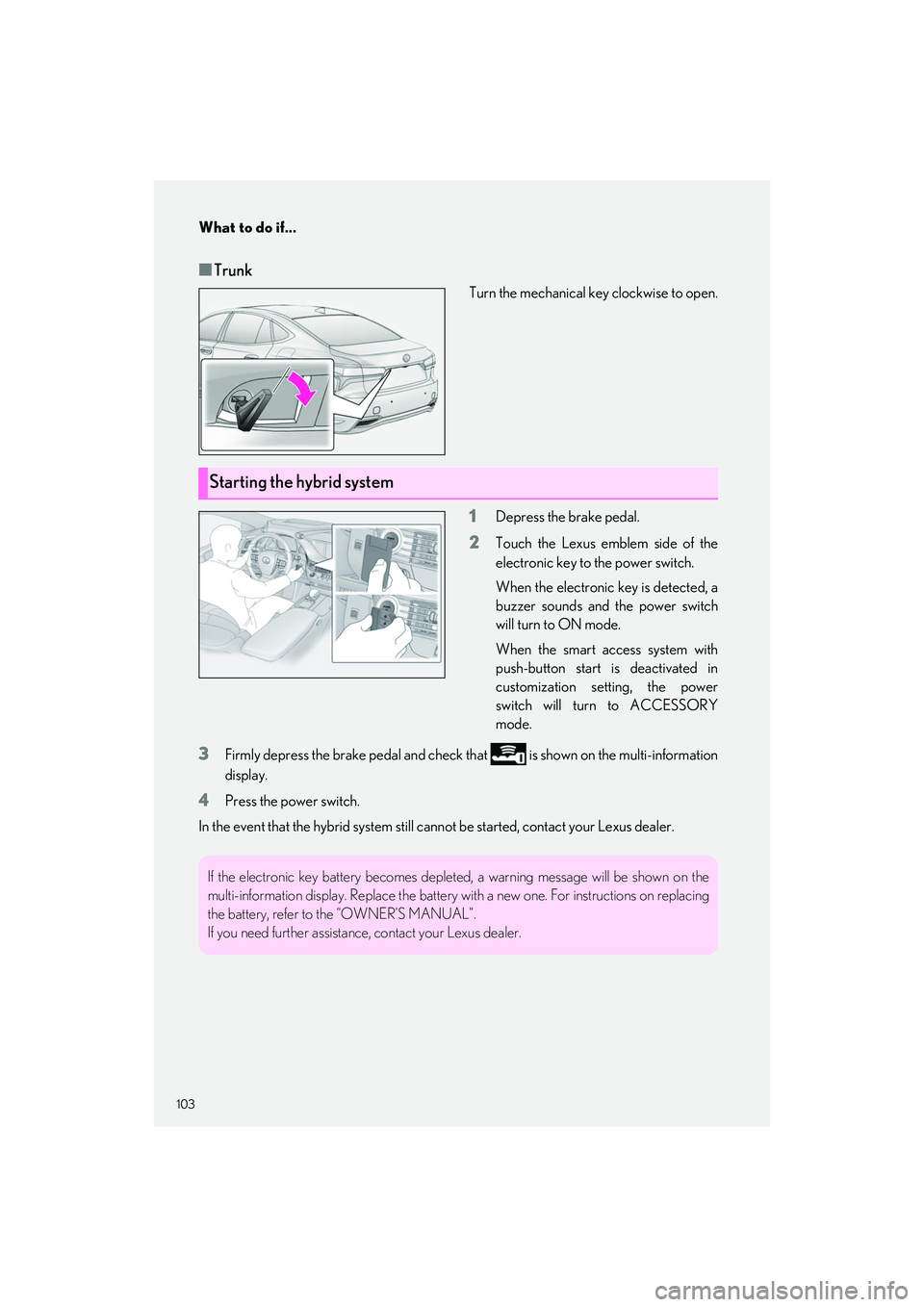
■Trunk
Turn the mechanical key clockwise to open.
1Depress the brake pedal.
2Touch the Lexus emblem side of the
electronic key to the power switch.
When the electronic key is detected, a
buzzer sounds and the power switch
will turn to ON mode.
When the smart access system with
push-button start is deactivated in
customization setting, the power
switch will turn to ACCESSORY
mode.
3Firmly depress the brake pedal and check that is shown on the multi-information
display.
4Press the power switch.
In the event that the hybrid system still cannot be started, contact your Lexus dealer.
Starting the hybrid system
If the electronic key battery becomes deplet ed, a warning message will be shown on the
multi-information display. Replac e the battery with a new one. For instructions on replacing
the battery, refer to the “OWNER’S MANUAL”.
If you need further assistance , contact your Lexus dealer.