belt LEXUS LS600H 2015 Workshop Manual
[x] Cancel search | Manufacturer: LEXUS, Model Year: 2015, Model line: LS600H, Model: LEXUS LS600H 2015Pages: 620, PDF Size: 7.66 MB
Page 182 of 620
1803-3. Adjusting the seats
LS600hL_U(OM50E41U)
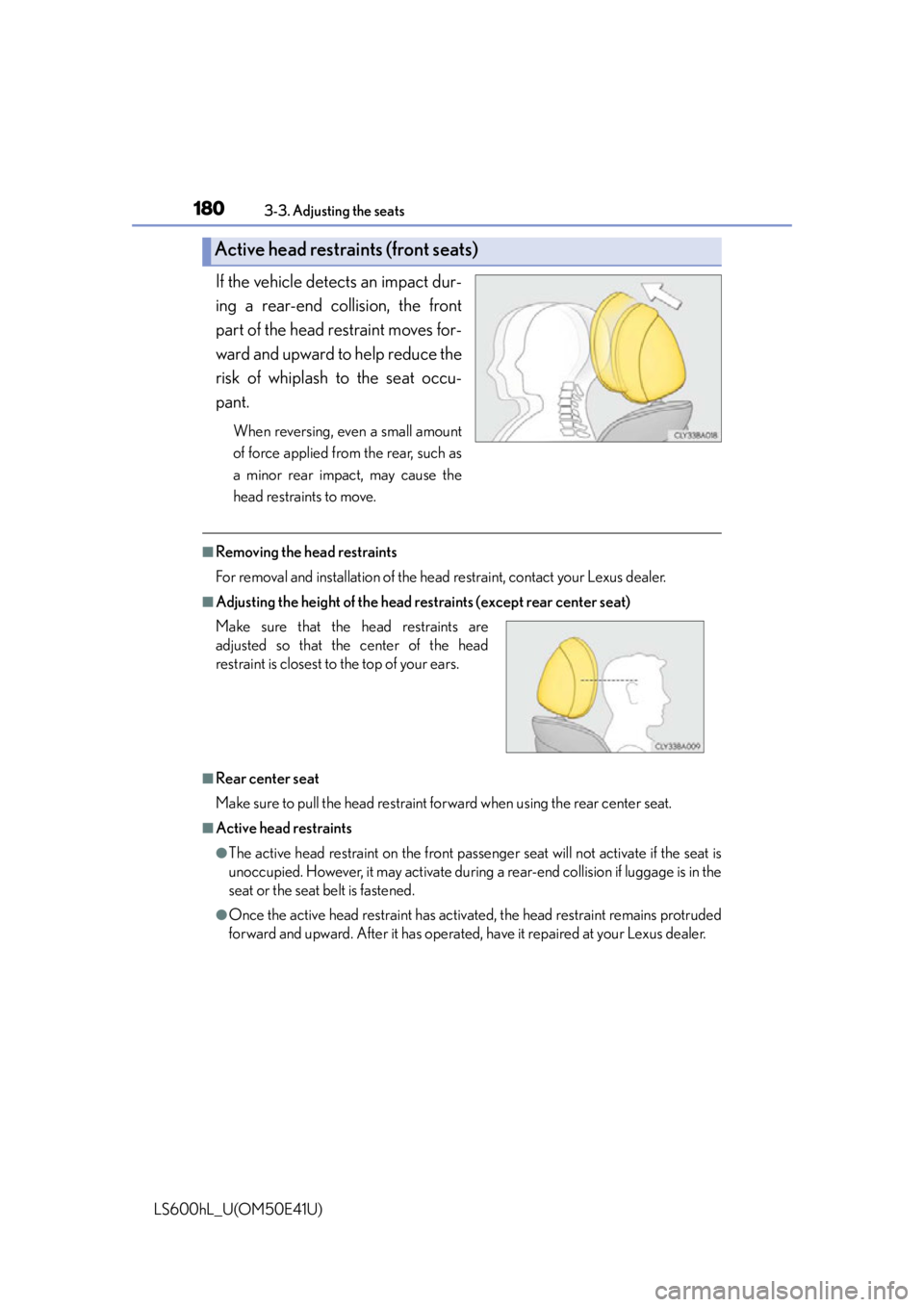
If the vehicle detects an impact dur-
ing a rear-end collision, the front
part of the head restraint moves for-
ward and upward to help reduce the
risk of whiplash to the seat occu-
pant.
When reversing, even a small amount
of force applied from the rear, such as
a minor rear impact, may cause the
head restraints to move.
■Removing the head restraints
For removal and installation of the head restraint, contact your Lexus dealer.
■Adjusting the height of the head restraints (except rear center seat)
■Rear center seat
Make sure to pull the head restraint forward when using the rear center seat.
■Active head restraints
●The active head restraint on the front pass enger seat will not activate if the seat is
unoccupied. However, it may activate during a rear-end collision if luggage is in the
seat or the seat belt is fastened.
●Once the active head restraint has activate d, the head restraint remains protruded
forward and upward. After it has operated, have it repaired at your Lexus dealer.
Active head restraints (front seats)
Make sure that the head restraints are
adjusted so that the center of the head
restraint is closest to the top of your ears.
Page 184 of 620
182
LS600hL_U(OM50E41U)
3-4. Adjusting the steering wheel and mirrors
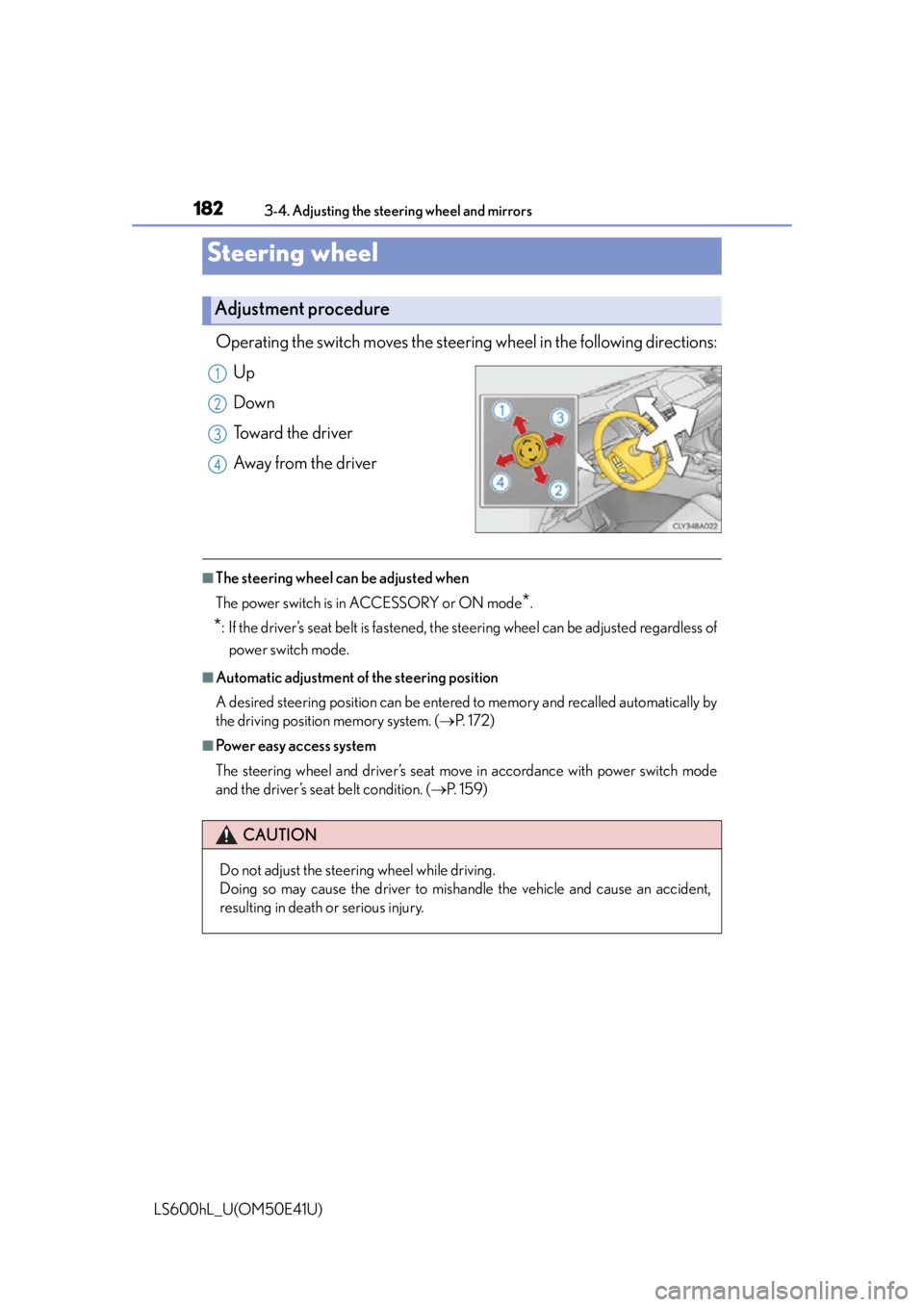
Operating the switch moves the steering wheel in the following directions:
Up
Down
Toward the driver
Away from the driver
■The steering wheel can be adjusted when
The power switch is in ACCESSORY or ON mode
*.
*: If the driver’s seat belt is fastened, the steering wheel can be adjusted regardless of power switch mode.
■Automatic adjustment of the steering position
A desired steering position can be entered to memory and recalled automatically by
the driving position memory system. ( P. 1 7 2 )
■Power easy access system
The steering wheel and driver’s seat move in accordance with power switch mode
and the driver’s seat belt condition. ( P. 1 5 9 )
Steering wheel
Adjustment procedure
1
2
3
4
CAUTION
Do not adjust the steering wheel while driving.
Doing so may cause the driver to mishandle the vehicle and cause an accident,
resulting in death or serious injury.
Page 233 of 620
2314-2. Driving procedures
4
Driving
LS600hL_U(OM50E41U)
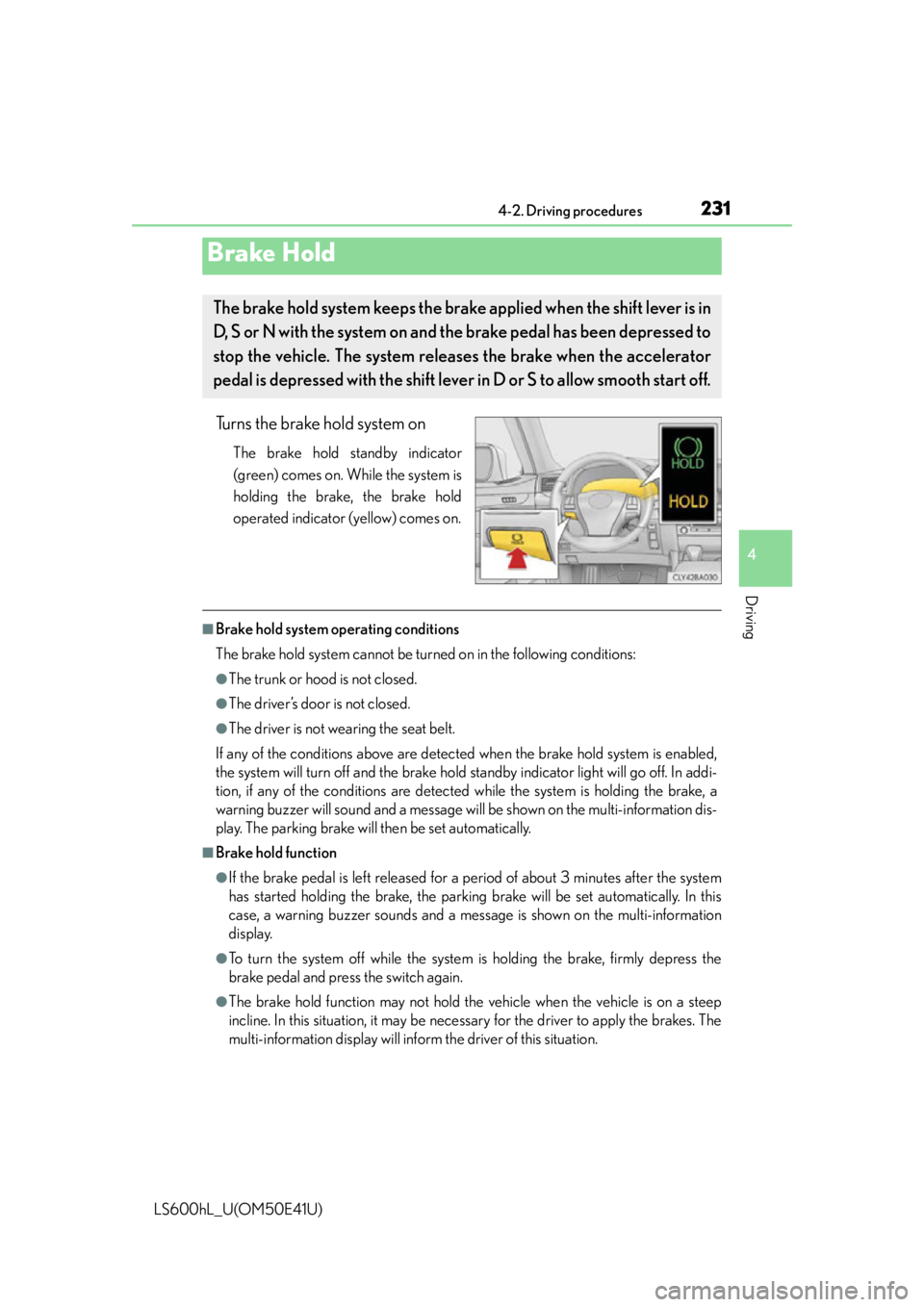
Turns the brake hold system on
The brake hold standby indicator
(green) comes on. While the system is
holding the brake, the brake hold
operated indicator (yellow) comes on.
■Brake hold system operating conditions
The brake hold system cannot be turn ed on in the following conditions:
●The trunk or hood is not closed.
●The driver’s door is not closed.
●The driver is not wearing the seat belt.
If any of the conditions above are detected when the brake hold system is enabled,
the system will turn off and the brake hold standby indicator light will go off. In addi-
tion, if any of the conditions are detected while the system is holding the brake, a
warning buzzer will sound and a message wi ll be shown on the multi-information dis-
play. The parking brake will then be set automatically.
■Brake hold function
●If the brake pedal is left released for a period of about 3 minutes after the system
has started holding the brake, the parking brake will be set automatically. In this
case, a warning buzzer sounds and a message is shown on the multi-information
display.
●To turn the system off while the system is holding the brake, firmly depress the
brake pedal and press the switch again.
●The brake hold function may not hold the vehicle when the vehicle is on a steep
incline. In this situation, it may be nece ssary for the driver to apply the brakes. The
multi-information display will info rm the driver of this situation.
Brake Hold
The brake hold system keeps the brake applied when the shift lever is in
D, S or N with the system on and the brake pedal has been depressed to
stop the vehicle. The system releases the brake when the accelerator
pedal is depressed with the shift lever in D or S to allow smooth start off.
Page 268 of 620

2664-5. Using the driving support systems
LS600hL_U(OM50E41U)Adjusting the speed setting:
P. 2 5 9
Canceling and resuming the speed
setting: P. 2 6 2
■Dynamic radar cruise control with full-speed range can be set when
●The shift lever is in D or range 4 or higher of S has been selected.
●Vehicle speed is above approximately 30 mph (50 km/h).
■Accelerating after setting the vehicle speed
The vehicle can accelerate normally. After acceleration, the set speed resumes.
However, during vehicle-to-vehicle distance control mode, the vehicle speed may
decrease below the set speed in order to maintain the distance to the vehicle ahead.
■Automatic cancelation of vehicle-to-vehicle distance control
Vehicle-to-vehicle distance control driving is automatically canceled in the following
situations:
●Actual vehicle speed falls below approximately 25 mph (40 km/h) when there are
no vehicle ahead.
●The preceding vehicle leaves the lane when your vehicle is following at a speed
below 25 mph (40 km/h).
●VSC is activated.
●TRAC is activated for a period of time.
●When the VSC or TRAC system is turn ed off by pressing the VSC OFF switch.
●The sensor cannot operate correctly because it is covered in some way.
●The windshield wipers are operating at hi gh speed (when the wiper switch is set to
the “AUTO” mode or the high speed wiper operation position).
●When snow mode is set.
●The parking brake is operated.
●The vehicle is stopped by system control on a steep incline.
●Pre-collision brake assist is activated.
●The following are detected when the vehi cle has been stopped by system control:
• The driver is not wearing a seat belt.
• The driver’s door is opened.
• The trunk or hood is opened.
• The vehicle has been stopped for about 3 minutes.
If vehicle-to-vehicle distance control driv ing is automatically canceled for any other
reason, there may be a malfunction in the system. Contact your Lexus dealer.
Page 298 of 620
2964-5. Using the driving support systems
LS600hL_U(OM50E41U)
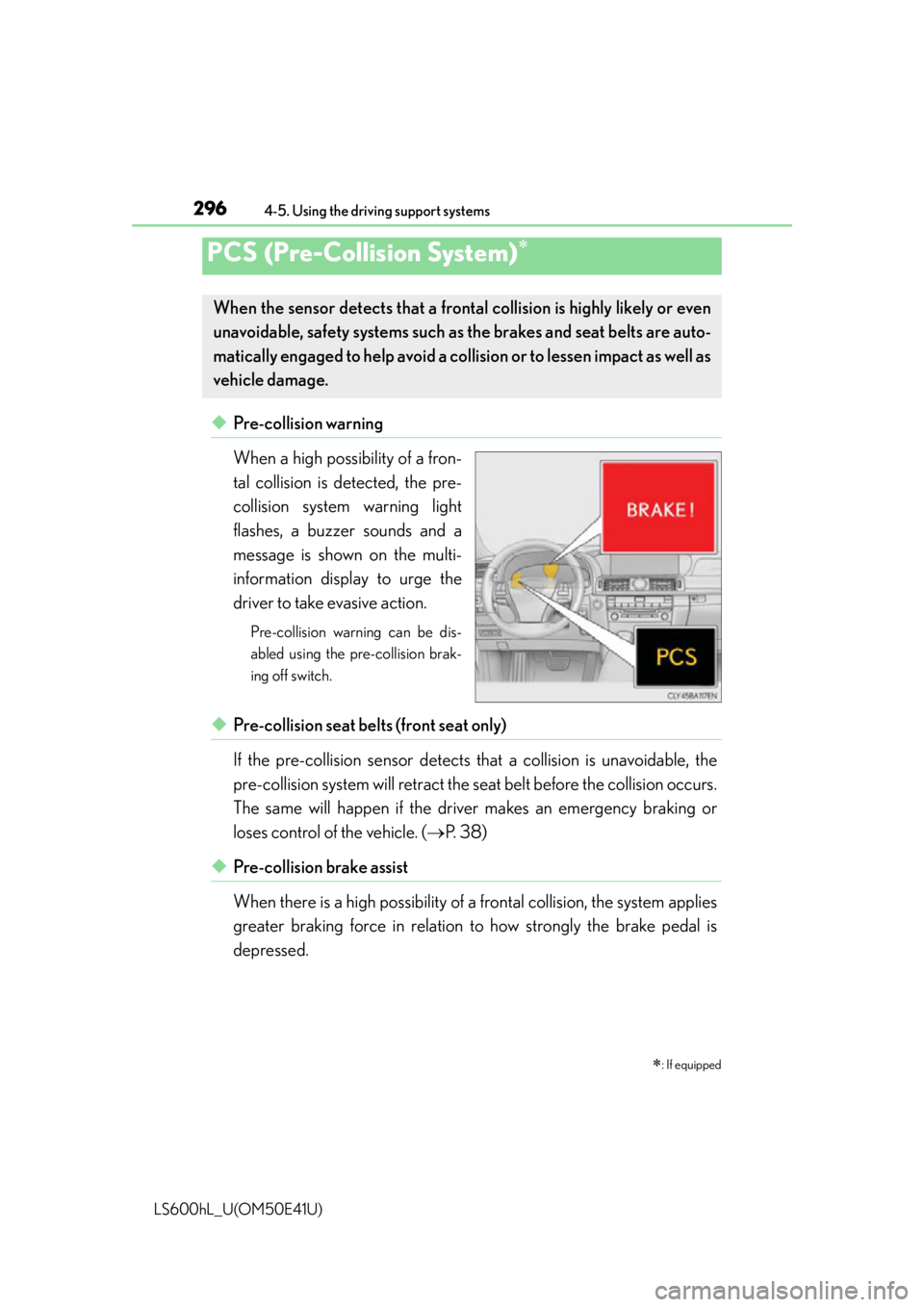
◆Pre-collision warning
When a high possibility of a fron-
tal collision is detected, the pre-
collision system warning light
flashes, a buzzer sounds and a
message is shown on the multi-
information display to urge the
driver to take evasive action.
Pre-collision warning can be dis-
abled using the pre-collision brak-
ing off switch.
◆Pre-collision seat belts (front seat only)
If the pre-collision sensor detects that a collision is unavoidable, the
pre-collision system will retract the seat belt before the collision occurs.
The same will happen if the dr iver makes an emergency braking or
loses control of the vehicle. ( P. 38)
◆Pre-collision brake assist
When there is a high possibility of a frontal collision, the system applies
greater braking force in relation to how strongly the brake pedal is
depressed.
PCS (Pre-Collision System)
: If equipped
When the sensor detects that a fron tal collision is highly likely or even
unavoidable, safety systems such as the brakes and seat belts are auto-
matically engaged to help avoid a co llision or to lessen impact as well as
vehicle damage.
Page 302 of 620

3004-5. Using the driving support systems
LS600hL_U(OM50E41U)
■The pre-collision system is operational when
●Pre-collision warning:
Vehicles without camera sensors
• The pre-collision braking off switch is not pressed.
• Vehicle speed is greater than about 10 mph (15 km/h).
• The speed at which your vehicle is approaching the obstacle or the vehicle run- ning ahead of you is greater than about 10 mph (15 km/h).
Vehicles with camera sensors
• The pre-collision braking off switch is not pressed.
• Vehicle speed is greater than about 4 mph (5 km/h).
• The speed at which your vehicle is approaching the obstacle or the vehicle run- ning ahead of you is greater than about 4 mph (5 km/h).
●Pre-collision seat belts (operating conditions A):
• Vehicle speed is greater than about 19 mph (30 km/h).
• The system detects sudd en braking or skidding.
• The front occupants are wearing a seat belt.
●Pre-collision seat belts (operating conditions B):
• Vehicle speed is greater than about 4 mph (5 km/h).
• The speed at which your vehicle is approaching the obstacle or the vehicle run- ning ahead of you is greater than about 19 mph (30 km/h).
• The front occupants are wearing a seat belt.
●Pre-collision brake assist:
• The VSC OFF switch is not pressed.
• Vehicle speed is greater than about 19 mph (30 km/h).
• The speed at which your vehicle is approaching the obstacle or the vehicle run- ning ahead of you is greater than about 19 mph (30 km/h).
• The brake pedal is depressed.
●Pre-collision braking:
Vehicles without camera sensors
• The pre-collision braking off switch is not pressed.
• The VSC OFF switch is not pressed.
• Vehicle speed is greater than about 10 mph (15 km/h).
• The speed at which your vehicle is approaching the obstacle or the vehicle run- ning ahead of you is greater than about 10 mph (15 km/h).
Vehicles with camera sensors
• The pre-collision braking off switch is not pressed.
• The VSC OFF switch is not pressed.
• Vehicle speed is greater than about 4 mph (5 km/h).
• The speed at which your vehicle is approaching the obstacle or the vehicle run- ning ahead of you is greater than about 4 mph (5 km/h).
Page 304 of 620

3024-5. Using the driving support systems
LS600hL_U(OM50E41U)
■Conditions that may trigger the system even if there is no danger of a collision
●When there is an object by the roadside at the entrance to a curve
●When passing an oncoming vehicle on a curve
●When driving over a narrow iron bridge
●When there is a metal object on the road surface
●When driving on an uneven road surface
●When passing an oncoming vehicle on a left-turn
●When your vehicle rapidly closes on the vehicle in front
●When a grade separation/interchange, sign , billboard, or other structure appears
to be directly in the vehicle’s line of travel
●When there is a metal plate in the road in front of the vehicle on a downhill slope
●When climbing a steep hill causes an overhead billboard or other metallic structure
to appear directly in the vehicle’s line of travel
●When driving under an overpass
●When an extreme change in vehicle height occurs
●When passing through certain toll gates
●When driving through a lump of steam or smoke
●When the radar sensor moves off position due to its surrounding area being sub-
jected to a strong impact
When the system is activated in the situations described above, there is also a possi-
bility that the seat belts will retract quickly and the brakes will be applied with a force
greater than normal. When the seat belt is locked in the retracted position, stop the
vehicle in a safe place, release the seat belt and refasten it.
■Obstacles not detected
The radar sensor cannot detect plastic obstacles such as traffic cones. There may
also be occasions when the sensor cannot detect pedestrians, animals, bicycles,
motorcycles, trees, or snowdrifts.
■A camera sensor cannot detect obstacles in the following situations:
●A camera sensor is directly receiving intense light, such as sunlight.
●Visibility is poor because of bad weather or other reasons.
●The sensor temperature is extremely high.
●The headlights are not turned on in dark ness such as at night or in a tunnel.
Page 362 of 620

360
LS600hL_U(OM50E41U)
5-4. Using the interior lights
Interior lights list
Shift lever lights
Front personal lights ( P. 362)
Front interior lights ( P. 361)
Instrument panel ornament
lights
Inside door handle lights
Rear personal lights ( P. 362)Rear interior light (
P. 361)
Door courtesy lights
Seat belt buckle lights
Footwell lights
Power switch light
Clock light
Outer foot lights1
2
3
4
5
6
7
8
9
10
11
12
13
Page 365 of 620

3635-4. Using the interior lights
5
Interior features
LS600hL_U(OM50E41U)
■Illuminated entry system
The lights automatically turn on/off according to power switch mode, the presence
of the electronic key, whether the doors are locked/unlocked, and whether the doors
are opened/closed.
■To prevent the 12-volt battery from being discharged
If the following lights remain on when the power switch is turned off, the lights will go
off automatically after 20 minutes:
●Interior lights
●Door courtesy lights
●Pe r s o n a l l i g h t s
●Inside door handle lights
●Seat belt buckle lights
●Footwell lights
●Power switch light
■Customization
Settings (e.g. The time elapsed before lights turn off) can be changed.
(Customizable features P. 5 6 4 )
NOTICE
■To prevent 12-volt battery discharge
Do not leave the lights on longer than necessary when the hybrid system is off.
Page 377 of 620
3755-5. Using the storage features
5
Interior features
LS600hL_U(OM50E41U)
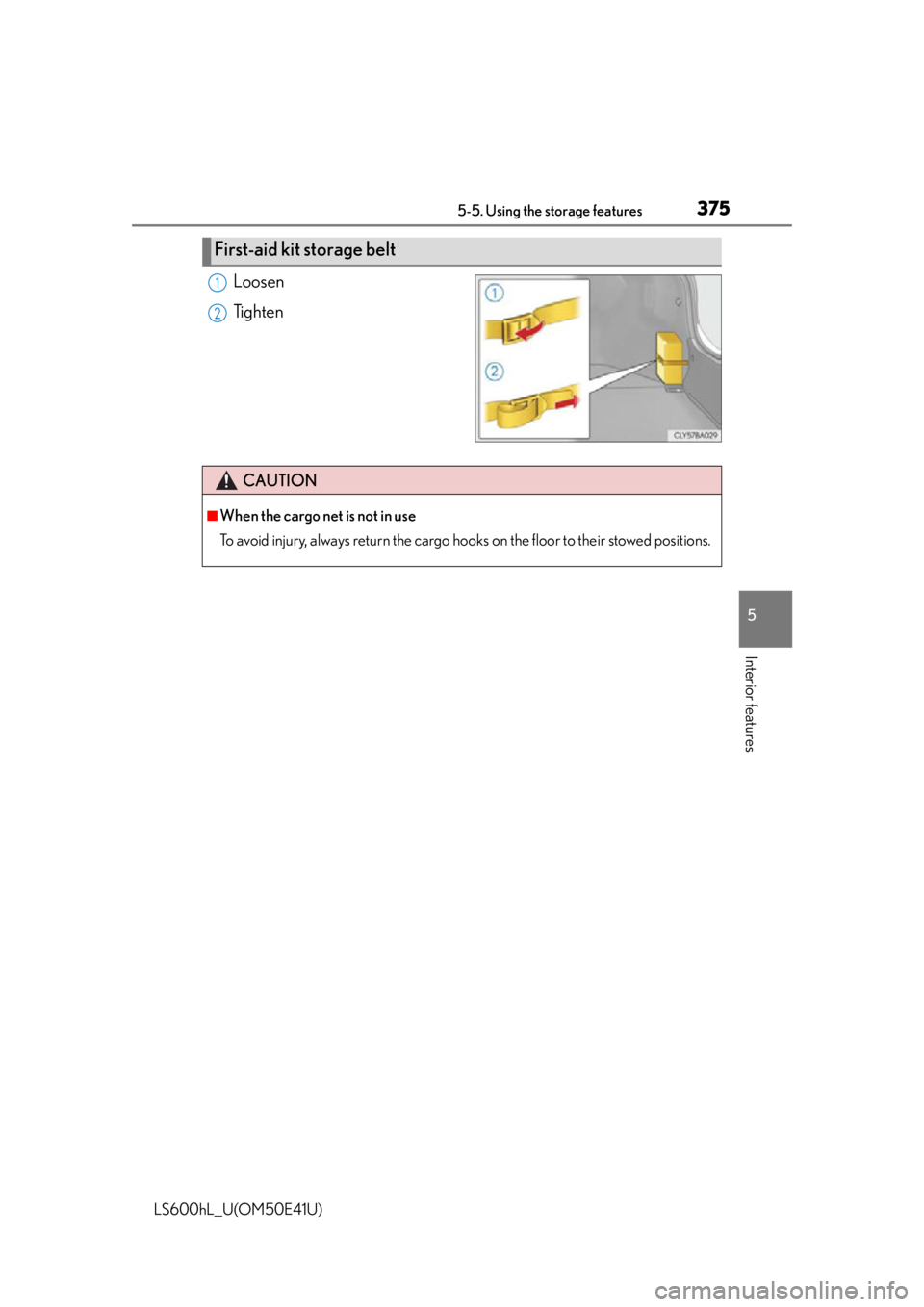
Loosen
Tighten
First-aid kit storage belt
1
2
CAUTION
■When the cargo net is not in use
To avoid injury, always return the cargo hooks on the floor to their stowed positions.