change time LEXUS LS600H 2017 User Guide
[x] Cancel search | Manufacturer: LEXUS, Model Year: 2017, Model line: LS600H, Model: LEXUS LS600H 2017Pages: 676, PDF Size: 35.25 MB
Page 277 of 676
2774-3. Operating the lights and wipers
4
Driving
LS600h/LS600hL_EE(OM50G20E)
■The Adaptive High-beam System can be operated when
The power switch is in ON mode.
■Camera sensor detection information
●High beam may not be automatically turned off or changed to variable shade beam
in the following situations:
• When oncoming vehicles suddenly appear from a curve
• When the vehicle is cut in front of by another
• When oncoming or preceding vehicles are hidden from sight due to repeated
curves, road dividers or roadside trees
●High beam may be turned off or variable shade beam may be changed to if an
oncoming vehicle that is using fog lights without using the headlights is detected.
●House lights, street lights, red traffic signals, and illuminated billboards or signs may
cause the high beam to turn off or variable shade beam to be changed to and may
change the area that is shielded.
●The following factors may affect the amount of time taken to turn high beam on or
off, or the speed by which the shielded areas change:
• The brightness of headlights, fog lights, and tail lights of oncoming and preced-
ing vehicles
• The movement and direction of oncoming and preceding vehicles
• When a oncoming or preceding vehicle only has operational lights on one side
• When a oncoming or preceding vehicle is a two-wheeled vehicle
• The condition of the road (gradient, curve, condition of the road surface etc.)
• The number of passengers and amount of luggage
●High beam and variable shade beam may be turned on or off when unexpected by
the driver.
●Small vehicles, such as bicycles, may not be detected.
Page 290 of 676
2904-5. Using the driving support systems
LS600h/LS600hL_EE(OM50G20E)
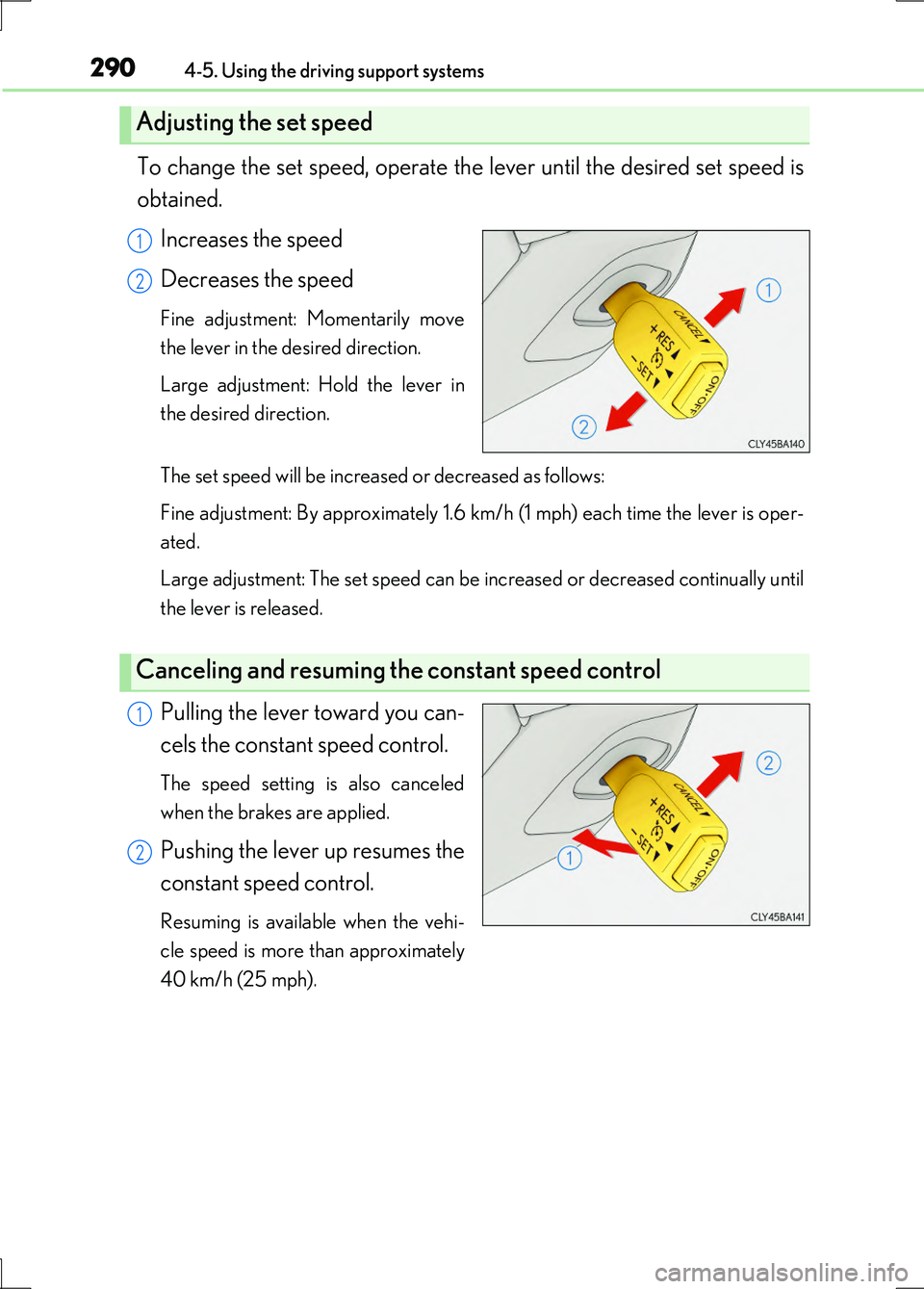
To change the set speed, operate the lever until the desired set speed is
obtained.
Increases the speed
Decreases the speed
Fine adjustment: Momentarily move
the lever in the desired direction.
Large adjustment: Hold the lever in
the desired direction.
The set speed will be increased or decreased as follows:
Fine adjustment: By approximately 1.6 km/h (1 mph) each time the lever is oper-
ated.
Large adjustment: The set speed can be increased or decreased continually until
the lever is released.
Pulling the lever toward you can-
cels the constant speed control.
The speed setting is also canceled
when the brakes are applied.
Pushing the lever up resumes the
constant speed control.
Resuming is available when the vehi-
cle speed is more than approximately
40 km/h (25 mph).
Adjusting the set speed
1
2
Canceling and resuming the constant speed control
1
2
Page 295 of 676
2954-5. Using the driving support systems
4
Driving
LS600h/LS600hL_EE(OM50G20E)
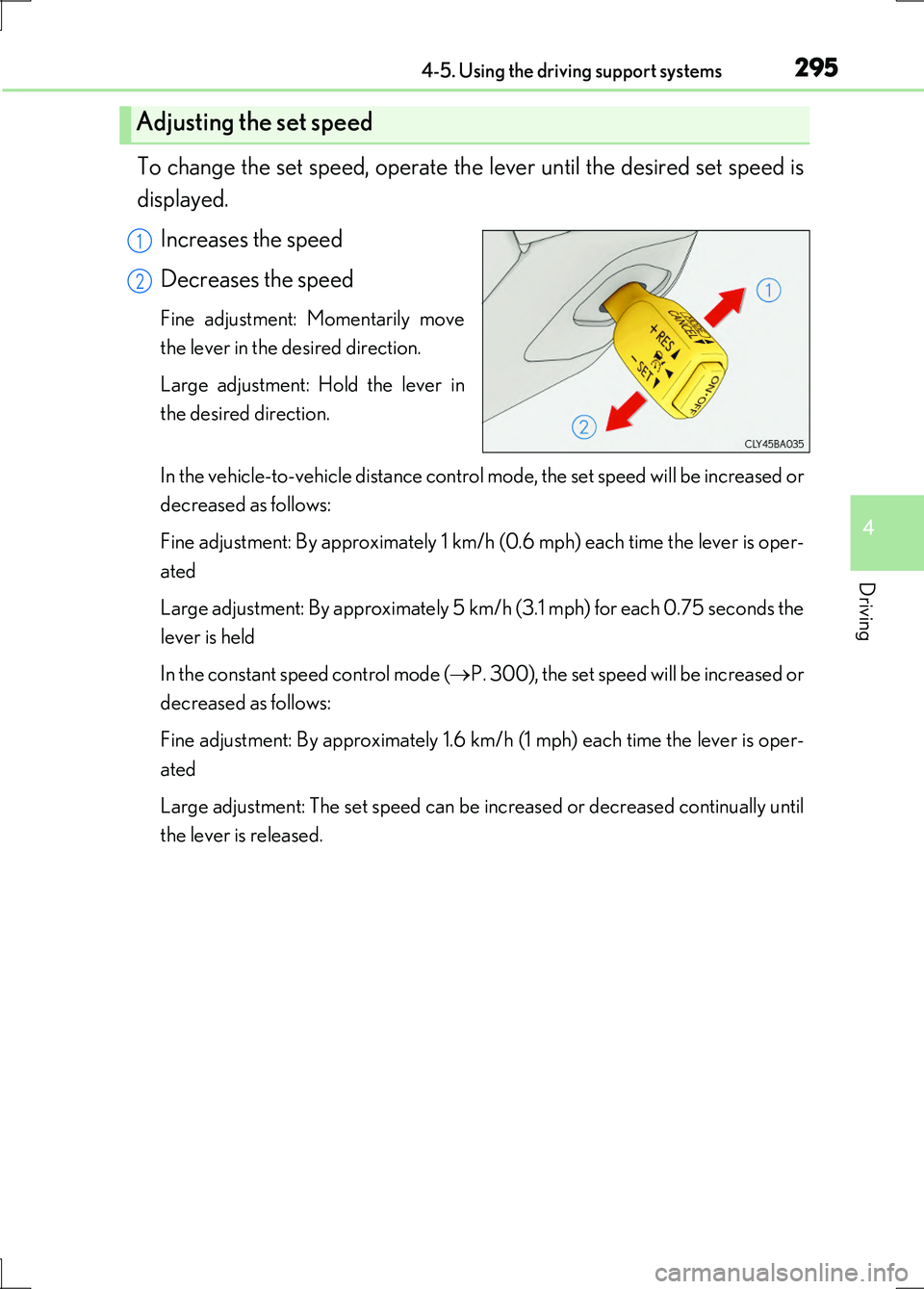
To change the set speed, operate the lever until the desired set speed is
displayed.
Increases the speed
Decreases the speed
Fine adjustment: Momentarily move
the lever in the desired direction.
Large adjustment: Hold the lever in
the desired direction.
In the vehicle-to-vehicle distance control mode, the set speed will be increased or
decreased as follows:
Fine adjustment: By approximately 1 km/h (0.6 mph) each time the lever is oper-
ated
Large adjustment: By approximately 5 km/h (3.1 mph) for each 0.75 seconds the
lever is held
In the constant speed control mode ( P. 300), the set speed will be increased or
decreased as follows:
Fine adjustment: By approximately 1.6 km/h (1 mph) each time the lever is oper-
ated
Large adjustment: The set speed can be increased or decreased continually until
the lever is released.
Adjusting the set speed
1
2
Page 309 of 676
3094-5. Using the driving support systems
4
Driving
LS600h/LS600hL_EE(OM50G20E)
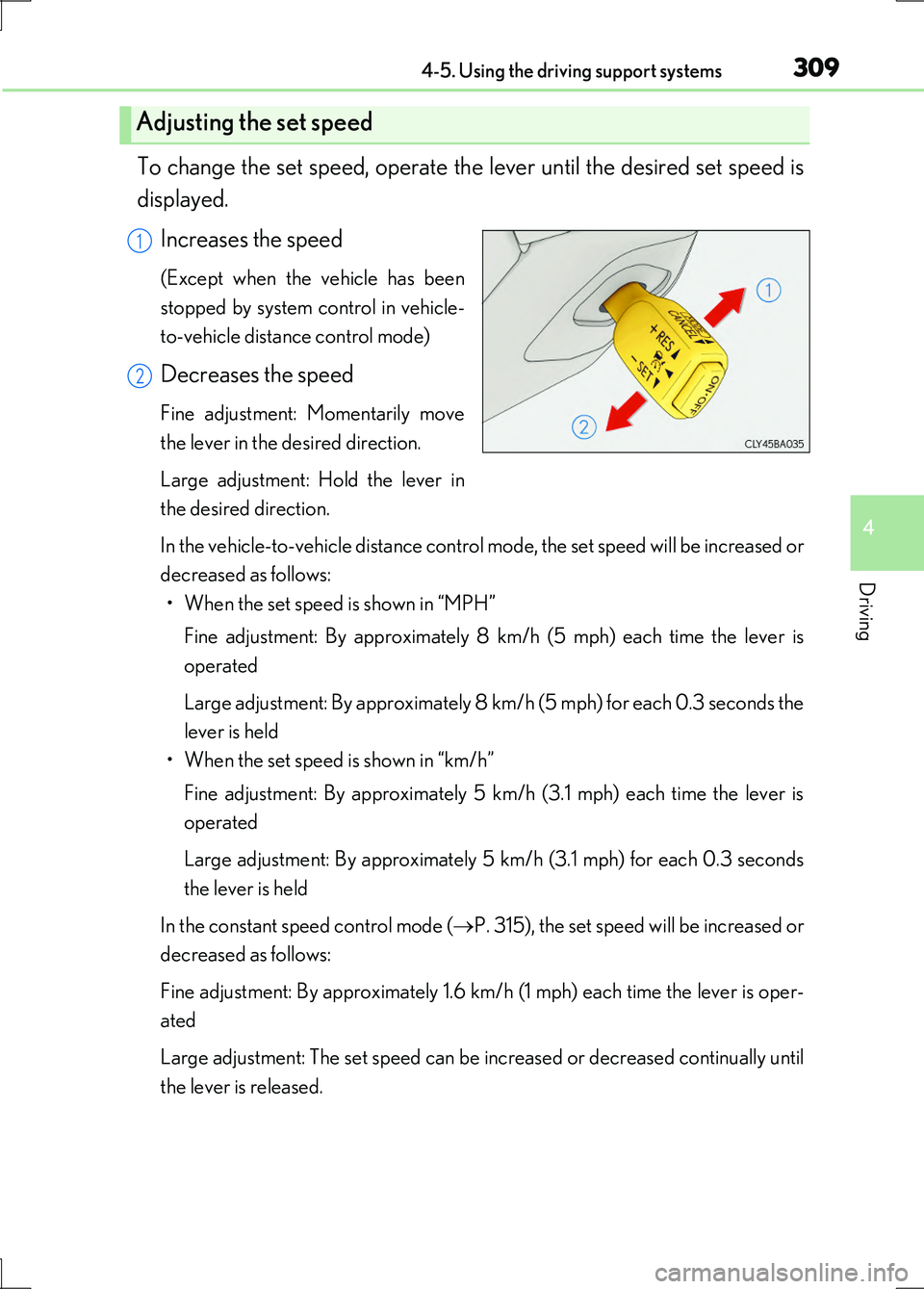
To change the set speed, operate the lever until the desired set speed is
displayed.
Increases the speed
(Except when the vehicle has been
stopped by system control in vehicle-
to-vehicle distance control mode)
Decreases the speed
Fine adjustment: Momentarily move
the lever in the desired direction.
Large adjustment: Hold the lever in
the desired direction.
In the vehicle-to-vehicle distance control mode, the set speed will be increased or
decreased as follows: • When the set speed is shown in “MPH”
Fine adjustment: By approximately 8 km/h (5 mph) each time the lever is
operated
Large adjustment: By approximately 8 km/h (5 mph) for each 0.3 seconds the
lever is held
• When the set speed is shown in “km/h”
Fine adjustment: By approximately 5 km/h (3.1 mph) each time the lever is
operated
Large adjustment: By approximately 5 km/h (3.1 mph) for each 0.3 seconds
the lever is held
In the constant speed control mode ( P. 315), the set speed will be increased or
decreased as follows:
Fine adjustment: By approximately 1.6 km/h (1 mph) each time the lever is oper-
ated
Large adjustment: The set speed can be increased or decreased continually until
the lever is released.
Adjusting the set speed
1
2
Page 333 of 676
3334-5. Using the driving support systems
4
Driving
LS600h/LS600hL_EE(OM50G20E)
NOTICE
■Camera sensor (P. 324)
Observe the following to ensure that the LKA system functions correctly.
●Keep the windshield clean at all times.
Performance could be affected if the windshield is dirty, or if raindrops, conden-
sation or ice are adhering to the windshield.
●Do not attach window tinting to the windshield.
●Do not install an antenna in front of the camera lens.
●If the windshield is fogged up, use the windshield defogger to remove fog from
the windshield.
When it is cold, using the heater with air blowing to the feet may allow the upper
part of the windshield to fog up. This will have a negative effect on the images.
●Do not place anything on the dashboard.
The camera sensor may recognize the image reflected on the windshield as lane
markers by mistake.
●Do not scratch the camera lens, or let it get dirty.
When cleaning the inside of the windshield, be careful not to get any glass
cleaner etc. on the lens. Also, do not touch the lens.
For lens repair, contact any authorized Lexus dealer or repairer, or another duly
qualified and equipped professional.
●Do not change the installation position or direction of the camera sensor or
remove it. The direction of the camera sensor is precisely adjusted.
●Do not subject the camera sensor to strong impact or force, and do not disas-
semble the camera sensor.
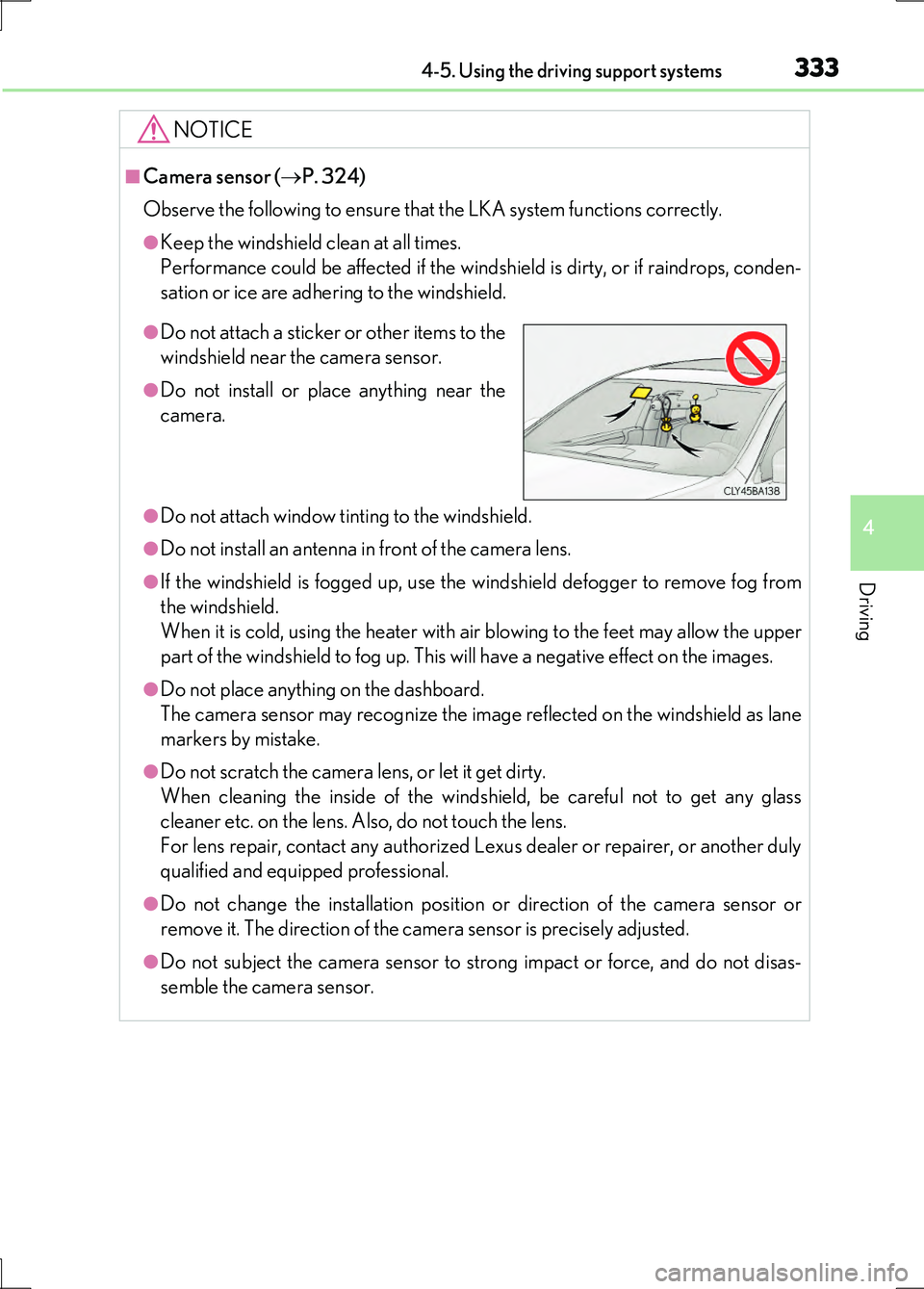
●Do not attach a sticker or other items to the
windshield near the camera sensor.
●Do not install or place anything near the
camera.
Page 342 of 676
3424-5. Using the driving support systems
LS600h/LS600hL_EE(OM50G20E)
■Hill-start assist control is operational when
●The system has detected that the vehicle is moving backward.
●The shift lever is in the D or S position.
●The brake pedal is not depressed.
■VGRS is disabled when
VGRS may stop operating in the following situations.
In this event, the steering wheel may move from its straight forward position, but it
will return when the system restarts.
●When the steering wheel is operated for an extended period of time while the vehi-
cle is stopped or is moving very slowly
●When the steering wheel has been held fully to the left or right
●When the 12-volt battery is low or the voltage temporarily drops
The center position of the steering wheel may change when VGRS is disabled. How-
ever, the position will return to normal after VGRS is reactivated.
■Sounds and vibrations caused by the ABS, brake assist, TRC, VSC, hill-start assist
control and VGRS systems
●A sound may be heard from the engine compartment when the brake pedal is
depressed repeatedly, when the hybrid system is started or just after the vehicle
begins to move. This sound does not indicate that a malfunction has occurred in
any of these systems.
●Any of the following conditions may occur when the above systems are operating.
None of these indicates that a malfunction has occurred.
• Vibrations may be felt through the vehicle body and steering.
• A motor sound may be heard after the vehicle comes to a stop.
●The steering wheel may be moved slightly or a sound may be heard when the
hybrid system is started or stopped. None of these indicate that a malfunction has
occurred.
■EPS operation sound
When the steering wheel is operated, a motor sound (whirring sound) may be heard.
This does not indicate a malfunction.
■Reactivation of the TRC/VSC systems
Even after the TRC/VSC systems have been turned off, turning the hybrid system off
and then on again will automatically reactivate the TRC/VSC systems.
Page 357 of 676
3574-5. Using the driving support systems
4
Driving
LS600h/LS600hL_EE(OM50G20E)
CAUTION
■Handling the camera sensors (if equipped)
Observe the following to ensure that the PCS functions effectively:
●Keep the windshield clean at all times.
PCS effectiveness may be reduced due to the presence of raindrops, condensa-
tion, ice or snow on the windshield.
●Do not subject the camera sensor to a st rong impact or force, and do not disas-
semble the camera sensor.
●Do not change the installation position of the camera sensor, or remove and rein-
stall it. The direction of the camera sensor is precisely adjusted.
●When the windshield fogs up, use the wi ndshield defogger to dry the windshield.
During cold weather, using the heater with air blowing to the feet may allow the
upper part of the windshield to fog up, having a negative effect on the images.
●Do not place anything on the dashboard.
Images reflected on the windshield may reduce the effectiveness of the camera
sensor.
●Do not scratch the camera lens, or let it get dirty.
●Do not attach a sticker or other items to the windshield near the camera sensor.
■Headlights (vehicles with camera sensors)
●Observe the following to ensure proper near-infrared ray projection:
• Keep the headlights clean at all times.
• The detection performance may deteriorate if the high beams are misaligned
or inoperative.
●The near-infrared ray transmitters project strong energy that is not visible.
Although the transmitters normally turn off when the vehicle is stopped, never
look into the headlights for your safety.
Page 381 of 676
3814-5. Using the driving support systems
4
Driving
LS600h/LS600hL_EE(OM50G20E)
CAUTION
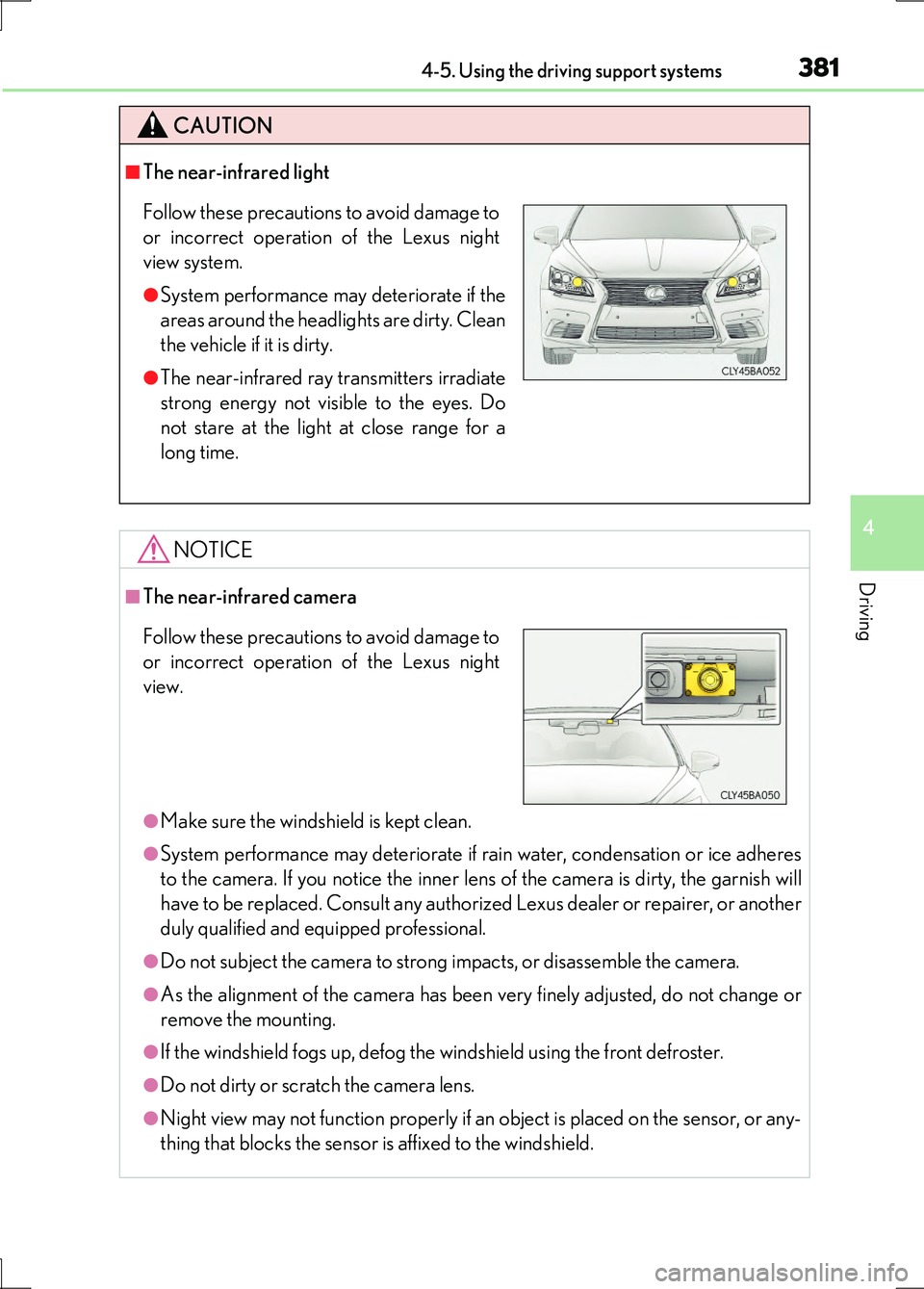
■The near-infrared light
NOTICE
■The near-infrared camera
●Make sure the windshield is kept clean.
●System performance may deteriorate if rain water, condensation or ice adheres
to the camera. If you notice the inner lens of the camera is dirty, the garnish will
have to be replaced. Consult any authorized Lexus dealer or repairer, or another
duly qualified and equipped professional.
●Do not subject the camera to strong impacts, or disassemble the camera.
●As the alignment of the camera has been very finely adjusted, do not change or
remove the mounting.
●If the windshield fogs up, defog the windshield using the front defroster.
●Do not dirty or scratch the camera lens.
●Night view may not function properly if an object is placed on the sensor, or any-
thing that blocks the sensor is affixed to the windshield.
Follow these precautions to avoid damage to
or incorrect operation of the Lexus night
view system.
●System performance may deteriorate if the
areas around the headlights are dirty. Clean
the vehicle if it is dirty.
●The near-infrared ray transmitters irradiate
strong energy not visible to the eyes. Do
not stare at the light at close range for a
long time.
Follow these precautions to avoid damage to
or incorrect operation of the Lexus night
view.
Page 390 of 676
390
LS600h/LS600hL_EE(OM50G20E)
5-1. Remote Touch screen
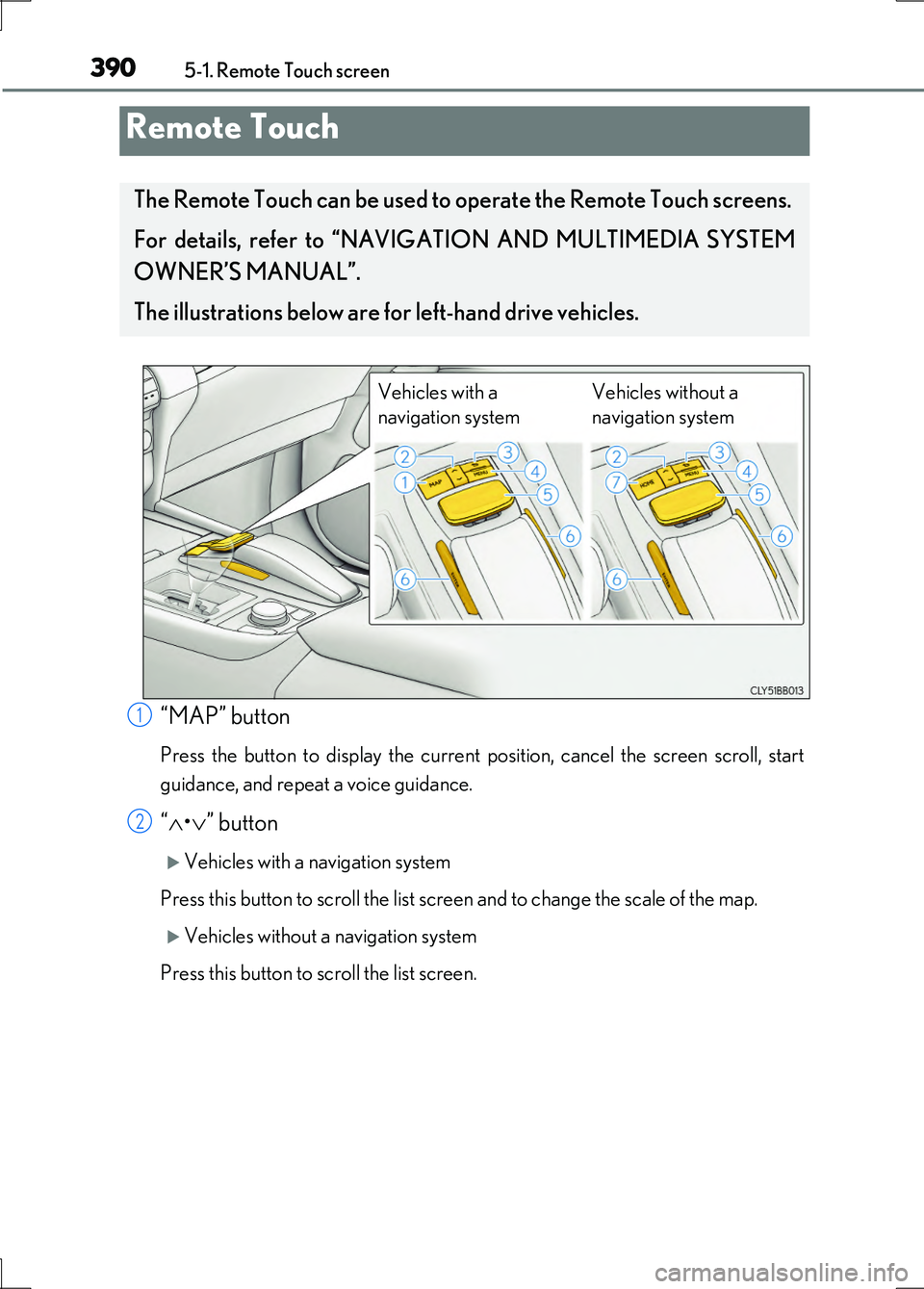
“MAP” button
Press the button to display the current position, cancel the screen scroll, start
guidance, and repeat a voice guidance.
“ •” button
Vehicles with a navigation system
Press this button to scroll the list screen and to change the scale of the map.
Vehicles without a navigation system
Press this button to scroll the list screen.
Remote Touch
The Remote Touch can be used to operate the Remote Touch screens.
For details, refer to “NAVIGATION AND MULTIMEDIA SYSTEM
OWNER’S MANUAL”.
The illustrations below are for left-hand drive vehicles.
Vehicles with a
navigation system
Vehicles without a
navigation system
1
2
Page 396 of 676
3965-1. Remote Touch screen
LS600h/LS600hL_EE(OM50G20E)
■Selecting the operation screen
When selecting the main display, move the Remote Touch knob to the
left. When selecting the side display, move the Remote Touch knob to
the right.
■ Main display
For details about the functions and operation of the main display, refer
to the respective section and “NAVIGATION AND MULTIMEDIA
SYSTEM OWNER’S MANUAL”.
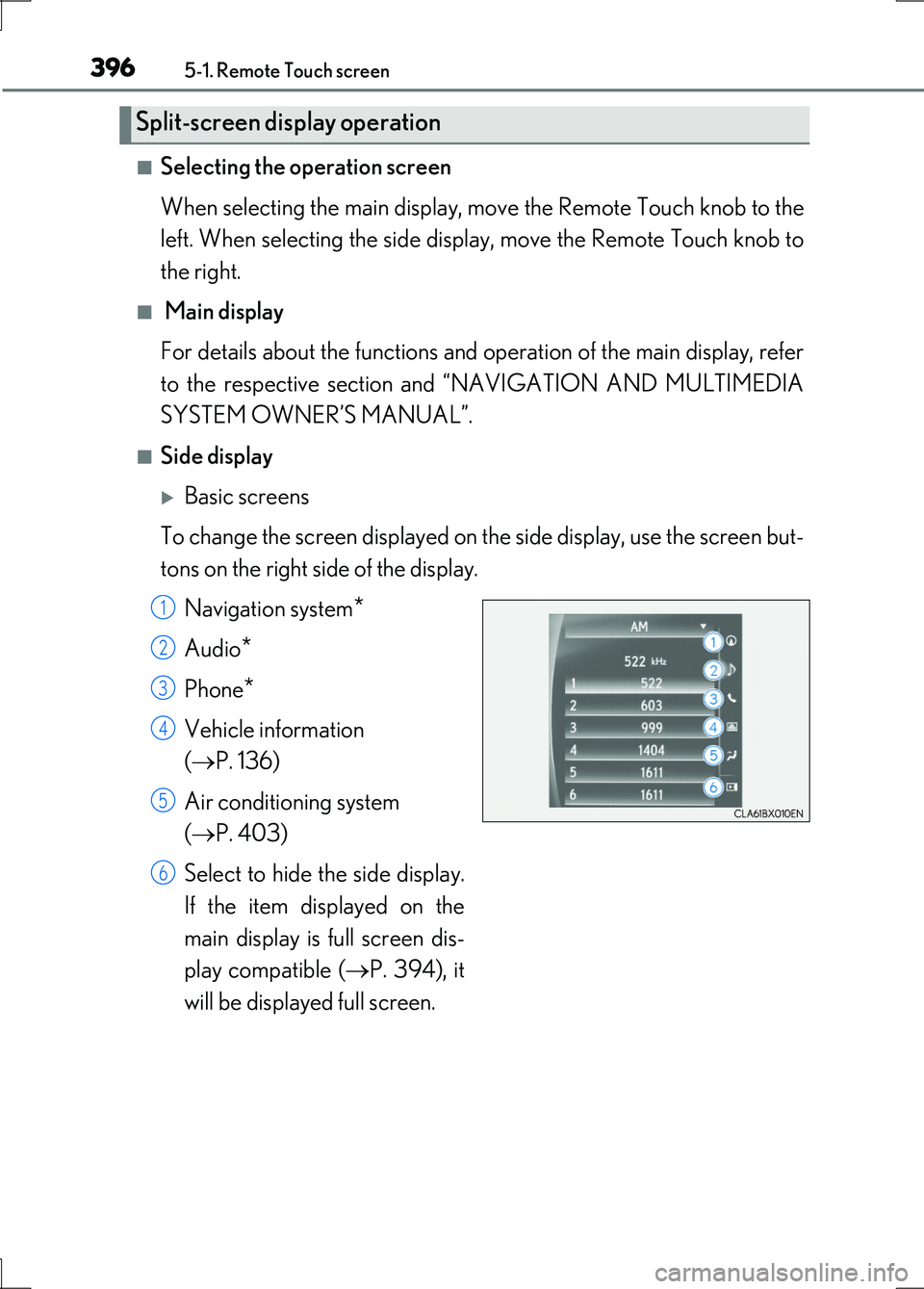
■Side display
Basic screens
To change the screen displayed on th e side display, use the screen but-
tons on the right side of the display.
Navigation system*
Audio*
Phone*
Vehicle information
( P. 136)
Air conditioning system
( P. 403)
Select to hide the side display.
If the item displayed on the
main display is full screen dis-
play compatible ( P. 394), it
will be displayed full screen.
Split-screen display operation
1
2
3
4
5
6