camera LEXUS LX570 2014 User Guide
[x] Cancel search | Manufacturer: LEXUS, Model Year: 2014, Model line: LX570, Model: LEXUS LX570 2014Pages: 956, PDF Size: 16.4 MB
Page 288 of 956

2882-4. Using other driving systems
LX570_OM_OM60L21U_(U) Lexus parking assist monitor precautions
■ Area displayed on screen
The parking assist monitor displays
an image of the view from the
bumper of the rear area of the
vehicle.
To adjust the image on the parking
assist monitor screen. ( P. 403)
• The area displayed on the
screen may vary according to
vehicle orientation condi-
tions.
• Objects which are close to
either corner of the bumper
or under the bumper cannot
be seen on the screen.
• The camera uses a special
lens. The distance of the
image that appears on the
screen differs from the actual
distance.
• Items which are located
higher than the camera may
not be displayed by the moni-
tor.Corners of bumper
Page 289 of 956
2892-4. Using other driving systems
2
When driving
LX570_OM_OM60L21U_(U) ■ Lexus parking assi st monitor camera
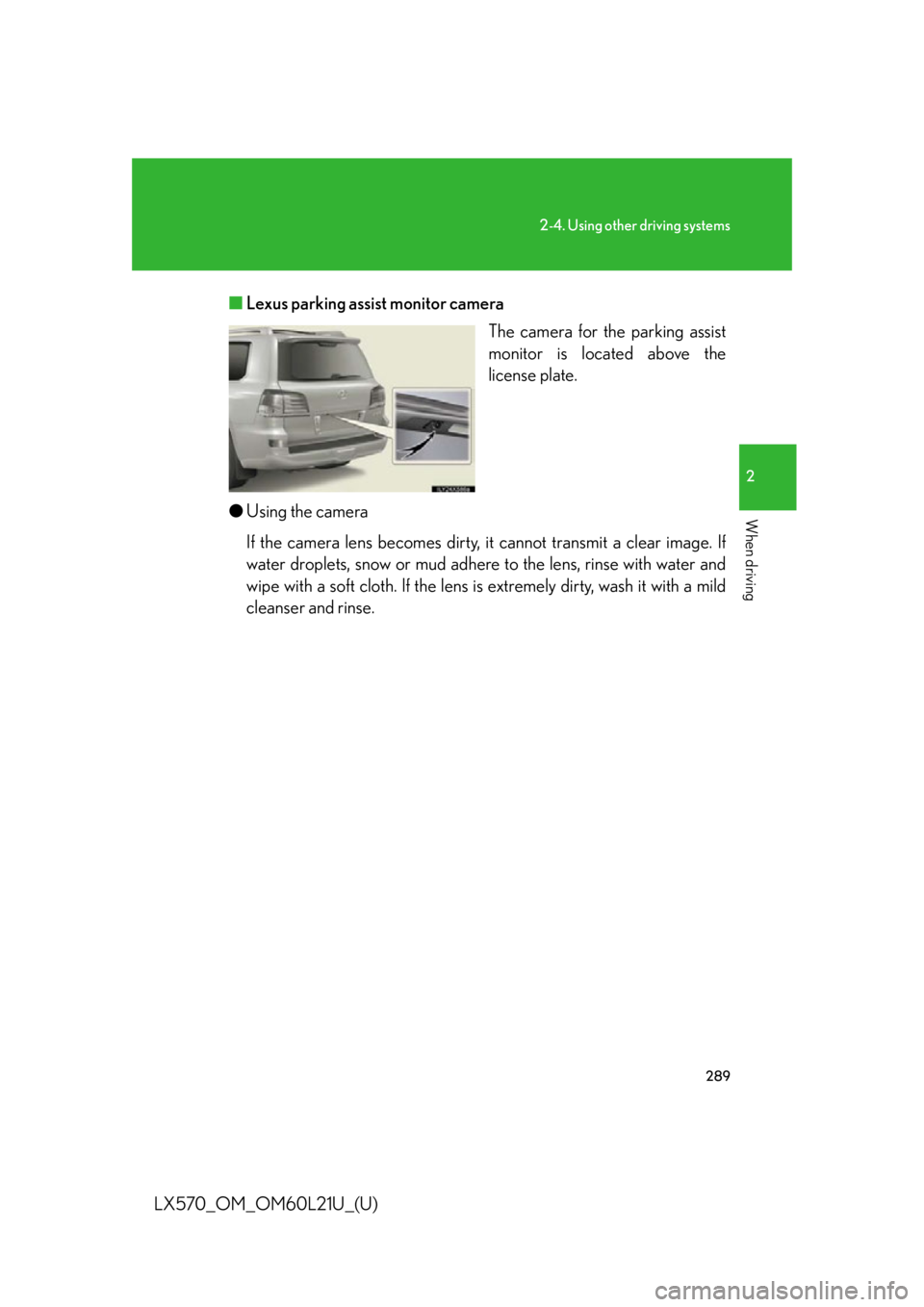
The camera for the parking assist
monitor is located above the
license plate.
● Using the camera
If the camera lens becomes dirty, it cannot transmit a clear image. If
water droplets, snow or mud adhere to the lens, rinse with water and
wipe with a soft cloth. If the lens is extremely dirty, wash it with a mild
cleanser and rinse.
Page 294 of 956
2942-4. Using other driving systems
LX570_OM_OM60L21U_(U) Things you should know
■ If you notice any symptoms
If you notice any of the following symptoms, refer to the likely cause
and the solution, and re-check.
If the symptom is not resolved by the solution, have the vehicle
inspected by your Lexus dealer. Symptom Likely cause Solution
The image is difficult to
see • The vehicle is in a dark
area
•The temperature
around the lens is
either high or low
• The outside tempera-
ture is low
• There are water drop-
lets on the camera
• It is raining or humid
• Foreign matter (mud
etc.) is adhering to the
camera
• There are scratches
on the camera
• Sunlight or headlights
are shining directly
into the camera
• The vehicle is under
fluorescent lights,
sodium lights, mercury
lights etc. If this happens due to these
causes, it does not indicate
a malfunction.
Back up while visually
checking the vehicle’s sur-
roundings. (Use the moni-
tor again once conditions
have been improved.)
To adjust the image on the
parking assist monitor
screen. ( P. 4 0 3 )
Page 295 of 956

2952-4. Using other driving systems
2
When driving
LX570_OM_OM60L21U_(U) The image is blurry Dirt or foreign matter
(such as water droplets,
snow, mud etc.) is
adhering to the camera. Rinse the camera lens with
water and wipe it clean with
a soft cloth.
Wash with a mild soap if the
dirt is stubborn.
A vertical white streak is
on the screen When a bright spot
(such as sunlight
reflecting off the body
of another vehicle) is
received by the camera,
a vertical streak may be
left above and below
the bright spot (smear
effect). If this happens due to these
causes, it does not indicate
a malfunction.
Back up while visually
checking the vehicle’s sur-
roundings. (Use the moni-
tor again once conditions
have been improved.)
The image is out of align-
ment The camera or sur-
rounding area has
received a strong
impact. Have the vehicle inspected
by your Lexus dealer.
The guide lines are very
far out of alignment The camera position is
out of alignment. Have the vehicle inspected
by your Lexus dealer.
The estimated course
lines move even though
the steering wheel is
straight There is a malfunction in
the signals being output
by the steering sensor. Have the vehicle inspected
by your Lexus dealer.Symptom Likely cause Solution
Page 298 of 956
2982-4. Using other driving systems
LX570_OM_OM60L21U_(U) CAUTION ●
If the tire sizes are changed, the positi on of the guide lines displayed on the
screen may change. ●
The camera uses a special lens. The di stances between obje cts and pedestrians
that appear in the image displayed on the screen will differ from the actual dis-
tances. ( P. 2 9 0 )■
When using the perpendicular parking assist screen
Estimated course line display mode: If the steering wheel is straight and the vehicle
width extension guide lines and the estimated course lines are not in alignment,
have the vehicle inspected by your Lexus dealer. ■
When using the parallel parking assist screen ●
Do not use the system if the display is incorrect due to an uneven (curvy/hilly)
road or a non-straight road. ●
Make sure to operate the steering wheel only when the vehicle is stopped. ●
Be sure to check that there are no obstacles inside the blue outline.
If there are any obstacles inside the blue outline, do not use the parallel parking
assist. ●
When positioning the blue outline over the parking space, be sure to position it so
that the extended blue line may not cross the tire of the vehicle parked in front of
the empty space. ●
If the extended line of the blue outline may be crossing the parked vehicle, your
vehicle is too close. Check that there is a gap of approximately 3 ft. (1 m) between
your vehicle and the parked vehicle.
Page 300 of 956
3002-4. Using other driving systems
LX570_OM_OM60L21U_(U) NOTICE■
How to use the camera ●
The parking assist monitor may not oper ate properly in the following cases.
• If the back of the vehicle is hit, the position and mounting angle of the camera
may change.
• As the camera has a water proof constr uction, do not detach, disassemble or
modify it. This may cause incorrect operation.
• Do not strongly rub the camera lens. If the camera lens is scratched, it cannot
transmit a clear image.
• Do not allow organic solvent, car wax, window cleaner or glass coat to adhere
to the camera. If this happens, wi pe it off as soon as possible.
• If the temperature changes rapidly, such as when hot water is poured on the
vehicle in cold weather, the system may not operate normally.
• When washing the vehicle, do not apply intensive bursts of water to the cam-
era or camera area. Doing so may re sult in the camera malfunctioning.●
Do not expose the camera to strong impact as this could cause a malfunction. If
this happens, have the vehicle inspected by your Lexus dealer as soon as possi-
ble.
Page 301 of 956
3012-4. Using other driving systems
2
When driving
LX570_OM_OM60L21U_(U) Wide view front & side monitor
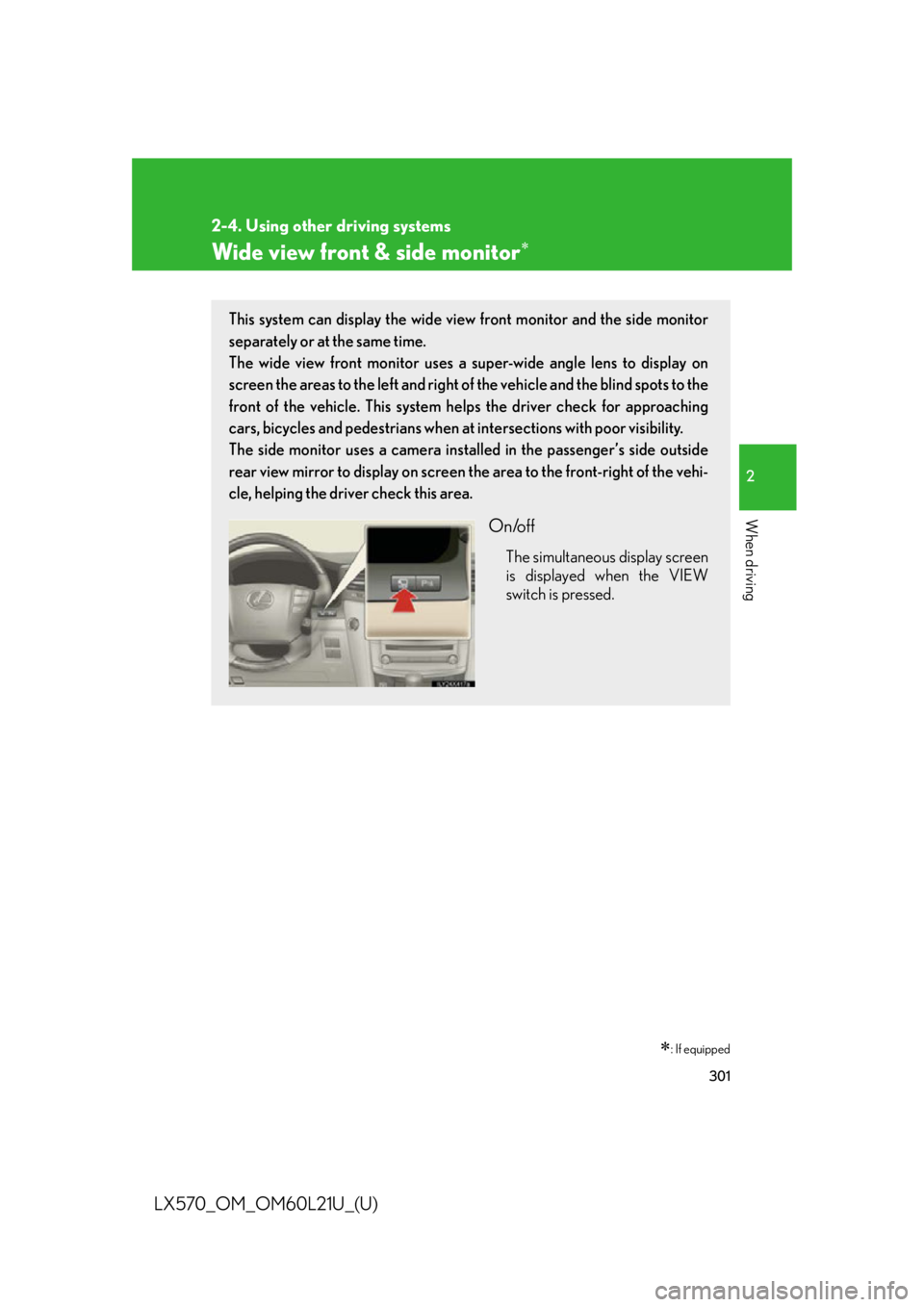
: If equippedThis system can display the wide view front monitor and the side monitor
separately or at the same time.
The wide view front monitor uses a super-wide angle lens to display on
screen the areas to the left and right of the vehicle and the blind spots to the
front of the vehicle. This system he lps the driver check for approaching
cars, bicycles and pedestrians when at intersections with poor visibility.
The side monitor uses a camera insta lled in the passenger’s side outside
rear view mirror to display on screen the area to the front-right of the vehi-
cle, helping the driver check this area.
On/off The simultaneous display screen
is displayed when the VIEW
switch is pressed.
Page 302 of 956
3022-4. Using other driving systems
LX570_OM_OM60L21U_(U) Display
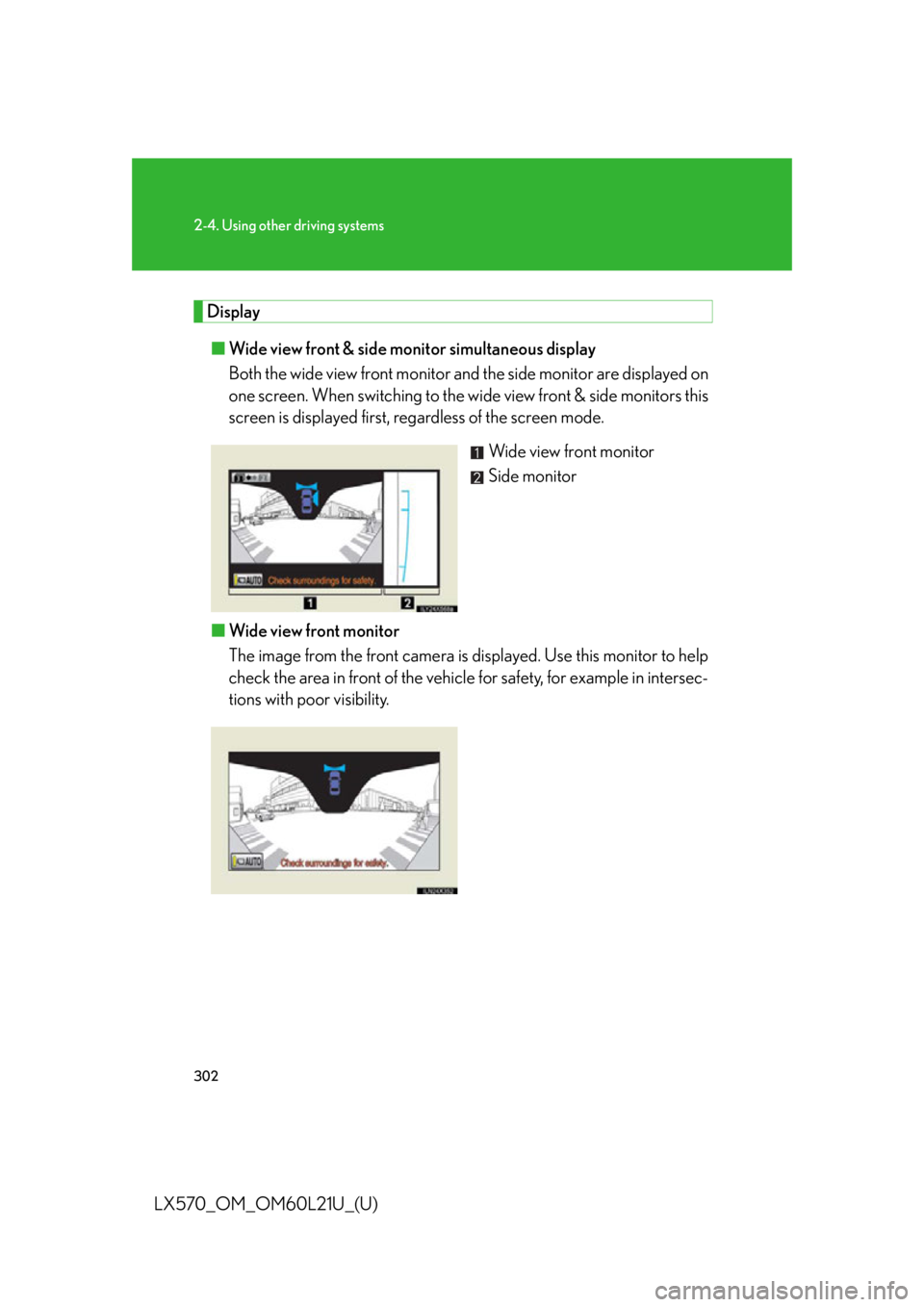
■ Wide view front & side monitor simultaneous display
Both the wide view front monitor and the side monitor are displayed on
one screen. When switching to the wi de view front & side monitors this
screen is displayed first, regardless of the screen mode.
Wide view front monitor
Side monitor
■ Wide view front monitor
The image from the front camera is d isplayed. Use this monitor to help
check the area in front of the vehicl e for safety, for example in intersec-
tions with poor visibility.
Page 303 of 956
3032-4. Using other driving systems
2
When driving
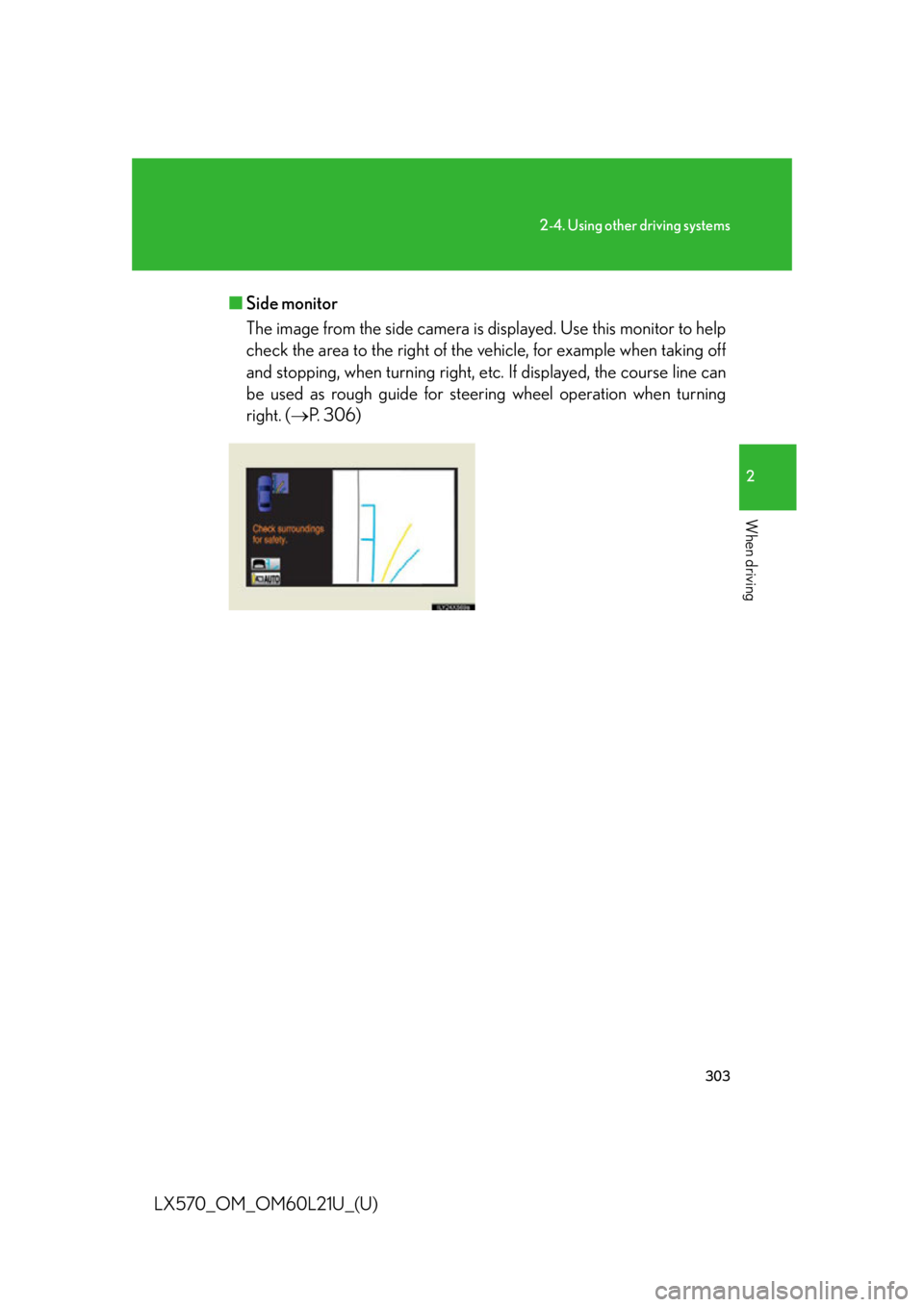
LX570_OM_OM60L21U_(U) ■ Side monitor
The image from the side camera is displayed. Use this monitor to help
check the area to the right of the ve hicle, for example when taking off
and stopping, when turning right, etc. If displayed, the course line can
be used as rough guide for steer ing wheel operat ion when turning
right. ( P. 306)
Page 313 of 956

3132-4. Using other driving systems
2
When driving
LX570_OM_OM60L21U_(U) ■
Displayed area
Front camera Masking
This section is masked to prevent the
driver from moving the vehicle while
watching only the wide view front monitor
screen. The driver must visually confirm
this area directly.
Camera’s field of view
Objects visible to the camera
Objects not visible to the camera
Parts of the vehicle (bumper, grille, etc.)