power steering LEXUS LX570 2014 User Guide
[x] Cancel search | Manufacturer: LEXUS, Model Year: 2014, Model line: LX570, Model: LEXUS LX570 2014Pages: 956, PDF Size: 16.4 MB
Page 178 of 956
1782-1. Driving procedures
LX570_OM_OM60L21U_(U) ■
Note for the entry function
P. 4 2
CAUTION■
When starting the engine
Always start the engine while sitting in th e driver’s seat. Do not depress the acceler-
ator while starting the engine under any circumstances.
Doing so may cause an accident resu lting in death or serious injury.■
Stopping the engine in an emergency
If you want to stop the engine in an em ergency while driving the vehicle, press and
hold the “ENGINE START STOP” switch fo r more than 2 seconds, or press it
briefly 3 times or more in succession. ( P. 8 7 8 )
However, do not touch the “ENGINE START STOP” switch while driving except in
an emergency. Turning the engine off while driving will not cause loss of steering or
braking control, but the power assist to thes e systems will be lost. This will make it
more difficult to steer and brake, so you should pull over and stop the vehicle as
soon as it is safe to do so.
NOTICE■
To prevent battery discharge
Do not leave the “ENGINE START STOP” switch in ACCESSORY or IGNITION
ON mode for long periods without the engine running.■
When starting the engine ●
Do not race a cold engine. ●
If the engine becomes difficult to start or stalls frequently, have your vehicle
checked by your Lexus dealer immediately.■
Symptoms indicating a malfunction with the “ENGINE START STOP” switch
If the “ENGINE START STOP” seems to be operating somewhat differently than
usual, such as the switch sticking slightly, there may be a malfunction. Contact your
Lexus dealer immediately.
Page 296 of 956

2962-4. Using other driving systems
LX570_OM_OM60L21U_(U) Guide lines are not dis-
played The back door is open. Close the back door.
If this does not resolve the
symptom, have the vehicle
inspected by your Lexus
dealer.
“System is initializing.” is
displayed • The battery has been
reinstalled.
• The steering wheel
has been moved while
the battery was being
reinstalled.
• Battery power is low.
• The steering sensor
has been reinstalled.
• There is a malfunction
in the signals being
output by the steering
sensor. Stop the vehicle, and turn
the steering wheel as far as
it will go to the left and
right.
If this does not resolve the
symptom, have the vehicle
inspected by your Lexus
dealer.
On the system initialization
screen, touch the “?” button
to display the operating
procedure.Symptom Likely cause Solution
Page 347 of 956
3472-4. Using other driving systems
2
When driving
LX570_OM_OM60L21U_(U) Driving assist systems To help enhance driving safety and performance, the following systems
operate automatically in response to various driving situations. Be aware,
however, that these systems are supplementary and should not be relied
upon too heavily when operating the vehicle.
■ Multi Terrain ABS (Anti-lock Brake System) Helps to prevent wheel lock when the brakes are applied suddenly, or if
the brakes are applied while driving on a slippery road surface, or in off-
road conditions (such as rough roads, sand and mud).
■ Brake assist Generates an increased level of braking force after the brake pedal is
depressed, when the system detects a panic stop situation.
■ VSC (Vehicle Stability Control) Helps the driver to control skidding when swerving suddenly or turning on
slippery road surfaces.
■ Active TRAC (Traction Control) Helps to maintain drive power and prevent the 4 wheels from spinning
when starting the vehicle or accelerating on slippery roads.
■ Hill-start assist control Helps to prevent the vehicle from rolling backwards when starting on an
incline or slippery slope.
■ VGRS (Variable Gear Ratio Steering) Helps to adjust the wheel turning angle in accordance with the vehicle
speed and steering wheel movement.
■ PCS (Pre-Collision System) (if equipped) P. 3 5 5
Page 395 of 956

3952-5. Driving information
2
When driving
LX570_OM_OM60L21U_(U) ■
AVS (adaptive variable suspension system)
The suspension can be switched for improvement in driveability. ( P. 3 2 9 )■
Break-in schedule
If your vehicle is new or equipped with any new power train components (such as
an engine, transmission, differential or wheel bearing), Lexus recommends that you
do not tow a trailer until the vehicle has been driven for over 500 miles (800 km).
After the vehicle has been driven for over 500 miles (800 km), you can start tow-
ing. However, for the next 500 miles (800 km), drive the vehicle at a speed of less
than 50 mph (80 km/h) when towing a traile r, and avoid full throttle acceleration.■
Maintenance ●
If you tow a trailer, your vehicle will require more frequent maintenance due to
the additional load. (See “Owner’s Guide”, “Warranty and Services Guide”,
“Owner’s Manual Supplement” or “Warranty Booklet”.) ●
Retighten the fixing bolts of the towing ball and bracket after approximately
600 miles (1000 km) of trailer towing.■
If trailer sway occurs
One or more factors (crosswinds, passing vehicles, rough roads, etc.) can adversely
affect handling of your vehicle and trailer, causing instability. ●
If trailer swaying occurs:
• Firmly grip the steering wheel. Steer straight ahead.
Do not try to control trailer swaying by turning the steering wheel.
• Begin releasing the accelerator peda l immediately but very gradually to
reduce speed.
Do not increase speed. Do not apply vehicle brakes.
If you make no extreme correction with the steering or brakes, your vehicle and
trailer should stabilize. (if enabled, Trailer Sway Control can also help to stabilize the
vehicle and trailer.)
Page 401 of 956

Interior features
3
401
LX570_OM_OM60L21U_(U) Playing WMA/
MP3 discs .............................. 587
Playing a Bluetooth ®
audio....................................... 589
Playing a USB memory ........ 592
Playing iPod ............................. 594
Playing DVD video ................ 596
DVD player and DVD
video disc information ....... 605
Using the video mode ........... 607
3-5. Using the hands-free system
(for cellular phone)
Hands-free system
(for cellular phone) .............. 612
Using a Bluetooth ®
phone ....................................... 621
Setting the hands-free
system (for cellular
phone)..................................... 644
Setting the Bluetooth ®
........ 669
3-6. Using the interior lights
Interior lights list ..................... 682
• Interior lights ........................... 683
• Personal lights ........................ 684
• Luggage compartment
light.............................................. 685 3-7. Using the storage features
List of storage features......... 686
• Glove box ................................. 687
• Console box............................ 688
• Overhead console ................ 689
• Cup holders ............................. 690
• Bottle holders .......................... 692
• Card holder.............................. 693
• Auxiliary boxes ....................... 693
3-8. Other interior features
Cool box ................................... 695
Sun visors .................................. 697
Vanity mirrors ......................... 698
Ashtrays.................................... 699
Cigarette lighter .................... 700
Power outlets ........................... 701
Heated steering wheel ........ 703
Seat heaters and
ventilators ............................. 705
Armrest .................................... 708
Assist grips ............................... 709
Floor mats ................................. 710
Luggage compartment
features ................................... 712
Garage door opener ............. 714
Safety Connect ...................... 722
Page 572 of 956

5723-3. Using the audio system
LX570_OM_OM60L21U_(U) Using the steering wh eel audio switchesSome audio features can be controlled using the switches on the steering
wheel.
Turns the power on, selects
audio source, mute or pause
Vo l u m e
Radio mode: Selects a radio
station
CD mode:Selects a track, file
and folder (MP3
and WMA)
DVD mode:Selects a chapter
Bluetooth ®
audio mode:
Selects a track
and album
iPod mode:Selects a track
USB memory mode:
Selects a file
and folder/
album
Page 741 of 956
7394-2. Maintenance
4
Maintenance and care
LX570_OM_OM60L21U_(U) General maintenance
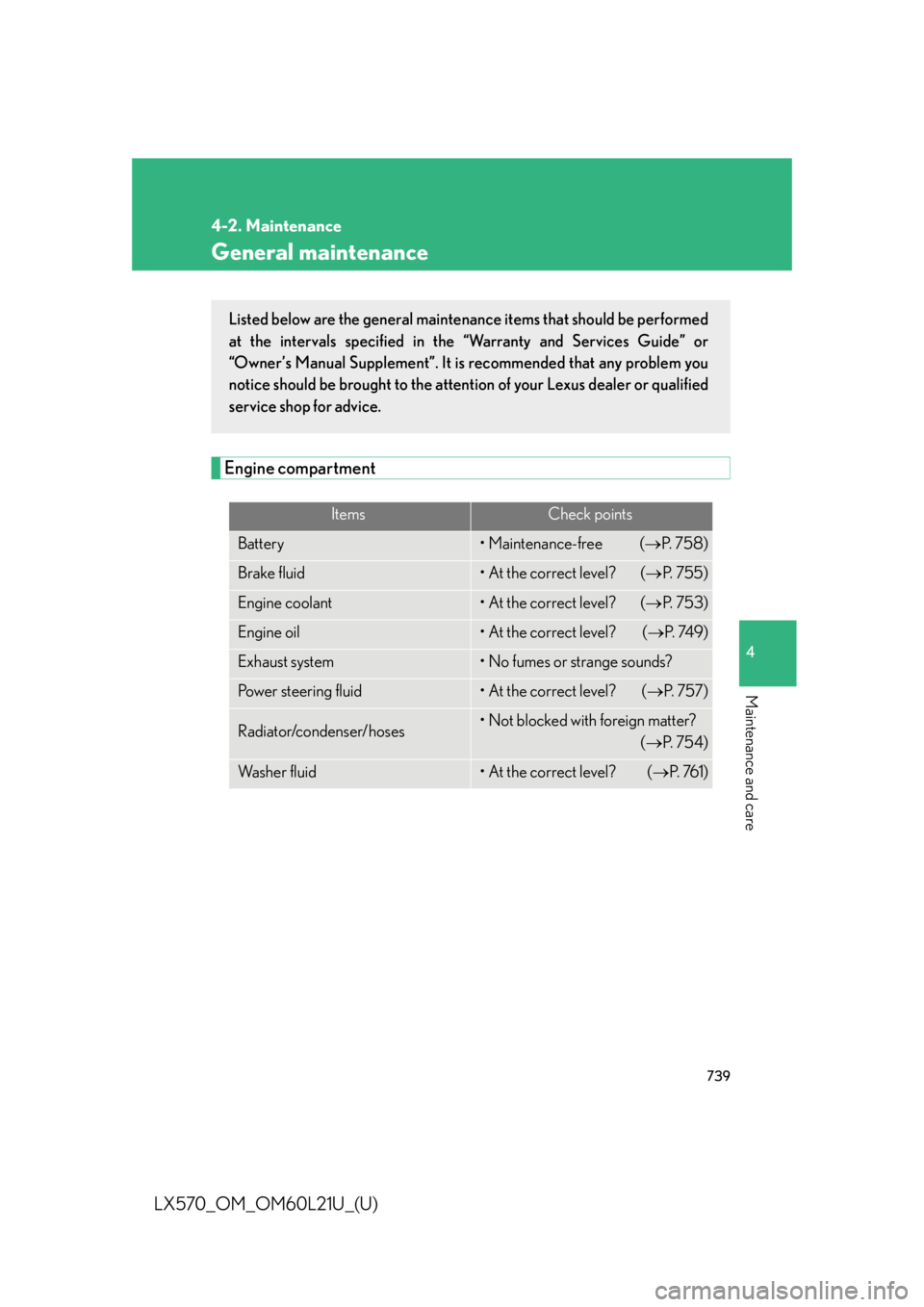
Engine compartment Items Check points
Battery • Maintenance-free ( P. 7 5 8 )
Brake fluid • At the correct level? ( P. 7 5 5 )
Engine coolant • At the correct level? ( P. 7 5 3 )
Engine oil • At the correct level? ( P. 74 9 )
Exhaust system • No fumes or strange sounds?
Power steering fluid • At the correct level? ( P. 7 5 7 )
Radiator/condenser/hoses • Not blocked with foreign matter?
( P. 7 5 4 )
Wa s h e r f l u i d • At the correct level? ( P. 76 1 )Listed below are the general maintenance items that should be performed
at the intervals specified in the “Warranty and Services Guide” or
“Owner’s Manual Supplement”. It is recommended that any problem you
notice should be brought to the attent ion of your Lexus dealer or qualified
service shop for advice.
Page 746 of 956
7444-3. Do-it-yourself maintenance
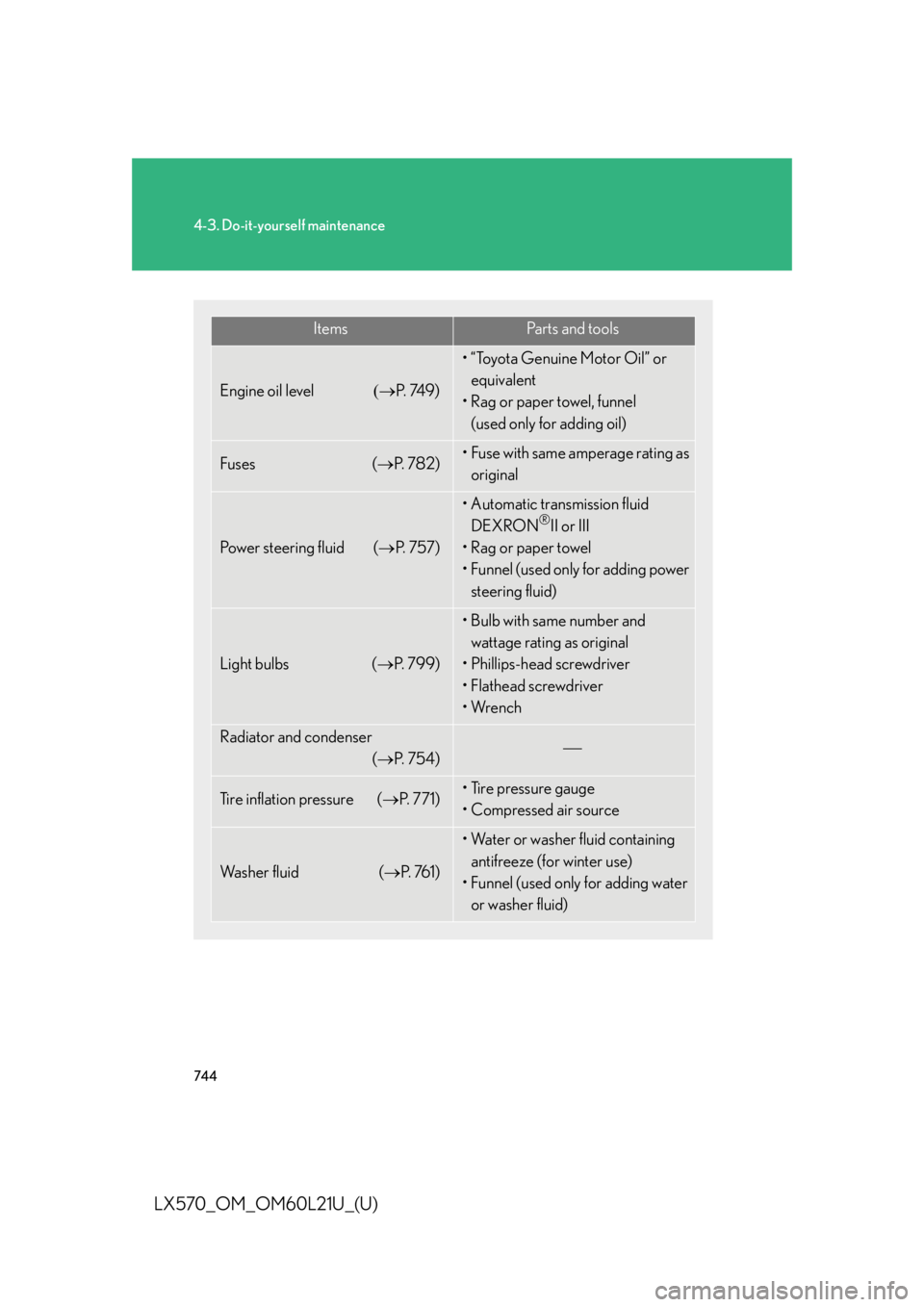
LX570_OM_OM60L21U_(U) Items Pa r t s a n d t o o l s
Engine oil level P. 74 9 ) • “Toyota Genuine Motor Oil” or
equivalent
• Rag or paper towel, funnel
(used only for adding oil)
Fuses ( P. 7 8 2 ) • Fuse with same amperage rating as
original
Power steering fluid ( P. 7 5 7 ) • Automatic transmission fluid
DEXRON ®
II or III
•Rag or paper towel
• Funnel (used only for adding power
steering fluid)
Light bulbs ( P. 799) • Bulb with same number and
wattage rating as original
• Phillips-head screwdriver
•Flathead screwdriver
•Wrench
Radiator and condenser
( P. 7 5 4 )
Tire inflation pressure ( P. 7 7 1 ) • Tire pressure gauge
• Compressed air source
Wa s h e r f l u i d ( P. 76 1 ) • Water or washer fluid containing
antifreeze (for winter use)
• Funnel (used only for adding water
or washer fluid)
Page 749 of 956

7474-3. Do-it-yourself maintenance
4
Maintenance and care
LX570_OM_OM60L21U_(U) Engine compartment
Power steering fluid reservoir
( P. 7 5 7 )
Engine oil level dipstick
( P. 74 9 )
Engine oil filler cap
( P. 750)
Brake fluid reservoir
( P. 755) Fuse box ( P. 7 8 2 )
Washer fluid tank ( P. 76 1 )
Battery ( P. 7 5 8 )
Cooling fans
Condenser ( P. 7 5 4 )
Radiator ( P. 7 5 4 )
Engine coolant reservoir
( P. 753)
Page 759 of 956
7574-3. Do-it-yourself maintenance
4
Maintenance and care
LX570_OM_OM60L21U_(U) Power steering fluid
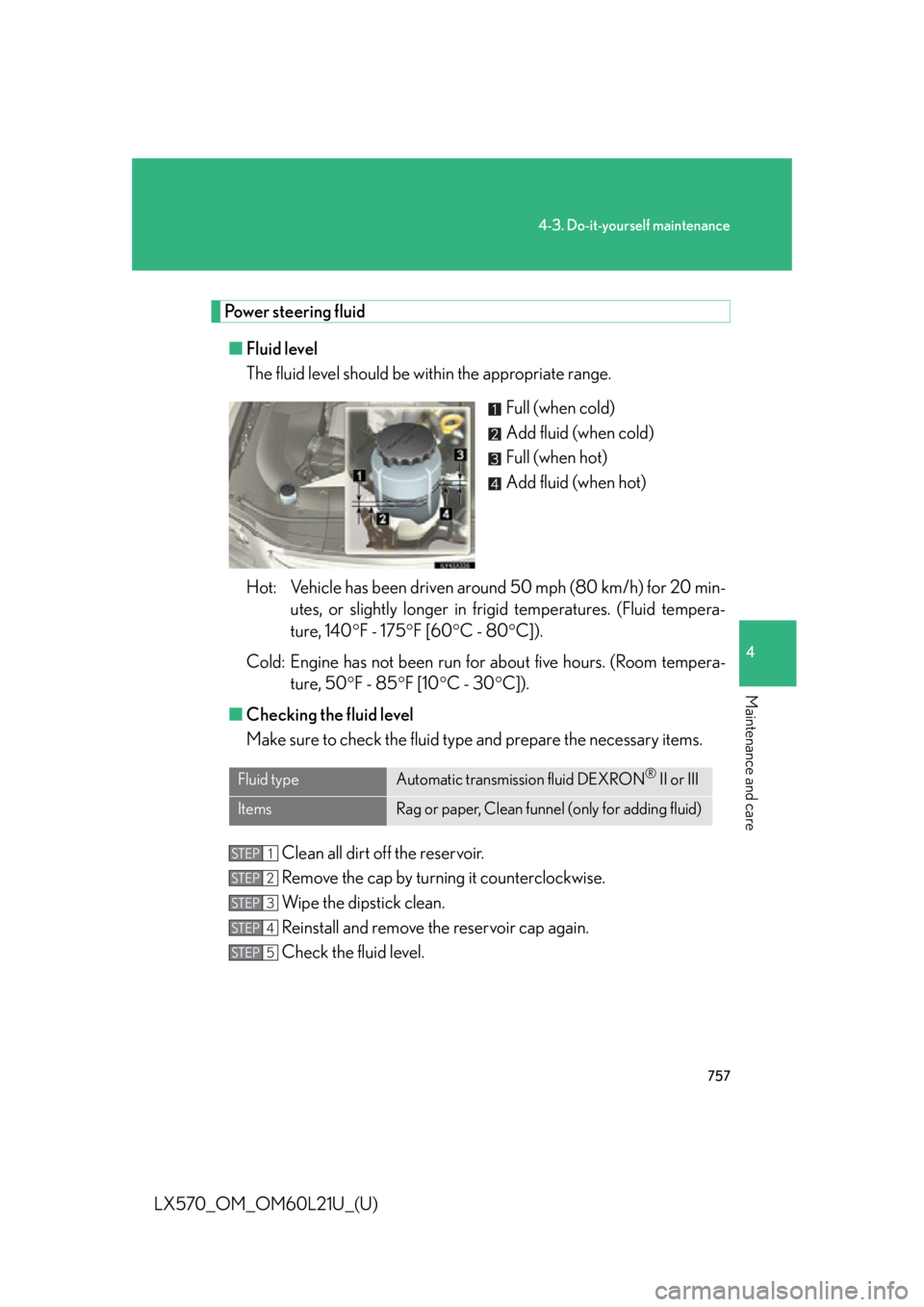
■ Fluid level
The fluid level should be within the appropriate range.
Full (when cold)
Add fluid (when cold)
Full (when hot)
Add fluid (when hot)
Hot: Vehicle has been driven arou nd 50 mph (80 km/h) for 20 min-
utes, or slightly longer in frigid temperatures. (Fluid tempera-
ture, 140 F - 175 F [60 C - 80 C]).
Cold: Engine has not been run for about five hours. (Room tempera-
ture, 50 F - 85 F [10 C - 30 C]).
■ Checking the fluid level
Make sure to check the fluid type and prepare the necessary items.
Clean all dirt off the reservoir.
Remove the cap by turning it counterclockwise.
Wipe the dipstick clean.
Reinstall and remove the reservoir cap again.
Check the fluid level.Fluid type Automatic transmission fluid DEXRON ®
II or III
Items Rag or paper, Clean funnel (only for adding fluid)STEP 1
STEP 2
STEP 3
STEP 4
STEP 5