radio LEXUS LX570 2014 User Guide
[x] Cancel search | Manufacturer: LEXUS, Model Year: 2014, Model line: LX570, Model: LEXUS LX570 2014Pages: 956, PDF Size: 16.4 MB
Page 400 of 956

400
LX570_OM_OM60L21U_(U) 3-1. Using the touch screen
Touch screen ........................... 402
Set up screen ........................... 410
Information screen................. 427
Voice command system ....... 429
3-2. Using the air conditioning
system and defogger
Front air conditioning
system..................................... 440
Rear air conditioning
system..................................... 452
Rear window and outside
rear view mirror
defoggers .............................. 456
Windshield wiper de-icer..... 457 3-3. Using the audio system
Audio system type.................. 458
Using the radio....................... 483
Using the CD/
DVD player .......................... 503
Playing an audio CD and
MP3/WMA discs .............. 505
Playing DVD video .................. 511
CD/DVD player and DVD
video disc information........ 525
Listening to Bluetooth ®
audio........................................ 537
Listening to a USB
memory ................................. 548
Listening to an iPod............... 558
Optimal use of the audio/
video system......................... 568
Using the AUX port .............. 570
Using the steering wheel
audio switches ...................... 572
3-4. Using the rear seat
entertainment system
Rear seat entertainment
system features .................... 575
Using the radio....................... 583
Using the radio (internet
radio broadcast) ................. 585
Playing an audio CD/
CD text .................................. 586
Page 426 of 956
4263-1. Using the touch screen
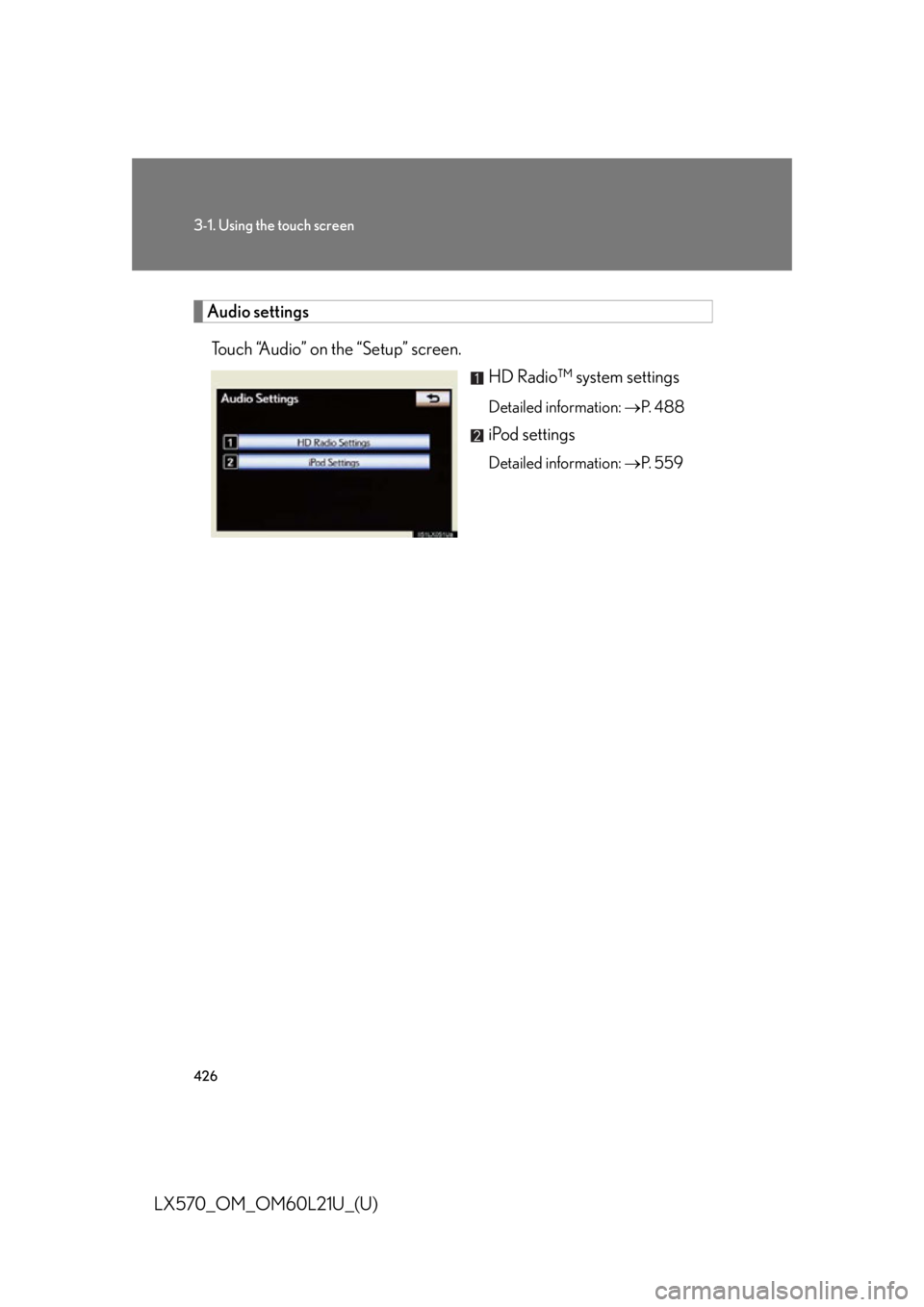
LX570_OM_OM60L21U_(U) Audio settings
Touch “Audio” on the “Setup” screen.
HD Radio™ system settings Detailed information: P. 4 8 8
iPod settings Detailed information: P. 5 5 9
Page 436 of 956

4363-1. Using the touch screen
LX570_OM_OM60L21U_(U) ■ Select audio mode
When expanded voice commands are turned “On”. ( P. 433)
* : Bluetooth is a registered tr ademark of Bluetooth SIG, Inc.Command
Action Shortcut
Menu
“Radio” Sets the audio mode to radio. O
“A M ” Selects the AM band. O
“FM” Selects the FM band. O
“Satellite radio” Selects the satellite radio mode. O
“Disc” Selects the disc audio mode. O
“Auxiliary” Selects the auxiliary audio mode. O
“Bluetooth
* audio” Selects the Bluetooth ®
audio mode. O
“iPod” Selects the iPod audio mode. O
“USB audio” Selects the USB audio mode. O
“Audio on” Turns the audio system on. O
“Audio off” Turns the audio system off. O
Page 458 of 956

458
LX570_OM_OM60L21U_(U) 3-3. Using the audio system
Audio system type CD and DVD player with AM/FM radio
Press “AUDIO” and touch each tab to display the audio control screen.
Page 459 of 956

4593-3. Using the audio system
3
Interior features
LX570_OM_OM60L21U_(U) Ti t l e Pa g e
Using the radio P. 4 8 3
Using the CD/DVD player P. 5 0 3
Playing an audio CD and MP3/WMA discs P. 5 0 5
Playing DVD video P. 5 1 1
CD/DVD player and DVD video disc information P. 5 2 5
Listening to Bluetooth ®
audio P. 5 3 7
Listening to a USB memory P. 5 4 8
Listening to an iPod P. 5 5 8
Optimal use of the audio/video system P. 5 6 8
Using the AUX port P. 5 7 0
Using the steering wheel audio switches P. 5 7 2
Page 483 of 956
4833-3. Using the audio system
3
Interior features
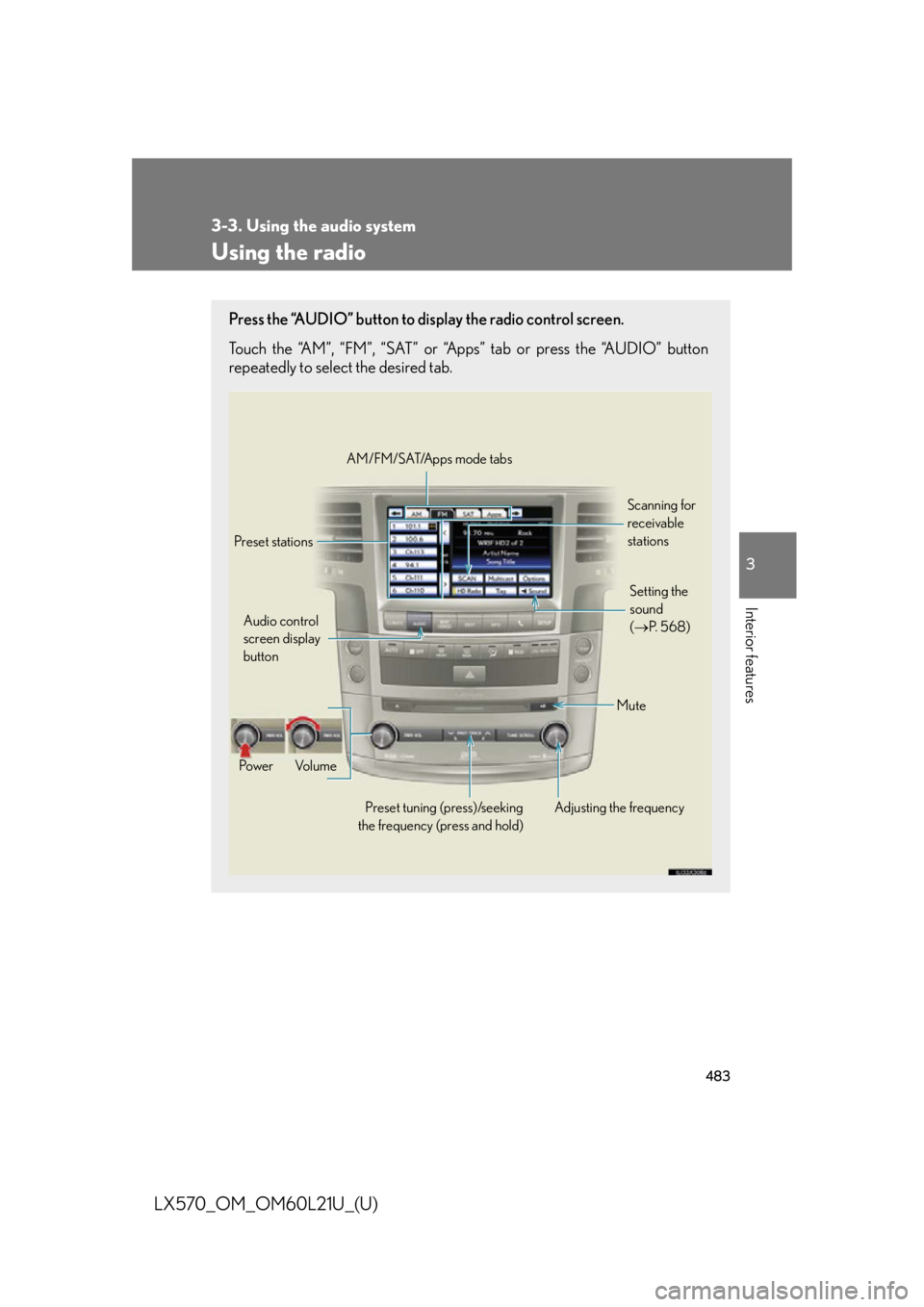
LX570_OM_OM60L21U_(U) Using the radio Press the “AUDIO” button to display the radio control screen.
Touch the “AM”, “FM”, “SAT” or “Apps” tab or press the “AUDIO” button
repeatedly to select the desired tab.
Audio control
screen display
button
Po w e r Vo l u m e
Preset tuning (press)/seeking
the frequency (press and hold) Adjusting the frequency AM/FM/SAT/Apps mode tabs
Preset stations Scanning for
receivable
stations
Mute Setting the
sound
( P. 5 6 8 )
Page 484 of 956
4843-3. Using the audio system
LX570_OM_OM60L21U_(U) Selecting a station (excluding XM ®
Satellite Radio)
■ Seek tuning
Press and hold “ ” or “ ” on the “PRST•TRACK” button.
■ Manual tuning
Turn the “TUNE•SCROLL” knob.
■ Preset stations
Touch the desired preset stations (1 - 6). Change the page by using “<” or “>” on the screen.
Press “ ” or “ ” on the “PRST•TRACK” button.
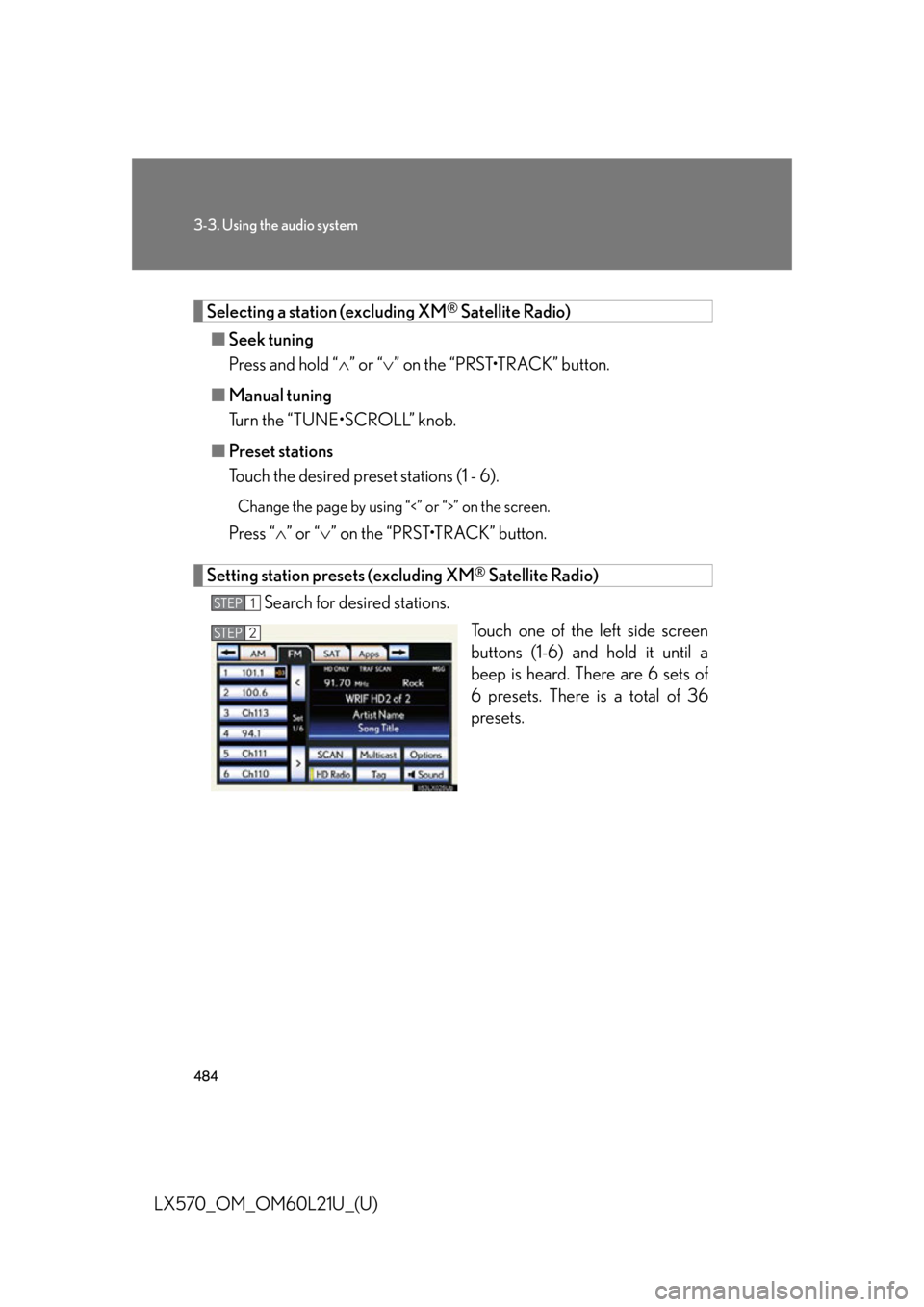
Setting station presets (excluding XM ®
Satellite Radio)
Search for desired stations.
Touch one of the left side screen
buttons (1-6) and hold it until a
beep is heard. There are 6 sets of
6 presets. There is a total of 36
presets.STEP 1
STEP 2
Page 485 of 956
4853-3. Using the audio system
3
Interior features
LX570_OM_OM60L21U_(U) Scanning radio stations (excluding XM ®
Satellite Radio)
Scanning all radio st ations within range
Touch “SCAN” on the screen. “SCAN” appears on the screen.
The radio will find the next station an d stay there for 10 seconds if “All”
or “HD Only” is selected, or 5 second s if “Analog” is selected, and then
scan again. ( P. 4 8 8 )
Touch “SCAN” once again when the desired station is reached.
RBDS (Radio Broadcast Data Systems)
This feature allows your radio to receive station identification information
and program information (classical, ja zz, etc.) from radio stations which
broadcast this information.
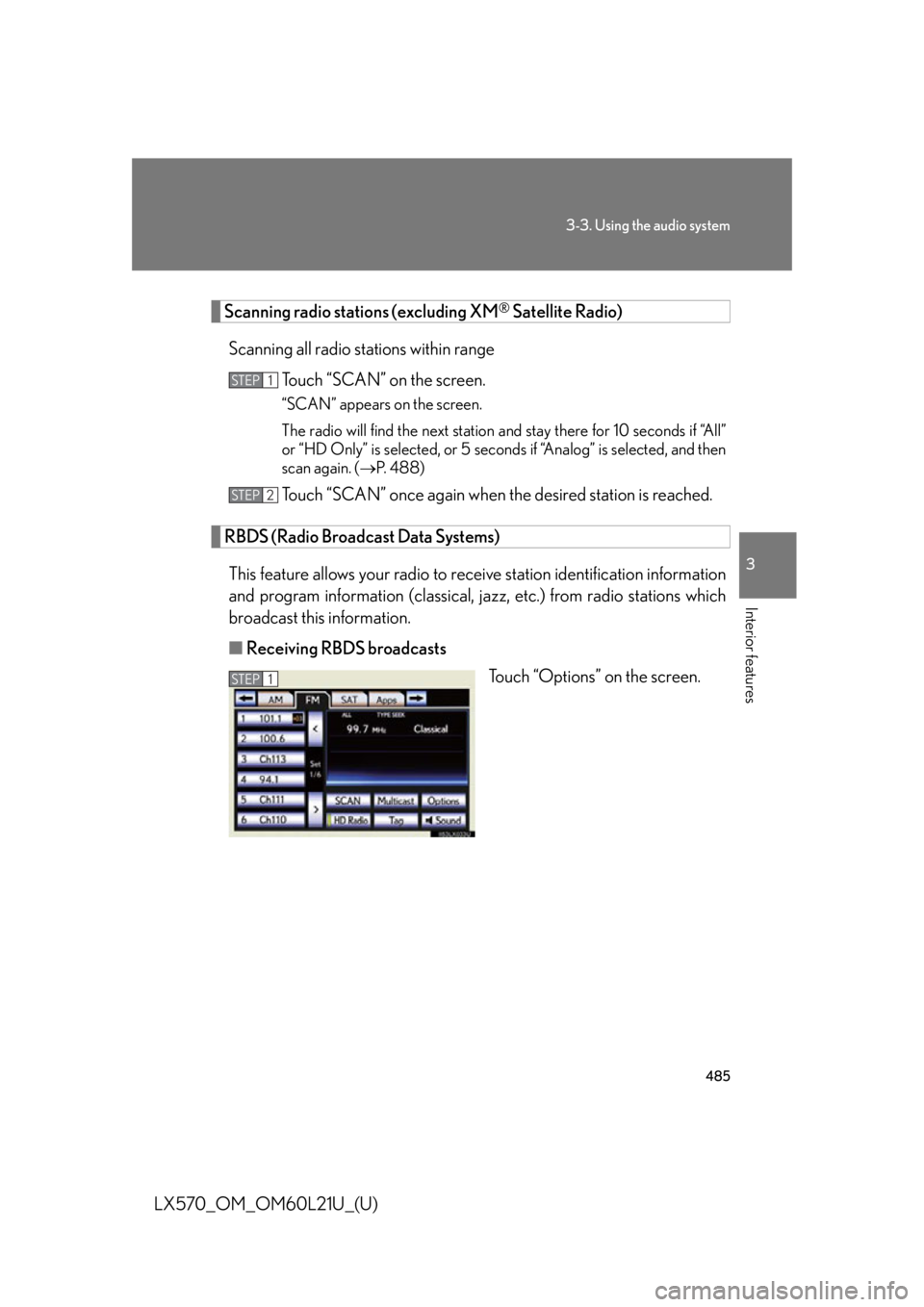
■ Receiving RBDS broadcasts
Touch “Options” on the screen.STEP 1
STEP 2
STEP 1
Page 486 of 956
4863-3. Using the audio system
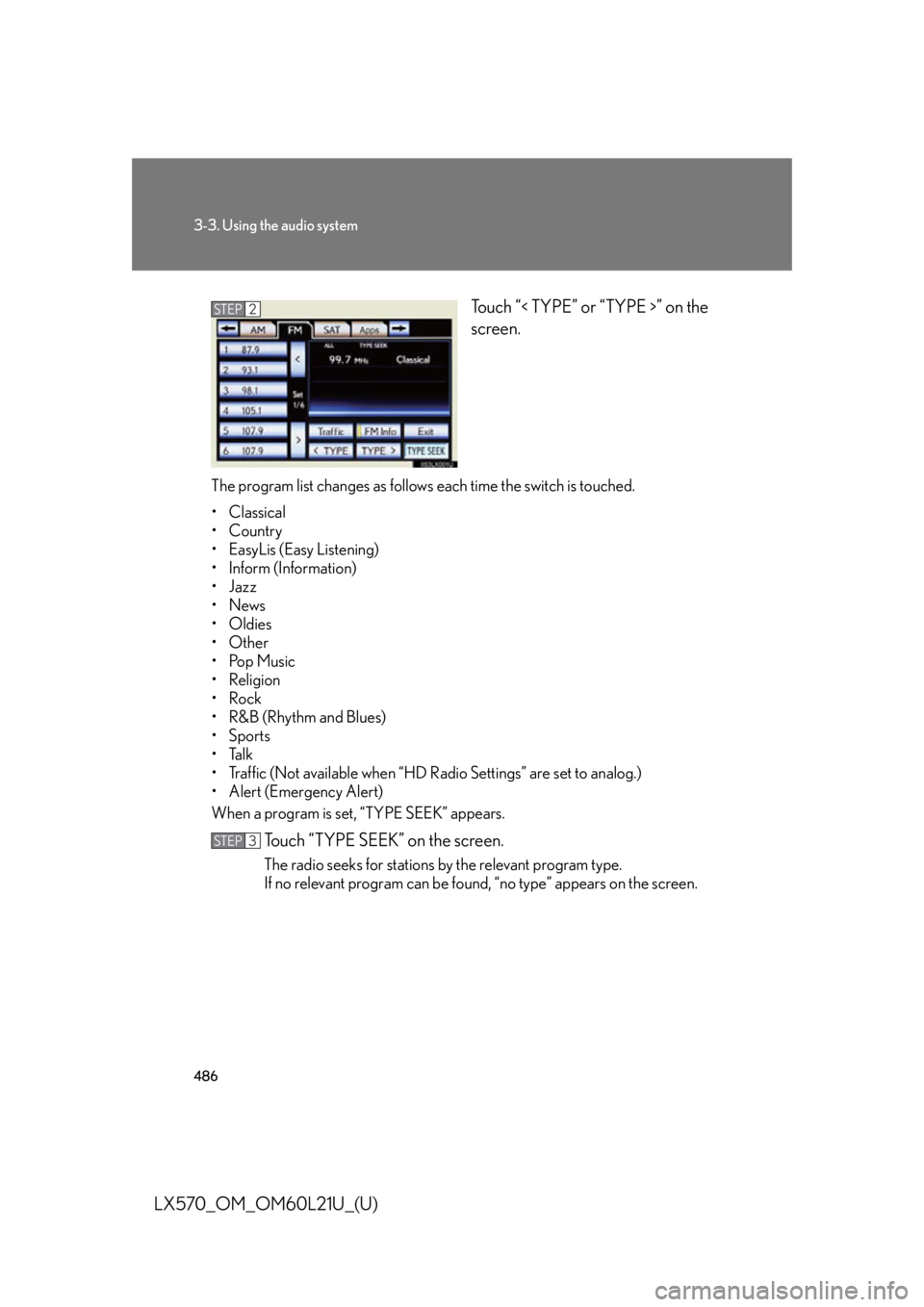
LX570_OM_OM60L21U_(U) Touch “< TYPE” or “TYPE >” on the
screen.
The program list changes as follows each time the switch is touched.
• Classical
•Country
• EasyLis (Easy Listening)
• Inform (Information)
•Jazz
•News
• Oldies
•Other
•Pop Music
• Religion
•Rock
•R&B (Rhythm and Blues)
•Sports
•Talk
• Traffic (Not available when “HD Radio Settings” are set to analog.)
• Alert (Emergency Alert)
When a program is set, “TYPE SEEK” appears.
Touch “TYPE SEEK” on the screen. The radio seeks for stations by the relevant program type.
If no relevant program can be foun d, “no type” appears on the screen.STEP 2
STEP 3
Page 487 of 956
4873-3. Using the audio system
3
Interior features
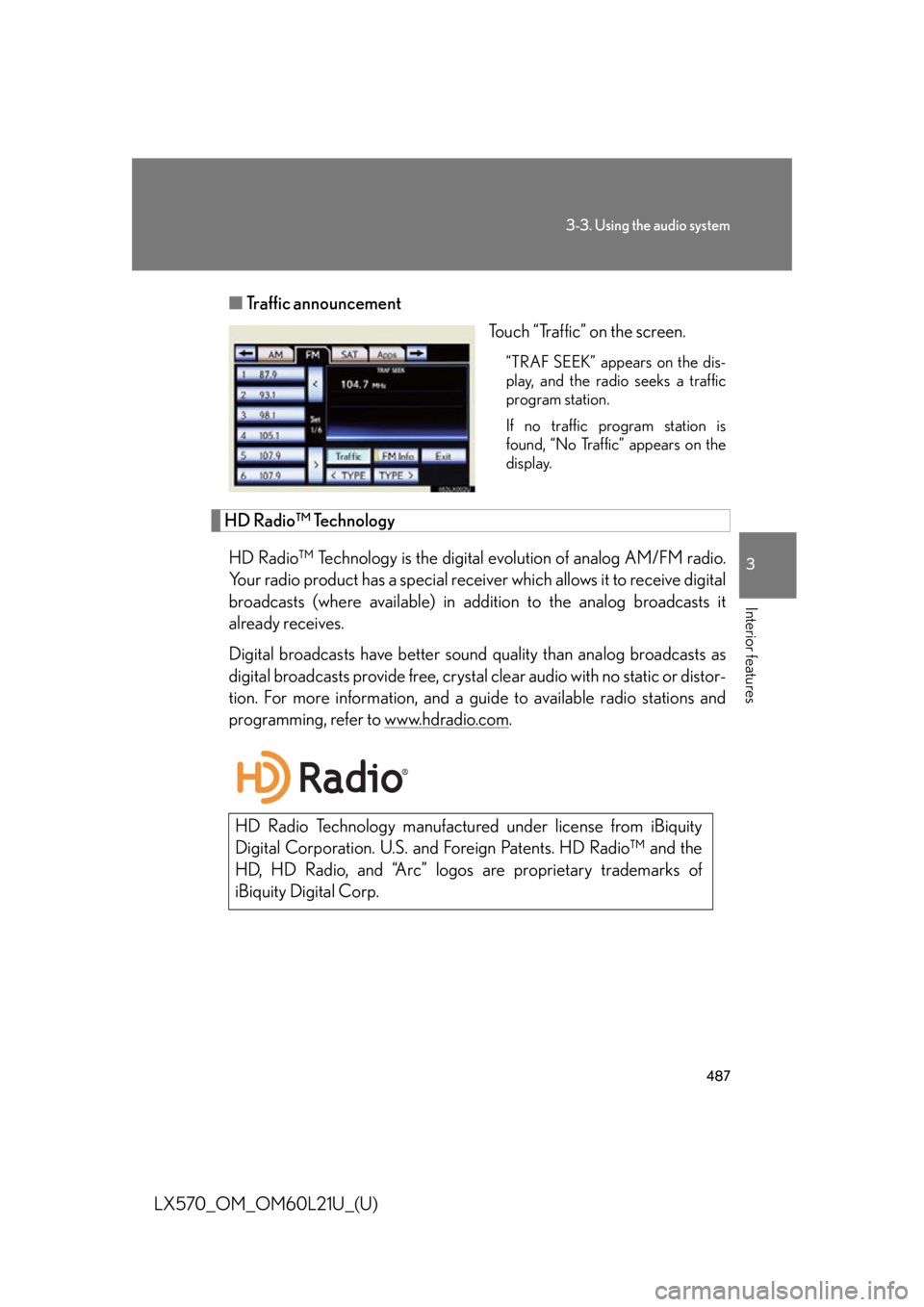
LX570_OM_OM60L21U_(U) ■ Traffic announcement
Touch “Traffic” on the screen. “TRAF SEEK” appears on the dis-
play, and the radio seeks a traffic
program station.
If no traffic program station is
found, “No Traffic” appears on the
display.
HD Radio™ Technology
HD Radio™ Technology is the digital evolution of analog AM/FM radio.
Your radio product has a special receiv er which allows it to receive digital
broadcasts (where available) in addi tion to the analog broadcasts it
already receives.
Digital broadcasts have better sound quality than analog broadcasts as
digital broadcasts provide free, crystal clear audio with no static or distor-
tion. For more information, and a guid e to available ra dio stations and
programming, refer to www.hdradio.com .
HD Radio Technology manufactured under license from iBiquity
Digital Corporation. U.S. and Fo reign Patents. HD Radio™ and the
HD, HD Radio, and “Arc” logos are proprietary trademarks of
iBiquity Digital Corp.