entertainment LEXUS LX570 2015 User Guide
[x] Cancel search | Manufacturer: LEXUS, Model Year: 2015, Model line: LX570, Model: LEXUS LX570 2015Pages: 960, PDF Size: 11.33 MB
Page 585 of 960
5853-4. Using the rear se at entertainment system
3
Interior features
LX570_OM_OM60L96U_(U) ■
Headphones
With some headphones generall y available in the market, it may be difficult to catch
signals properly. Lexus recommends the use of Lexus genuine wireless head-
phones.
Contact your Lexus dealer for further details. ■
Volume ●
Adjust the volume when you connect th e headphones to the jack. Loud sounds
may have a significant im pact on the human body.●
Conversational speech on some DVDs is recorded at a low volume to empha-
size the impact of sound e ffects. If you adjust the volume assuming that the con-
versations represent the maximum volume level that the DVD will play, you may
be startled by louder sound effects or when you change to a different audio
source. Be sure to adjust th e volume with this in mind.
CAUTION■
To prevent accidents and electric shock
Do not disassemble or modify the controller. ■
When the controller is not used
Stow the controller.
Injuries may result in the event of sudden braking, sudden swerving or an accident.■
For vehicles sold in the U.S.A. and Canada
Laser products ( P. 465)■
Removed battery and other parts
These parts are small and if swallowed by a child, they can cause choking. Keep
away from children. Failure to do so co uld result in death or serious injury.
Page 586 of 960
5863-4. Using the rear seat entertainment system
LX570_OM_OM60L96U_(U) NOTICE■
Cleaning the display
Wipe the display with a dry soft cloth.
If the screen is wiped with a rough cloth, the surface of the screen may be
scratched. ■
To prevent damage to the controller ●
Keep the remote control away from dire ct sunlight, high temperature and high
humidity. ●
Do not drop or knock the cont roller against hard objects.●
Do not sit on or place heavy objects on the controller.■
DVD player
Never try to disassemble or oil any part of the DVD player. Do not insert anything
other than a disc into the slot. ■
For normal operation after replacing the battery
Observe the following precau tions to prevent accidents.●
Always work with dry hands.
Moisture may cause the battery to rust. ●
Do not touch or move any other components inside the controller. ●
Do not bend either of the battery terminals.
Page 587 of 960
5873-4. Using the rear seat entertainment system
3
Interior features
LX570_OM_OM60L96U_(U) Using the radio
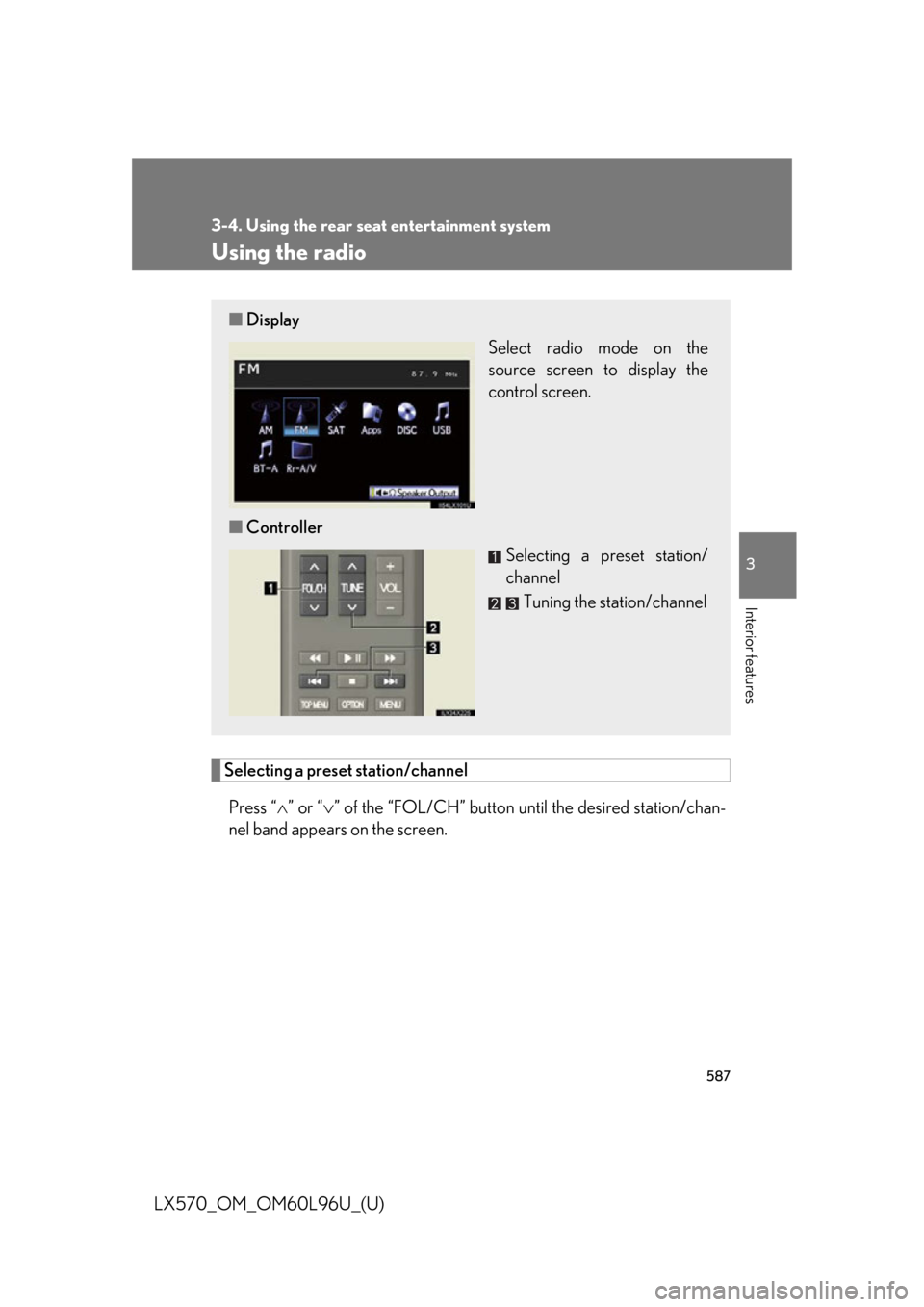
Selecting a preset station/channel
Press “ ” or “ ” of the “FOL/CH” button until the desired station/chan-
nel band appears on the screen.■ Display
Select radio mode on the
source screen to display the
control screen.
■ Controller
Selecting a preset station/
channel
Tuning the station/channel
Page 588 of 960
5883-4. Using the rear seat entertainment system
LX570_OM_OM60L96U_(U) Tuning the station
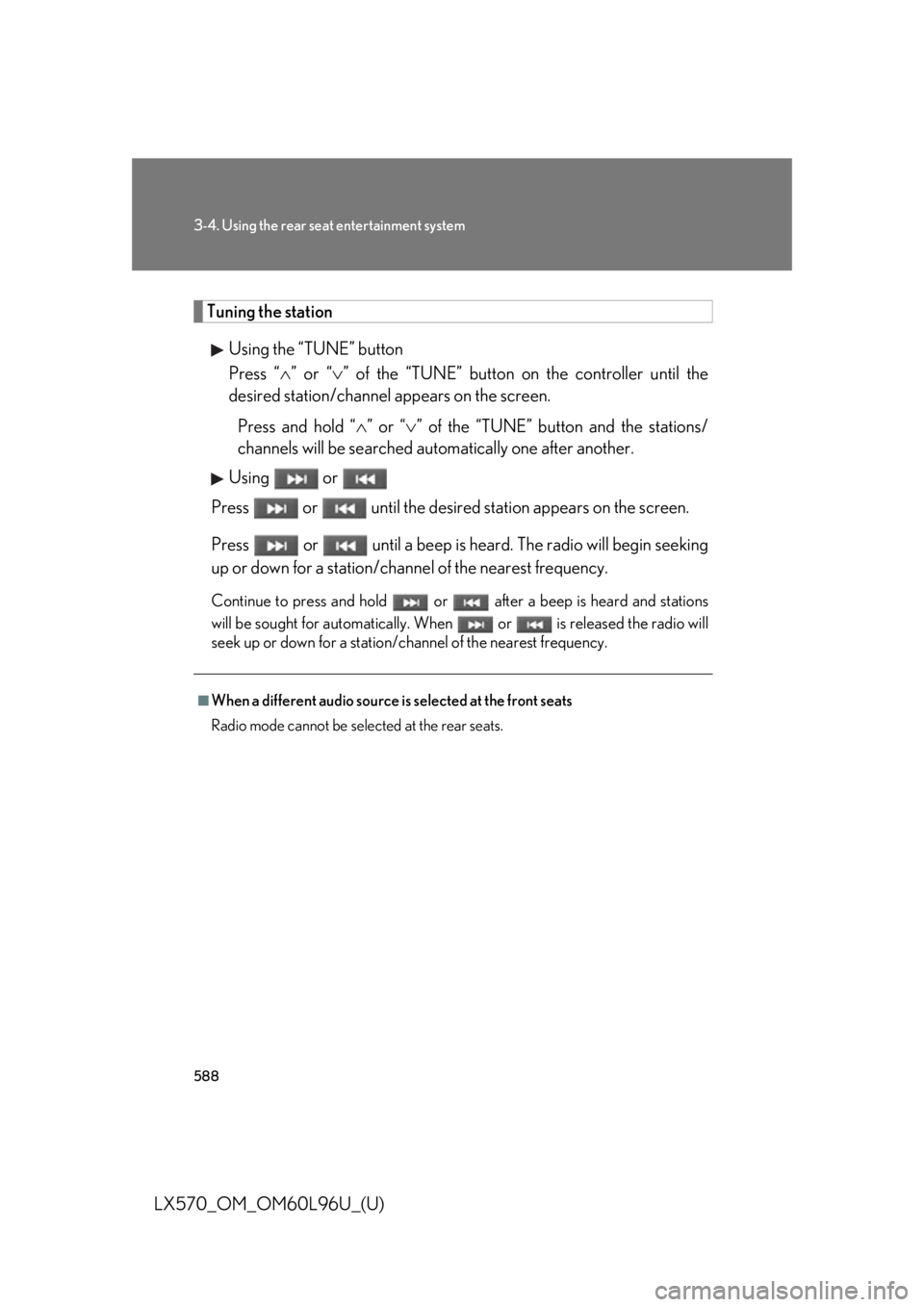
Using the “TUNE” button
Press “ ” or “ ” of the “TUNE” button on the controller until the
desired station/channel appears on the screen.
Press and hold “ ” or “ ” of the “TUNE” button and the stations/
channels will be searched automatically one after another.
Using or
Press or until the desired station appears on the screen.
Press or until a beep is hear d. The radio will begin seeking
up or down for a station/chan nel of the nearest frequency.Continue to press and ho ld or after a beep is heard and stations
will be sought for automatically. When or is released the radio will
seek up or down for a station/channel of the nearest frequency.■
When a different audio source is selected at the front seats
Radio mode cannot be selected at the rear seats.
Page 589 of 960
5893-4. Using the rear seat entertainment system
3
Interior features
LX570_OM_OM60L96U_(U) Using the radio (in ternet radio broadcast)■
When a different audio source is selected at the front seats
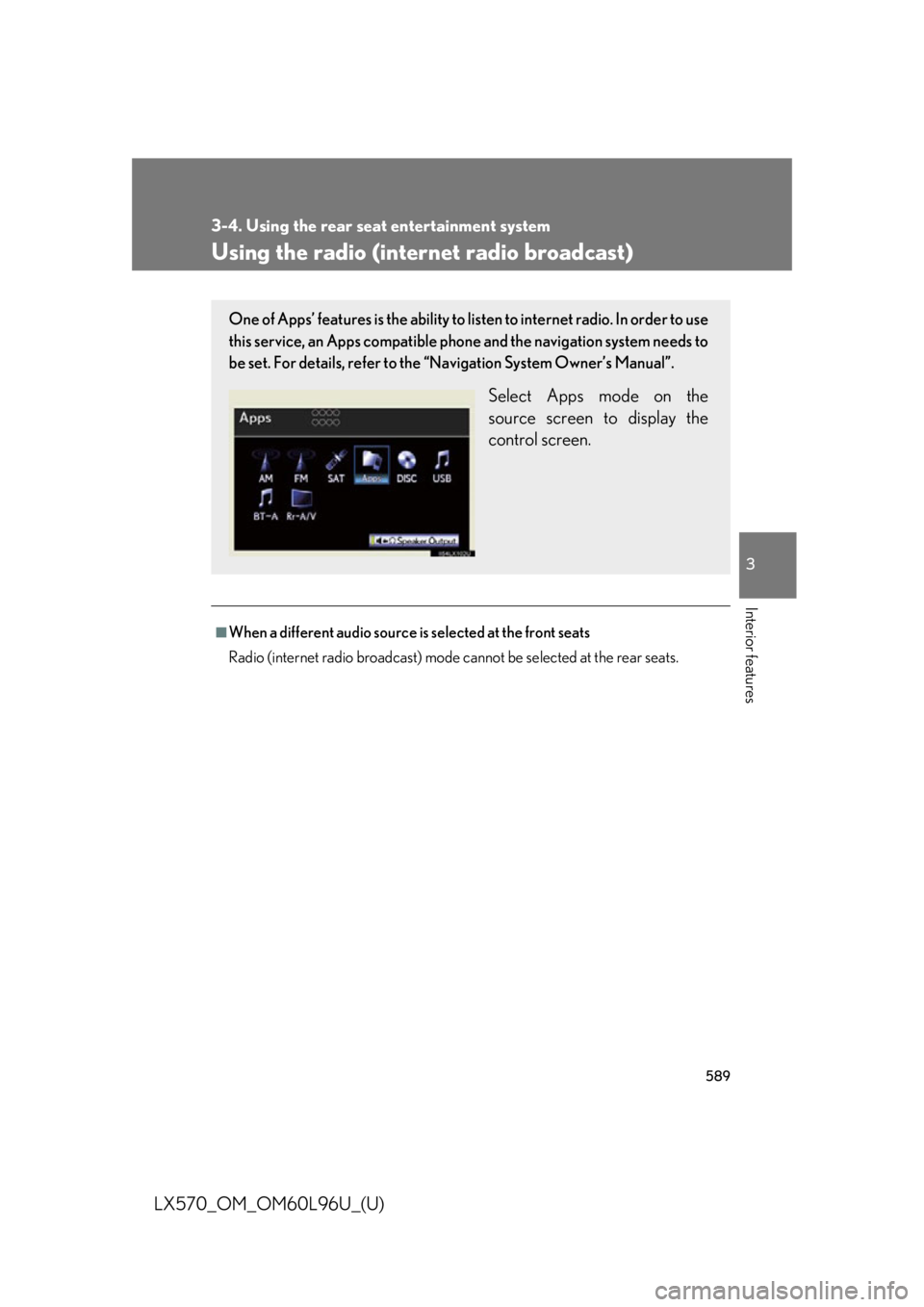
Radio (internet radio broadcast) mode cannot be selected at the rear seats.One of Apps’ features is the ability to list en to internet radio. In order to use
this service, an Apps compatible ph one and the navigation system needs to
be set. For details, refer to the “Navigation System Owner’s Manual”.
Select Apps mode on the
source screen to display the
control screen.
Page 590 of 960
5903-4. Using the rear seat entertainment system
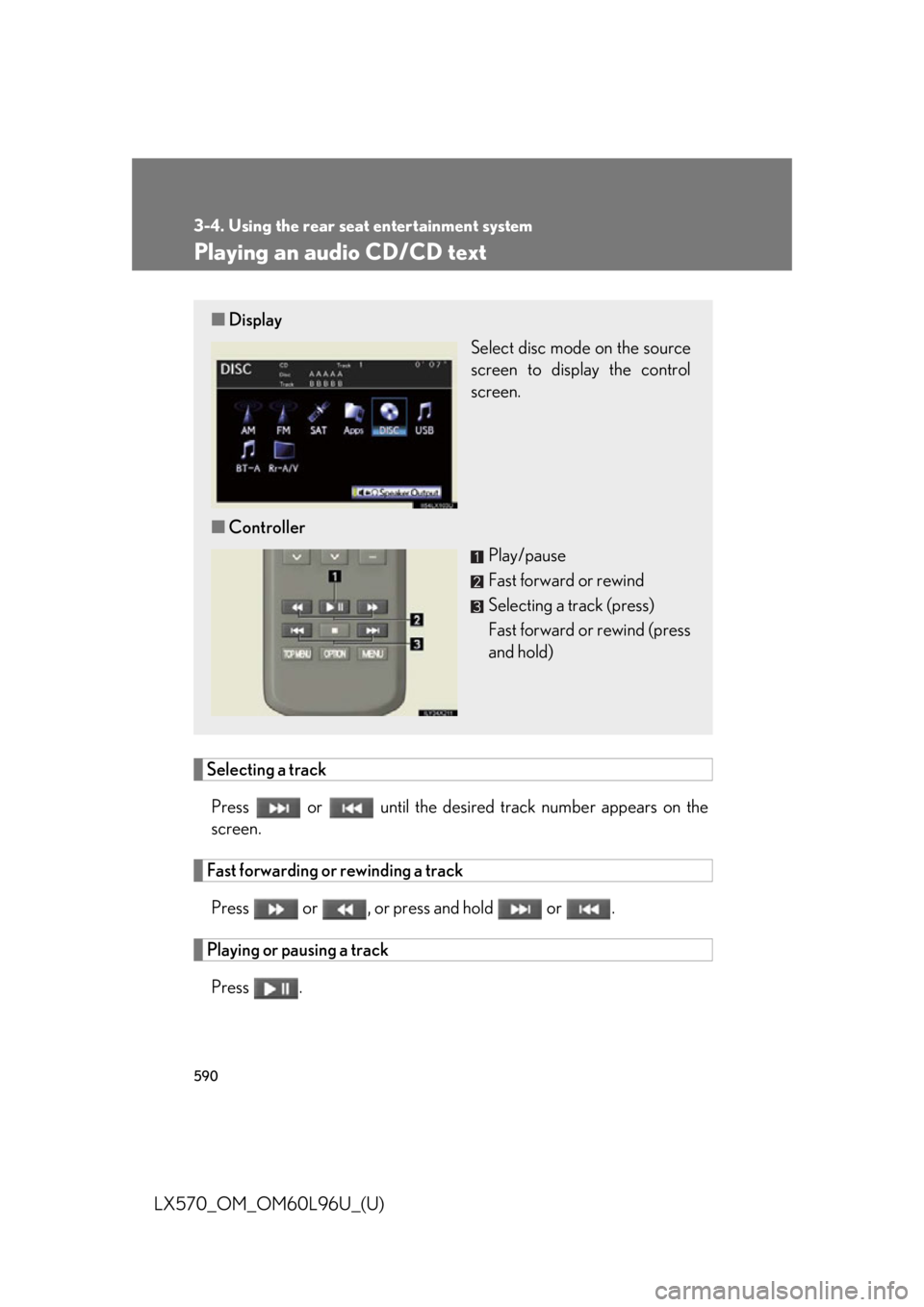
LX570_OM_OM60L96U_(U) Playing an audio CD/CD text
Selecting a track
Press or until the desired track number ap pears on the
screen.
Fast forwarding or rewinding a track
Press or , or press and hold or .
Playing or pausing a track
Press .■ Display
Select disc mode on the source
screen to display the control
screen.
■ Controller
Play/pause
Fast forward or rewind
Selecting a track (press)
Fast forward or rewind (press
and hold)
Page 591 of 960
5913-4. Using the rear seat entertainment system
3
Interior features
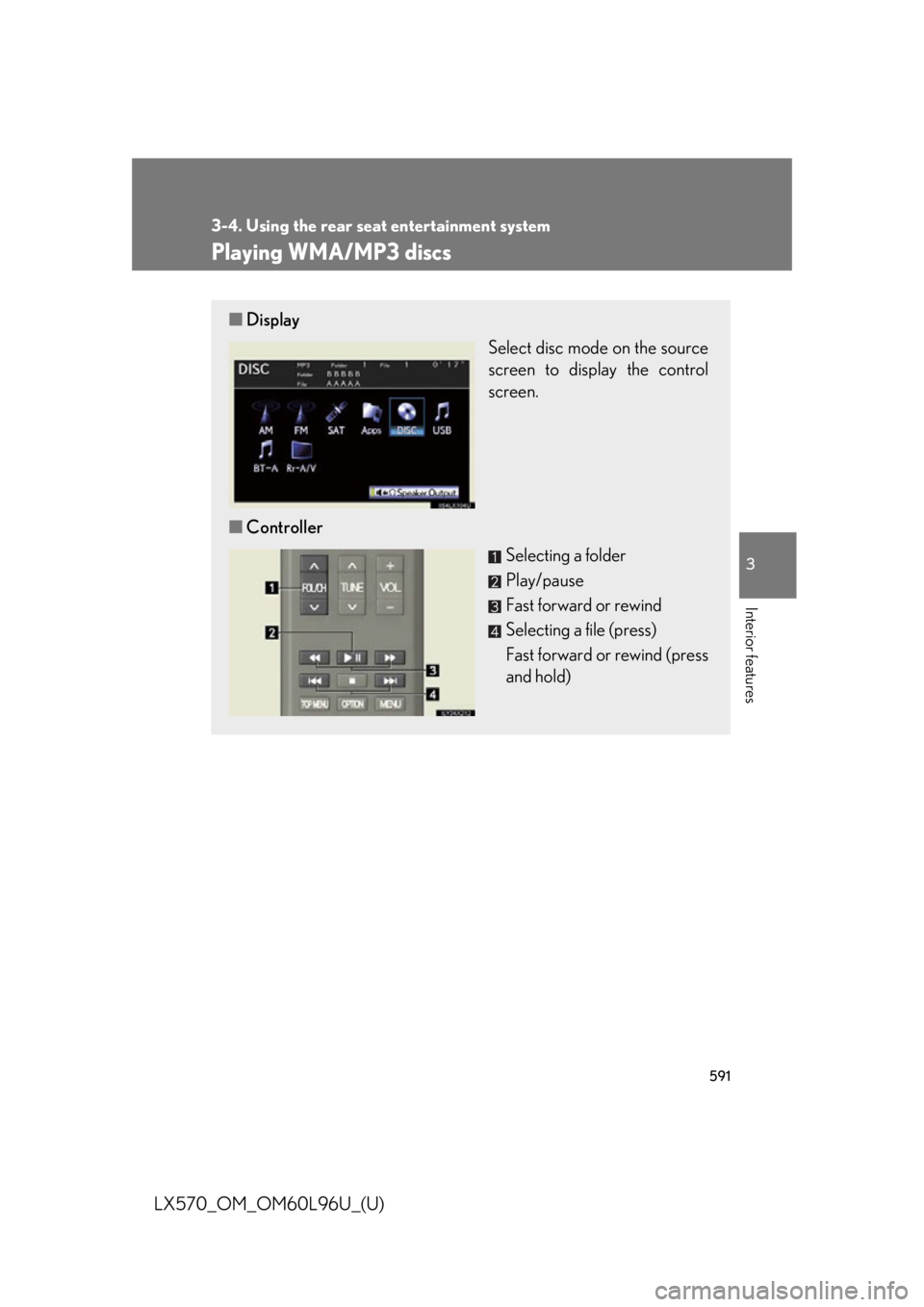
LX570_OM_OM60L96U_(U) Playing WMA/MP3 discs ■ Display
Select disc mode on the source
screen to display the control
screen.
■ Controller
Selecting a folder
Play/pause
Fast forward or rewind
Selecting a file (press)
Fast forward or rewind (press
and hold)
Page 592 of 960
5923-4. Using the rear seat entertainment system
LX570_OM_OM60L96U_(U) Selecting a file
Press or until the desired file number appears on the
screen.
Selecting a folder
Press “ ” or “ ” of the “FOL/CH” button until the desired folder number
appears on the screen.
Fast forwarding or rewinding a file
Press or , or press and hold or .
Playing or pausing a file
Press .
Page 593 of 960
5933-4. Using the rear seat entertainment system
3
Interior features
LX570_OM_OM60L96U_(U) Playing a Bluetooth ®
audio
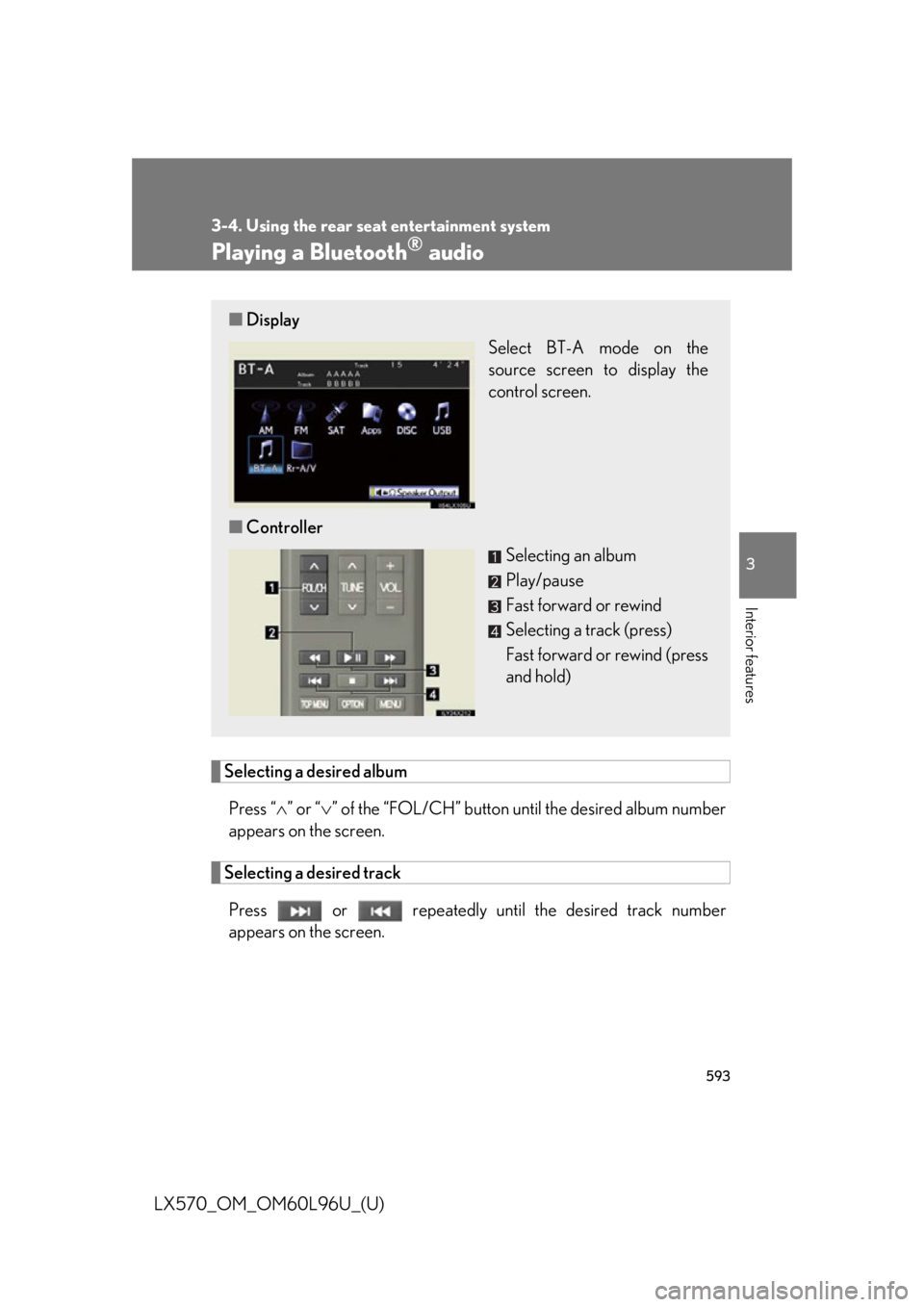
Selecting a desired album
Press “ ” or “ ” of the “FOL/CH” button un til the desired album number
appears on the screen.
Selecting a desired track
Press or repeatedly until the desired track number
appears on the screen.■ Display
Select BT-A mode on the
source screen to display the
control screen.
■ Controller
Selecting an album
Play/pause
Fast forward or rewind
Selecting a track (press)
Fast forward or rewind (press
and hold)
Page 594 of 960
5943-4. Using the rear seat entertainment system
LX570_OM_OM60L96U_(U) Fast forwarding or rewinding a track
Press or , or press and hold or .
Playing and pausing a track
Press . ■
When a different audio source is selected at the front seats
BT-A mode cannot be selected at the rear seats. ■
Connecting Bluetooth ®
audio player
P. 549■
When using the Bluetooth ®
audio system
P. 549■
Bluetooth ®
antenna
P. 549■
Battery charge/signal status
P. 549■
About Bluetooth ®
P. 550■
Compatible models
P. 550■
Certification
P. 622■
Reconnecting the portable player
P. 551■
When transferring owne rship of your vehicle
P. 551