LEXUS LX570 2015 Owner's Manual
LX570 2015
LEXUS
LEXUS
https://www.carmanualsonline.info/img/36/58938/w960_58938-0.png
LEXUS LX570 2015 Owner's Manual
Page 595 of 960
5953-4. Using the rear se at entertainment system
3
Interior features
LX570_OM_OM60L96U_(U) CAUTION■
While driving
P. 551■
Caution regarding interference with electronic devices
P. 551
NOTICE■
When leaving the vehicle
P. 551
Page 596 of 960
5963-4. Using the rear seat entertainment system
LX570_OM_OM60L96U_(U) Playing a USB memory
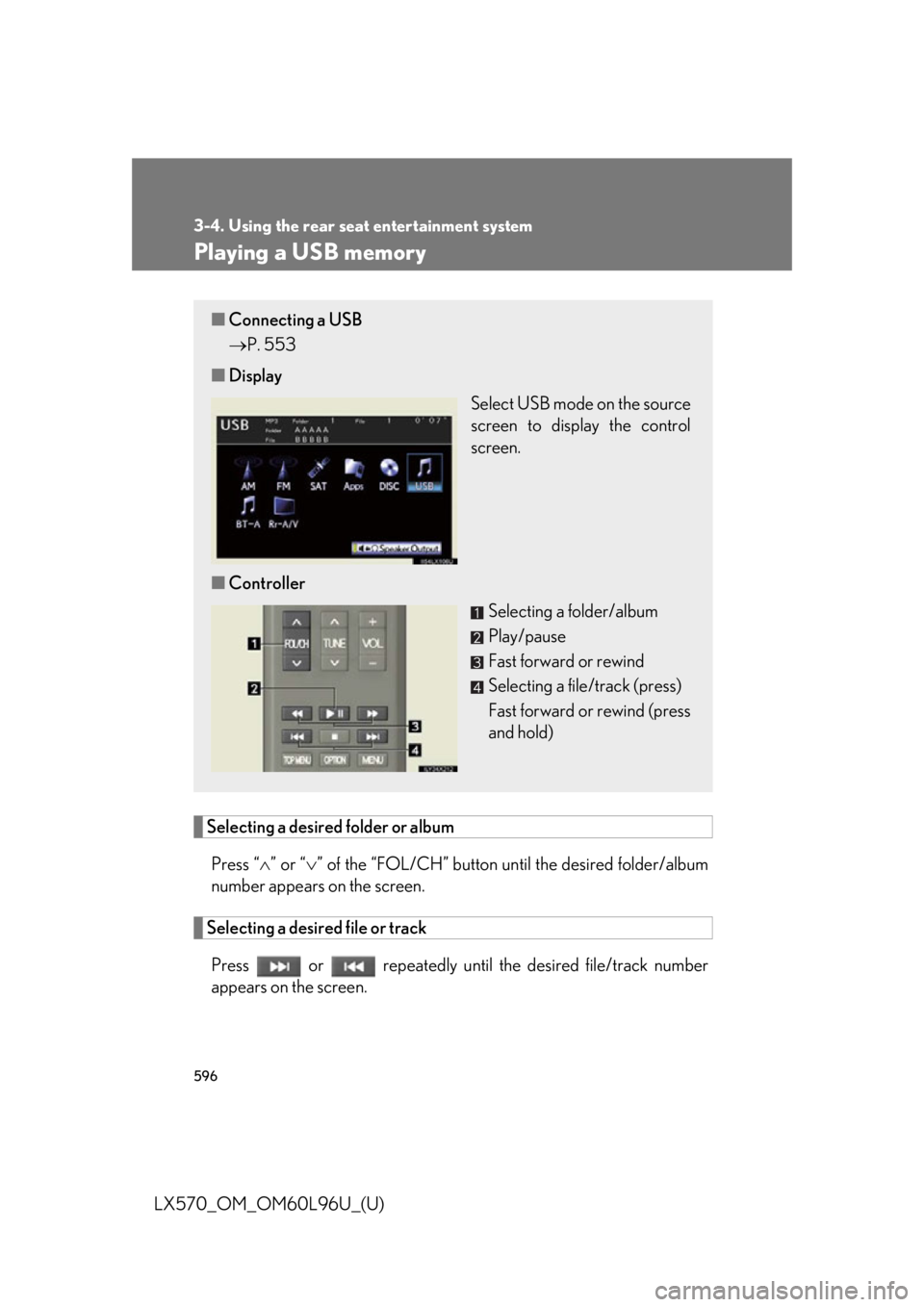
Selecting a desired folder or album
Press “ ” or “ ” of the “FOL/CH” button un til the desired folder/album
number appears on the screen.
Selecting a desired file or track
Press or repeatedly until the desired file/track number
appears on the screen.■ Connecting a USB
P. 553
■ Display
Select USB mode on the source
screen to display the control
screen.
■ Controller
Selecting a folder/album
Play/pause
Fast forward or rewind
Selecting a file/track (press)
Fast forward or rewind (press
and hold)
Page 597 of 960
5973-4. Using the rear se at entertainment system
3
Interior features
LX570_OM_OM60L96U_(U) Fast forwarding or rewinding a file or track
Press or , or press and hold or .
Playing or pausing a file or track
Press . ■
When a different audio source is selected at the front seats
USB mode cannot be selected at the rear seat ■
USB memory functions
P. 558■
USB memory
P. 558
CAUTION■
While driving
P. 561
NOTICE■
To prevent damage to the USB memory or its terminal
P. 561
Page 598 of 960
5983-4. Using the rear seat entertainment system
LX570_OM_OM60L96U_(U) Playing iPod
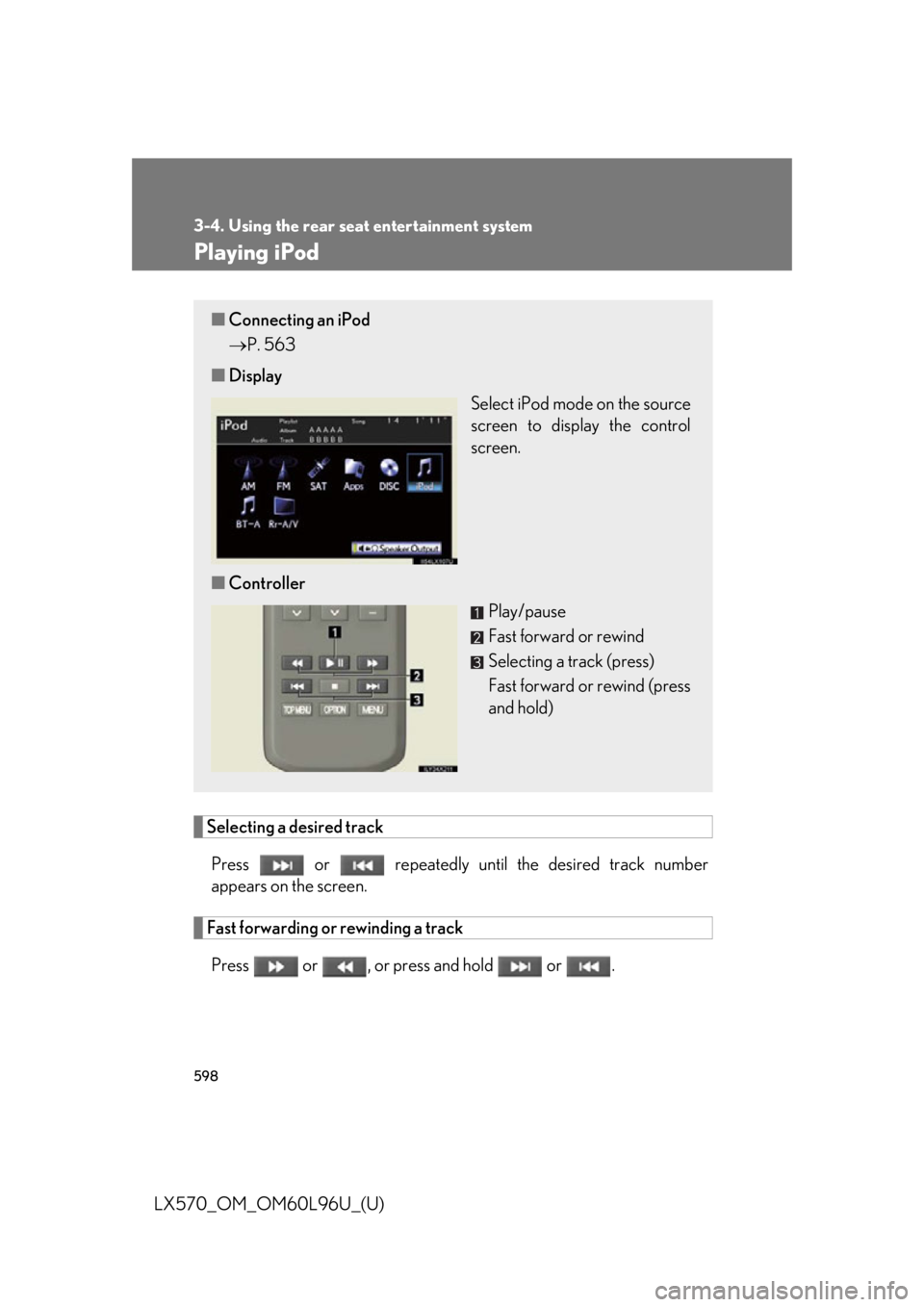
Selecting a desired track
Press or repeatedly until the desired track number
appears on the screen.
Fast forwarding or rewinding a track
Press or , or press and hold or .■ Connecting an iPod
P. 563
■ Display
Select iPod mode on the source
screen to display the control
screen.
■ Controller
Play/pause
Fast forward or rewind
Selecting a track (press)
Fast forward or rewind (press
and hold)
Page 599 of 960
5993-4. Using the rear se at entertainment system
3
Interior features
LX570_OM_OM60L96U_(U) Playing or pausing a track
Press . ■
When a different audio source is selected at the front seats
iPod mode cannot be selected at the rear seats. ■
About iPod
P. 568■
iPod functions
P. 569■
Battery charge
P. 569■
Compatible models
P. 570
CAUTION■
While driving
P. 571
NOTICE■
To prevent damage to the iPod or its terminal
P. 571
Page 600 of 960
6003-4. Using the rear seat entertainment system
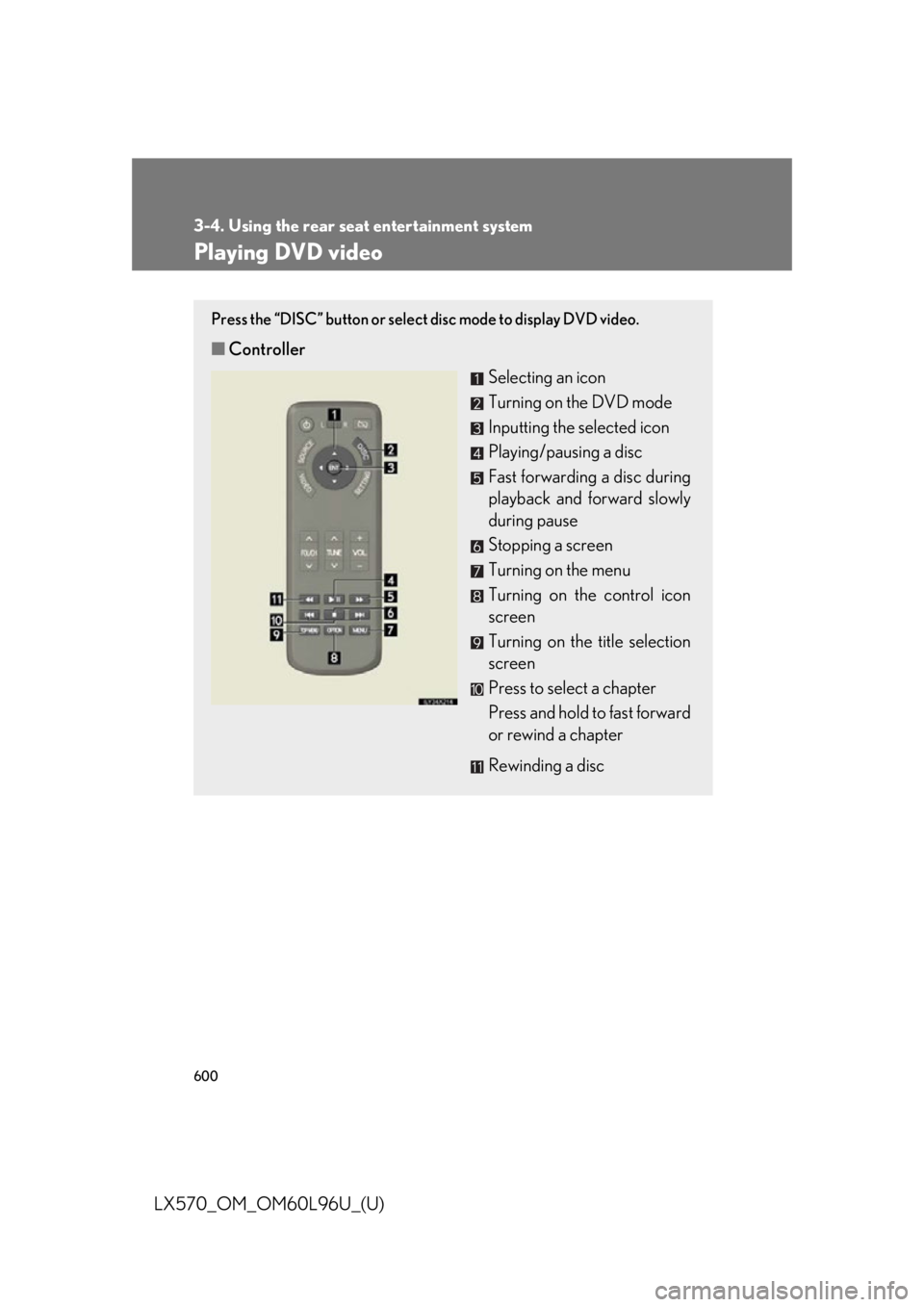
LX570_OM_OM60L96U_(U) Playing DVD video Press the “DISC” button or select disc mode to display DVD video.
■ Controller
Selecting an icon
Turning on the DVD mode
Inputting the selected icon
Playing/pausing a disc
Fast forwarding a disc during
playback and forward slowly
during pause
Stopping a screen
Turning on the menu
Turning on the control icon
screen
Turning on the title selection
screen
Press to select a chapter
Press and hold to fast forward
or rewind a chapter
Rewinding a disc
Page 601 of 960
6013-4. Using the rear se at entertainment system
3
Interior features
LX570_OM_OM60L96U_(U) ■ Control icon screen
Press the “OPTION” button on the controller if no icons are shown
while watching a DVD video, and the following screen appears.
Hide the buttons
Setting screen appears
( P. 605)
Menu screen appears
Rewind
Stop
Play/pause
Fast forward
If appears on the screen when you select an icon, the operation
relevant to that control is not permitted.
■ Settings screen
Select “Settings” on the control icon screen , the following screen
appears.
Change initial setting
Return to previous screen
Search by title
Display the predetermined
scene and start playing from
there
Change audio language
Change subtitle language
Change angle
Page 602 of 960
6023-4. Using the rear seat entertainment system
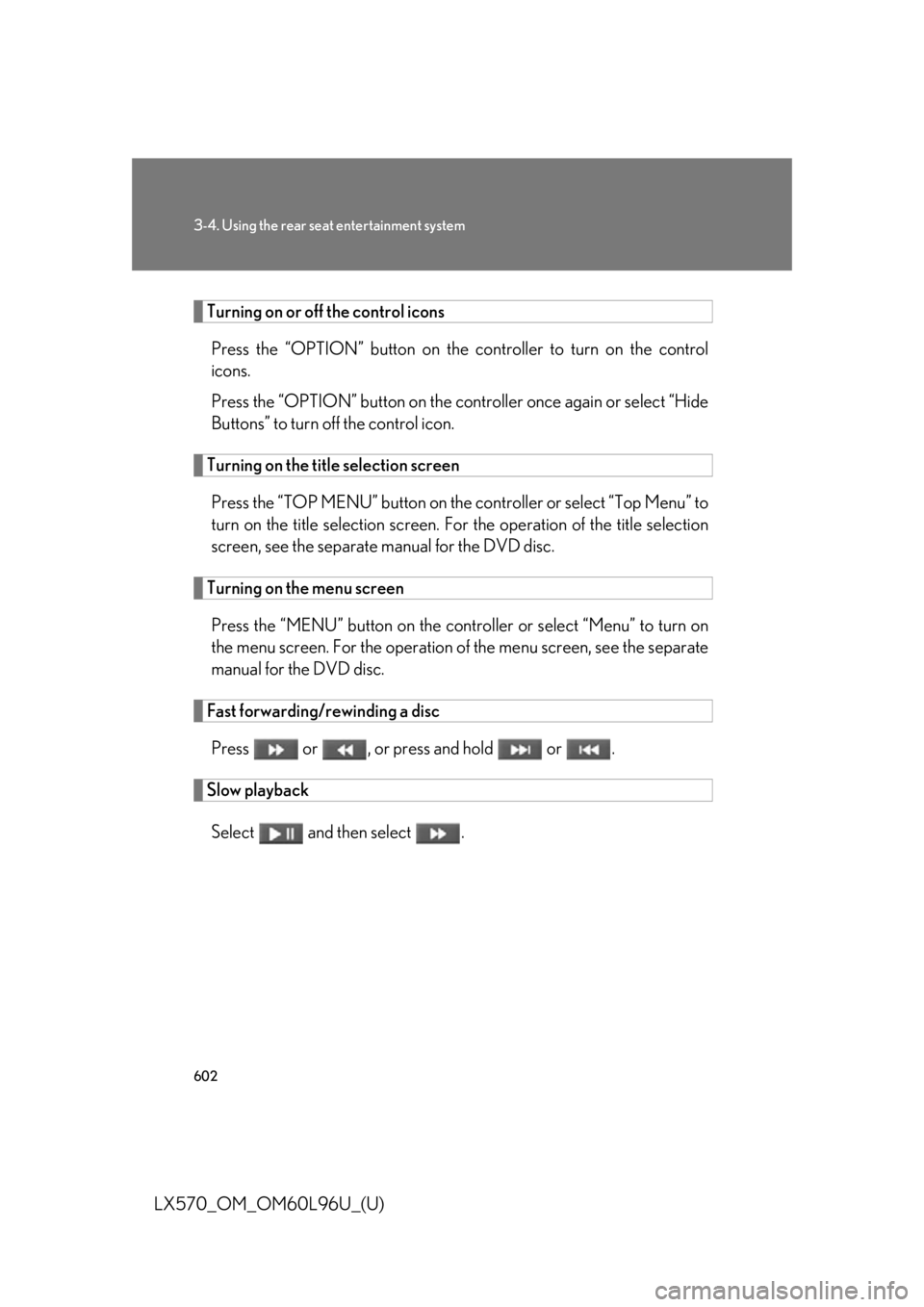
LX570_OM_OM60L96U_(U) Turning on or off the control icons
Press the “OPTION” button on the co ntroller to turn on the control
icons.
Press the “OPTION” button on the contro ller once again or select “Hide
Buttons” to turn off the control icon.
Turning on the title selection screen
Press the “TOP MENU” button on the controller or select “Top Menu” to
turn on the title selection screen. For the operation of the title selection
screen, see the separate manual for the DVD disc.
Turning on the menu screen
Press the “MENU” button on the contro ller or select “Menu” to turn on
the menu screen. For the operation of the menu screen, see the separate
manual for the DVD disc.
Fast forwarding/rewinding a disc
Press or , or press and hold or .
Slow playback
Select and then select .
Page 603 of 960
6033-4. Using the rear se at entertainment system
3
Interior features
LX570_OM_OM60L96U_(U) Returning to the previous screen
Select “Return” to return to the prev ious screen. For the operation of the
menu screen, see the separate manual for the DVD disc.
Searching for a desired screen
■ Searching by title
Select “Search” on the control icon screen.
Input the desired title number and then select “OK”. : Deletes the last input number
: Returns to the previous screen
■ Searching by chapter
Press or to select a chapter.
Changing the subtitle language
Select “Subtitle” on the settings screen.
Select “Subtitle”. Each time you select “Subtitle”, the
next available language is selected.
“Hide”: Hides the control icons
: Returns to the previous
screenSTEP 1
STEP 2
STEP 1
STEP 2
Page 604 of 960
6043-4. Using the rear seat entertainment system
LX570_OM_OM60L96U_(U) Changing the audio language
Select “Audio” on the setting screen.
Select “Audio”. Each time you select “Audio”, the
next available language is selected.
: Returns to the previous
screen
Changing the angle (If the angle option is available)
Select “Angle” on the setting screen.
Select “Angle”. Each time you select “Angle”, the
next available angle is selected.
: Returns to the previous
screenSTEP 1
STEP 2
STEP 1
STEP 2