air condition LEXUS LX570 2015 Owner's Manual
[x] Cancel search | Manufacturer: LEXUS, Model Year: 2015, Model line: LX570, Model: LEXUS LX570 2015Pages: 960, PDF Size: 11.33 MB
Page 435 of 960

4353-1. Using the touch screen
3
Interior features
LX570_OM_OM60L96U_(U) Expanded voice commands
Touching “On” next to “Expande d Voice Commands” on the “Voice
Settings” screen enables voice comma nd operation of the audio/video
and air conditioning system. ( P. 425)
For more information on operations that can be controlled using
expanded voice commands, refer to “Command list”.
■ Voice command example (turn the audio system)
Press or .
Say “Audio on”.
Command list
Recognizable voice commands and their actions are shown below.
● For devices that are not installed in the vehicle, the related commands
will not be displayed in the “Shortc ut Menu” screen. A lso, according to
conditions, other commands may no t be displayed in the “Shortcut
Menu” screen.
● Voice recognition language can be changed. ( P. 417)
● Commands that have a “O” in the Shortcut Menu column can be rec-
ognized from the “Shortcut Menu” screen.
Commands that have a “—” in the Shortcut Menu column can only be
recognized from the screen that they are displayed in. STEP 1
STEP 2
Page 439 of 960

4393-1. Using the touch screen
3
Interior features
LX570_OM_OM60L96U_(U) ■ Air conditioning system command
When expanded voice commands are turned “On”. ( P. 435)Command
Action Shortcut
Menu
“Automatic climate
control” Turns air conditioning system on and
off. O
“Warmer” Turns temperature up. O
“Cooler” Turns temperature down. O■
Voice command system ●
Commands that are not displayed in th e “Shortcut Menu” screen can be oper-
ated from the “Main Menu” screen. ●
If the system does not respond or the confirmation screen does not disappear,
press
or
and try again.●
Voice guidance can be canceled by settin g voice prompts to off. Use this set-
ting when it is desirable to say a command immediately after pressing
or
and hearing a beep.■
If a voice command cannot be recognized ●
If a voice command cannot be recognized within 6 seconds, voice guidance will
say “Pardon?” (“Command not recognized.” will be displayed on the screen)
and voice command reception will restart. ●
If a voice command cannot be recognized 2 consecutive times, the voice com-
mand guidance system will say “Paused. To restart voice recognition, push the
talk switch. To cancel voice recognition, push and hold the talk switch.”. Then
voice recognition will be suspended.■
When touching “Voice Prompts” ●
The voice recognition prompt can be set to on or off. This setting can also be
changed on the “Voice Settings” screen. ( P. 425)●
Voice recognition will be temporarily suspended. Press
or
again.
Page 440 of 960

4403-1. Using the touch screen
LX570_OM_OM60L96U_(U) ■
When using the microphone ●
It is unnecessary to speak directly in to the microphone when giving a com-
mand. ●
Wait for the confirmation beep before speaking a command. ●
Voice commands may not be recognized if:
• Spoken too quickly.
• Spoken at a low or high volume.
• The roof or windows are open.
• Passengers are talking while voice commands are spoken.
• The air conditioning speed is set high.
• The air conditioning vents are turned towards the microphone.●
In the following conditions, the system may not recognize the command prop-
erly and using voice commands may not be possible:
• The command is incorrect or unclear. Note that certain words, accents or
speech patterns may be difficult for the system to recognize.
• There is excessive background noise, such as wind noise.■
When searching for a track ●
A USB memory or iPod must be connected to enable track searching and play-
back. ( P. 552, 562)●
When a USB memory or iPod is connected, recognition data is created so
tracks can be searched using voice commands. ●
Recognition data is updated under the following conditions:
• When the USB memory or iPod data has changed.
• When the voice recognition language is changed. ( P. 417)●
While the recognition data is being cr eated or being updated, a track search
cannot be performed using a voice command. ●
While “Play Music” is displayed in the “Shortcut Menu” screen, say “Play music”
to display the music screen from which searching for a track using a voice com-
mand can be performed. ●
When “Play Music” is dimmed in the “Sho rtcut Menu” screen, it is not possible
to search for a track using a voice command. In this situation, reduce the
amount of music data in the USB memory or iPod and update the recognition
data to enable searching by voice command.
Page 441 of 960

4413-1. Using the touch screen
3
Interior features
LX570_OM_OM60L96U_(U) ■
Natural speech information ●
The “Use the Phone” and “Play Music” commands displayed on the “Shortcut
Menu” screen can be operated using natural language speech recognition
technology. ●
If the command cannot be recognized completely, the command input screen
will be displayed. (Search results will be shown based on the part of the com-
mand that was recognized.)■
When turning the audio or air conditioning system on ●
Commands relating to operation of th e audio/video and air conditioning sys-
tems can only be performed when the au dio/video and air conditioning systems
are turned on. ●
Expanded voice commands can be recognized when the “Shortcut Menu”
screen is displayed.■
The Gracenote ®
media database
Music recognition technology and rela ted data are provided by Gracenote ®
.
Gracenote is the industry standard in music recognition technology and related
content delivery. For more info rmation visit www.gracenote.com .
Page 443 of 960
4433-1. Using the touch screen
3
Interior features
LX570_OM_OM60L96U_(U) ■
Adjusting the volume
The volume of the Mobile Assistant can be adjusted using the “PWR/VOL” knob
or steering wheel volume switches. The Mobile Assistant and phone call volumes
are synchronized. ■
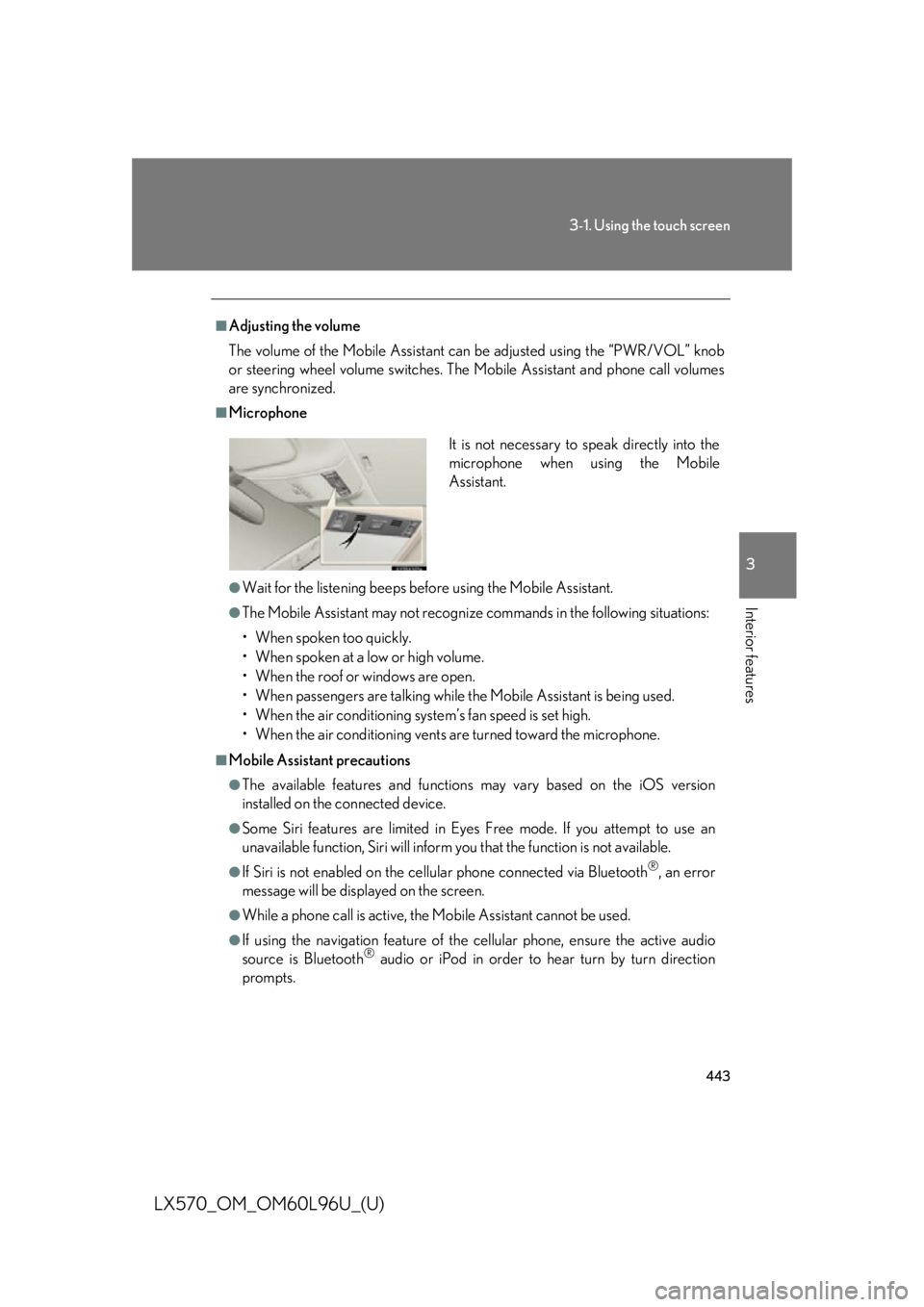
Microphone
●
Wait for the listening beeps befo re using the Mobile Assistant.●
The Mobile Assistant may not recognize commands in the following situations:
• When spoken too quickly.
• When spoken at a low or high volume.
• When the roof or windows are open.
• When passengers ar e talking while the Mobile Assistant is being used.
• When the air conditioning syst em’s fan speed is set high.
• When the air conditioning vents ar e turned toward the microphone.■
Mobile Assistant precautions ●
The available features and functions may vary based on the iOS version
installed on the connected device.●
Some Siri features are limited in Eyes Free mode. If you attempt to use an
unavailable function, Siri will inform you that the function is not available. ●
If Siri is not enabled on the cellular phone connected via Bluetooth ®
, an error
message will be displayed on the screen. ●
While a phone call is active, the Mobile Assistant cannot be used. ●
If using the navigation feature of the cellular phone, ensure the active audio
source is Bluetooth ®
audio or iPod in order to hear turn by turn direction
prompts. It is not necessary to speak directly into the
microphone when using the Mobile
Assistant.
Page 444 of 960
444
LX570_OM_OM60L96U_(U) 3-2. Using the air conditio ning system and defogger
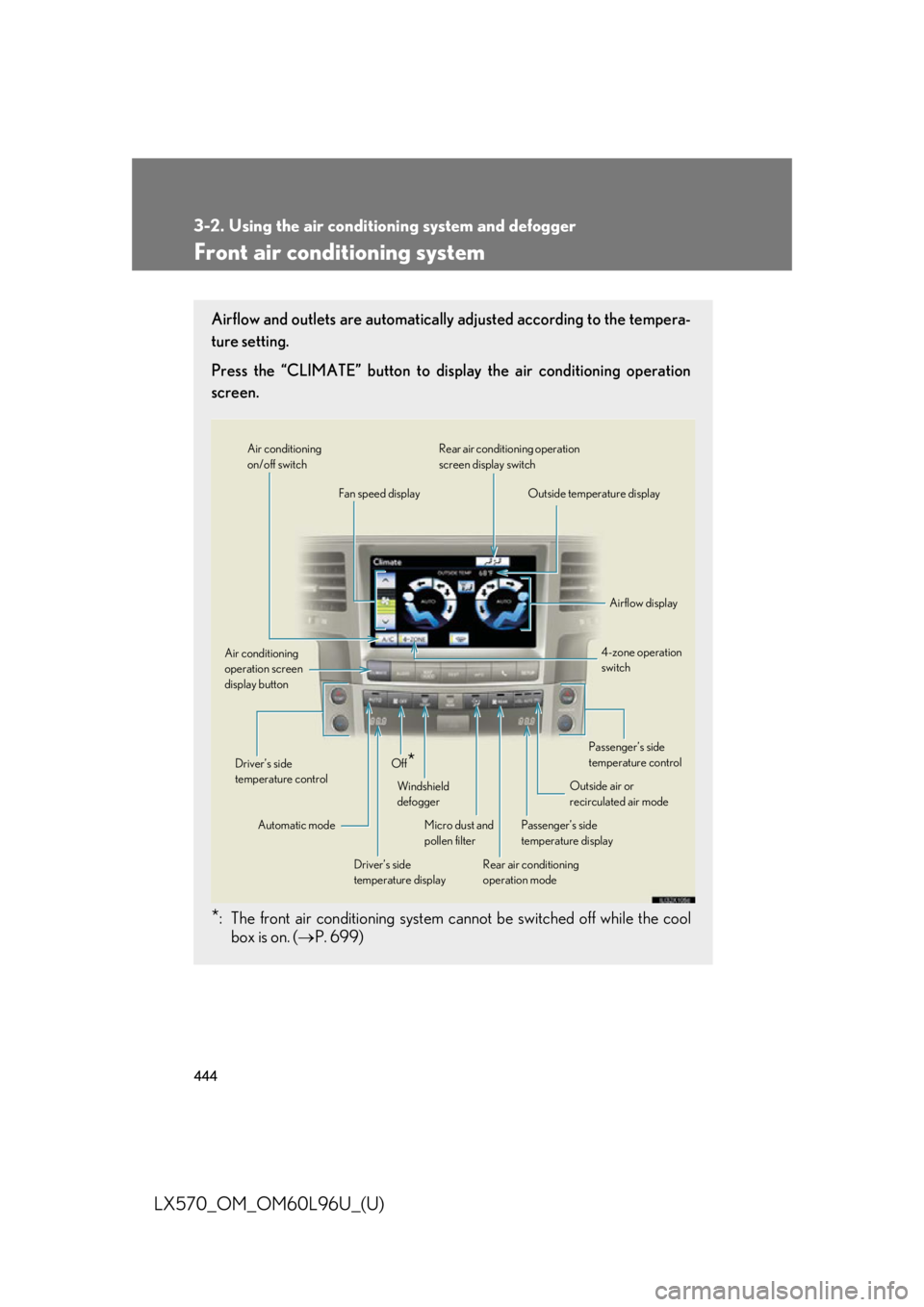
Front air conditioning system Airflow and outlets are automatically adjusted according to the tempera-
ture setting.
Press the “CLIMATE” button to display the air conditioning operation
screen.
* : The front air conditioning system cannot be switched off while the cool
box is on. ( P. 699) Air conditioning
on/off switch
Fan speed display Rear air conditio ning operation
screen display switch
Outside temperature display
Airflow display
4-zone operation
switch
Passenger’s side
temperature control
Outside air or
recirculated air mode
Passenger’s side
temperature display
Rear air conditioning
operation modeMicro dust and
pollen filterWindshield
defoggerOff
* Driver’s side
temperature displayAutomatic modeDriver’s side
temperature controlAir conditioning
operation screen
display button
Page 445 of 960

4453-2. Using the air conditio ning system and defogger
3
Interior features
LX570_OM_OM60L96U_(U) Using the voice command system
Press or to operate
the voice command system.
( P. 431/“Navigation System
Owner’s Manual”)
Without dynamic radar cruise
control
With dynamic radar cruise con-
trol
Using the automatic mode
Press the “AUTO” button.
The air conditioning system will begin to operate. Air outlets
and fan speed are automatically adjusted according to the
temperature setting. “AUTO” will be displayed on the touch screen.
Press to switch to automatic air intake mode.
The air conditioning system automatically switches between
outside air and recirculated air modes.
Press to increase the temperature and to decrease
the temperature. The temperature for the driver’s and front passenger’s seats can be set
separately.
■ Automatic mode indicator
If the fan speed setting or air fl ow modes are operated, the automatic
mode indicator goes off. However, automatic mode for functions other
than that operated are maintained. A
B
STEP 1
STEP 2
STEP 3
Page 446 of 960
4463-2. Using the air conditio ning system and defogger
LX570_OM_OM60L96U_(U) Adjusting the settings
■ Adjusting the temperature setting
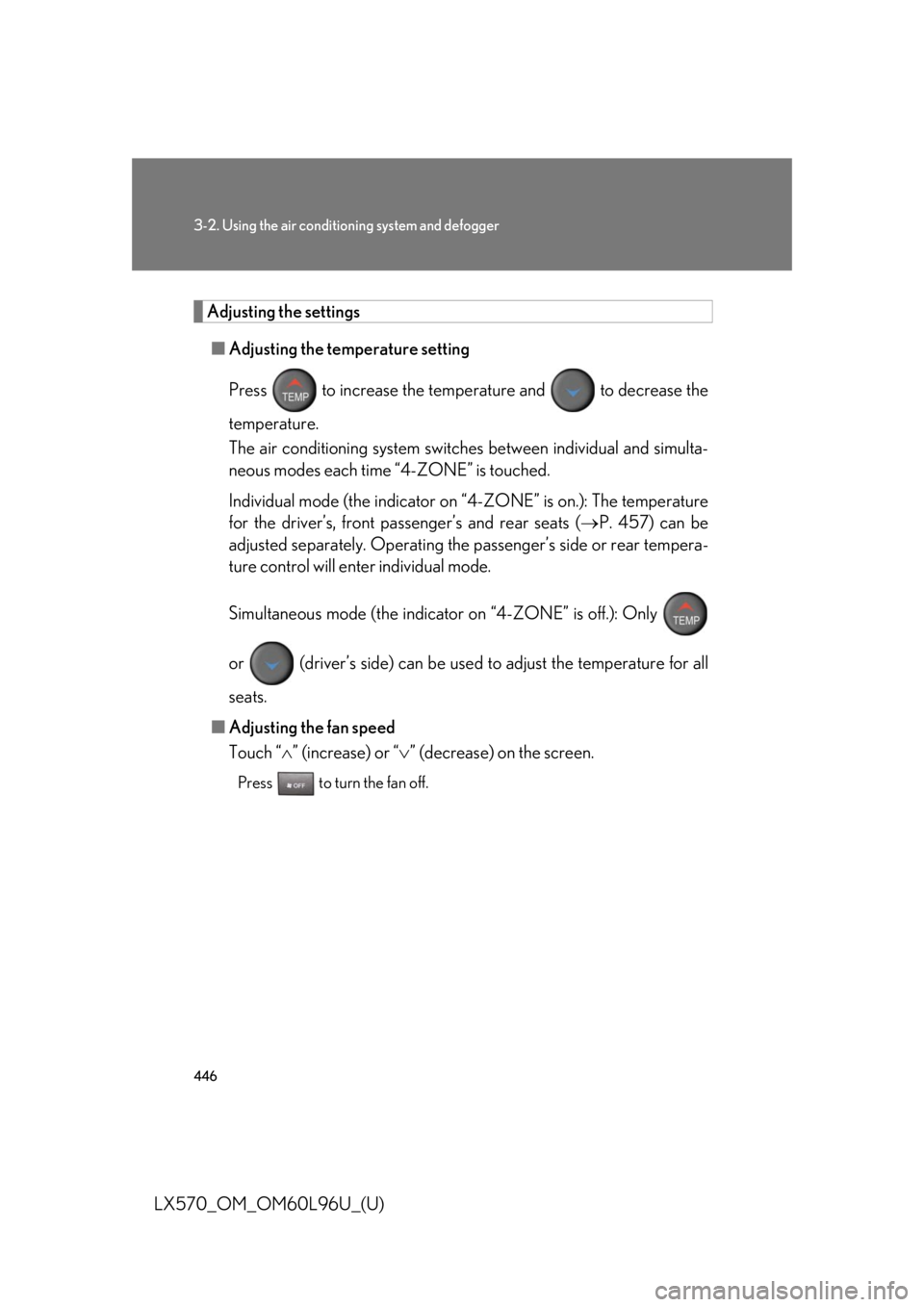
Press to increase the temperat ure and to decrease the
temperature.
The air conditioning system switch es between individual and simulta-
neous modes each time “4-ZONE” is touched.
Individual mode (the indicator on “4-ZONE” is on.): The temperature
for the driver’s, front passenger’s and rear seats ( P. 457) can be
adjusted separately. Operating the passenger’s side or rear tempera-
ture control will enter individual mode.
Simultaneous mode (the indicator on “4-ZONE” is off.): Only
or (driver’s side) can be used to adjust the temperature for all
seats.
■ Adjusting the fan speed
Touch “ ” (increase) or “ ” (decrease) on the screen.Press to turn the fan off.
Page 449 of 960
4493-2. Using the air conditio ning system and defogger
3
Interior features
LX570_OM_OM60L96U_(U) Changing the rear seat settings from the front seat
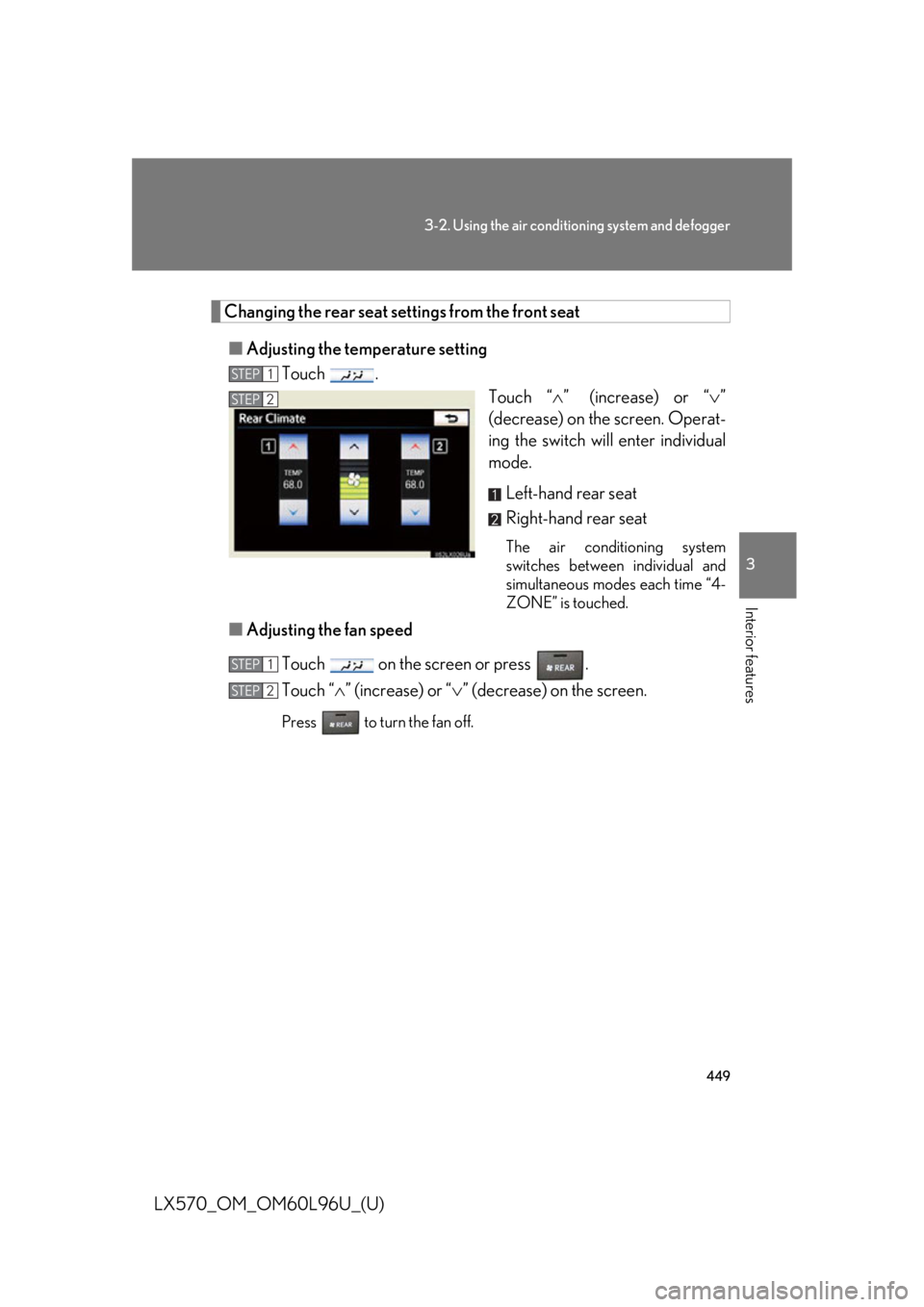
■ Adjusting the temperature setting
Touch .
Touch “ ” (increase) or “ ”
(decrease) on the screen. Operat-
ing the switch will enter individual
mode.
Left-hand rear seat
Right-hand rear seat The air conditioning system
switches between individual and
simultaneous modes each time “4-
ZONE” is touched.
■ Adjusting the fan speed
Touch on the screen or press .
Touch “ ” (increase) or “ ” (decrease) on the screen.Press to turn the fan off. STEP 1
STEP 2
STEP 1
STEP 2
Page 450 of 960
4503-2. Using the air conditio ning system and defogger
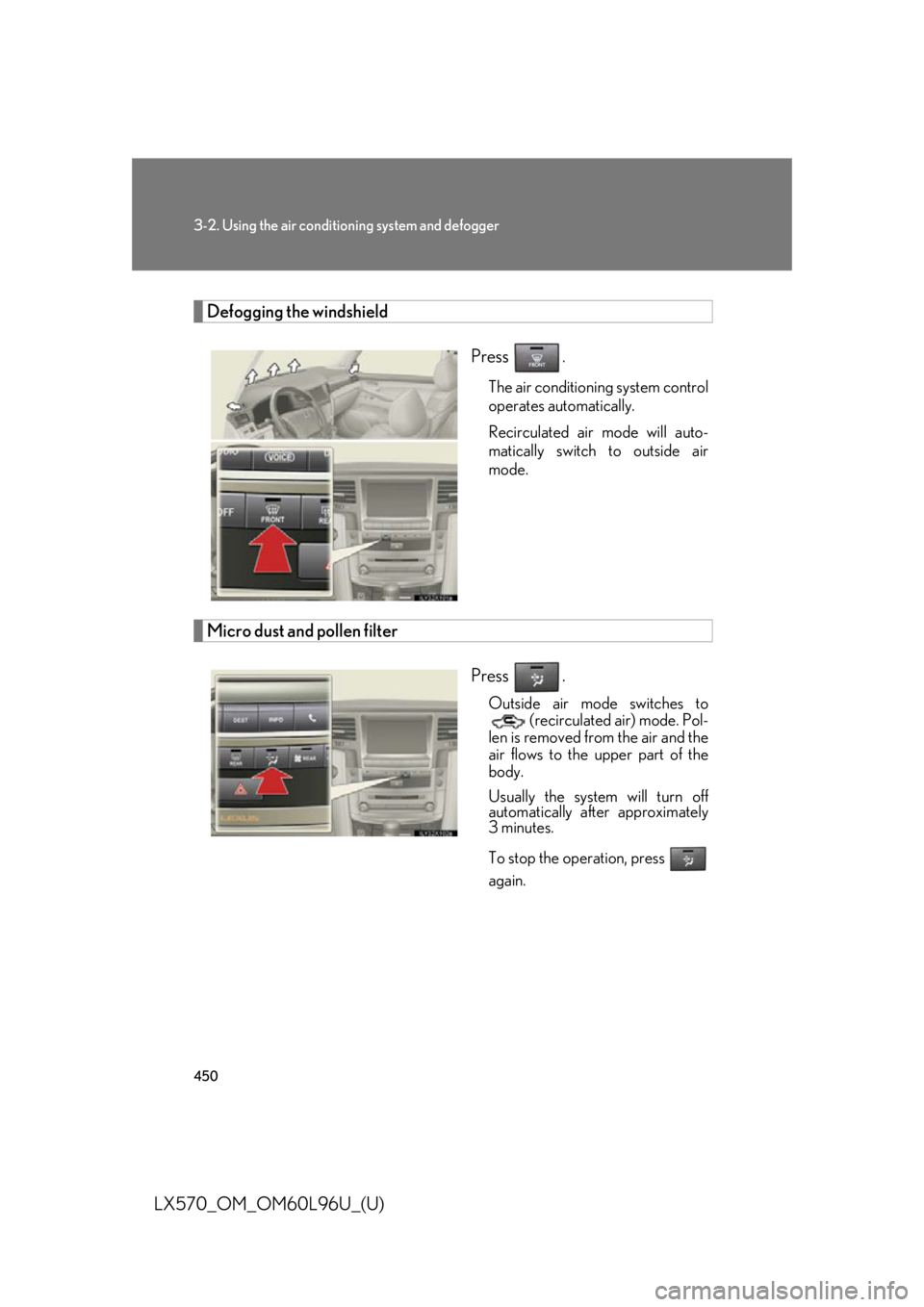
LX570_OM_OM60L96U_(U) Defogging the windshield
Press .
The air conditioning system control
operates automatically.
Recirculated air mode will auto-
matically switch to outside air
mode.
Micro dust and pollen filter
Press . Outside air mode switches to
(recirculated air) mode. Pol-
len is removed from the air and the
air flows to the upper part of the
body.
Usually the system will turn off
automatically after approximately
3 minutes.
To stop the operation, press
again.