ignition LEXUS LX570 2015 Workshop Manual
[x] Cancel search | Manufacturer: LEXUS, Model Year: 2015, Model line: LX570, Model: LEXUS LX570 2015Pages: 960, PDF Size: 11.33 MB
Page 580 of 960

5803-4. Using the rear seat entertainment system
LX570_OM_OM60L96U_(U) Display
When audio-video equip ment is connected to the A/V input port, rear
passengers can enjoy different audio sources on each display. ( P. 611)
Rear seat entertainment system controller
Turns display off To turn the display back on, press
the “SOURCE”, “DISC” or
“VIDEO” button.
Selects the display to be oper-
ated Buttons other than can be
operated if the switch is switched.
L: left side display
R: right side display
Turns the rear seat entertainment
system on or off
Caution screen
This screen appears for a few sec-
onds when the “ENGINE START
STOP” switch is in ACCESSORY
or IGNITION ON mode.
Page 583 of 960

5833-4. Using the rear se at entertainment system
3
Interior features
LX570_OM_OM60L96U_(U) Touch the “Rear” tab on the
screen.
Touch the desired button. The se lected button indicator is high-
lighted. “POWER”: Turns the rear screen on or off.
“Rear System Lock”: Locks the system so passengers in the rear seats
cannot operate the rear entertainment system.
“Speaker Output”: Enables the front speakers to output the front audio
system’s audio source.STEP 2
■
The rear seat entertainment system can be used when
The “ENGINE START STOP” switch is in ACCESSORY or IGNITION ON
mode. ■
When appears on the screen
It indicates that the selected icon cannot be used at this time. STEP 3
Page 627 of 960
6273-5. Using the hands-free system (for cellular phone)
3
Interior features
LX570_OM_OM60L96U_(U) Bluetooth ®
phone connection
There are two connection methods available — automatic and manual.
Automatic
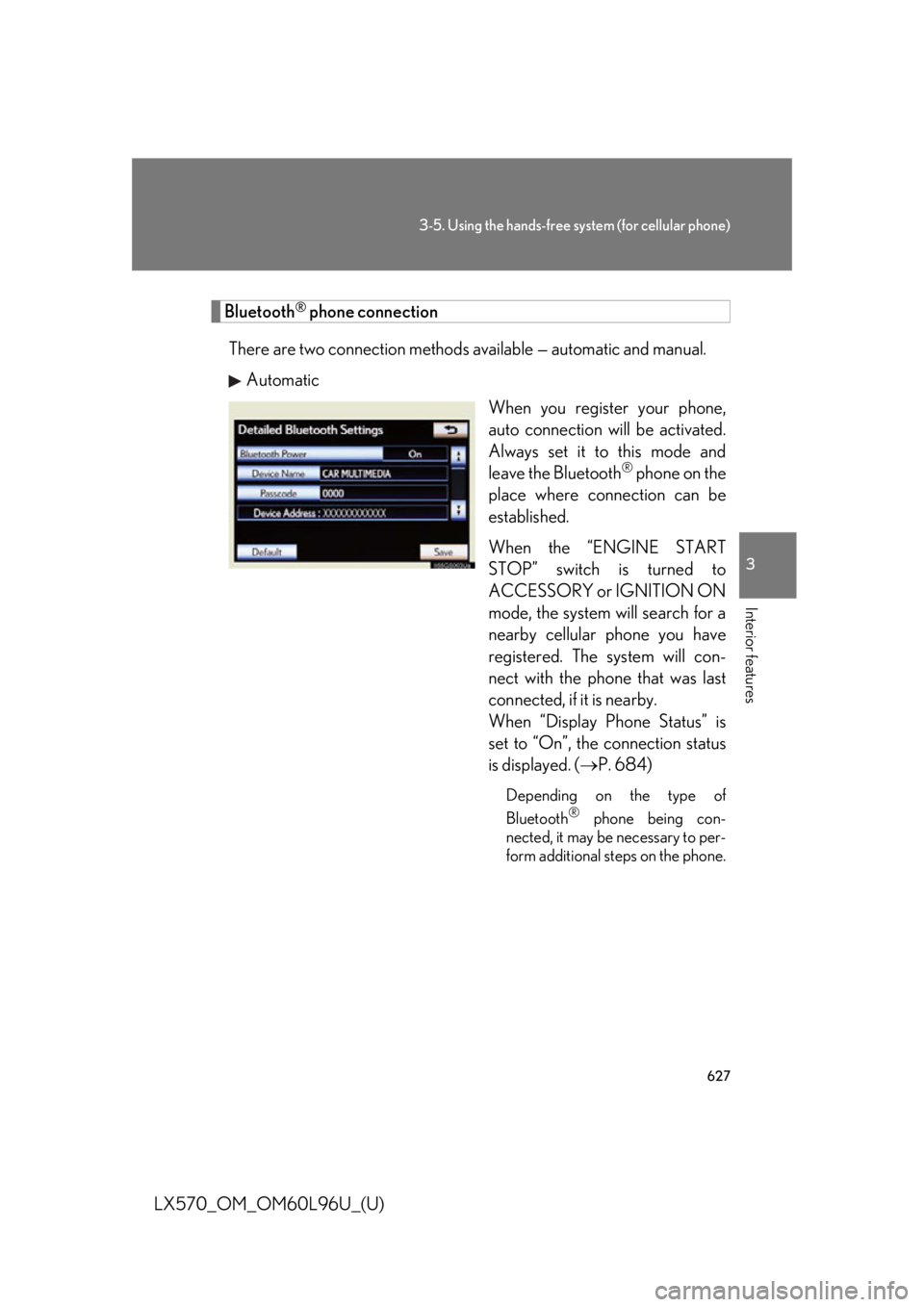
When you register your phone,
auto connection will be activated.
Always set it to this mode and
leave the Bluetooth ®
phone on the
place where connection can be
established.
When the “ENGINE START
STOP” switch is turned to
ACCESSORY or IGNITION ON
mode, the system will search for a
nearby cellular phone you have
registered. The system will con-
nect with the ph one that was last
connected, if it is nearby.
When “Display Phone Status” is
set to “On”, the connection status
is displayed. ( P. 684)Depending on the type of
Bluetooth ®
phone being con-
nected, it may be necessary to per-
form additional steps on the phone.
Page 629 of 960
6293-5. Using the hands-free system (for cellular phone)
3
Interior features
LX570_OM_OM60L96U_(U) ■
Reconnecting to the Bluetooth ®
phone
If the system cannot connect due to poor signal strength wi th the “ENGINE START
STOP” switch in ACCESSORY or IGNITION ON mode, the system will automat-
ically attempt to reconnect.
If the phone is turned off, the system wi ll not attempt to reconnect. In this case, it
must be connected manually, or the phon e must be re-selected or re-entered.■
Connecting the phone while Bluetooth ®
audio is playing●
Bluetooth ®
audio will stop temporarily.●
It may take time to connect.■
Connecting the phone while another Bluetooth ®
device is connected
When another Bluetooth ®
device is currently connected, a confirmation message
will be displayed. To di sconnect the Bluetooth ®
device, touch “Yes”.■
Connecting the phone while 5 Bluetooth ®
devices have already been registered
When 5 Bluetooth ®
devices have already been registered, a registered device
needs to be deleted. Touch “Y es” to delete one or more.
Touch the device to be deleted, then touch “Remove”, and “Yes”. ■
If the Bluetooth ®
phone has a Bluetooth ®
audio function
When the Bluetooth ®
phone to be registered has a Bluetooth ®
audio function, this
audio function will be registered automatically at the same time and confirmation
message may be displayed. If this screen is displayed, touch “Yes” to connect the
audio function or touch “No” to cancel the connection.
Page 685 of 960
6853-5. Using the hands-free system (for cellular phone)
3
Interior features
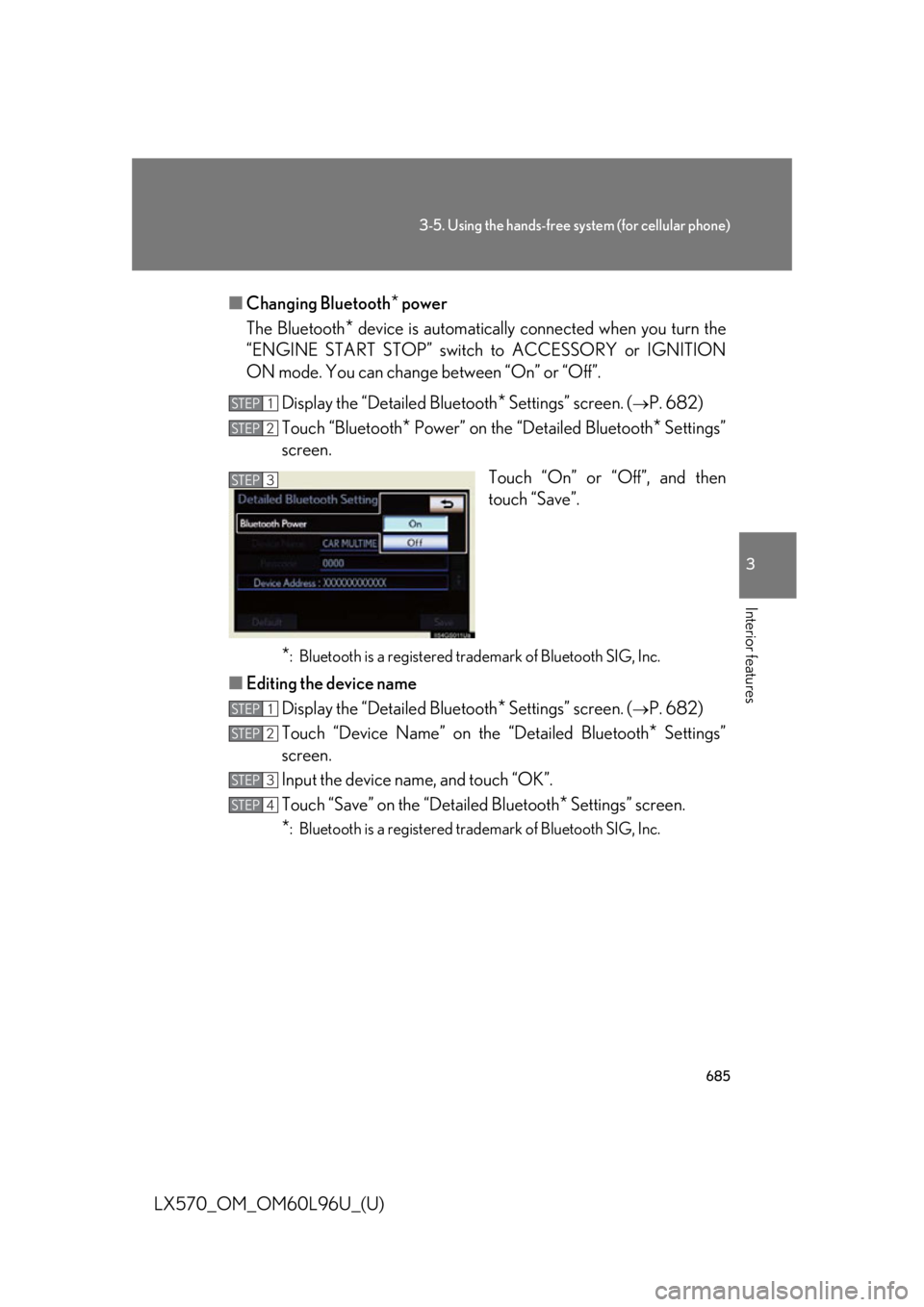
LX570_OM_OM60L96U_(U) ■ Changing Bluetooth
* power
The Bluetooth
* device is automatically conne cted when you turn the
“ENGINE START STOP” switch to ACCESSORY or IGNITION
ON mode. You can change between “On” or “Off”.
Display the “Detailed Bluetooth
* Settings” screen. (
P. 682)
Touch “Bluetooth
* Power” on the “Detailed Bluetooth
* Settings”
screen.
Touch “On” or “Off”, and then
touch “Save”.
* : Bluetooth is a registered tr ademark of Bluetooth SIG, Inc.
■ Editing the device name
Display the “Detailed Bluetooth
* Settings” screen. (
P. 682)
Touch “Device Name” on the “Detailed Bluetooth
* Settings”
screen.
Input the device name, and touch “OK”.
Touch “Save” on the “Detailed Bluetooth
* Settings” screen.
* : Bluetooth is a registered tr ademark of Bluetooth SIG, Inc.STEP 1
STEP 2
STEP 3
STEP 1
STEP 2
STEP 3
STEP 4
Page 688 of 960

686
LX570_OM_OM60L96U_(U) 3-6. Using the interior lights
Interior lights list
Rear interior light ( P. 687)
Rear personal lights ( P. 688)
Inside door handle light
Shift lever light (when the “ENGINE START STOP” switch is in
ACCESSORY or IGNITION ON mode)
Front interior lights ( P. 687)
Front personal lights ( P. 688)
Footwell lights
Scuff lights (if equipped)
“ENGINE START STOP” switch light
Door courtesy light
Luggage compartment light ( P. 689)
Outer foot lights
Running board lights
Page 706 of 960

7043-8. Other interior features
LX570_OM_OM60L96U_(U) Cigarette lighter ■
The cigarette lighter can be used when
The “ENGINE START STOP” switch is in ACCESSORY or IGNITION ON
mode.
CAUTION■
To avoid burns or fires ●
Do not touch the metal parts of the cigarette lighter. ●
Do not hold the cigarette lighter down. It could overheat and cause a fire. ●
Do not insert anything other than the cigarette lighter into the outlet. Push the front part of the lid to
open, and push the cigarette
lighter down. The cigarette lighter will pop up
when it is ready for use.
Page 708 of 960
7063-8. Other interior features
LX570_OM_OM60L96U_(U) ■
The power outlet can be used when
12 V
The “ENGINE START STOP” switch is in ACCESSORY or IGNITION ON
mode.
120 V AC
The “ENGINE START STOP” switch is in IGNITION ON mode.
NOTICE■
To avoid damaging the power outlet
Close the power outlet lid when the power outlet is not in use.
Foreign objects or liquids that enter th e power outlet may ca use a short circuit.■
To prevent the fuse from being blown
12 V
Do not use an accessory that uses more than 12 V 10 A.
120 V AC
Do not use a 120 V AC appliance that requires more than 100 W.
If a 120 V AC appliance that consumes more than 100 W is used, the protection
circuit will cut the power supply.■
To prevent the battery from being discharged
Do not use the power outlet longer than necessary when the engine is not running. ■
Appliances that may not operate properly (120 V AC)
The following 120 V AC appliances may not operate properly even if their power
consumption is under 100 W: ●
Appliances with high initial peak wattage ●
Measuring devices that process precise data ●
Other appliances that require an extremely stable power supply
Page 709 of 960

7073-8. Other interior features
3
Interior features
LX570_OM_OM60L96U_(U) Heated steering wheel
: If equipped■
The heated steering wheel can be used when
The “ENGINE START STOP” switch is in IGNITION ON mode. ■
Timer
The heated steering wheel will automatically turn off after about 30 minutes. ■
If the indicator light flashes
Press the switch to turn the heated steering wheel off and then press the switch
again. If the indicator light still flashes, a malfunction may be occurring. Turn the
heated steering wheel off and have the vehicle inspected by your Lexus dealer.The heated steering wheel can be used to heat the leather portion of the
steering wheel.
On/Off The indicator light comes on
when the heater is operating.
Page 713 of 960

7113-8. Other interior features
3
Interior features
LX570_OM_OM60L96U_(U) ■
The seat heaters and ventilators can be used when
The “ENGINE START STOP” switch is in IGNITION ON mode. ■
Replacing the air filters
Filters are installed in the seat ventilators. For replacement of the filters, contact
your Lexus dealer.
CAUTION■
Burns ●
Use caution when seating the following persons in a seat with the seat heater on
to avoid the possibility of burns:
• Babies, small children, the elderly, the sick and the physically challenged
• Persons with sensitive skin
• Persons who are fatigued
• Persons who have taken alcohol or dr ugs that induce sleep (sleeping drugs,
cold remedies, etc.)●
Do not cover the seat with anything when using the seat heater. Using the seat
heater with a blanket or cushion increases the temperature of the seat and may
lead to overheating. ●
Do not use the seat heater more than necessary. Doing so may cause minor
burns or overheating.
NOTICE■
To prevent damage to the seat heaters and ventilators
Do not put heavy objects that have an unev en surface on the seat and do not stick
sharp objects (needles, nail s, etc.) into the seat.■
To prevent battery discharge
Turn the seat heaters an d ventilators off when the engine is not running.