charging LEXUS LX570 2015 Owners Manual
[x] Cancel search | Manufacturer: LEXUS, Model Year: 2015, Model line: LX570, Model: LEXUS LX570 2015Pages: 960, PDF Size: 11.33 MB
Page 42 of 960

421-2. Opening, closing and locking the doors
LX570_OM_OM60L96U_(U) ■
Battery-saving function
In the following circumstances, the entry func tion is disabled in order to prevent the
vehicle and electronic key batteries from discharging. ●
When the entry function has not been used for 2 weeks or more ●
When the electronic key has been left within approxim ately 3 ft. (1 m) of the
vehicle for 10 minutes or more
The system will resume operation when... ●
The vehicle is locked using th e door handle lock switch.●
The vehicle is locked/unlocked using the wireless remote control function
( P. 49) or the mechanical key. ( P. 872)■
Electronic key battery depletion ●
The standard battery life is 1 to 2 years.
(The card key battery life is about a year and a half.) ●
If the battery becomes low, an alarm will sound in the cabin when the engine
stops. ( P. 44)●
The battery becomes depleted even if the electronic key is not used because
the key always receives radio waves. If the smart access system with push-but-
ton start or the wireless remote control fu nction does not operate, or the detec-
tion area becomes smaller, the battery may be depleted. Replace the battery
when necessary. ( P. 784)●
To avoid serious deterioration, do not le ave the electronic key within 3 ft. (1 m)
of the following electrical appliances that produce a magnetic field:
•TVs
• Personal computers
• Cellular phones, cordless phones and battery chargers
• Recharging cellular phones or cordless phones
• Induction cookers
•Table lamps
Page 118 of 960
1181-5. Refueling
LX570_OM_OM60L96U_(U) CAUTION■
Refueling the vehicle
Observe the following precautions while refueling the vehicle.
Failure to do so, may result in death or serious injury.●
Touch the vehicle or some other metal surf ace to discharge any static electricity.
Sparks resulting from discharging static electricity may cause the fuel vapors to
ignite. ●
Always hold the grips on the fuel tank cap and turn it slowly to remove it.
A whooshing sound may be he ard when the fuel tank cap is loosened. Wait until
the sound cannot be heard befo re fully removing the cap.
In hot weather, pressurized fuel may spray out of the filler neck and cause injury. ●
Do not allow anyone that has not discharged static electricity from their bodies to
come close to an open fuel tank. ●
Do not inhale vaporized fuel.
Fuel contains substances that are harmful if inhaled. ●
Do not smoke while refueling the vehicle.
Doing so may cause the fuel to ignite and cause a fire. ●
Do not return to the vehicle or touch an y person or object that is statically
charged.
This may cause static electricity to build up , resulting in a possible ignition hazard.■
When replacing the fuel tank cap
Do not use anything but a genuine Lexus fu el tank cap designed for your vehicle.
Failure to do so may cause a fire or other incident which may result in death or seri-
ous injury.
NOTICE■
Refueling
Do not spill fuel during refueling.
Failure to do so may damage the vehicle, such as ca using the exhaust systems to
operate abnormally or damaging fuel syst em components or the vehicle’s painted
surface.
Page 123 of 960
1231-6. Theft deterrent system
1
Before driving
LX570_OM_OM60L96U_(U) ■
When the battery is disconnected
Be sure to cancel the alarm system.
If the battery is disconnected before canceling the alarm, the system may be trig-
gered when the battery is reconnected. ■
Alarm-operated door lock ●
When the alarm is operating, the door s are locked automatically to prevent
intruders. ●
Do not leave the key inside the vehicle when the alarm is operating, and make
sure the key is not inside the vehicle wh en recharging or replacing the battery.■
Panic mode
NOTICE■
To ensure the system operates correctly
Do not modify or remove the system. If mo dified or removed, the proper operation
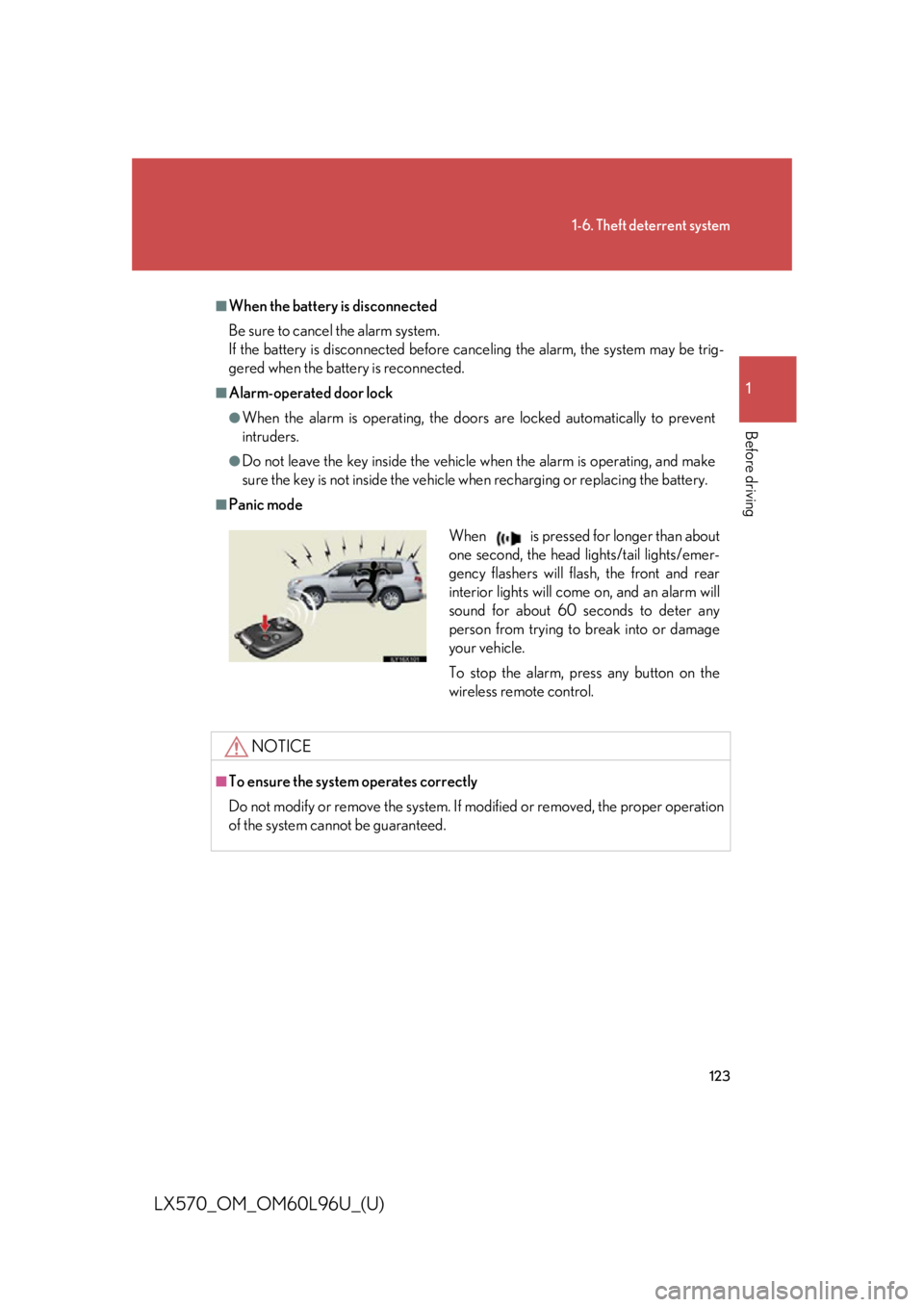
of the system cannot be guaranteed. When is pressed for longer than about
one second, the head lights/tail lights/emer-
gency flashers will flash, the front and rear
interior lights will come on, and an alarm will
sound for about 60 seconds to deter any
person from trying to break into or damage
your vehicle.
To stop the alarm, press any button on the
wireless remote control.
Page 394 of 960

3942-5. Driving information
LX570_OM_OM60L96U_(U) ● Avoid jerky starts or sudden acceleration.
● Avoid jerky steering and sharp turn s, and slow down before making a
turn.
● Note that when making a turn, the trailer wheels will be closer than the
vehicle wheels to the inside of th e turn. Compensate by making a
wider than normal turning radius.
● Slow down before making a turn, in crosswinds, on wet or slippery sur-
faces, etc.
Increasing vehicle speed can destabilize the trailer.
● Take care when passing other vehi cles. Passing requires considerable
distance. After passing a vehicle, do not forget the length of your
trailer, and be sure you have plenty of room before changing lanes.
● To maintain engine braking efficie ncy and charging system perfor-
mance when using engine braking, do not put the transmission in “D”.
If in the S mode, the transmission shift range position must be in 5 or
lower.
● Instability happens more frequently when descending steep or long
downhill grades. Before descending , slow down and downshift. Do not
make sudden downshifts while desc ending steep or long downhill
grades.
● Avoid holding the brake pedal down too long or applying the brakes
too frequently. This could cause the brakes to overheat and result in
reduced braking efficiency.
● Due to the added load of the trail er, your vehicle’ s engine may over-
heat on hot days (at temperatures over 85°F [30°C]) when driving up
a long or steep grade. If the engine coolant temperature gauge indi-
cates overheating, immediately turn off the air conditioning (if in use),
pull your vehicle off the road and stop in a safe spot. ( P. 878)
Page 549 of 960
5493-3. Using the audio system
3
Interior features
LX570_OM_OM60L96U_(U) ■
If you touch
The display returns to the previous screen. ■
Connecting Bluetooth ®
audio player●
Touching “Connect Portable Player” on the “Bluetooth*” screen also connects
a Bluetooth ®
audio player. ( P. 681)●
When none of the selectable portable players have been registered, a screen
confirming registration is displayed. The registrati on method is the same as
phone registration. ( P. 674)●
When the currently connected portable pl ayer is selected, a screen confirming
the selected player’s disconnection is displayed. ( P. 676)●
If connection fails once, a changing conn ection method confirmation screen is
displayed. If connection fails 2 or more times, a message will be displayed.
When this message is displayed, try again.
*: Bluetooth is a re gistered trademark of Bluetooth SIG, Inc.■
When using the Bluetooth ®
audio system●
In the following conditions, the system may not function.
• The portable player is turned off
• The portable player is not connected
• The portable player battery is low ●
There may be a delay if phone connection is carried out during Bluetooth ®
audio play. ●
Depending on the type of portable player that is connected to the system, oper-
ation may differ slightly and certain functions may not be available.■
Bluetooth ®
antenna
The antenna is built into the audio unit. If th e portable player is behind the seat or in
the glove box or console box, or is touching or covered by metal objects, connec-
tion status may deteriorate. ■
Battery charge/signal status
This display may not correspond exactly wi th the portable play er, and this system
does not have a charging function.
Page 569 of 960
5693-3. Using the audio system
3
Interior features
LX570_OM_OM60L96U_(U) ■
iPod functions ●
When the iPod connected to the system includes iPod video, the system can
only output the sound by touching “Video” on the “iPod” screen.●
Depending on the iPod, the video so und may not be able to be heard.●
When an iPod is connected and the audi o source is changed to iPod mode, the
iPod will resume play from the same point in which it was last used. ●
Depending on the iPod that is connected to the system, certain functions may
not be available. If a function is unavailable due to a malfunction (as opposed to
a system specification), disconnecting the device and reconnecting it once
again may resolve the problem.■
When using an iPod
You maybe unable to use the instrument panel power outlet if the iPod is con-
nected to the USB port at the same time. ■
Battery charge
When an iPod is connected using a genuine iPod cable, the iPod starts charging its
battery. ■
Error messages for iPod
“iPod Error”: This indicates a proble m in the iPod or its connection.
“No music files found.”: This indicates that there is no music data in the iPod.
“Please check the iPod firmware version.”:
This indicates that the software version is not compati-
ble. Perform the iPod fir mware updates and try again.
“iPod authorization failed.”: This indicates th at it failed to authorize the iPod. Please
check your iPod.
Page 765 of 960
7634-3. Do-it-yourself maintenance
4
Maintenance and care
LX570_OM_OM60L96U_(U) ■
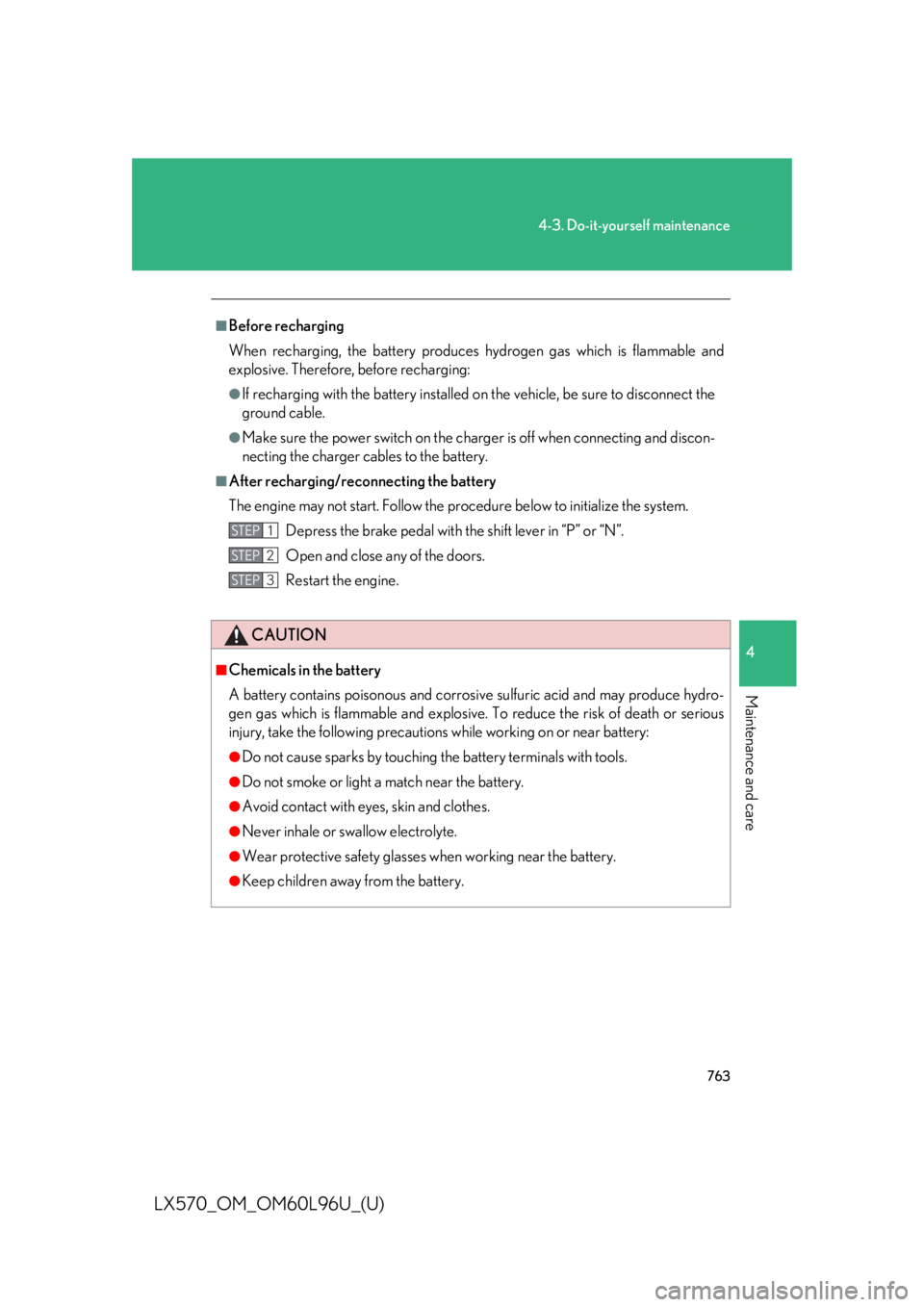
Before recharging
When recharging, the battery produces hydrogen gas which is flammable and
explosive. Therefore, before recharging: ●
If recharging with the battery installed on the vehicle, be sure to disconnect the
ground cable. ●
Make sure the power switch on the charger is off when connecting and discon-
necting the charger cables to the battery.■
After recharging/reconnecting the battery
The engine may not start. Follow the pr ocedure below to initialize the system.
Depress the brake pedal with the shift lever in “P” or “N”.
Open and close any of the doors.
Restart the engine.
CAUTION■
Chemicals in the battery
A battery contains poisonous and corrosi ve sulfuric acid and may produce hydro-
gen gas which is flammable an d explosive. To reduce the risk of death or serious
injury, take the following precautions while working on or near battery: ●
Do not cause sparks by touching the battery terminals with tools.●
Do not smoke or light a match near the battery. ●
Avoid contact with eyes, skin and clothes. ●
Never inhale or swallow electrolyte. ●
Wear protective safe ty glasses when working near the battery.●
Keep children away from the battery. STEP 1
STEP 2
STEP 3
Page 766 of 960
7644-3. Do-it-yourself maintenance
LX570_OM_OM60L96U_(U) CAUTION■
Where to safely charge the battery
Always charge the battery in an open area. Do not charge the battery in a garage
or closed room where there is not sufficient ventilation. ■
How to recharge the battery
Only perform a slow charge (5A or less). The battery may explode if charged at a
quicker rate. ■
Emergency measures regarding electrolyte ●
If electrolyte gets in your eyes
Flush your eyes with clean water for at least 15 minutes and get immediate medi-
cal attention. If possible, continue to apply water with a sponge or cloth while
traveling to the nearest medical facility. ●
If electrolyte gets on your skin
Wash the affected area thoroughly. If you feel pain or burnin g, get medical atten-
tion immediately. ●
If electrolyte gets on your clothes
It can soak through clothing on to your skin. Immediately take off the clothing and
follow the procedure above if necessary. ●
If you accidentally swallow electrolyte
Drink a large quantity of water or milk . Get emergency medical attention imme-
diately.
NOTICE■
When recharging the battery
Never recharge the battery while the engine is running. Also, be sure all accesso-
ries are turned off.
Page 828 of 960
826
LX570_OM_OM60L96U_(U) 5-2. Steps to take in an emergency
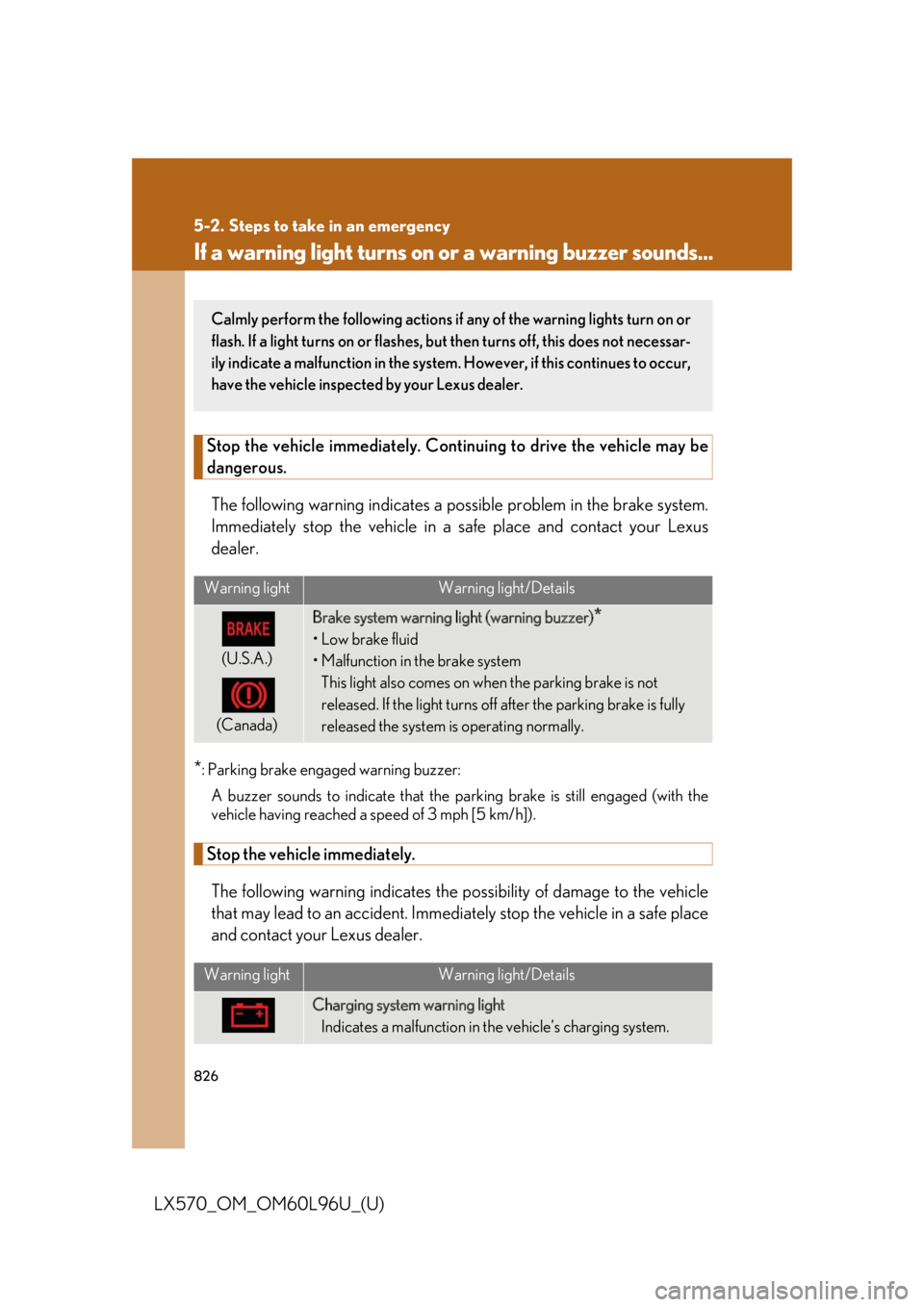
If a warning light turns on or a warning buzzer sounds...Stop the vehicle immediately. Continui ng to drive the vehicle may be
dangerous.
The following warning in dicates a possible prob lem in the brake system.
Immediately stop the vehicle in a sa fe place and contact your Lexus
dealer.
* : Parking brake engaged warning buzzer:
A buzzer sounds to indicate that the parking brake is still engaged (with the
vehicle having reached a speed of 3 mph [5 km/h]).
Stop the vehicle immediately.
The following warning indicates the po ssibility of damage to the vehicle
that may lead to an accident. Immedia tely stop the vehicle in a safe place
and contact your Lexus dealer. Warning light Warning light/Details
(U.S.A.)
(Canada) Brake system warning light (warning buzzer)
*•Low brake fluid
• Malfunction in the brake system
This light also comes on when the parking brake is not
released. If the light turns off after the parking brake is fully
released the system is operating normally.
Warning light Warning light/Details
Charging system warning light
Indicates a malfunction in the vehicle’s charging system.Calmly perform the following actions if any of the warning lights turn on or
flash. If a light turns on or flashes, bu t then turns off, this does not necessar-
ily indicate a malfunction in the system. However, if this continues to occur,
have the vehicle inspecte d by your Lexus dealer.
Page 879 of 960

5
When trouble arises
8775-2. Steps to take in an emergency
LX570_OM_OM60L96U_(U) ■
Starting the engine when the battery is discharged
The engine cannot be started by push-starting. ■
Avoiding a discharged battery ●
Turn off the headlights and the audi o system while the engine is off.●
Turn off any unnecessary electrical compon ents when the vehicle is running at a
low speed for an extended period, such as in heavy traffic, etc.■
Charging the battery
The electricity stored in the battery will discharge gradually even when the vehicle
is not in use, due to natural discharge and the draining effects of certain electrical
appliances. If the vehicle is left for a long time, the battery may discharge, and the
engine may be unable to start. (The battery recharges automatically during driving.) ■
When the battery is removed or discharged ●
The power back door must be initialized. ( P. 60)●
Make sure the key is not inside the vehicle when recharging or replacing the
battery. The key may be locked in th e vehicle if the alarm is activated. ( P. 122)Start the engine of the second vehicle. Increase the engine
speed slightly and maintain at that level for approximately 5
minutes to recharge the battery of your vehicle.
Open and close any of the do ors with the “ENGINE START
STOP” switch off.
Maintain the engine speed of th e second vehicle and turn the
“ENGINE START STOP” switch to IGNITION ON mode,
then start the vehicle’s engine.
Once the vehicle’s engine has started, remove the jumper
cables in the exact reverse order in which they were con-
nected.
Once the engine starts, have th e vehicle checked at your Lexus
dealer, as soon as possible. STEP 3
STEP 4
STEP 5
STEP 6