warning LEXUS LX570 2020 Owners Manual
[x] Cancel search | Manufacturer: LEXUS, Model Year: 2020, Model line: LX570, Model: LEXUS LX570 2020Pages: 636, PDF Size: 12.73 MB
Page 253 of 636

LX570_OM_OM60R61U_(U)
2534-5. Using the driving support systems
4
Driving
WARNING
●Do not change the installation position or direction of the camera sensor or remove it.
●Do not disassemble the camera sensor.
●Do not modify any components of the vehicle around the camera sensor (inside rear
view mirror, et c.) or ceiling.
●Do not attach any accessories that may obstruct the camera sensor to the hood, front
grille or front bumper. Contact your Lexus dealer for details.
●If a surfboard or other long object is to be mounted on the roof, make sure that it will
not obstruct the camera sensor.
●Do not modify the head lights or other lights.
Page 256 of 636

256
LX570_OM_OM60R61U_(U)4-5. Using the driving support systems
PCS (Pre-Collision System)
: If equipped
The pre-collision system uses a radar sensor and camera sensor to detect
vehicles and pedestrians in front of yo
ur vehicle. When the system determines
that the possibility of a frontal collision with a vehicle or pedestrian is high, a
warning operates to urge the driver to take evasive action and the potential
brake pressure is increased to help the driver avoid the collision. If the system
determines that the possibility of a fr ontal collision with a vehicle or pedes-
trian is extremely high, the brakes are automatically applied to help avoid the
collision or help reduce the impact of the collision.
The pre-collision system can be disabled/enabled and the warning timing can
be changed. ( P. 260)
Page 257 of 636
LX570_OM_OM60R61U_(U)
2574-5. Using the driving support systems
4
Driving
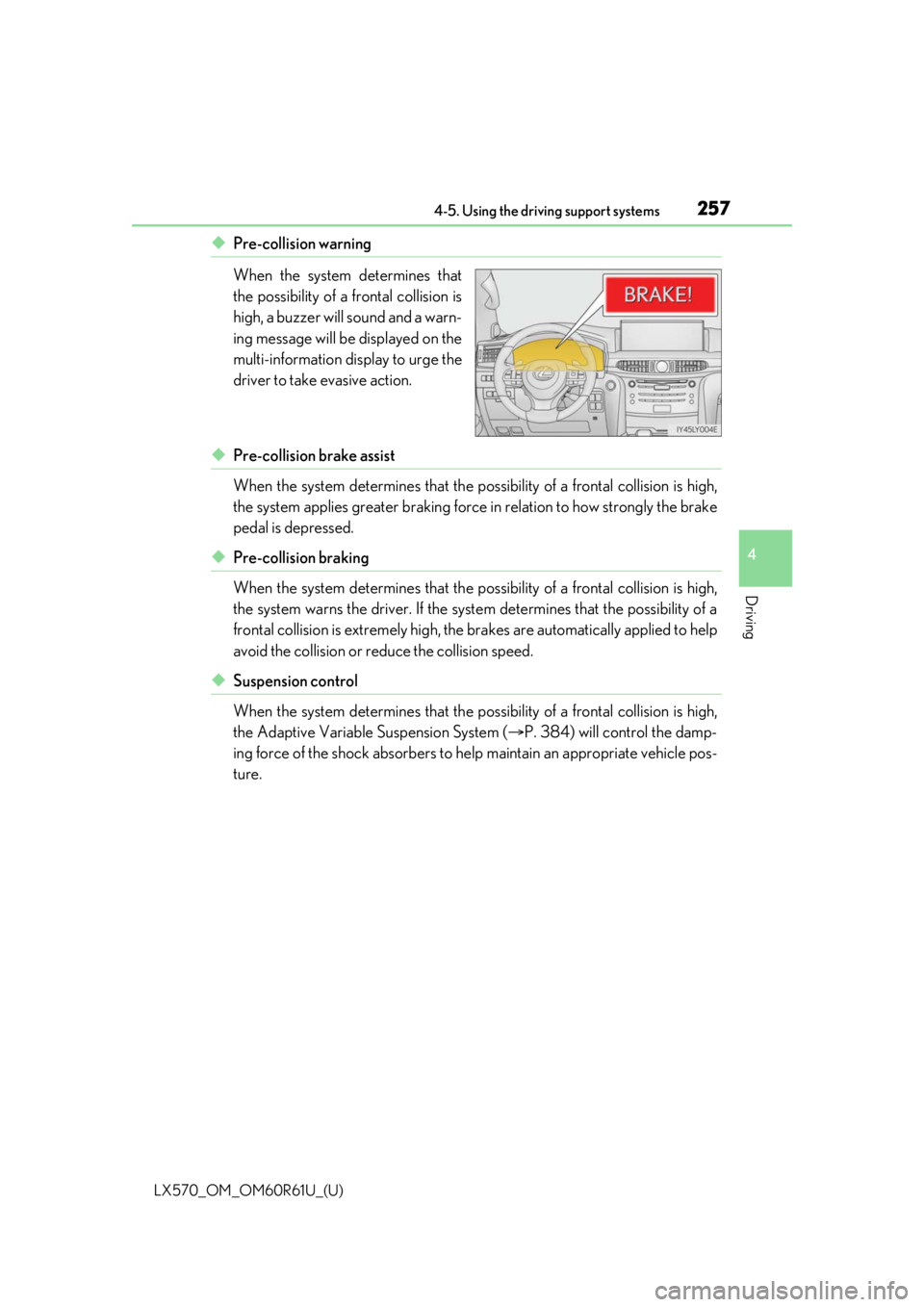
◆Pre-collision warning
When the system determines that
the possibility of a frontal collision is
high, a buzzer will sound and a warn-
ing message will be displayed on the
multi-information display to urge the
driver to take evasive action.
◆Pre-collision brake assist
When the system determines that the possibility of a frontal collision is high,
the system applies greater braking force in relation to how strongly the brake
pedal is depressed.
◆Pre-collision braking
When the system determines that the po ssibility of a frontal collision is high,
the system warns the driver. If the syst em determines that the possibility of a
frontal collision is extremely high, the br akes are automatically applied to help
avoid the collision or reduce the collision speed.
◆Suspension control
When the system determines that the po ssibility of a frontal collision is high,
the Adaptive Variable Suspension System ( P. 384) will control the damp-
ing force of the shock absorbers to help maintain an appropriate vehicle pos-
ture.
Page 258 of 636

258
LX570_OM_OM60R61U_(U)4-5. Using the driving support systems
WARNING
■Limitations of the
pre-collision system
●The driver is solely responsible for safe driving. Always drive safely, taking care to
observe your surroundings.
Do not use the pre-collision sy stem instead of normal braking operations under any
circumstances. This system will not preven t collisions or lessen collision damage or
injury in every situation. Do not overly rely on this system. Failure to do so may lead to
an accident, resulting in death or serious injury.
●Although this system is designed to help avoid a collision or help reduce the impact of
the collision, its effectivenes s may change according to various conditions, therefore
the system may not always be able to achieve the same level of performance.
Read the following conditions carefully. Do not overly rely on this system and always
drive carefully.
• Conditions under which the system may oper ate even if there is no possibility of a
collision: P. 262
• Conditions under which the system may not operate properly: P. 264
●Do not attempt to test the operation of the pre-collision system yourself.
Depending on the objects us ed for testing (dummies, cardboard objects imitating
detectable objects, etc.), the system may not operate properly, possibly leading to an
accident.
■Pre-collision braking
●When the pre-collision braking function is operating, a large amount of braking force
will be applied.
●If the vehicle is stopped by the operation of the pre-collision braking function, the pre-
collision braking function operation will be canceled after approximately 2 seconds.
Depress the brake pedal as necessary.
●The pre-collision braking fu nction may not operate if certain operations are per-
formed by the driver. If the accelerator pedal is being depressed strongly or the steer-
ing wheel is being turned, the system may de termine that the driver is taking evasive
action and possibly prevent the pre-coll ision braking function from operating.
●In some situations, while the pre-collision braking function is operating, operation of
the function may be canceled if the accele rator pedal is depressed strongly or the
steering wheel is turned and the system de termines that the driver is taking evasive
action.
●If the brake pedal is being depressed, the sy stem may determine that the driver is tak-
ing evasive action and possibly delay the op eration timing of the pre-collision braking
function.
Page 259 of 636
LX570_OM_OM60R61U_(U)
2594-5. Using the driving support systems
4
Driving
WARNING
■When to disable the pre-collision system
In the following situations, disable the system, as it may not operate properly, possibly
leading to an accident resultin g in death or serious injury:
●When the vehicle is being towed
●When your vehicle is towing another vehicle
●When transporting the vehicle via truck, bo at, train or similar means of transportation
●When the vehicle is raised on a lift with the engine running and the tires are allowed to
rotate freely
●When inspecting the vehicle using a drum tester such as a chassis dynamometer or
speedometer tester, or when using an on vehicle wheel balancer
●When a strong impact is applied to the fron t bumper or front grille, due to an accident
or other reasons
●If the vehicle cannot be driven in a stable manner, such as when the vehicle has been
in an accident or is malfunctioning
●When the vehicle is driven in a sporty manner or off-road
●When the tires are not properly inflated
●When the tires are very worn
●When tires of a size other than specified are installed
●When tire chains are installed
●When a compact spare tire or an emergency tire puncture repair kit is used
●If equipment (snow plow, etc.) that may obstruct the radar sensor or camera sensor is
temporarily installed to the vehicle
Page 260 of 636

260
LX570_OM_OM60R61U_(U)4-5. Using the driving support systems
■Disabling the pre-collision system
Press the PCS switch for 3 seconds or
more.
The PCS warning light will turn on
and a message will be displayed on
the multi-information display.
To enable the system, press the PCS
switch again.
The system is enab led each time the
engine switch is turned to IGNI-
TION ON mode.
■Changing the pre-collision warning timing
Press the PCS switch to display the
current warning timing on the multi-
information display. Each time the
PCS switch is pressed with the
warning timing displayed, the warn-
ing timing will change as follows.
The operation timing setting is
retained when the engine switch is
turned off.
Far
The warning will begin to operate
earlier than with the default timing.
Middle
This is the default setting.
Near
The warning will begin to operate la ter than with the default timing.
Changing settings of the pre-collision system
1
2
3
Page 261 of 636

LX570_OM_OM60R61U_(U)
2614-5. Using the driving support systems
4
Driving
■Operational conditions
The pre-collision system is enabled and the system determines that the possibility of a
frontal collision with a vehicle or pedestrian is high.
Each function is operationa l at the following speeds:
●Pre-collision warning:
• Vehicle speed is between approximately 7 and 110 mph (10 and 180 km/h). (For
detecting a pedestrian, vehicle speed is between approximately 7 and 50 mph [10
and 80 km/h].)
• The relative speed between your vehicle and the vehicle or pedestrian ahead is approximately 7 mph (10 km/h) or more.
●Pre-collision brake assist:
• Vehicle speed is between approximately 20 and 110 mph (30 and 180 km/h). (For
detecting a pedestrian, vehicle speed is between approximately 20 and 50 mph
[30 and 80 km/h].)
• The relative speed between your vehicle and the vehicle or pedestrian ahead is
approximately 20 mph (30 km/h) or more.
●Pre-collision braking:
• Vehicle speed is between approximately 7 and 110 mph (10 and 180 km/h). (Fordetecting a pedestrian, vehicle speed is between approximately 7 and 50 mph [10
and 80 km/h].)
• The relative speed between your vehicle and the vehicle or pedestrian ahead is approximately 7 mph (10 km/h) or more.
The system may not operate in the following situations:
●If a battery terminal has been disconnected and reconnected and then the vehicle has
not been driven for a certain amount of time
●If the shift lever is in R
●If VSC is disabled (only the pre-collis ion warning function will be operational)
●If the low speed four-wheel drive indicator is illuminated (only the pre-collision warning
function will be operational)
Page 267 of 636

LX570_OM_OM60R61U_(U)
2674-5. Using the driving support systems
4
Driving
■If the PCS warning light flashes or illuminates and a warning message is displayed on
the multi-inform ation display
The pre-collision system may be temporarily unavailable or there may be a malfunction
in the system.
●In the following situations, the warning light will turn off, the message will disappear and
the system will become operational when normal operating conditions return:
• When the radar sensor or camera sensor or the area around either sensor is hot, such as in the sun
• When the radar sensor or camera sensor or the area around either sensor is cold,
such as in an extremely cold environment
• When a front sensor is dirt y or covered with snow, etc.
• When the part of the windshield in front of the camera sensor is fogged up or cov-
ered with condensation or ice (Defogging the windshield: P. 413)
• If the camera sensor is obstructed, such as when the hood is open or a sticker is attached to the windshield near the camera sensor
●If the PCS warning light continues to flash or remains illuminated or the warning mes-
sage does not disappear even though the vehicle has returned to normal, the system
may be malfunctioning. Have the vehicle in spected by your Lexus dealer immediately.
■If VSC is disabled
●If VSC is disabled (P. 385), the pre-collision brake assist and pre-collision braking
functions are also disabled.
●The PCS warning light will turn on and “V SC Turned Off Pre-Collision Brake System
Unavailable” will be displayed on the multi-information display.
Page 268 of 636

268
LX570_OM_OM60R61U_(U)4-5. Using the driving support systems
LDA (Lane Departure Alert)
When driving on roads with white (yellow)
lines, this function alerts the driver
when the vehicle might depart from its lane.
The LDA system recognizes visible
white (yellow) lines with the camera
sensor on the upper portion of the front
windshield.
◆Lane departure alert function
When the system determines that
the vehicle might depart from its
lane, a warning is displayed on the
multi-information display, and either
the warning buzzer sounds or the
steering wheel vibrates to alert the
driver.
When the warning buzzer sounds or
the steering wheel vibrates, check
the surrounding road situation and
carefully operate the steering wheel
to move the vehicle back to the cen-
ter of the lane.
: If equipped
Summary of functions
Functions included in LDA system
Page 269 of 636
LX570_OM_OM60R61U_(U)
2694-5. Using the driving support systems
4
Driving
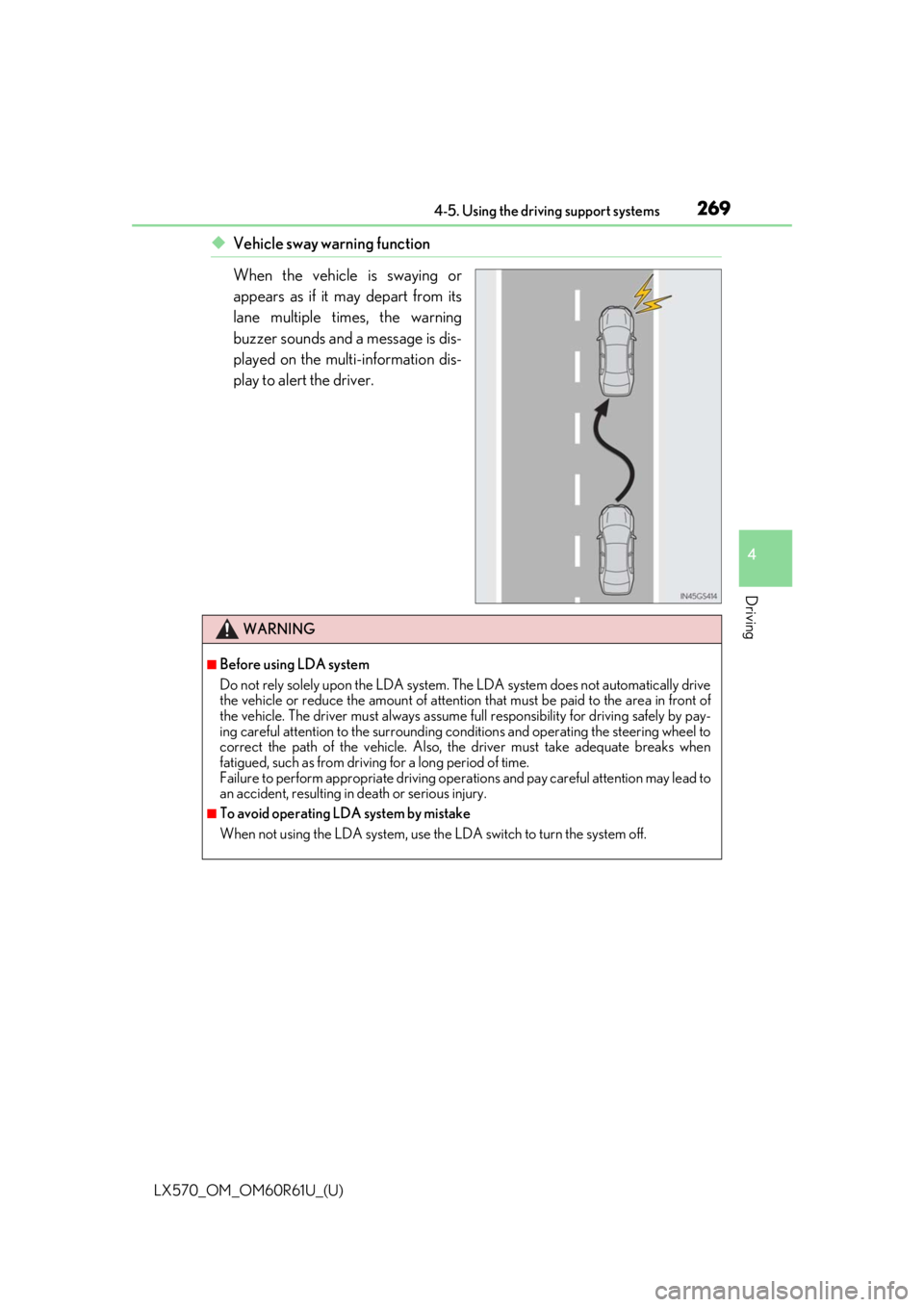
◆Vehicle sway warning function
When the vehicle is swaying or
appears as if it may depart from its
lane multiple times, the warning
buzzer sounds and a message is dis-
played on the multi-information dis-
play to alert the driver.
WARNING
■Before using LDA system
Do not rely solely upon the LDA system. The LDA system does not automatically drive
the vehicle or reduce the amount of attention that must be paid to the area in front of
the vehicle. The driver must always assume full responsibility for driving safely by pay-
ing careful attention to the surrounding cond itions and operating the steering wheel to
correct the path of the vehicle. Also, the driver must take adequate breaks when
fatigued, such as from driving for a long period of time.
Failure to perform appropriate driving operat ions and pay careful attention may lead to
an accident, resulting in death or serious injury.
■To avoid operating LDA system by mistake
When not using the LDA system, use the LDA switch to turn the system off.