ABS LEXUS NX200T 2016 User Guide
[x] Cancel search | Manufacturer: LEXUS, Model Year: 2016, Model line: NX200T, Model: LEXUS NX200T 2016Pages: 660, PDF Size: 9.96 MB
Page 300 of 660

3004-5. Using the driving support systems
NX200t_OM_USA_OM78081U
■Sounds and vibrations caused by the ABS, brake assist, TRAC, VSC and hill-start assist
control systems
●A sound may be heard from the engine compartment when the brake pedal is
depressed repeatedly, when the engine is started or just after the vehicle begins to
move. This sound does not indicate that a malfunction has occurred in any of these sys-
tems.
●Any of the following condit ions may occur when the above systems are operating.
None of these indicates that a malfunction has occurred.
• Vibrations may be felt through the vehicle body and steering.
• A motor sound may be heard after the vehicle comes to a stop.
• The brake pedal may pulsate slig htly after the ABS is activated.
• The brake pedal may move down s lightly after the ABS is activated.
■EPS operation sound
When the steering wheel is operated, a motor sound (whirring sound) may be heard.
This does not indicate a malfunction.
■Reduced effectiveness of the EPS system
The effectiveness of the EPS system is reduced to prevent the system from overheating
when there is frequent steering input over an extended period of time. The steering
wheel may feel heavy as a result. Should this occur, refrain from excessive steering input
or stop the vehicle and turn the engine of f. The EPS system should return to normal
within 10 minutes.
■Automatic reactivation of TRAC and VSC systems
After turning the TRAC and VSC systems off, the systems will be automatically
re-enabled in the following situations:
●When the engine switch is turned off
●If only the TRAC system is turned off, the TRAC will turn on when vehicle speed
increases
If both the TRAC and VSC systems are turn ed off, automatic re-enabling will not
occur when vehicl e speed increases.
■Operating conditions of hill-start assist control
When the following four conditions are met, the hill-start assist control will operate:
●The shift lever is in a position other than P or N (when starting off forward/backward on
an upward incline).
●The vehicle is stopped.
●The accelerator pedal is not depressed.
●The parking brake is not engaged.
■Automatic system cancelation of hill-start assist control
The hill-start assist control will turn off in any of the following situations:
●The shift lever is moved to P or N.
●The accelerator pedal is depressed.
●The parking brake is engaged.
●Approximately 2 seconds elapse after the brake pedal is released.
Page 301 of 660

3014-5. Using the driving support systems
4
Driving
NX200t_OM_USA_OM78081U
WA R N I N G
■The ABS does not operate effectively when
●The limits of tire gripping performance have been exceeded (such as excessively
worn tires on a snow covered road).
●The vehicle hydroplanes while driving at high speed on wet or slick road.
■Stopping distance when the ABS is operating may exceed that of normal conditions
The ABS is not designed to shorten the vehicle’s stopping distance. Always maintain a
safe distance from the vehicle in front of you, especially in the following situations:
●When driving on dirt, gravel or snow-covered roads
●When driving with tire chains
●When driving over bumps in the road
●When driving over roads with potholes or uneven surfaces
■TRAC may not operate effectively when
Directional control and power may not be achievable while drivin g on slippery road
surfaces, even if the TRAC system is operating.
Drive the vehicle carefully in conditions where stability and power may be lost.
■Hill-start assist control does not operate effectively when
●Do not overly rely on the hill-start assist control. The hill-start assist control may not
operate effectively on steep inclines and roads covered with ice.
●Unlike the parking brake, hill-start assist control is not intended to hold the vehicle
stationary for an extended period of time. Do not attempt to use hill-start assist con-
trol to hold the vehicle on an incline, as doing so may lead to an accident.
■When the TRAC/VSC are activated
The slip indicator light flashes. Always drive carefully. Reckless driving may cause an
accident. Exercise particular care when the indicator light flashes.
■When the TRAC/VSC systems are turned off
Be especially careful and drive at a speed ap propriate to the road conditions. As these
are the systems to help ensure vehicle st ability and driving force, do not turn the
TRAC/VSC systems off unless necessary.
■Replacing tires
Make sure that all tires are of the specified size, brand, tread pattern and total load
capacity. In addition, make sure that the tires are inflated to the recommended tire infla-
tion pressure level.
The ABS, TRAC and VSC systems will not function correctly if different tires are
installed on the vehicle.
Contact your Lexus dealer for further information when replacing tires or wheels.
■Handling of tires and the suspension
Using tires with any kind of problem or modi fying the suspension will affect the driving
assist systems, and may caus e a system to malfunction.
Page 302 of 660

3024-5. Using the driving support systems
NX200t_OM_USA_OM78081U
All-wheel drive lock switch (AWD models)
Press the switch.
The torque of the engine is distributed to
the rear wheels to the maximum extent
possible in accordance with driving con-
ditions.
Pressing the switch again cancels
all-wheel drive lock mode and returns
the Dynamic Torque Control AWD sys-
tem to normal mode. ( P. 2 9 8 )
■All-wheel drive lock mode can be operated when
The engine switch is in IGNITION ON mode.
■Automatic release for the all-wheel drive lock mode
●All-wheel drive lock mode is canceled when the brakes are applied to ensure the ABS
and VSC systems operate effectively.
●All-wheel drive lock mode is canceled when the vehicle speed exceeds 25 mph
(40 km/h).
All-wheel drive lock mode can be used when a large amount of drive power
needs to be applied to all the wheels, such as when the vehicle gets stuck in
mud and you need to free it.
Page 303 of 660

3034-5. Using the driving support systems
4
Driving
NX200t_OM_USA_OM78081U
PCS (Pre-Collision System)
◆Pre-collision warning
When a high possibility of a frontal
collision is detected, a buzzer
sounds and a message is shown on
the multi-information display to urge
the driver to take evasive action.
◆Pre-collision brake assist
When there is a high possibility of a frontal collision, the system applies greater brak-
ing force in relation to how strongly the brake pedal is depressed.
◆Pre-collision braking
When there is a high possibility of a fronta l collision, the system warns the driver using
warning display and buzzer. If the system determines that a collision is unavoidable,
the brakes are automatically applied to reduce the collision speed.
◆Suspension control (vehicles with Ad aptive Variable Suspension system)
When the system determines that there is a high possibility of a frontal colli-
sion, the operation of Adaptive Variable Suspension system ( P. 2 9 8 ) o p t i -
mally controls the damping force of the shock absorber.
: If equipped
When the radar sensor detects possibilit y of a frontal collision, brakes are
automatically engaged to lessen im pact as well as vehicle damage.
The alert timing for the pre-collision system can be changed or turned ON/
OFF, as necessary, by operating the switch. ( P. 304)
Page 308 of 660

3084-5. Using the driving support systems
NX200t_OM_USA_OM78081U
WA R N I N G
■Cautions regarding the assist contents of the system
By means of alarms and brake control, the pre- collision system is intended to assist the
driver in avoiding collisions through the process of LOOK-JUDGE-ACT. There are
limits to the degree of assistance the system can provide, so please keep in mind the
following important points.
●Assisting the driver in watching the road
The pre-collision system is only able to detect obstacles directly in front of the vehicle,
and only within a limited range. It is not a mechanism that allows careless or inatten-
tive driving, and it is not a system that can assist the driver in low-visibility conditions. It
is still necessary for the driver to pay cl ose attention to the vehicle’s surroundings.
●Assisting the driver in making correct judgement
When attempting to estimate the possibility of a collision, the only data available to
the pre-collision system is that from obstacle s it has detected directly in front of the
vehicle. Therefore, it is absolutely necess ary for the driver to remain vigilant and to
determine whether or not there is a possib ility of collision in any given situation.
●Assisting the driver in taking action
The pre-collision system’s braking assist feat ure is designed to help reduce the sever-
ity of a collision, and so only acts when the system has judged that a collision is
unavoidable. This system is not capable of automatically avoiding a collision or bring-
ing the vehicle to a stop safely without appropriate operations performed by the
driver.
For this reason, when encountering a danger ous situation the driver must take direct
and immediate action in order to en sure the safety of all involved.
Page 498 of 660
4987-3. Do-it-yourself maintenance
NX200t_OM_USA_OM78081U
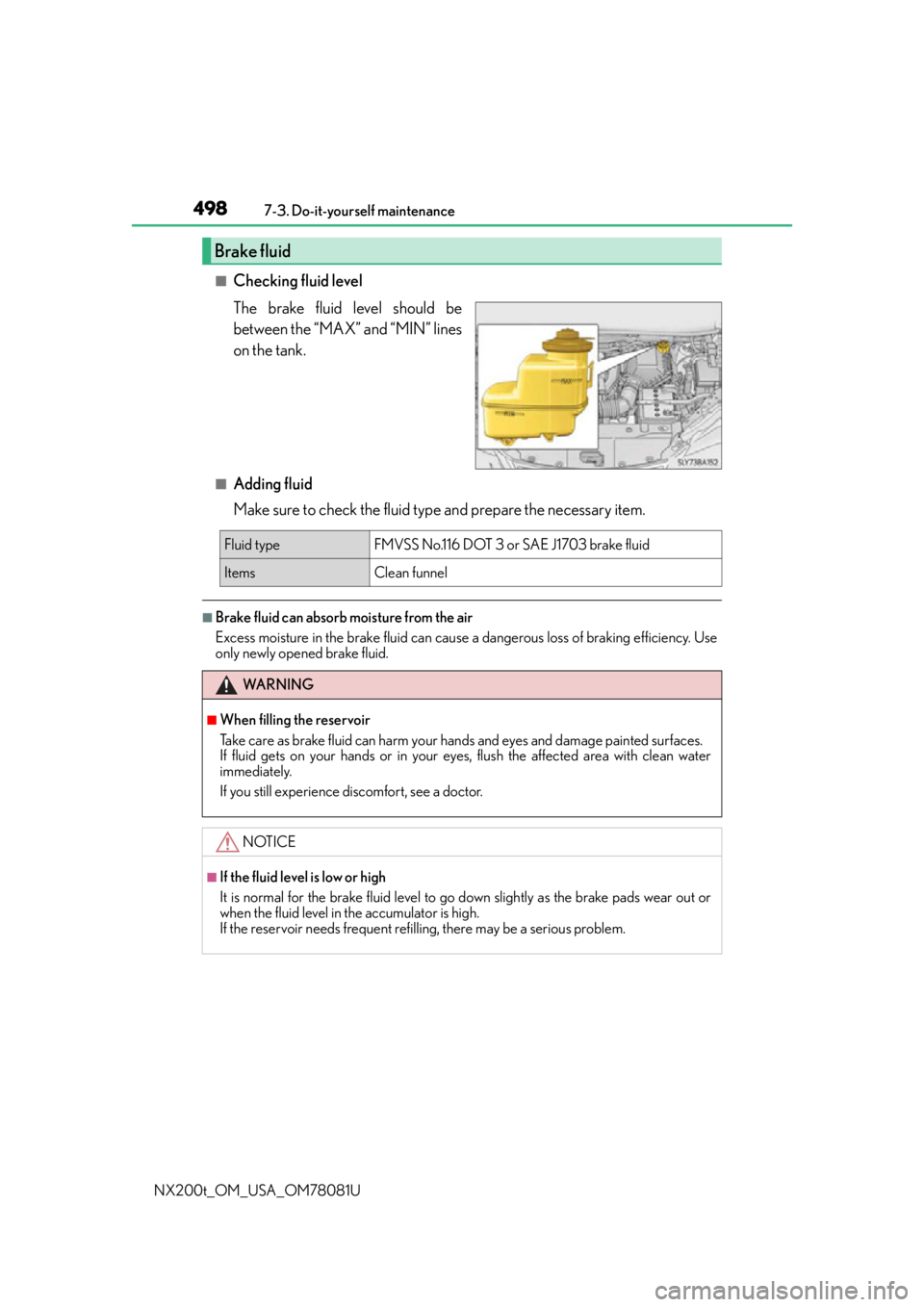
■Checking fluid level
The brake fluid level should be
between the “MAX” and “MIN” lines
on the tank.
■Adding fluid
Make sure to check the fluid type and prepare the necessary item.
■Brake fluid can absorb moisture from the air
Excess moisture in the brake fluid can cause a dangerous loss of braking efficiency. Use
only newly opened brake fluid.
Brake fluid
Fluid type FMVSS No.116 DOT 3 or SAE J1703 brake fluid
ItemsClean funnel
WA R N I N G
■When filling the reservoir
Take care as brake fluid can harm your hands and eyes and damage painted surfaces.
If fluid gets on your hands or in your eyes, flush the affected area with clean water
immediately.
If you still experience discomfort, see a doctor.
NOTICE
■If the fluid level is low or high
It is normal for the brake fluid level to go down slightly as the brake pads wear out or
when the fluid level in the accumulator is high.
If the reservoir needs frequent refil ling, there may be a serious problem.
Page 528 of 660

5287-3. Do-it-yourself maintenance
NX200t_OM_USA_OM78081U
Install the bulb base.
Align the 3 tabs on the light bulb with
the mounting, and insert. Turn it
clockwise to set.
Confirm the installation of the
bulb base.
Shake the bulb base gently to check
that it is not loose, turn the headlight
high beams on once and visually
confirm that no light is leaking
through the mounting.
Install the cover and turn it clock-
wise.
Align the of the cover to the
positioning mark of the lamp body
and insert and turn it. There is the positioning mark on
the outer side of the light unit.
7
8
9
Page 532 of 660

5327-3. Do-it-yourself maintenance
NX200t_OM_USA_OM78081U
Attach the cover. Align the 2 tabs positions and
close the cover.
Fix the cover by pushing the
center of the clip.
Install the engine compartment cover. ( P. 4 9 1 )
■Rear turn signal lights
Open the back door and attach
protective tape around the lamp
body. (Use masking tape, do not
use Duct tape, as duct tape may
leave markings.)
Remove the cover.
It is recommended for safeguarding
to wrap the tip of the screwdriver
with a cloth, etc., in order to prevent
scratches to the vehicle.
Remove the 2 bolts.
8
1
2
9
1
2
3
Page 534 of 660

5347-3. Do-it-yourself maintenance
NX200t_OM_USA_OM78081U
Replace the light bulb.
Turn clockwise and set the bulb
base.
Confirm that cable is fixed to the tab.
Set the light unit. Align the light unit with the 2
tabs on the rear bumper.
Push the light unit forward
while pushing A.
Confirm that the grommet fits into
the bolt installation hole on the
light unit.
37
Ta b
38
Grommet
A
Ta b
Ta b
9
1
2
Page 536 of 660

5367-3. Do-it-yourself maintenance
NX200t_OM_USA_OM78081U
Remove the light bulb.
Replace the light bulb, and install
the bulb base.
Install the back door cover
Align the 2 tabs on the cover and
install.
3
4
5