ECO LEXUS NX300 2020 Owners Manual
[x] Cancel search | Manufacturer: LEXUS, Model Year: 2020, Model line: NX300, Model: LEXUS NX300 2020Pages: 468, PDF Size: 10.24 MB
Page 222 of 468

2224-5. Using the driving support systems
LEXUS NX300 Owners Manual_USA_M78389_en
the driver is warned and the function is tem-
porarily canceled. This warning also oper-
ates in the same way when the driver
continuously operates the steering wheel
only a small amount.
The buzzer also sounds even if the alert
type is set to .
●When the system determines that the
vehicle may not turn and instead depart
from its lane while driving around a curve
Depending on the vehicle condition and
road conditions, the warning may not oper-
ate. Also, if the system determines that the
vehicle is driving around a curve, warnings
will occur earlier than during straight-lane
driving.
●When the system determines that the
driver is driving without holding the steer-
ing wheel while the st eering wheel assist
of the steering assist function is operating
If the driver continue s to keep their hands
off of the steering wheel and the steering
wheel assist is operating, the buzzer sounds
and the driver is warned. Each time the
buzzer sounds, the continuing time of the
buzzer becomes longer.
The buzzer also sounds even if the alert
type is set to .
■Vehicle sway warning function
When the system determines that the vehi-
cle is swaying while the vehicle sway warn-
ing function is operating, a buzzer sounds
and a warning message urging the driver to
rest and the symbol shown in the illustration
are simultaneously displayed on the multi-
information display. Depending on the vehicle and road condi-
tions, the warning may not operate.
■Warning message
If the following warning message is dis-
played on the multi-in formation display and
the LDA indicator illuminates in orange, fol-
low the appropriate troubleshooting proce-
dure. Also, if a different warning message is
displayed, follow the instructions displayed
on the screen.
●“Lane Departure Alert Malfunction Visit
Your Dealer”
The system may not be operating properly.
Have the vehicle inspected by your Lexus
dealer.
●“Lane Departure Alert Unavailable”
The system is temporarily canceled due to a
malfunction in a sensor other than the front
camera. Turn the LDA system off, wait for a
little while, and then turn the LDA system
back on.
●“Lane Departure Alert Unavailable at
Current Speed”
The function cannot be used as the vehicle
speed exceeds the LDA operation range.
Drive slower.
●“Lane Departure Alert Unavailable
Below Approx 50km/h”
The LDA system cannot be used as the
vehicle speed is less than approximately 32
mph (50 km/h). Drive the vehicle at
approximately 32 mph (50 km/h) or more.
■Customization
Function settings can be changed. (Cus-
tomizable features: P.427)
Page 223 of 468

2234-5. Using the driving support systems
LEXUS NX300 Owners Manual_USA_M78389_en
4
Driving
*: If equipped
When the front camera recognizes a
sign, the sign will be displayed on the
multi-information display.
When the driving assist system information is selected, a maximum
of 3 signs can be displayed.
(
P.82)
When a tab other than the driving
assist system information is selected,
only a recognized speed limit sign
or do not enter sign (when notifica-
tion is necessary) will be displayed.
( P.82)
If signs other than speed limit signs are rec-
ognized, they will be displayed in an over-
lapping stack under the current speed limit
sign.
The following types of road signs,
including electronic signs and blinking
signs, are recognized.
A non-official or a recently introduced traf-
fic sign may not be recognized.
RSA (Road Sign Assist)*
The RSA system recognizes spe-
cific road signs using the front cam-
era to provide information to the
driver via the display.
If the system judges that the vehicle
is being driven over the speed limit,
performing prohibited actions, etc.
in relation to the recognized road
signs, it alerts the driver using a
warning display and warning
buzzer.
WARNING
■Before using the RSA
Do not rely solely upon the RSA system.
RSA is a system which supports the
driver by providing information, but it is
not a replacement for a driver’s own
vision and awareness. Drive safely by
always paying careful attention to the
traffic rules.
Indication on the multi-informa-
tion display
Supported types of road signs
Page 224 of 468

2244-5. Using the driving support systems
LEXUS NX300 Owners Manual_USA_M78389_en
: Speed limit
: Do Not Enter
: Stop
: Yield
In the following situations, the RSA sys-
tem will alert the driver.
When the vehicle speed exceeds
the speed warning threshold of the
speed limit sign displayed, the sign
display will be emphasized and a
buzzer will sound.
When the RSA system recognizes a
do not enter sign and determines
that your vehicle has entered a no-
entry area, the displayed sign will
flash and a buzzer will sound.
Depending on the situation, traffic
environment (traffic direction, speed
unit) may be detected incorrectly and a
warning display may not operate prop-
erly.
■Setting procedure
1 Press or of the meter control
switches and select 2
Press or of the meter control
switches and select , then press
3 Press or of the meter control
switches, select the desired setting, and
then press
■Automatic turn-off of RSA sign display
In the following situations, a displayed
speed limit sign will stop being displayed
automatically:
●A new sign is not recognized for a certain
distance.
●The road changes due to a left or right
turn, etc.
In the following situations, do not enter, stop
and yield signs will stop being displayed
automatically:
●The system determines that your vehicle
has passed the sign.
●The road changes due to a left or right
turn, etc.
■Conditions in which the function may
not operate or detect correctly
In the following situations, RSA does not
operate normally and may not recognize
signs, display the incorrect sign, etc. How-
ever, this does not indicate a malfunction.
●The front camera is misaligned due to a
strong impact being applied to the sen-
sor, etc.
●Dirt, snow, stickers, etc. are on the wind-
shield near the front camera.
●In inclement weather such as heavy rain,
fog, snow or sand storms
●Light from an oncoming vehicle, the sun,
etc. enters the front camera.
●The sign is dirty, faded, tilted or bent, and
if an electronic sign, the contrast is poor.
●All or part of the sign is hidden by the
leaves of a tree, a pole, etc.
●The sign is only visible to the front camera
for a short amount of time.
Warning display
Page 225 of 468

2254-5. Using the driving support systems
LEXUS NX300 Owners Manual_USA_M78389_en
4
Driving
●The driving scene (turning, lane change,
etc.) is judged incorrectly.
●Even if it is a sign not appropriate for the
currently traveled lane, such a sign exists
directly after a freeway branches, or in an
adjacent lane just before merging.
●Stickers are attached to the rear of the
preceding vehicle.
●A sign resembling a system compatible
sign is recognized.
●Side road speed signs may be detected
and displayed (if positioned in sight of the
front camera) while the vehicle is travel-
ing on the main road.
●Roundabout exit road speed signs may
be detected and displayed (if positioned
in sight of the front camera) while travel-
ing on a roundabout.
●The front of the vehicle is raised or low-
ered due to the carried load.
●The surrounding brightness is not suffi-
cient or changes suddenly.
●When a sign intended for trucks, etc. is
recognized.
●The speed information displayed on the
meter and that displayed on the naviga-
tion system may be different due to the
navigation system using map data.
■Speed limit sign display
If the engine switch wa s last turned off while
a speed limit sign wa s displayed on the
multi-information display, the same sign dis-
plays again when the engine switch is
turned to IGNITION ON mode.
■If “RSA malfunction Visit Your Dealer” is
shown
The system may be malfunctioning. Have
the vehicle inspected by your Lexus dealer.
■Customization
Some functions can be customized. (Cus-
tomizable features: P.427)
Multi-information display
Dynamic radar cruise con-
trol with full-speed range
In vehicle-to-vehicle distance con-
trol mode, the ve hicle automati-
cally accelerates, decelerates and
stops to match the speed changes
of the preceding vehicle even if the
accelerator pedal is not depressed.
In constant speed control mode,
the vehicle runs at a fixed speed.
Use the dynamic radar cruise con-
trol with full-speed range on free-
ways and highways.
Vehicle-to-vehicle distance con-
trol mode ( P.228)
Constant speed control mode
( P.232)
System Components
A
Page 228 of 468

2284-5. Using the driving support systems
LEXUS NX300 Owners Manual_USA_M78389_en
This mode employs a radar to detect the pr esence of vehicles up to approximately
328 ft. (100 m) ahead, determines the cu rrent vehicle-to-vehicle following dis-
tance, and operates to maintain a suitab le following distance from the vehicle
ahead. The desired vehicle-to-vehicle distance can also be set by operating the
vehicle-to-vehicle distance switch.
When driving on downhill slopes, the vehicl e-to-vehicle distance may become shorter.
Example of constant speed cruising
When there are no vehicles ahead
The vehicle travels at the speed set by the driver.
Example of deceleration cruising and follow-up cruising
When a preceding vehicle driving slower than the set speed appears
When a vehicle is detected running ahead of you, the system automatically decelerates
your vehicle. When a greater reduction in vehicle speed is necessary, the system applies
the brakes (the stop lights will come on at this time). The sy stem will respond to changes in
the speed of the vehicle ahead in order to maintain the vehicle-to-vehicle distance set by
the driver. Approach warning warns you when th e system cannot decelerate sufficiently to
prevent your vehicle from closing in on the vehicle ahead.
When the vehicle ahead of you stops, your vehi cle will also stop (vehicle is stopped by sys-
tem control). After the vehicle ahead starts off, pushing the cruise control lever up or
depressing the accelerator pedal (start-off operation) will resume follow-up cruising. If the
start-off operation is not performed, system control continues to keep your vehicle
stopped.
When the turn signal lever is operated and your vehicle moves to a left lane while driving at
50 mph (80 km/h) or more, the vehicle will quickly accelerate to help to overtake a pass-
ing vehicle.
Driving in vehicle-to-vehicle distance control mode
A
B
Page 229 of 468

2294-5. Using the driving support systems
LEXUS NX300 Owners Manual_USA_M78389_en
4
Driving
Example of acceleration
When there are no longer any preceding vehicles driving slower than the set
speed
The system accelerates until the set speed is re ached. The system then returns to constant
speed cruising.
1 Press the “ON/OFF” button to
activate the cruise control.
Dynamic radar cruise control indicator will
come on and a message will be displayed
on the multi-information display.
Press the button again to deactivate the
cruise control.
If the “ON/OFF” button is pressed and
held for 1.5 seconds or more, the system
turns on in constant speed control mode.
( P.232)
2 Accelerate or decelerate, with
accelerator pedal operation, to the
desired vehicle speed (at or above
approximately 20 mph [30 km/h])
and push the lever down to set the
speed.
Cruise control “SET” indicator will come
on.
The vehicle speed at the moment the lever is released beco
mes the set speed.
To change the set speed, operate the
lever until the desired set speed is dis-
played.
1Increases the speed
(Except when the vehicle has been
stopped by system control in vehicle-to-
vehicle distance control mode)
2Decreases the speed
Fine adjustment: Mo mentarily move the
lever in the desired direction.
Large adjustment: Hold the lever up or
down to change the speed, and release
when the desired speed is reached.
C
Setting the vehicle speed (vehi-
cle-to-vehicle distance control
mode)
Adjusting the set speed
Page 232 of 468
2324-5. Using the driving support systems
LEXUS NX300 Owners Manual_USA_M78389_en
■Warnings may not occur when
In the following instances, warnings
may not occur even when the vehicle-
to-vehicle distance is small.
When the speed of the preceding
vehicle matches or exceeds your
vehicle speed
When the preceding vehicle is trav-
eling at an extremely slow speed
Immediately after the cruise control
speed was set
When depressing the accelerator
pedal
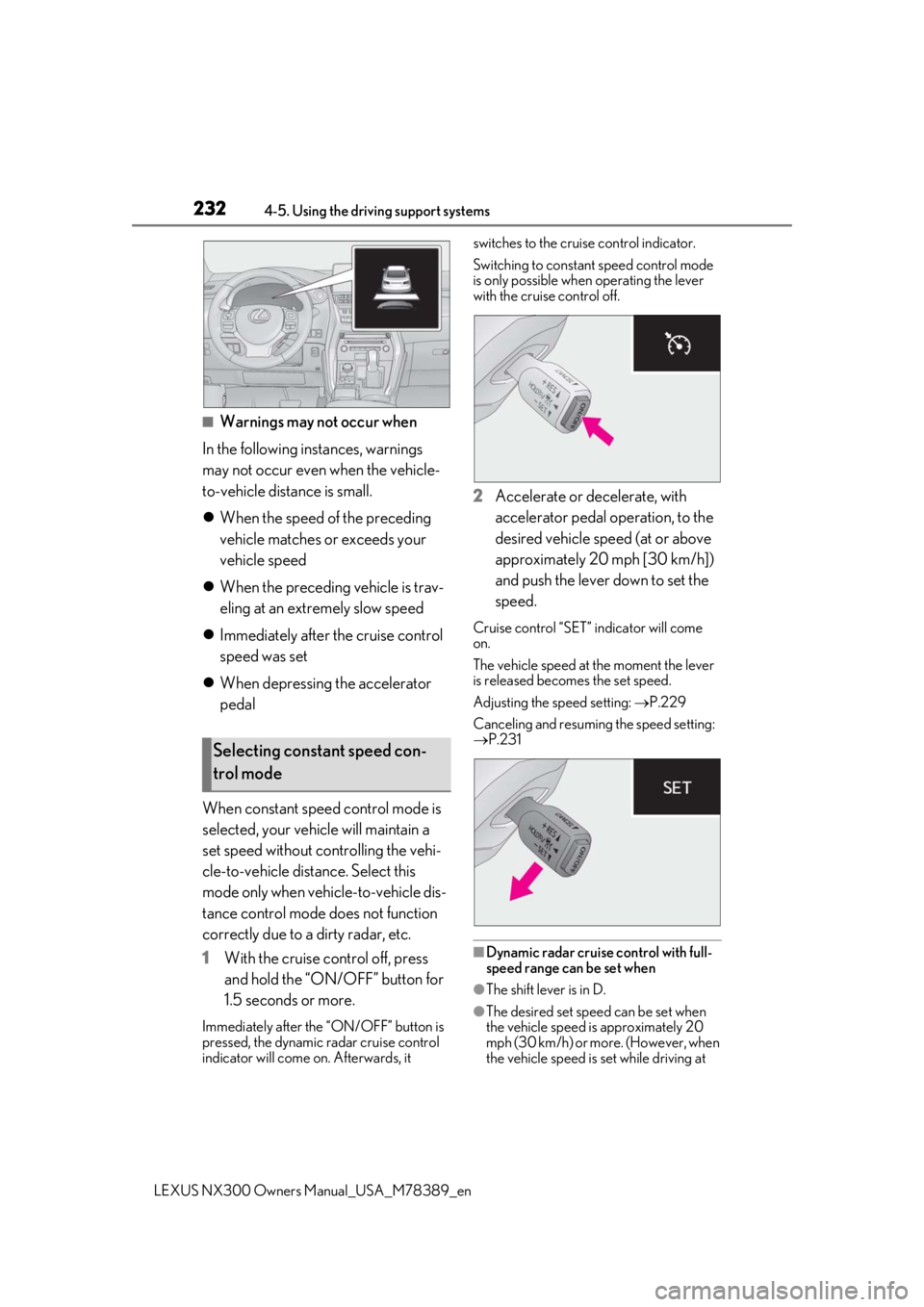
When constant speed control mode is
selected, your vehicle will maintain a
set speed without controlling the vehi-
cle-to-vehicle distance. Select this
mode only when vehicle-to-vehicle dis-
tance control mode does not function
correctly due to a dirty radar, etc.
1 With the cruise control off, press
and hold the “ON/ OFF” button for
1.5 seconds or more.
Immediately after the “ON/OFF” button is
pressed, the dynamic radar cruise control
indicator will come on. Afterwards, it switches to the cruise control indicator.
Switching to constant speed control mode
is only possible when operating the lever
with the cruise control off.
2
Accelerate or decelerate, with
accelerator pedal operation, to the
desired vehicle speed (at or above
approximately 20 mph [30 km/h])
and push the lever down to set the
speed.
Cruise control “SET” indicator will come
on.
The vehicle speed at the moment the lever
is released beco mes the set speed.
Adjusting the speed setting: P.229
Canceling and resuming the speed setting:
P.231
■Dynamic radar cruise control with full-
speed range can be set when
●The shift lever is in D.
●The desired set spee d can be set when
the vehicle speed is approximately 20
mph (30 km/h) or more. (However, when
the vehicle speed is set while driving at
Selecting constant speed con-
trol mode
Page 233 of 468
![LEXUS NX300 2020 Owners Manual 2334-5. Using the driving support systems
LEXUS NX300 Owners Manual_USA_M78389_en
4
Driving
below approximately 20 mph [30 km/h],
the set speed will be set to approximately
20 mph [30 km/h].)
■Ac](/img/36/58009/w960_58009-232.png "LEXUS NX300 2020 Owners Manual 2334-5. Using the driving support systems
LEXUS NX300 Owners Manual_USA_M78389_en
4
Driving
below approximately 20 mph [30 km/h],
the set speed will be set to approximately
20 mph [30 km/h].)
■Ac")
2334-5. Using the driving support systems
LEXUS NX300 Owners Manual_USA_M78389_en
4
Driving
below approximately 20 mph [30 km/h],
the set speed will be set to approximately
20 mph [30 km/h].)
■Accelerating after setting the vehicle
speed
The vehicle can accelerate by operating the
accelerator pedal. After accelerating, the
set speed resumes. However, during vehi-
cle-to-vehicle distance control mode, the
vehicle speed may decrease below the set
speed in order to maintain the distance to
the preceding vehicle.
■When the vehicle stops while follow-up
cruising
●Pushing the lever up while the vehicle
ahead stops will resume follow-up cruis-
ing if the vehicle ahead starts off within
approximately 3 seconds after the lever
is pushed up.
●If the vehicle ahead starts off within 3 sec-
onds after your vehicle stops, follow-up
cruising will be resumed.
■Automatic cancelation of vehicle-to-
vehicle distance control mode
Vehicle-to-vehicle dist ance control mode is
automatically canceled in the following situ-
ations.
●VSC is activated.
●TRAC is activated for a period of time.
●When the VSC or TRAC system is
turned off.
●The sensor cannot detect correctly
because it is covered in some way.
●Pre-collision braking is activated.
●The parking brake is operated.
●The vehicle is stopped by system control
on a steep incline.
●The following are detected when the
vehicle has been stopped by system con-
trol:
• The driver is not wearing a seat belt.
• The driver’s door is opened.
• The vehicle has been stopped for about 3 minutes
If vehicle-to-vehicle distance control mode
is automatically canceled for any reasons
other than the above, there may be a mal- function in the system. Contact your Lexus
dealer.
■Automatic cancelation of constant
speed control mode
Constant speed control mode is automati-
cally canceled in the following situations:
●Actual vehicle speed is more than
approximately 10 mph (16 km/h) below
the set vehicle speed.
●Actual vehicle speed falls below approxi-
mately 20 mph (30 km/h).
●VSC is activated.
●TRAC is activated for a period of time.
●When the VSC or TRAC system is
turned off.
●Pre-collision braking is activated.
If constant speed control mode is automati-
cally canceled for any reasons other than
the above, there may be a malfunction in the
system. Contact your Lexus dealer.
■Brake operation
A brake operation sound may be heard and
the brake pedal response may change, but
these are not malfunctions.
■Warning messages and buzzers for
dynamic radar cruise control with full-
speed range
Warning messages and buzzers are used to
indicate a system malfunction or to inform
the driver of the need for caution while driv-
ing. If a warning messa ge is shown on the
multi-information displa y, read the message
and follow the instructions. ( P.197, 384)
■When the sensor may not be correctly
detecting the vehicle ahead
In the case of the fo llowing and depending
on the conditions, operate the brake pedal
when deceleration of the system is insuffi-
cient or operate the accelerator pedal
when acceleration is required.
As the sensor may not be able to correctly
detect these types of vehicles, the approach
warning ( P.231) may not be activated.
●Vehicles that cut in suddenly
●Vehicles traveling at low speeds
●Vehicles that are not moving in the same
Page 240 of 468

2404-5. Using the driving support systems
LEXUS NX300 Owners Manual_USA_M78389_en
*1: The images may differ from that shown
in the illustrations. ( P.236)
*2: Automatic buzzer mute function is
enabled. ( P.240)
*3: The distance segments will blink slowly.
■Buzzer operation and distance to
an obstacle
A buzzer sounds when the sensors are
operating.
The buzzer sounds faster as the
vehicle approaches an obstacle.
When the vehicle comes within the approximately 1.2 ft. (35 cm) of the
obstacle, the buzze
r sounds contin-
uously.
When 2 or more obstacles are
detected simultaneously, the buzzer
system responds to the nearest
obstacle. If one or both come within
the above distances, the beep will
repeat a long tone, followed by fast
beeps.
Automatic buzzer mute function:
After a buzzer begins sounding, if
the distance between the vehicle
and the detected object does not
become shorter, the buzzer will be
muted automatically. (However, if
the distance between the vehicle
and object is 1.0 ft. (30 cm) or less,
this function will not operate.)
Approximate distance to
obstacleDisplay*1
Rear center sensor: 4.9 ft. (150 cm) to 1.9 ft. (65
cm)
*2
Front center sensor: 3.3 ft. (100 cm) to 1.9 ft. (65
cm)
*2
1.9 ft. (65 cm) to 1.5 ft. (45 cm)
*2
1.5 ft. (45 cm) to 1.0 ft.
(30 cm)
*2
1.0 ft. (30 cm) to 0.5 ft. (15 cm)
*3
Less than 0.5 ft. (15 cm)*3
Page 242 of 468

2424-5. Using the driving support systems
LEXUS NX300 Owners Manual_USA_M78389_en
■When the shift lever is mistakenly
in D and the vehicle moves forward
■Sensor positions and types
Front corner sensors
Front center sensors
Rear corner sensors
Rear center sensors
This system can be enabled/disabled
on the multi-information display.
WARNING
■For safe use
Do not rely solely upon the system. Rely-
ing solely upon the sy stem may lead to an
unexpected accident.
●Driving safely is the sole responsibility
of the driver. Pay careful attention to
the surrounding conditions in order to
ensure safe driving. The Parking Sup-
port Brake function (f or static objects)
can provide support to lessen the
severity of collisions. However, it may
not operate depending on the situa-
tion.
●The Parking Support Brake function
(for static objects) is not a system
designed to completely stop the vehi-
cle. Furthermore, even if the Parking
Support Brake function (for static
objects) is able to stop the vehicle,
brake control is canceled after
approximately 2 seco nds, so depress
the brake pedal immediately.
Sensor positions and types
NOTICE
■Preventing sensor malfunctions
●If the area around a sensor is subjected
to an impact, equipment may not oper-
ate properly due to a sensor malfunc-
tion. Have the vehicle inspected by
your Lexus dealer.
●When using a high-pressure washer to
wash the vehicle, do not spray water
directly on the sensors. The sensors
may not function properly if subjected
to an impact from strong water pres-
sure.
●When using steam to wash the vehicle,
do not direct steam too close to the
sensors. The sensors may not function
properly if subjected to steam.
Changing settings of the Park-
ing Support Brake function (for
static objects)
A
B
C
D