fuel LEXUS NX300 2020 User Guide
[x] Cancel search | Manufacturer: LEXUS, Model Year: 2020, Model line: NX300, Model: LEXUS NX300 2020Pages: 468, PDF Size: 10.24 MB
Page 80 of 468

802-1. Instrument cluster
LEXUS NX300 Owners Manual_USA_M78389_en
Displays warning messages in
case of a malfunction (P.384)
Speedometer
Displays the vehicle speed
Fuel gauge
Displays the quantity of fuel remaining in the tank
Shift position and shift range
Displays the selected shift posi tion or selected shift range (P.168)
Odometer, trip meter and maintena nce required information display
Odometer:
Displays the total distance the vehicle has been driven
Trip meter:
Displays the distance the vehicle has been driven since the meter was last reset.
Trip meters “A” and “B” can be used to record and display different distances inde-
pendently.
Maintenance required information:
Displays the remaining distance until the engine oil should be changed.
• Displays the maintenance requir ed information when the engine switch is in IGNITION
ON mode.
• It can be reset on of the multi-information display. ( P.85)
■Operating condition
The engine switch is in IGNITION ON
mode.
■Outside temperature display
●In the following situations, the correct
outside temperature may not be dis-
played, or the display may take longer
than normal to change.
• When stopped, or driving at low speeds
(less than 12 mph [20 km/h])
• When the outside temperature has changed suddenly (at the entrance/exit of
a garage, tunnel, etc.)
●When “--” or “E” is displayed, the system
may be malfunctioning.
Take your vehicle to your Lexus dealer.
■Pop-up display
In some situations, a pop-up display will be
temporarily displayed on the multi-informa-
tion display or the odometer/trip
meter/maintenance re quired information
screen.
The pop-up display function can be set on/off. (
P.87)
■Liquid crystal display
Small spots or light sp ots may appear on the
display. This phenomen on is characteristic
of liquid crystal disp lays, and there is no
problem continuing to use the display.
■Customization
The meter display can be customized on
the multi-information display.
(Customizable features: P.427)
G
H
I
J
Page 83 of 468
832-1. Instrument cluster
LEXUS NX300 Owners Manual_USA_M78389_en
2
Vehicle status information and indicators
will be shown.
Call sending/receiving and history
display
Linked with the hands-free system, sending
or receiving call is displayed. For details
regarding the hands-free system, refer to
the “NAVIGATION AND MULTIMEDIA
SYSTEM OWNER’S MANUAL”.
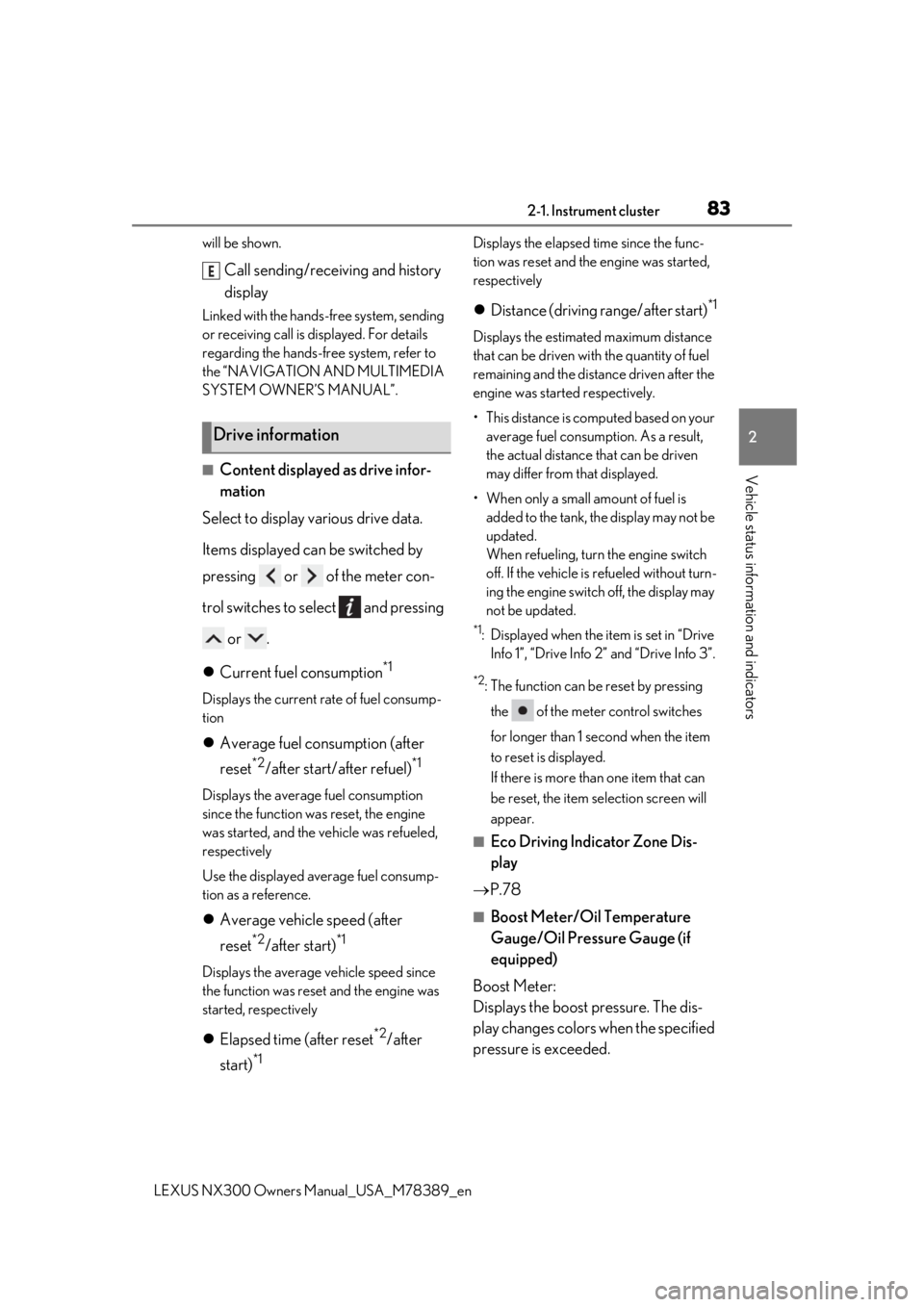
■Content displayed as drive infor-
mation
Select to display various drive data.
Items displayed can be switched by
pressing or of the meter con-
trol switches to select and pressing
or .
Current fuel consumption
*1
Displays the current rate of fuel consump-
tion
Average fuel consumption (after
reset
*2/after start/after refuel)*1
Displays the average fuel consumption
since the function was reset, the engine
was started, and the vehicle was refueled,
respectively
Use the displayed average fuel consump-
tion as a reference.
Average vehicle speed (after
reset
*2/after start)*1
Displays the average vehicle speed since
the function was reset and the engine was
started, respectively
Elapsed time (after reset*2/after
start)
*1
Displays the elapsed time since the func-
tion was reset and the engine was started,
respectively
Distance (driving range/after start)*1
Displays the estimated maximum distance
that can be driven with the quantity of fuel
remaining and the distan ce driven after the
engine was starte d respectively.
• This distance is computed based on your average fuel consumption. As a result,
the actual distance that can be driven
may differ from that displayed.
• When only a small amount of fuel is added to the tank, the display may not be
updated.
When refueling, turn the engine switch
off. If the vehicle is refueled without turn-
ing the engine switch off, the display may
not be updated.
*1: Displayed when the it em is set in “Drive
Info 1”, “Drive Info 2” and “Drive Info 3”.
*2: The function can be reset by pressing
the of the meter control switches
for longer than 1 second when the item
to reset is displayed.
If there is more than one item that can
be reset, the item selection screen will
appear.
■Eco Driving Indicator Zone Dis-
play
P.78
■Boost Meter/Oil Temperature
Gauge/Oil Pressure Gauge (if
equipped)
Boost Meter:
Displays the boost pressure. The dis-
play changes colors when the specified
pressure is exceeded.
Drive information
E
Page 87 of 468

872-1. Instrument cluster
LEXUS NX300 Owners Manual_USA_M78389_en
2
Vehicle status information and indicators
nance is performed.
■Meter settings
Language
Select to change the language on the dis-
play.
Units
Select to change the unit of measure for
fuel consumption.
Eco Driving Indicator Light
( P.78)
Select to activate/deactivate the Eco Driv-
ing Indicator Light.
Switch settings (P.82)
Displays a procedure to register a desired
screen to
.
You can register 1 screen as a shortcut,
which can be displayed by pressing
.
Drive information screen ( P.83)
Select to choose between 2 items that will
be displayed on each drive information
screen (“
Drive info 1”, “Drive Info 2” and
“Drive Info 3
”) respectively.
Pop-up display ( P.80)
Select to set the following pop-up displays,
which may appear in some situations,
on/off.
• Intersection guidance display of the nav-
igation system-linked system
• Incoming call display of the hands-free phone system
• Instrument panel brightness adjustment display
Accent color
Select to change the accent colors on the screen, such as the cursor color.
Initialization
Select to reset the meter display settings.
■Suspension of the settings display
In the following situations, the settings dis-
play using the meter control switches will be
suspended.
●When a warning message appears on the
multi-information display
●When the vehicle begins to move
Automatically displayed when the sys-
tem is used. ( P.236)
WARNING
■Cautions during setting up the dis-
play
As the engine needs to be running
during setting up the display, en sure that
the vehicle is parked in a place with ade-
quate ventilation. In a closed area such as
a garage, exhaust gases including harm-
ful carbon monoxide (CO) may collect
and enter the vehicle. This may lead to
death or a serious health hazard.
NOTICE
■During setting up the display
To prevent battery discharge, ensure that
the engine is running while setting up the
display features.
Intuitive parking assist (if
equipped)
Page 92 of 468

922-1. Instrument cluster
LEXUS NX300 Owners Manual_USA_M78389_en
Customization can be
performed when
the head-up display is on.
2 Press the “DISP” button to switch
between on and off.
On and off will be switched between each
time the button is pressed.
If the button is left alone without being
operated for a short time, setting will be
finished automatically.
■When the battery is disconnected
The customize settings of the head-up dis-
play will be reset.
Navigation/multimedia system dis-
play
“MENU” button
Touchpad
■Trip information
Press the “MENU” button on the
Fuel consumption informa-
tion
Fuel consumption information can
be displayed on the navigation/mul-
timedia system display.
The fuel consumption information
can be displayed and operated on
the side display.
System components
Fuel consumption
A
B
C
Page 93 of 468

932-1. Instrument cluster
LEXUS NX300 Owners Manual_USA_M78389_en
2
Vehicle status information and indicators
Remote Touch, then select on the
screen.
If a screen other than “Trip Information” is
displayed, select “Trip Information”.
Resetting the consumption data
Fuel consumption in the past 15
minutes
Current fuel consumption
Average vehicle speed since the
engine was started.
Elapsed time since the engine was
started.
Cruising range ( P.93)
Average fuel consumption for the past
15 minutes is divided by color into past
averages and averages attained since
the engine switch was last turned to
IGNITION ON mode. Use the dis-
played average fuel consumption as a
reference.
The image is an example only, and may
vary slightly from actual conditions.
■History
Press the “MENU” button on the
Remote Touch, then select on the
screen.
If a screen other than “History” is dis-
played, select “History”.
Best recorded fuel consumption
Latest fuel consumption
Previous fuel consumption record
Resetting the history data
Updating the latest fuel consump-
tion data
The average fuel consumption history
is divided by color into past averages
and the average fuel consumption
since the last updated. Use the dis-
played average fuel consumption as a
reference.
The image is an example only, and may
vary slightly from actual conditions.
■Updating the history data
Update the latest fuel consumption by
selecting “Clip” to meas ure the current fuel
consumption again.
■Resetting the data
The fuel consumption data can be deleted
by selecting “Clear”.
■Cruising range
Displays the estimated maximum distance
that can be driven with the quantity of fuel
remaining.
This distance is computed based on your
average fuel consumption.
As a result, the actual distance that can be
A
B
C
D
E
F
A
B
C
D
E
Page 94 of 468

942-1. Instrument cluster
LEXUS NX300 Owners Manual_USA_M78389_en
driven may differ from that displayed.
Display the vehicle information on the
side display (
P.277), and then select
or to display the desired
screen.
■Trip information (type A)
Displays the average fuel consumption
for the past 10 minutes in 1 minute
intervals, as well as the cruising range.
The image is an example only, and may
vary slightly from actual conditions.
Use the displayed average fuel consump-
tion as a reference.
■Trip information (type B)
Displays the cruising range, latest fuel
consumption and the amount of time
elapsed since the engine was started.
The image is an example only, and may
vary slightly from actual conditions.
Use the displayed average fuel consump-
tion as a reference.
■History
Displays the average fuel consumption
and highest fuel consumption.
The image is an example only, and may
vary slightly from actual conditions.
Use the displayed average fuel consump-
tion as a reference.
Using the side display (vehicles
with navigation system)
Page 145 of 468
145
LEXUS NX300 Owners Manual_USA_M78389_en
4
4
Driving
Driving
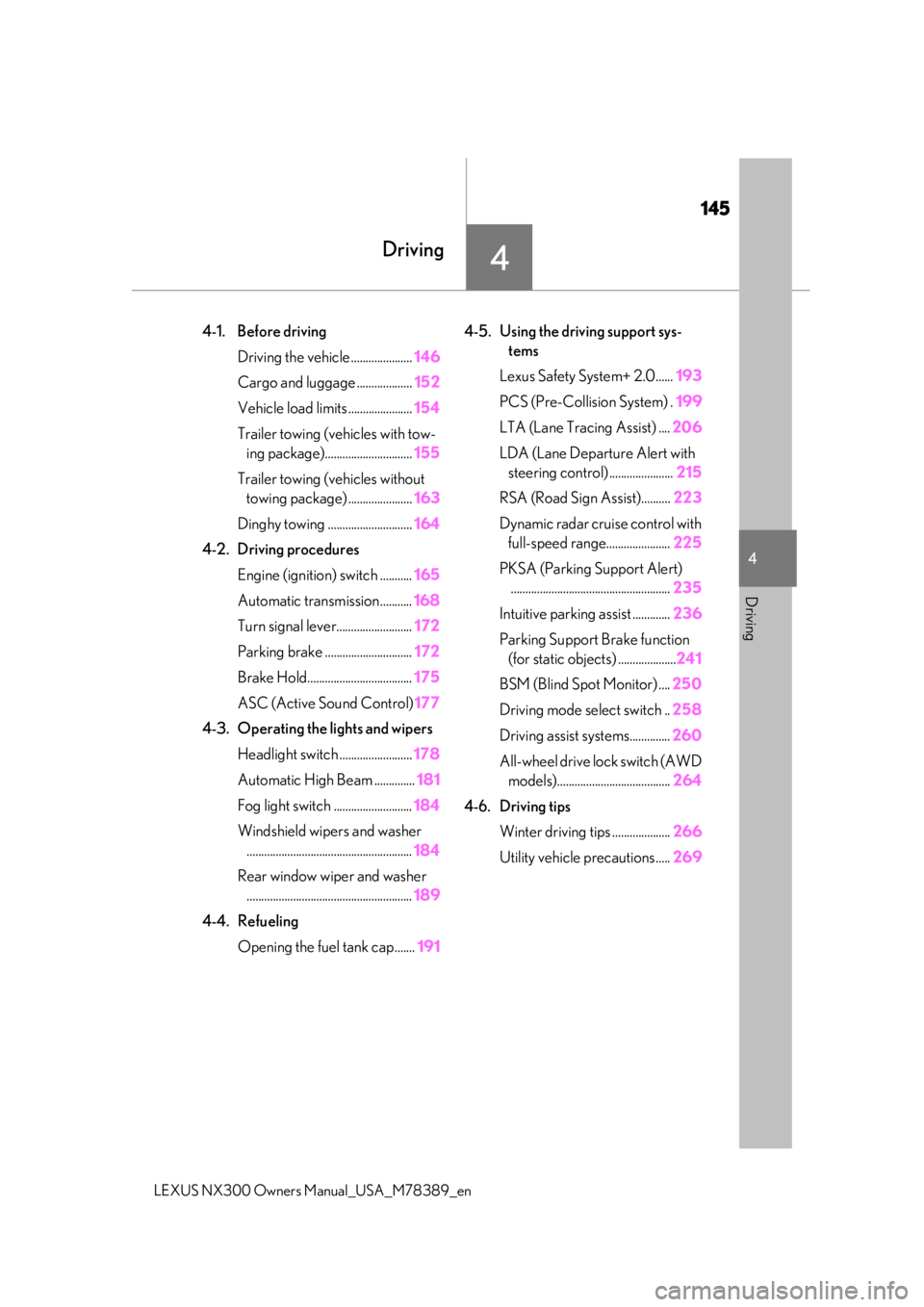
4-1. Before driving
Driving the vehicle ..................... 146
Cargo and luggage ................... 152
Vehicle load limits ...................... 154
Trailer towing (vehicles with tow- ing package).............................. 155
Trailer towing (vehicles without towing package) ...................... 163
Dinghy towing ............................. 164
4-2. Driving procedures Engine (ignition) switch ........... 165
Automatic transmission........... 168
Turn signal lever.......................... 172
Parking brake .............................. 172
Brake Hold.................................... 175
ASC (Active Sound Control) 177
4-3. Operating the lights and wipers Headlight switch ......................... 178
Automatic High Beam .............. 181
Fog light switch ........................... 184
Windshield wipers and washer ......................................................... 184
Rear window wiper and washer ......................................................... 189
4-4. Refueling Opening the fuel tank cap....... 1914-5. Using the driving support sys-
tems
Lexus Safety System+ 2.0...... 193
PCS (Pre-Collision System) . 199
LTA (Lane Tracing Assist) .... 206
LDA (Lane Departure Alert with steering control) ...................... 215
RSA (Road Sign Assist).......... 223
Dynamic radar cruise control with full-speed range...................... 225
PKSA (Parking Support Alert) ....................................................... 235
Intuitive parking assist ............. 236
Parking Support Brake function (for static objects) .................... 241
BSM (Blind Spot Monitor) .... 250
Driving mode select switch .. 258
Driving assist systems.............. 260
All-wheel drive lock switch (AWD models)....................................... 264
4-6. Driving tips Winter driving tips .................... 266
Utility vehicle precautions..... 269
Page 147 of 468

1474-1. Before driving
LEXUS NX300 Owners Manual_USA_M78389_en
4
Driving
or downhill
●When the accelerator pedal is released
●When the brake pedal is depressed while
Sport mode is selected
■Restraining the engine output (Brake
Override System)
●When the accelerator and brake pedals
are depressed at the same time, the
engine output may be restrained.
●A warning message is displayed on the
multi-information display while the sys-
tem is operating.
■Restraining sudden start (Drive-Start
Control)
●When the following unusual operation is
performed, the engine output may be
restrained.
• When the shift lever is shifted from R to D,
D to R, N to R, P to D, or P to R (D
includes M) with the accelerator pedal
depressed, a warning message appears
on the multi-information display. If a
warning message is shown on the multi-
information display, read the message
and follow the instructions.
• When the accelerator pedal is depressed
too much while the vehicle is in reverse.
●While Drive-Start Control is being acti-
vated, your vehicle may have trouble
escaping from the mud or fresh snow. In
such case, deactivate TRAC ( P.261) to
cancel Drive-Start Control so that the
vehicle may become able to escape from
the mud or fresh snow.
■Breaking in your new Lexus
To extend the life of the vehicle, observing
the following precautions is recommended:
●For the first 200 miles (300 km):
Avoid sudden stops.
●For the first 1000 miles (1600 km):
• Do not drive at extremely high speeds.
• Avoid sudden acceleration.
• Do not drive continuously in low gears.
• Do not drive at a constant speed for extended periods.
●For the first 500 miles (800 km):
Do not tow a trailer. (vehicles with towing
package)
■Operating your vehicle in a foreign
country
Comply with the relevant vehicle registra-
tion laws and confirm the availability of the
correct fuel. ( P.416)
■Idling time before engine stop
To prevent damage to the turbocharger,
allow the engine to idle immediately after
high-load driving.
■Eco-friendly driving
P.78
Driving conditionIdling time
Normal city driving or high-
speed driving (at the highway speed limit or recommended speed)
Not neces-sary
Steep hill driving, continuous driving (race track driving, etc.), or towing a trailer or
another vehicle (vehicles with towing package)
Approxi-mately 1 minute
WARNING
Observe the-following precautions.
Failure to do so may result in death or
serious injury.
■When starting the vehicle
Always keep your foot on the brake
pedal while stopped en gine running. This
prevents the vehicle from creeping.
Page 155 of 468
1554-1. Before driving
LEXUS NX300 Owners Manual_USA_M78389_en
4
Driving
■Total load capacity and seating capacity
These details are also described on the tire
and loading information label. ( P.351)
Contact your Lexus dealer for further
information about ad ditional require-
ments such as a towing kit, etc.
■Matching trailer ball height to trailer
coupler height
No matter which class of tow hitch applies,
for a more safe trailer hookup, the trailer
ball setup must be the proper height for the
coupler on the trailer.
WARNING
■Overloading the vehicle
Do not overload the vehicle.
It may not only cause damage to the tires,
but also degrade steering and braking
ability, resulting in an accident.
Trailer towing (vehicles with
t
owing package)
Your vehicle is designed primarily
as a passenger-and-load-carrying
vehicle. Towing a trailer can have an
adverse impact on handling, per-
formance, braking, durability, and
fuel consumption. For your safety
and the safety of others, you must
not overload your vehicle or trailer.
You must also ensure that you are
using appropriate towing equip-
ment, that the towing equipment
has been installed correctly and
used properly, and that you employ
the requisite driving habits.
Vehicle-trailer stability and braking
performance are affected by trailer
stability, brake performance and
setting, trailer brakes, the hitch and
hitch systems (if equipped).
To tow a trailer safely, use extreme
care and drive the vehicle in accor-
dance with your trailer’s character-
istics and operating conditions.
Lexus warranties do not apply to
damage or malfunction caused by
towing a trailer for commercial pur-
poses.
Page 168 of 468
1684-2. Driving procedures
LEXUS NX300 Owners Manual_USA_M78389_en
*1: To improve fuel efficiency and reduce
noise, shift the shift lever to D for normal
driving.
You can choose gear range suitable for
your driving situation by operating the
paddle shift switches.
*2: Any gear range can be fixed when driv-ing in M mode.
■To protect the automatic transmission
“Transmission Fluid Temp High See
Owner’s Manual” is di splayed on the multi-
information display and a function is
adopted that automatically selects a higher
shift range when the fluid temperature is
high. Have the vehicle inspected by your
Lexus dealer.
■When driving with dynamic radar cruise
control with full-speed range activated
Even when performing the following
actions with the intent of enabling engine
braking, engine braking will not activate
because dynamic radar cruise control with
full-speed range will not be canceled.
●While driving in D position, downshifting
to 5 or 4. ( P.170)
●When switching the driving mode to
Sport mode while driving in D position.
( P.258)
■Restraining sudden start (Drive-Start
Control)
When the following unusual operation is
performed, the engine output may be
restrained.
●When the shift lever is shifted from R to D,
D to R, N to R, P to D, or P to R (D
includes M) with the accelerator pedal
depressed, a warning message appears
on the multi-information display. If a
warning message is shown on the multi-
information display, read the message
and follow the instructions.
●When the accelerator pedal is depressed
too much while the vehicle is in reverse.
■If the “M” indicator do es not come on or
the “D” indicator is displayed even after
shifting the shift lever to M
This may indicate a malfunction in the auto-
matic transmission system. Have the vehicle
inspected by your Lexus dealer. (In this situ-
ation, the transmission will operate in the
same)
■AI-SHIFT
●The AI-SHIFT automatically selects the
suitable gear according to driver perfor-
mance and driving conditions.
The AI-SHIFT automatically operates
when the driving mode select switch is
set to Normal mode with the shift lever in
the D position. (The function will be can-
celed, if the driving mo de select switch is
set to Sport mode or shift lever is put in
the M position.)
●The G AI-SHIFT is automatically
changed to a suitable gear step while
running in Sport mode according to the
driving operations and running condi-
tions.
The G AI-SHIFT automatically operates
when the driving mode select switch is
set to Sport mode with the shift lever in
the D position. (The function will be can-
celed, if the driving mo de is select switch
is set to Normal mode or shift lever is put
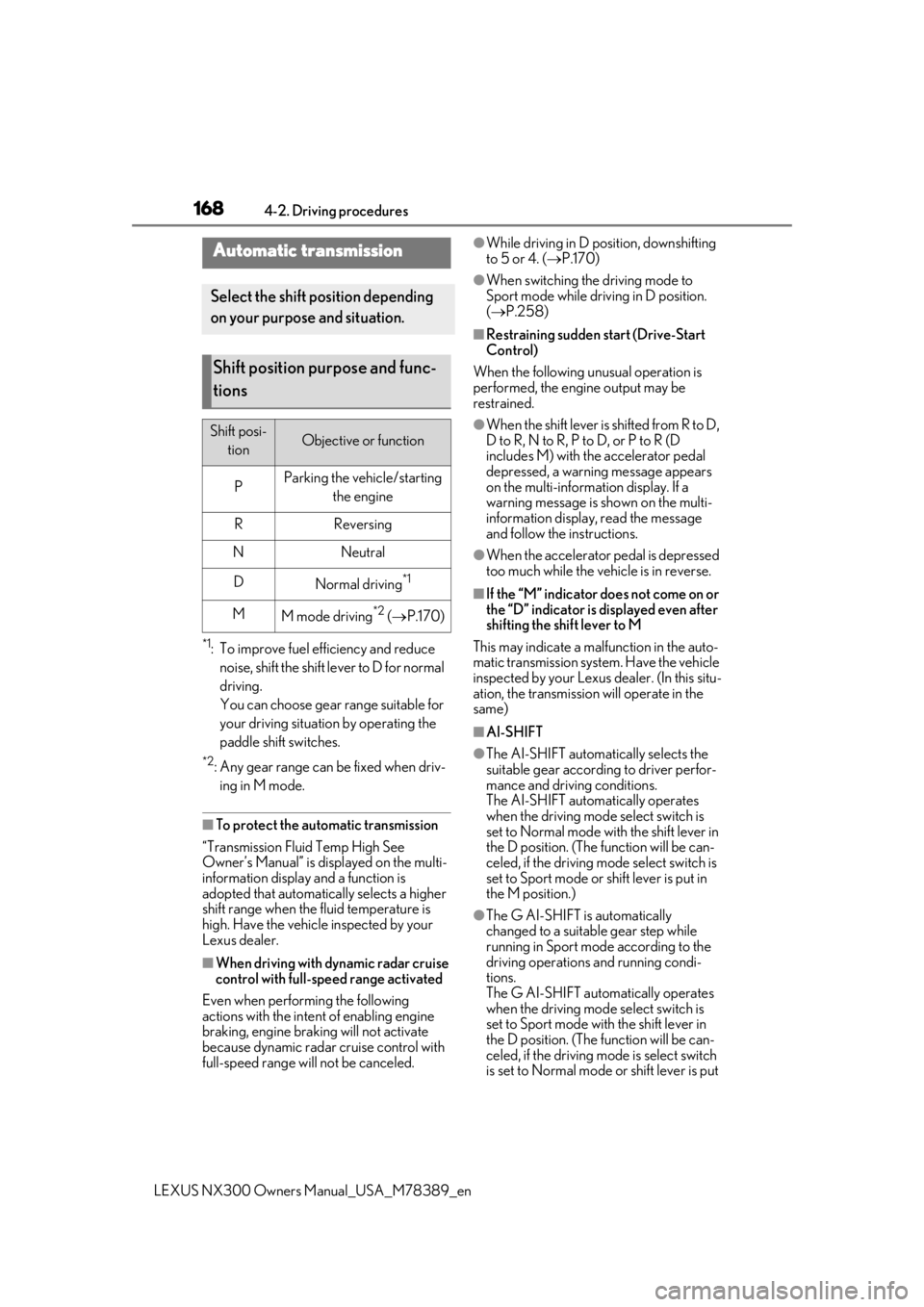
Automatic transmission
Select the shift position depending
on your purpose and situation.
Shift position purpose and func-
tions
Shift posi-
tionObjective or function
PParking the vehicle/starting the engine
RReversing
NNeutral
DNormal driving*1
MM mode driving*2 ( P.170)