ignition LEXUS NX300 2020 Owners Manual
[x] Cancel search | Manufacturer: LEXUS, Model Year: 2020, Model line: NX300, Model: LEXUS NX300 2020Pages: 468, PDF Size: 10.24 MB
Page 3 of 468
3TABLE OF CONTENTS
LEXUS NX300 Owners Manual_USA_M78389_en
1
2
3
4
5
6
7
8
9
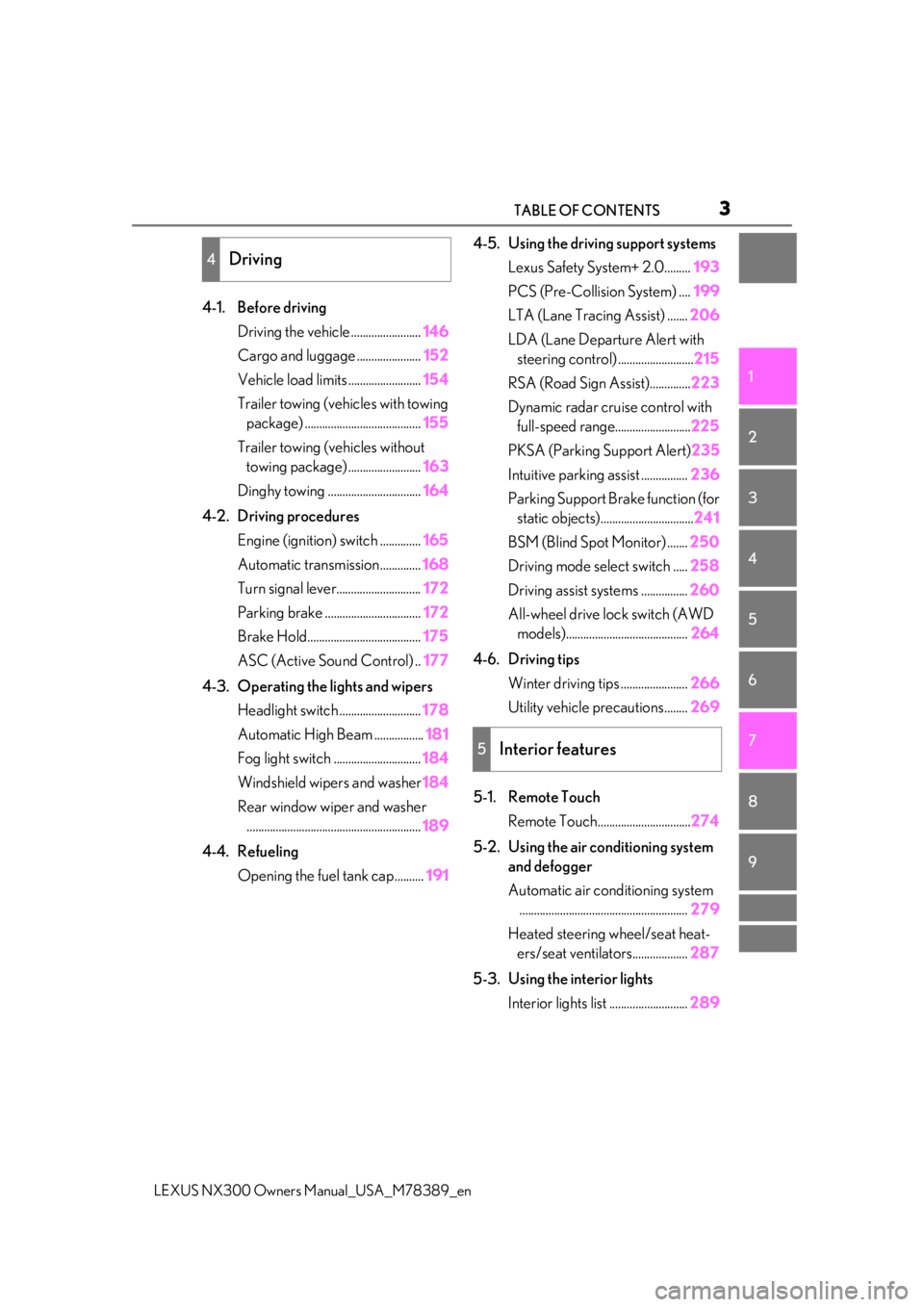
4-1. Before driving
Driving the vehicle ........................ 146
Cargo and luggage ...................... 152
Vehicle load limits ......................... 154
Trailer towing (vehicles with towing package) ........................................ 155
Trailer towing (vehicles without towing package) ......................... 163
Dinghy towing ................................ 164
4-2. Driving procedures Engine (ignition) switch .............. 165
Automatic transmission.............. 168
Turn signal lever............................. 172
Parking brake ................................. 172
Brake Hold....................................... 175
ASC (Active Sound Control) .. 177
4-3. Operating the lights and wipers Headlight switch ............................ 178
Automatic High Beam ................. 181
Fog light switch .............................. 184
Windshield wipers and washer 184
Rear window wiper and washer ............................................................ 189
4-4. Refueling Opening the fuel tank cap.......... 1914-5. Using the driving support systems
Lexus Safety System+ 2.0......... 193
PCS (Pre-Collision System) .... 199
LTA (Lane Tracing Assist) ....... 206
LDA (Lane Departure Alert with steering control) .......................... 215
RSA (Road Sign Assist).............. 223
Dynamic radar cruise control with full-speed range.......................... 225
PKSA (Parking Support Alert) 235
Intuitive parking assist ................ 236
Parking Support Brake function (for static objects)................................ 241
BSM (Blind Spot Monitor) ....... 250
Driving mode select switch ..... 258
Driving assist systems ................ 260
All-wheel drive lock switch (AWD models).......................................... 264
4-6. Driving tips Winter driving tips ....................... 266
Utility vehicle precautions........ 269
5-1. Remote Touch Remote Touch................................ 274
5-2. Using the air conditioning system and defogger
Automatic air conditioning system.......................................................... 279
Heated steering wheel/seat heat- ers/seat ventilators................... 287
5-3. Using the interior lights Interior lights list ........................... 289
4Driving
5Interior features
Page 64 of 468
641-3. Lexus Enform
LEXUS NX300 Owners Manual_USA_M78389_en
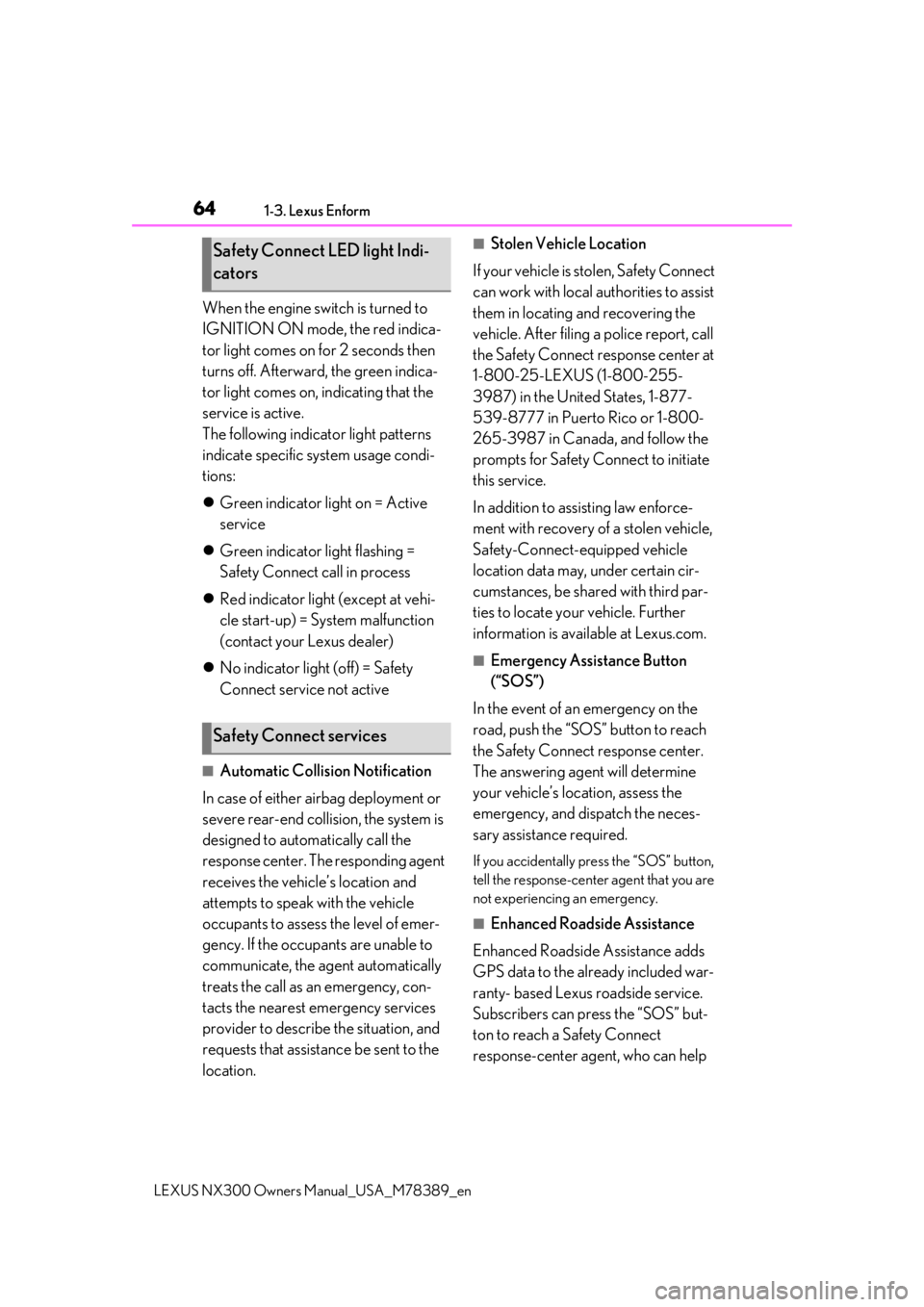
When the engine switch is turned to
IGNITION ON mode, the red indica-
tor light comes on for 2 seconds then
turns off. Afterward, the green indica-
tor light comes on, indicating that the
service is active.
The following indicator light patterns
indicate specific system usage condi-
tions:
Green indicator light on = Active
service
Green indicator light flashing =
Safety Connect call in process
Red indicator light (except at vehi-
cle start-up) = System malfunction
(contact your Lexus dealer)
No indicator light (off) = Safety
Connect service not active
■Automatic Collision Notification
In case of either airbag deployment or
severe rear-end collision, the system is
designed to automatically call the
response center. The responding agent
receives the vehicle’s location and
attempts to speak with the vehicle
occupants to assess the level of emer-
gency. If the occupants are unable to
communicate, the ag ent automatically
treats the call as an emergency, con-
tacts the nearest emergency services
provider to describe the situation, and
requests that assistance be sent to the
location.
■Stolen Vehicle Location
If your vehicle is stolen, Safety Connect
can work with local authorities to assist
them in locating and recovering the
vehicle. After filing a police report, call
the Safety Connect response center at
1-800-25-LEXUS (1-800-255-
3987) in the United States, 1-877-
539-8777 in Puerto Rico or 1-800-
265-3987 in Canada, and follow the
prompts for Safety Connect to initiate
this service.
In addition to assisting law enforce-
ment with recovery of a stolen vehicle,
Safety-Connect-equipped vehicle
location data may, under certain cir-
cumstances, be shared with third par-
ties to locate your vehicle. Further
information is available at Lexus.com.
■Emergency Assistance Button
(“SOS”)
In the event of an emergency on the
road, push the “SOS” button to reach
the Safety Connect response center.
The answering agent will determine
your vehicle’s location, assess the
emergency, and dispatch the neces-
sary assistance required.
If you accidentally press the “SOS” button,
tell the response-center agent that you are
not experiencing an emergency.
■Enhanced Roadside Assistance
Enhanced Roadside Assistance adds
GPS data to the already included war-
ranty- based Lexus roadside service.
Subscribers can press the “SOS” but-
ton to reach a Safety Connect
response-center agent, who can help
Safety Connect LED light Indi-
cators
Safety Connect services
Page 68 of 468

681-4. Theft deterrent system
LEXUS NX300 Owners Manual_USA_M78389_en
1-4.Theft deterrent system
The indicator light flashes after the
engine switch has been turned off to
indicate that the system is operating.
The indicator light stops flashing after
the engine switch has been turned to ACCESSORY or IGNITION ON
mode to indicate that the system has
been canceled.
■System maintenance
The vehicle has a maintenance-free type
engine immobilizer system.
■Conditions that may cause the system to
malfunction
●If the grip portion of the key is in contact
with a metallic object
●If the key is in close proximity to or touch-
ing a key registered to the security sys-
tem (key with a built-in transponder chip)
of another vehicle
■Certification for the en gine immobilizer system
For vehicles sold in the U.S.A.
Engine immobilizer system
The vehicle’s keys have built-in tran-
sponder chips that prevent the
engine from starting if a key has not
been previously registered in the
vehicle’s on-board computer.
Never leave the keys inside the
vehicle when you leave the vehicle.
This system is designed to help pre-
vent vehicle theft but does not guar-
antee absolute security against all
vehicle thefts.
Operating the system
Page 70 of 468
701-4. Theft deterrent system
LEXUS NX300 Owners Manual_USA_M78389_en
■Items to check before locking the
vehicle
To prevent unexpected triggering of
the alarm and vehicle theft, make sure
of the following:
Nobody is in the vehicle.
The windows and moon roof (if
equipped) are closed before the
alarm is set.
No valuables or other personal
items are left in the vehicle.
■Setting
Close the doors and hood, and lock all
the doors. The system will be set auto-
matically after 30 seconds.
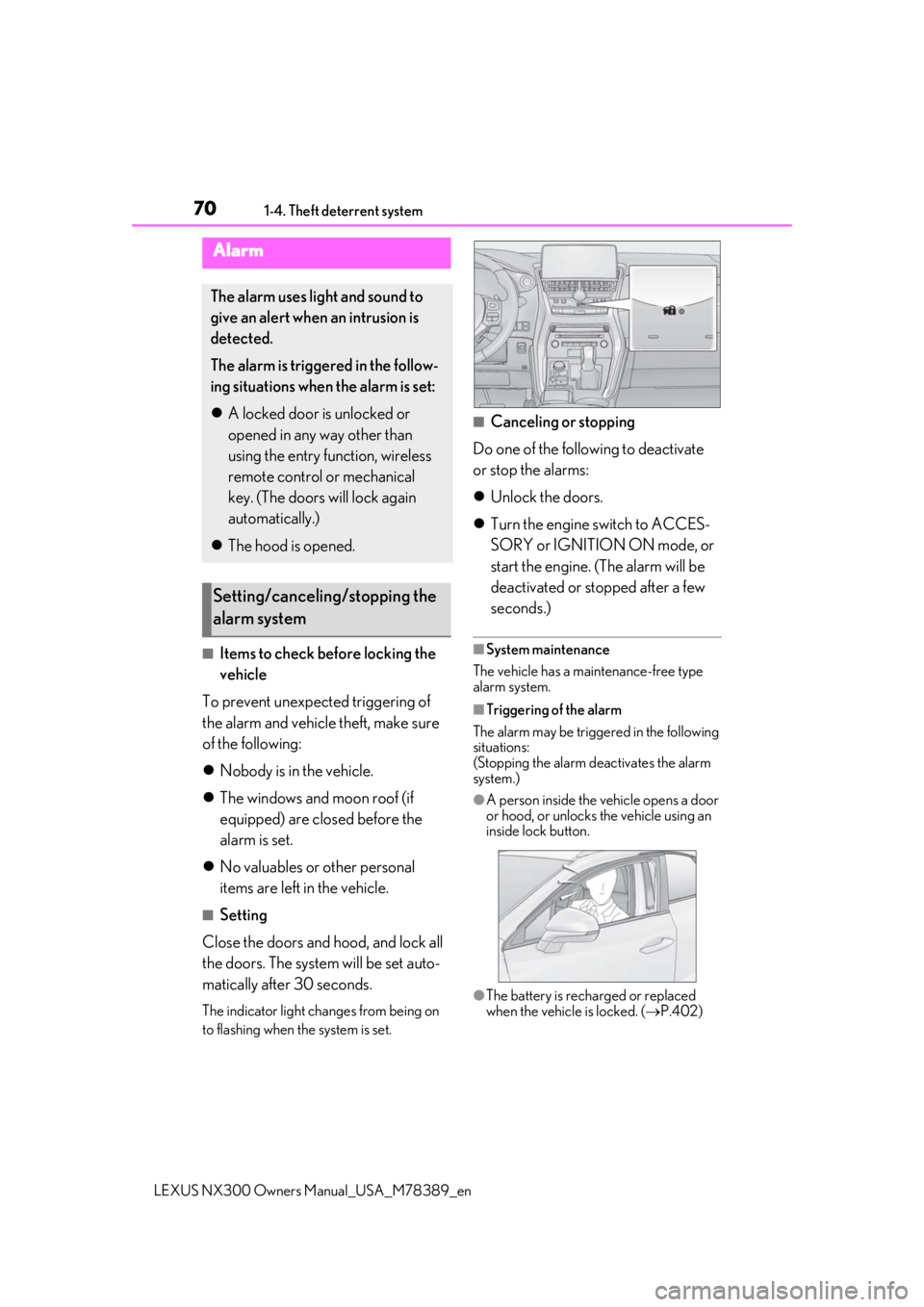
The indicator light changes from being on
to flashing when the system is set.
■Canceling or stopping
Do one of the following to deactivate
or stop the alarms:
Unlock the doors.
Turn the engine switch to ACCES-
SORY or IGNITION ON mode, or
start the engine. (The alarm will be
deactivated or stopped after a few
seconds.)
■System maintenance
The vehicle has a maintenance-free type
alarm system.
■Triggering of the alarm
The alarm may be triggered in the following
situations:
(Stopping the alarm deactivates the alarm
system.)
●A person inside the vehicle opens a door
or hood, or unlocks the vehicle using an
inside lock button.
●The battery is recharged or replaced
when the vehicle is locked. ( P.402)
Alarm
The alarm uses light and sound to
give an alert when an intrusion is
detected.
The alarm is triggered in the follow-
ing situations when the alarm is set:
A locked door is unlocked or
opened in any way other than
using the entry function, wireless
remote control or mechanical
key. (The doors will lock again
automatically.)
The hood is opened.
Setting/canceling/stopping the
alarm system
Page 75 of 468

752-1. Instrument cluster
LEXUS NX300 Owners Manual_USA_M78389_en
2
Vehicle status information and indicators
Warning lights inform the driver of mal-
functions in any of the vehicle’s sys-
tems.
*1: These lights turn on when the engine
switch is turned to IGNITION ON
mode to indicate that a system check is
being performed. They will turn off after
Warning lights
(U.S.A.)
Brake system warning light*1
( P.375)
(Red)
(Canada)
Brake system warning light*1
( P.375)
Charging system warning
light
*2 ( P.375)
Low engine oil pressure warn-
ing light
*2 ( P.375)
High coolant temperature
warning light
*2 ( P.376)
(Yellow)
Brake system warning light*1
( P.376)
(U.S.A.)
Malfunction indicator lamp*1
( P.376)
(Canada)
Malfunction indicator lamp*1
( P.376)
SRS warning light
*1 ( P.376)
(U.S.A.)
ABS warning light*1 ( P.377)
(Canada)
ABS warning light*1 ( P.377)
(Yellow)
Electric power steering sys-
tem warning light
*1 ( P.377)
(Red)
Electric power steering sys-
tem warning light
*1 ( P.377)
PCS warning light
*1 ( P.377)
(Orange)
LTA indicator*2 (if equipped)
( P.378)
LDA indicator
*2 (if equipped)
( P.378)
PKSB OFF indicator
*1, 3 (if
equipped) ( P.378)
Slip indicator light
*1 ( P.378)
Brake hold operated indica-
tor
*1, 3 ( P.379)
(U.S.A.)
Parking brake indicator*3
( P.379)
(Canada)
Parking brake indicator*3
( P.379)
Low fuel level warning light
( P.379)
Driver’s and front passenger’s
seat belt reminder light
( P.379)
Rear passengers’ seat belt
reminder light
*4 ( P.380)
Master warning light
*1
( P.380)
Tire pressure warning light
*1
( P.380)
Brake Override Sys-
tem/Drive-Start Control warn-
ing light
*2 ( P.381)
Page 77 of 468
772-1. Instrument cluster
LEXUS NX300 Owners Manual_USA_M78389_en
2
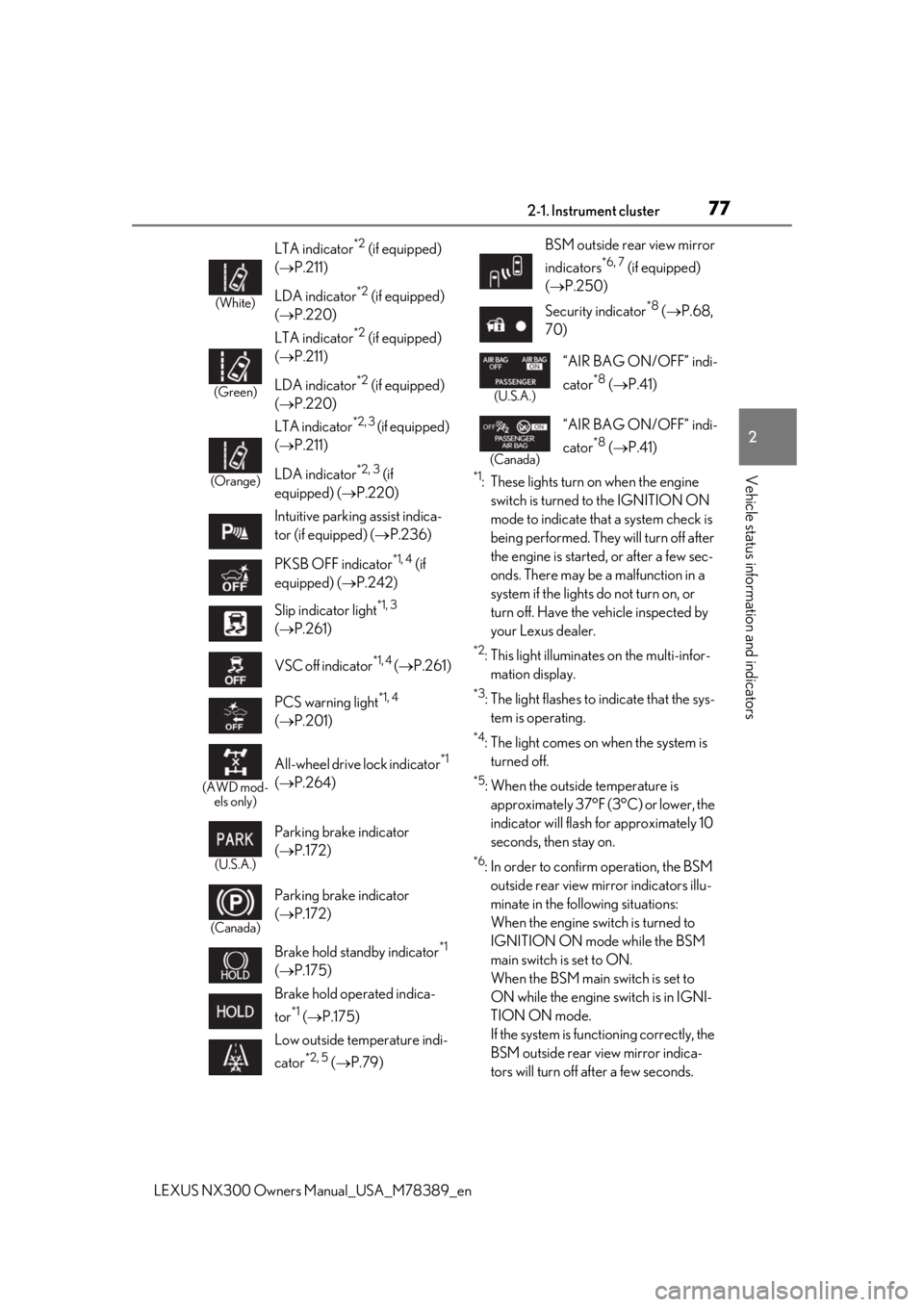
Vehicle status information and indicators*1: These lights turn on when the engine
switch is turned to the IGNITION ON
mode to indicate that a system check is
being performed. They will turn off after
the engine is started, or after a few sec-
onds. There may be a malfunction in a
system if the lights do not turn on, or
turn off. Have the vehicle inspected by
your Lexus dealer.
*2: This light illuminates on the multi-infor-mation display.
*3: The light flashes to indicate that the sys-tem is operating.
*4: The light comes on when the system is turned off.
*5: When the outside temperature is approximately 37°F (3°C) or lower, the
indicator will flash for approximately 10
seconds, then stay on.
*6: In order to confirm operation, the BSM outside rear view mirror indicators illu-
minate in the following situations:
When the engine switch is turned to
IGNITION ON mode while the BSM
main switch is set to ON.
When the BSM main switch is set to
ON while the engine switch is in IGNI-
TION ON mode.
If the system is func tioning correctly, the
BSM outside rear view mirror indica-
tors will turn off after a few seconds.
(White)
LTA indicator*2 (if equipped)
( P.211)
LDA indicator
*2 (if equipped)
( P.220)
(Green)
LTA indicator*2 (if equipped)
( P.211)
LDA indicator
*2 (if equipped)
( P.220)
(Orange)
LTA indicator*2, 3 (if equipped)
( P.211)
LDA indicator
*2, 3 (if
equipped) ( P.220)
Intuitive parking assist indica-
tor (if equipped) ( P.236)
PKSB OFF indicator
*1, 4 (if
equipped) ( P.242)
Slip indicator light
*1, 3
( P.261)
VSC off indicator
*1, 4 ( P.261)
PCS warning light
*1, 4
( P.201)
(AWD mod-
els only)
All-wheel drive lock indicator*1
( P.264)
(U.S.A.)
Parking brake indicator
( P.172)
(Canada)
Parking brake indicator
( P.172)
Brake hold standby indicator
*1
( P.175)
Brake hold operated indica-
tor
*1 ( P.175)
Low outside temperature indi-
cator
*2, 5 ( P.79)
BSM outside rear view mirror
indicators
*6, 7 (if equipped)
( P.250)
Security indicator
*8 ( P.68,
70)
(U.S.A.)
“AIR BAG ON/OFF” indi-
cator
*8 ( P.41)
(Canada)
“AIR BAG ON/OFF” indi-
cator
*8 ( P.41)
Page 80 of 468

802-1. Instrument cluster
LEXUS NX300 Owners Manual_USA_M78389_en
Displays warning messages in
case of a malfunction (P.384)
Speedometer
Displays the vehicle speed
Fuel gauge
Displays the quantity of fuel remaining in the tank
Shift position and shift range
Displays the selected shift posi tion or selected shift range (P.168)
Odometer, trip meter and maintena nce required information display
Odometer:
Displays the total distance the vehicle has been driven
Trip meter:
Displays the distance the vehicle has been driven since the meter was last reset.
Trip meters “A” and “B” can be used to record and display different distances inde-
pendently.
Maintenance required information:
Displays the remaining distance until the engine oil should be changed.
• Displays the maintenance requir ed information when the engine switch is in IGNITION
ON mode.
• It can be reset on of the multi-information display. ( P.85)
■Operating condition
The engine switch is in IGNITION ON
mode.
■Outside temperature display
●In the following situations, the correct
outside temperature may not be dis-
played, or the display may take longer
than normal to change.
• When stopped, or driving at low speeds
(less than 12 mph [20 km/h])
• When the outside temperature has changed suddenly (at the entrance/exit of
a garage, tunnel, etc.)
●When “--” or “E” is displayed, the system
may be malfunctioning.
Take your vehicle to your Lexus dealer.
■Pop-up display
In some situations, a pop-up display will be
temporarily displayed on the multi-informa-
tion display or the odometer/trip
meter/maintenance re quired information
screen.
The pop-up display function can be set on/off. (
P.87)
■Liquid crystal display
Small spots or light sp ots may appear on the
display. This phenomen on is characteristic
of liquid crystal disp lays, and there is no
problem continuing to use the display.
■Customization
The meter display can be customized on
the multi-information display.
(Customizable features: P.427)
G
H
I
J
Page 84 of 468

842-1. Instrument cluster
LEXUS NX300 Owners Manual_USA_M78389_en
Oil Temperature Gauge:
Displays the temperature of the engine
oil. The display flashes when the engine
oil exceeds 284°F (140°C).
Oil Pressure Gauge:
Displays the oil pressure for the engine
interior. A buzzer sounds and warning
message is displayed when the oil
pressure gets low. (P.386)
Depending on the road conditions, tem-
perature, vehicle speed, etc., the actual
vehicle condition on the display screen
may differ.
Use the display screen as a reference.
■G monitor (if equipped)
Displays the acceleration forces of the
front, back, left and right of the vehicle.
Also displays the turning angle of the
steering wheel, brake oil pressure,
accelerator opening.
The actual vehicle conditions may
differ from those on the display
screen, depending on the road con-
ditions, outside temperature, vehicle
speed, etc. Use the display screen
as a reference.
If a battery terminal is disconnected
and reconnected, the steering
amount display may be disabled
temporarily. After driving the vehi-
cle for a while, the display will be
enabled.
■Speedometer
Displays the vehicle speed.
■Tire inflation pressure
Displays inflation pressure of each tire.
The inflation pressure of the spare tire will not be displayed.
■Vehicle sway warning
Detects the sway of the vehicle within a
lane, which is often associated with a
decrease in the driver’s attention level,
and displays the decrease in attention
using a bar display.
The shorter the bar length, the more
the driver may need to rest.
This display is a part of the LTA (Lane
Tracing Assist) system or LDA (Lane
Departure Alert with steering control)
system. The display is enabled when
the operating conditions of the vehicle
sway warning are met. ( P.210, 219)
■Display off
A blank screen is displayed.
■Tire inflation pressure
●It may take a few minutes to display the
tire inflation pressu re after the engine
switch is turned to IGNITION ON mode.
It may also take a few minutes to display
the tire inflation pressure after inflation
pressure has b een adjusted.
●“--” may be displayed if the tire informa-
tion cannot be determined due to unfa-
vorable radio wave conditions.
●Tire inflation pressure changes with tem-
perature. The displaye d values may also
be different from the values measured
using a tire pressure gauge.
■When disconnecting and reconnecting
battery terminals
The drive information will be reset.
Select to display the following naviga-
tion system-linked information.
Navigation system-linked dis-
play (if equipped)
Page 93 of 468

932-1. Instrument cluster
LEXUS NX300 Owners Manual_USA_M78389_en
2
Vehicle status information and indicators
Remote Touch, then select on the
screen.
If a screen other than “Trip Information” is
displayed, select “Trip Information”.
Resetting the consumption data
Fuel consumption in the past 15
minutes
Current fuel consumption
Average vehicle speed since the
engine was started.
Elapsed time since the engine was
started.
Cruising range ( P.93)
Average fuel consumption for the past
15 minutes is divided by color into past
averages and averages attained since
the engine switch was last turned to
IGNITION ON mode. Use the dis-
played average fuel consumption as a
reference.
The image is an example only, and may
vary slightly from actual conditions.
■History
Press the “MENU” button on the
Remote Touch, then select on the
screen.
If a screen other than “History” is dis-
played, select “History”.
Best recorded fuel consumption
Latest fuel consumption
Previous fuel consumption record
Resetting the history data
Updating the latest fuel consump-
tion data
The average fuel consumption history
is divided by color into past averages
and the average fuel consumption
since the last updated. Use the dis-
played average fuel consumption as a
reference.
The image is an example only, and may
vary slightly from actual conditions.
■Updating the history data
Update the latest fuel consumption by
selecting “Clip” to meas ure the current fuel
consumption again.
■Resetting the data
The fuel consumption data can be deleted
by selecting “Clear”.
■Cruising range
Displays the estimated maximum distance
that can be driven with the quantity of fuel
remaining.
This distance is computed based on your
average fuel consumption.
As a result, the actual distance that can be
A
B
C
D
E
F
A
B
C
D
E
Page 101 of 468

1013-2. Opening, closing and locking the doors
LEXUS NX300 Owners Manual_USA_M78389_en
3
Before driving
For vehicles with alarm: To prevent unin-
tended triggering of the alarm, unlock the
doors using the wireless remote control and
open and close a door once after the set-
tings have been changed. (If a door is not
opened within 60 seconds after is
pressed, the doors will be locked again and
the alarm will automatically be set.)
In a case that the alarm is triggered, imme-
diately stop the alarm. ( P.70)
■Locking the doors from the outside with-
out a key
1 Move the inside lock button to the lock
position.
2 Close the door.
The door cannot be locked if the engine
switch is in ACCESSORY or IGNITION
ON mode, or the electronic key is left
inside the vehicle.
The key may not be detected correctly and
the door may be locked.
■Impact detection door lock release sys-
tem
In the event that the vehicle is subject to a
strong impact, all the doors are unlocked. Depending on the force of the impact or the
type of accident, however, the system may
not operate.
■Operation signals
Doors:
A buzzer sounds and the emergency flash-
ers flash to indicate that the doors have
been locked/unlocked. (Locked: Once;
Unlocked: Twice)
Windows and moon roof:
A buzzer sounds to indicate that all win-
dows and moon roof are opening.
■Security feature
If a door is not opened within approximately
60 seconds after the vehicle is unlocked,
the security feature automatically locks the
vehicle again.
■Open door warning buzzer
If the vehicle speed reaches 3 mph (5
km/h), the master warning light flashes and
a buzzer sounds to indicate that door(s) or
the hood in not fully closed.
The open door(s) or hood is displayed on
the multi-information display.
■Welcome light illumination control
The side marker, parking, tail and license
plate lights automatically turn on at night
when the doors are unlocked using the
entry function or wireless remote control if
the light switch is in the position.
■When the door cannot be locked by the
lock sensor on the surface of the door
handle
When the door cannot be locked even if the
lock sensor on the surface of the door han-
dle is touched by a finger, touch the lock
sensor with the palm.
When gloves are being worn, remove the
gloves.
Multi-information display/BeepUnlocking function
Exterior: Beeps 3 times
Interior: Pings once
Holding the driver’s
door handle unlocks
only the driver’s door.
Holding any of the
passenger door han- dles unlocks all the doors.
Exterior: Beeps twice
Interior: Pings once
Holding a door han-dle unlocks all the doors.