brake light LEXUS NX300h 2018 User Guide
[x] Cancel search | Manufacturer: LEXUS, Model Year: 2018, Model line: NX300h, Model: LEXUS NX300h 2018Pages: 460, PDF Size: 13.57 MB
Page 159 of 460
1594-1. Before driving
LEXUS NX300h Owners Manu-
al_USA_OM78212U 4
Driving
Contact your Lexus dealer for further
information about additional require-
ments such as a towing kit, etc. ■
Matching trailer ball height to trailer
coupler height
No matter which class of tow hitch applies,
for a more safe trailer hookup, the trailer
ball setup must be the proper height for the
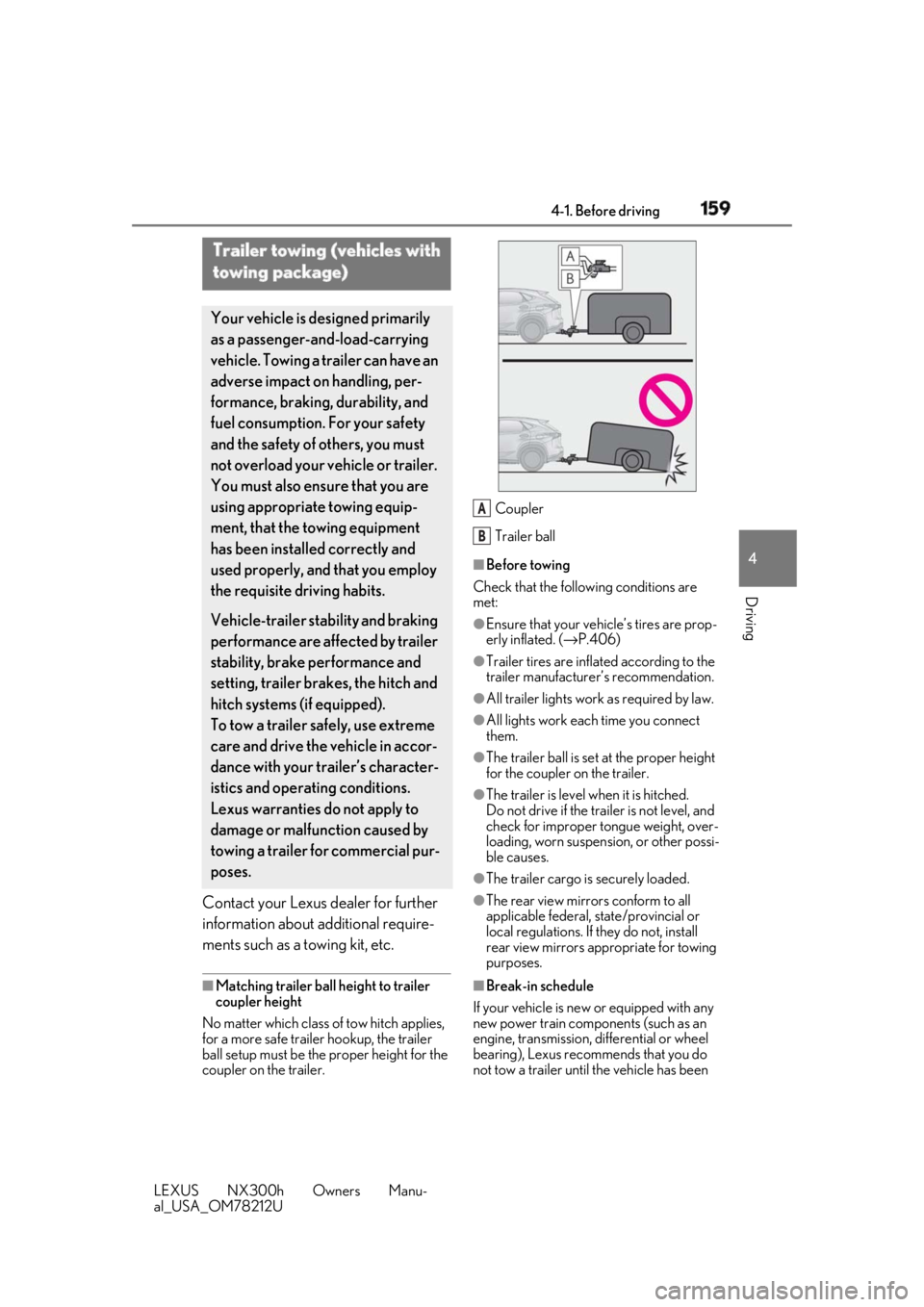
coupler on the trailer. Coupler
Trailer ball ■
Before towing
Check that the following conditions are
met: ●
Ensure that your vehicle’s tires are prop-
erly inflated. ( → P.406)●
Trailer tires are inflated according to the
trailer manufacturer’s recommendation. ●
All trailer lights work as required by law. ●
All lights work each time you connect
them. ●
The trailer ball is set at the proper height
for the coupler on the trailer. ●
The trailer is level when it is hitched.
Do not drive if the trailer is not level, and
check for improper tongue weight, over-
loading, worn suspension, or other possi-
ble causes.
●
The trailer cargo is securely loaded.
●
The rear view mirrors conform to all
applicable federal, state/provincial or
local regulations. If they do not, install
rear view mirrors appropriate for towing
purposes.
■
Break-in schedule
If your vehicle is new or equipped with any
new power train components (such as an
engine, transmission, di fferential or wheel
bearing), Lexus recommends that you do
not tow a trailer until the vehicle has been Trailer towing (vehicles with
towing package) Your vehicle is de signed primarily
as a passenger-and-load-carrying
vehicle. Towing a trailer can have an
adverse impact on handling, per-
formance, braking, durability, and
fuel consumption. For your safety
and the safety of others, you must
not overload your vehicle or trailer.
You must also ensure that you are
using appropriate towing equip-
ment, that the towing equipment
has been installed correctly and
used properly, and that you employ
the requisite driving habits.
Vehicle-trailer stability and braking
performance are affected by trailer
stability, brake performance and
setting, trailer brakes, the hitch and
hitch systems (if equipped).
To tow a trailer safely, use extreme
care and drive the vehicle in accor-
dance with your trailer’s character-
istics and operating conditions.
Lexus warranties do not apply to
damage or malfunction caused by
towing a trailer for commercial pur-
poses. A
B
Page 161 of 460
1614-1. Before driving
LEXUS NX300h Owners Manu-
al_USA_OM78212U 4
Driving ■
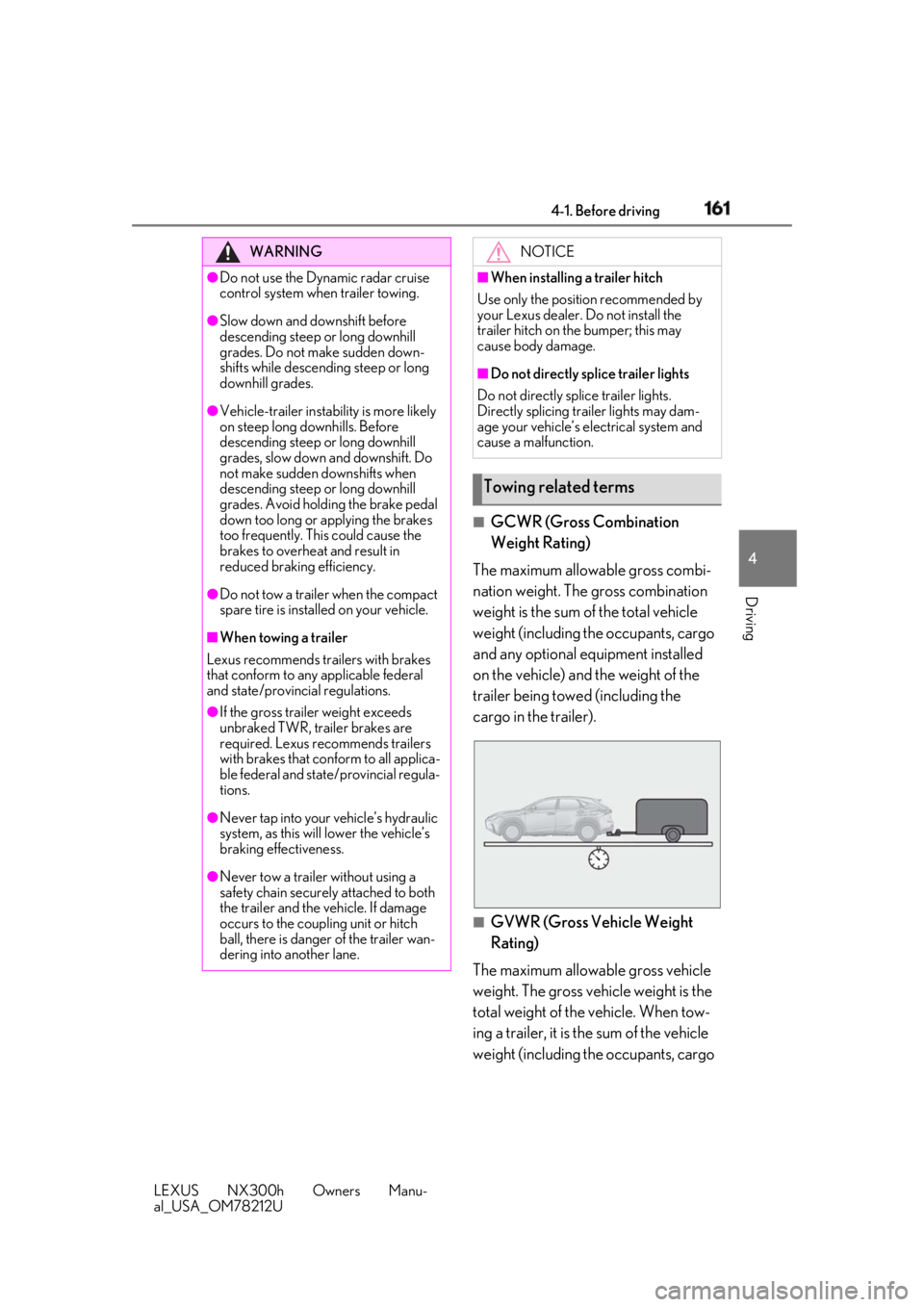
GCWR (Gross Combination
Weight Rating)
The maximum allowable gross combi-
nation weight. The gross combination
weight is the sum of the total vehicle
weight (including the occupants, cargo
and any optional equipment installed
on the vehicle) and the weight of the
trailer being towed (including the
cargo in the trailer).
■
GVWR (Gross Vehicle Weight
Rating)
The maximum allowable gross vehicle
weight. The gross vehicle weight is the
total weight of the vehicle. When tow-
ing a trailer, it is the sum of the vehicle
weight (including the occupants, cargo WARNING●
Do not use the Dynamic radar cruise
control system when trailer towing.●
Slow down and downshift before
descending steep or long downhill
grades. Do not make sudden down-
shifts while descending steep or long
downhill grades.●
Vehicle-trailer instabil ity is more likely
on steep long downhills. Before
descending steep or long downhill
grades, slow down and downshift. Do
not make sudden downshifts when
descending steep or long downhill
grades. Avoid holding the brake pedal
down too long or applying the brakes
too frequently. This could cause the
brakes to overheat and result in
reduced braking efficiency.●
Do not tow a trailer when the compact
spare tire is installed on your vehicle.■
When towing a trailer
Lexus recommends trailers with brakes
that conform to any applicable federal
and state/provincial regulations. ●
If the gross trailer weight exceeds
unbraked TWR, trailer brakes are
required. Lexus recommends trailers
with brakes that conform to all applica-
ble federal and state/provincial regula-
tions.
●
Never tap into your vehicle’s hydraulic
system, as this will lower the vehicle’s
braking effectiveness.
●
Never tow a trailer without using a
safety chain securely attached to both
the trailer and the vehicle. If damage
occurs to the coupling unit or hitch
ball, there is danger of the trailer wan-
dering into another lane. NOTICE■
When installing a trailer hitch
Use only the position recommended by
your Lexus dealer. Do not install the
trailer hitch on the bumper; this may
cause body damage. ■
Do not directly splice trailer lights
Do not directly splice trailer lights.
Directly splicing trailer lights may dam-
age your vehicle’s electrical system and
cause a malfunction.
Towing related terms
Page 169 of 460
1694-2. Driving procedures
LEXUS NX300h Owners Manu-
al_USA_OM78212U 4
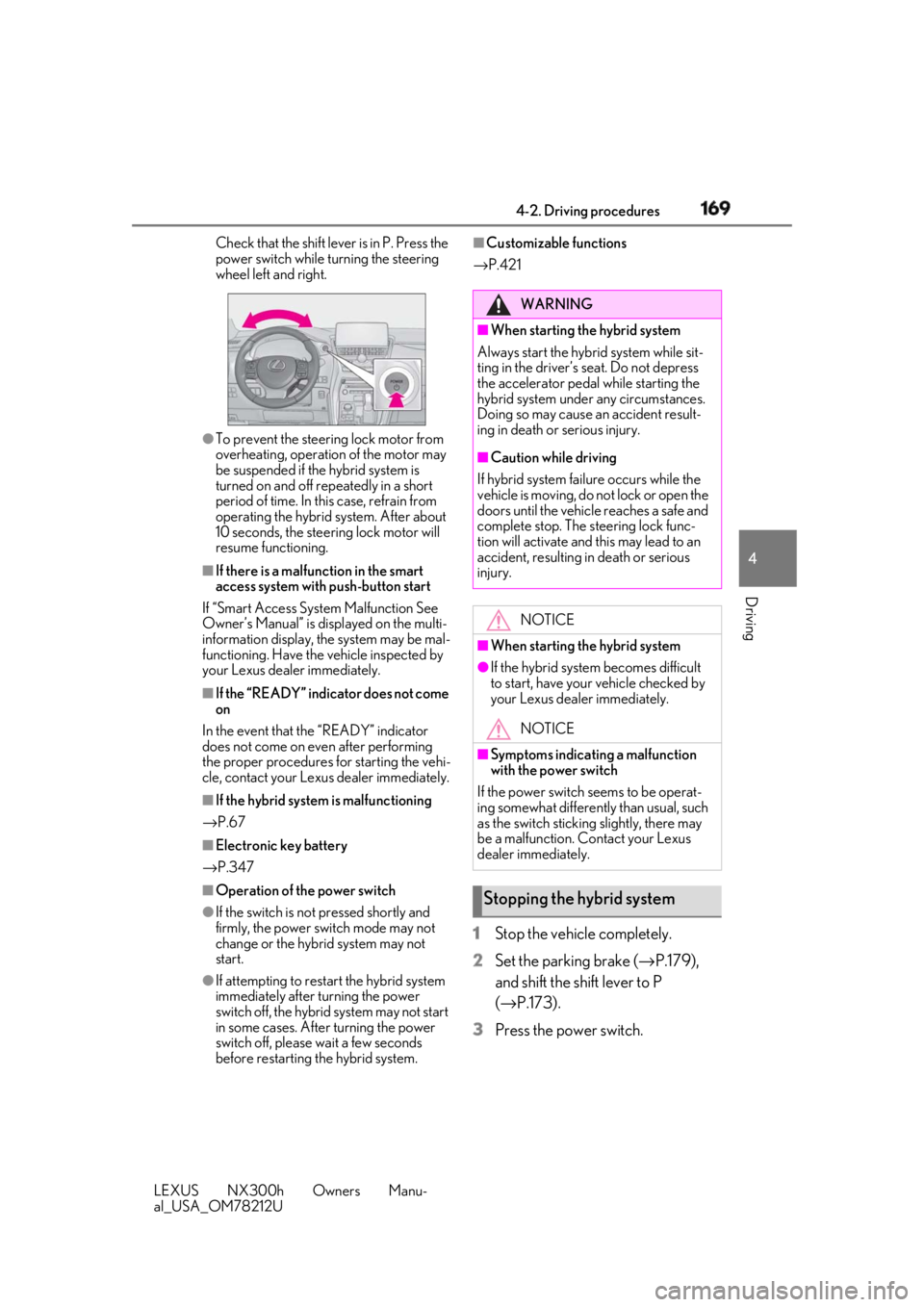
Driving Check that the shift leve r is in P. Press the
power switch while turning the steering
wheel left and right.
●
To prevent the steering lock motor from
overheating, operation of the motor may
be suspended if the hybrid system is
turned on and off repeatedly in a short
period of time. In this case, refrain from
operating the hybrid system. After about
10 seconds, the stee ring lock motor will
resume functioning.■
If there is a malfun ction in the smart
access system with push-button start
If “Smart Access System Malfunction See
Owner’s Manual” is di splayed on the multi-
information display, the system may be mal-
functioning. Have the vehicle inspected by
your Lexus dealer immediately. ■
If the “READY” indicator does not come
on
In the event that the “READY” indicator
does not come on even after performing
the proper procedures for starting the vehi-
cle, contact your Lexus dealer immediately. ■
If the hybrid system is malfunctioning
→ P.67
■
Electronic key battery
→ P.347
■
Operation of the power switch
●
If the switch is not pressed shortly and
firmly, the power switch mode may not
change or the hybrid system may not
start.
●
If attempting to restart the hybrid system
immediately after turning the power
switch off, the hybrid system may not start
in some cases. After turning the power
switch off, please wait a few seconds
before restarting the hybrid system. ■
Customizable functions
→ P.421
1 Stop the vehicle completely.
2 Set the parking brake ( → P.179),
and shift the shift lever to P
( → P.173).
3 Press the power switch. WARNING■
When starting the hybrid system
Always start the hybrid system while sit-
ting in the driver’s seat. Do not depress
the accelerator pedal while starting the
hybrid system under any circumstances.
Doing so may cause an accident result-
ing in death or serious injury. ■
Caution while driving
If hybrid system failure occurs while the
vehicle is moving, do not lock or open the
doors until the vehicle reaches a safe and
complete stop. The steering lock func-
tion will activate and this may lead to an
accident, resulting in death or serious
injury.
NOTICE■
When starting the hybrid system ●
If the hybrid system becomes difficult
to start, have your vehicle checked by
your Lexus dealer immediately.
NOTICE■
Symptoms indicating a malfunction
with the power switch
If the power switch seems to be operat-
ing somewhat differently than usual, such
as the switch sticking slightly, there may
be a malfunction. Contact your Lexus
dealer immediately.
Stopping the hybrid system
Page 177 of 460
1774-2. Driving procedures
LEXUS NX300h Owners Manu-
al_USA_OM78212U 4
Driving ■
Parking brake operation●
When the power switch is not in ON
mode, the parking brake cannot be
released using the parking brake switch.●
When the power switch is not in ON
mode, automatic mode (automatic brake
setting and releasing) is not available.■
If “Parking Brake Overheated Parking
Brake Unavailable” is displayed on the
multi-information display
If the parking brake is operated repeatedly
over a short period of time, the system may
restrict operation to prevent overheating. If
this happens, refrain from operating the
parking brake. Normal operation will return
after about 1 minute. ■
Parking brake operation sound
When the parking brake operates, a motor
sound (whirring sound) may be heard. This
does not indicate a malfunction.
■
Parking brake indicator light and park-
ing brake lamp
●
Depending on the power switch mode,
the parking brake in dicator light and
parking brake lamp will turn on and stay
on as described below:
ON mode: Comes on until the parking
brake is released.
Not in ON mode: Stays on for approxi-
mately 15 seconds.
●
When the power switch is turned off with
the parking brake set, the parking brake
indicator light and parking brake lamp
will stay on for about 15 seconds. This does not indicate a malfunction. ■
Changing the mode
When changing the automatic mode on/off,
the message will be shown on the multi-
information display and the buzzer sounds. ■
Parking brake engaged warning buzzer
A buzzer will sound if the vehicle is driven
with the parking brake engaged. “Release
Parking Brake” is displayed on the multi-
information display. ■
Warning messages and buzzers
Warning messages and buzzers are used to
indicate a system malfunction or to inform
the driver of the need for caution. If a warn-
ing message is shown on the multi-informa-
tion display, read the message and follow
the instructions. ■
If the brake system warning light comes
on
→ P.366 ■
Usage in winter time
→ P.258Parking brake The parking brake can be set or
released automatically or manually.
In automatic mode, the parking
brake can be set or released auto-
matically according to shift lever
operation. Also, even in automatic
mode, the parking brake can be set
or released manually.
WARNING■
When parking the vehicle
Do not leave a child in the vehicle alone.
The parking brake may be released unin-
tentionally and there is the danger of the
vehicle moving that may lead to an acci-
dent resulting in death or serious injury.
NOTICE
■
When parking the vehicle
Before you leave the vehicle, shift the
shift lever to P, set the parking brake and
make sure that the vehicle does not
move.
■
When the system malfunctions
Stop the vehicle in a safe place and
check the warning messages.
Page 178 of 460
178 4-2. Driving procedures
LEXUS NX300h Owners Manu-
al_USA_OM78212U ■
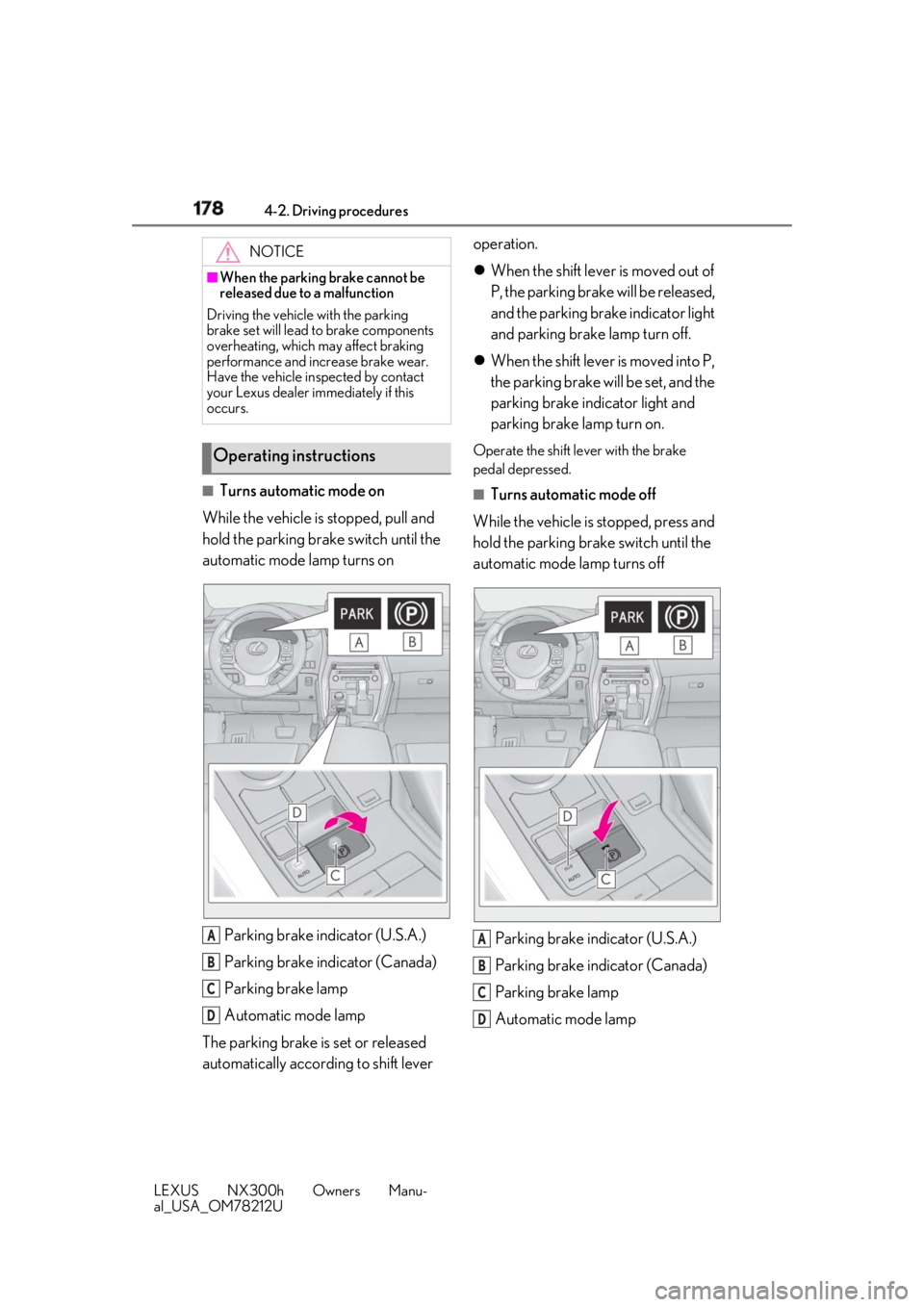
Turns automatic mode on
While the vehicle is stopped, pull and
hold the parking brake switch until the
automatic mode lamp turns on
Parking brake indicator (U.S.A.)
Parking brake indicator (Canada)
Parking brake lamp
Automatic mode lamp
The parking brake is set or released
automatically according to shift lever operation.
When the shift lever is moved out of
P, the parking brake will be released,
and the parking brake indicator light
and parking brake lamp turn off.
When the shift lever is moved into P,
the parking brake will be set, and the
parking brake indicator light and
parking brake lamp turn on. Operate the shift lever with the brake
pedal depressed. ■
Turns automatic mode off
While the vehicle is stopped, press and
hold the parking brake switch until the
automatic mode lamp turns off
Parking brake indicator (U.S.A.)
Parking brake indicator (Canada)
Parking brake lamp
Automatic mode lampNOTICE■
When the parking brake cannot be
released due to a malfunction
Driving the vehicle with the parking
brake set will lead to brake components
overheating, which may affect braking
performance and increase brake wear.
Have the vehicle inspected by contact
your Lexus dealer immediately if this
occurs.
Operating instructions
A
B
C
D A
B
C
D
Page 179 of 460
1794-2. Driving procedures
LEXUS NX300h Owners Manu-
al_USA_OM78212U 4
Driving ■
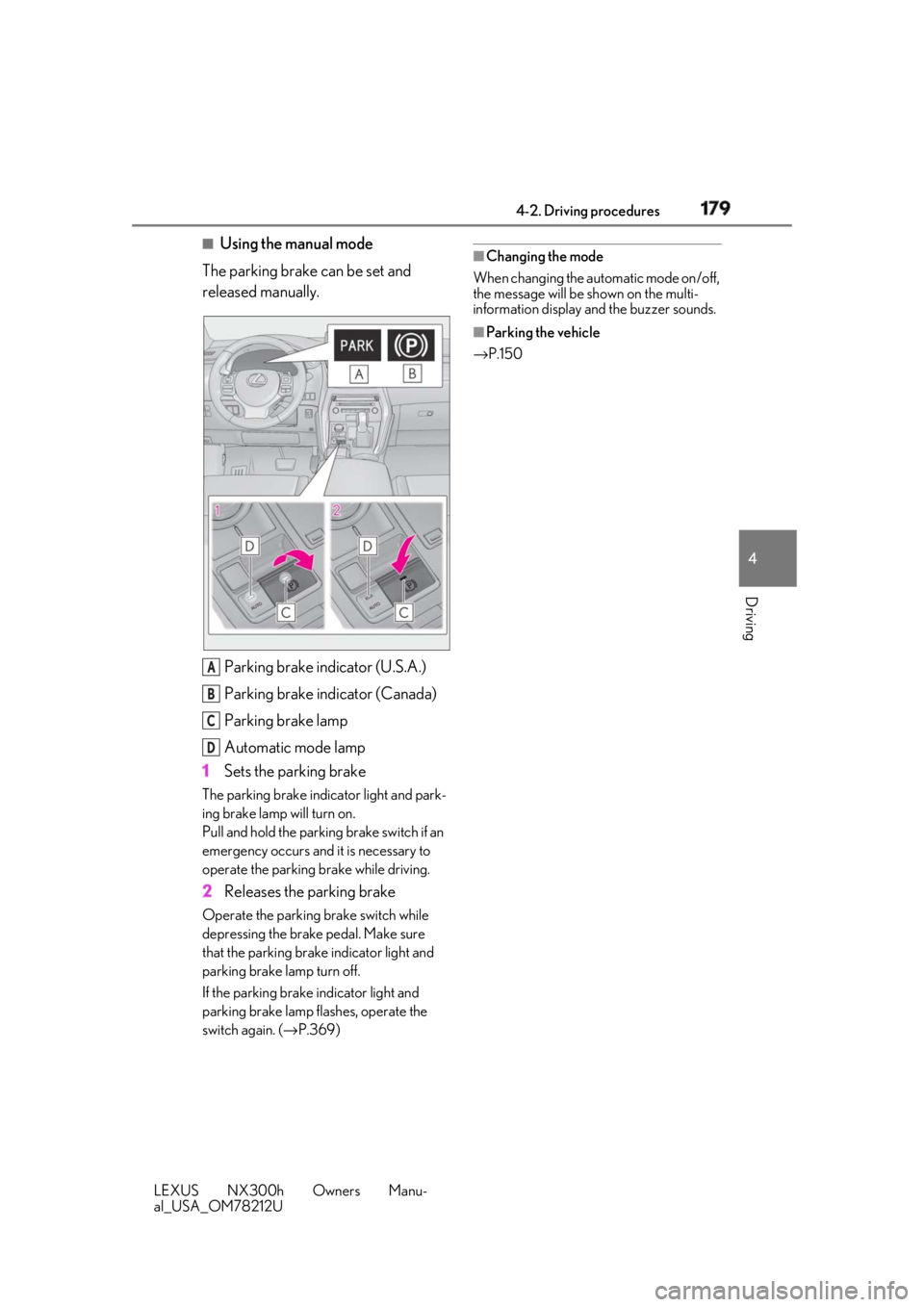
Using the manual mode
The parking brake can be set and
released manually.
Parking brake indicator (U.S.A.)
Parking brake indicator (Canada)
Parking brake lamp
Automatic mode lamp
1 Sets the parking brakeThe parking brake indicator light and park-
ing brake lamp will turn on.
Pull and hold the parking brake switch if an
emergency occurs and it is necessary to
operate the parking brake while driving.
2 Releases the parking brakeOperate the parking brake switch while
depressing the brake pedal. Make sure
that the parking brake indicator light and
parking brake lamp turn off.
If the parking brake indicator light and
parking brake lamp flashes, operate the
switch again. ( → P.369) ■
Changing the mode
When changing the automatic mode on/off,
the message will be shown on the multi-
information display and the buzzer sounds. ■
Parking the vehicle
→ P.150
A
B
C
D
Page 180 of 460
180 4-2. Driving procedures
LEXUS NX300h Owners Manu-
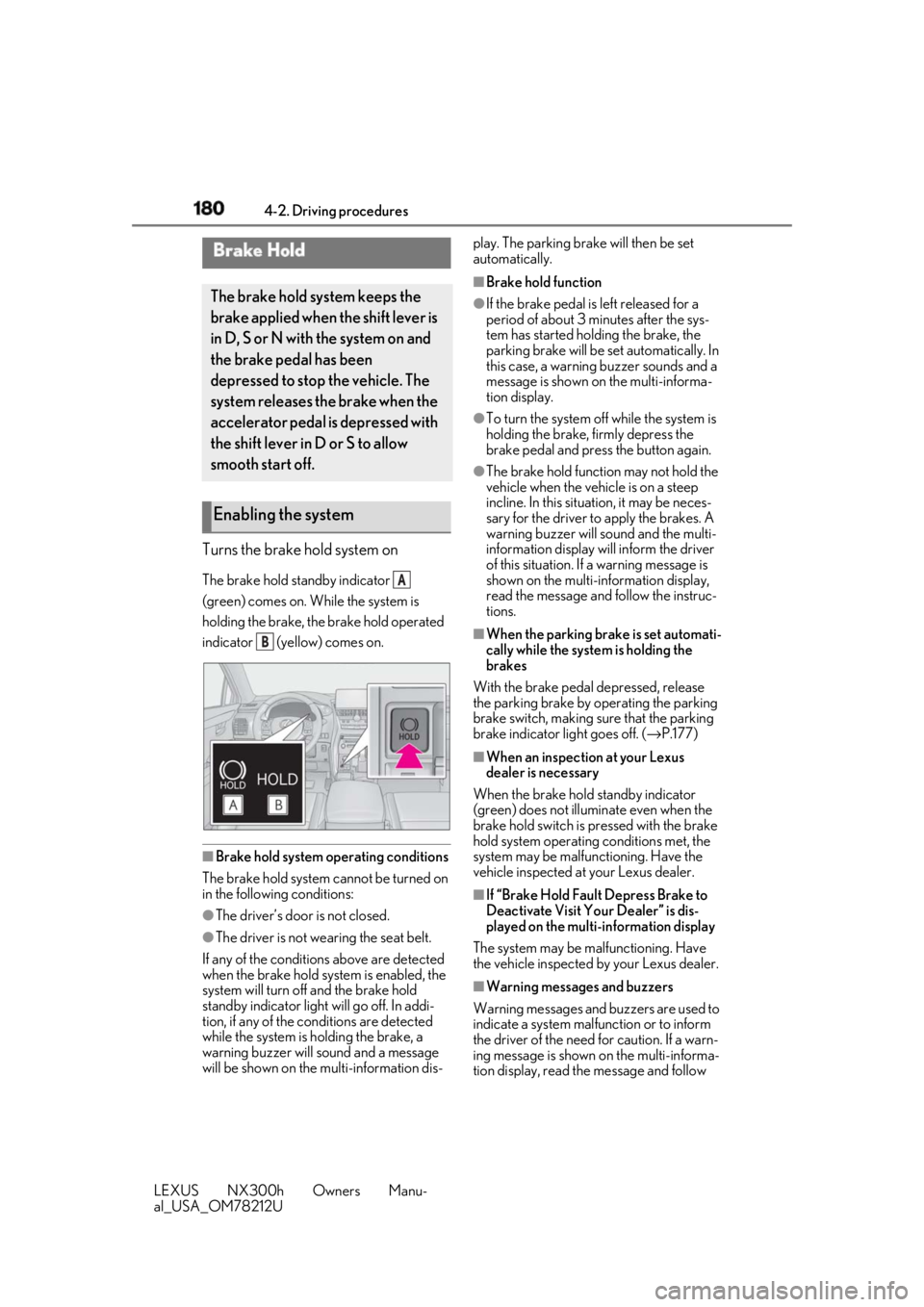
al_USA_OM78212U Turns the brake hold system on The brake hold standby indicator
(green) comes on. While the system is
holding the brake, the brake hold operated
indicator (yellow) comes on.
■
Brake hold system operating conditions
The brake hold system cannot be turned on
in the following conditions:
●
The driver’s door is not closed.
●
The driver is not wearing the seat belt.
If any of the conditions above are detected
when the brake hold system is enabled, the
system will turn off and the brake hold
standby indicator light will go off. In addi-
tion, if any of the conditions are detected
while the system is holding the brake, a
warning buzzer will sound and a message
will be shown on the multi-information dis- play. The parking brake will then be set
automatically. ■
Brake hold function ●
If the brake pedal is left released for a
period of about 3 mi nutes after the sys-
tem has started holding the brake, the
parking brake will be set automatically. In
this case, a warning buzzer sounds and a
message is shown on the multi-informa-
tion display. ●
To turn the system off while the system is
holding the brake, firmly depress the
brake pedal and press the button again. ●
The brake hold function may not hold the
vehicle when the vehicle is on a steep
incline. In this situation, it may be neces-
sary for the driver to apply the brakes. A
warning buzzer will sound and the multi-
information display will inform the driver
of this situation. If a warning message is
shown on the multi-information display,
read the message and follow the instruc-
tions. ■
When the parking brake is set automati-
cally while the system is holding the
brakes
With the brake pedal depressed, release
the parking brake by operating the parking
brake switch, making su re that the parking
brake indicator light goes off. ( → P.177)■
When an inspection at your Lexus
dealer is necessary
When the brake hold standby indicator
(green) does not illuminate even when the
brake hold switch is pressed with the brake
hold system operating conditions met, the
system may be malfun ctioning. Have the
vehicle inspected at your Lexus dealer.
■
If “Brake Hold Fault Depress Brake to
Deactivate Visit Your Dealer” is dis-
played on the multi-information display
The system may be ma lfunctioning. Have
the vehicle inspected by your Lexus dealer.
■
Warning messages and buzzers
Warning messages and buzzers are used to
indicate a system malfunction or to inform
the driver of the need for caution. If a warn-
ing message is shown on the multi-informa-
tion display, read the message and follow Brake Hold The brake hold system keeps the
brake applied when the shift lever is
in D, S or N with the system on and
the brake pedal has been
depressed to stop the vehicle. The
system releases the brake when the
accelerator pedal is depressed with
the shift lever in D or S to allow
smooth start off.
Enabling the system A
B
Page 184 of 460
184 4-3. Operating the lights and wipers
LEXUS NX300h Owners Manu-
al_USA_OM78212U ■
AUTO mode can be used when
The power switch is in ON mode. ■
Daytime running light system●
The daytime running lights illuminate
using the same lights as the parking lights
and illuminate brighter than the parking
lights.●
To make your vehicle more visible to
other drivers during daytime driving, the
daytime running lights turn on automati-
cally when all of the following conditions
are met. (The daytime running lights are
not designed for use at night.)
• The hybrid system is started
• The parking brake is released
• The headlight switch is in the (type
B), or “AUTO” *
position*
: When the surroundings are bright
The daytime running lights remain on after
they illuminate, even if the parking brake is
set again. ●
For the U.S.A.: Dayt ime running lights
can be turned off by operating the switch.●
Compared to turning on the headlights,
the daytime running light system offers
greater durability and consumes less
electricity, so it can help improve fuel●
If a turn signal light is in use, the daytime
running light, on the same side, is turned
off. For emergency flashers, both are
turned off.■
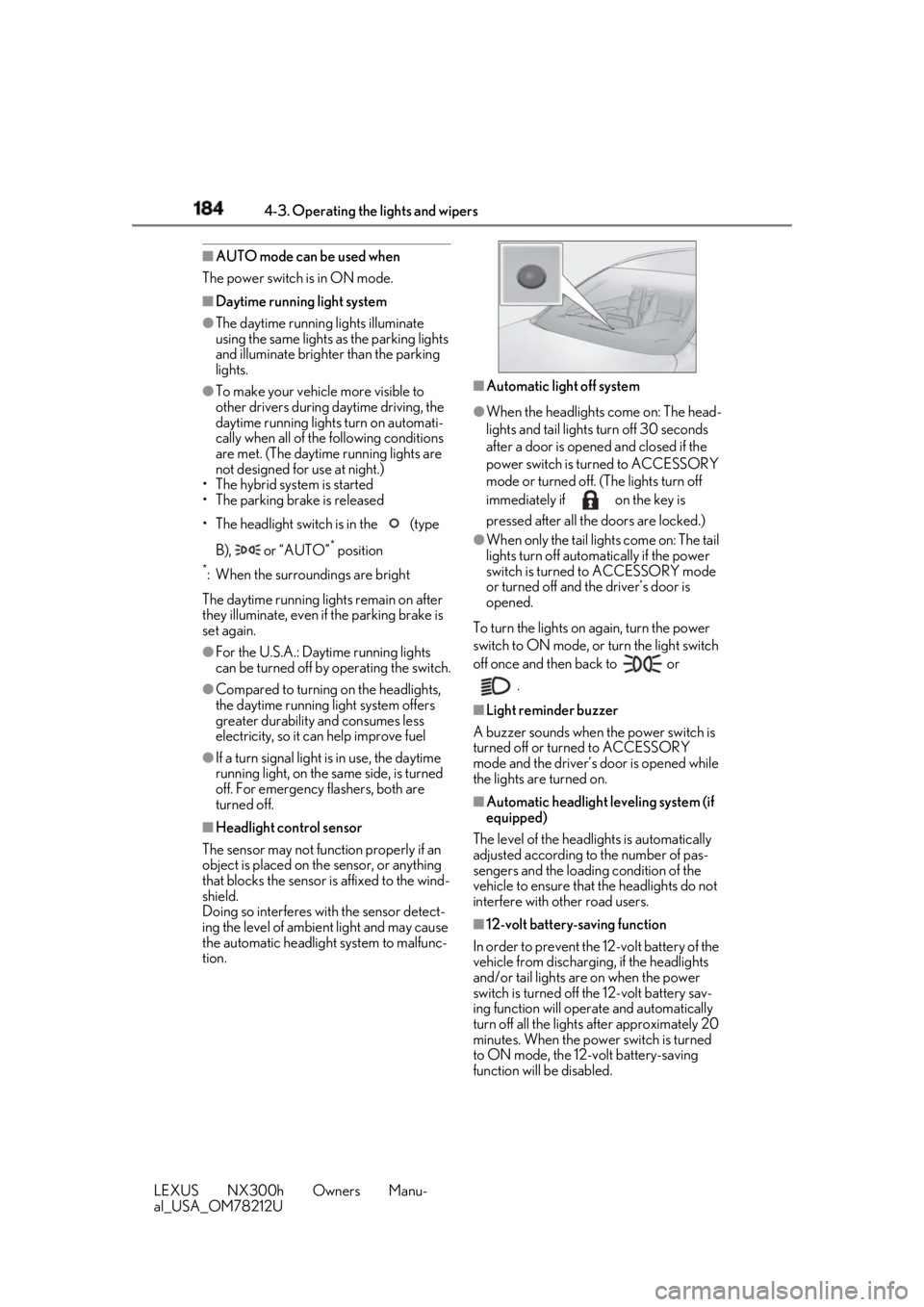
Headlight control sensor
The sensor may not function properly if an
object is placed on th e sensor, or anything
that blocks the sensor is affixed to the wind-
shield.
Doing so interferes with the sensor detect-
ing the level of ambient light and may cause
the automatic headlight system to malfunc-
tion. ■
Automatic light off system ●
When the headlights come on: The head-
lights and tail lights turn off 30 seconds
after a door is opened and closed if the
power switch is turned to ACCESSORY
mode or turned off. (The lights turn off
immediately if on the key is
pressed after all the doors are locked.) ●
When only the tail lights come on: The tail
lights turn off automatically if the power
switch is turned to ACCESSORY mode
or turned off and the driver’s door is
opened.
To turn the lights on again, turn the power
switch to ON mode, or turn the light switch
off once and then back to or
.■
Light reminder buzzer
A buzzer sounds when the power switch is
turned off or turned to ACCESSORY
mode and the driver’s door is opened while
the lights are turned on. ■
Automatic headlight leveling system (if
equipped)
The level of the headlights is automatically
adjusted according to the number of pas-
sengers and the loadin g condition of the
vehicle to ensure that the headlights do not
interfere with other road users.
■
12-volt battery-saving function
In order to prevent the 12-volt battery of the
vehicle from discharging, if the headlights
and/or tail lights are on when the power
switch is turned off the 12-volt battery sav-
ing function will operate and automatically
turn off all the lights after approximately 20
minutes. When the power switch is turned
to ON mode, the 12-volt battery-saving
function will be disabled.
Page 209 of 460
2094-5. Using the driving support systems
LEXUS NX300h Owners Manu-
al_USA_OM78212U 4
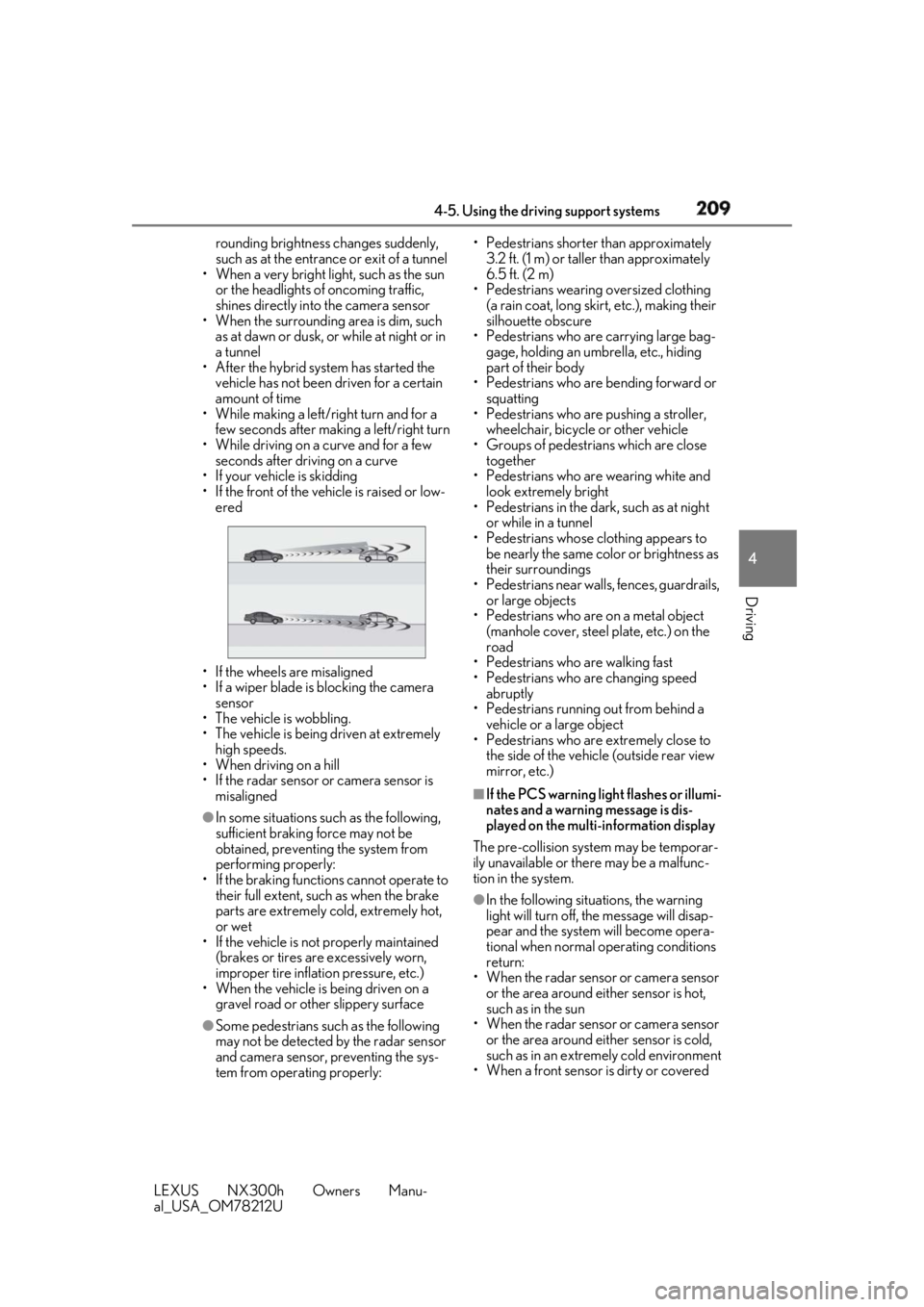
Driving rounding brightness changes suddenly,
such as at the entrance or exit of a tunnel
• When a very bright light, such as the sun
or the headlights of oncoming traffic,
shines directly in to the camera sensor
• When the surrounding area is dim, such
as at dawn or dusk, or while at night or in
a tunnel
• After the hybrid system has started the
vehicle has not been driven for a certain
amount of time
• While making a left/right turn and for a
few seconds after makin g a left/right turn
• While driving on a curve and for a few
seconds after driving on a curve
• If your vehicle is skidding
• If the front of the vehicle is raised or low-
ered
• If the wheels are misaligned
• If a wiper blade is blocking the camera
sensor
• The vehicle is wobbling.
• The vehicle is being driven at extremely
high speeds.
• When driving on a hill
• If the radar sensor or camera sensor is
misaligned●
In some situations such as the following,
sufficient braking force may not be
obtained, preventing the system from
performing properly:
• If the braking functions cannot operate to
their full extent, such as when the brake
parts are extremely cold, extremely hot,
or wet
• If the vehicle is not properly maintained
(brakes or tires are excessively worn,
improper tire inflation pressure, etc.)
• When the vehicle is being driven on a
gravel road or other slippery surface
●
Some pedestrians such as the following
may not be detected by the radar sensor
and camera sensor, preventing the sys-
tem from operating properly: • Pedestrians shorter than approximately
3.2 ft. (1 m) or taller than approximately
6.5 ft. (2 m)
• Pedestrians wearing oversized clothing
(a rain coat, long skir t, etc.), making their
silhouette obscure
• Pedestrians who are carrying large bag-
gage, holding an umbrella, etc., hiding
part of their body
• Pedestrians who are bending forward or
squatting
• Pedestrians who are pushing a stroller,
wheelchair, bicycle or other vehicle
• Groups of pedestrians which are close
together
• Pedestrians who are wearing white and
look extremely bright
• Pedestrians in the dark, such as at night
or while in a tunnel
• Pedestrians whose clothing appears to
be nearly the same color or brightness as
their surroundings
• Pedestrians near walls, fences, guardrails,
or large objects
• Pedestrians who are on a metal object
(manhole cover, steel plate, etc.) on the
road
• Pedestrians who are walking fast
• Pedestrians who are changing speed
abruptly
• Pedestrians running out from behind a
vehicle or a large object
• Pedestrians who are extremely close to
the side of the vehicle (outside rear view
mirror, etc.) ■
If the PCS warning light flashes or illumi-
nates and a warning message is dis-
played on the multi-information display
The pre-collision system may be temporar-
ily unavailable or there may be a malfunc-
tion in the system.
●
In the following situations, the warning
light will turn off, the message will disap-
pear and the system will become opera-
tional when normal operating conditions
return:
• When the radar sensor or camera sensor
or the area around either sensor is hot,
such as in the sun
• When the radar sensor or camera sensor
or the area around either sensor is cold,
such as in an extremely cold environment
• When a front sensor is dirty or covered
Page 210 of 460
210 4-5. Using the driving support systems
LEXUS NX300h Owners Manu-
al_USA_OM78212U with snow, etc.
• When the part of the windshield in front
of the camera sensor is fogged up or cov-
ered with condensation or ice (Defog-
ging the windshield: → P.269)
• If the camera sensor is obstructed, such
as when the hood is open or a sticker is
attached to the windshield near the cam-
era sensor●
If the PCS warning ligh t continues to flash
or remains illuminated or the warning
message does not disappear even
though the vehicle has returned to nor-
mal, the system may be malfunctioning.
Have the vehicle inspected by your Lexus
dealer immediately.■
If VSC is disabled●
If VSC is disabled ( → P.251), the pre-col-
lision brake assist and pre-collision brak-
ing functions are also disabled.●
The PCS warning light will turn on and
“VSC Turned Off Pre-Collision Brake
System Unavailable” will be displayed on
the multi-information display.
■
Lane departure alert function
When the system determines that the
vehicle might depart from its lane, a
warning is displayed on the multi-infor-
mation display, and either the warning
buzzer sounds or the steering wheel
vibrates to alert the driver. When the warning buzzer sounds or the
steering wheel vibrates, check the sur-
rounding road situation and carefully oper-
ate the steering wheel to move the vehicle
back to the center of the lane.LDA (Lane Departure Alert
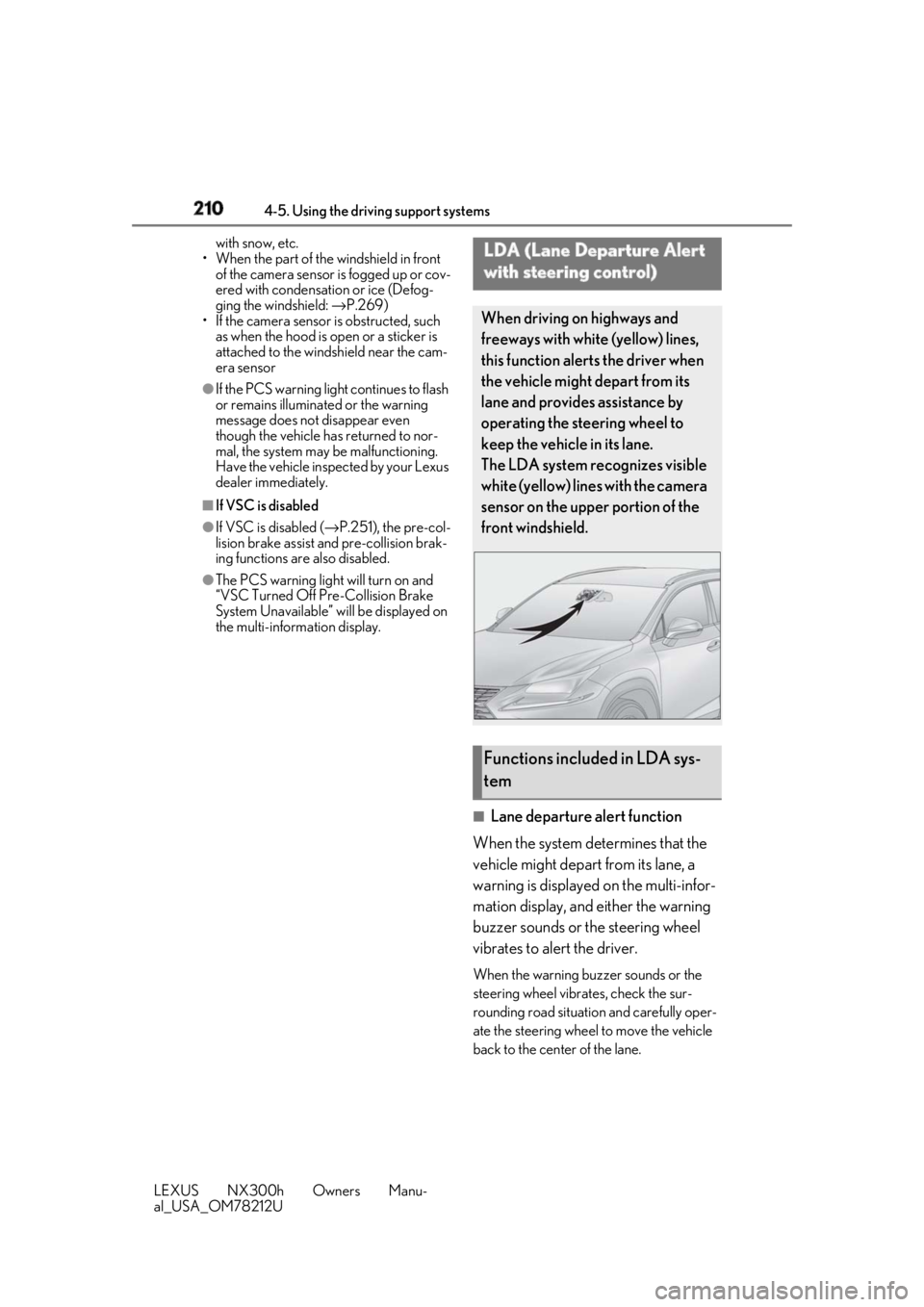
with steering control) When driving on highways and
freeways with white (yellow) lines,
this function alerts the driver when
the vehicle might depart from its
lane and provides assistance by
operating the steering wheel to
keep the vehicle in its lane.
The LDA system recognizes visible
white (yellow) lines with the camera
sensor on the upper portion of the
front windshield.
Functions included in LDA sys-
tem