warning light LEXUS NX300h 2018 Workshop Manual
[x] Cancel search | Manufacturer: LEXUS, Model Year: 2018, Model line: NX300h, Model: LEXUS NX300h 2018Pages: 460, PDF Size: 13.57 MB
Page 210 of 460
210 4-5. Using the driving support systems
LEXUS NX300h Owners Manu-
al_USA_OM78212U with snow, etc.
• When the part of the windshield in front
of the camera sensor is fogged up or cov-
ered with condensation or ice (Defog-
ging the windshield: → P.269)
• If the camera sensor is obstructed, such
as when the hood is open or a sticker is
attached to the windshield near the cam-
era sensor●
If the PCS warning ligh t continues to flash
or remains illuminated or the warning
message does not disappear even
though the vehicle has returned to nor-
mal, the system may be malfunctioning.
Have the vehicle inspected by your Lexus
dealer immediately.■
If VSC is disabled●
If VSC is disabled ( → P.251), the pre-col-
lision brake assist and pre-collision brak-
ing functions are also disabled.●
The PCS warning light will turn on and
“VSC Turned Off Pre-Collision Brake
System Unavailable” will be displayed on
the multi-information display.
■
Lane departure alert function
When the system determines that the
vehicle might depart from its lane, a
warning is displayed on the multi-infor-
mation display, and either the warning
buzzer sounds or the steering wheel
vibrates to alert the driver. When the warning buzzer sounds or the
steering wheel vibrates, check the sur-
rounding road situation and carefully oper-
ate the steering wheel to move the vehicle
back to the center of the lane.LDA (Lane Departure Alert
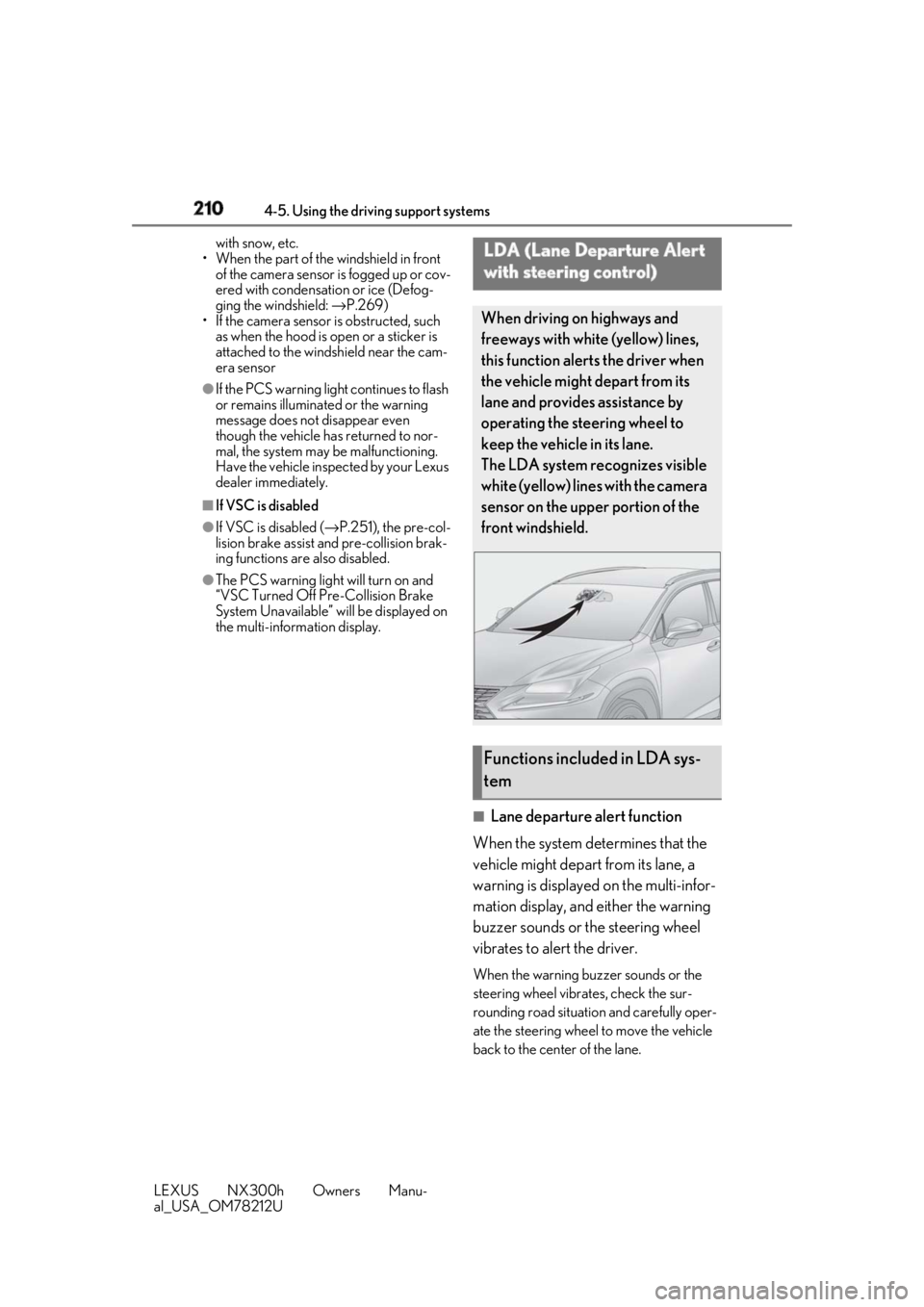
with steering control) When driving on highways and
freeways with white (yellow) lines,
this function alerts the driver when
the vehicle might depart from its
lane and provides assistance by
operating the steering wheel to
keep the vehicle in its lane.
The LDA system recognizes visible
white (yellow) lines with the camera
sensor on the upper portion of the
front windshield.
Functions included in LDA sys-
tem
Page 212 of 460
212 4-5. Using the driving support systems
LEXUS NX300h Owners Manu-
al_USA_OM78212U Press the LDA switch to turn the LDA
system on. The LDA indicator illuminates and a mes-
sage is displayed on the multi-information
display.
Press the LDA switch again to turn the
LDA system off.
When the LDA system is turned on or off,
operation of the LDA system continues in WARNING■
Before using LDA system
Do not rely solely upon the LDA system.
The LDA system does not automatically
drive the vehicle or reduce the amount of
attention that must be paid to the area in
front of the vehicle. The driver must
always assume full responsibility for driv-
ing safely by paying careful attention to
the surrounding conditions and operat-
ing the steering wheel to correct the path
of the vehicle. Also, the driver must take
adequate breaks when fatigued, such as
from driving for a long period of time.
Failure to perform appropriate driving
operations and pay careful attention may
lead to an accident, resulting in death or
serious injury. ■
To avoid operating LDA system by
mistake
When not using the LDA system, use the
LDA switch to turn the system off. ■
Situations unsuitable for LDA system
Do not use the LDA system in the follow-
ing situations.
The system may not operate properly
and lead to an accident, resulting in
death or serious injury.
●
A spare tire, tire chains, etc. are
equipped.
●
When the tires have been excessively
worn, or when the tire inflation pres-
sure is low.
●
Tires which differ by structure, manu-
facturer, brand or tread pattern are
used.
●
Objects or patterns that could be mis-
taken for white (yellow) lines are pres-
ent on the side of th e road (guardrails,
curbs, reflective poles, etc.).
●
Vehicle is driven on a snow-covered
road.
●
White (yellow) lines are difficult to see
due to rain, snow, fog, dust, etc. ●
Asphalt repair marks, white (yellow)
line marks, etc. are present due to road
repair. ●
Vehicle is driven in a temporary lane or
restricted lane due to construction
work. ●
Vehicle is driven on a road surface
which is slippery due to rainy weather,
fallen snow, freezing, etc. ●
Vehicle is driven in traffic lanes other
than on highways and freeways. ●
Vehicle is driven in a construction
zone. ●
Vehicle is towing a trailer or another
vehicle. ■
Preventing LDA system malfunctions
and operations performed by mistake ●
Do not modify the headlights or place
stickers, etc. on the surface of the
lights. ●
Do not modify the suspension etc. If
the suspension etc. needs to be
replaced, contact your Lexus dealer. ●
Do not install or place anything on the
hood or grille. Also, do not install a
grille guard (bull bars, kangaroo bar,
etc.).
●
If your windshield needs repairs, con-
tact your Lexus dealer.
Turning LDA system on
Page 215 of 460
2154-5. Using the driving support systems
LEXUS NX300h Owners Manu-
al_USA_OM78212U 4
Driving tion, etc.●
The white (yellow) lines are cracked,
Botts’ dots, Raised pavement marker or
stones are present.●
The white (yellow) lines cannot be seen
or are difficult to see due to sand, etc.●
The vehicle is driven on a road surface
that is wet due to rain, puddles, etc.●
The traffic lines are yellow (which may be
more difficult to recognize than lines that
are white).●
The white (yellow) lines cross over a curb,
etc.●
The vehicle is driven on a bright surface,
such as concrete.●
The vehicle is driven on a surface that is
bright due to reflected light, etc.●
The vehicle is driven in an area where the
brightness changes suddenly, such as at
the entrances and exits of tunnels, etc.●
Light from the headlights of an oncoming
vehicle, the sun, etc. enters the camera.●
The vehicle is driven where the road
diverges, merges, etc.●
The vehicle is driven on a slope.●
The vehicle is driven on a road which tilts
left or right, or a winding road.●
The vehicle is driven on an unpaved or
rough road.●
The vehicle is driven around a sharp
curve.●
The traffic lane is ex cessively narrow or
wide.●
The vehicle is extremely tilted due to car-
rying heavy luggage or having improper
tire pressure.
●
The distance to the preceding vehicle is
extremely short.
●
The vehicle is moving up and down a
large amount due to road conditions
during driving (poor roads or road
seams).
●
The headlight lenses are dirty and emit a
faint amount of light at night, or the beam
axis has deviated.
●
The vehicle is struck by a crosswind. ●
The vehicle has just changed lanes or
crossed an intersection. ●
Snow tires, etc. are equipped. ■
Warning message
If the following warning message is dis-
played on the multi-in formation display and
the LDA indicator illuminates in orange, fol-
low the appropriate troubleshooting proce-
dure.
Warning message Details/Actions
“Lane Departure
Alert Malfunction
Visit Your Dealer” The system may not
be operating prop-
erly.
→ Have the vehicle
inspected at
your Lexus
dealer.
“Front Camera
Unavailable
Remove Debris On
Windshield” Dirt, rain, conden-
sation, ice, snow,
etc. are present on
the windshield in
front of the camera
sensor.
→ Turn the LDA
system off,
remove any dirt,
rain, condensa-
tion, ice, snow,
etc. from the
windshield, and
then turn the
LDA system
back on.
Page 220 of 460
220 4-5. Using the driving support systems
LEXUS NX300h Owners Manu-
al_USA_OM78212U imately 328 ft. (100 m) ahead, determines the current vehicle-to-vehicle following
distance, and operates to maintain a suit able following distance from the vehicle
ahead. Note that vehicle-to-vehicle distance will close in when tr aveling on downhill slopes.
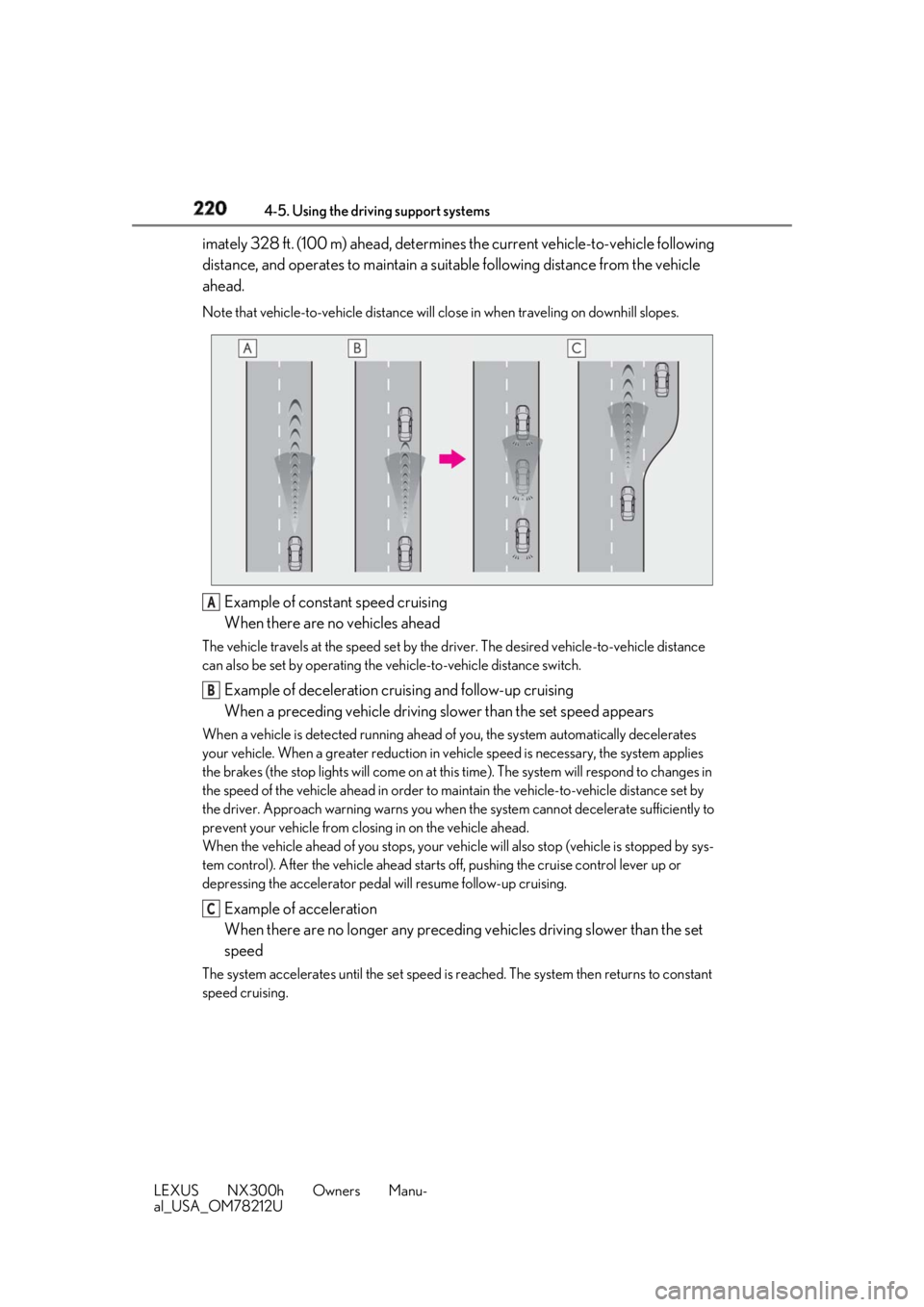
Example of constant speed cruising
When there are no vehicles aheadThe vehicle travels at the speed set by the driver. The desired vehicle-to-vehicle distance
can also be set by operating the ve hicle-to-vehicle distance switch.
Example of deceleration cruising and follow-up cruising
When a preceding vehicle driving slower than the set speed appearsWhen a vehicle is detected running ahead of you, the system automatically decelerates
your vehicle. When a greater reduction in vehicle speed is necessary, the system applies
the brakes (the stop lights will come on at this time). The sy stem will respond to changes in
the speed of the vehicle ahead in order to maintain the vehicle-to-vehicle distance set by
the driver. Approach warning warns you when th e system cannot decelera te sufficiently to
prevent your vehicle from closing in on the vehicle ahead.
When the vehicle ahead of you stops, your vehi cle will also stop (vehicle is stopped by sys-
tem control). After the vehicle ahead starts off, pushing the cruise control lever up or
depressing the accelerator pedal will resume follow-up cruising.
Example of acceleration
When there are no longer any preceding vehicles driving slower than the set
speedThe system accelerates until the set speed is re ached. The system then returns to constant
speed cruising. A
B
C
Page 229 of 460
2294-5. Using the driving support systems
LEXUS NX300h Owners Manu-
al_USA_OM78212U 4
Driving ■
Muting the buzzer sound●
To mute the buzzer sound
The buzzer can be temporarily muted by
pressing of the meter control
switches while an obstacle detection dis-
play is shown on the multi-information
display.●
To cancel the mute
Mute will be automatically cancelled in
the following situations.
• When the shift position is changed
• When the vehicle speed has reached or
exceeded approximately 6 mph (10 km/
h) with the shift lever in D
• When the intuitive par king assist is turned
off once and turned on again
• When the power switch is turned off once
and turned to ON mode again
• When a sensor is malfunctioning ■
Certification
For vehicles sold in the U.S.A.
This device complies with Part 15 of the
FCC Rules. Operation is subject to the fol-
lowing two conditions; (1) this device may
not cause harmful interference, and (2) this
device must accept any interference
received, including interference that may
cause undesired operation.
For vehicles sold in Canada
This ISM device complies with Canadian
ICES-001.
Cet appareil ISM est conforme a la norme
NMB-001 du Canada. ■
Intuitive parking assist display
When an obstacle is detected while the
Lexus parking assist monitor is in use, the
warning indicator will appear in the upper
corner of the screen even if the display set-
ting has been set to off.
■
If “Clean Parking Assist Sensor” is dis-
played on the multi-information display
A sensor may be dirty or covered with snow
or ice. In such cases, if it is removed from
the sensor, the system should return to nor-
mal.
Also, due to the sensor being frozen at low
temperatures, a malfunction display may
appear or an obstacle may not be detected. If the sensor thaws out, the system should
return to normal. ■
If “Parking Assist Malfunction” is dis-
played on the multi-information display
Depending on the malf unction of the sen-
sor, the device may not be working nor-
mally. Have the vehicle inspected by your
Lexus dealer. ■
Sensor detection information ●
The sensor’s detectio n areas are limited
to the areas around the vehicle’s bumper. ●
Certain vehicle conditions and the sur-
rounding environment may affect the
ability of a sensor to correctly detect an
obstacle. Particular instances where this
may occur are listed below.
• There is dirt, snow or ice on the sensor.
(Wiping the sensors will resolve this
problem.)
• The sensor is frozen. (Thawing the area
will resolve this problem.)
In especially cold weather, if a sensor is
frozen the screen may show an abnormal
display, or obstacles may not be
detected.
• The sensor is covered in any way.
• The vehicle is leaning considerably to one
side.
• On an extremely bumpy road, on an
incline, on gravel, or on grass.
• The vicinity of the vehicle is noisy due to
vehicle horns, motorcycle engines, air
brakes of large vehicles, or other loud
noises producing ultrasonic waves.
• There is another vehicle equipped with
parking assist sensors in the vicinity.
• The sensor is coated with a sheet of spray
or heavy rain.
• The vehicle is equipped with a fender
pole or wireless antenna.
• Towing eyelets are installed.
• The bumper or sensor receives a strong
impact.
• A backlit license plate, license plate
holder, etc., are installed.
• The vehicle is approaching a tall or
curved curb.
• In harsh sunlight or intense cold weather.
• The area directly under the bumpers is
not detected.
• If obstacles draw too close to the sensor.
• A non-genuine Lexus suspension (low-
Page 238 of 460
238 4-5. Using the driving support systems
LEXUS NX300h Owners Manu-
al_USA_OM78212U flooded road●
Influence from the weather
• Ice, snow, dirt, etc., has adhered to the
sensor (if removed, the system returns to
normal)
• Heavy rain or water strikes the vehicle
• In severe weather such as fog, snow or a
sand storm●
Influence from other sonic waves
• An ultrasonic wave source is nearby, such
as the horn or clearance sonar of another
vehicle, a vehicle detector, a motorcycle
engine or the air brake of a large vehicle
• Electronic components (such as a backlit
license plate (especially fluorescent
types), fog lights, a fender pole or a wire-
less antenna) are inst alled near the sen-
sors●
Changes in the vehicle
• The vehicle is tilted a large amount
• The height of the vehicle has drastically
changed due to the carried load (the
nose tilts up or down)
• The direction of the sensor has deviated
due to a collision or other impact■
Situations in which the system may not
operate normally
In the following situations, the system may
not operate normally. ●
Environmental influence
• There is an obstacle that cannot be
detected between the vehicle and
another obstacle that can be detected
• An obstacle such as another vehicle, a
motorcycle, a bicycle or a pedestrian cuts
in front of the vehicle or jumps out from
the side.●
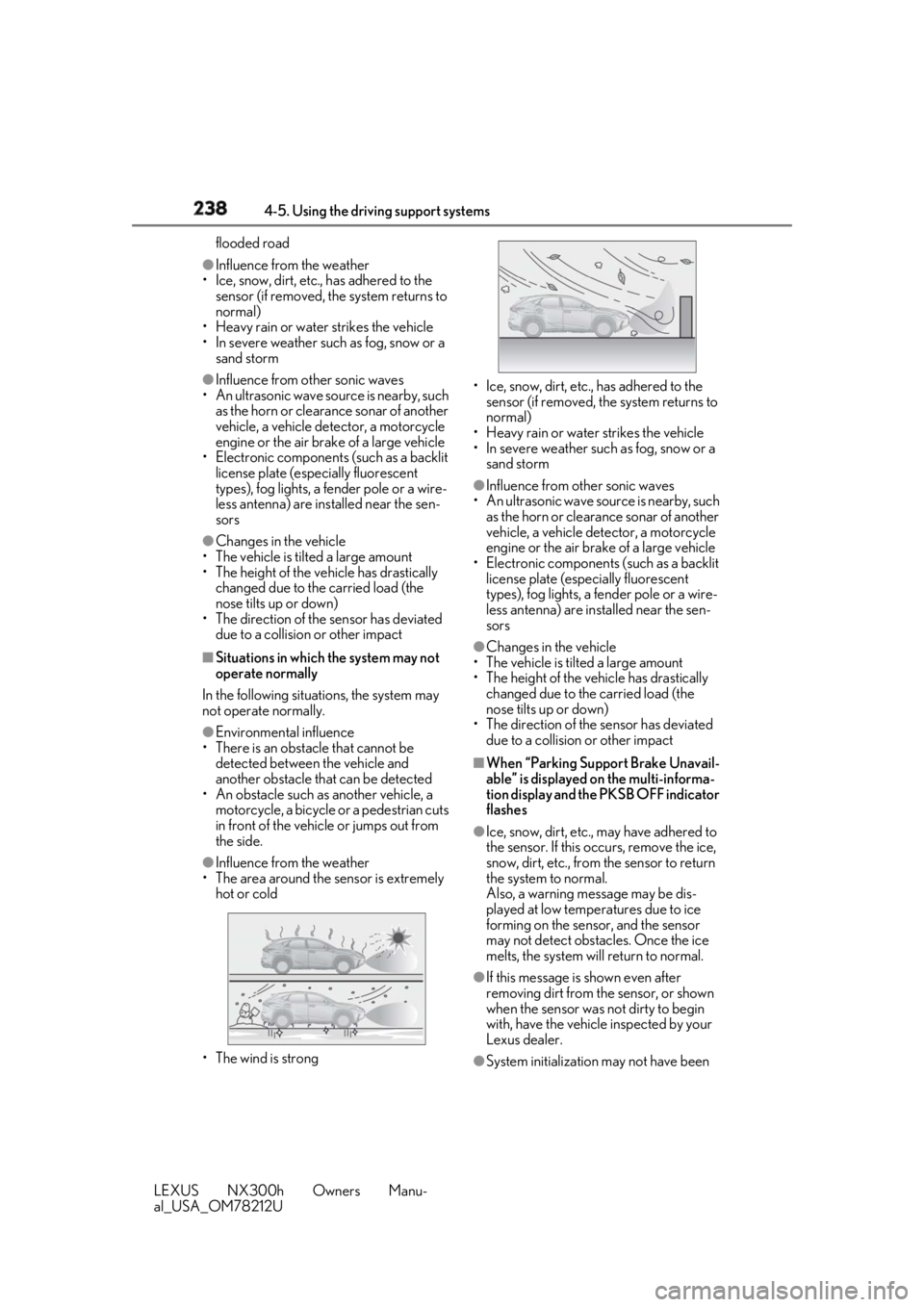
Influence from the weather
• The area around the sensor is extremely
hot or cold
• The wind is strong • Ice, snow, dirt, etc., has adhered to the
sensor (if removed, the system returns to
normal)
• Heavy rain or water strikes the vehicle
• In severe weather such as fog, snow or a
sand storm ●
Influence from other sonic waves
• An ultrasonic wave source is nearby, such
as the horn or clearance sonar of another
vehicle, a vehicle detector, a motorcycle
engine or the air brake of a large vehicle
• Electronic components (such as a backlit
license plate (especially fluorescent
types), fog lights, a fe nder pole or a wire-
less antenna) are installed near the sen-
sors ●
Changes in the vehicle
• The vehicle is tilted a large amount
• The height of the vehicle has drastically
changed due to the carried load (the
nose tilts up or down)
• The direction of the sensor has deviated
due to a collision or other impact ■
When “Parking Support Brake Unavail-
able” is displayed on the multi-informa-
tion display and the PKSB OFF indicator
flashes ●
Ice, snow, dirt, etc., may have adhered to
the sensor. If this occurs, remove the ice,
snow, dirt, etc., from the sensor to return
the system to normal.
Also, a warning message may be dis-
played at low temperatures due to ice
forming on the sensor, and the sensor
may not detect obstacles. Once the ice
melts, the system wi ll return to normal.
●
If this message is shown even after
removing dirt from the sensor, or shown
when the sensor was not dirty to begin
with, have the vehicle inspected by your
Lexus dealer.
●
System initialization may not have been
Page 243 of 460
2434-5. Using the driving support systems
LEXUS NX300h Owners Manu-
al_USA_OM78212U 4
Driving
For vehicles sold in Canada
The Blind Spot Monitor function uses
radar sensors to detect vehicles that WARNING■
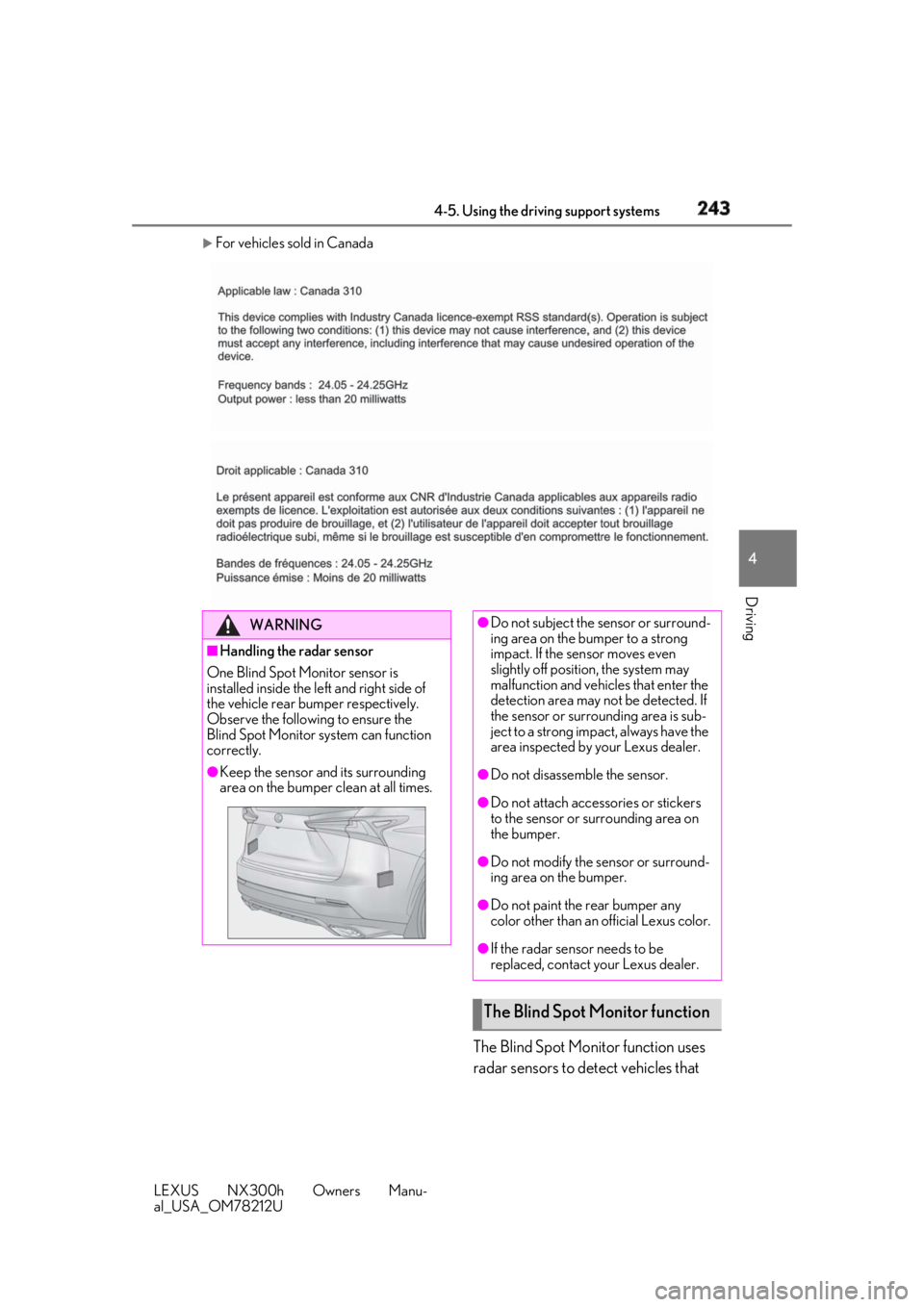
Handling the radar sensor
One Blind Spot Monitor sensor is
installed inside the le ft and right side of
the vehicle rear bumper respectively.
Observe the following to ensure the
Blind Spot Monitor system can function
correctly. ●
Keep the sensor an d its surrounding
area on the bumper clean at all times. ●
Do not subject the sensor or surround-
ing area on the bumper to a strong
impact. If the sensor moves even
slightly off position, the system may
malfunction and vehicles that enter the
detection area may not be detected. If
the sensor or surrounding area is sub-
ject to a strong impact, always have the
area inspected by your Lexus dealer.
●
Do not disassemble the sensor.
●
Do not attach accessories or stickers
to the sensor or surrounding area on
the bumper.
●
Do not modify the sensor or surround-
ing area on the bumper.
●
Do not paint the rear bumper any
color other than an official Lexus color.
●
If the radar sensor needs to be
replaced, contact your Lexus dealer.
The Blind Spot Monitor function
Page 251 of 460
2514-5. Using the driving support systems
LEXUS NX300h Owners Manu-
al_USA_OM78212U 4
Driving ■
PCS (Pre-Collision System)
→ P.203 ■
BSM (Blind Spot Monitor) (if
equipped)
→ P.241 ■
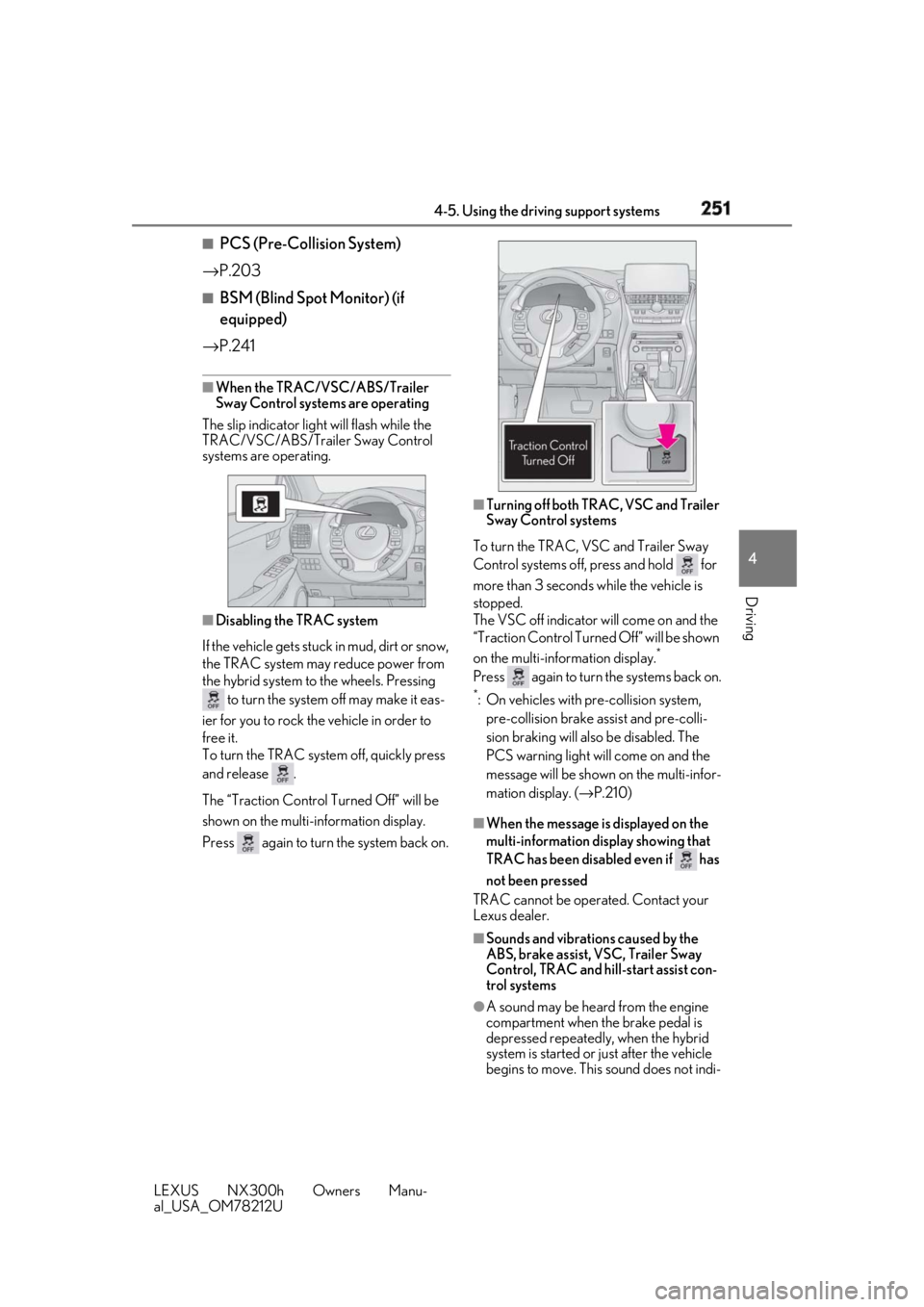
When the TRAC/VSC/ABS/Trailer
Sway Control systems are operating
The slip indicator light will flash while the
TRAC/VSC/ABS/Trailer Sway Control
systems are operating.
■
Disabling the TRAC system
If the vehicle gets stuck in mud, dirt or snow,
the TRAC system may reduce power from
the hybrid system to the wheels. Pressing
to turn the system off may make it eas-
ier for you to rock the vehicle in order to
free it.
To turn the TRAC system off, quickly press
and release .
The “Traction Control Turned Off” will be
shown on the multi-information display.
Press again to turn the system back on. ■
Turning off both TRAC, VSC and Trailer
Sway Control systems
To turn the TRAC, VSC and Trailer Sway
Control systems off, press and hold for
more than 3 seconds while the vehicle is
stopped.
The VSC off indicator will come on and the
“Traction Control Turned Off” will be shown
on the multi-info rmation display. *
Press again to turn the systems back on.*
: On vehicles with pre-collision system,
pre-collision brake assist and pre-colli-
sion braking will also be disabled. The
PCS warning light will come on and the
message will be shown on the multi-infor-
mation display. ( → P.210)
■
When the message is displayed on the
multi-information display showing that
TRAC has been disabled even if has
not been pressed
TRAC cannot be oper ated. Contact your
Lexus dealer.
■
Sounds and vibrations caused by the
ABS, brake assist, VSC, Trailer Sway
Control, TRAC and hill-start assist con-
trol systems
●
A sound may be heard from the engine
compartment when the brake pedal is
depressed repeatedly, when the hybrid
system is started or just after the vehicle
begins to move. This sound does not indi-
Page 253 of 460
2534-5. Using the driving support systems
LEXUS NX300h Owners Manu-
al_USA_OM78212U 4
Driving WARNING■
Stopping distance when the ABS is
operating may exceed that of normal
conditions
The ABS is not designed to shorten the
vehicle’s stopping di stance. Always main-
tain a safe distance from the vehicle in
front of you, especially in the following
situations: ●
When driving on dirt, gravel or snow-
covered roads●
When driving with tire chains●
When driving over bumps in the road●
When driving over roads with potholes
or uneven surfaces■
TRAC/VSC may not operate effec-
tively when
Directional control and power may not
be achievable while driving on slippery
road surfaces, even if the TRAC/VSC
system is operating.
Drive the vehicle carefully in conditions
where stability and power may be lost. ■
Hill-start assist control does not oper-
ate effectively when●
Do not overly rely on the hill-start
assist control. Hill-start assist control
may not operate effectively on steep
inclines and roads covered with ice.
●
Unlike the parking brake, hill-start
assist control is not intended to hold
the vehicle stationary for an extended
period of time. Do not attempt to use
hill-start assist control to hold the vehi-
cle on an incline, as doing so may lead
to an accident.
■
When the TRAC/ABS/VSC/Trailer
Sway Control is activated
The slip indicator light flashes. Always
drive carefully. Re ckless driving may
cause an accident. Exercise particular
care when the indicator light flashes. ■
When the TRAC/VSC/Trailer Sway
Control systems are turned off
Be especially careful and drive at a speed
appropriate to the road conditions. As
these are the systems to help ensure
vehicle stability and driving force, do not
turn the TRAC/VSC/Trailer Sway Con-
trol systems off unless necessary.
Trailer Sway Control is part of the VSC
system and will not operate if VSC is
turned off or experiences a malfunction. ■
Replacing tires
Make sure that all ti res are of the speci-
fied size, brand, tread pattern and total
load capacity. In addition, make sure that
the tires are inflated to the recom-
mended tire inflation pressure level.
The ABS, TRAC, Trailer Sway Control
and VSC systems will not function cor-
rectly if different tire s are installed on the
vehicle.
Contact your Lexus dealer for further
information when replacing tires or
wheels. ■
Handling of tires and the suspension
Using tires with any kind of problem or
modifying the suspensi on will affect the
driving assist systems, and may cause a
system to malfunction.
■
Trailer Sway Control precaution
The Trailer Sway Control system is not
able to reduce trailer sway in all situa-
tions. Depending on many factors such
as the conditions of the vehicle, trailer,
road surface and driving environment,
the Trailer Sway Control system may not
be effective. Refer to your trailer owner’s
manual for information on how to tow
your trailer properly.
■
If trailer sway occurs
Observe the following precautions.
Failing to do so may cause death or seri-
ous injury.
●
Firmly grip the steering wheel. Steer
straight ahead. Do not try to control
trailer sway by turning the steering
wheel.
Page 258 of 460
258 4-6. Driving tips
LEXUS NX300h Owners Manu-
al_USA_OM78212U immediately to prevent it from
freezing.
To ensure proper operation of the
climate control system fan, remove
any snow that has accumulated on
the air inlet vents in front of the
windshield.
Check for and remove any excess
ice or snow that may have accumu-
lated on the exterior lights, vehicle’s
roof, chassis, around the tires or on
the brakes.
Remove any snow or mud from the
bottom of your shoes before getting
in the vehicle.
Accelerate the vehicle slowly, keep a
safe distance between you and the
vehicle ahead, and drive at a reduced
speed suitable to road conditions.
Park the vehicle and move the shift
lever to P without setting the park-
ing brake. The parking brake may
freeze up, preventing it from being
released. If the vehicle is parked
without setting the parking brake,
make sure to block the wheels.
Failure to do so may be dangerous
because it may cause the vehicle to
move unexpectedly, possibly lead-
ing to an accident. When the parking brake is in automatic
mode, release the parking brake after shift-
ing the shift lever to P. ( → P.177) If the vehicle is left parked with the
brakes damp in cold temperatures,
there is a possibility of the brakes
freezing.
If the vehicle is parked without set-
ting the parking brake, confirm that
the shift lever cannot be moved out
of P *
. *
: The shift lever will be locked if it is
attempted to be shifted from P to any
other position with out depressing the
brake pedal. If the shift lever can be
shifted from P, there may be a problem
with the shift lock system. Have the vehi-
cle inspected by your Lexus dealer
immediately.
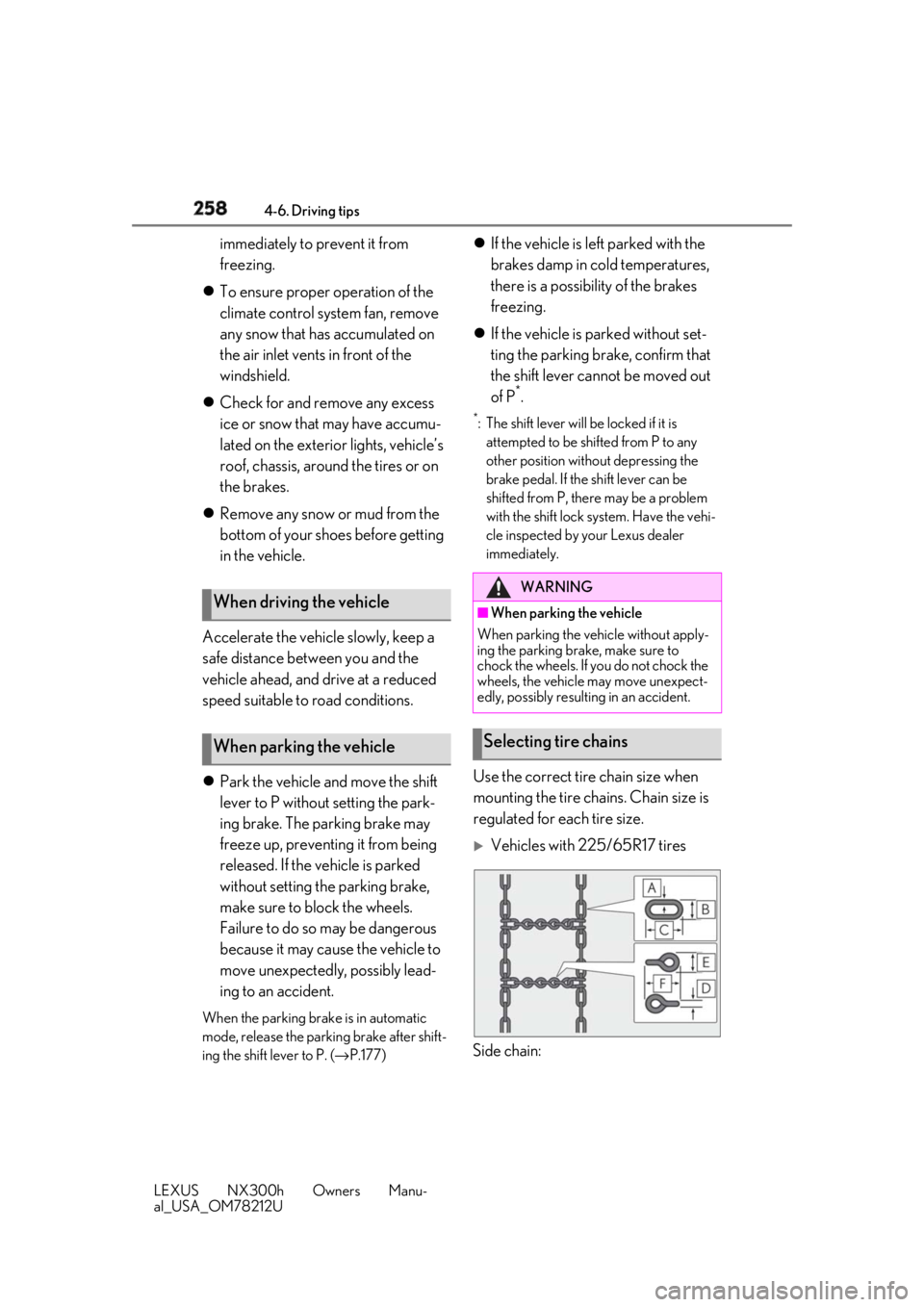
Use the correct tire chain size when
mounting the tire chains. Chain size is
regulated for each tire size.
Vehicles with 225/65R17 tires
Side chain:When driving the vehicle
When parking the vehicle WARNING■
When parking the vehicle
When parking the vehicle without apply-
ing the parking brake, make sure to
chock the wheels. If you do not chock the
wheels, the vehicle may move unexpect-
edly, possibly result ing in an accident.
Selecting tire chains