cruise control LEXUS NX300H 2019 Owners Manual
[x] Cancel search | Manufacturer: LEXUS, Model Year: 2019, Model line: NX300H, Model: LEXUS NX300H 2019Pages: 460, PDF Size: 6.82 MB
Page 3 of 460
3TABLE OF CONTENTS
LEXUS NX300h Owners Manu-
al_USA_M78287_en
1
2
3
4
5
6
7
8
9
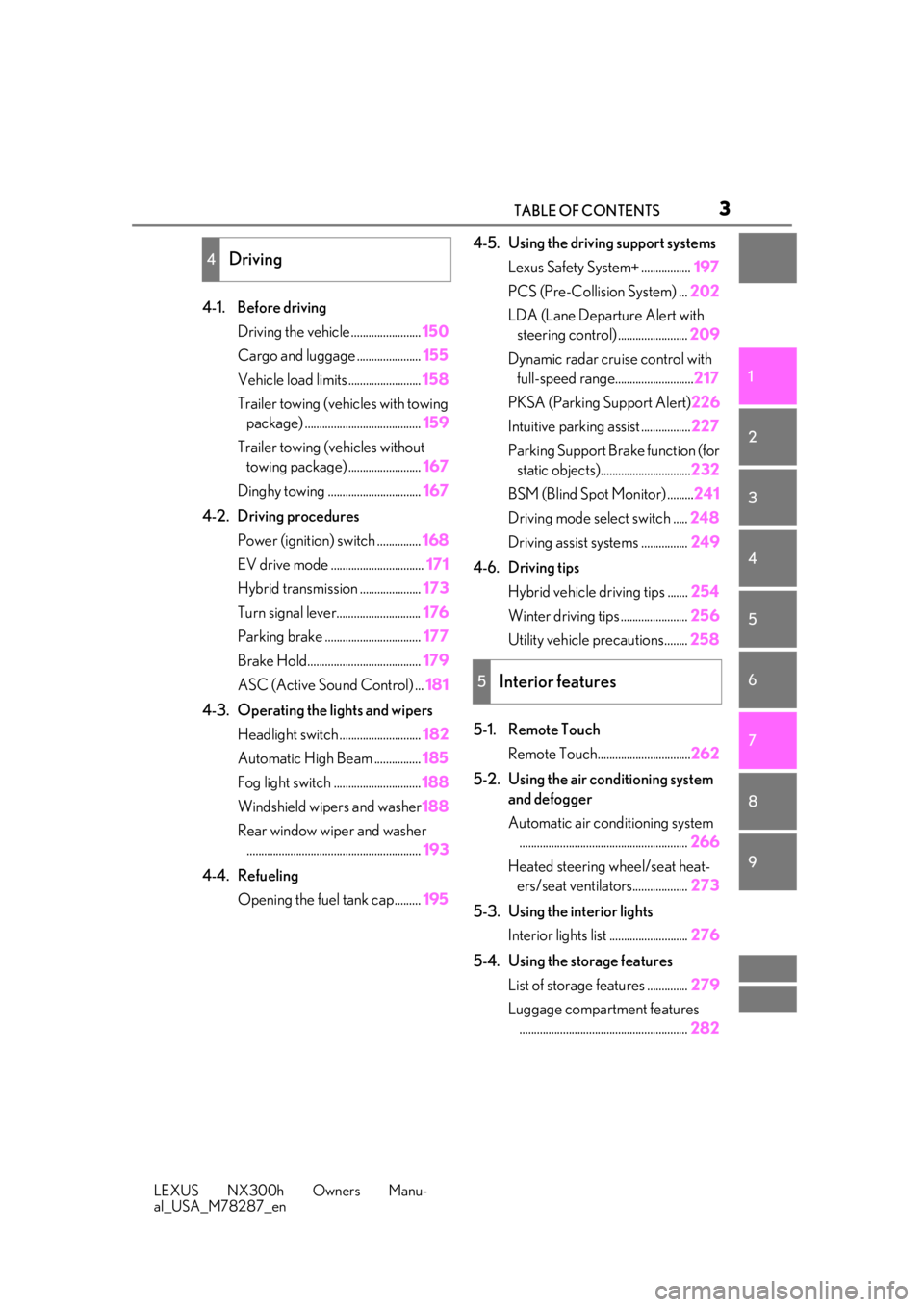
4-1. Before driving Driving the vehicle ........................ 150
Cargo and luggage ...................... 155
Vehicle load limits ......................... 158
Trailer towing (vehicles with towing package) ........................................ 159
Trailer towing (vehicles without towing package) ......................... 167
Dinghy towing ................................ 167
4-2. Driving procedures Power (ignition) switch ............... 168
EV drive mode ................................ 171
Hybrid transmission ..................... 173
Turn signal lever............................. 176
Parking brake ................................. 177
Brake Hold....................................... 179
ASC (Active Sound Control) ... 181
4-3. Operating the lights and wipers Headlight switch ............................ 182
Automatic High Beam ................ 185
Fog light switch .............................. 188
Windshield wipers and washer 188
Rear window wiper and washer ............................................................ 193
4-4. Refueling Opening the fuel tank cap......... 1954-5. Using the driving support systems
Lexus Safety System+ ................. 197
PCS (Pre-Collision System) ... 202
LDA (Lane Departure Alert with steering control) ........................ 209
Dynamic radar cruise control with full-speed range........................... 217
PKSA (Parking Support Alert) 226
Intuitive parking assist ................. 227
Parking Support Brake function (for static objects)............................... 232
BSM (Blind Spot Monitor) ......... 241
Driving mode select switch ..... 248
Driving assist systems ................ 249
4-6. Driving tips Hybrid vehicle driving tips ....... 254
Winter driving tips ....................... 256
Utility vehicle precautions........ 258
5-1. Remote Touch Remote Touch................................ 262
5-2. Using the air conditioning system and defogger
Automatic air conditioning system.......................................................... 266
Heated steering wheel/seat heat- ers/seat ventilators................... 273
5-3. Using the interior lights Interior lights list ........................... 276
5-4. Using the storage features List of storage features .............. 279
Luggage compartment features .......................................................... 282
4Driving
5Interior features
Page 18 of 460
18Pictorial index
LEXUS NX300h Owners Manu-
al_USA_M78287_en
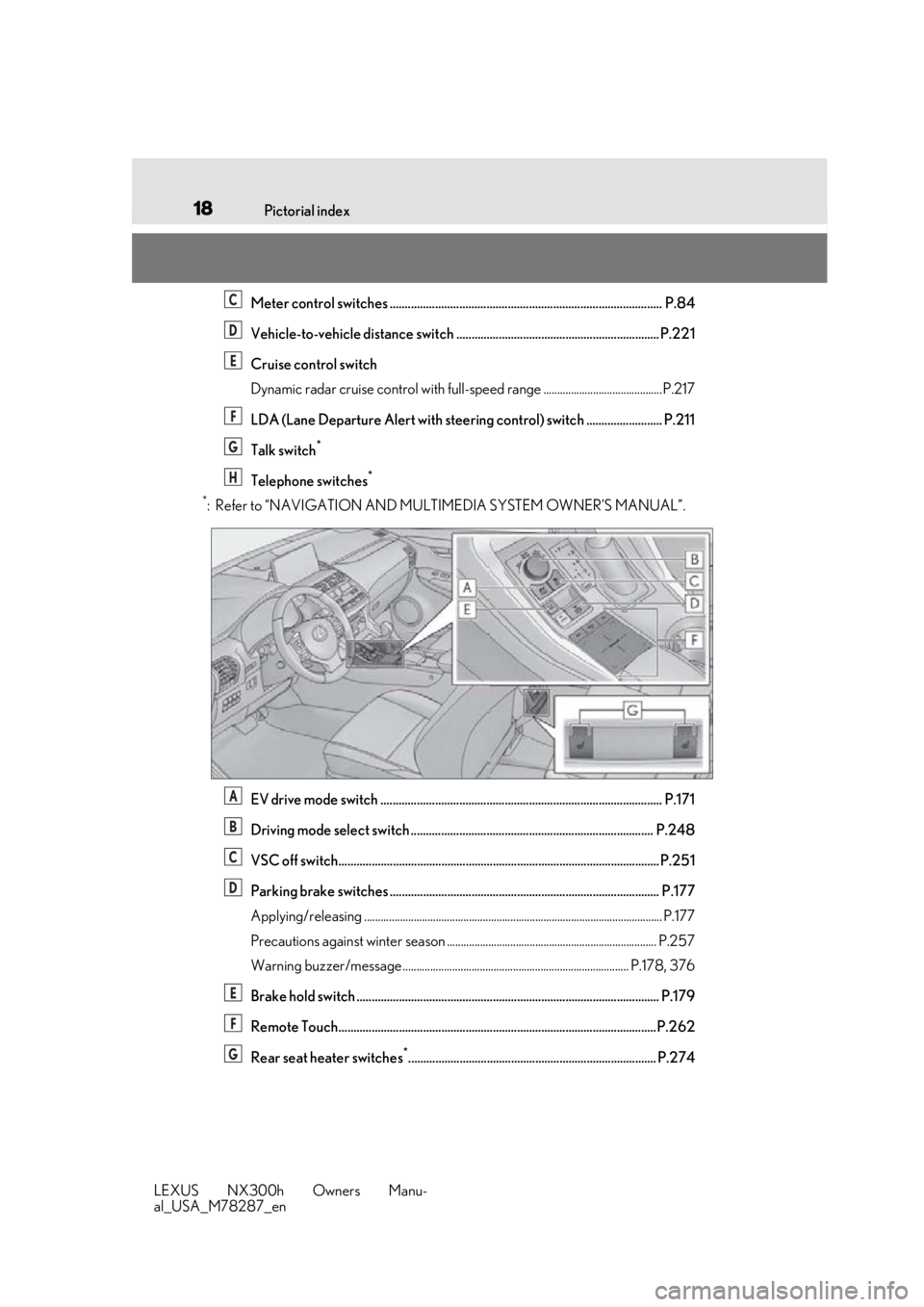
Meter control switches .......................................................................................... P.84
Vehicle-to-vehicle distance switch ................................................................... P.221
Cruise control switch
Dynamic radar cruise control with full-spee d range ........................................... P.217
LDA (Lane Departure Alert with steering control) switch ......................... P.211
Talk switch
*
Telephone switches*
*
: Refer to “NAVIGATION AND MULTIMEDIA SYSTEM OWNER’S MANUAL”.
EV drive mode switch ............................................................................................. P.171
Driving mode select switch ................................................................................ P.248
VSC off switch.......................................................................................................... P.251
Parking brake switches ......................................................................................... P.177
Applying/releasing ............................................................................................................ P .177
Precautions against winter season ............................................................................ P.257
Warning buzzer/message.................................................................................. P.178, 376
Brake hold switch .................................................................................................... P.179
Remote Touch.........................................................................................................P.262
Rear seat heater switches
*.................................................................................. P.274
C
D
E
F
G
H
A
B
C
D
E
F
G
Page 76 of 460
762-1. Instrument cluster
LEXUS NX300h Owners Manu-
al_USA_M78287_encate that a system check is being per-
formed. They will turn off after the
hybrid system is on, or after a few sec-
onds. There may be a malfunction in a
system if the lights do not turn on, or
turn off. Have the vehicle inspected by
your Lexus dealer.
*2: This light illuminates on the multi-infor-
mation display.
*3: The light flashes to indicate a malfunc-tion.
*4: This light illuminates on the center panel.
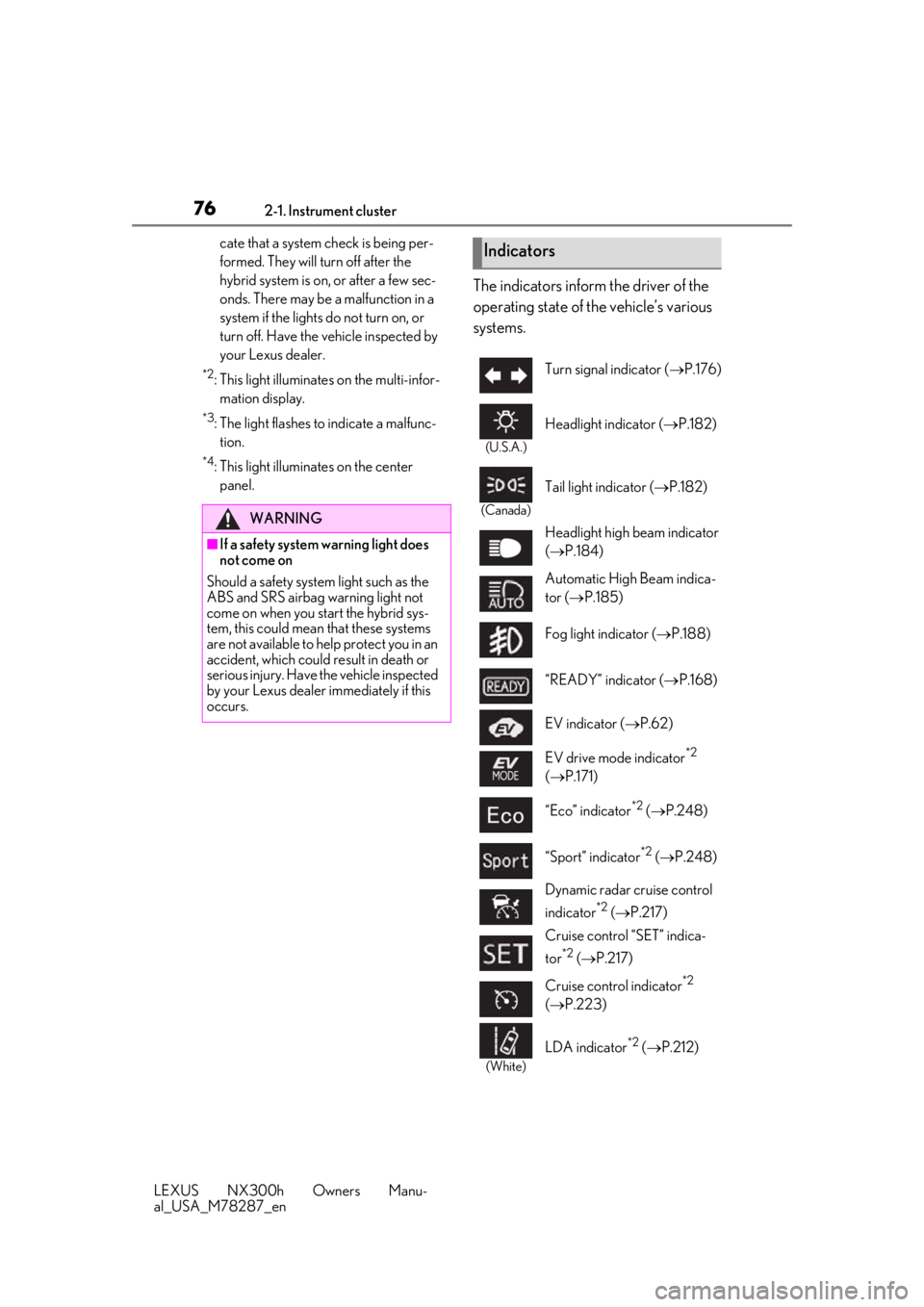
The indicators inform the driver of the
operating state of the vehicle’s various
systems.
WARNING
■If a safety system warning light does
not come on
Should a safety system light such as the
ABS and SRS airbag warning light not
come on when you start the hybrid sys-
tem, this could mean that these systems
are not available to he lp protect you in an
accident, which could result in death or
serious injury. Have the vehicle inspected
by your Lexus dealer immediately if this
occurs.
Indicators
Turn signal indicator ( P.176)
(U.S.A.)
Headlight indicator ( P.182)
(Canada)
Tail light indicator ( P.182)
Headlight high beam indicator
( P.184)
Automatic High Beam indica-
tor ( P.185)
Fog light indicator ( P.188)
“READY” indicator ( P.168)
EV indicator ( P.62)
EV drive mode indicator
*2
( P.171)
“Eco” indicator
*2 ( P.248)
“Sport” indicator
*2 ( P.248)
Dynamic radar cruise control
indicator
*2 ( P.217)
Cruise control “SET” indica-
tor
*2 ( P.217)
Cruise control indicator
*2
( P.223)
(White)
LDA indicator*2 ( P.212)
Page 86 of 460
862-1. Instrument cluster
LEXUS NX300h Owners Manu-
al_USA_M78287_en
the operating conditions of the vehicle
sway warning are met. (P.210)
■Display off
A blank screen is displayed.
■Tire inflation pressure
●It may take a few minutes to display the
tire inflation pressure after the power
switch is turned to ON mode. It may also
take a few minutes to display the tire infla-
tion pressure after inflation pressure has
been adjusted.
●“---” may be displayed if the tire informa-
tion cannot be determined due to unfa-
vorable radio wave conditions.
●Tire inflation pressure changes with tem-
perature. The displayed values may also
be different from the values measured
using a tire pressure gauge.
■When disconnecting and reconnecting
12-volt battery terminals
The drive information will be reset.
Select to display the following naviga-
tion system-linked information.
Route guidance
Compass display (heading-up dis-
play)
Select to enable selection of an audio
source or track on the display using the
meter control switches.
Select to display the operational status
of the following systems:
LDA (Lane Departure Alert with
steering control) ( P.209)
Dynamic radar cruise control with
full-speed range ( P.217)
The displayed icon changes depending
on the system used.
Select to display warning messages
and measures to be taken if a malfunc-
tion is detected. ( P.376)
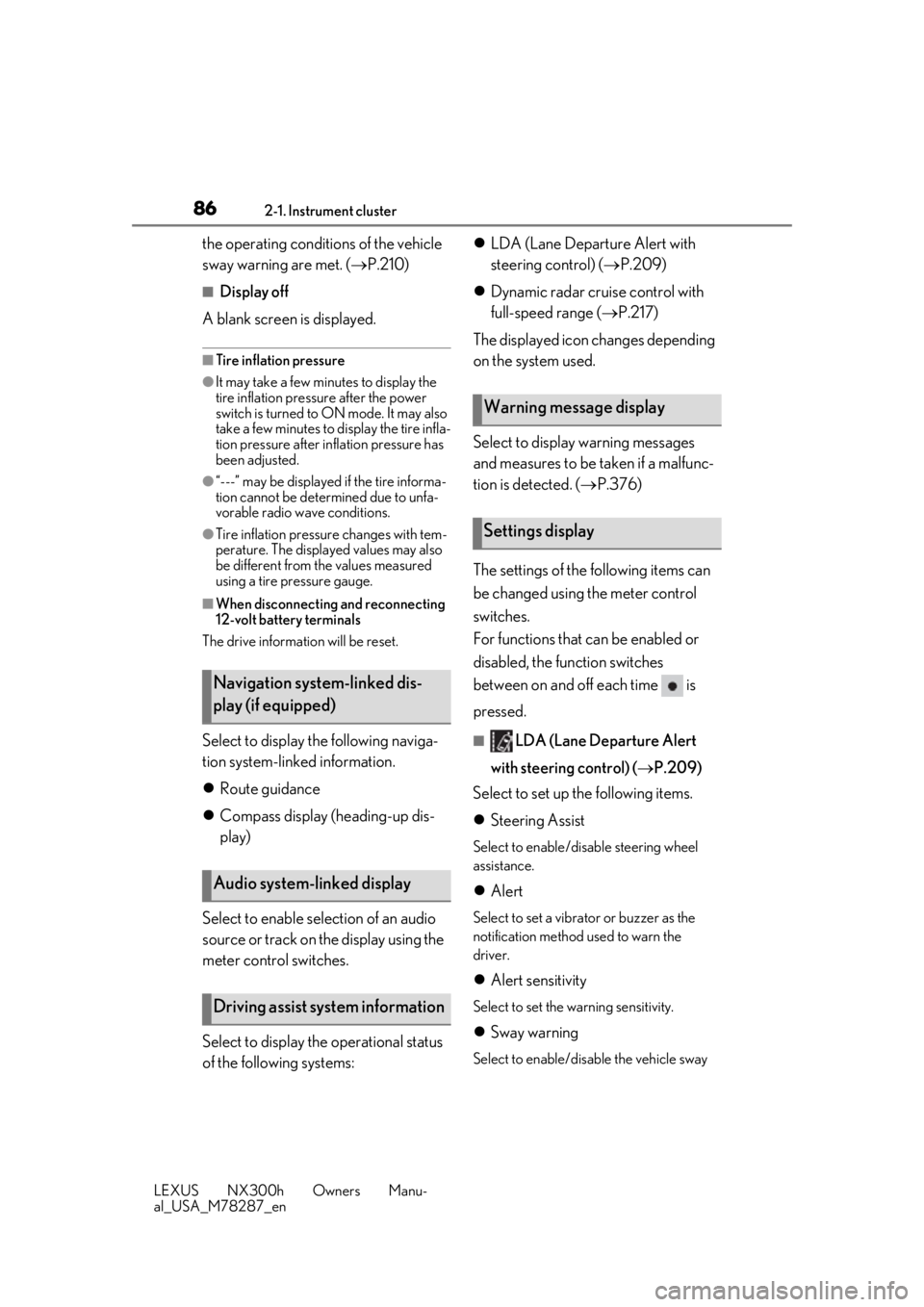
The settings of the following items can
be changed using the meter control
switches.
For functions that can be enabled or
disabled, the function switches
between on and off each time is
pressed.■LDA (Lane Departure Alert
with steering control) ( P.209)
Select to set up the following items.
Steering Assist
Select to enable/dis able steering wheel
assistance.
Alert
Select to set a vibrator or buzzer as the
notification method used to warn the
driver.
Alert sensitivity
Select to set the warning sensitivity.
Sway warning
Select to enable/disable the vehicle sway
Navigation system-linked dis-
play (if equipped)
Audio system-linked display
Driving assist system information
Warning message display
Settings display
Page 89 of 460
892-1. Instrument cluster
LEXUS NX300h Owners Manu-
al_USA_M78287_en
2
Vehicle status information and indicators
*:If equipped
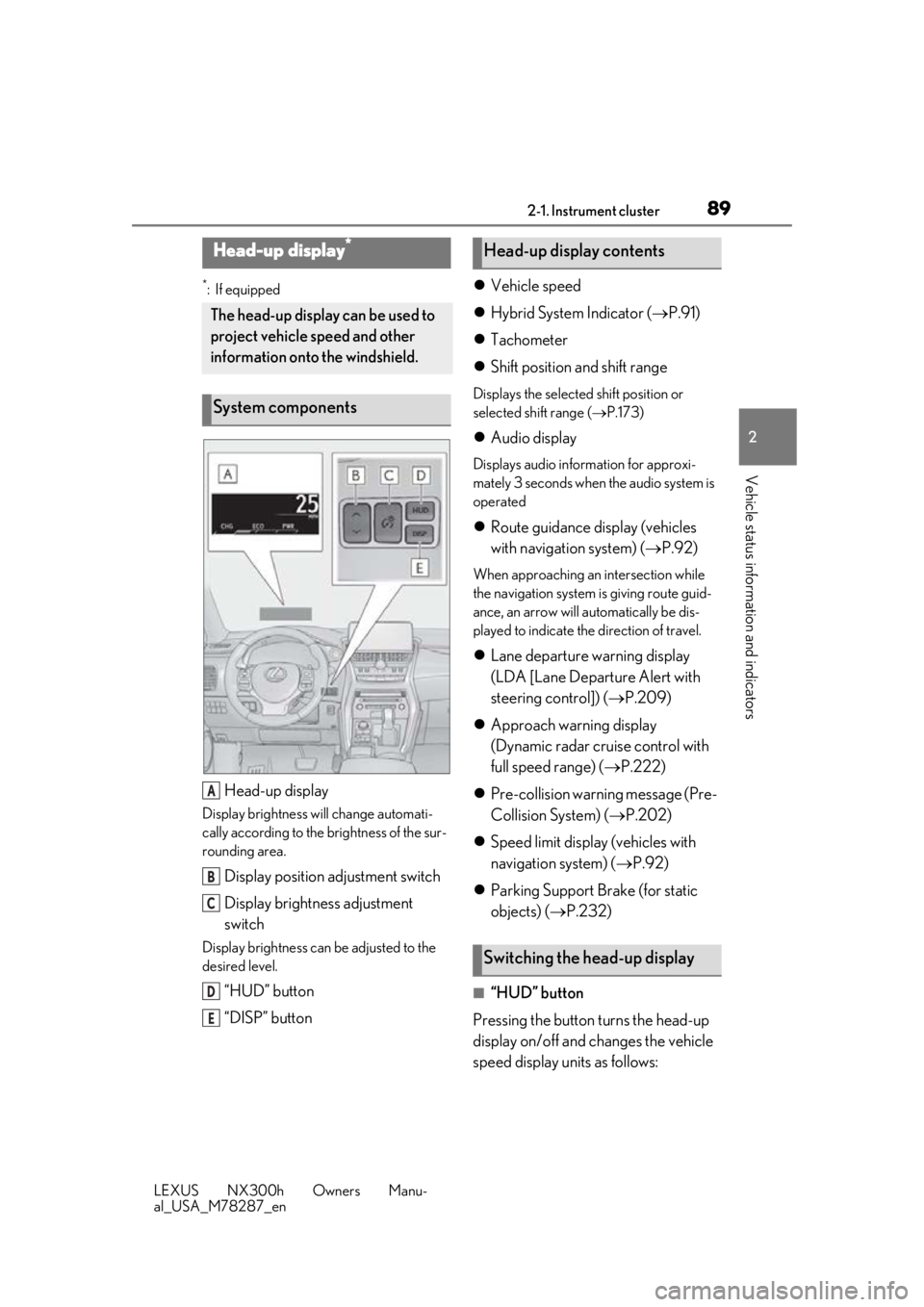
Head-up display
Display brightness will change automati-
cally according to the brightness of the sur-
rounding area.
Display position adjustment switch
Display brightness adjustment
switch
Display brightness can be adjusted to the
desired level.
“HUD” button
“DISP” button
Vehicle speed
Hybrid System Indicator ( P.91)
Tachometer
Shift position and shift range
Displays the selected shift position or
selected shift range ( P.173)
Audio display
Displays audio information for approxi-
mately 3 seconds when the audio system is
operated
Route guidance display (vehicles
with navigation system) ( P.92)
When approaching an intersection while
the navigation system is giving route guid-
ance, an arrow will automatically be dis-
played to indicate the direction of travel.
Lane departure warning display
(LDA [Lane Departure Alert with
steering control]) ( P.209)
Approach warning display
(Dynamic radar cruise control with
full speed range) ( P.222)
Pre-collision warning message (Pre-
Collision System) ( P.202)
Speed limit display (vehicles with
navigation system) ( P.92)
Parking Support Brake (for static
objects) ( P.232)
■“HUD” button
Pressing the button turns the head-up
display on/off and changes the vehicle
speed display units as follows:
Head-up display*
The head-up display can be used to
project vehicle speed and other
information onto the windshield.
System components
A
B
C
D
E
Head-up display contents
Switching the head-up display
Page 149 of 460
149
LEXUS NX300h Owners Manu-
al_USA_M78287_en
4
4
Driving
Driving
4-1. Before drivingDriving the vehicle ..................... 150
Cargo and luggage ................... 155
Vehicle load limits ...................... 158
Trailer towing (vehicles with tow- ing package).............................. 159
Trailer towing (vehicles without towing package) ...................... 167
Dinghy towing ............................. 167
4-2. Driving procedures Power (ignition) switch ............ 168
EV drive mode ............................. 171
Hybrid transmission .................. 173
Turn signal lever.......................... 176
Parking brake .............................. 177
Brake Hold.................................... 179
ASC (Active Sound Control) 181
4-3. Operating the lights and wipers Headlight switch ......................... 182
Automatic High Beam ............. 185
Fog light switch ........................... 188
Windshield wipers and washer ......................................................... 188
Rear window wiper and washer ......................................................... 193
4-4. Refueling Opening the fuel tank cap...... 1954-5. Using the driving support sys-
tems
Lexus Safety System+ .............. 197
PCS (Pre-Collision System) 202
LDA (Lane Departure Alert with steering control) ..................... 209
Dynamic radar cruise control with full-speed range........................ 217
PKSA (Parking Support Alert) ....................................................... 226
Intuitive parking assist .............. 227
Parking Support Brake function (for static objects) .................. 232
BSM (Blind Spot Monitor) ...... 241
Driving mode select switch .. 248
Driving assist systems.............. 249
4-6. Driving tips Hybrid vehicle driving tips .... 254
Winter driving tips .................... 256
Utility vehicle precautions..... 258
Page 161 of 460
1614-1. Before driving
LEXUS NX300h Owners Manu-
al_USA_M78287_en
4
Driving
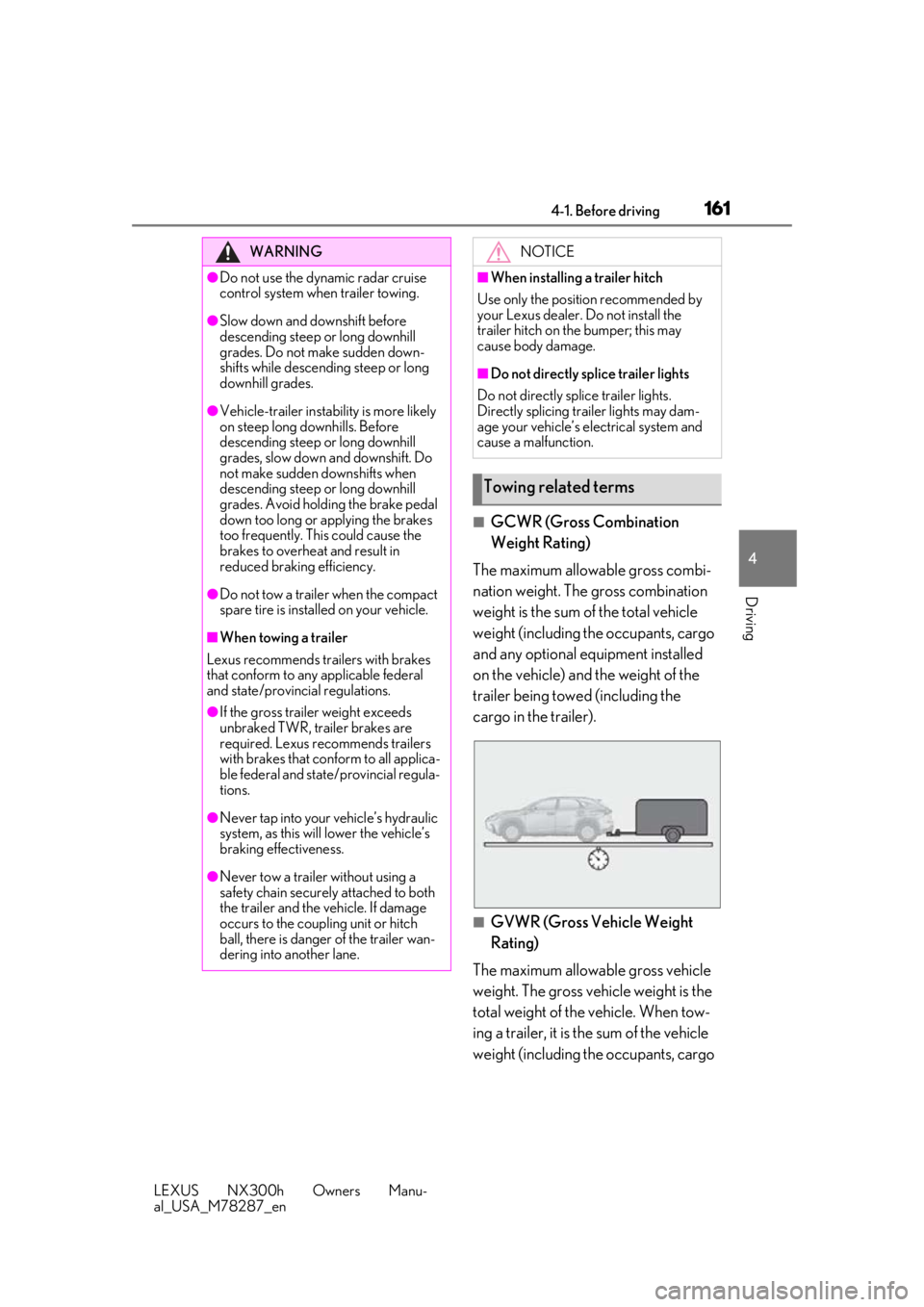
■GCWR (Gross Combination
Weight Rating)
The maximum allowable gross combi-
nation weight. The gross combination
weight is the sum of the total vehicle
weight (including the occupants, cargo
and any optional equipment installed
on the vehicle) and the weight of the
trailer being towed (including the
cargo in the trailer).
■GVWR (Gross Vehicle Weight
Rating)
The maximum allowable gross vehicle
weight. The gross vehicle weight is the
total weight of the vehicle. When tow-
ing a trailer, it is the sum of the vehicle
weight (including the occupants, cargo
WARNING
●Do not use the dynamic radar cruise
control system when trailer towing.
●Slow down and downshift before
descending steep or long downhill
grades. Do not make sudden down-
shifts while descending steep or long
downhill grades.
●Vehicle-trailer instabil ity is more likely
on steep long downhills. Before
descending steep or long downhill
grades, slow down and downshift. Do
not make sudden downshifts when
descending steep or long downhill
grades. Avoid holding the brake pedal
down too long or applying the brakes
too frequently. This could cause the
brakes to overheat and result in
reduced braking efficiency.
●Do not tow a trailer when the compact
spare tire is installed on your vehicle.
■When towing a trailer
Lexus recommends trailers with brakes
that conform to any applicable federal
and state/provincial regulations.
●If the gross trailer weight exceeds
unbraked TWR, trailer brakes are
required. Lexus recommends trailers
with brakes that conform to all applica-
ble federal and state/provincial regula-
tions.
●Never tap into your vehicle’s hydraulic
system, as this will lower the vehicle’s
braking effectiveness.
●Never tow a trailer without using a
safety chain securely attached to both
the trailer and the vehicle. If damage
occurs to the coupling unit or hitch
ball, there is danger of the trailer wan-
dering into another lane.
NOTICE
■When installing a trailer hitch
Use only the position recommended by
your Lexus dealer. Do not install the
trailer hitch on the bumper; this may
cause body damage.
■Do not directly splice trailer lights
Do not directly splice trailer lights.
Directly splicing trailer lights may dam-
age your vehicle’s electrical system and
cause a malfunction.
Towing related terms
Page 173 of 460
1734-2. Driving procedures
LEXUS NX300h Owners Manu-
al_USA_M78287_en
4
Driving
*1: To improve fuel efficiency and reduce noise, shift the shift lever to D for normal
driving.
You can choose gear range suitable for
your driving situation by operating the
paddle shift switches.
*2: By selecting shift ra nges using S mode,
you can control accelerating force and
engine braking force.
■S mode
●When the shift range is 4 or lower, hold-
ing the shift lever towa rd “+” sets the shift
range to 6.
●Automatically selects a higher shift range
before the engine speed becomes too
high.
■When driving with dynamic radar cruise
control with full-speed range activated
Even when performing the following
actions with the intent of enabling engine
braking, engine braking will not activate
because dynamic radar cruise control with
full-speed range will not be canceled.
●While driving in S mode, downshifting to
5 or 4. ( P.176)
●When switching the driving mode to
Sport mode while driving in D position.
( P.248)
■Restraining sudden start (Drive-Start
Control)
When the following unusual operation is
performed, the hybrid system output may
be restrained.
●When the shift lever is shifted from R to D,
D to R, N to R, P to D, or P to R (D
includes S) with the accelerator pedal
depressed, a warning message appears
on the multi-information display. If a
warning message is shown on the multi-
information display, read the message
and follow the instructions.
●When the accelerator pedal is depressed
too while the vehicle is in reverse.
Hybrid transmission
Select the shift position depending
on your purpose and situation.
Shift position purpose and func-
tions
Shift posi- tionObjective or function
PParking the vehicle/starting the hybrid system
RReversing
NNeutral
DNormal driving*1
SS mode driving*2 ( P.176)WARNING
■When driving on slippery road sur-
faces
Be careful of downsh ifting and sudden
acceleration, as this could result in the
vehicle skidding to the side or spinning.
NOTICE
■Hybrid battery (t raction battery)
charge
If the shift lever is in N, the hybrid battery
(traction battery) will not be charging,
even when the engine is running. There-
fore, if the vehicle is left with the shift
lever in N for a long period of time, the
hybrid battery (traction battery) will dis-
charge, and this may re sult in the vehicle
not being able to start.
Page 197 of 460
1974-5. Using the driving support systems
LEXUS NX300h Owners Manu-
al_USA_M78287_en
4
Driving
4-5.Using the driving support systems
■PCS (Pre-Collision System)
P.202
■LDA (Lane Departure Alert with
steering control)
P.209
■Automatic High Beam
P.185
■Dynamic radar cruise control with
full-speed range
P.217
The pre-collision system is equipped with a sophisticated computer that will
record certain data, such as:
• Accelerator status
•Brake status
• Vehicle speed
• Operation status of the pre-collision
system functions
• Information (such as the distance and relative speed between your
vehicle and the vehicle ahead or
other objects)
• Images from the camera sensor (available only when the pre-colli-
sion braking function or the pre-col-
lision brake assist function was
operating)
The pre-collision system does not
record conversations, sounds or
images of the inside of the vehicle.
Data usage
Lexus may use the data recorded in this
computer to diagnose malfunctions, con-
duct research and development, and
improve quality.
Lexus will not disclose the recorded data to
a third party except:
• With the consent of the vehicle owner or
with the consent of the lessee if the vehi-
cle is leased
• In response to an official request by the police, a court of law or a government
agency
• For use by Lexus in a lawsuit
• For research purposes where the data is not tied to a specific vehicle or vehicle
owner
Recorded images can be erased
using a specialized device.
The image recording function can be dis-
Lexus Safety System+
The Lexus Safety System+ consists
of the following drive assist systems
and contributes to a safe and com-
fortable driving experience:
Drive assist systems of Lexus
Safety System+
WARNING
■Lexus Safety System+
The Lexus Safety System+ is designed to
operate under the assumption that the
driver will drive safely, and is designed to
help reduce the impact to the occupants
and the vehicle in the case of a collision
or assist the driver in normal driving con-
ditions.
As there is a limit to the degree of recog-
nition accuracy and control performance
that this system can provide, do not
overly rely on this system. The driver is
always responsible for paying attention
to the vehicle’s surro undings and driving
safely.
Vehicle data recording
Page 217 of 460
2174-5. Using the driving support systems
LEXUS NX300h Owners Manu-
al_USA_M78287_en
4
Driving
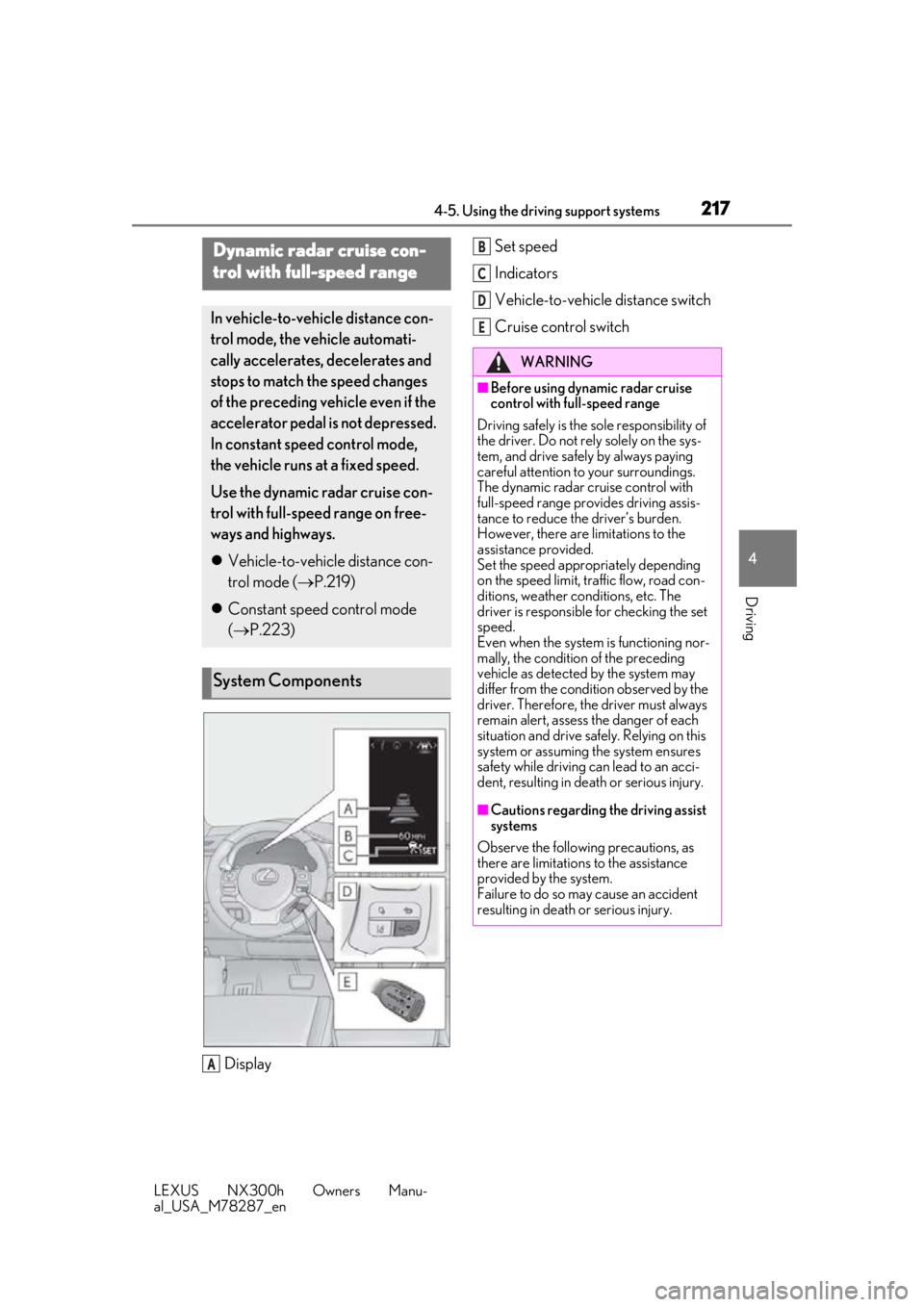
Display Set speed
Indicators
Vehicle-to-vehicle distance switch
Cruise control switch
Dynamic radar cruise con-
trol with full-speed range
In vehicle-to-vehicle distance con-
trol mode, the vehicle automati-
cally accelerates, decelerates and
stops to match the speed changes
of the preceding vehicle even if the
accelerator pedal is not depressed.
In constant speed control mode,
the vehicle runs at a fixed speed.
Use the dynamic radar cruise con-
trol with full-speed range on free-
ways and highways.
Vehicle-to-vehicle distance con-
trol mode ( P.219)
Constant speed control mode
( P.223)
System Components
A
WARNING
■Before using dynamic radar cruise
control with full-speed range
Driving safely is the so le responsibility of
the driver. Do not rely solely on the sys-
tem, and drive safely by always paying
careful attention to your surroundings.
The dynamic radar cruise control with
full-speed range provides driving assis-
tance to reduce the driver’s burden.
However, there are limitations to the
assistance provided.
Set the speed appropriately depending
on the speed limit, tr affic flow, road con-
ditions, weather conditions, etc. The
driver is responsible for checking the set
speed.
Even when the system is functioning nor-
mally, the condition of the preceding
vehicle as detected by the system may
differ from the condition observed by the
driver. Therefore, the driver must always
remain alert, assess the danger of each
situation and drive safely. Relying on this
system or assuming the system ensures
safety while driving can lead to an acci-
dent, resulting in death or serious injury.
■Cautions regarding the driving assist
systems
Observe the following precautions, as
there are limitations to the assistance
provided by the system.
Failure to do so may cause an accident
resulting in death or serious injury.
B
C
D
E