power steering LEXUS NX300H 2019 Owners Manual
[x] Cancel search | Manufacturer: LEXUS, Model Year: 2019, Model line: NX300H, Model: LEXUS NX300H 2019Pages: 460, PDF Size: 6.82 MB
Page 2 of 460
2
LEXUS NX300h Owners Manu-
al_USA_M78287_enTABLE OF CONTENTS
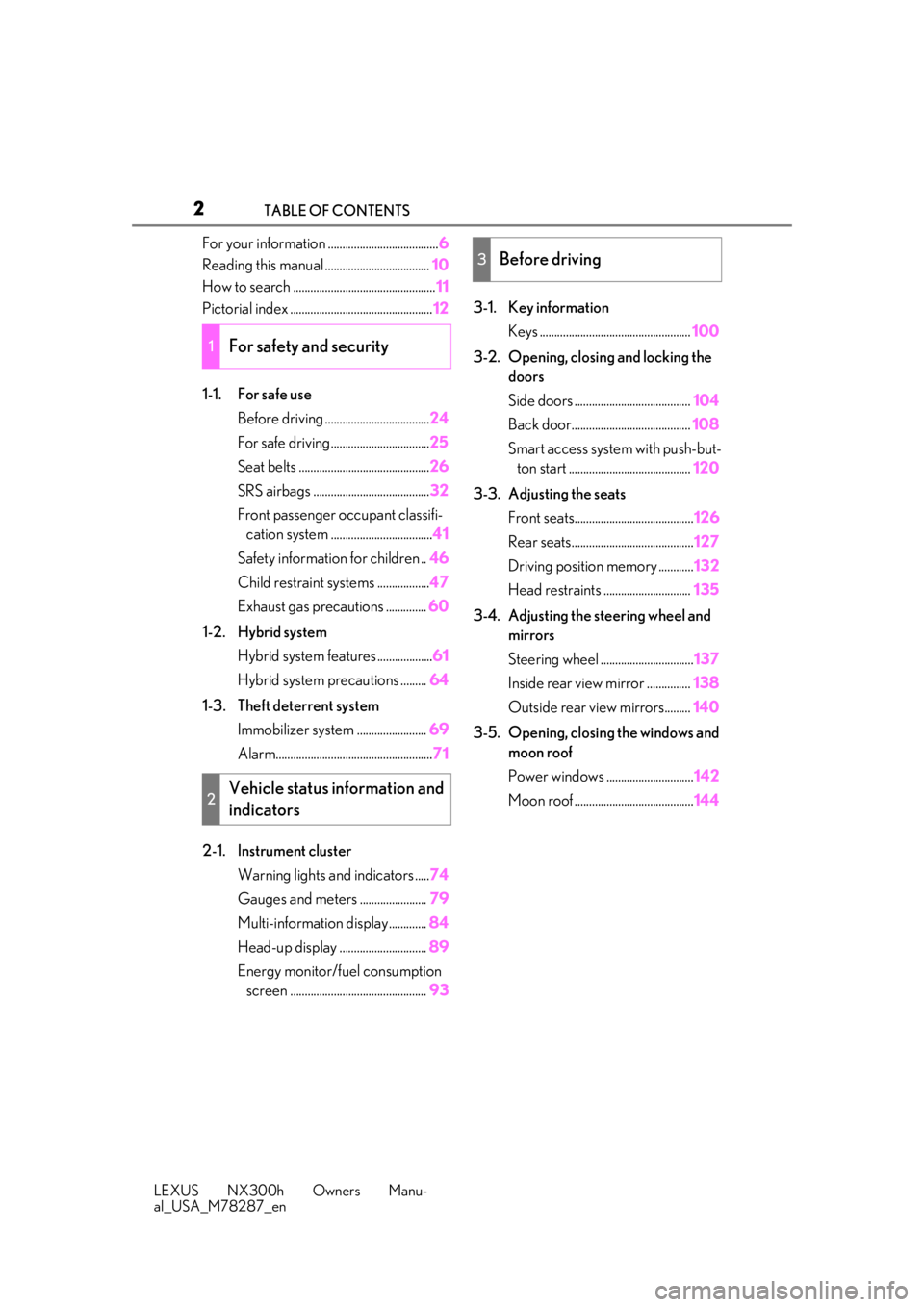
For your information ......................................
6
Reading this manual .................................... 10
How to search ................................................. 11
Pictorial index ................................................. 12
1-1. For safe use Before driving .................................... 24
For safe driving.................................. 25
Seat belts ............................................. 26
SRS airbags ........................................ 32
Front passenger occupant classifi- cation system ................................... 41
Safety information for children .. 46
Child restraint systems .................. 47
Exhaust gas precautions .............. 60
1-2. Hybrid system Hybrid system features ................... 61
Hybrid system precautions ......... 64
1-3. Theft deterrent system Immobilizer sy stem ........................ 69
Alarm...................................................... 71
2-1. Instrument cluster Warning lights and indicators ..... 74
Gauges and meters ....................... 79
Multi-information display............. 84
Head-up display .............................. 89
Energy monitor/fuel consumption screen ............................................... 933-1. Key information
Keys .................................................... 100
3-2. Opening, closing and locking the doors
Side doors ........................................ 104
Back door......................................... 108
Smart access system with push-but- ton start .......................................... 120
3-3. Adjusting the seats Front seats......................................... 126
Rear seats.......................................... 127
Driving position memory ............ 132
Head restraints .............................. 135
3-4. Adjusting the steering wheel and mirrors
Steering wheel ................................ 137
Inside rear view mirror ............... 138
Outside rear view mirrors......... 140
3-5. Opening, closing the windows and moon roof
Power windows .............................. 142
Moon roof ......................................... 144
1For safety and security
2Vehicle status information and
indicators
3Before driving
Page 3 of 460
3TABLE OF CONTENTS
LEXUS NX300h Owners Manu-
al_USA_M78287_en
1
2
3
4
5
6
7
8
9
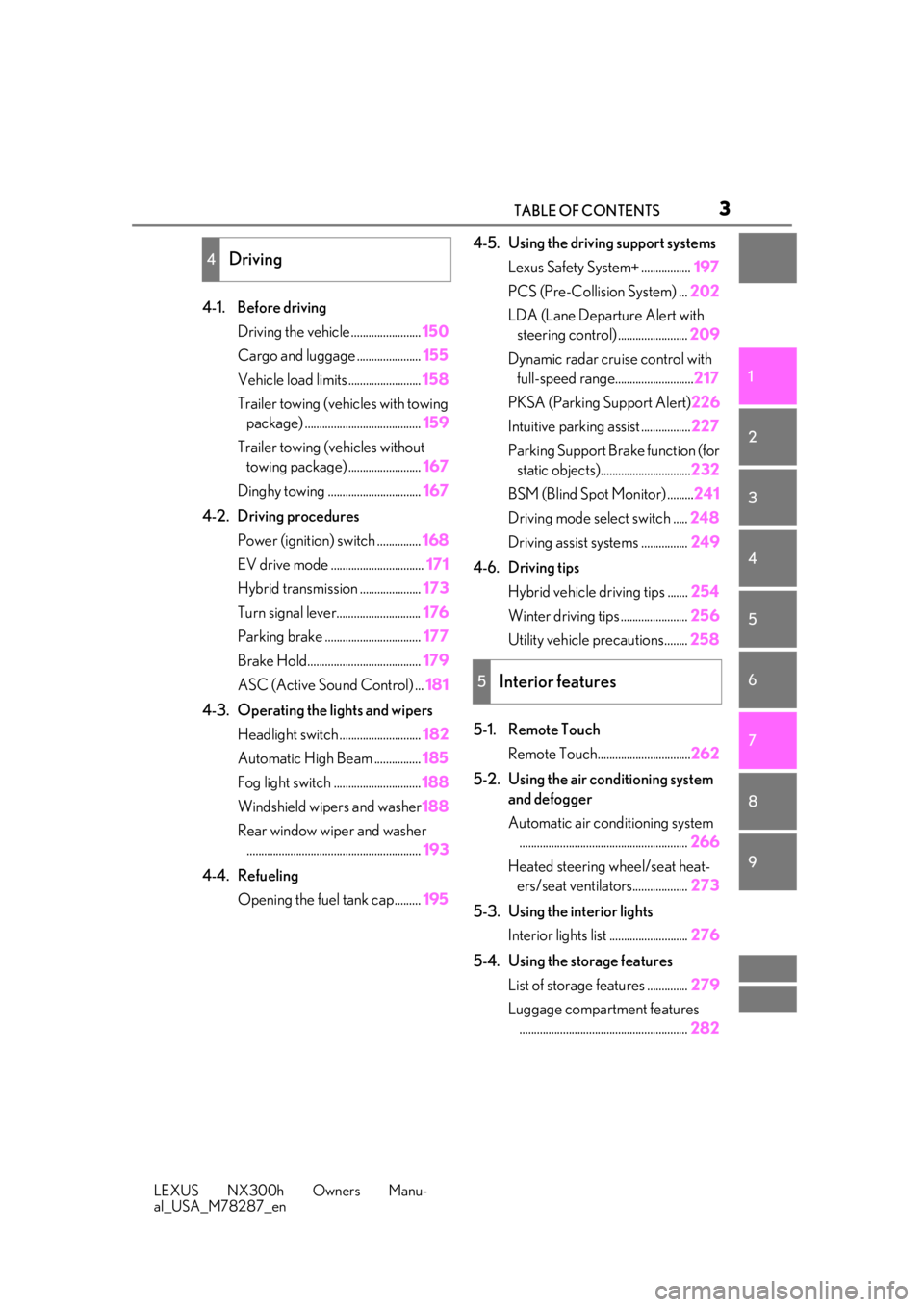
4-1. Before driving Driving the vehicle ........................ 150
Cargo and luggage ...................... 155
Vehicle load limits ......................... 158
Trailer towing (vehicles with towing package) ........................................ 159
Trailer towing (vehicles without towing package) ......................... 167
Dinghy towing ................................ 167
4-2. Driving procedures Power (ignition) switch ............... 168
EV drive mode ................................ 171
Hybrid transmission ..................... 173
Turn signal lever............................. 176
Parking brake ................................. 177
Brake Hold....................................... 179
ASC (Active Sound Control) ... 181
4-3. Operating the lights and wipers Headlight switch ............................ 182
Automatic High Beam ................ 185
Fog light switch .............................. 188
Windshield wipers and washer 188
Rear window wiper and washer ............................................................ 193
4-4. Refueling Opening the fuel tank cap......... 1954-5. Using the driving support systems
Lexus Safety System+ ................. 197
PCS (Pre-Collision System) ... 202
LDA (Lane Departure Alert with steering control) ........................ 209
Dynamic radar cruise control with full-speed range........................... 217
PKSA (Parking Support Alert) 226
Intuitive parking assist ................. 227
Parking Support Brake function (for static objects)............................... 232
BSM (Blind Spot Monitor) ......... 241
Driving mode select switch ..... 248
Driving assist systems ................ 249
4-6. Driving tips Hybrid vehicle driving tips ....... 254
Winter driving tips ....................... 256
Utility vehicle precautions........ 258
5-1. Remote Touch Remote Touch................................ 262
5-2. Using the air conditioning system and defogger
Automatic air conditioning system.......................................................... 266
Heated steering wheel/seat heat- ers/seat ventilators................... 273
5-3. Using the interior lights Interior lights list ........................... 276
5-4. Using the storage features List of storage features .............. 279
Luggage compartment features .......................................................... 282
4Driving
5Interior features
Page 16 of 460
16Pictorial index
LEXUS NX300h Owners Manu-
al_USA_M78287_en
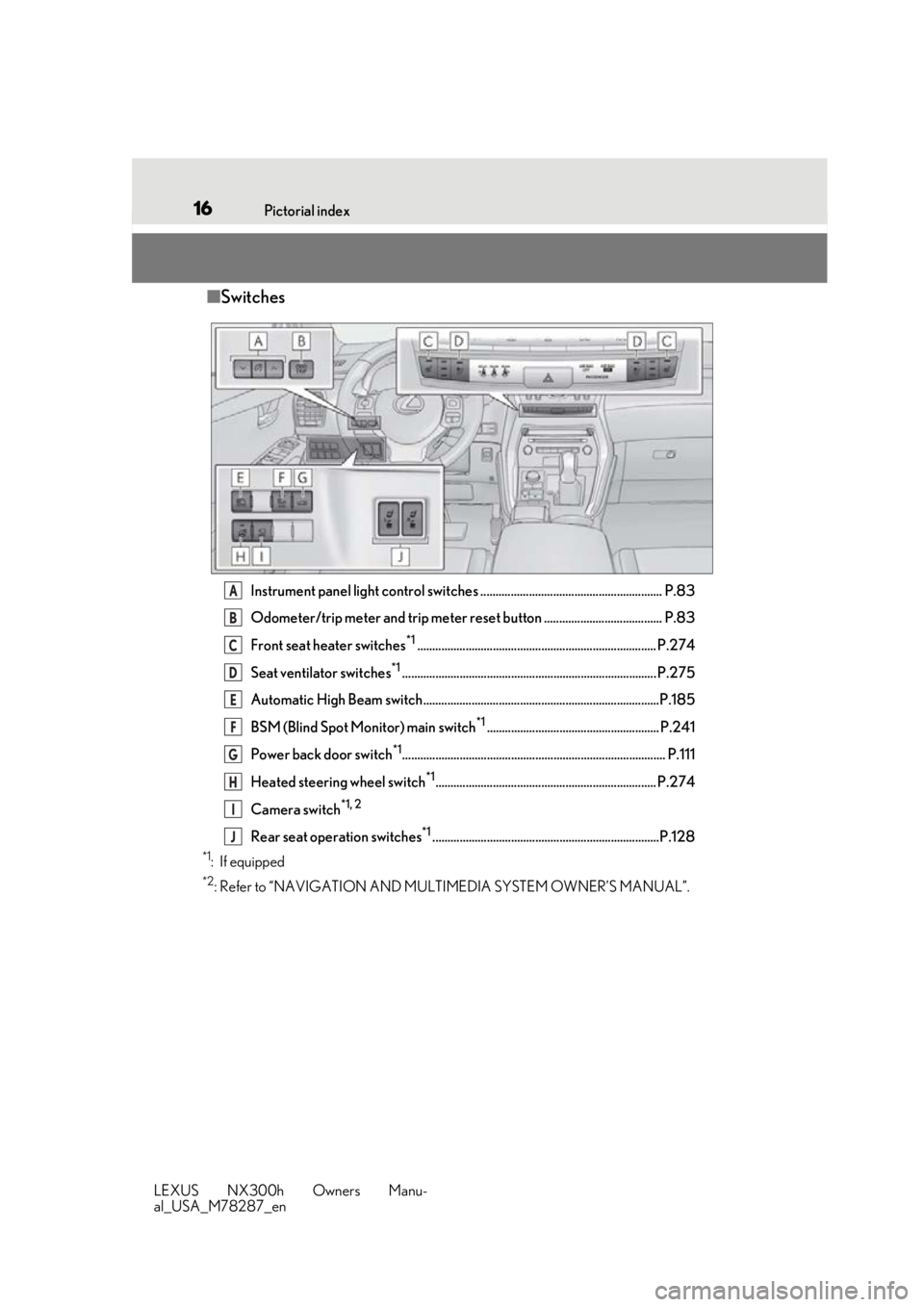
■ Switches
Instrument panel light control switches ............................................................ P.83
Odometer/trip meter and trip meter reset button ....................................... P.83
Front seat heater switches
*1............................................................................... P.274
Seat ventilator switches
*1.................................................................................... P.275
Automatic High Beam switch..............................................................................P.185
BSM (Blind Spot Monitor) main switch
*1......................................................... P.241
Power back door switch
*1....................................................................................... P.111
Heated steering wheel switch
*1......................................................................... P.274
Camera switch
*1, 2
Rear seat operation switches*1...........................................................................P.128
*1: If equipped
*2: Refer to “NAVIGATION AND MULTIMEDIA SYSTEM OWNER’S MANUAL”.
A
B
C
D
E
F
G
H
I
J
Page 75 of 460
752-1. Instrument cluster
LEXUS NX300h Owners Manu-
al_USA_M78287_en
2
Vehicle status information and indicators
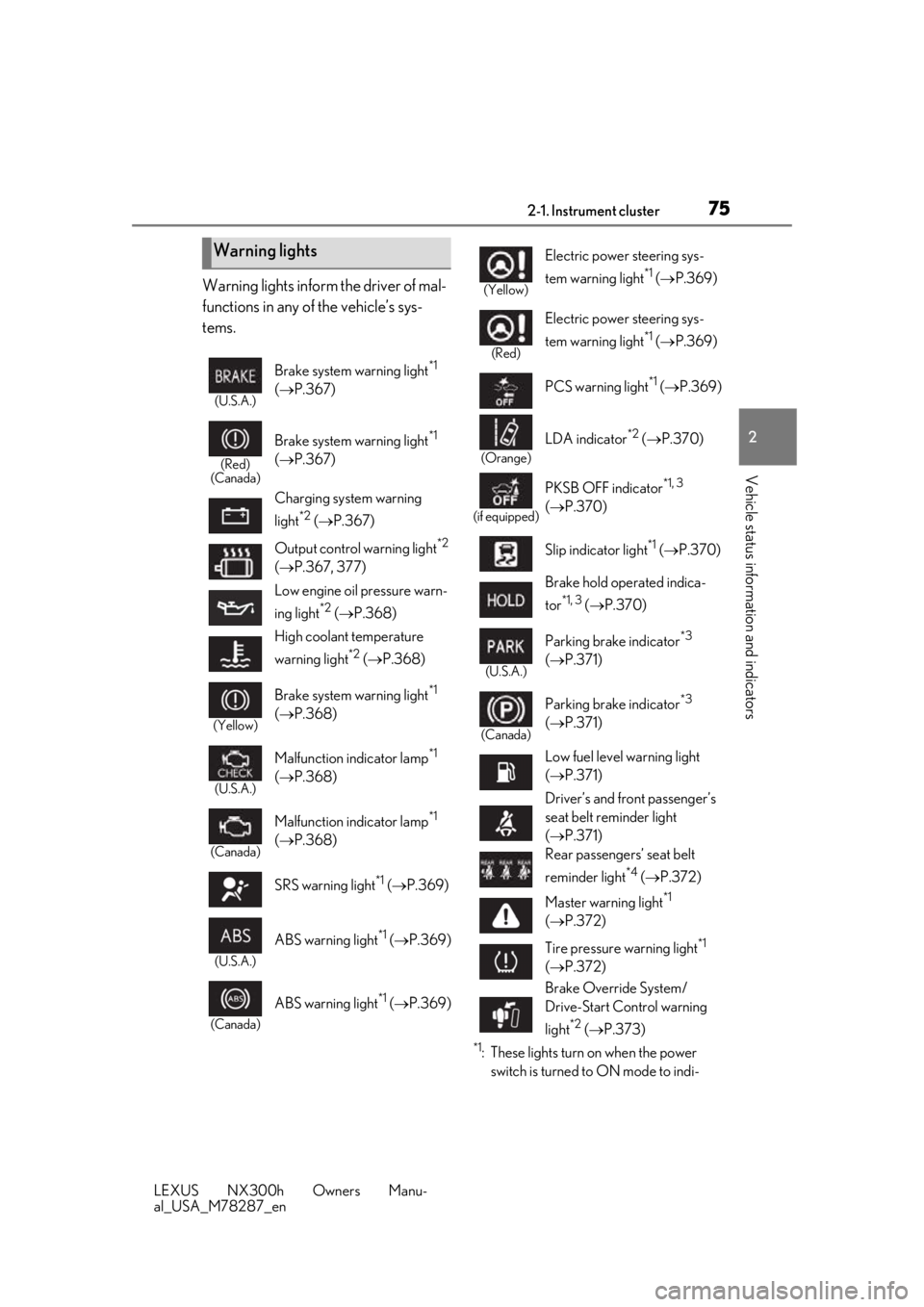
Warning lights inform the driver of mal-
functions in any of the vehicle’s sys-
tems.
*1: These lights turn on when the power switch is turned to ON mode to indi-
Warning lights
(U.S.A.)
Brake system warning light*1
( P.367)
(Red)
(Canada)
Brake system warning light*1
( P.367)
Charging system warning
light
*2 ( P.367)
Output control warning light
*2
( P.367, 377)
Low engine oil pressure warn-
ing light
*2 ( P.368)
High coolant temperature
warning light
*2 ( P.368)
(Yellow)
Brake system warning light*1
( P.368)
(U.S.A.)
Malfunction indicator lamp*1
( P.368)
(Canada)
Malfunction indicator lamp*1
( P.368)
SRS warning light
*1 ( P.369)
(U.S.A.)
ABS warning light*1 ( P.369)
(Canada)
ABS warning light*1 ( P.369)
(Yellow)
Electric power steering sys-
tem warning light
*1 ( P.369)
(Red)
Electric power steering sys-
tem warning light
*1 ( P.369)
PCS warning light
*1 ( P.369)
(Orange)
LDA indicator*2 ( P.370)
(if equipped)
PKSB OFF indicator*1, 3
( P.370)
Slip indicator light
*1 ( P.370)
Brake hold operated indica-
tor
*1, 3 ( P.370)
(U.S.A.)
Parking brake indicator*3
( P.371)
(Canada)
Parking brake indicator*3
( P.371)
Low fuel level warning light
( P.371)
Driver’s and front passenger’s
seat belt reminder light
( P.371)
Rear passengers’ seat belt
reminder light
*4 ( P.372)
Master warning light
*1
( P.372)
Tire pressure warning light
*1
( P.372)
Brake Override System/
Drive-Start Control warning
light
*2 ( P.373)
Page 85 of 460
852-1. Instrument cluster
LEXUS NX300h Owners Manu-
al_USA_M78287_en
2
Vehicle status information and indicators
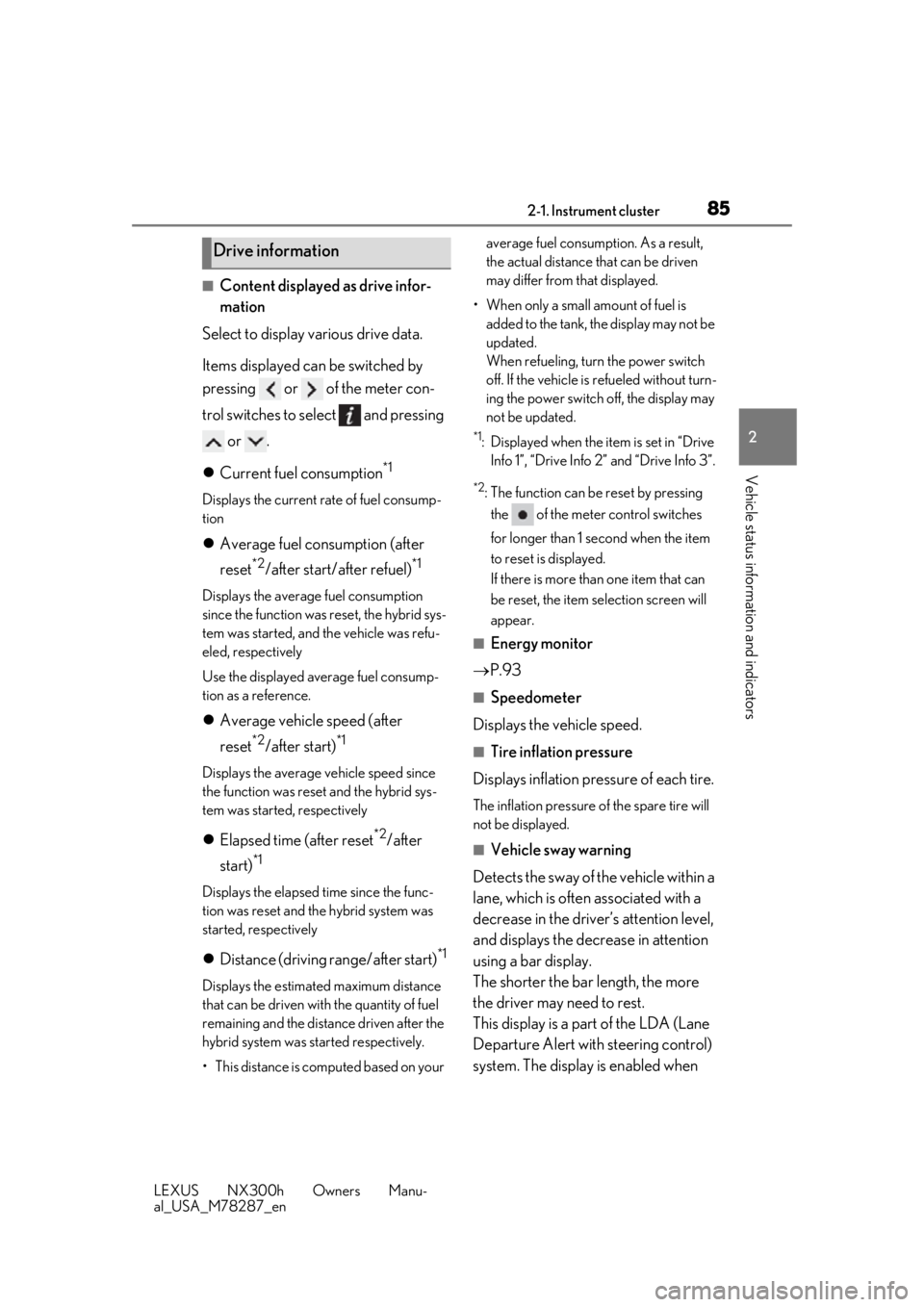
■Content displayed as drive infor-
mation
Select to display various drive data.
Items displayed can be switched by
pressing or of the meter con-
trol switches to select and pressing or .
Current fuel consumption
*1
Displays the current rate of fuel consump-
tion
Average fuel consumption (after
reset
*2/after start/after refuel)*1
Displays the average fuel consumption
since the function was reset, the hybrid sys-
tem was started, and the vehicle was refu-
eled, respectively
Use the displayed average fuel consump-
tion as a reference.
Average vehicle speed (after
reset
*2/after start)*1
Displays the average vehicle speed since
the function was reset and the hybrid sys-
tem was started, respectively
Elapsed time (after reset*2/after
start)
*1
Displays the elapsed time since the func-
tion was reset and the hybrid system was
started, respectively
Distance (driving range/after start)*1
Displays the estimated maximum distance
that can be driven with the quantity of fuel
remaining and the distance driven after the
hybrid system was st arted respectively.
• This distance is computed based on your average fuel consumption. As a result,
the actual distance that can be driven
may differ from that displayed.
• When only a small amount of fuel is added to the tank, the display may not be
updated.
When refueling, turn the power switch
off. If the vehicle is refueled without turn-
ing the power switch off, the display may
not be updated.
*1: Displayed when the it em is set in “Drive
Info 1”, “Drive Info 2” and “Drive Info 3”.
*2: The function can be reset by pressing
the of the meter control switches
for longer than 1 second when the item
to reset is displayed.
If there is more than one item that can
be reset, the item selection screen will
appear.
■Energy monitor
P.93
■Speedometer
Displays the vehicle speed.
■Tire inflation pressure
Displays inflation pressure of each tire.
The inflation pressure of the spare tire will
not be displayed.
■Vehicle sway warning
Detects the sway of the vehicle within a
lane, which is often associated with a
decrease in the driver’s attention level,
and displays the decrease in attention
using a bar display.
The shorter the bar length, the more
the driver may need to rest.
This display is a part of the LDA (Lane
Departure Alert with steering control)
system. The display is enabled when
Drive information
Page 86 of 460
862-1. Instrument cluster
LEXUS NX300h Owners Manu-
al_USA_M78287_en
the operating conditions of the vehicle
sway warning are met. (P.210)
■Display off
A blank screen is displayed.
■Tire inflation pressure
●It may take a few minutes to display the
tire inflation pressure after the power
switch is turned to ON mode. It may also
take a few minutes to display the tire infla-
tion pressure after inflation pressure has
been adjusted.
●“---” may be displayed if the tire informa-
tion cannot be determined due to unfa-
vorable radio wave conditions.
●Tire inflation pressure changes with tem-
perature. The displayed values may also
be different from the values measured
using a tire pressure gauge.
■When disconnecting and reconnecting
12-volt battery terminals
The drive information will be reset.
Select to display the following naviga-
tion system-linked information.
Route guidance
Compass display (heading-up dis-
play)
Select to enable selection of an audio
source or track on the display using the
meter control switches.
Select to display the operational status
of the following systems:
LDA (Lane Departure Alert with
steering control) ( P.209)
Dynamic radar cruise control with
full-speed range ( P.217)
The displayed icon changes depending
on the system used.
Select to display warning messages
and measures to be taken if a malfunc-
tion is detected. ( P.376)
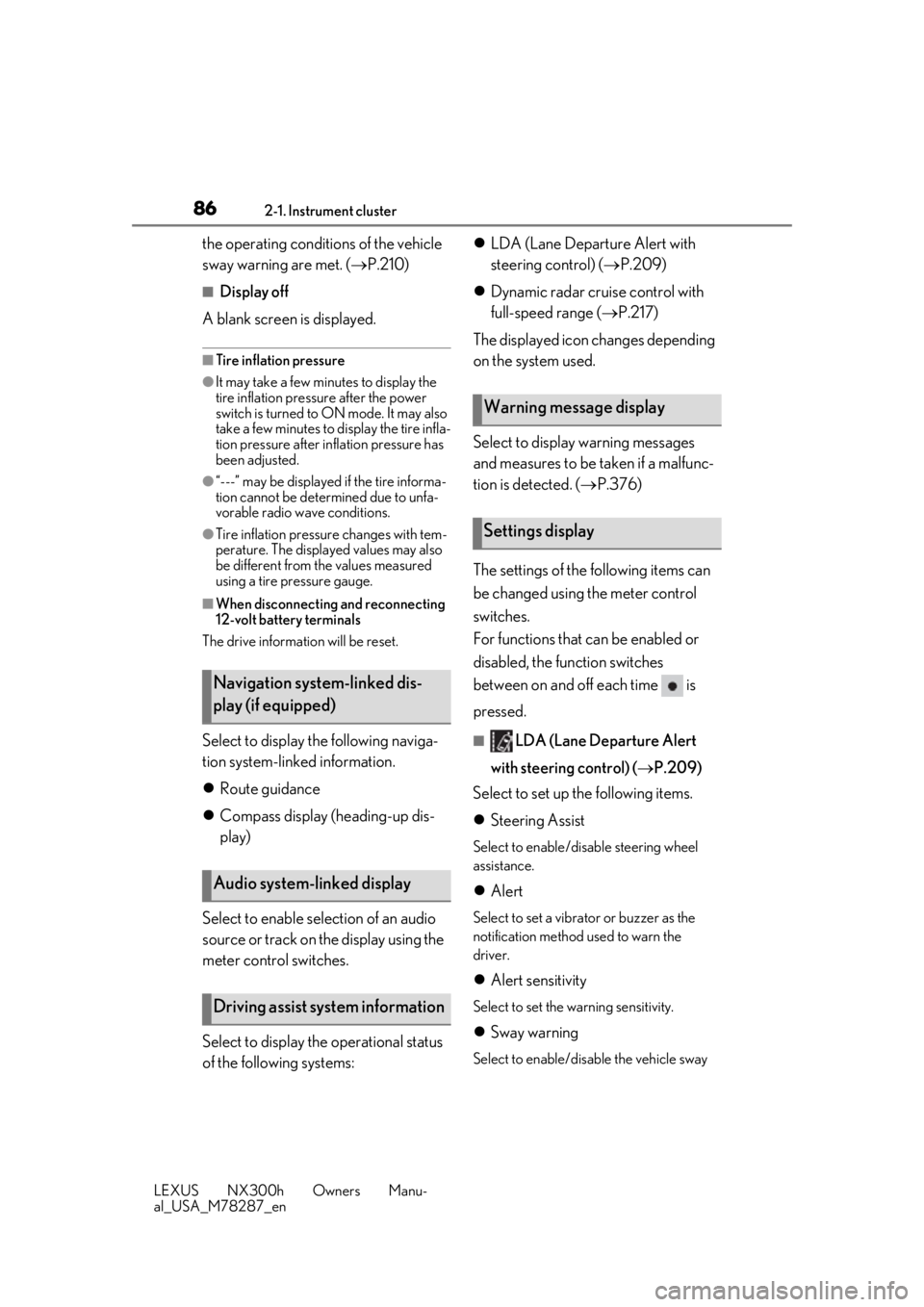
The settings of the following items can
be changed using the meter control
switches.
For functions that can be enabled or
disabled, the function switches
between on and off each time is
pressed.■LDA (Lane Departure Alert
with steering control) ( P.209)
Select to set up the following items.
Steering Assist
Select to enable/dis able steering wheel
assistance.
Alert
Select to set a vibrator or buzzer as the
notification method used to warn the
driver.
Alert sensitivity
Select to set the warning sensitivity.
Sway warning
Select to enable/disable the vehicle sway
Navigation system-linked dis-
play (if equipped)
Audio system-linked display
Driving assist system information
Warning message display
Settings display
Page 99 of 460
99
LEXUS NX300h Owners Manu-
al_USA_M78287_en
3
3
Before driving
Before driving
3-1. Key informationKeys ................................................. 100
3-2. Opening, closing and locking the doors
Side doors ..................................... 104
Back door ...................................... 108
Smart access system with push- button start ................................. 120
3-3. Adjusting the seats Front seats ..................................... 126
Rear seats ...................................... 127
Driving position memory ........ 132
Head restraints............................ 135
3-4. Adjusting the steering wheel and mirrors
Steering wheel............................. 137
Inside rear view mirror............. 138
Outside rear view mirrors ...... 140
3-5. Opening, closing the windows and moon roof
Power windows........................... 142
Moon roof ..................................... 144
Page 126 of 460
1263-3. Adjusting the seats
LEXUS NX300h Owners Manu-
al_USA_M78287_en
3-3.Adjusting the seats
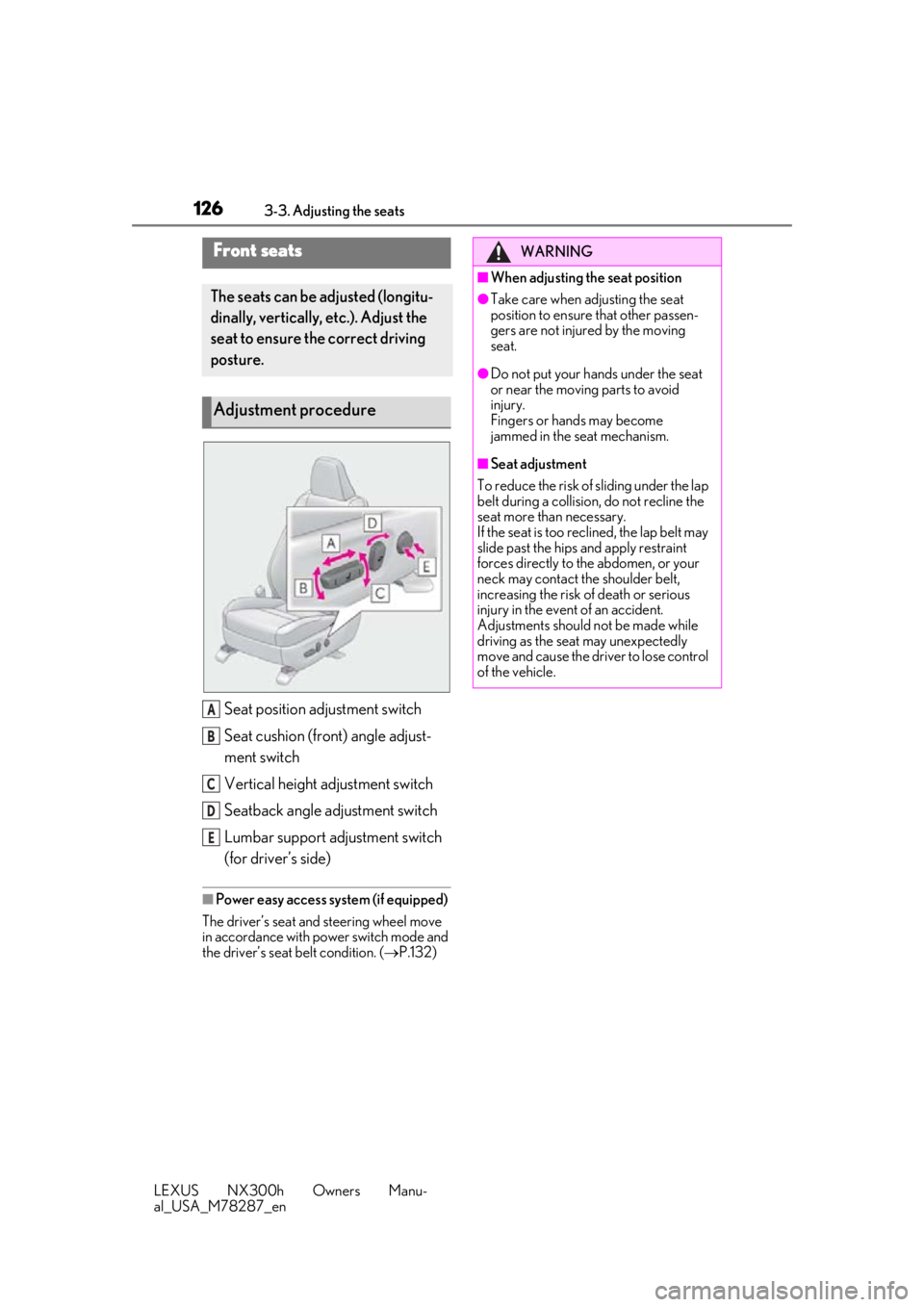
Seat position adjustment switch
Seat cushion (front) angle adjust-
ment switch
Vertical height adjustment switch
Seatback angle adjustment switch
Lumbar support adjustment switch
(for driver’s side)
■Power easy access system (if equipped)
The driver’s seat and steering wheel move
in accordance with power switch mode and
the driver’s seat belt condition. ( P.132)
Front seats
The seats can be adjusted (longitu-
dinally, vertically, etc.). Adjust the
seat to ensure the correct driving
posture.
Adjustment procedure
A
B
C
D
E
WARNING
■When adjusting the seat position
●Take care when ad justing the seat
position to ensure that other passen-
gers are not injured by the moving
seat.
●Do not put your hands under the seat
or near the moving parts to avoid
injury.
Fingers or hands may become
jammed in the seat mechanism.
■Seat adjustment
To reduce the risk of sliding under the lap
belt during a collision, do not recline the
seat more than necessary.
If the seat is too rec lined, the lap belt may
slide past the hips and apply restraint
forces directly to the abdomen, or your
neck may contact the shoulder belt,
increasing the risk of death or serious
injury in the event of an accident.
Adjustments should not be made while
driving as the seat may unexpectedly
move and cause the driver to lose control
of the vehicle.
Page 132 of 460
1323-3. Adjusting the seats
LEXUS NX300h Owners Manu-
al_USA_M78287_en
*:If equipped
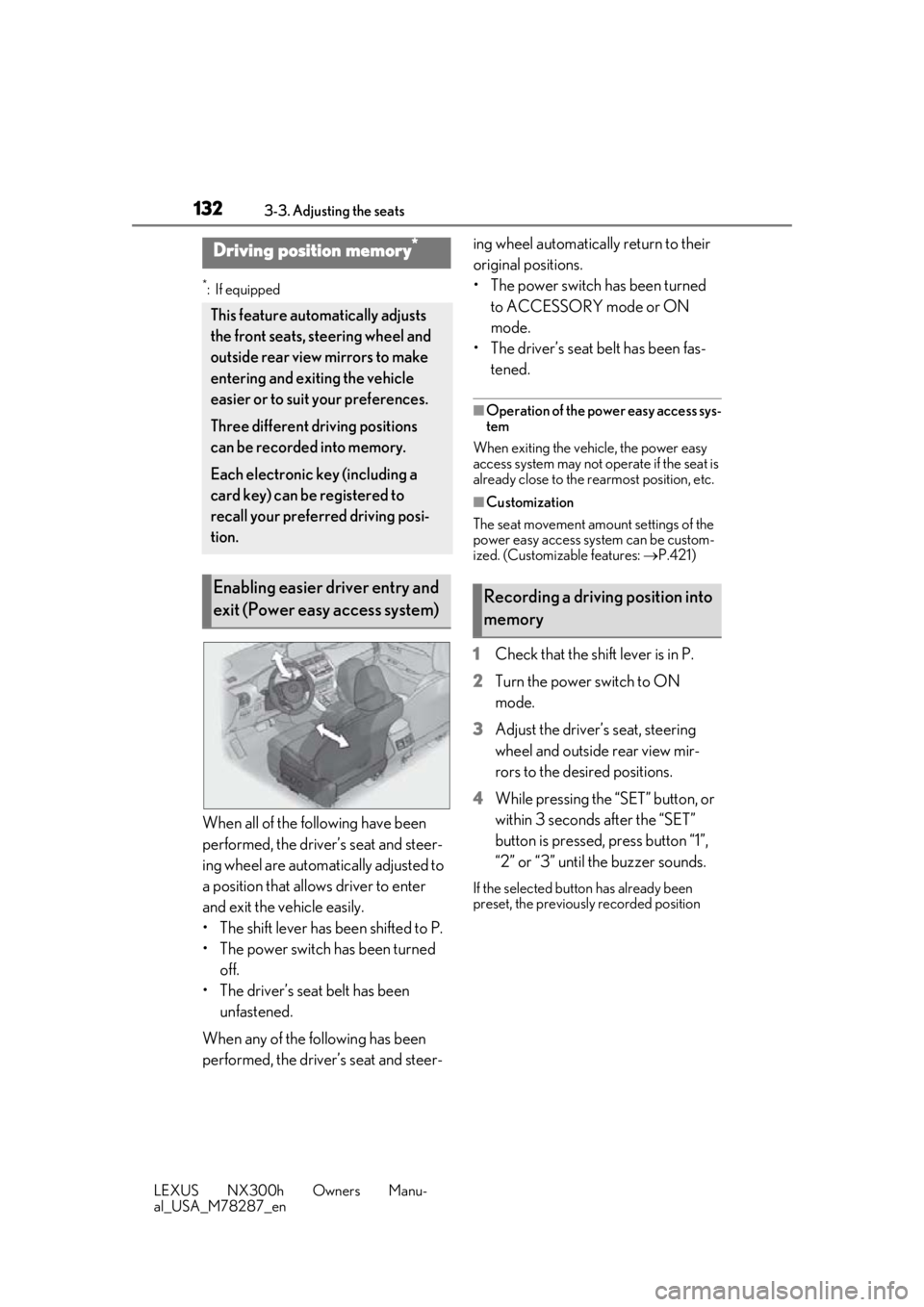
When all of the following have been
performed, the driver’s seat and steer-
ing wheel are automatically adjusted to
a position that allows driver to enter
and exit the vehicle easily.
• The shift lever has been shifted to P.
• The power switch has been turned off.
• The driver’s seat belt has been unfastened.
When any of the following has been
performed, the driver’s seat and steer- ing wheel automatically return to their
original positions.
• The power switch has been turned
to ACCESSORY mode or ON
mode.
• The driver’s seat belt has been fas- tened.
■Operation of the power easy access sys-
tem
When exiting the vehicle, the power easy
access system may not op erate if the seat is
already close to the rearmost position, etc.
■Customization
The seat movement amou nt settings of the
power easy access system can be custom-
ized. (Customizable features: P.421)
1 Check that the shift lever is in P.
2 Turn the power switch to ON
mode.
3 Adjust the driver’s seat, steering
wheel and outside rear view mir-
rors to the desired positions.
4 While pressing the “SET” button, or
within 3 seconds after the “SET”
button is pressed, press button “1”,
“2” or “3” until the buzzer sounds.
If the selected button has already been
preset, the previously recorded position
Driving position memory*
This feature auto matically adjusts
the front seats, steering wheel and
outside rear view mirrors to make
entering and exiting the vehicle
easier or to suit your preferences.
Three different driving positions
can be recorded into memory.
Each electronic key (including a
card key) can be registered to
recall your preferred driving posi-
tion.
Enabling easier driver entry and
exit (Power easy access system)Recording a driving position into
memory
Page 133 of 460
1333-3. Adjusting the seats
LEXUS NX300h Owners Manu-
al_USA_M78287_en
3
Before driving
will be overwritten.
■Seat positions that can be memorized
( P.126)
The adjusted positions other than the posi-
tion adjusted by lumbar support switch can
be recorded.
■In order to correctly use the driving
position memory function
If a seat position is already in the furthest
possible position and the seat is operated in
the same direction, the recorded position
may be slightly differen t when it is recalled.
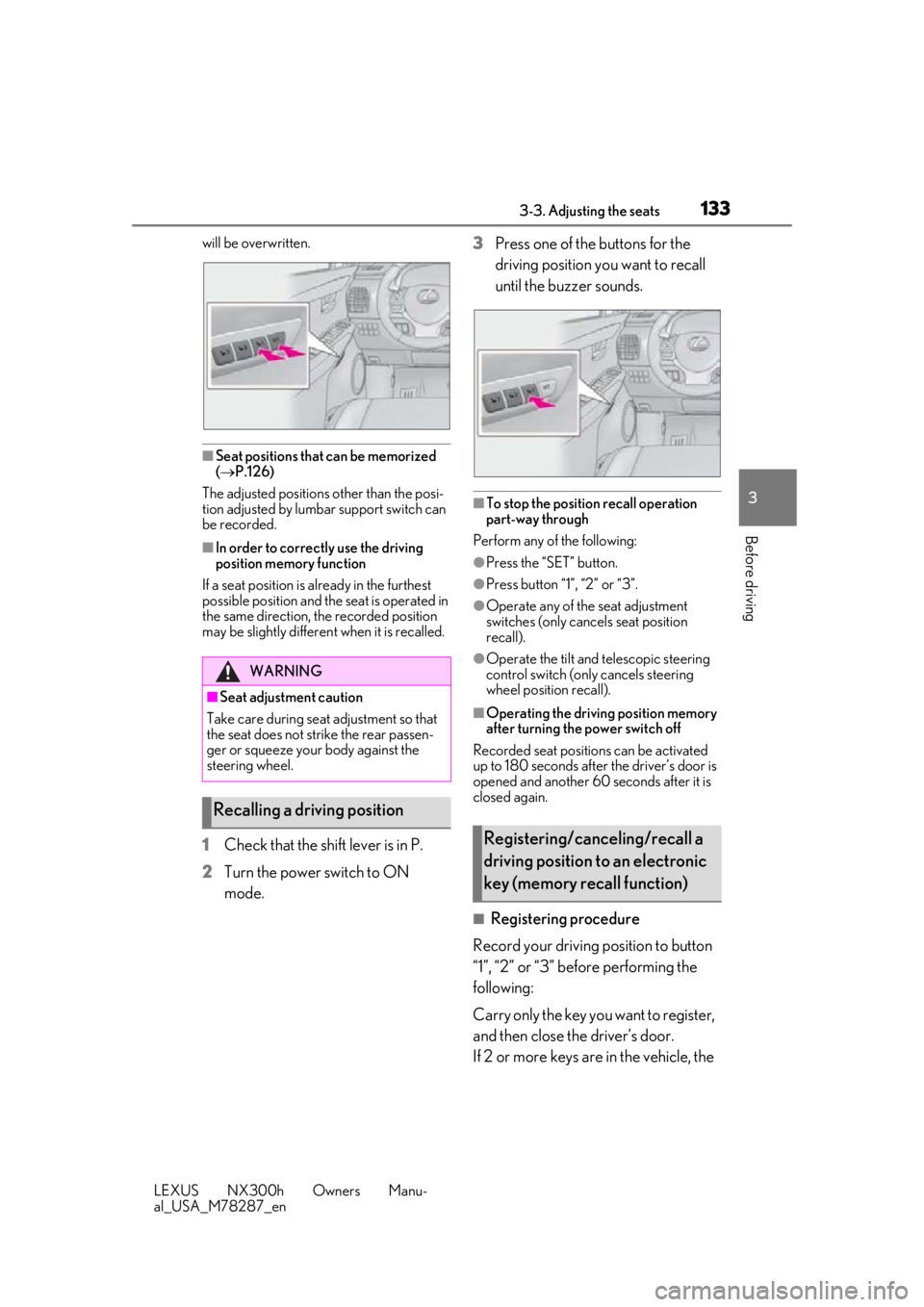
1Check that the shift lever is in P.
2 Turn the power switch to ON
mode. 3
Press one of the buttons for the
driving position you want to recall
until the buzzer sounds.
■To stop the position recall operation
part-way through
Perform any of the following:
●Press the “SET” button.
●Press button “1”, “2” or “3”.
●Operate any of the seat adjustment
switches (only cancels seat position
recall).
●Operate the tilt and telescopic steering
control switch (onl y cancels steering
wheel position recall).
■Operating the driving position memory
after turning the power switch off
Recorded seat positions can be activated
up to 180 seconds after the driver’s door is
opened and another 60 seconds after it is
closed again.
■Registering procedure
Record your driving position to button
“1”, “2” or “3” before performing the
following:
Carry only the key yo u want to register,
and then close the driver’s door.
If 2 or more keys are in the vehicle, the
WARNING
■Seat adjustment caution
Take care during seat adjustment so that
the seat does not strike the rear passen-
ger or squeeze your body against the
steering wheel.
Recalling a driving position
Registering/canceling/recall a
driving position to an electronic
key (memory recall function)