brake LEXUS RC200T 2017 Owner's Manual
[x] Cancel search | Manufacturer: LEXUS, Model Year: 2017, Model line: RC200T, Model: LEXUS RC200T 2017Pages: 724, PDF Size: 42.04 MB
Page 248 of 724
2484-2. Driving procedures
RC200t_RC F_EE(OM24728E)
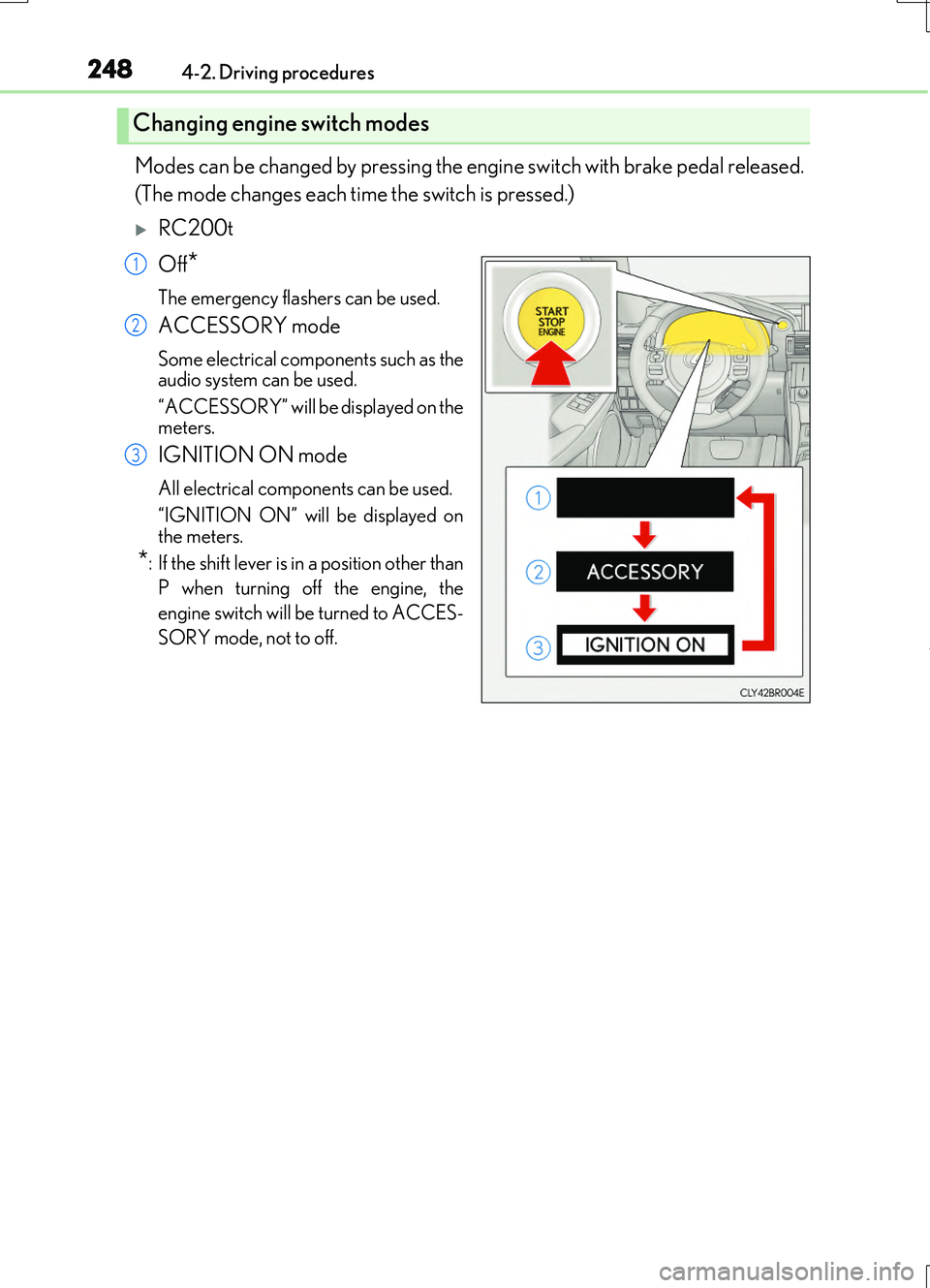
Modes can be changed by pressing the engine switch with brake pedal released.
(The mode changes each time the switch is pressed.)
RC200t
Off*
The emergency flashers can be used.
ACCESSORY mode
Some electrical components such as the audio system can be used.
“ACCESSORY” will be displayed on the meters.
IGNITION ON mode
All electrical components can be used.
“IGNITION ON” will be displayed on the meters.
*: If the shift lever is in a position other than
P when turning off the engine, the
engine switch will be turned to ACCES-
SORY mode, not to off.
Changing engine switch modes
1
2
3
Page 249 of 724
2494-2. Driving procedures
4
Driving
RC200t_RC F_EE(OM24728E)
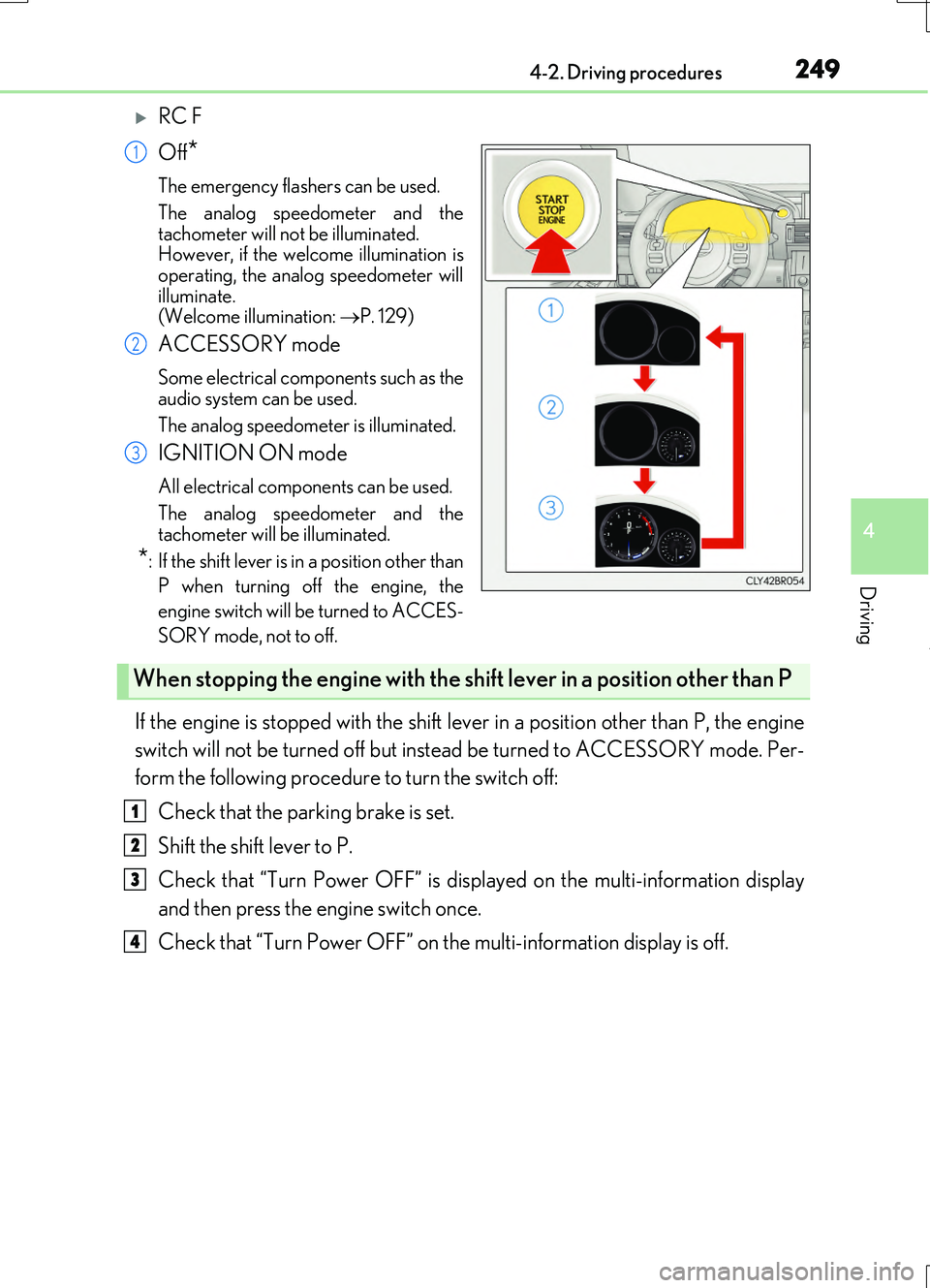
RC F
Off*
The emergency flashers can be used.
The analog speedometer and the
tachometer will not be illuminated. However, if the welcome illumination isoperating, the analog speedometer will
illuminate. (Welcome illumination: P. 129)
ACCESSORY mode
Some electrical components such as the audio system can be used.
The analog speedometer is illuminated.
IGNITION ON mode
All electrical components can be used.
The analog speedometer and the tachometer will be illuminated.
*: If the shift lever is in a position other than
P when turning off the engine, the
engine switch will be turned to ACCES-
SORY mode, not to off.
If the engine is stopped with the shift lever in a position other than P, the engine
switch will not be turned off but inst ead be turned to ACCESSORY mode. Per-
form the following procedure to turn the switch off:
Check that the parking brake is set.
Shift the shift lever to P.
Check that “Turn Power OFF” is displayed on the multi-information display
and then press the engine switch once.
Check that “Turn Power OFF” on the multi-information display is off.
1
2
3
When stopping the engine with the shift lever in a position other than P
1
2
3
4
Page 251 of 724
2514-2. Driving procedures
4
Driving
RC200t_RC F_EE(OM24728E)
■When “Check Entry & Start System” is displayed on the multi-information display
The system may be malfunctioning. Have the vehicle inspected by any authorized Lexus dealer or repairer, or another duly qua lified and equipped professional immediately.
■If the electronic key battery is depleted
P. 563
■Operation of the engine switch
●If the switch is not pressed shortly and firmly, the engine switch mode may not change or the engine may not start.
●If attempting to restart the engine immediately after turning the engine switch off, the
engine may not start in some cases. After turning the engine switch off, please wait a few seconds before restarting the engine.
■If the smart entry & start system has been deactivated by a customized setting
P. 650
WARNING
■When starting the engine
Always start the engine while sitting in the driver’s seat. Do not depress the accelerator pedal while starting the engine under any circumstances.
Doing so may cause an accident resu lting in death or serious injury.
■Caution while driving
If engine failure occurs while the vehicle is moving, do not lock or open the doors until
the vehicle reaches a safe and complete stop. Activation of the steering lock in this cir- cumstance may lead to an accident, resulting in death or serious injury.
■Stopping the engine in an emergency
If you want to stop the engine in an emer gency while driving the vehicle, press and hold the engine switch for more than 2 seconds, or press it briefly 3 times or more in succes- sion. ( P. 581)
However, do not touch the engine switch while driving except in an emergency. Turning the engine off while driving will not cause loss of steering or braking control, but the power assist to these systems will be lost. Th is will make it more difficult to steer and
brake, so you should pull over and stop the vehicle as soon as it is safe to do so.
Page 253 of 724
2534-2. Driving procedures
4
Driving
RC200t_RC F_EE(OM24728E)
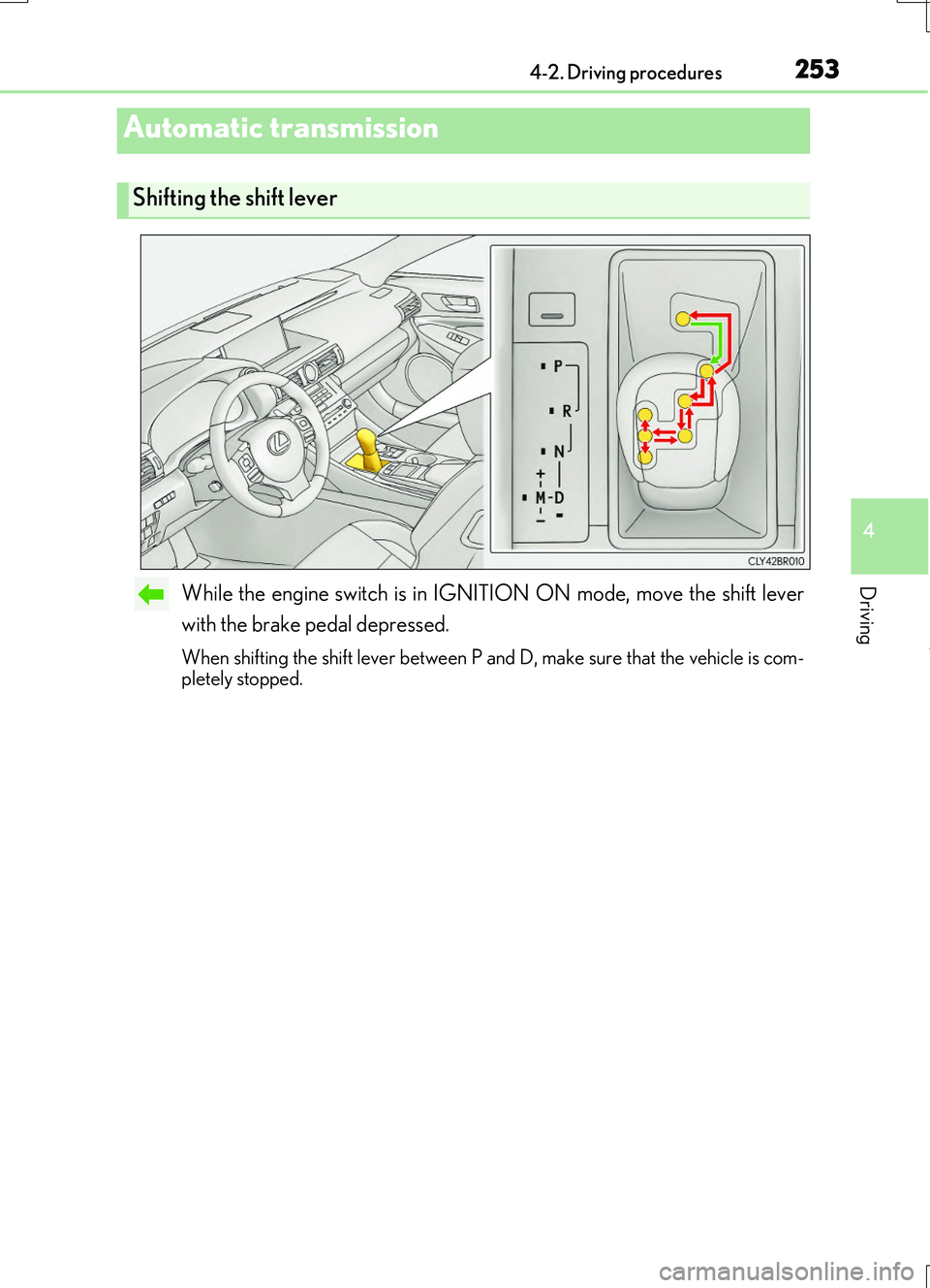
While the engine switch is in IGNITION ON mode, move the shift lever
with the brake pedal depressed.
When shifting the shift lever between P and D, make sure that the vehicle is com- pletely stopped.
Automatic transmission
Shifting the shift lever
Page 258 of 724
2584-2. Driving procedures
RC200t_RC F_EE(OM24728E)
■Downshifting restriction warning buzzer
To help ensure safety and driving performa nce, downshifting operation may sometimes be restricted. In some circumstances, down shifting may not be possible even when the
shift lever or paddle shift switch is operated. (A buzzer will sound twice.)
■Snow mode automatic deactivation
Snow mode is automatically deactivated if the engine switch is turned off after driving in
snow mode.
■When driving with cruise control or dynamic radar cruise control activated
Even when performing the following actions with the intent of enabling engine braking,
engine braking will not activate because crui se control or dynamic radar cruise control will not be canceled.
●While driving in the D position, downshifting to 7, 6, 5 or 4. ( P. 294, 298)
●When switching the driving mode to sport mode while driving in D position. (P. 345)
■Shift lock system
The shift lock system is a system to prevent accidental operation of the shift lever in start-
ing.
The shift lever can be shifte d from P only when the engine switch is in IGNITION ON mode and the brake pedal is being depressed.
■If the shift lever cannot be shifted from P
First, check whether the brake pedal is being depressed.
If the shift lever cannot be shifted with your foot on the brake pedal, there may be a prob-
lem with the shift lock system. Have the vehicle inspected by any authorized Lexus dealer or repairer, or another duly qualifie d and equipped professional immediately.
The following steps may be used as an emerge ncy measure to ensure that the shift lever
can be shifted.
Releasing the shift lock:
Set the parking brake.
Turn the engine switch to off.
Depress the brake pedal.
1
2
3
Page 259 of 724
2594-2. Driving procedures
4
Driving
RC200t_RC F_EE(OM24728E)
■AI-SHIFT
●The AI-SHIFT automatically selects the suitable gear according to driver performance and driving conditions.
The AI-SHIFT automatically operates when th e shift lever is in D. (Shifting the shift
lever to the M position cancels the function.)
●G AI-SHIFT automatically selects a suitab le gear for sporty driving according to driver’s input and driving cond itions. G AI-SHIFT operates automatically when the shift
lever is in D and sport mode is selected for the driving mode. (Selecting normal mode with the driving mode select switch or shifti ng the shift lever to the M position cancels this function.)
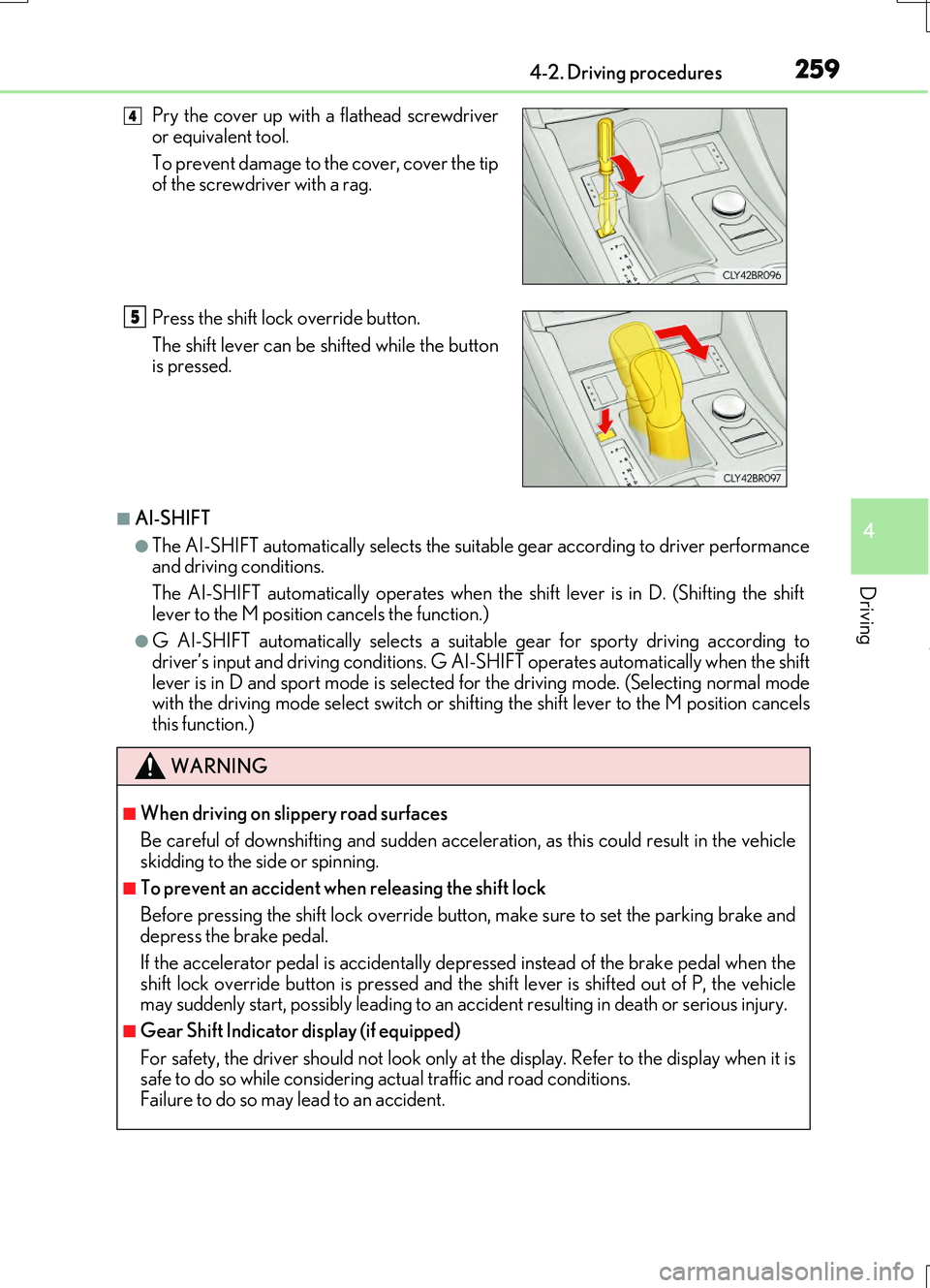
Pry the cover up with a flathead screwdriver or equivalent tool.
To prevent damage to the cover, cover the tip
of the screwdriver with a rag.
Press the shift lock override button.
The shift lever can be shifted while the button is pressed.
WARNING
■When driving on slippery road surfaces
Be careful of downshifting and sudden acceler ation, as this could result in the vehicle skidding to the side or spinning.
■To prevent an accident wh en releasing the shift lock
Before pressing the shift lock override butt on, make sure to set the parking brake and depress the brake pedal.
If the accelerator pedal is accidentally depressed instead of the brake pedal when the
shift lock override button is pressed and the shift lever is shifted out of P, the vehicle may suddenly start, possibly leading to an accident resulting in death or serious injury.
■Gear Shift Indicator display (if equipped)
For safety, the driver should not look only at the display. Refer to the display when it is safe to do so while considering actual traffic and road conditions. Failure to do so may lead to an accident.
4
5
Page 261 of 724
2614-2. Driving procedures
4
Driving
RC200t_RC F_EE(OM24728E)
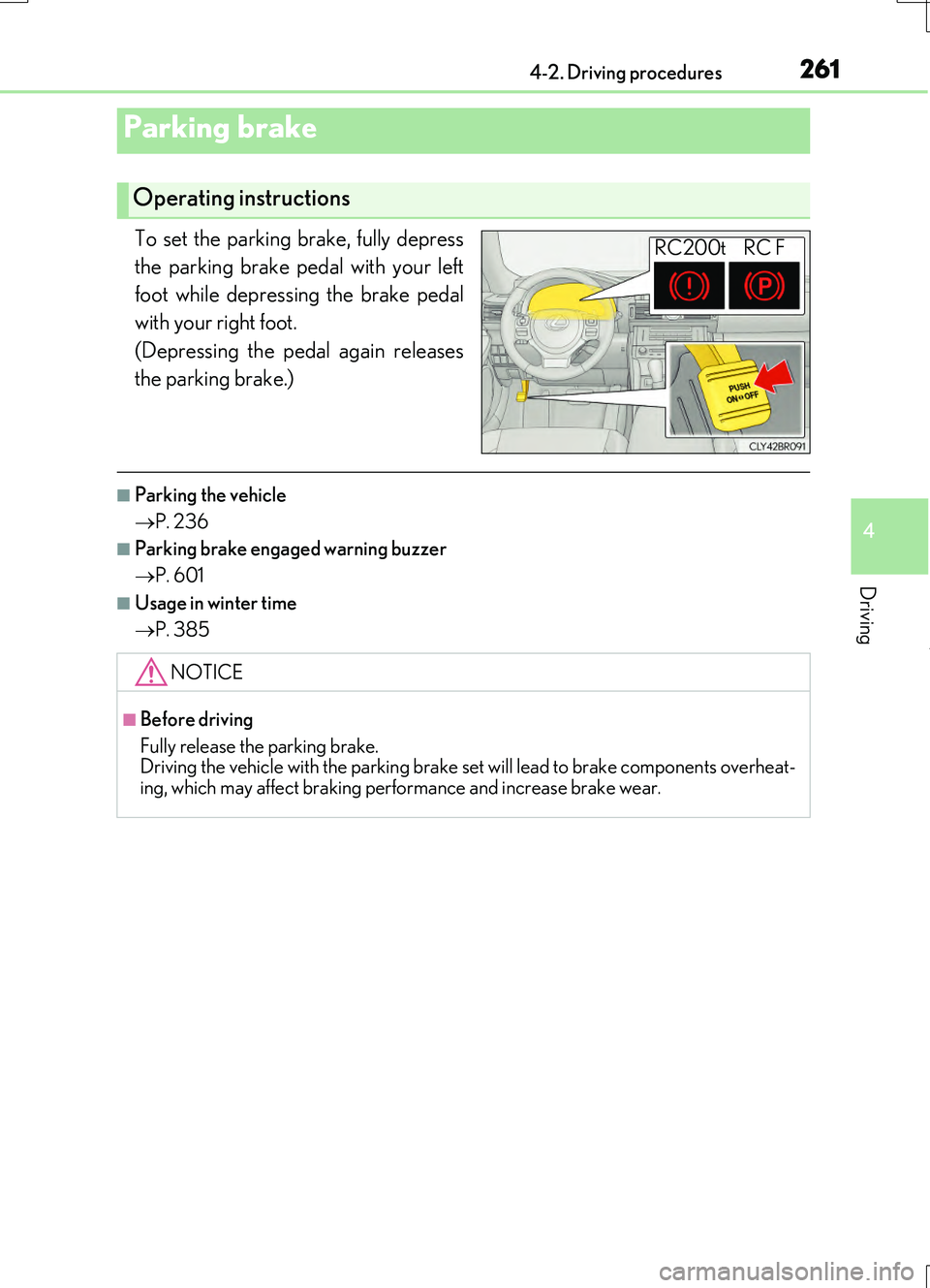
To set the parking brake, fully depress
the parking brake pedal with your left
foot while depressing the brake pedal
with your right foot.
(Depressing the pedal again releases
the parking brake.)
■Parking the vehicle
P. 236
■Parking brake engaged warning buzzer
P. 601
■Usage in winter time
P. 385
Parking brake
Operating instructions
RC200t RC F
NOTICE
■Before driving
Fully release the parking brake. Driving the vehicle with the parking brake se t will lead to brake components overheat-
ing, which may affect braking performance and increase brake wear.
Page 265 of 724
2654-3. Operating the lights and wipers
4
Driving
RC200t_RC F_EE(OM24728E)
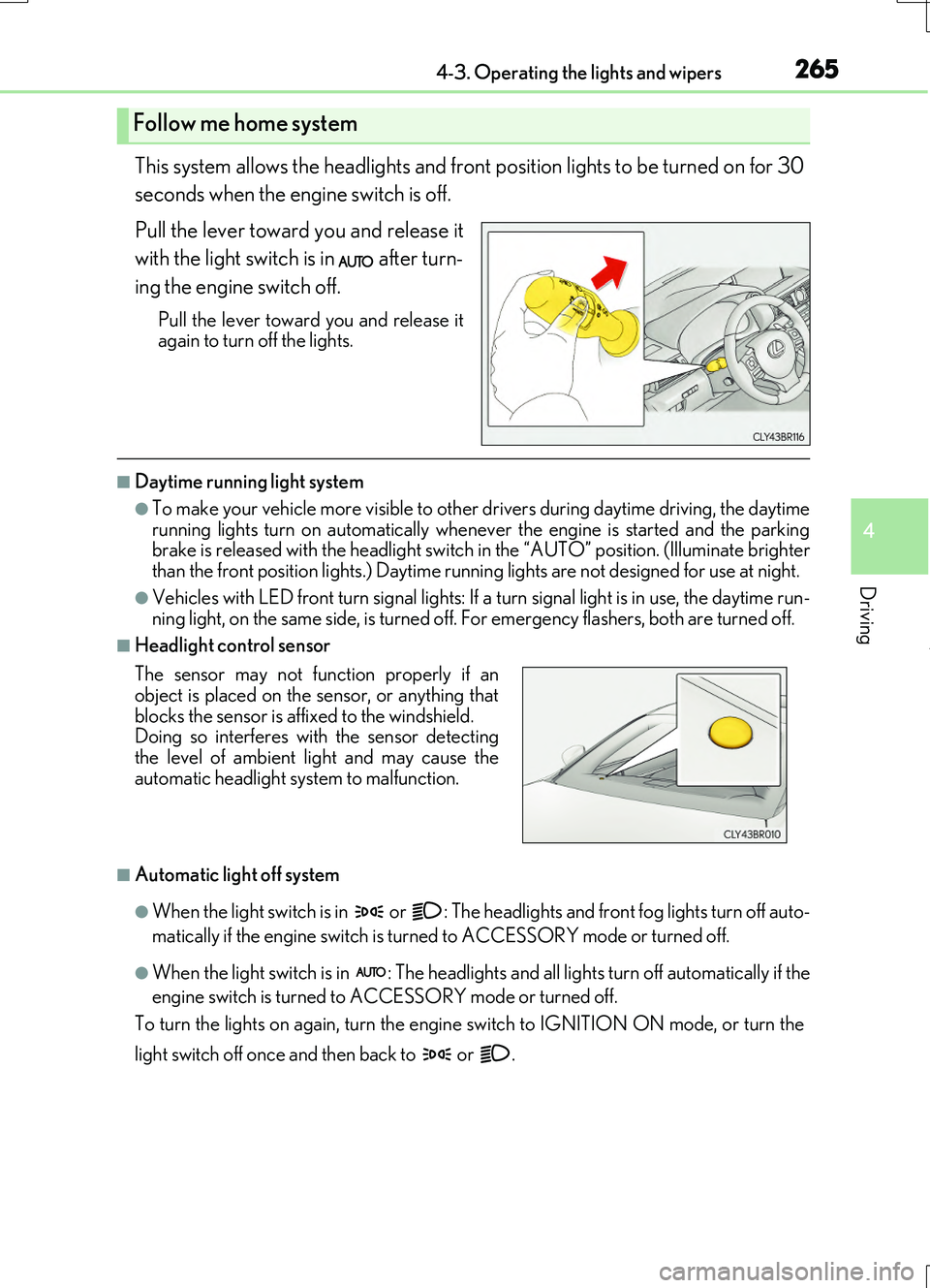
This system allows the headlights and front position lights to be turned on for 30
seconds when the engine switch is off.
Pull the lever toward you and release it
with the light switch is in after turn-
ing the engine switch off.
Pull the lever toward you and release it again to turn off the lights.
■Daytime running light system
●To make your vehicle more visible to other drivers during daytime driving, the daytime
running lights turn on automatically whenever the engine is started and the parking brake is released with the headlight switch in the “AUTO” position. (Illuminate brighter than the front position lights.) Daytime running lights are not designed for use at night.
●Vehicles with LED front turn signal lights: If a turn signal light is in use, the daytime run- ning light, on the same side, is turned off. For emergency flashers, both are turned off.
■Headlight control sensor
■Automatic light off system
●When the light switch is in or : The headlights and front fog lights turn off auto-
matically if the engine switch is turned to ACCESSORY mode or turned off.
●When the light switch is in : The headlights and all lights turn off automatically if the
engine switch is turned to ACCESSORY mode or turned off.
To turn the lights on again, turn the engine switch to IGNITION ON mode, or turn the
light switch off once and then back to or .
Follow me home system
The sensor may not function properly if an object is placed on the sensor, or anything that
blocks the sensor is affixed to the windshield. Doing so interferes with the sensor detectingthe level of ambient light and may cause the
automatic headlight system to malfunction.
Page 285 of 724
285
4
Driving
RC200t_RC F_EE(OM24728E)
4-5. Using the driving support systems
◆When the shift lever is in D
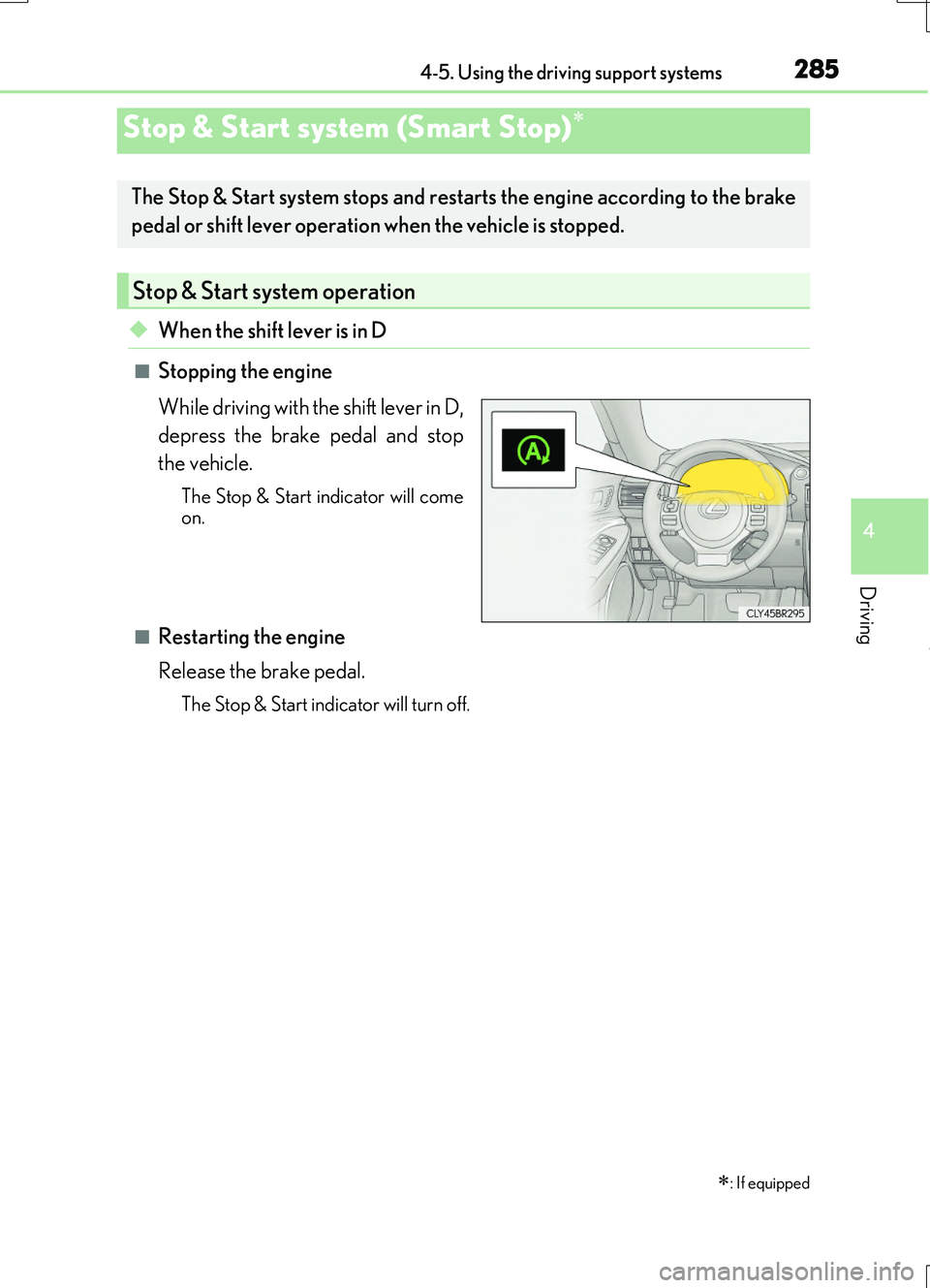
■Stopping the engine
While driving with the shift lever in D,
depress the brake pedal and stop
the vehicle.
The Stop & Start indicator will come on.
■Restarting the engine
Release the brake pedal.
The Stop & Start indicator will turn off.
Stop & Start system (Smart Stop)
: If equipped
The Stop & Start system stops and restarts the engine according to the brake
pedal or shift lever operation when the vehicle is stopped.
Stop & Start system operation
Page 286 of 724
2864-5. Using the driving support systems
RC200t_RC F_EE(OM24728E)
◆When the shift lever is shifted to P
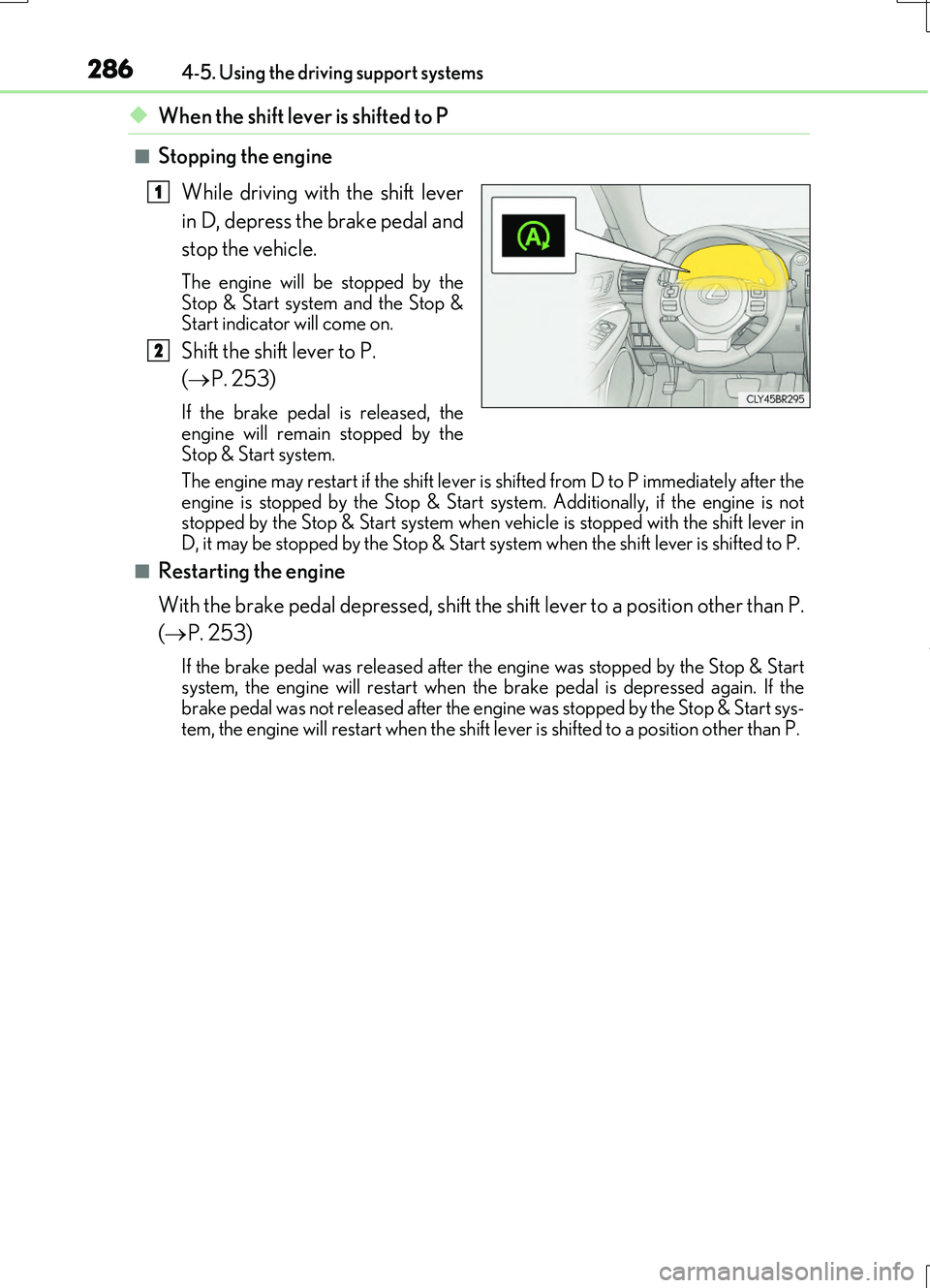
■Stopping the engine While driving with the shift lever
in D, depress the brake pedal and
stop the vehicle.
The engine will be stopped by the
Stop & Start system and the Stop &
Start indicator will come on.
Shift the shift lever to P.
( P. 253)
If the brake pedal is released, the
engine will remain stopped by the
Stop & Start system.
The engine may restart if the shift lever is shifted from D to P immediately after the
engine is stopped by the Stop & Start sy stem. Additionally, if the engine is not
stopped by the Stop & Start system when vehicle is stopped with the shift lever in
D, it may be stopped by the Stop & Start system when the shift lever is shifted to P.
■Restarting the engine
With the brake pedal depressed, shift the shift lever to a position other than P.
( P. 253)
If the brake pedal was released after the engine was stopped by the Stop & Start
system, the engine will restart when the brake pedal is depressed again. If the
brake pedal was not released after the engine was stopped by the Stop & Start sys-
tem, the engine will restart when the shift le ver is shifted to a position other than P.
1
2