light LEXUS RC300 2018 Owners Manual
[x] Cancel search | Manufacturer: LEXUS, Model Year: 2018, Model line: RC300, Model: LEXUS RC300 2018Pages: 636, PDF Size: 6.88 MB
Page 321 of 636

3214-6. Driving tips
4
Driving
RC350_RC300 AWD_RC3 00_RC F_U(OM24748U)Perform the following according to the driving conditions: ●
Do not try to forcibly open a window or move a wiper that is frozen. Pour
warm water over the frozen area to me lt the ice. Wipe away the water imme-
diately to prevent it from freezing. ●
To ensure proper operation of the c limate control system fan, remove any
snow that has accumulated on the air inlet vents in front of the windshield. ●
Check for and remove any excess ice or snow that may have accumulated on
the exterior lights, vehicle’s roof, chassi s, around the tires or on the brakes.●
Remove any snow or mud from the bottom of your shoes before getting in the
vehicle.
Accelerate the vehicle slowly, keep a sa fe distance between you and the vehicle
ahead, and drive at a reduced spee d suitable to road conditions.●
Park the vehicle and move the shift lever to P without setting the parking
brake. The parking brake may freeze up, preventing it from being released. If
the vehicle is parked without setting the parking brake, make sure to block the
wheels.
Failure to do so may be dangerous because it may cause the vehicle to move
unexpectedly, possibly leading to an accident. ●
If the vehicle is parked without setting the parking brake, confirm that the shift
lever cannot be moved out of P
* .
* : The shift lever will be locked if it is atte mpted to be shifted from P to any other posi-
tion without depressing the brake pedal. If the shift lever can be shifted from P, there
may be a problem with the shift lock sy stem. Have the vehicle inspected by your
Lexus dealer immediately.Before driving the vehicle
When driving the vehicle
When parking the vehicle
Page 325 of 636

325
Interior features
5
RC350_RC300 AWD_RC3 00_RC F_U(OM24748U)5-1. Using the air conditioning
system
Remote Touch .............................326
10.3-inch display ......................... 331
Automatic air conditioning
system ......................................... 333
Heated steering wheel/
seat heaters/
seat ventilators .........................344
5-2. Using the interior lights
Interior lights list.......................... 347
• Interior lights ......................... 348
• Personal lights .......................349
5-3. Using the storage features
List of storage features............ 350
• Glove box ................................ 351
• Console box ............................ 351
• Cup holders............................352
Trunk features............................. 353 5-4. Using the other interior
features
Other interior features ............ 354
• Sun visors ................................ 354
• Vanity mirrors ....................... 354
• Clock ........................................355
• Power outlet...........................355
• Armrest .................................... 356
•Trunk storage
extension ................................. 357
• Assist grips..............................358
• Coat hooks .............................358
Garage door op ener ...............359
Compass ....................................... 366
LEXUS Enform Safety
Connect ...................................... 370
Page 344 of 636
344 5-1. Using the air conditioning system
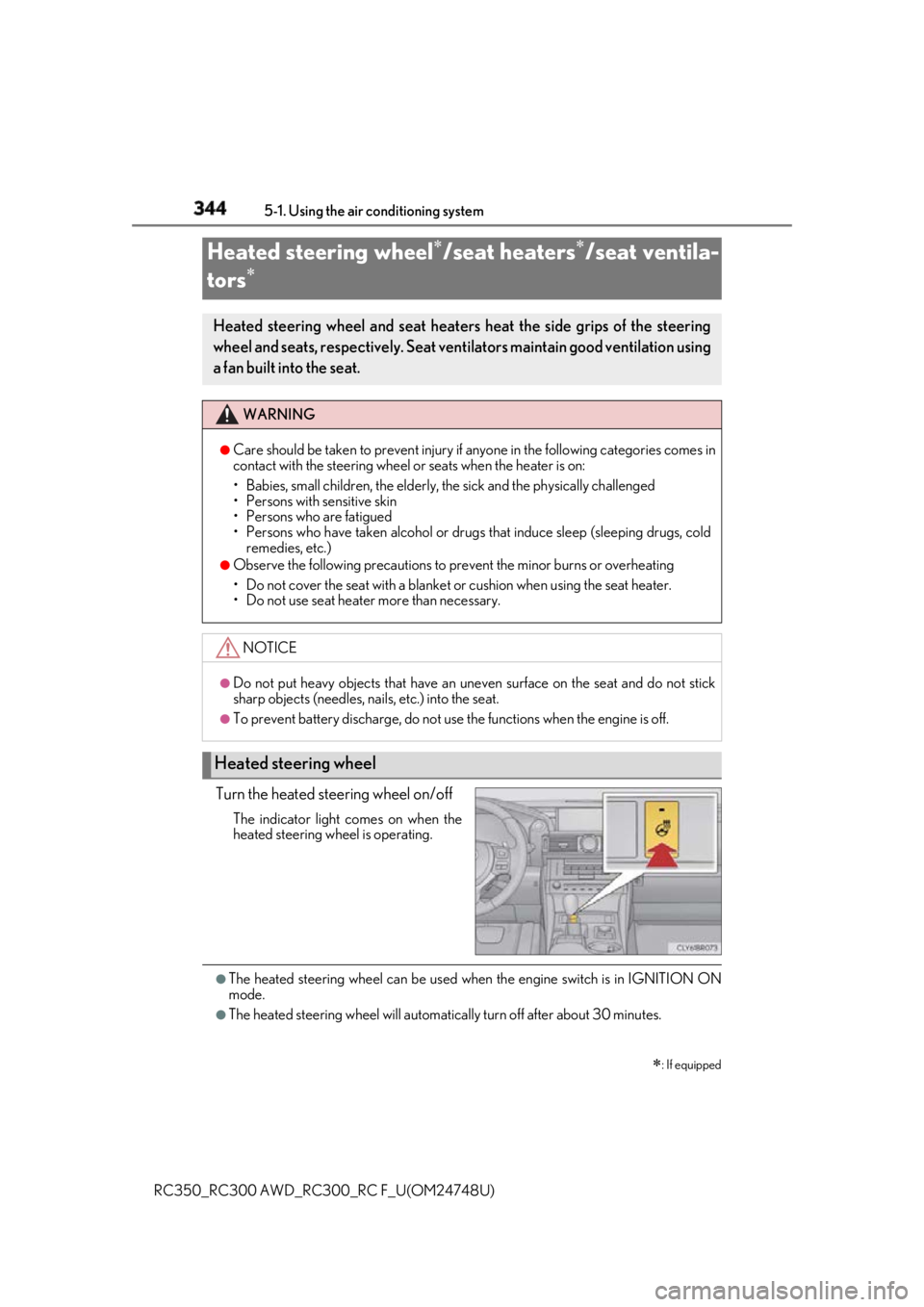
RC350_RC300 AWD_RC3 00_RC F_U(OM24748U)Turn the heated steering wheel on/off The indicator light comes on when the
heated steering wheel is operating.
●
The heated steering wheel can be used wh en the engine switch is in IGNITION ON
mode. ●
The heated steering wheel will automati cally turn off after about 30 minutes.Heated steering wheel
/seat heaters
/seat ventila-
tors
: If equippedHeated steering wheel and seat heaters heat the side grips of the steering
wheel and seats, respectively. Seat vent ilators maintain good ventilation using
a fan built into the seat. WARNING ●
Care should be taken to prevent injury if anyone in the following categories comes in
contact with the steering wheel or seats when the heater is on:
• Babies, small children, the elderly, the sick and the ph ysically challenged
• Persons with sensitive skin
• Persons who are fatigued
• Persons who have taken alcohol or drugs that induce sleep (sleeping drugs, cold
remedies, etc.) ●
Observe the following precautions to prevent the minor burns or overheating
• Do not cover the seat with a blanket or cushion when using the seat heater.
• Do not use seat heater more than necessary.
NOTICE ●
Do not put heavy objects that have an unev en surface on the seat and do not stick
sharp objects (needles, nails, etc.) into the seat. ●
To prevent battery discharge, do not us e the functions when the engine is off.
Heated steering wheel
Page 345 of 636
3455-1. Using the air conditioning system
5
Interior features
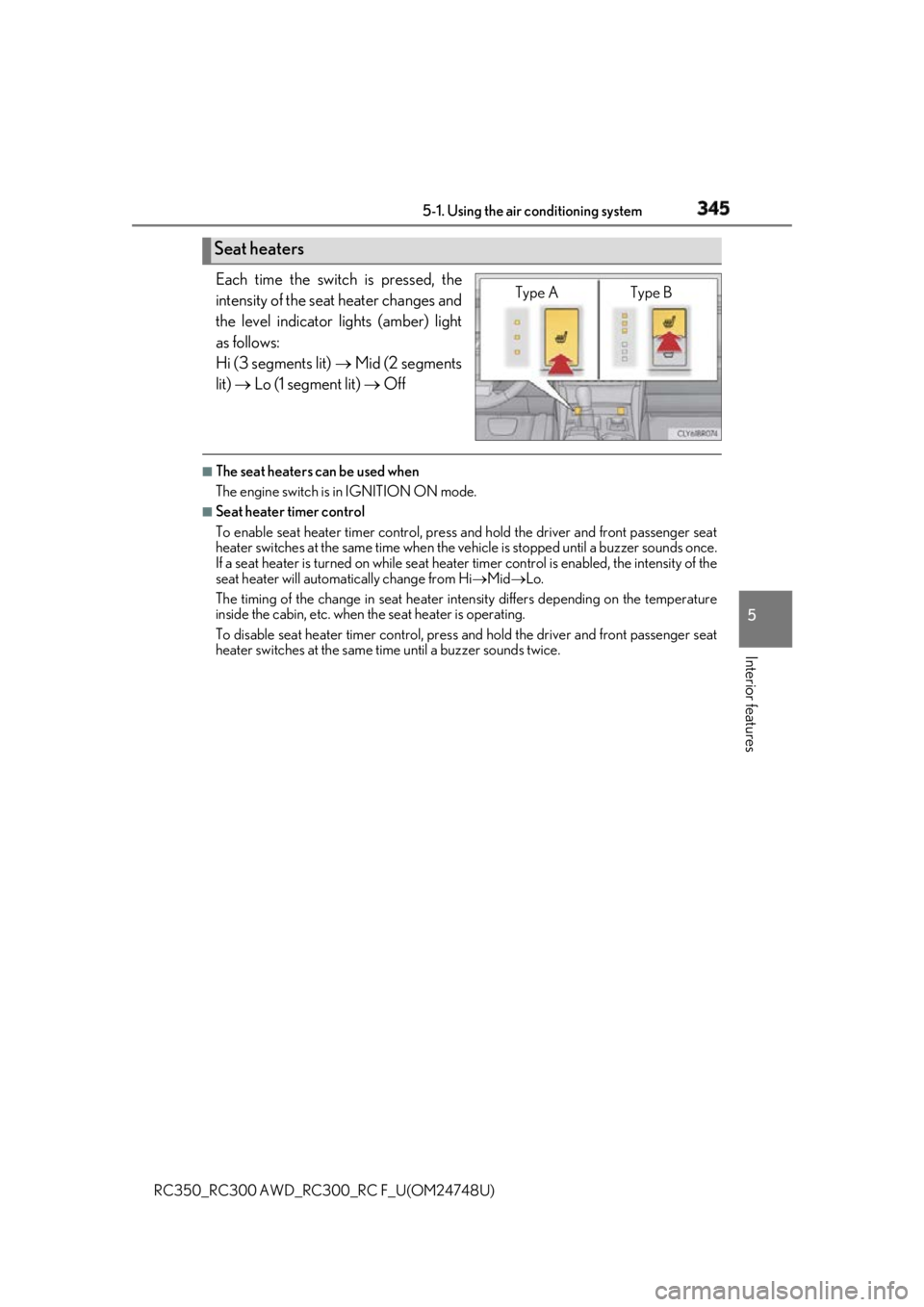
RC350_RC300 AWD_RC3 00_RC F_U(OM24748U)Each time the switch is pressed, the
intensity of the seat heater changes and
the level indicator lights (amber) light
as follows:
Hi (3 segments lit) Mid (2 segments
lit) Lo (1 segment lit) Off■
The seat heaters can be used when
The engine switch is in IGNITION ON mode. ■
Seat heater timer control
To enable seat heater timer control, press and hold the driver and front passenger seat
heater switches at the same time when the vehicle is stopped until a buzzer sounds once.
If a seat heater is turned on while seat heater timer control is enabled, the intensity of the
seat heater will automa tically change from Hi Mid Lo.
The timing of the change in seat heater in tensity differs depending on the temperature
inside the cabin, etc. when the seat heater is operating.
To disable seat heater timer control, press and hold the driver and front passenger seat
heater switches at the same time until a buzzer sounds twice.Seat heaters Type A Type B
Page 346 of 636
346 5-1. Using the air conditioning system
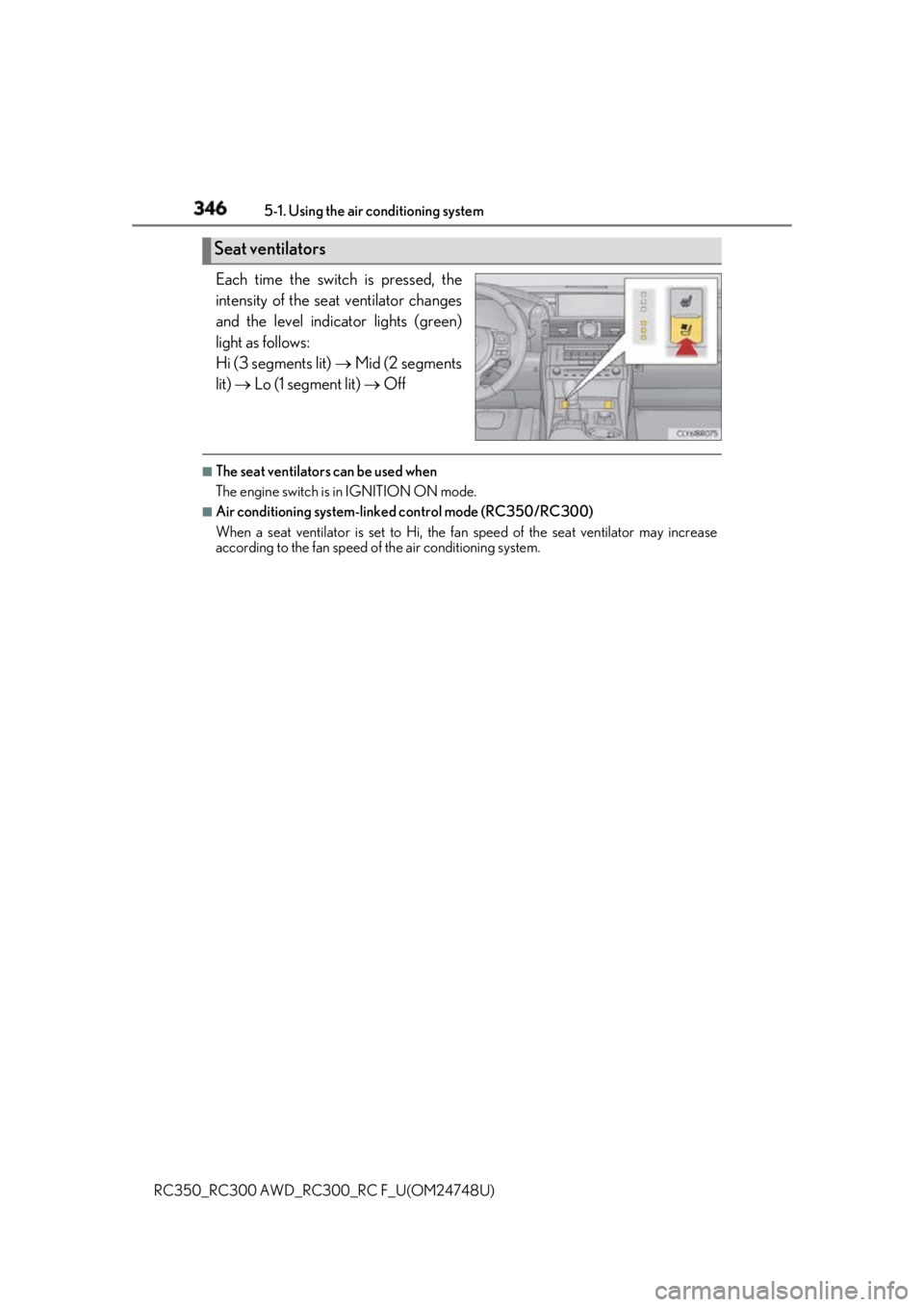
RC350_RC300 AWD_RC3 00_RC F_U(OM24748U)Each time the switch is pressed, the
intensity of the seat ventilator changes
and the level indicator lights (green)
light as follows:
Hi (3 segments lit) Mid (2 segments
lit) Lo (1 segment lit) Off■
The seat ventilators can be used when
The engine switch is in IGNITION ON mode. ■
Air conditioning system-linke d control mode (RC350/RC300)
When a seat ventilator is set to Hi, the fa n speed of the seat ventilator may increase
according to the fan speed of the air conditioning system.Seat ventilators
Page 347 of 636
347
RC350_RC300 AWD_RC3 00_RC F_U(OM24748U) 5
Interior features 5-2. Using the interior lights
Interior lights list
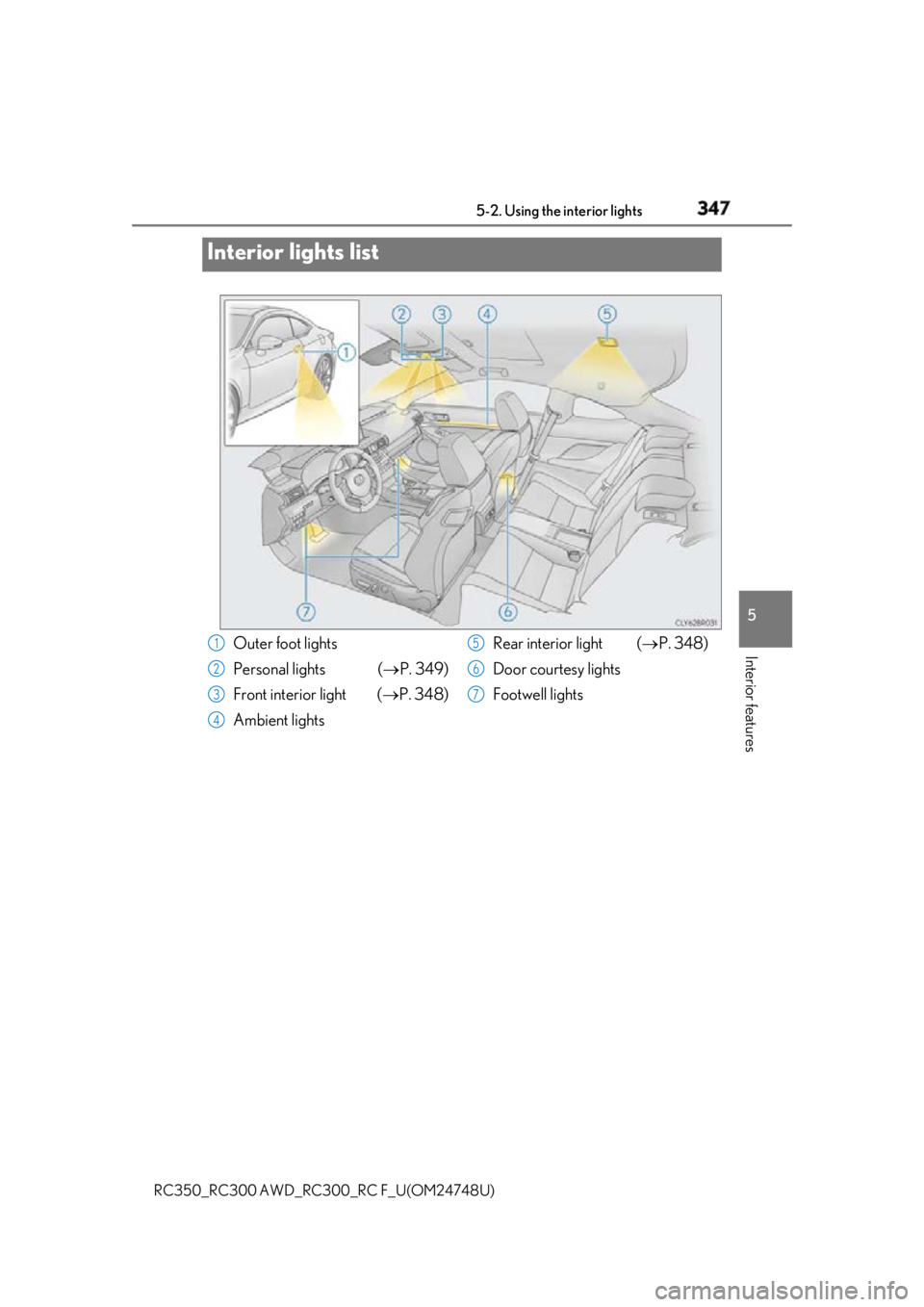
Outer foot lights
Personal lights ( P. 349)
Front interior light ( P. 348)
Ambient lights Rear interior light ( P. 348)
Door courtesy lights
Footwell lights1
2
3
4 5
6
7
Page 348 of 636
348 5-2. Using the interior lights
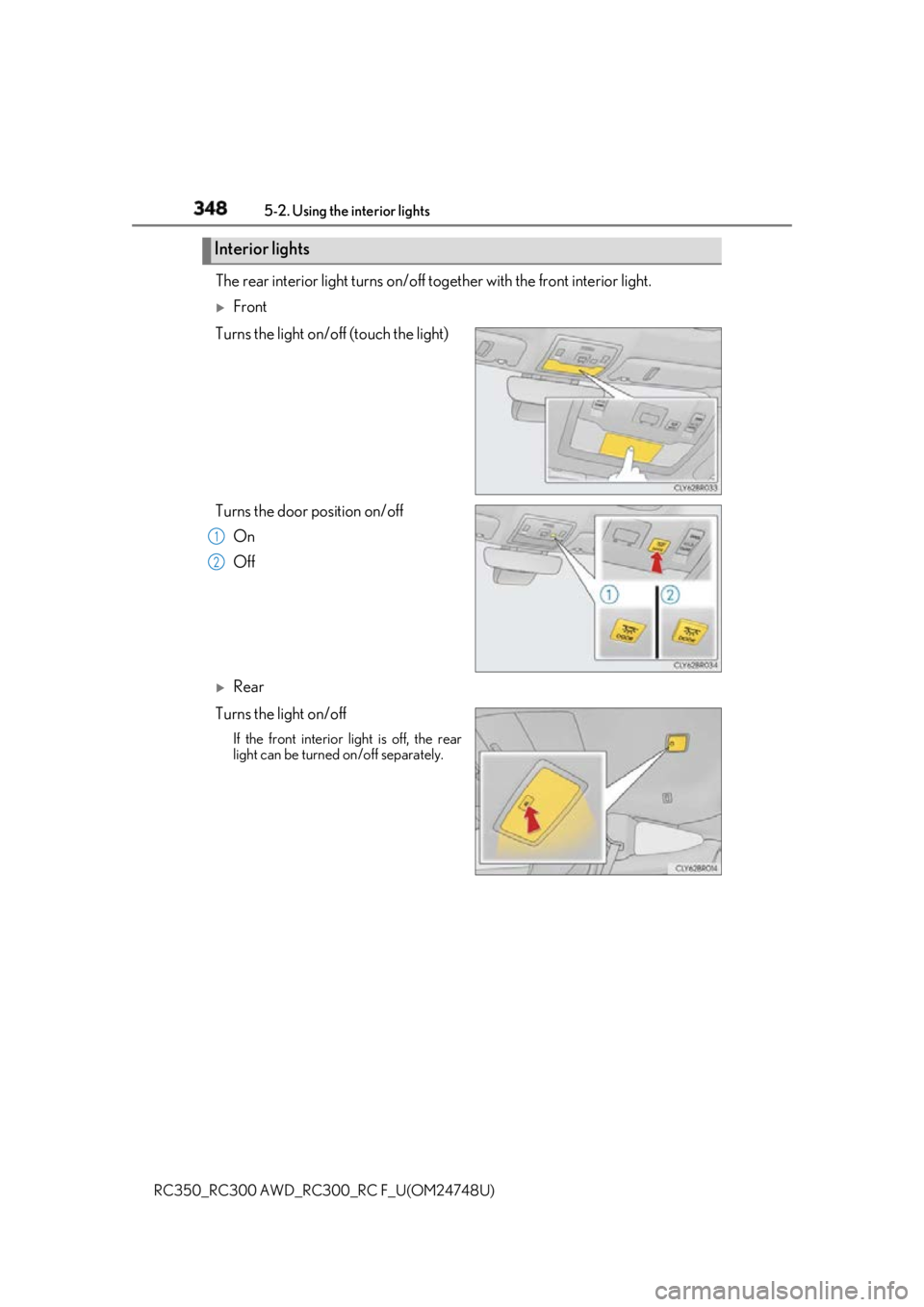
RC350_RC300 AWD_RC3 00_RC F_U(OM24748U)The rear interior light turns on/off to gether with the front interior light.
Front
Turns the light on/off (touch the light)
Turns the door position on/off
On
Off
Rear
Turns the light on/off If the front interior light is off, the rear
light can be turned on/off separately. Interior lights
1
2
Page 349 of 636
3495-2. Using the interior lights
RC350_RC300 AWD_RC3 00_RC F_U(OM24748U) 5
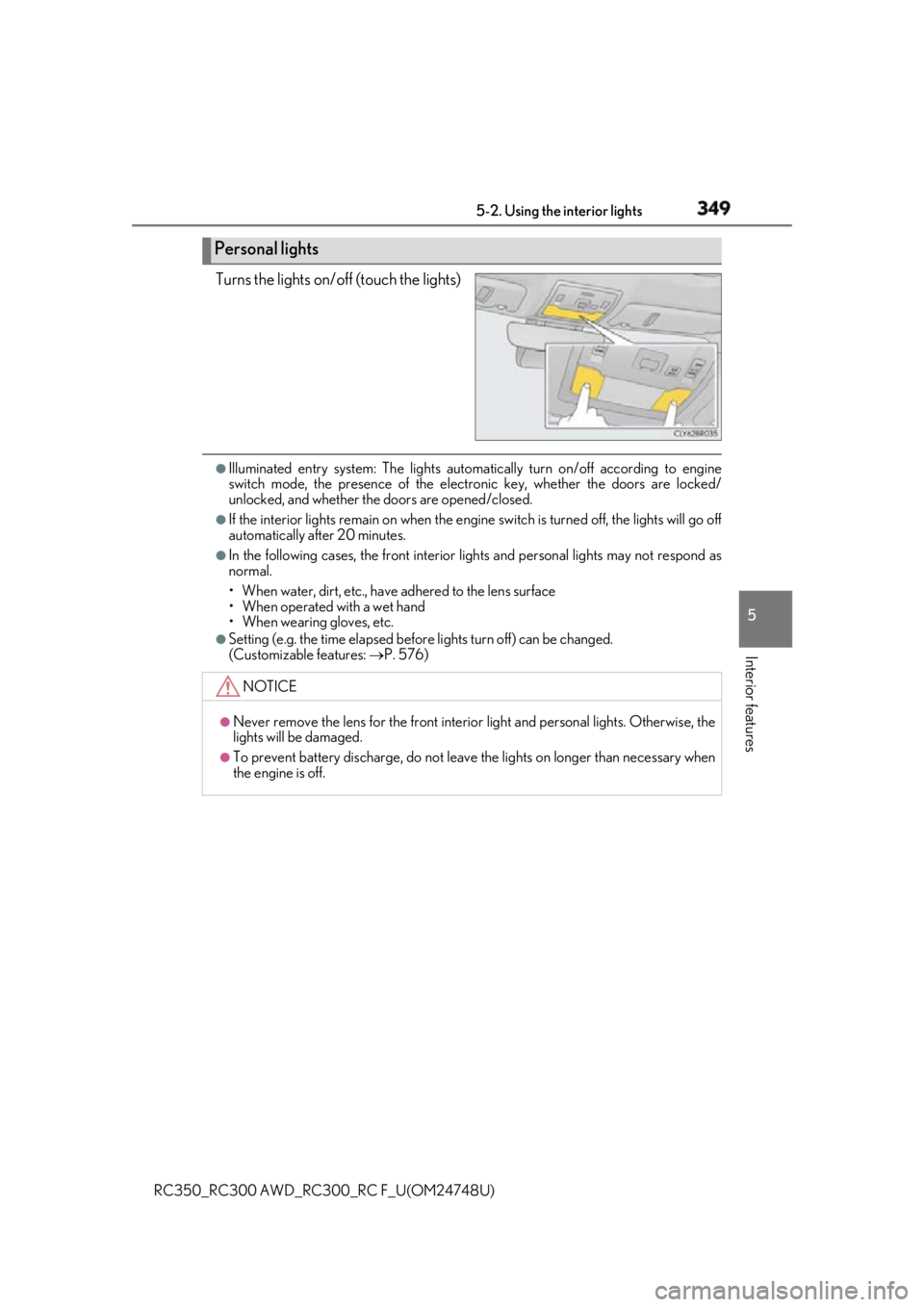
Interior features Turns the lights on/off (touch the lights) ●
Illuminated entry system: Th e lights automatically turn on/off according to engine
switch mode, the presence of the electronic key, whether the doors are locked/
unlocked, and whether the doors are opened/closed. ●
If the interior lights remain on when the engine switch is turned off, the lights will go off
automatically after 20 minutes. ●
In the following cases, the front interior lights and personal lights may not respond as
normal.
• When water, dirt, etc., have adhered to the lens surface
• When operated with a wet hand
• When wearing gloves, etc. ●
Setting (e.g. the time elapsed before lights turn off) can be changed.
(Customizable features: P. 576)Personal lights
NOTICE ●
Never remove the lens for the front interior light and personal lig hts. Otherwise, the
lights will be damaged. ●
To prevent battery discharge, do not leave the lights on longer than necessary when
the engine is off.
Page 350 of 636
350
RC350_RC300 AWD_RC3 00_RC F_U(OM24748U)5-3. Using the storage features
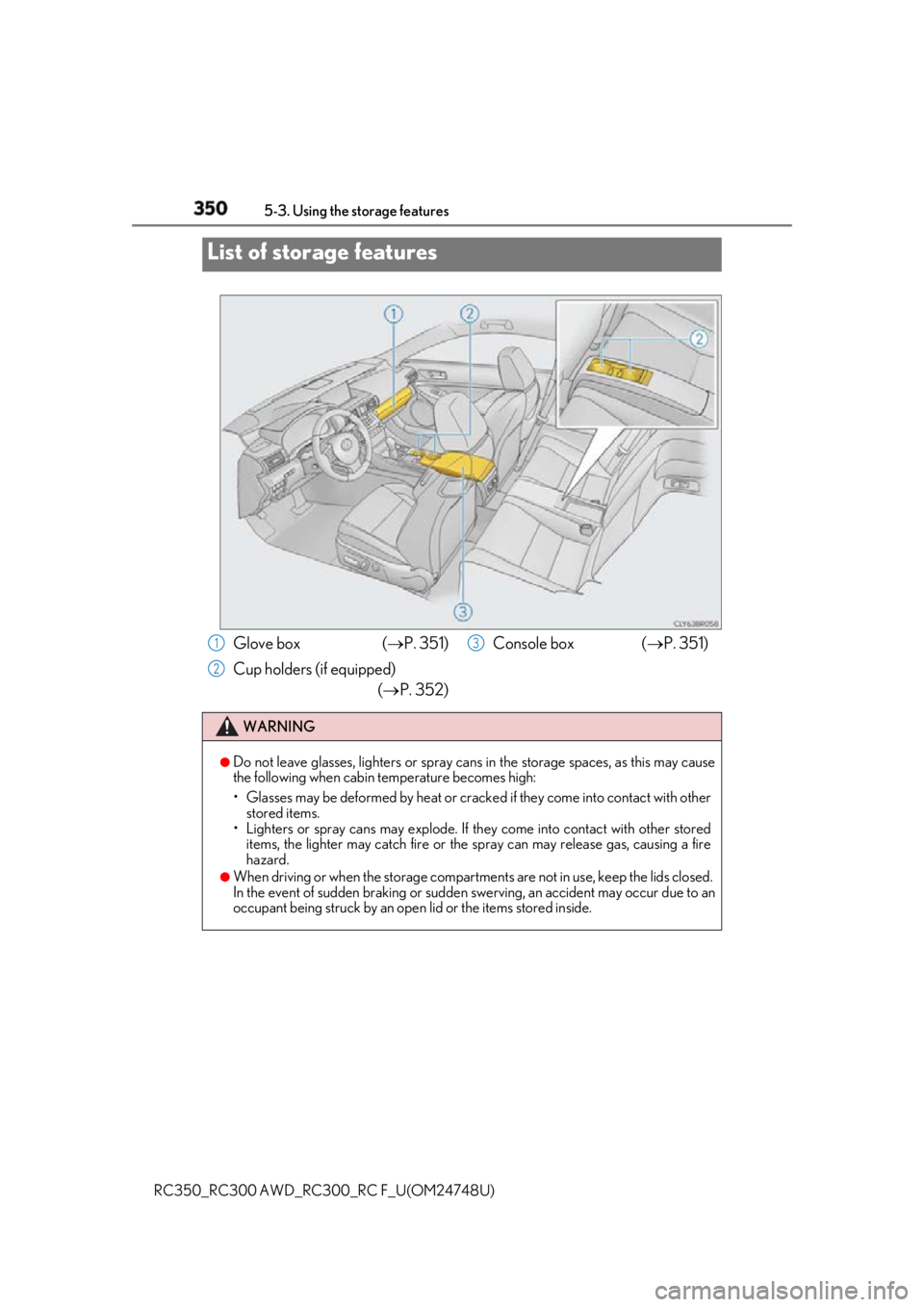
List of storage features
Glove box ( P. 351)
Cup holders (if equipped)
( P. 352) Console box ( P. 351)
WARNING ●
Do not leave glasses, lighters or spray cans in the storage spaces, as this may cause
the following when cabin temperature becomes high:
• Glasses may be deformed by heat or cracke d if they come into contact with other
stored items.
• Lighters or spray cans may explode. If they come into contact with other stored
items, the lighter may catch fire or the spray can may release gas, causing a fire
hazard. ●
When driving or when the storage compartments are not in use, keep the lids closed.
In the event of sudden braking or sudden swerving, an accident may occur due to an
occupant being struck by an open lid or the items stored inside.1
2 3
Page 351 of 636
3515-3. Using the storage features
RC350_RC300 AWD_RC3 00_RC F_U(OM24748U) 5
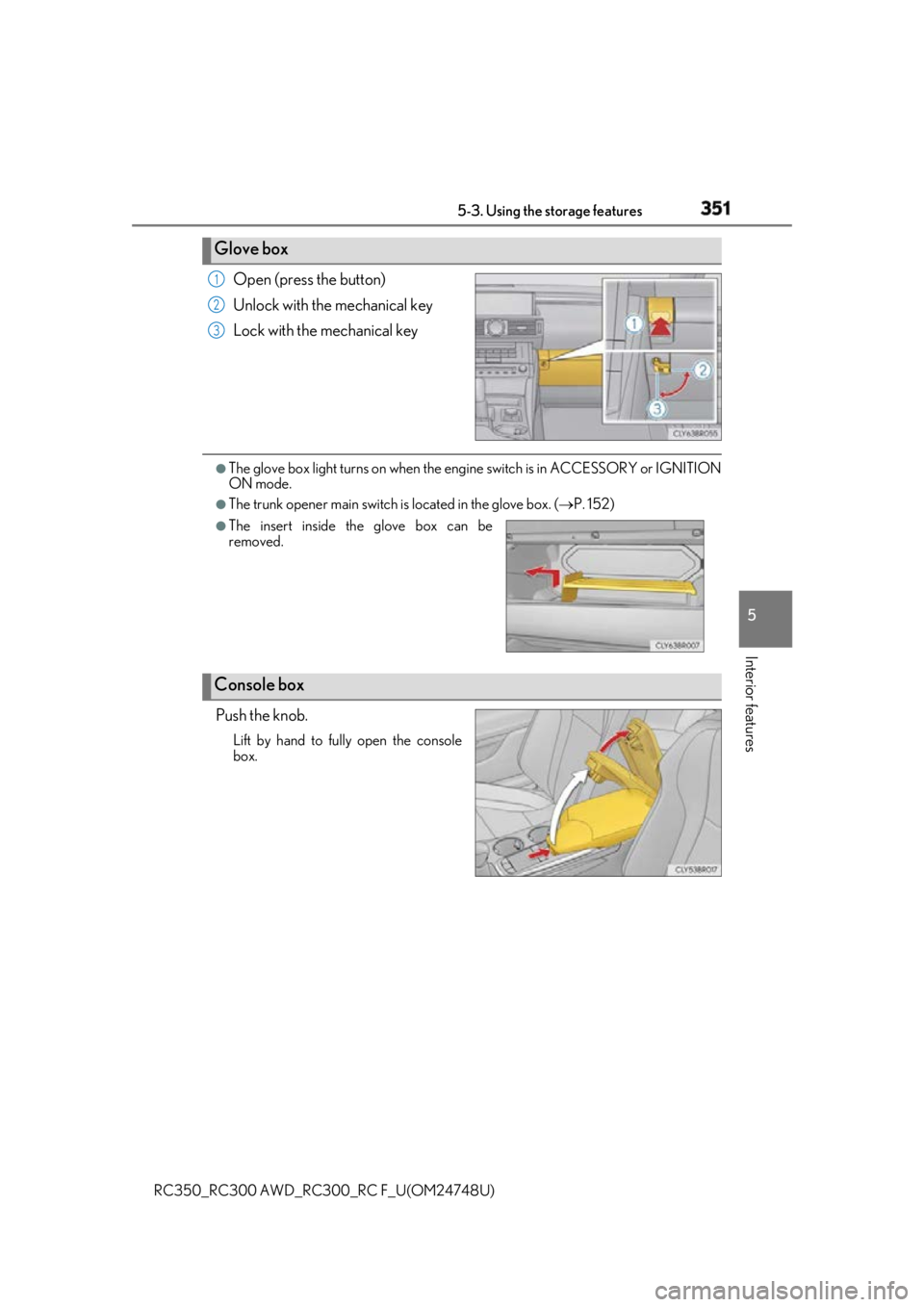
Interior features Open (press the button)
Unlock with the mechanical key
Lock with the mechanical key ●
The glove box light turns on when the engine switch is in ACCESSORY or IGNITION
ON mode. ●
The trunk opener main switch is located in the glove box. ( P. 152)
Push the knob. Lift by hand to fully open the console
box.Glove box 1
2
3
●
The insert inside the glove box can be
removed.
Console box