brake LEXUS RC300 2020 Owner's Manual
[x] Cancel search | Manufacturer: LEXUS, Model Year: 2020, Model line: RC300, Model: LEXUS RC300 2020Pages: 390, PDF Size: 8.65 MB
Page 135 of 390
1354-2. Driving procedures
4
Driving
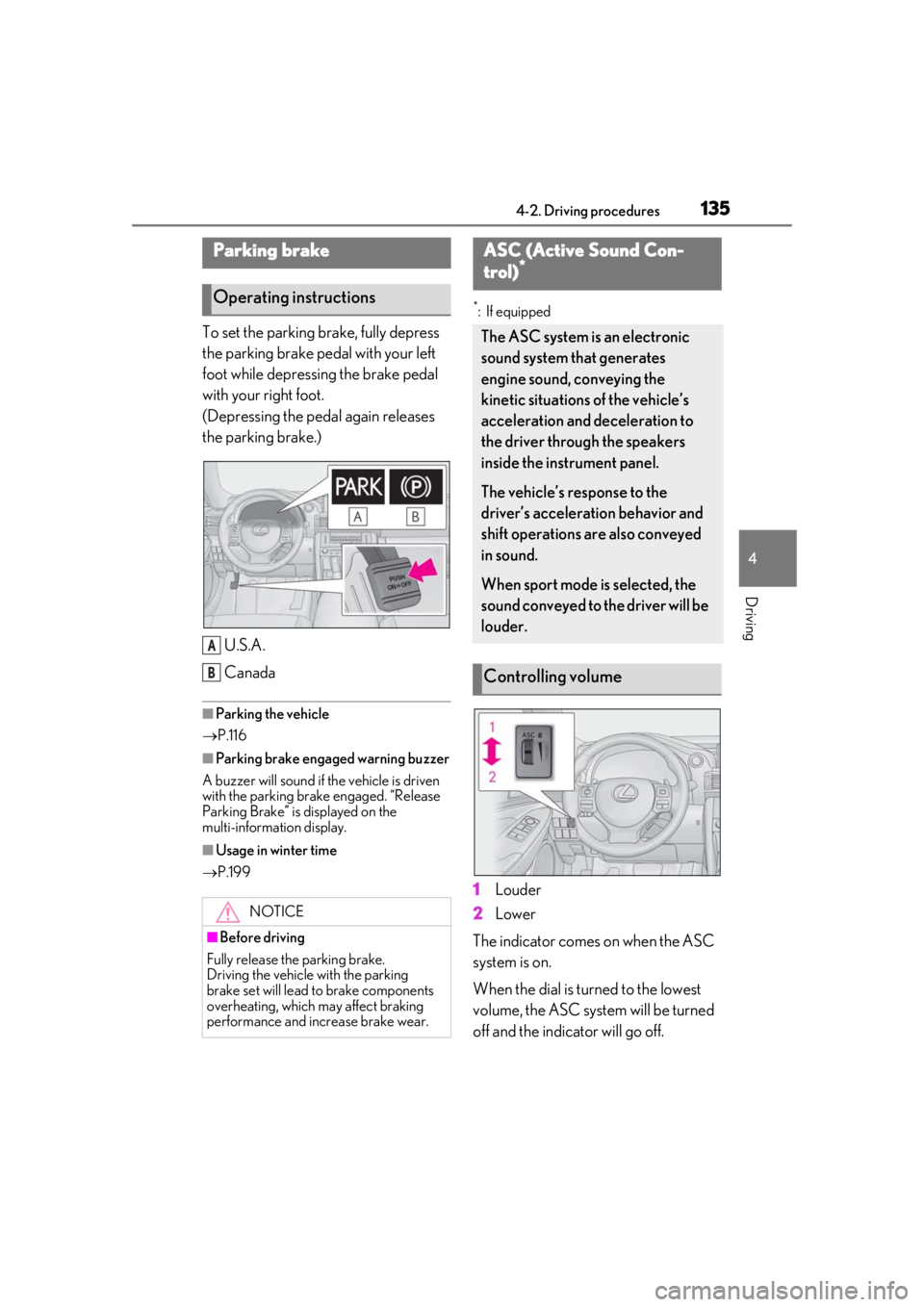
To set the parking brake, fully depress
the parking brake pedal with your left
foot while depressing the brake pedal
with your right foot.
(Depressing the pedal again releases
the parking brake.)U.S.A.
Canada
■Parking the vehicle
P.116
■Parking brake engaged warning buzzer
A buzzer will sound if the vehicle is driven
with the parking brake engaged. “Release
Parking Brake” is displayed on the
multi-information display.
■Usage in winter time
P.199
*: If equipped
1Louder
2
Lower
The indicator comes on when the ASC
system is on.
When the dial is turned to the lowest
volume, the ASC system will be turned
off and the indicator will go off.
Parking brake
Operating instructions
NOTICE
■Before driving
Fully release the parking brake.
Driving the vehicle with the parking
brake set will lead to brake components
overheating, which may affect braking
performance and increase brake wear.
A
B
ASC (Active Sound Con-
trol)*
The ASC system is an electronic
sound system that generates
engine sound, conveying the
kinetic situations of the vehicle’s
acceleration and deceleration to
the driver through the speakers
inside the instrument panel.
The vehicle’s response to the
driver’s acceleration behavior and
shift operations are also conveyed
in sound.
When sport mode is selected, the
sound conveyed to the driver will be
louder.
Controlling volume
Page 137 of 390
1374-3. Operating the lights and wipers
4
Driving
4-3.Operating the lights and wipers
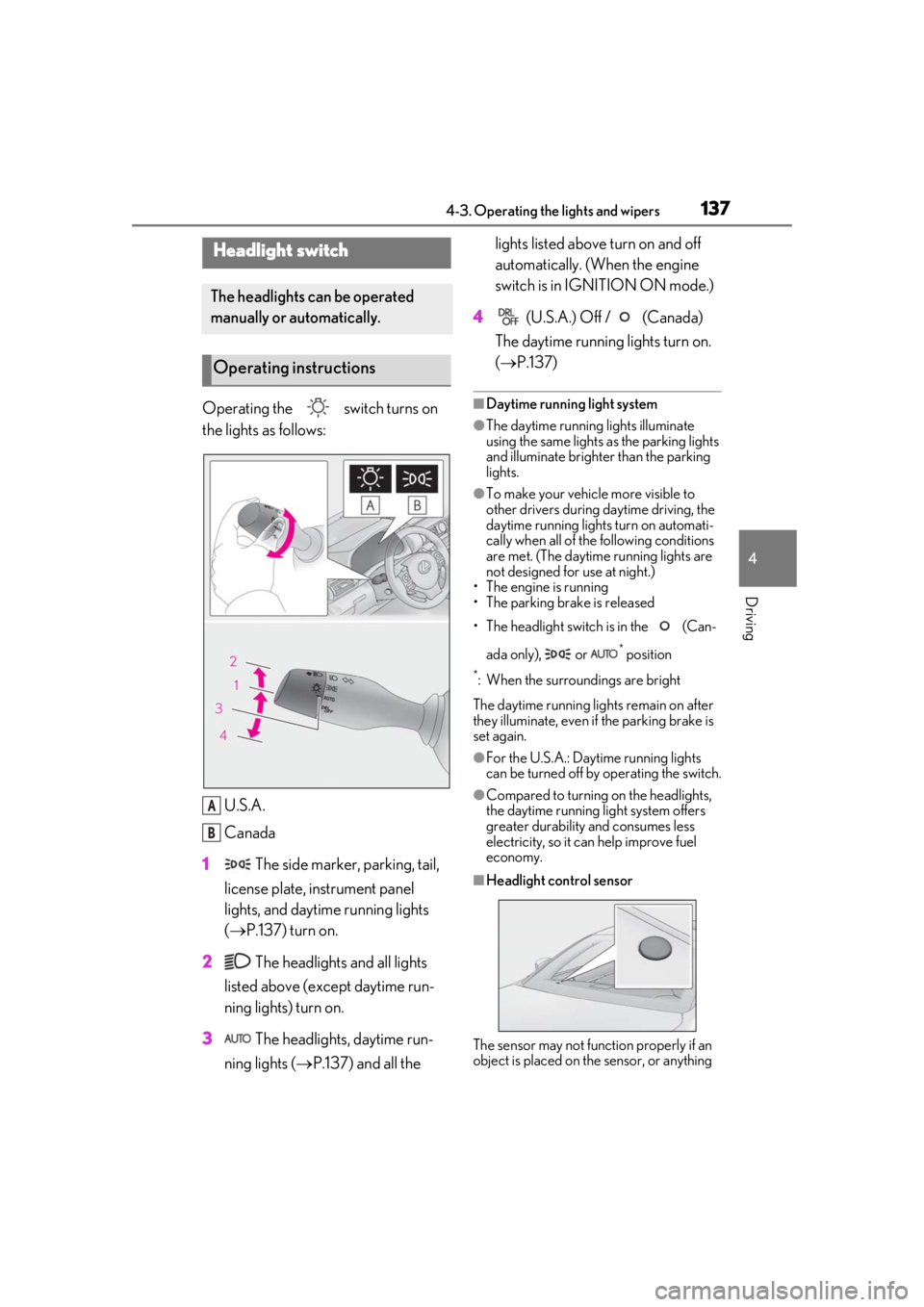
Operating the switch turns on
the lights as follows:U.S.A.
Canada
1 The side marker, parking, tail,
license plate, instrument panel
lights, and daytime running lights
( P.137) turn on.
2 The headlights and all lights
listed above (except daytime run-
ning lights) turn on.
3 The headlights, daytime run-
ning lights ( P.137) and all the lights listed above turn on and off
automatically. (When the engine
switch is in IGNITION ON mode.)
4 (U.S.A.) Off / (Canada)
The daytime running lights turn on.
( P.137)■Daytime running light system
●The daytime running lights illuminate
using the same lights as the parking lights
and illuminate brighter than the parking
lights.
●To make your vehicle more visible to
other drivers during daytime driving, the
daytime running lights turn on automati-
cally when all of the following conditions
are met. (The daytime running lights are
not designed for use at night.)
• The engine is running
• The parking brake is released
• The headlight switch is in the (Can-
ada only), or
* position
*: When the surroundings are bright
The daytime running lights remain on after
they illuminate, even if the parking brake is
set again.
●For the U.S.A.: Daytime running lights
can be turned off by operating the switch.
●Compared to turning on the headlights,
the daytime running light system offers
greater durability and consumes less
electricity, so it can help improve fuel
economy.
■Headlight control sensor
The sensor may not function properly if an
object is placed on the sensor, or anything
Headlight switch
The headlights can be operated
manually or automatically.
Operating instructions
A
B
Page 156 of 390
1564-5. Using the driving support systems
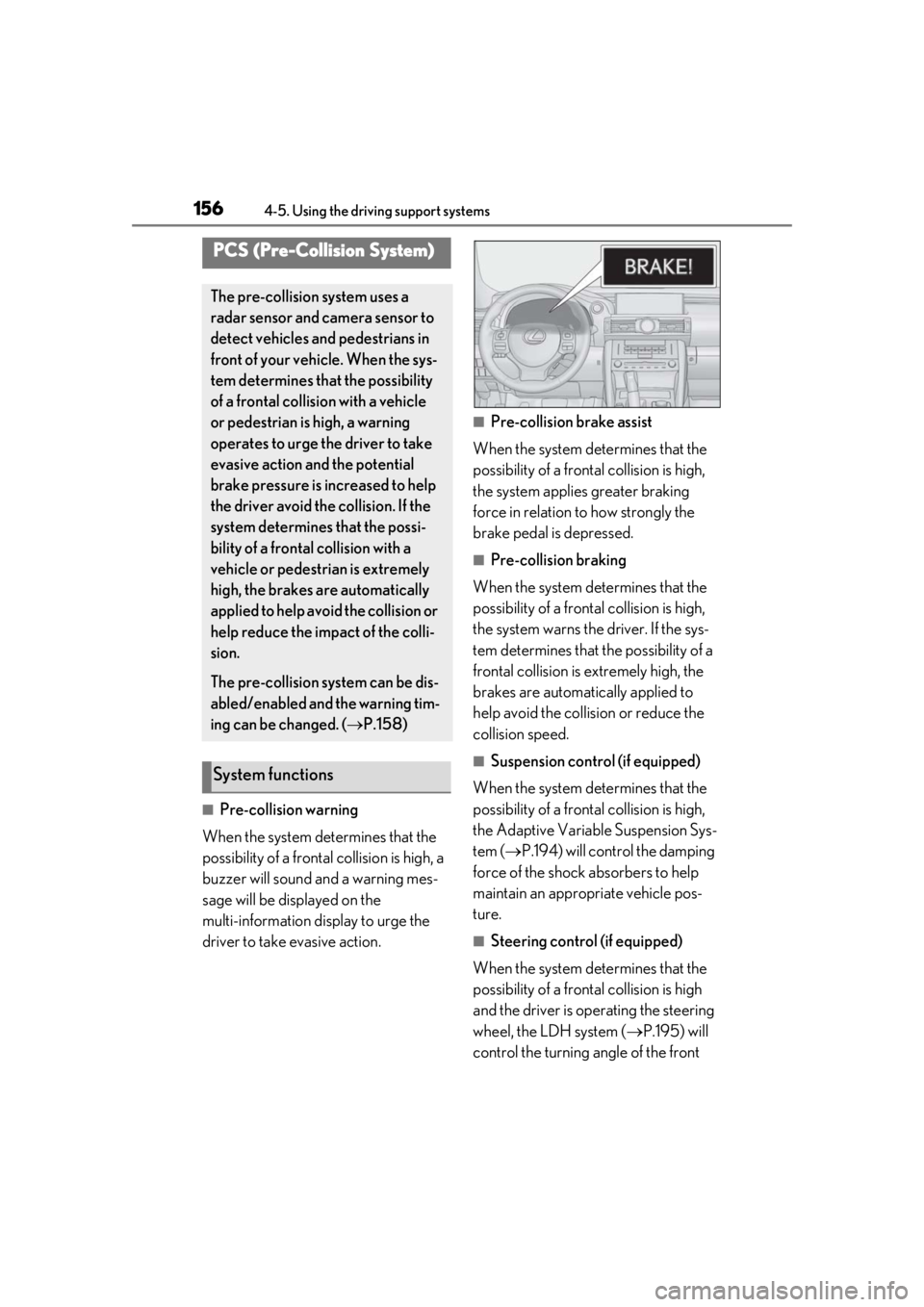
■Pre-collision warning
When the system determines that the
possibility of a frontal collision is high, a
buzzer will sound and a warning mes-
sage will be displayed on the
multi-information display to urge the
driver to take evasive action.
■Pre-collision brake assist
When the system determines that the
possibility of a frontal collision is high,
the system applies greater braking
force in relation to how strongly the
brake pedal is depressed.
■Pre-collision braking
When the system determines that the
possibility of a frontal collision is high,
the system warns the driver. If the sys-
tem determines that the possibility of a
frontal collision is extremely high, the
brakes are automatically applied to
help avoid the collision or reduce the
collision speed.
■Suspension control (if equipped)
When the system determines that the
possibility of a frontal collision is high,
the Adaptive Variable Suspension Sys-
tem ( P.194) will control the damping
force of the shock absorbers to help
maintain an appropriate vehicle pos-
ture.
■Steering control (if equipped)
When the system determines that the
possibility of a frontal collision is high
and the driver is op erating the steering
wheel, the LDH system ( P.195) will
control the turning angle of the front
PCS (Pre-Collision System)
The pre-collision system uses a
radar sensor and camera sensor to
detect vehicles and pedestrians in
front of your vehicle. When the sys-
tem determines that the possibility
of a frontal collision with a vehicle
or pedestrian is high, a warning
operates to urge the driver to take
evasive action and the potential
brake pressure is increased to help
the driver avoid the collision. If the
system determines that the possi-
bility of a frontal collision with a
vehicle or pedestrian is extremely
high, the brakes are automatically
applied to help avoid the collision or
help reduce the impact of the colli-
sion.
The pre-collision system can be dis-
abled/enabled and the warning tim-
ing can be changed. ( P.158)
System functions
Page 157 of 390
1574-5. Using the driving support systems
4
Driving
and rear wheels and effort necessary
to turn the steering wheel to help
enhance steering responsiveness.
WARNING
■Limitations of the pre-collision system
●The driver is solely responsible for safe
driving. Always drive safely, taking
care to observe your surroundings.
Do not use the pre-collision system
instead of normal braking operations
under any circumstances. This system
will not prevent collisions or lessen col-
lision damage or injury in every situa-
tion. Do not overly rely on this system.
Failure to do so may lead to an acci-
dent, resulting in death or serious
injury.
●Although this system is designed to
help avoid a collision or help reduce
the impact of the collision, its effective-
ness may change according to various
conditions, therefore the system may
not always be able to achieve the same
level of performance.
Read the following conditions care-
fully. Do not overly rely on this system
and always drive carefully.
• Conditions under which the system may operate even if there is no possi-
bility of a collision:
P.159
• Conditions under which the system may not operate properly:
P.161
●Do not attempt to test the operation of
the pre-collision system yourself.
Depending on the objects used for
testing (dummies, cardboard objects
imitating detectable objects, etc.), the
system may not operate properly, pos-
sibly leading to an accident.
■Pre-collision braking
●When the pre-collision braking func-
tion is operating, a large amount of
braking force will be applied.
●If the vehicle is stopped by the opera-
tion of the pre-collision braking func-
tion, the pre-collision braking function
operation will be canceled after
approximately 2 seco nds. Depress the
brake pedal as necessary.
●The pre-collision braking function may
not operate if certain operations are
performed by the driver. If the acceler-
ator pedal is being depressed strongly
or the steering wheel is being turned,
the system may determine that the
driver is taking evasive action and pos-
sibly prevent the pre-collision braking
function from operating.
●In some situations, while the pre-colli-
sion braking function is operating,
operation of the function may be can-
celed if the accelerator pedal is
depressed strongly or the steering
wheel is turned and the system deter-
mines that the driver is taking evasive
action.
●If the brake pedal is being depressed,
the system may determine that the
driver is taking evasive action and pos-
sibly delay the operat ion timing of the
pre-collision braking function.
■When to disable the pre-collision sys-
tem
In the following situations, disable the
system, as it may not operate properly,
possibly leading to an accident resulting
in death or serious injury:
●When the vehicle is being towed
●When your vehicle is towing another
vehicle
●When transporting the vehicle via
truck, boat, train or similar means of
transportation
●When the vehicle is raised on a lift with
the engine running and the tires are
allowed to rotate freely
Page 159 of 390
1594-5. Using the driving support systems
4
Driving
The warning will begin to operate later
than with the default timing.
■Operational conditions
The pre-collision system is enabled and the
system determines that the possibility of a
frontal collision with a vehicle or pedestrian
is high.
Each function is operat ional at the following
speeds:
●Pre-collision warning:
• Vehicle speed is be tween approximately
7 and 110 mph (10 and 180 km/h). (For
detecting a pedestrian, vehicle speed is
between approximately 7 and 50 mph
[10 and 80 km/h].)
• The relative speed between your vehicle and the vehicle or pedestrian ahead is
approximately 7 mph (10 km/h) or more.
●Pre-collision brake assist:
• Vehicle speed is be tween approximately
20 and 110 mph (30 and 180 km/h). (For
detecting a pedestrian, vehicle speed is
between approximately 20 and 50 mph
[30 and 80 km/h].)
• The relative speed between your vehicle
and the vehicle or pedestrian ahead is
approximately 20 mph (30 km/h) or
more.
●Pre-collision braking:
• Vehicle speed is be tween approximately
7 and 110 mph (10 and 180 km/h). (For
detecting a pedestrian, vehicle speed is
between approximately 7 and 50 mph
[10 and 80 km/h].)
• The relative speed between your vehicle and the vehicle or pedestrian ahead is
approximately 7 mph (10 km/h) or more.
The system may not operate in the following
situations:
●If a battery terminal has been discon-
nected and reconnected and then the
vehicle has not been driven for a certain
amount of time
●If the shift lever is in R
●If VSC is disabled (only the pre-collision
warning function will be operational)
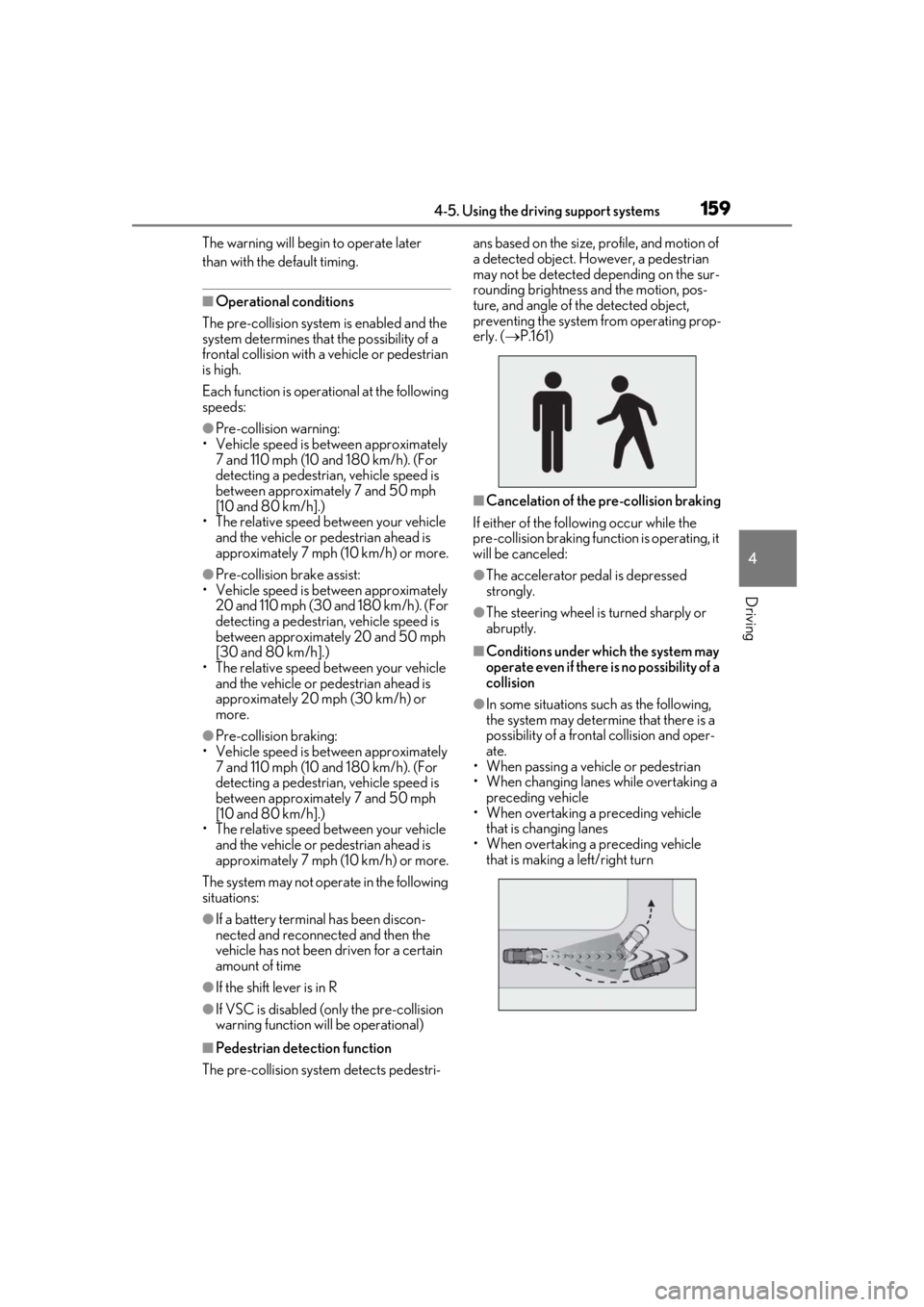
■Pedestrian detection function
The pre-collision system detects pedestri- ans based on the size,
profile, and motion of
a detected object. However, a pedestrian
may not be detected depending on the sur-
rounding brightness and the motion, pos-
ture, and angle of the detected object,
preventing the system from operating prop-
erly. ( P.161)
■Cancelation of the pre-collision braking
If either of the follo wing occur while the
pre-collision braking function is operating, it
will be canceled:
●The accelerator pedal is depressed
strongly.
●The steering wheel is turned sharply or
abruptly.
■Conditions under which the system may
operate even if there is no possibility of a
collision
●In some situations su ch as the following,
the system may determine that there is a
possibility of a frontal collision and oper-
ate.
• When passing a vehicle or pedestrian
• When changing lanes while overtaking a
preceding vehicle
• When overtaking a preceding vehicle
that is changing lanes
• When overtaking a preceding vehicle that is making a left/right turn
Page 162 of 390

1624-5. Using the driving support systems
• The vehicle is wobbling.
• The vehicle is being driven at extremely high speeds.
• When driving on a hill
• If the radar sensor or camera sensor is misaligned
●In some situations such as the following,
sufficient braking force may not be
obtained, preventing the system from
performing properly:
• If the braking functions cannot operate to
their full extent, such as when the brake
parts are extremely cold, extremely hot,
or wet
• If the vehicle is not properly maintained (brakes or tires are excessively worn,
improper tire inflation pressure, etc.)
• When the vehicle is being driven on a gravel road or other slippery surface
●Some pedestrians such as the following
may not be detected by the radar sensor
and camera sensor, preventing the sys-
tem from operating properly:
• Pedestrians shorter than approximately 3.2 ft. (1 m) or tall er than approximately
6.5 ft. (2 m)
• Pedestrians wearing oversized clothing (a rain coat, long skir t, etc.), making their
silhouette obscure
• Pedestrians who are carrying large bag- gage, holding an umbrella, etc., hiding
part of their body
• Pedestrians who are bending forward or squatting
• Pedestrians who are pushing a stroller, wheelchair, bicycle or other vehicle
• Groups of pedestrians which are close
together
• Pedestrians who are wearing white and look extremely bright
• Pedestrians in the dark, such as at night or while in a tunnel
• Pedestrians whose clothing appears to
be nearly the same co lor or brightness as
their surroundings
• Pedestrians near walls , fences, guardrails,
or large objects
• Pedestrians who are on a metal object (manhole cover, steel plate, etc.) on the
road
• Pedestrians who are walking fast
• Pedestrians who are changing speed abruptly • Pedestrians running out from behind a
vehicle or a large object
• Pedestrians who are extremely close to
the side of the vehicle (outside rear view
mirror, etc.)
■If VSC is disabled
●If VSC is disabled ( P.194), the pre-col-
lision brake assist and pre-collision brak-
ing functions are also disabled.
●The PCS warning light will turn on and
“VSC Turned Off Pre-Collision Brake
System Unavailable” will be displayed on
the multi-information display.
Page 172 of 390
1724-5. Using the driving support systems
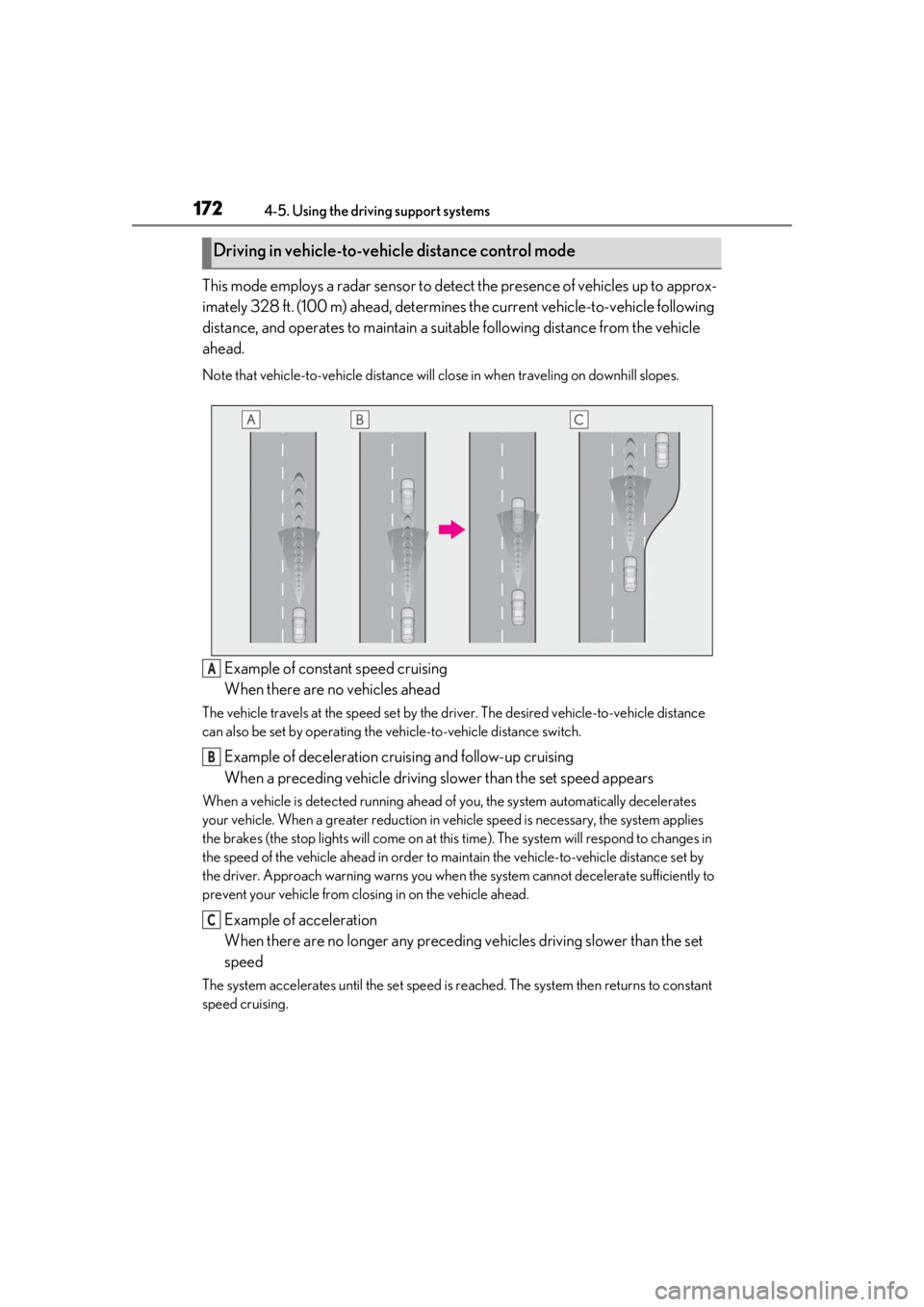
This mode employs a radar sensor to detect the presence of vehicles up to approx-
imately 328 ft. (100 m) ahead, determines the current vehicle-to-vehicle following
distance, and operates to maintain a suit able following distance from the vehicle
ahead.
Note that vehicle-to-vehicle distance will close in when traveling on downhill slopes.
Example of constant speed cruising
When there are no vehicles ahead
The vehicle travels at the speed set by the driver. The desired vehicle-to-vehicle distance
can also be set by operating the vehicle-to-vehicle distance switch.
Example of deceleration cruising and follow-up cruising
When a preceding vehicle driving slower than the set speed appears
When a vehicle is detected running ahead of you, the system automatically decelerates
your vehicle. When a greater reduction in vehicle speed is necessary, the system applies
the brakes (the stop lights will come on at this time). The sy stem will respond to changes in
the speed of the vehicle ahead in order to maintain the vehicle-to-vehicle distance set by
the driver. Approach warning warns you when th e system cannot decelerate sufficiently to
prevent your vehicle from closing in on the vehicle ahead.
Example of acceleration
When there are no longer any preceding vehicles driving slower than the set
speed
The system accelerates until the set speed is re ached. The system then returns to constant
speed cruising.
Driving in vehicle-to-vehicle distance control mode
A
B
C
Page 175 of 390
1754-5. Using the driving support systems
4
Driving
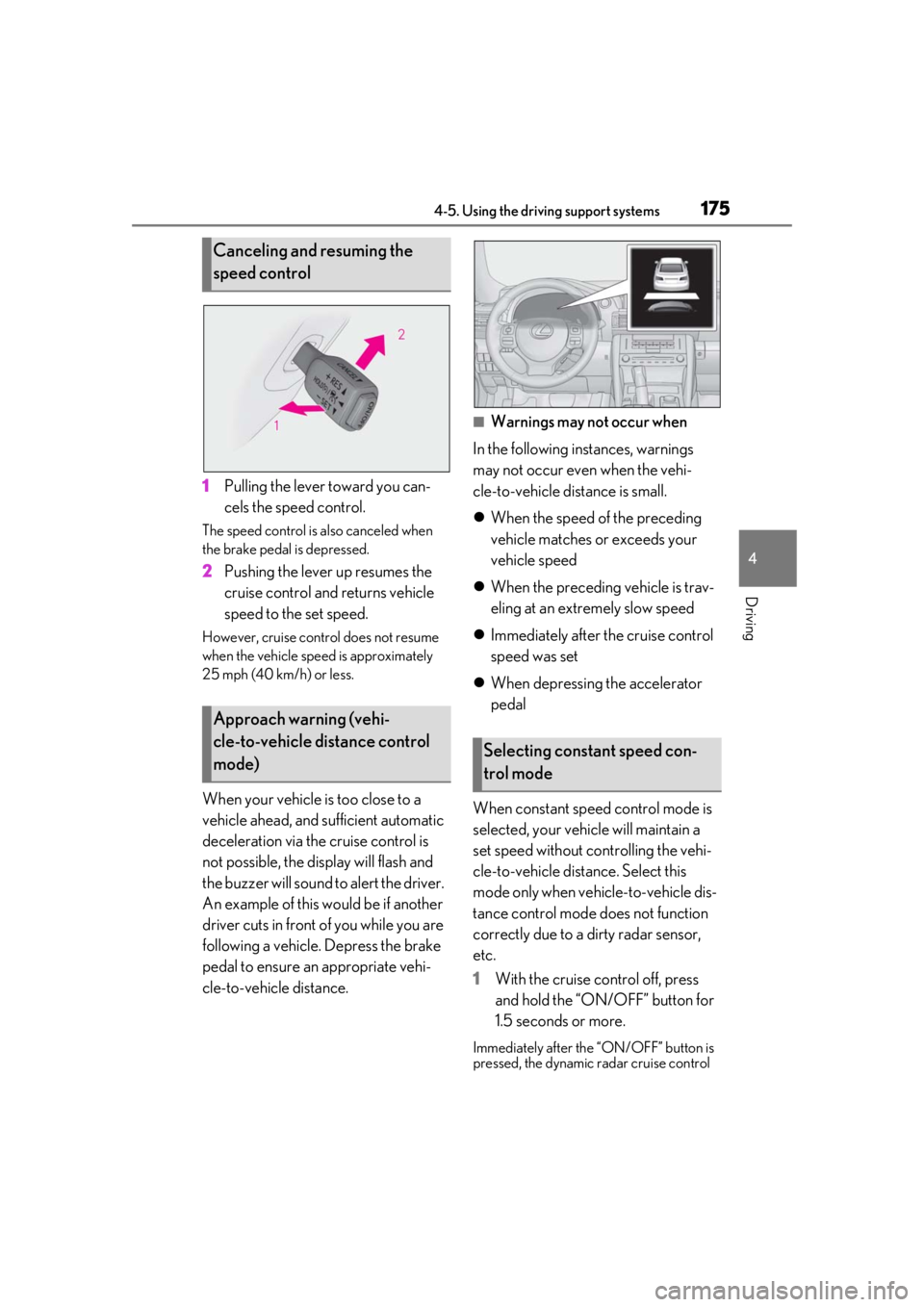
1Pulling the lever toward you can-
cels the speed control.
The speed control is also canceled when
the brake pedal is depressed.
2Pushing the lever up resumes the
cruise control and returns vehicle
speed to the set speed.
However, cruise control does not resume
when the vehicle speed is approximately
25 mph (40 km/h) or less.
When your vehicle is too close to a
vehicle ahead, and sufficient automatic
deceleration via the cruise control is
not possible, the display will flash and
the buzzer will sound to alert the driver.
An example of this would be if another
driver cuts in front of you while you are
following a vehicle. Depress the brake
pedal to ensure an appropriate vehi-
cle-to-vehicle distance.
■Warnings may not occur when
In the following instances, warnings
may not occur even when the vehi-
cle-to-vehicle distance is small.
When the speed of the preceding
vehicle matches or exceeds your
vehicle speed
When the preceding vehicle is trav-
eling at an extremely slow speed
Immediately after the cruise control
speed was set
When depressing the accelerator
pedal
When constant speed control mode is
selected, your vehicle will maintain a
set speed without controlling the vehi-
cle-to-vehicle distance. Select this
mode only when vehicle-to-vehicle dis-
tance control mode does not function
correctly due to a dirty radar sensor,
etc.
1 With the cruise control off, press
and hold the “ON/OFF” button for
1.5 seconds or more.
Immediately after the “ON/OFF” button is
pressed, the dynamic radar cruise control
Canceling and resuming the
speed control
Approach warning (vehi-
cle-to-vehicle distance control
mode)
Selecting constant speed con-
trol mode
Page 177 of 390
1774-5. Using the driving support systems
4
Driving
may be a malfunction in the system. Con-
tact your Lexus dealer.
■Brake system operation sound
If the brakes are applied automatically while
the vehicle is in vehicle-to-vehicle distance
control mode, a brake system operation
sound may be heard. This does not indicate
a malfunction.
■Warning messages and buzzers for
dynamic radar cruise control
Warning messages and buzzers are used to
indicate a system malfunction or to inform
the driver of the need for caution while driv-
ing. If a warning message is shown on the
multi-information display, read the message
and follow the instructions.
■When the sensor may not be correctly
detecting the vehicle ahead
In the case of the following and depending
on the conditions, operate the brake pedal
when deceleration of the system is insuffi-
cient or operate the accelerator pedal
when acceleration is required.
As the sensor may not be able to correctly
detect these types of vehicles, the approach
warning ( P.175) may not be activated.
●Vehicles that cut in suddenly
●Vehicles traveling at low speeds
●Vehicles that are not moving in the same
lane
●Vehicles with small rear ends (trailers
with no load on board, etc.)
●Motorcycles travelin g in the same lane
●When water or snow thrown up by the
surrounding vehicles hinders the detect-
ing of the sensor
●When your vehicle is pointing upwards
(caused by a heavy load in the luggage
compartment, etc.)
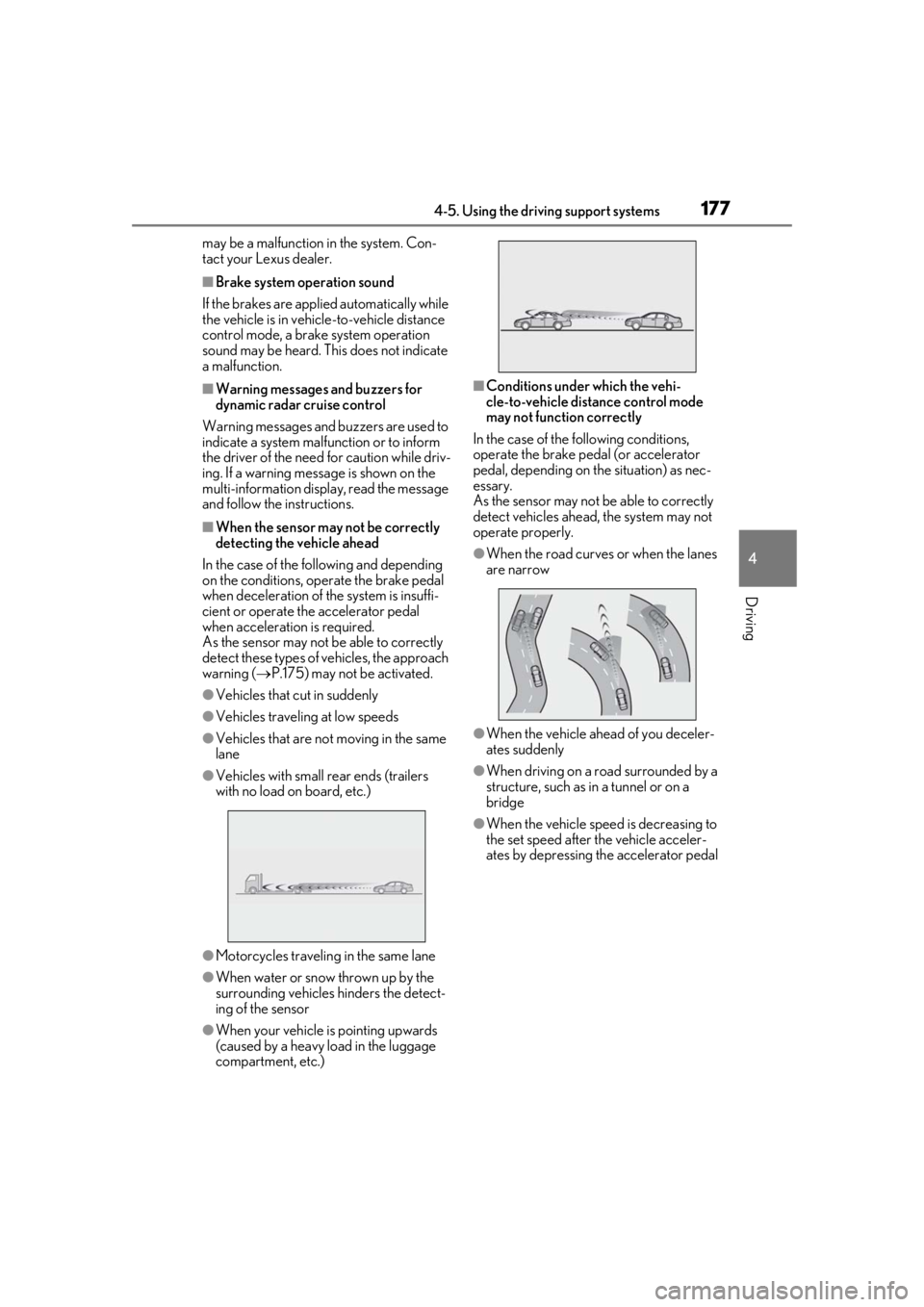
■Conditions under which the vehi-
cle-to-vehicle distance control mode
may not function correctly
In the case of the following conditions,
operate the brake pedal (or accelerator
pedal, depending on the situation) as nec-
essary.
As the sensor may not be able to correctly
detect vehicles ahead, the system may not
operate properly.
●When the road curves or when the lanes
are narrow
●When the vehicle ahead of you deceler-
ates suddenly
●When driving on a road surrounded by a
structure, such as in a tunnel or on a
bridge
●When the vehicle speed is decreasing to
the set speed after the vehicle acceler-
ates by depressing the accelerator pedal
Page 179 of 390
1794-5. Using the driving support systems
4
Driving
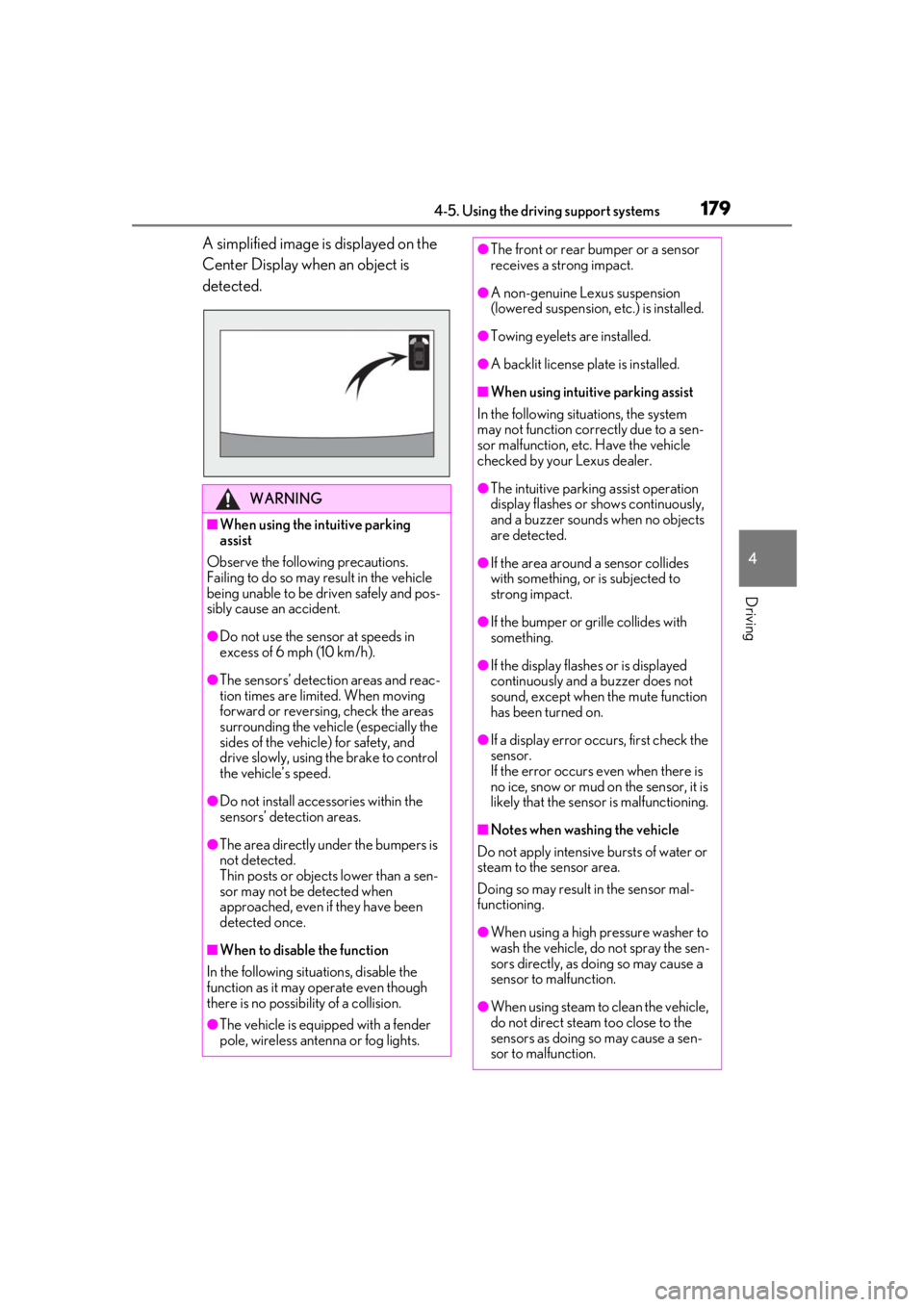
A simplified image is displayed on the
Center Display when an object is
detected.
WARNING
■When using the intuitive parking
assist
Observe the following precautions.
Failing to do so may result in the vehicle
being unable to be driven safely and pos-
sibly cause an accident.
●Do not use the sensor at speeds in
excess of 6 mph (10 km/h).
●The sensors’ detection areas and reac-
tion times are limited. When moving
forward or reversing, check the areas
surrounding the vehicle (especially the
sides of the vehicle) for safety, and
drive slowly, using the brake to control
the vehicle’s speed.
●Do not install accessories within the
sensors’ detection areas.
●The area directly under the bumpers is
not detected.
Thin posts or objects lower than a sen-
sor may not be detected when
approached, even if they have been
detected once.
■When to disable the function
In the following situations, disable the
function as it may operate even though
there is no possibility of a collision.
●The vehicle is equipped with a fender
pole, wireless antenna or fog lights.
●The front or rear bumper or a sensor
receives a strong impact.
●A non-genuine Lexus suspension
(lowered suspension, etc.) is installed.
●Towing eyelets are installed.
●A backlit license plate is installed.
■When using intuitive parking assist
In the following situations, the system
may not function correctly due to a sen-
sor malfunction, etc. Have the vehicle
checked by your Lexus dealer.
●The intuitive parking assist operation
display flashes or shows continuously,
and a buzzer sounds when no objects
are detected.
●If the area around a sensor collides
with something, or is subjected to
strong impact.
●If the bumper or grille collides with
something.
●If the display flashes or is displayed
continuously and a buzzer does not
sound, except when the mute function
has been turned on.
●If a display error oc curs, first check the
sensor.
If the error occurs even when there is
no ice, snow or mud on the sensor, it is
likely that the sensor is malfunctioning.
■Notes when washing the vehicle
Do not apply intensive bursts of water or
steam to the sensor area.
Doing so may result in the sensor mal-
functioning.
●When using a high pressure washer to
wash the vehicle, do not spray the sen-
sors directly, as doing so may cause a
sensor to malfunction.
●When using steam to clean the vehicle,
do not direct steam too close to the
sensors as doing so may cause a sen-
sor to malfunction.