audio LEXUS RC300H 2017 Service Manual
[x] Cancel search | Manufacturer: LEXUS, Model Year: 2017, Model line: RC300H, Model: LEXUS RC300H 2017Pages: 640, PDF Size: 35.53 MB
Page 355 of 640
3555-2. Setup
5
Lexus Display Audio system
RC300h_EE(OM24740E)
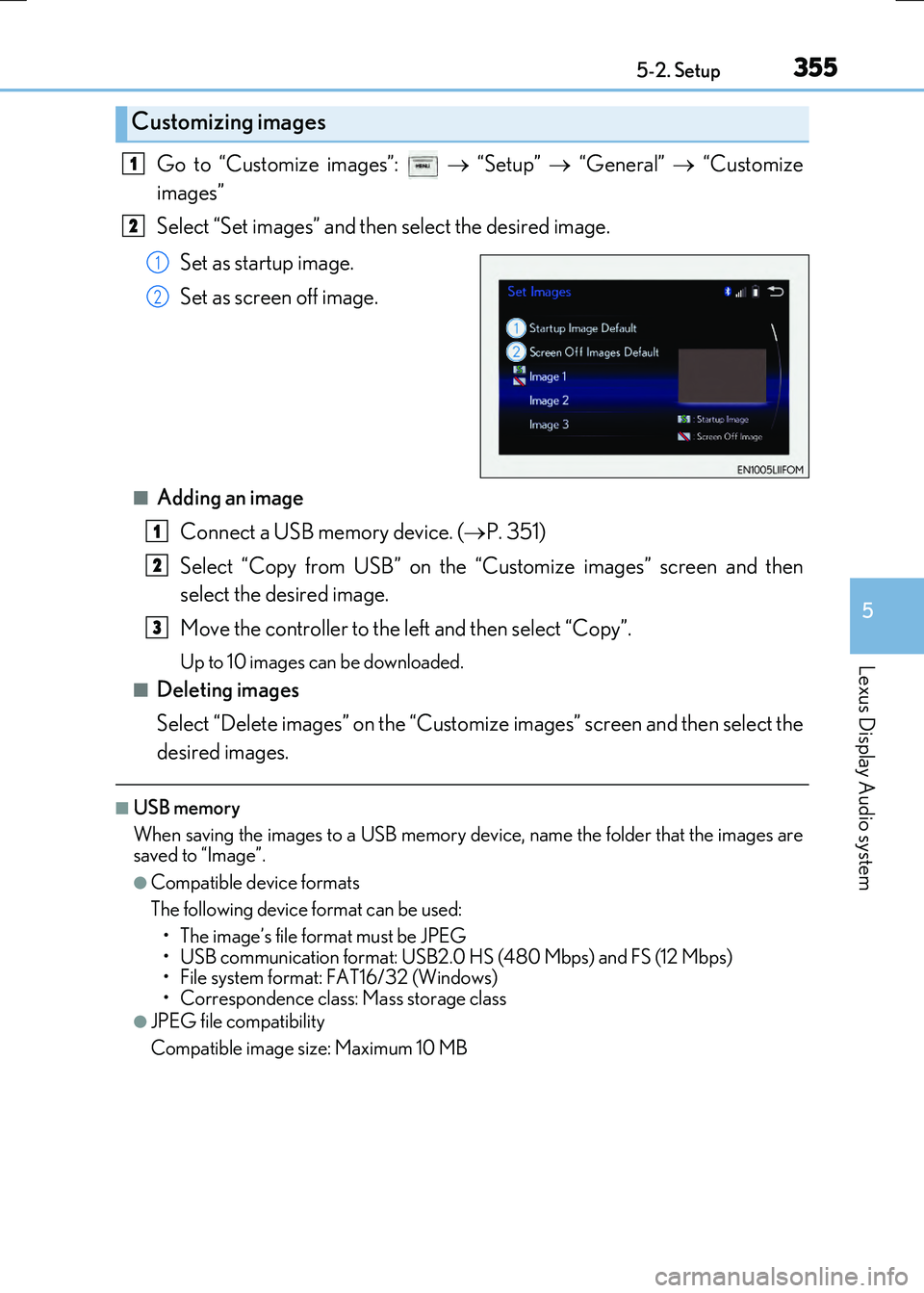
Go to “Customize images”: “Setup” “General” “Customize
images”
Select “Set images” and then select the desired image.
Set as startup image.
Set as screen off image.
■Adding an image Connect a USB memory device. ( P. 351)
Select “Copy from USB” on the “Customize images” screen and then
select the desired image.
Move the controller to the left and then select “Copy”.
Up to 10 images can be downloaded.
■Deleting images
Select “Delete images” on the “Customize images” screen and then select the
desired images.
■USB memory
When saving the images to a USB memory device, name the folder that the images are
saved to “Image”.
●Compatible device formats
The following device format can be used: • The image’s file format must be JPEG
• USB communication format: USB2.0 HS (480 Mbps) and FS (12 Mbps)
• File system format: FAT16/32 (Windows)
• Correspondence class: Mass storage class
●JPEG file compatibility
Compatible image size: Maximum 10 MB
Customizing images
1
2
1
2
1
2
3
Page 356 of 640
3565-2. Setup
RC300h_EE(OM24740E)
“Setup” “General” “Delete personal data”
Select “Delete”.
Check carefully beforehand, as data cannot be retrieved once deleted.
The following personal data will be deleted or changed to its default settings. • Phonebook data
•Voice tag
• Call history data
•Favorite data
• Bluetooth
® devices data
• Phone sound settings
• Detailed Bluetooth
® settings
• Audio/video setting
• Preset switch data
• Last used radio station
• Customized image data
• Software update history
• Software update detail information
• Phone display setting
• Contact/call history setting
• Messaging setting
NOTICE
■To prevent damage to the USB memory device or its terminals
P. 385
Deleting personal data
1
2
Page 357 of 640
3575-2. Setup
5
Lexus Display Audio system
RC300h_EE(OM24740E)
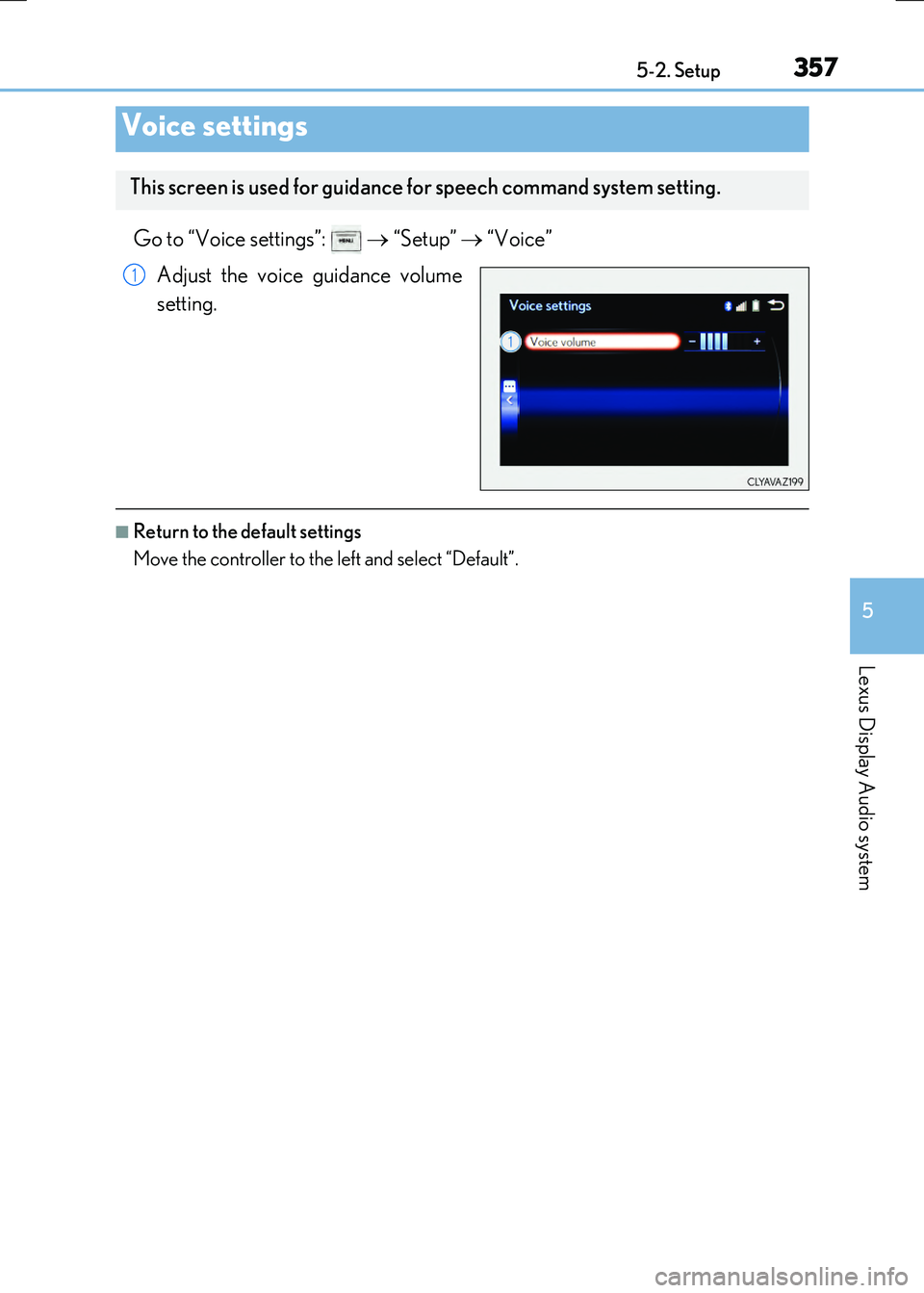
Go to “Voice settings”: “Setup” “Voice”
Adjust the voice guidance volume
setting.
■Return to the default settings
Move the controller to the left and select “Default”.
Voice settings
This screen is used for guidance for speech command system setting.
1
Page 359 of 640
3595-2. Setup
5
Lexus Display Audio system
RC300h_EE(OM24740E)
Select “General” or “Camera” on the “Display” screen or select “Display” on
each audio menu screen. ( P. 366)
Adjust the display as desired by turning the controller clockwise (+) or
counterclockwise (-).
To select “Contrast”, “Brightness”, “Colour” or “Tone”, move the controller to the left. (“Colour” and “Tone” are available when “Display” on each audio menu screen or theaudio settings screen for each audio source is selected.)
■Changing the sample image (when “General” is selected)
Move the controller to the right and select the desired sample image.
Adjusting the screen quality
1
2
Page 360 of 640
360
RC300h_EE(OM24740E)
5-3. Using the audio system
Press the button to display the “Source” screen.
If the “Source” screen is not displayed, press the button again.
Select the desired audio source.
The audio source can be selected by pressing the “RADIO” or “MEDIA” button.
Press the “MODE” switch when the audio system is turned on. The audio source
changes each time the “MODE” switch is pressed.
■Rearranging the list
The listing order of the source list can be rearranged.
Move the controller to the left while on the “Source” screen.
Select “Audio source select”.
Select an item you wish to move and then select where to move the item to.
Selecting the audio source
Switching between audio sources such as radio and CD are explained in this
section.
Changing audio source
Using the steering wheel switches to change audio sources
1
2
1
2
3
Page 361 of 640
3615-3. Using the audio system
5
Lexus Display Audio system
RC300h_EE(OM24740E)
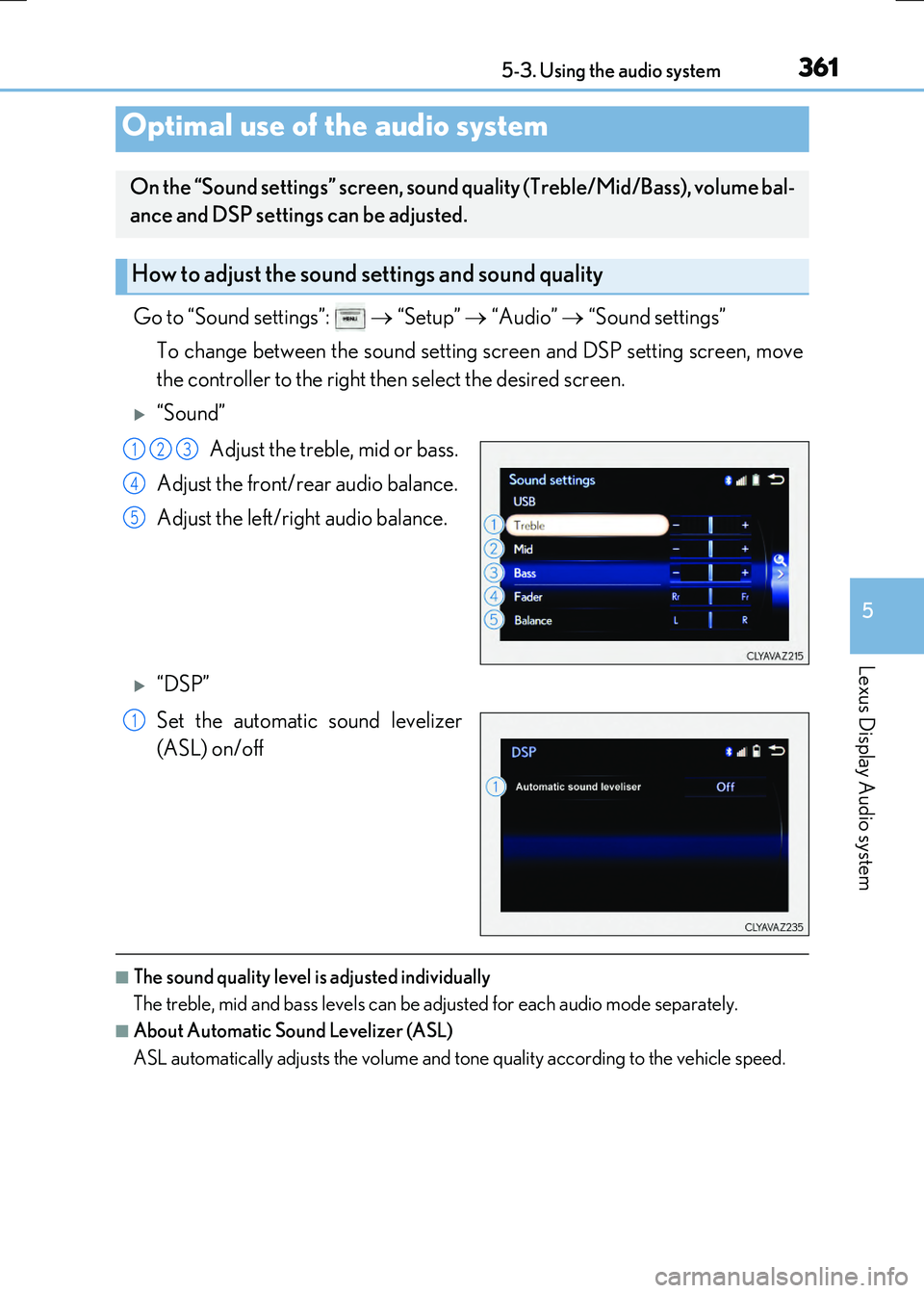
Go to “Sound settings”: “Setup” “Audio” “Sound settings”
To change between the sound setting screen and DSP setting screen, move
the controller to the right then select the desired screen.
“Sound”
Adjust the treble, mid or bass.
Adjust the front/rear audio balance.
Adjust the left/right audio balance.
“DSP”
Set the automatic sound levelizer
(ASL) on/off
■The sound quality level is adjusted individually
The treble, mid and bass levels can be adjusted for each audio mode separately.
■About Automatic Sound Levelizer (ASL)
ASL automatically adjusts the volume and to ne quality according to the vehicle speed.
Optimal use of the audio system
On the “Sound settings” screen, sound quality (Treble/Mid/Bass), volume bal-
ance and DSP settings can be adjusted.
How to adjust the sound settings and sound quality
123
4
5
1
Page 362 of 640
3625-3. Using the audio system
RC300h_EE(OM24740E)
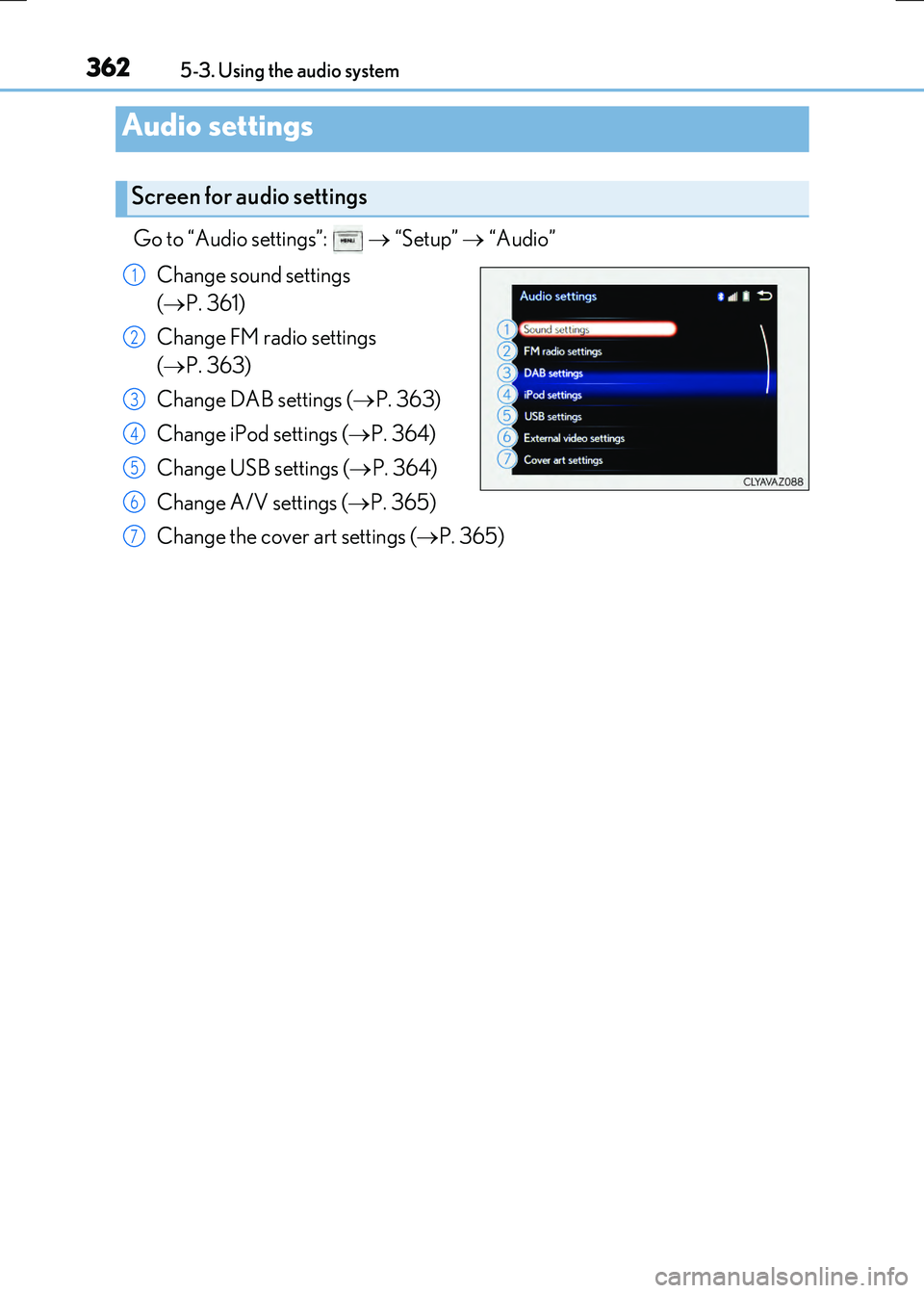
Go to “Audio settings”: “Setup” “Audio”
Change sound settings
( P. 361)
Change FM radio settings
( P. 363)
Change DAB settings ( P. 363)
Change iPod settings ( P. 364)
Change USB settings ( P. 364)
Change A/V settings ( P. 365)
Change the cover art settings ( P. 365)
Audio settings
Screen for audio settings
1
2
3
4
5
6
7
Page 363 of 640
3635-3. Using the audio system
5
Lexus Display Audio system
RC300h_EE(OM24740E)
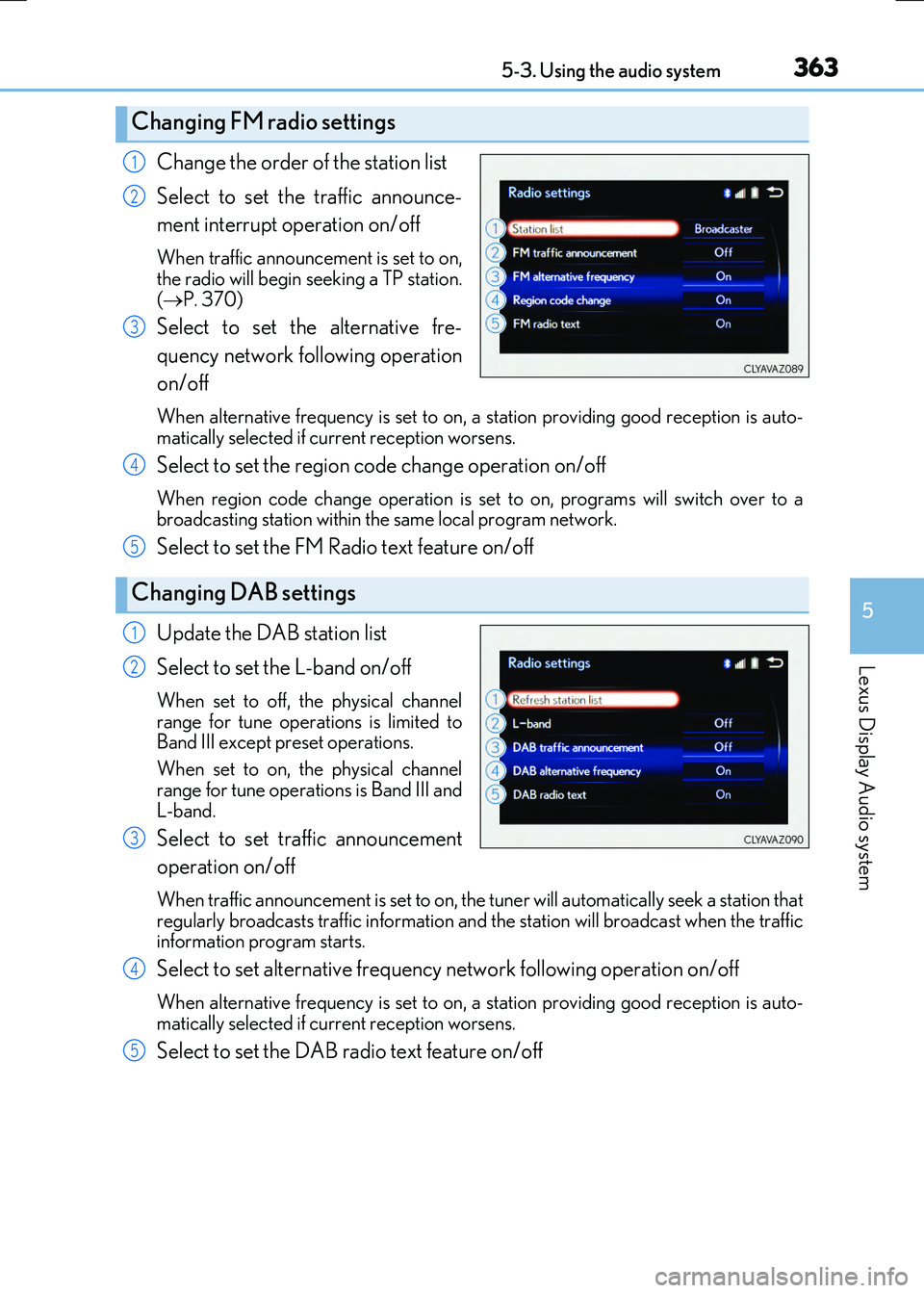
Change the order of the station list
Select to set the traffic announce-
ment interrupt operation on/off
When traffic announcement is set to on, the radio will begin seeking a TP station.
( P. 370)
Select to set the alternative fre-
quency network following operation
on/off
When alternative frequency is set to on, a station providing good reception is auto-
matically selected if current reception worsens.
Select to set the region code change operation on/off
When region code change operation is se t to on, programs will switch over to a broadcasting station within th e same local program network.
Select to set the FM Radio text feature on/off
Update the DAB station list
Select to set the L-band on/off
When set to off, the physical channel
range for tune operations is limited to Band III except preset operations.
When set to on, the physical channel
range for tune operations is Band III and L-band.
Select to set traffic announcement
operation on/off
When traffic announcement is set to on, the tuner will automatically seek a station that
regularly broadcasts traffic information and the station will broadcast when the traffic information program starts.
Select to set alternative frequency network following operation on/off
When alternative frequency is set to on, a station providing good reception is auto-matically selected if current reception worsens.
Select to set the DAB radio text feature on/off
Changing FM radio settings
1
2
3
Changing DAB settings
4
5
1
2
3
4
5
Page 364 of 640
3645-3. Using the audio system
RC300h_EE(OM24740E)
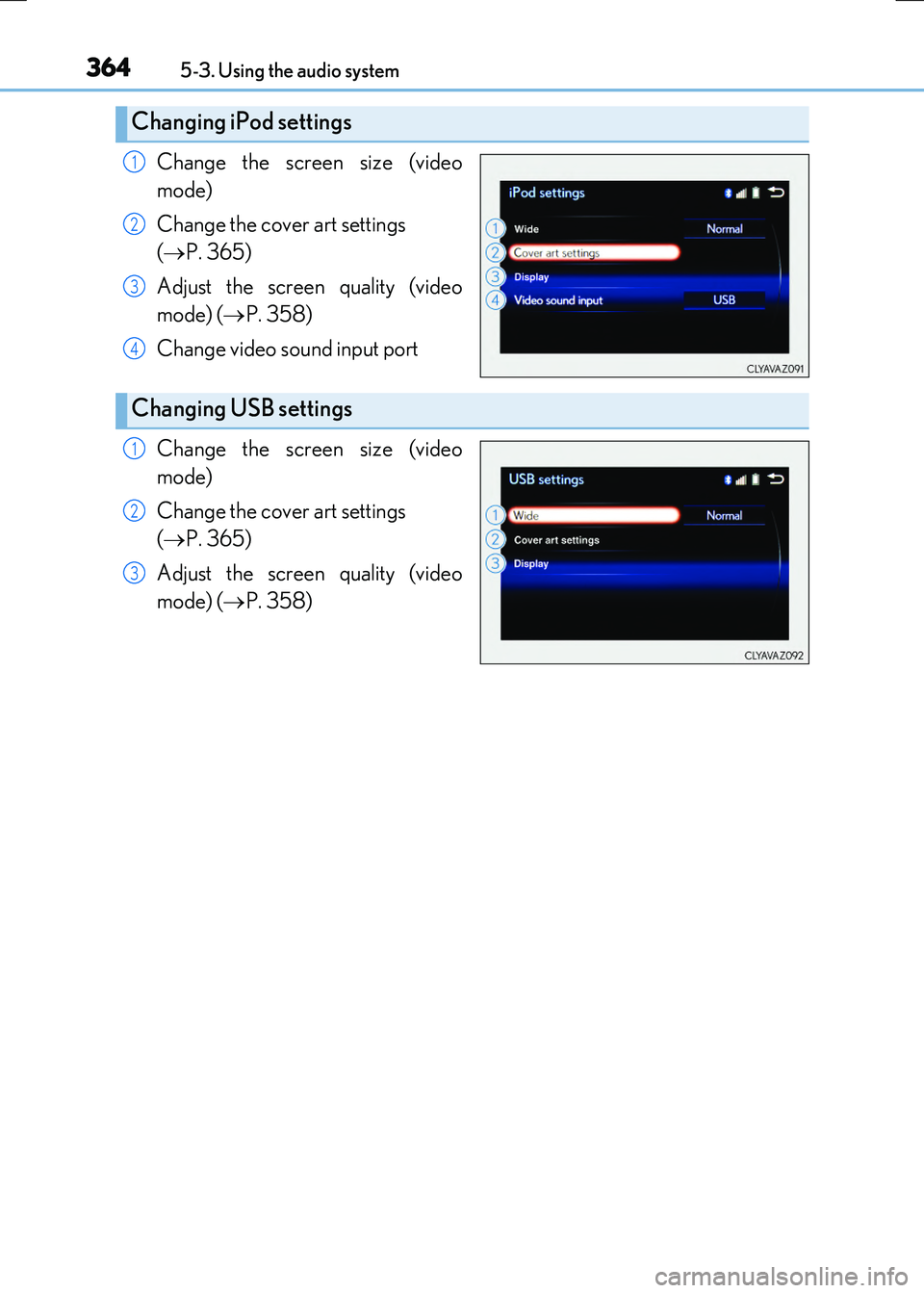
Change the screen size (video
mode)
Change the cover art settings
( P. 365)
Adjust the screen quality (video
mode) ( P. 358)
Change video sound input port
Change the screen size (video
mode)
Change the cover art settings
( P. 365)
Adjust the screen quality (video
mode) ( P. 358)
Changing iPod settings
1
2
3
4
Changing USB settings
1
2
3
Page 365 of 640
3655-3. Using the audio system
5
Lexus Display Audio system
RC300h_EE(OM24740E)
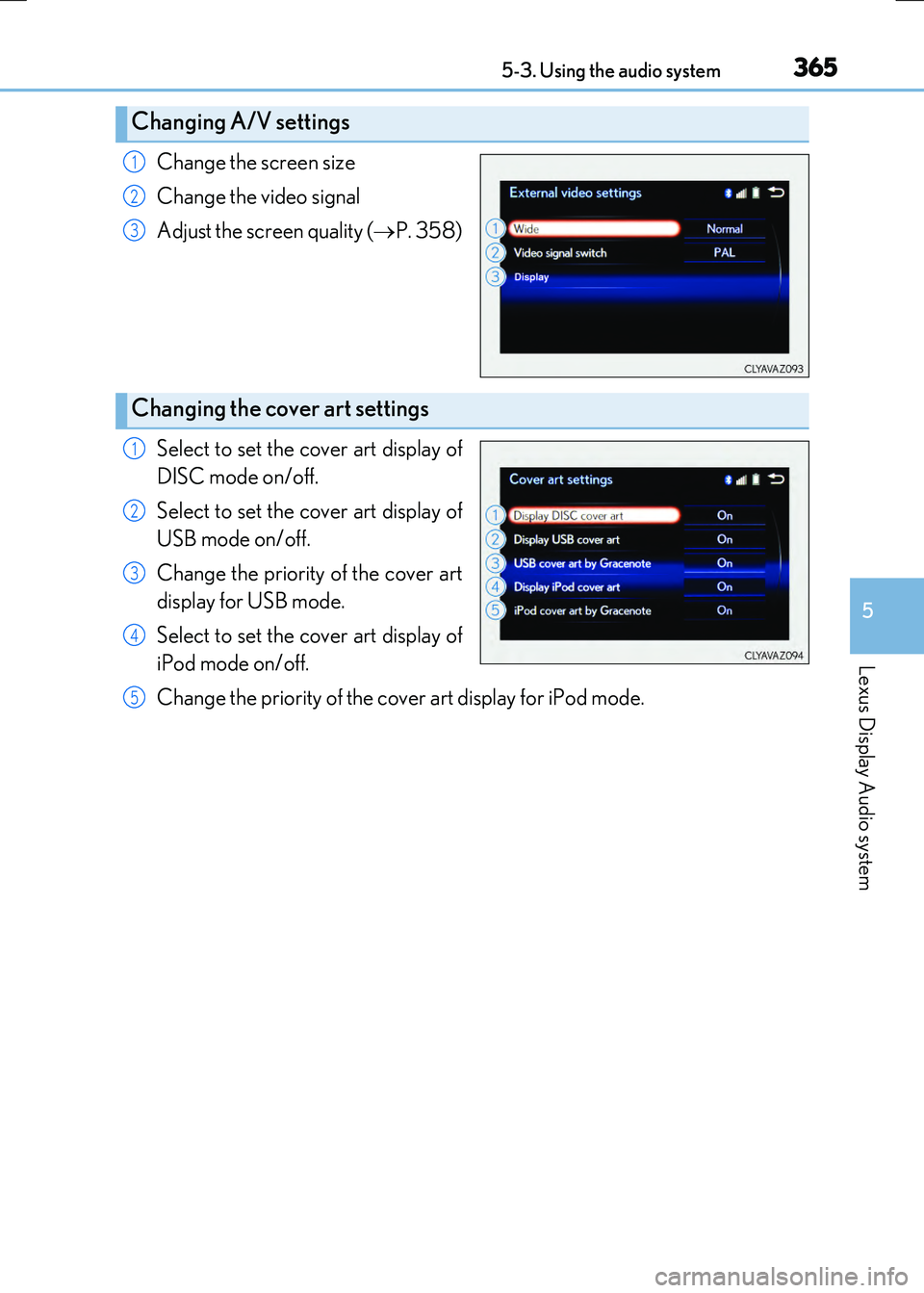
Change the screen size
Change the video signal
Adjust the screen quality ( P. 358)
Select to set the cover art display of
DISC mode on/off.
Select to set the cover art display of
USB mode on/off.
Change the priority of the cover art
display for USB mode.
Select to set the cover art display of
iPod mode on/off.
Change the priority of the cover art display for iPod mode.
Changing A/V settings
1
2
3
Changing the cover art settings
1
2
3
4
5