display LEXUS RC300H 2017 Manual PDF
[x] Cancel search | Manufacturer: LEXUS, Model Year: 2017, Model line: RC300H, Model: LEXUS RC300H 2017Pages: 640, PDF Size: 35.53 MB
Page 291 of 640
2914-5. Using the driving support systems
4
Driving
RC300h_EE(OM24740E)
Once the vehicle width guide lines and the parking space lines are parallel,
straighten the steering wheel and back up slowly until the vehicle has com-
pletely entered the parking space.
Stop the vehicle in an appropriate place, and finish parking.
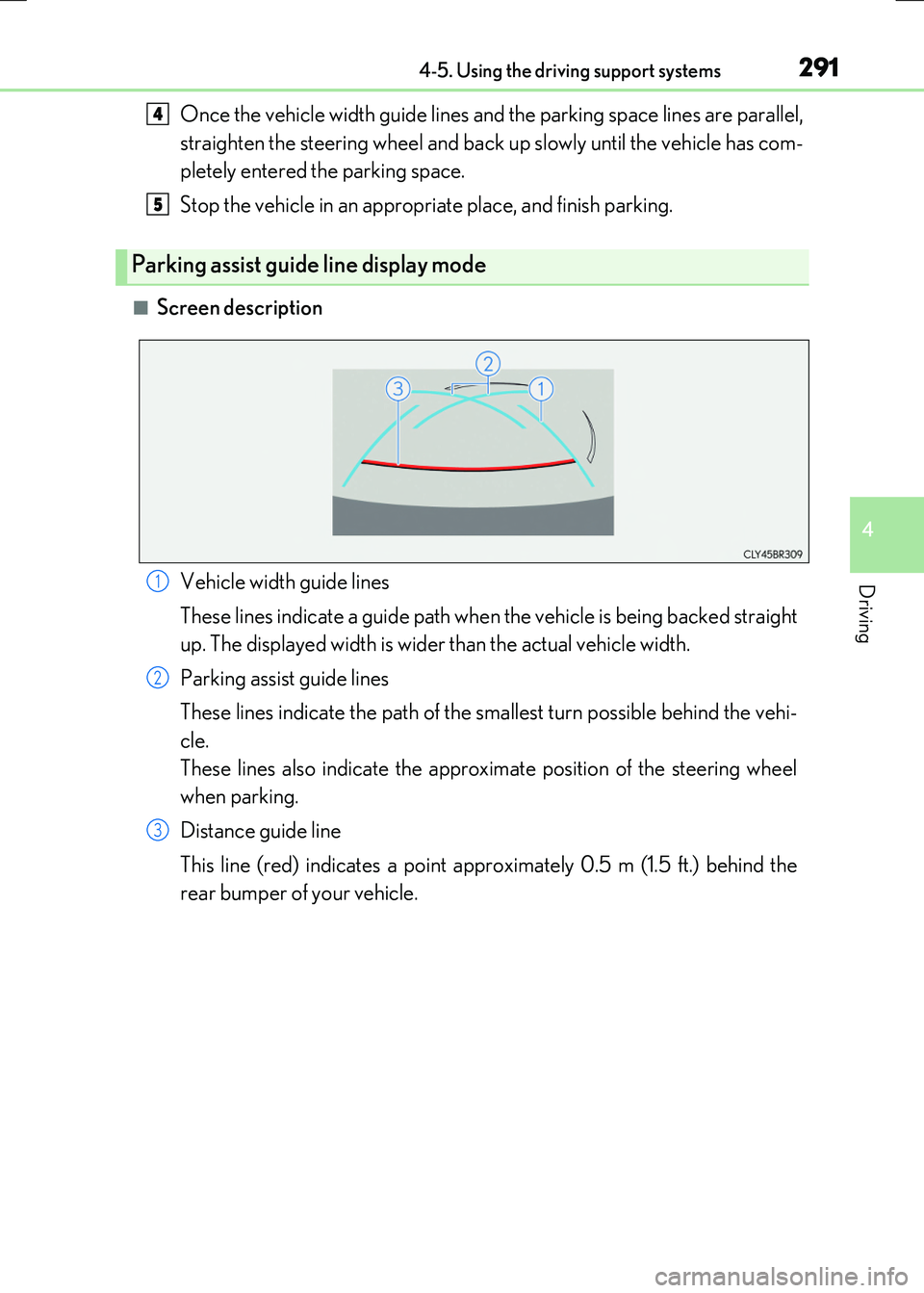
■Screen description
Parking assist guide line display mode
4
5
Vehicle width guide lines
These lines indicate a guide path when the vehicle is being backed straight
up. The displayed width is wider than the actual vehicle width.
Parking assist guide lines
These lines indicate the path of the sm allest turn possible behind the vehi-
cle.
These lines also indicate the approximate position of the steering wheel
when parking.
Distance guide line
This line (red) indicates a point approximately 0.5 m (1.5 ft.) behind the
rear bumper of your vehicle.
1
2
3
Page 293 of 640
2934-5. Using the driving support systems
4
Driving
RC300h_EE(OM24740E)
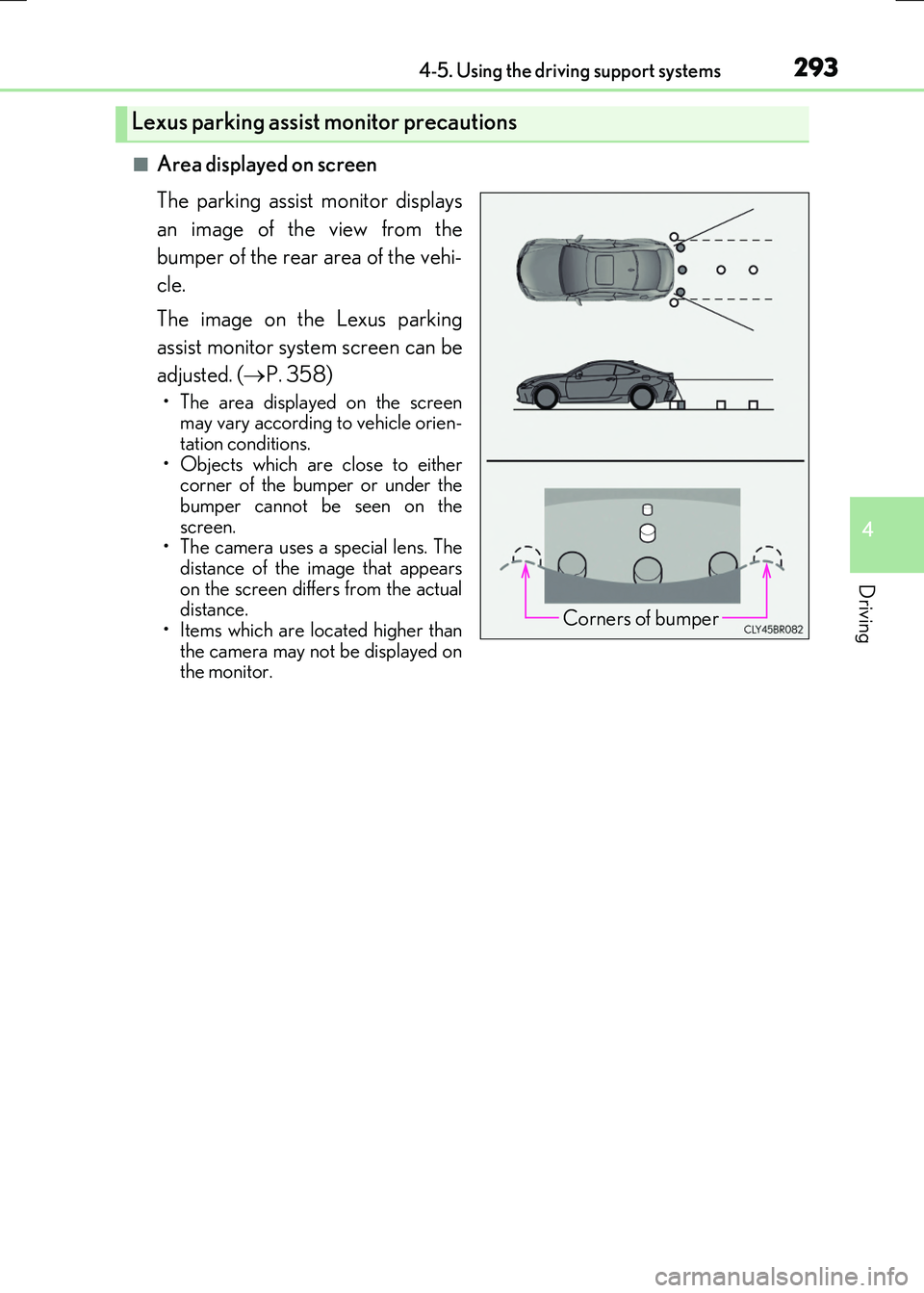
■Area displayed on screen
The parking assist monitor displays
an image of the view from the
bumper of the rear area of the vehi-
cle.
The image on the Lexus parking
assist monitor system screen can be
adjusted. ( P. 358)
• The area displayed on the screen may vary according to vehicle orien-
tation conditions. • Objects which are close to eithercorner of the bumper or under the
bumper cannot be seen on the screen.• The camera uses a special lens. The
distance of the image that appears on the screen differs from the actualdistance.
• Items which are located higher than the camera may not be displayed onthe monitor.
Lexus parking assist monitor precautions
Corners of bumper
Page 298 of 640

2984-5. Using the driving support systems
RC300h_EE(OM24740E)
The estimated course lines move even though the steering wheel is straight
There is a malfunction in the signals being output by the steering sensor.
Have the vehicle inspected by any autho-rized Lexus dealer or repairer, or another
duly qualified and equipped professional.
Guide lines are not displayed
The trunk is open.
Close the trunk. If this does not resolve the symptom, havethe vehicle inspected by any authorized
Lexus dealer or repairer, or another duly qualified and equipped professional.
The estimated course lines are not displayed
• The steering wheel has been moved while the battery was being reinstalled.
• Battery power is low. • The steering sensor has been rein-stalled.
• There is a malfunct ion in the signals being output by the steering sensor.
Stop the vehicle, and turn the steeringwheel as far as it will go to the left and
right. If this does not resolve the symptom, havethe vehicle inspected by any authorized
Lexus dealer or repairer, or another duly qualified and equipped professional.
Likely causeSolution
Page 299 of 640
2994-5. Using the driving support systems
4
Driving
RC300h_EE(OM24740E)
WARNING
■When using the Lexus parking assist monitor system
The parking assist monitor is a supplemental device intended to assist the driver when backing up. When backing up, be sure to check visually behind and all around the vehi-
cle before proceeding.
Observe the following precautions to avoid an accident that could result in death or serious injuries.
●Never depend on the parking assist monitor entirely when backing up. The imageand the position of the guide lines displayed on the screen may differ from the actualstate.
Use caution, just as you would when backing up any vehicle.
●Be sure to back up slowly, depressing the brake pedal to control vehicle speed.
●If you seem likely to hit nearby vehicles , obstacles, people or mount the shoulder,
depress the brake pedal to stop the vehicle.
●The instructions given are only guidelines.
When and how much to turn the steering wheel will vary according to traffic condi-
tions, road surface conditions, vehicle condition, etc. when parking. It is necessary to be fully aware of this before using the parking assist system.
●When parking, be sure to check that th e parking space will accommodate your vehi-
cle before maneuvering into it.
●Do not use the parking assist monitor in the following cases:
• On icy or slick road surfaces, or in snow
• When using tire chains or emergency tires • When the trunk is not closed completely• On roads that are not flat or straight, such as curves or slopes.
●In low temperatures, the screen may darken or the image may become faint. Theimage could distort when the vehicle is moving, or you may become unable to see the
image on the screen. Be sure to check direct visually and with the mirrors all around the vehicle before proceeding.
●If the tire sizes are changed, the position of the guide lines displayed on the screen
may change.
●The camera uses a special lens. The distances between objects and pedestrians that appear in the image displayed on the screen will differ from the actual distances.
( P. 294)
●Estimated course line display mode: If the steering wheel is straight and the vehicle width guide lines and the estimated course lin es are not in alignment, have the vehicle
inspected by any authorized Lexus dealer or repairer, or another duly qualified and equipped professional.
Page 306 of 640
3064-5. Using the driving support systems
RC300h_EE(OM24740E)
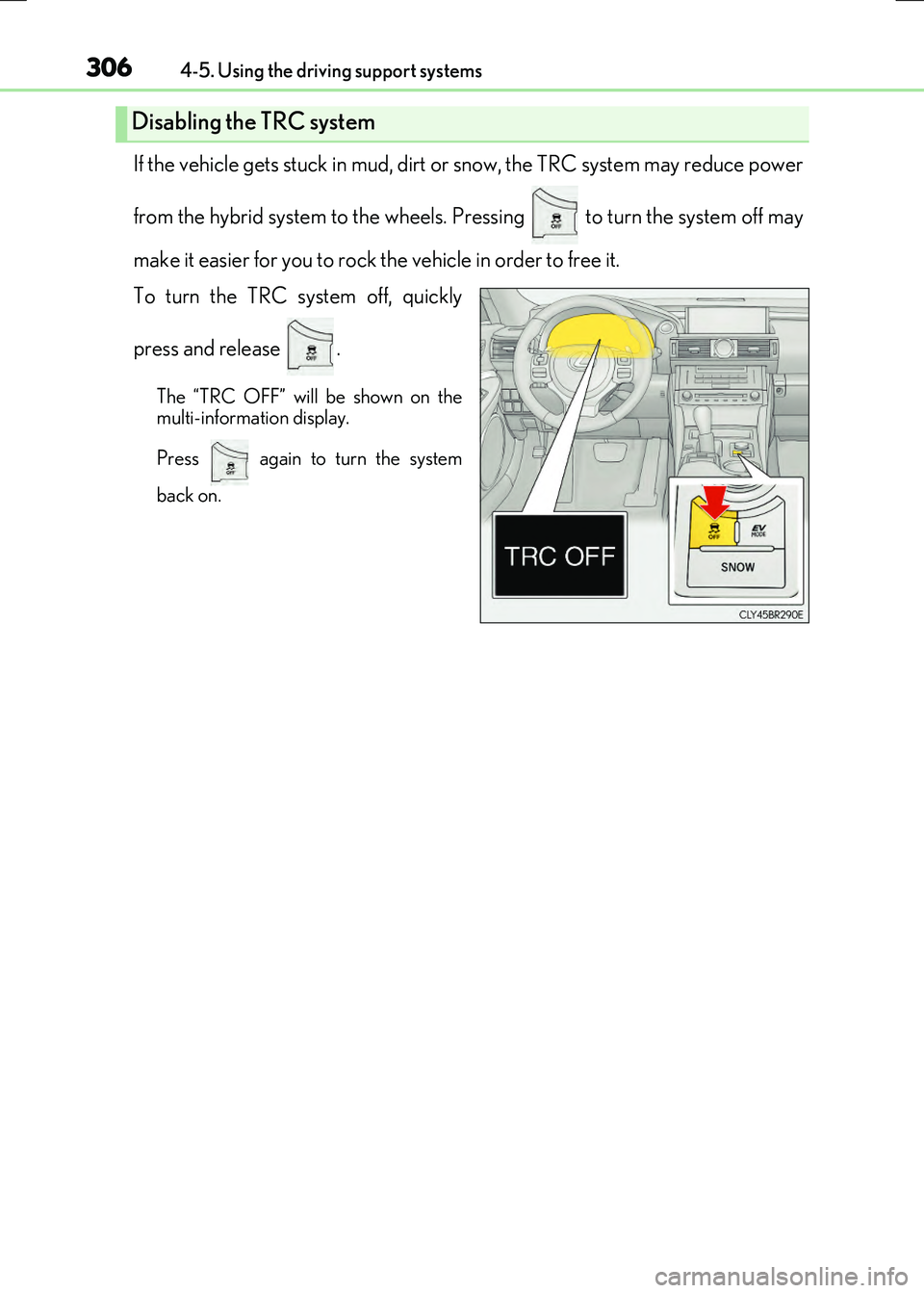
If the vehicle gets stuck in mud, dirt or snow, the TRC system may reduce power
from the hybrid system to the wheels. Pressing to turn the system off may
make it easier for you to rock the vehicle in order to free it.
To turn the TRC system off, quickly
press and release .
The “TRC OFF” will be shown on the
multi-information display.
Press again to turn the system
back on.
Disabling the TRC system
Page 307 of 640
3074-5. Using the driving support systems
4
Driving
RC300h_EE(OM24740E)
■Turning off both TRC and VSC systems
To turn the TRC and VSC systems off, press and hold for more than 3 seconds
while the vehicle is stopped.
The VSC OFF indicator light will come on and the “TRC OFF” will be shown on the
multi-information display.
*
Press again to turn the systems back on.
*: On vehicles with PCS (Pre-Crash Safety system), pre-crash brake assist and pre-
crash braking will also be disabled. The pr e-crash safety system warning light will
come on and a message will be displaye d on the multi-information display. (P. 554)
■When the message is displayed on the mult i-information display showing that TRC has
been disabled even if has not been pressed
TRC and hill-start assist control cannot be operated. Contact any authorized Lexus
dealer or repairer, or another duly qualified and equipped professional.
Page 311 of 640
3114-5. Using the driving support systems
4
Driving
RC300h_EE(OM24740E)
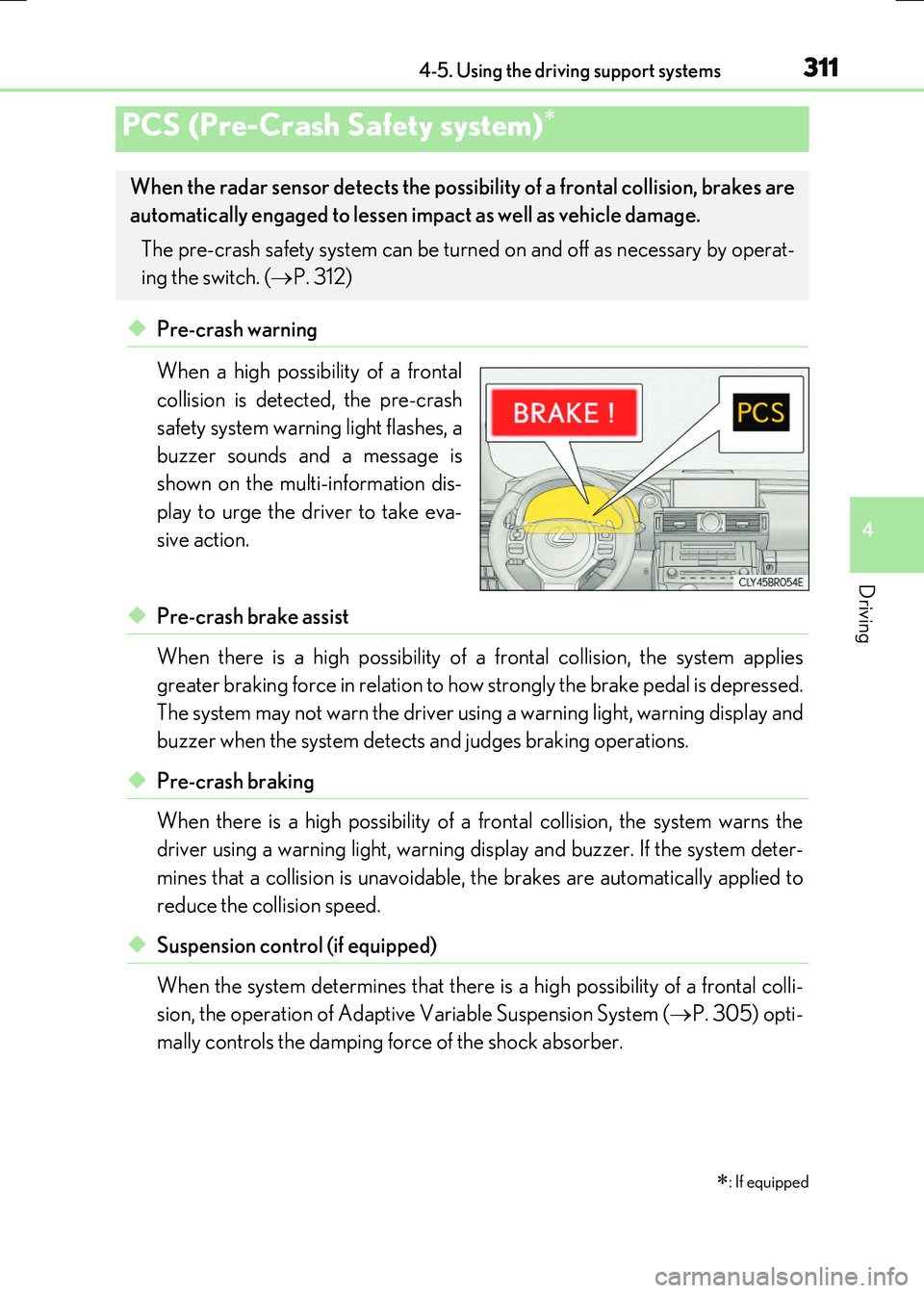
◆Pre-crash warning
When a high possibility of a frontal
collision is detected, the pre-crash
safety system warning light flashes, a
buzzer sounds and a message is
shown on the multi-information dis-
play to urge the driver to take eva-
sive action.
◆Pre-crash brake assist
When there is a high possibility of a frontal collision, the system applies
greater braking force in relation to how strongly the brake pedal is depressed.
The system may not warn the driver using a warning light, warning display and
buzzer when the system detects and judges braking operations.
◆Pre-crash braking
When there is a high possibility of a frontal collision, the system warns the
driver using a warning ligh t, warning display and buzzer. If the system deter-
mines that a collision is unavoidable, the brakes are automatically applied to
reduce the collision speed.
◆Suspension control (if equipped)
When the system determines that there is a high possibility of a frontal colli-
sion, the operation of Adaptive Variable Suspension System ( P. 305) opti-
mally controls the damping force of the shock absorber.
PCS (Pre-Crash Safety system)
: If equipped
When the radar sensor detects the possibil ity of a frontal collision, brakes are
automatically engaged to lessen im pact as well as vehicle damage.
The pre-crash safety system can be turn ed on and off as necessary by operat-
ing the switch. ( P. 312)
Page 321 of 640
3214-5. Using the driving support systems
4
Driving
RC300h_EE(OM24740E)
■Outside rear view mirror indicator visibility
In strong sunlight, the outside rear view mirror indicator may be difficult to see.
■Hearing the RCTA buzzer
The RCTA buzzer may be difficult to hear ov er loud noises, such as if the audio system
volume is high.
■When there is a malfunction in the Blind Spot Monitor
If a system malfunction is de tected due to any of the following, a warning message will be
displayed: ( P. 548, 549)
●A sensor is malfunctioning
●A sensor is dirty or covered with snow or a sticker
●The outside temperature is extremely high or low
●Sensor voltage is abnormal
●A sensor is misaligned
Page 342 of 640
342
RC300h_EE(OM24740E)
5-1. Basic Operations
Lexus Display Audio
System ......................................... 344
Steering wheel audio
switches.......................................350
USB/AUX ports ......................... 351
5-2. Setup
Setup menu ..................................353
General settings......................... 354
Voice settings.............................. 357
Display settings ...........................358
5-3. Using the audio system
Selecting the audio
source ..........................................360
Optimal use of the audio
system ........................................... 361
Audio settings ............................. 362
Audio menu screen
operation .................................... 366
5-4. Using the radio
Radio operation.......................... 369
5-5. Playing an audio CD and
MP3/WMA/AAC discs
CD player operation ..................371
Page 343 of 640
343
5
Lexus Display
Audio system
RC300h_EE(OM24740E)
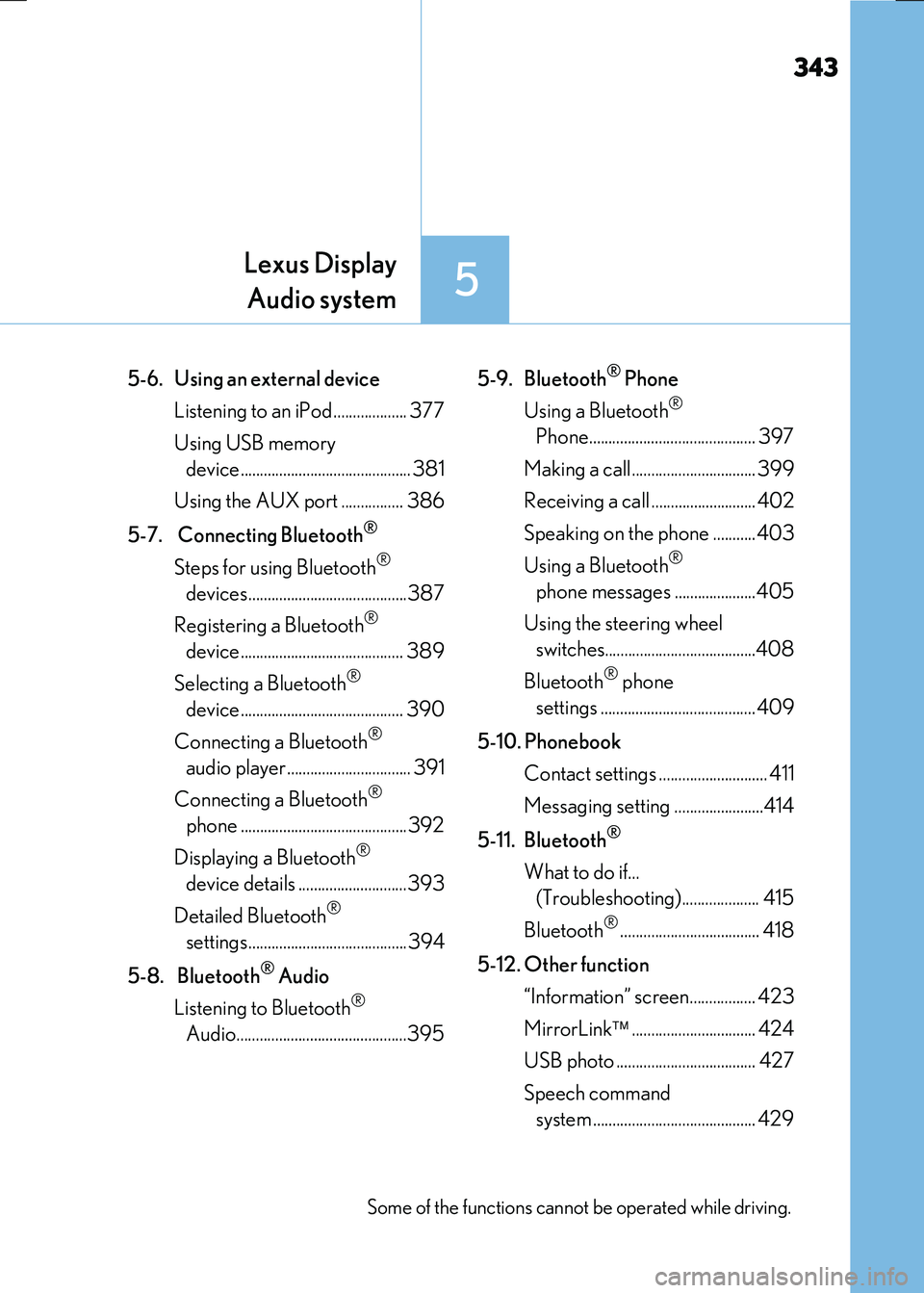
5-6. Using an external device
Listening to an iPod................... 377
Using USB memory
device............................................ 381
Using the AUX port ................ 386
5-7. Connecting Bluetooth®
Steps for using Bluetooth®
devices.........................................387
Registering a Bluetooth®
device.......................................... 389
Selecting a Bluetooth®
device.......................................... 390
Connecting a Bluetooth®
audio player ................................ 391
Connecting a Bluetooth®
phone ...........................................392
Displaying a Bluetooth®
device details ............................393
Detailed Bluetooth®
settings.........................................394
5-8. Bluetooth® Audio
Listening to Bluetooth®
Audio............................................395
5-9. Bluetooth® Phone
Using a Bluetooth®
Phone........................................... 397
Making a call................................ 399
Receiving a call ........................... 402
Speaking on the phone ...........403
Using a Bluetooth®
phone messages .....................405
Using the steering wheel
switches.......................................408
Bluetooth® phone
settings ........................................409
5-10. Phonebook
Contact settings ............................ 411
Messaging setting .......................414
5-11. Bluetooth®
What to do if...
(Troubleshooting).................... 415
Bluetooth®.................................... 418
5-12. Other function
“Information” screen................. 423
MirrorLink ................................ 424
USB photo .................................... 427
Speech command
system .......................................... 429
Some of the functions cannot be operated while driving.