door lock LEXUS RCF 2018 Owner's Guide
[x] Cancel search | Manufacturer: LEXUS, Model Year: 2018, Model line: RCF, Model: LEXUS RCF 2018Pages: 636, PDF Size: 6.88 MB
Page 192 of 636
192
RC350_RC300 AWD_RC3 00_RC F_U(OM24748U)4-1. Before driving
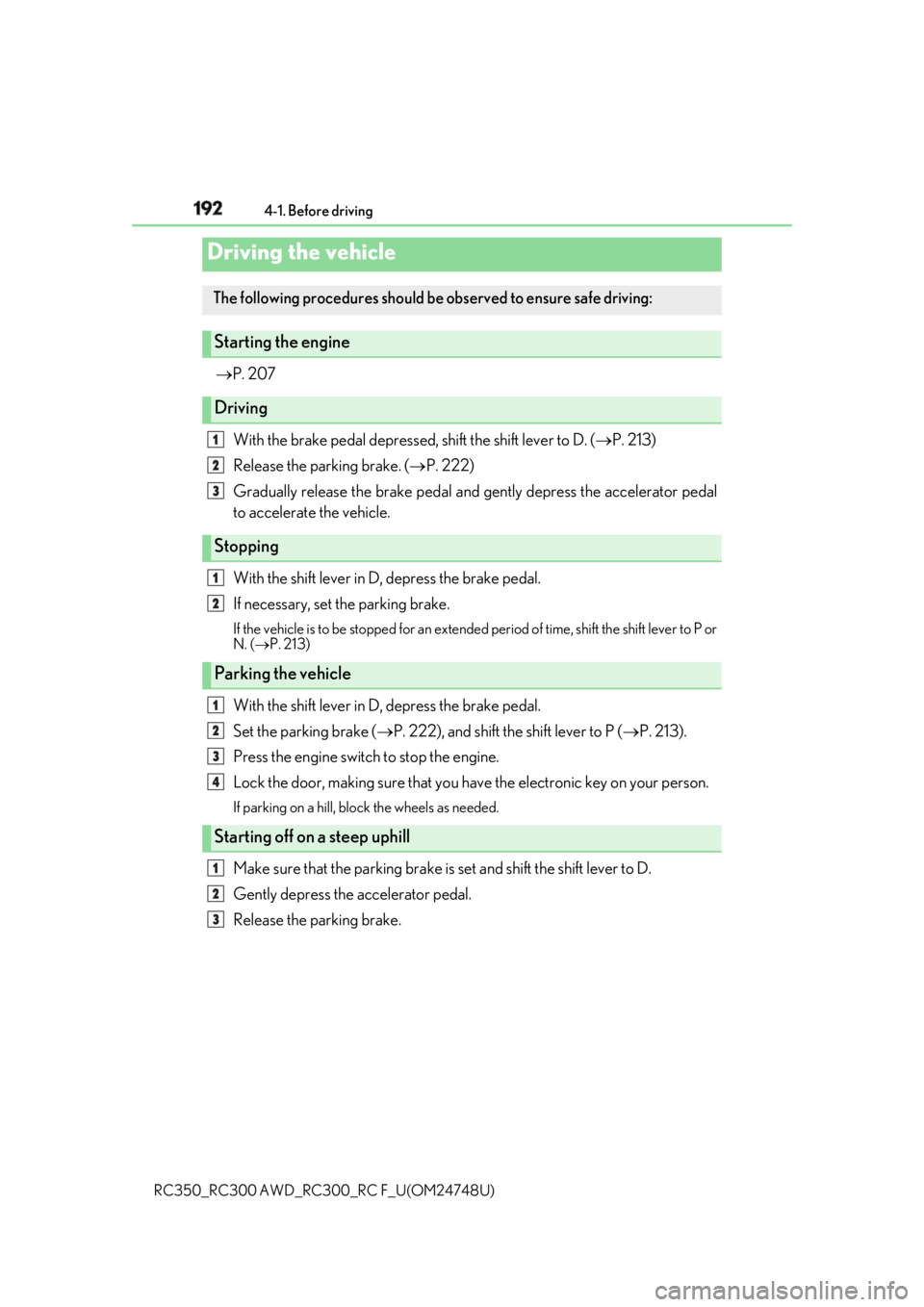
P. 207
With the brake pedal depressed, shift the shift lever to D. ( P. 213)
Release the parking brake. ( P. 222)
Gradually release the brake pedal and gently depress the accelerator pedal
to accelerate the vehicle.
With the shift lever in D, depress the brake pedal.
If necessary, set the parking brake. If the vehicle is to be stopped for an extended period of time, shift the shift lever to P or
N. ( P. 213)
With the shift lever in D, depress the brake pedal.
Set the parking brake ( P. 222), and shift the shift lever to P ( P. 213).
Press the engine switch to stop the engine.
Lock the door, making sure that you ha ve the electronic key on your person.If parking on a hill, bloc k the wheels as needed.
Make sure that the parking brake is set and shift the shift lever to D.
Gently depress the accelerator pedal.
Release the parking brake.Driving the vehicle The following procedures should be observed to ensure safe driving:
Starting the engine
Driving
Stopping
Parking the vehicle
Starting off on a steep uphill 1
2
3
1
2
1
2
3
4
1
2
3
Page 198 of 636

198 4-1. Before driving
RC350_RC300 AWD_RC3 00_RC F_U(OM24748U)WARNING
Observe the following precautions.
Failure to do so may result in death or serious injury. ■
When the vehicle is parked ●
Do not leave glasses, cigarette lighters, sp ray cans, or soft drink cans in the vehicle
when it is in the sun.
Doing so may result in the following:
• Gas may leak from a cigarette lighter or spray can, and may lead to a fire.
• The temperature inside the vehicle may cau se the plastic lenses and plastic mate-
rial of glasses to deform or crack.
• Soft drink cans may fracture, causing the contents to spray over the interior of the
vehicle, and may also cause a short circui t in the vehicle’s electrical components.●
Do not leave cigarette lighters in the vehicle. If a cigarette lighter is in a place such as
the glove box or on the floor, it may be lit accidentally when luggage is loaded or the
seat is adjusted, causing a fire. ●
Do not attach adhesive discs to the windsh ield or windows. Do not place containers
such as air fresheners on th e instrument panel or dashbo ard. Adhesive discs or con-
tainers may act as lenses, ca using a fire in the vehicle.●
Do not leave a door or window open if th e curved glass is coated with a metallized
film such as a silver-colored one. Reflecte d sunlight may cause the glass to act as a
lens, causing a fire. ●
Always apply the parking brake, shift the shift lever to P, stop the engine and lock the
vehicle.
Do not leave the vehicle unattend ed while the engine is running.
If the vehicle is parked with the shift leve r in P but the parking brake is not set, the
vehicle may start to move, possibly leading to an accident. ●
Do not touch the exhaust pipes while the engine is running or immediately after turn-
ing the engine off.
Doing so may cause burns. ■
When taking a nap in the vehicle
Always turn the engine off. Otherwise, if you accidentally move the shift lever or
depress the accelerator pedal, this could cause an accident or fire due to engine over-
heating. Additionally, if the ve hicle is parked in a poorly ventilated area, exhaust gases
may collect and enter the vehicle, leading to death or a serious health hazard.
Page 210 of 636
210 4-2. Driving procedures
RC350_RC300 AWD_RC3 00_RC F_U(OM24748U)■
Auto power off function
If the vehicle is left in ACCESSORY mode for more than 20 minutes or IGNITION ON
mode (the engine is not running) for more than an hour with the shift lever in P, the engine
switch will automatically turn off. However, this function cannot entirely prevent battery
discharge. Do not leave the vehicle with the engine switch in ACCESSORY or IGNI-
TION ON mode for long periods of ti me when the engine is not running.■
Electronic key battery depletion
P. 143 ■
Conditions affe cting operation
P. 158 ■
Notes for the entry function
P. 159 ■
If the engine does not start ●
Check that the shift lever is se curely set in P. The engine ma y not start if the shift lever is
displaced out of P. ●
The engine immobilizer system ma y not have been deactivated. ( P. 79)
Contact your Lexus dealer. ■
Steering lock
After turning the engine switch off and opening and closing the doors, the steering wheel
will be locked due to the steering lock func tion. Operating the engine switch again auto-
matically cancels the steering lock. ■
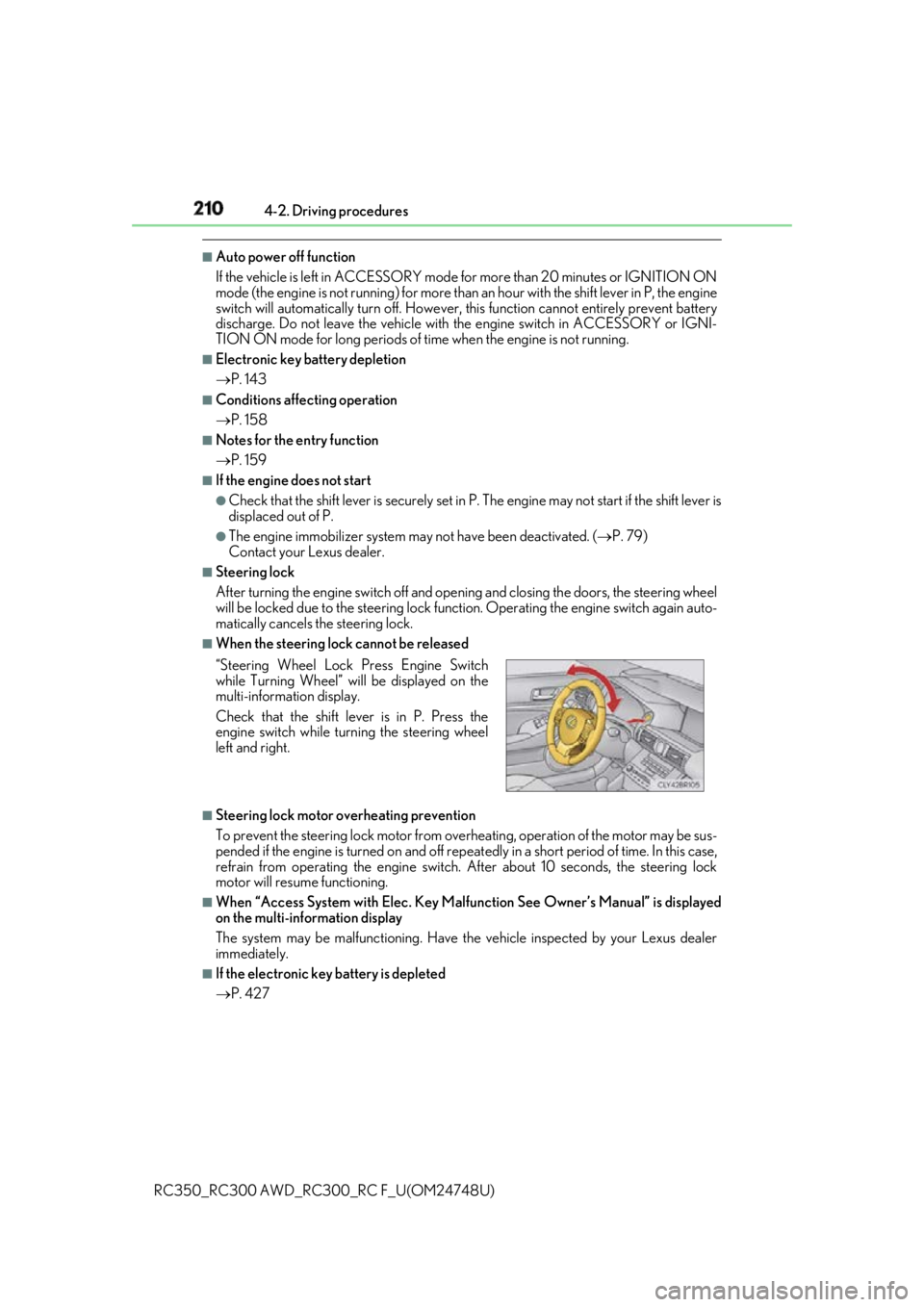
When the steering lock cannot be released
■
Steering lock motor overheating prevention
To prevent the steering lock motor from overheating, operation of the motor may be sus-
pended if the engine is turned on and off repeat edly in a short period of time. In this case,
refrain from operating the engine switch. After about 10 seconds, the steering lock
motor will resume functioning. ■
When “Access System with Elec. Key Malf unction See Owner’s Manual” is displayed
on the multi-information display
The system may be malfunctio ning. Have the vehicle inspected by your Lexus dealer
immediately. ■
If the electronic key battery is depleted
P. 427“Steering Wheel Lock Press Engine Switch
while Turning Wheel” w ill be displayed on the
multi-information display.
Check that the shift leve r is in P. Press the
engine switch while turn ing the steering wheel
left and right.
Page 211 of 636

2114-2. Driving procedures
4
Driving
RC350_RC300 AWD_RC3 00_RC F_U(OM24748U)■
Operation of the engine switch ●
If the switch is not pressed shortly and firmly, the engine switch mode may not change
or the engine may not start. ●
If attempting to restart the engine immediately after turning the engine switch off, the
engine may not start in some cases. After turning the engine switch off, please wait a
few seconds before restarting the engine. ■
If the smart access system wi th push-button start has been deactivated by a customized
setting
P. 518
WARNING ■
When starting the engine
Always start the engine while sitting in the driver’s seat. Do not depress the accelerator
pedal while starting the engine under any circumstances.
Doing so may cause an accident resu lting in death or serious injury.■
Caution while driving
If engine failure occurs while the vehicle is moving, do not lock or open the doors until
the vehicle reaches a safe and complete stop. Activation of the steering lock in this cir-
cumstance may lead to an accident, re sulting in death or serious injury.■
Stopping the engine in an emergency
If you want to stop the engine in an emergency while driving the vehicle, press and hold
the engine switch for more than 2 seconds, or press it briefly 3 times or more in succes-
sion. ( P. 443)
However, do not touch the engi ne switch while driv ing except in an emergency. Turning
the engine off while driving will not cause lo ss of steering or braking control, but the
power assist to these systems will be lost. Th is will make it more difficult to steer and
brake, so you should pull over and stop the vehicle as soon as it is safe to do so.
Page 243 of 636
2434-4. Refueling
4
Driving
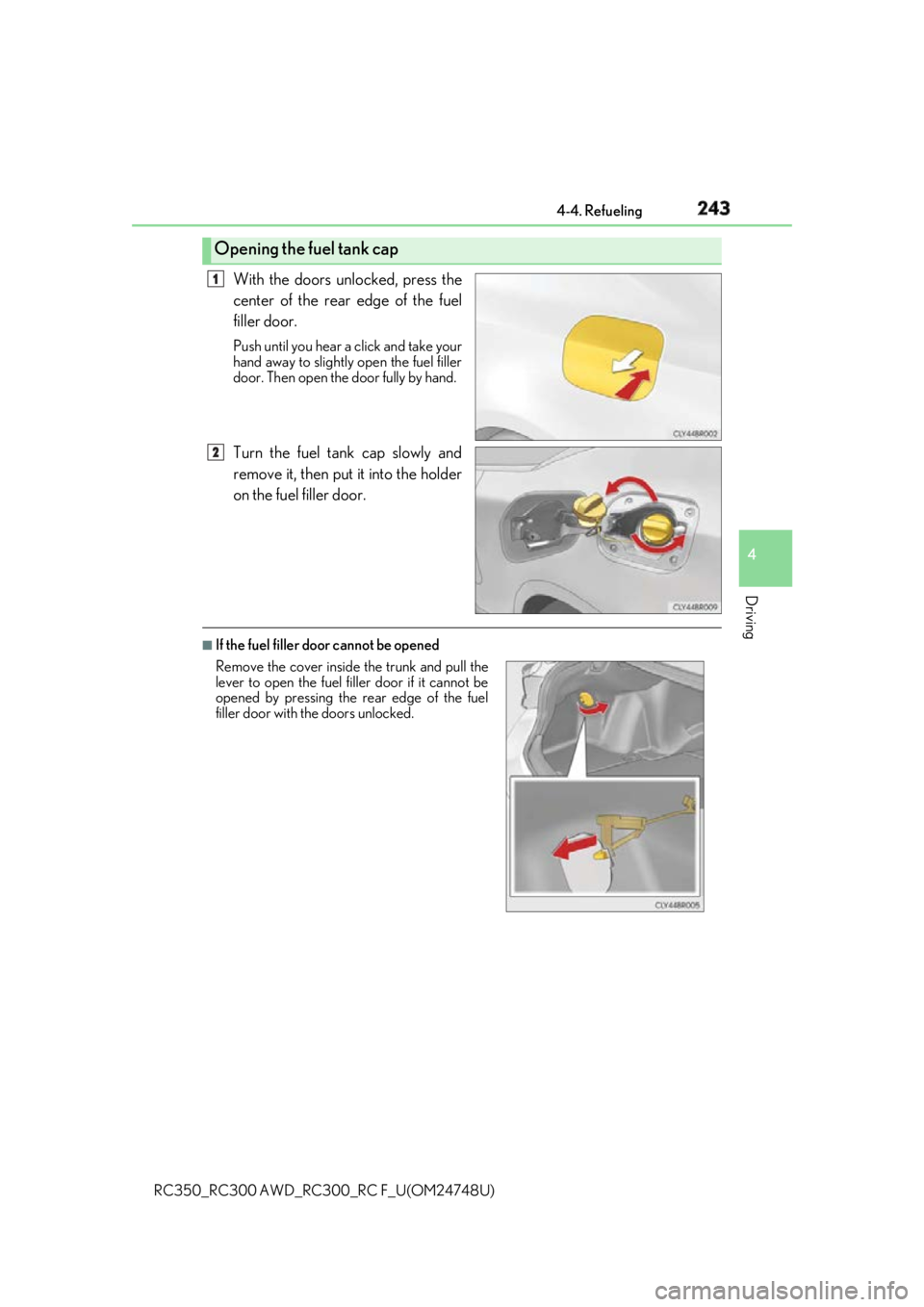
RC350_RC300 AWD_RC3 00_RC F_U(OM24748U)With the doors unlocked, press the
center of the rear edge of the fuel
filler door. Push until you hear a click and take your
hand away to slightly open the fuel filler
door. Then open the door fully by hand.
Turn the fuel tank cap slowly and
remove it, then put it into the holder
on the fuel filler door. ■
If the fuel filler door cannot be openedOpening the fuel tank cap 1
2
Remove the cover inside the trunk and pull the
lever to open the fuel fi ller door if it cannot be
opened by pressing the rear edge of the fuel
filler door with the doors unlocked.
Page 244 of 636
244 4-4. Refueling
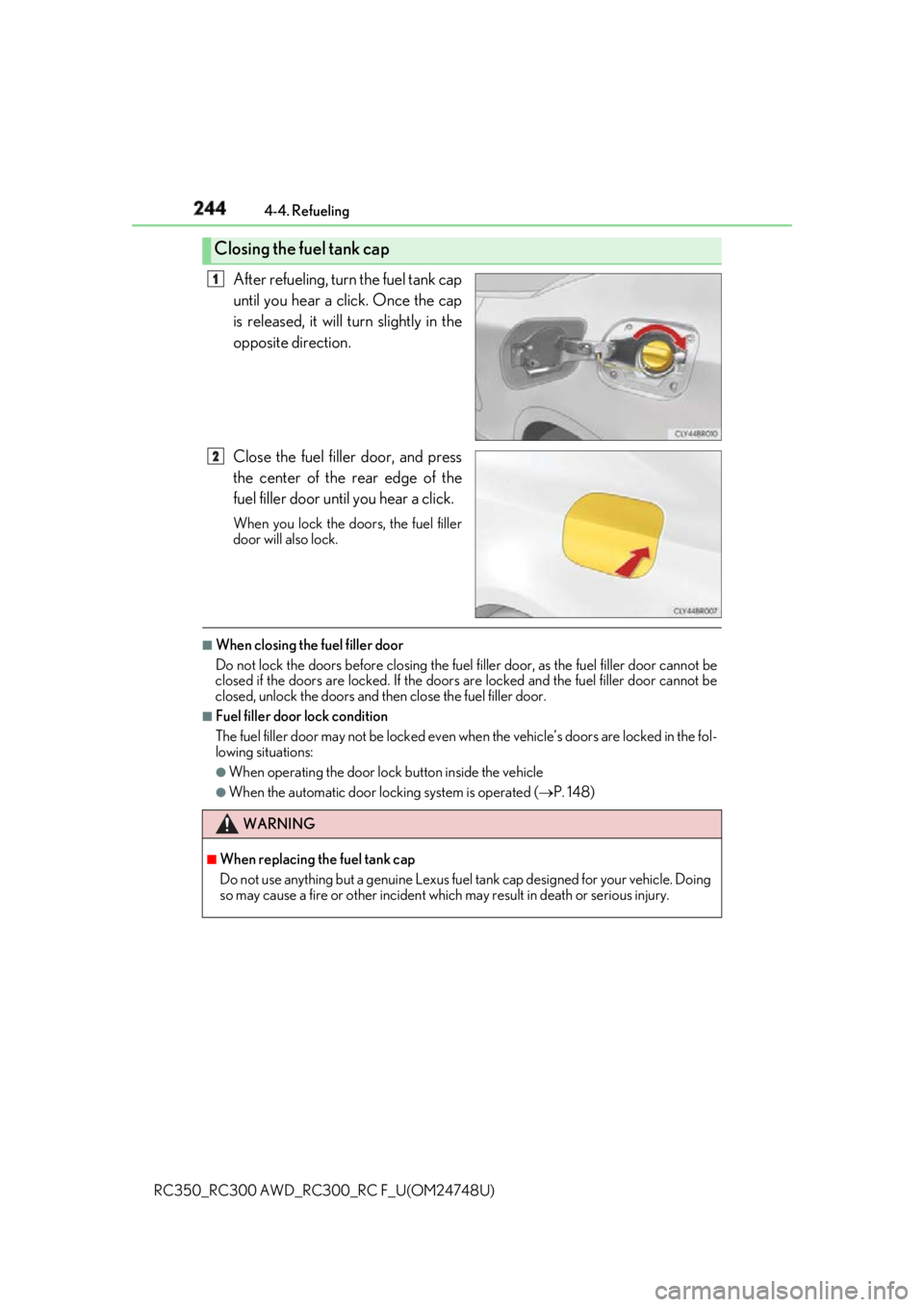
RC350_RC300 AWD_RC3 00_RC F_U(OM24748U)After refueling, turn the fuel tank cap
until you hear a click. Once the cap
is released, it will turn slightly in the
opposite direction.
Close the fuel filler door, and press
the center of the rear edge of the
fuel filler door until you hear a click. When you lock the doors, the fuel filler
door will also lock. ■
When closing the fuel filler door
Do not lock the doors before closing the fuel filler door, as the fu el filler door cannot be
closed if the doors are locked. If the doors are locked and the fuel filler door cannot be
closed, unlock the doors and then close the fuel filler door. ■
Fuel filler door lock condition
The fuel filler door may not be locked even when the vehicle’ s doors are locked in the fol-
lowing situations: ●
When operating the door lock button inside the vehicle●
When the automatic door lock ing system is operated ( P. 148)Closing the fuel tank cap 1
2
WARNING ■
When replacing the fuel tank cap
Do not use anything but a genuine Lexus fuel tank cap designed for your vehicle. Doing
so may cause a fire or other incident whic h may result in death or serious injury.
Page 325 of 636

325
Interior features
5
RC350_RC300 AWD_RC3 00_RC F_U(OM24748U)5-1. Using the air conditioning
system
Remote Touch .............................326
10.3-inch display ......................... 331
Automatic air conditioning
system ......................................... 333
Heated steering wheel/
seat heaters/
seat ventilators .........................344
5-2. Using the interior lights
Interior lights list.......................... 347
• Interior lights ......................... 348
• Personal lights .......................349
5-3. Using the storage features
List of storage features............ 350
• Glove box ................................ 351
• Console box ............................ 351
• Cup holders............................352
Trunk features............................. 353 5-4. Using the other interior
features
Other interior features ............ 354
• Sun visors ................................ 354
• Vanity mirrors ....................... 354
• Clock ........................................355
• Power outlet...........................355
• Armrest .................................... 356
•Trunk storage
extension ................................. 357
• Assist grips..............................358
• Coat hooks .............................358
Garage door op ener ...............359
Compass ....................................... 366
LEXUS Enform Safety
Connect ...................................... 370
Page 341 of 636

3415-1. Using the air conditioning system
5
Interior features
RC350_RC300 AWD_RC3 00_RC F_U(OM24748U)■
Registering air conditioning settings to elec tronic keys (vehicles with driving position
memory) ●
Unlocking the vehicle using an electronic ke y and turning the engine switch to IGNI-
TION ON mode will recall that key's re gistered air conditioning settings. ●
When the engine switch is tu rned off, the current air cond itioning settings will automat-
ically be registered to the electronic key that was used to unlock the vehicle. ●
The system may not operate correctly if more th an one electronic key is in the vicinity or
if the smart access system with push-button start is used to unlock a passenger door. ●
The doors that can recall the air conditioning setting* when unlocked using the smart
access system with push-button start can be changed. For details, contact your Lexus
dealer.
*: The doors that can recall the driving posi tion memory are change d at the same time.■
Using automatic mode
Fan speed is adjusted automatically according to the temperature setting and the ambi-
ent conditions.
Therefore, the fan may stop for a while until wa rm or cool air is ready to flow immediately
after is pressed or “AUTO” is selected. ■
Using the voice command system
Air conditioning system can be operated using voic e commands. For details, refer to the
“NAVIGATION AND MULTIMEDIA SYSTEM OWNER’S MANUAL”. ■
Fogging up of the windows
The windows will easily fog up when the hu midity in the vehicle is high. Turning
(“A/C”) on will dehumidify the air from the outlets and defog the wi ndshield effectively.●
If you turn (“A/C”) off, the windows may fog up more easily.●
The windows may fog up if the recirculated air mode is used. ■
Outside/recirculated air mode ●
When driving on dusty roads such as tunnels or in heavy traffic, set the outside/recircu-
lated air mode button to the recirculated air mode. This is effective in preventing out-
side air from enteri ng the vehicle interior. During cooling operation, setting the
recirculated air mode will also cool the vehicle interior effectively. ●
Outside/recirculated air mode may automa tically switch depending on the tempera-
ture setting or the inside temperature. ■
When the outside temperature exceeds 75 F (24 C) and the air conditioning system
is on ●
In order to reduce the air co nditioning power consumption, the air conditioning system
may switch to recirculated air mode automa tically. This may also reduce fuel consump-
tion. ●
Recirculated air mode is selected as a defaul t mode when the engine switch is turned to
IGNITION ON mode. ●
It is possible to switch to outside air mode at any time by pressing .
Page 349 of 636
3495-2. Using the interior lights
RC350_RC300 AWD_RC3 00_RC F_U(OM24748U) 5
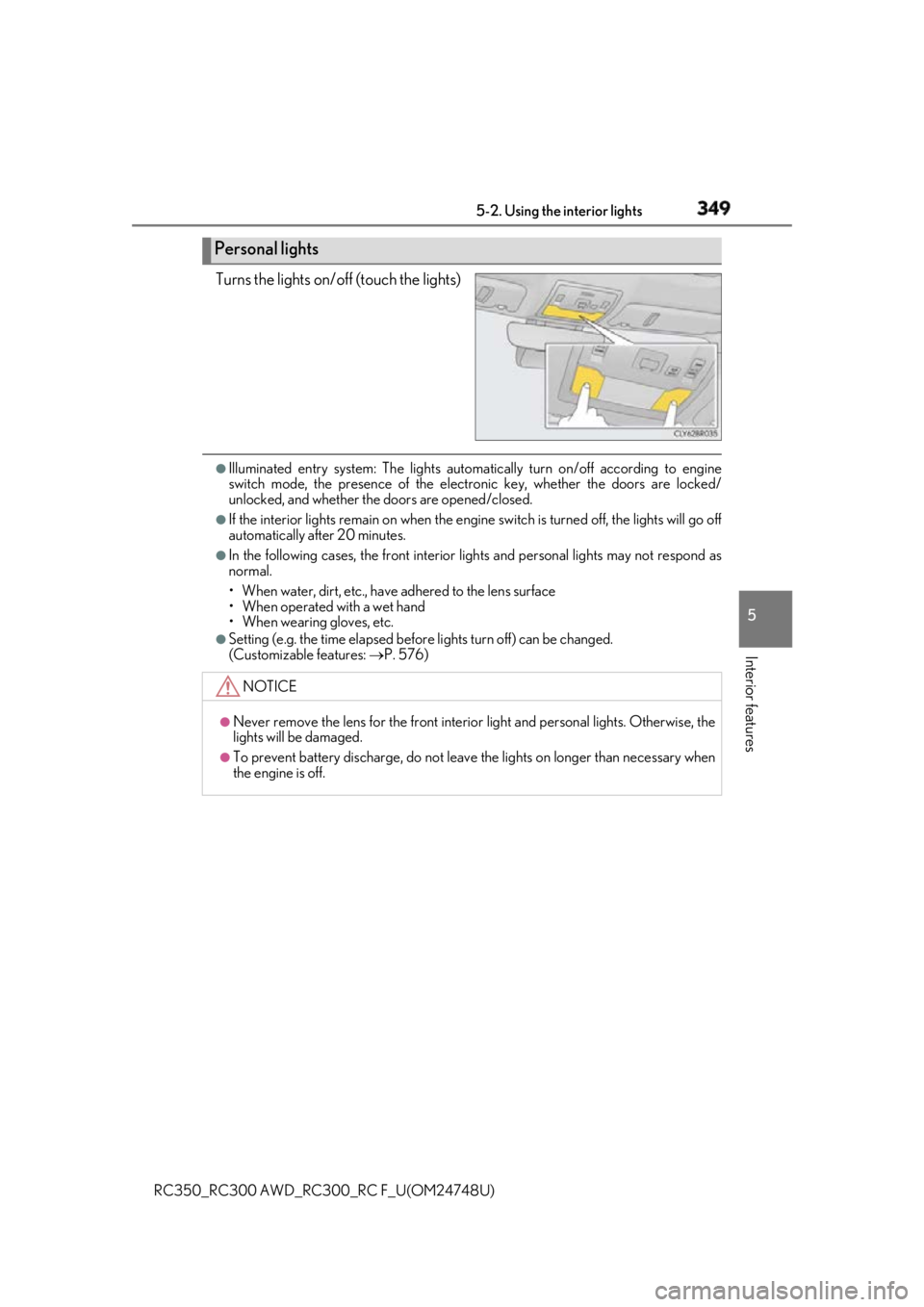
Interior features Turns the lights on/off (touch the lights) ●
Illuminated entry system: Th e lights automatically turn on/off according to engine
switch mode, the presence of the electronic key, whether the doors are locked/
unlocked, and whether the doors are opened/closed. ●
If the interior lights remain on when the engine switch is turned off, the lights will go off
automatically after 20 minutes. ●
In the following cases, the front interior lights and personal lights may not respond as
normal.
• When water, dirt, etc., have adhered to the lens surface
• When operated with a wet hand
• When wearing gloves, etc. ●
Setting (e.g. the time elapsed before lights turn off) can be changed.
(Customizable features: P. 576)Personal lights
NOTICE ●
Never remove the lens for the front interior light and personal lig hts. Otherwise, the
lights will be damaged. ●
To prevent battery discharge, do not leave the lights on longer than necessary when
the engine is off.
Page 359 of 636
3595-4. Using the other interior features
RC350_RC300 AWD_RC3 00_RC F_U(OM24748U) 5
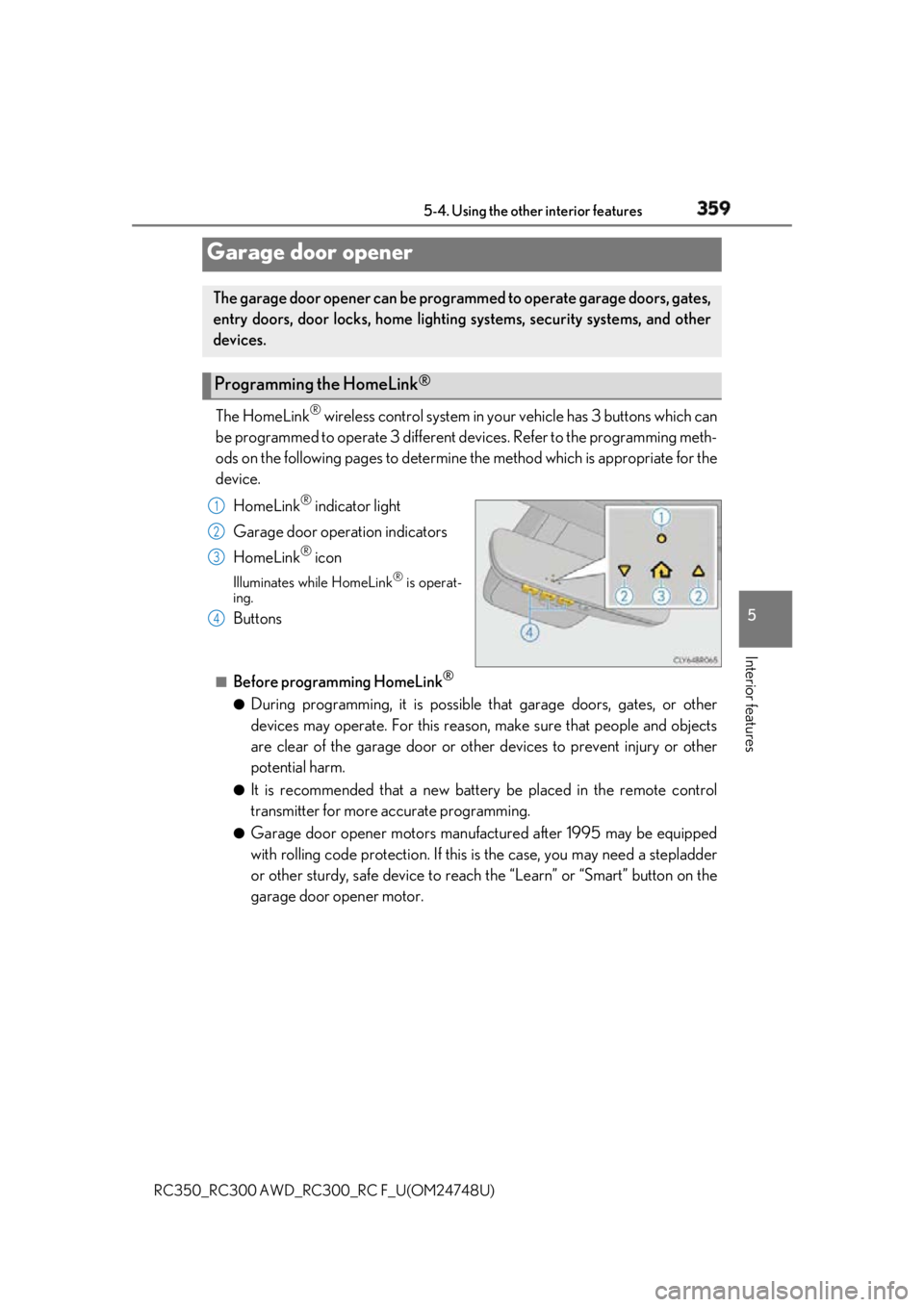
Interior features The HomeLink ®
wireless control system in your vehicle has 3 buttons which can
be programmed to operate 3 different de vices. Refer to the programming meth-
ods on the following pages to determine the method which is appropriate for the
device.
HomeLink ®
indicator light
Garage door operation indicators
HomeLink ®
iconIlluminates while HomeLink ®
is operat-
ing.
Buttons ■
Before programming HomeLink ®
●
During programming, it is possible that garage doors, gates, or other
devices may operate. For this reason, make sure that people and objects
are clear of the garage door or othe r devices to prevent injury or other
potential harm. ●
It is recommended that a new batter y be placed in the remote control
transmitter for more accurate programming. ●
Garage door opener motors manufa ctured after 1995 may be equipped
with rolling code protection. If this is the case, you may need a stepladder
or other sturdy, safe device to reach the “Learn” or “Smart” button on the
garage door opener motor.Garage door opener The garage door opener can be programmed to operate garage doors, gates,
entry doors, door locks, home lightin g systems, security systems, and other
devices.
Programming the HomeLink ®
1
2
3
4