ESP LEXUS RCF 2019 User Guide
[x] Cancel search | Manufacturer: LEXUS, Model Year: 2019, Model line: RCF, Model: LEXUS RCF 2019Pages: 636, PDF Size: 12.48 MB
Page 113 of 636
1132. Instrument cluster
2
Instrument cluster
RC F_U ■
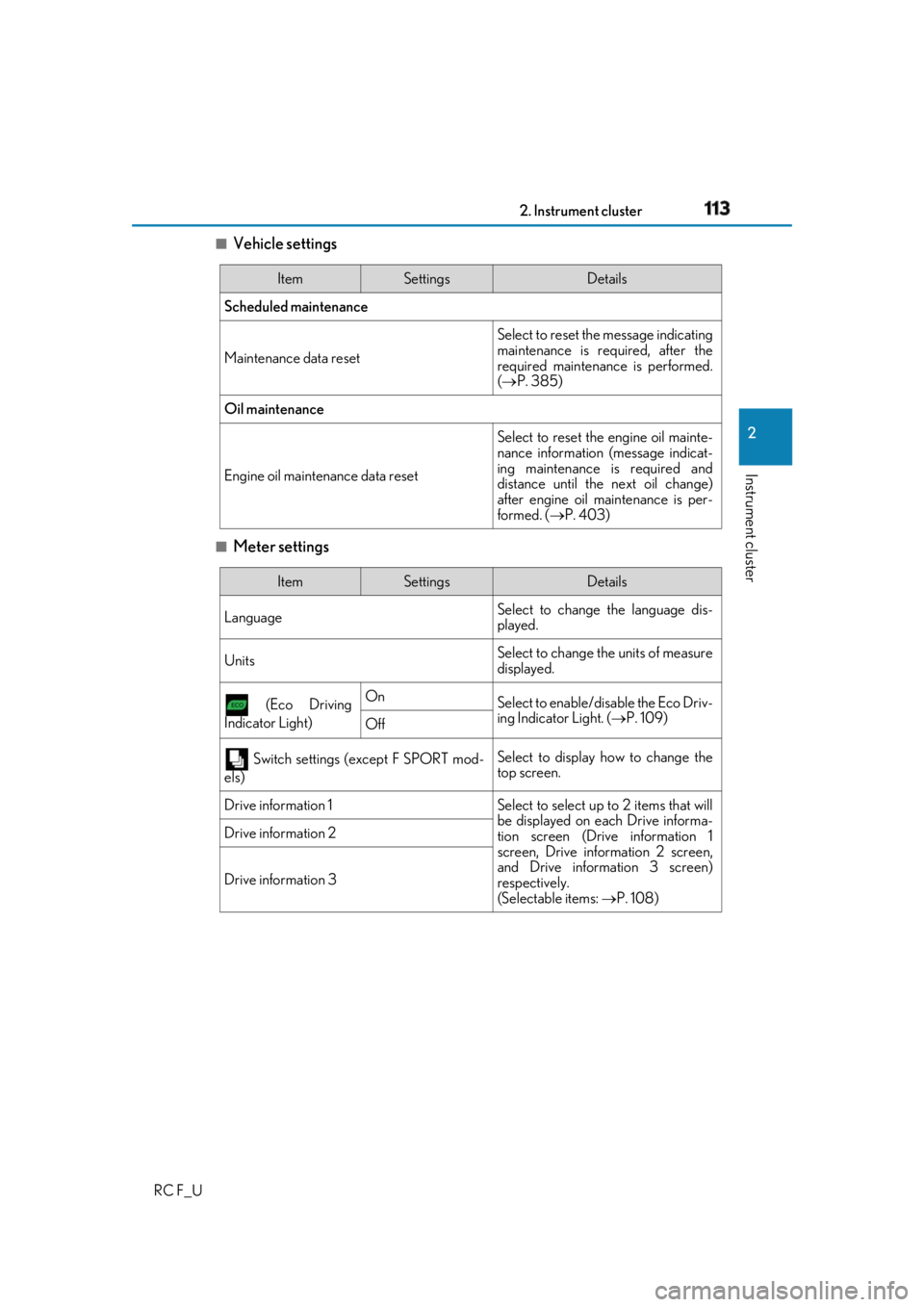
Vehicle settings
■
Meter settings Item Settings Details
Scheduled maintenance
Maintenance data reset Select to reset the message indicating
maintenance is re quired, after the
required maintenance is performed.
( P. 385)
Oil maintenance
Engine oil maintenance data reset Select to reset the engine oil mainte-
nance information (message indicat-
ing maintenance is required and
distance until the next oil change)
after engine oil maintenance is per-
formed. ( P. 403)
Item Settings Details
Language Select to change the language dis-
played.
Units Select to change the units of measure
displayed.
(Eco Driving
Indicator Light) On
Select to enable/dis able the Eco Driv-
ing Indicator Light. ( P. 109)
Off
Switch settings (except F SPORT mod-
els) Select to display how to change the
top screen.
Drive information 1 Select to select up to 2 items that will
be displayed on ea ch Drive informa-
tion screen (Drive information 1
screen, Drive information 2 screen,
and Drive inform ation 3 screen)
respectively.
(Selectable items: P. 108)Drive information 2
Drive information 3
Page 117 of 636
1172. Instrument cluster
2
Instrument cluster
RC F_U ■
Liquid crystal display
Small spots or light spots may appear on the display. This phenomenon is characteristic
of liquid crystal displays, and there is no problem continuing to use the display. ■
Customization
Some functions can be customized. ( P. 111, 569)
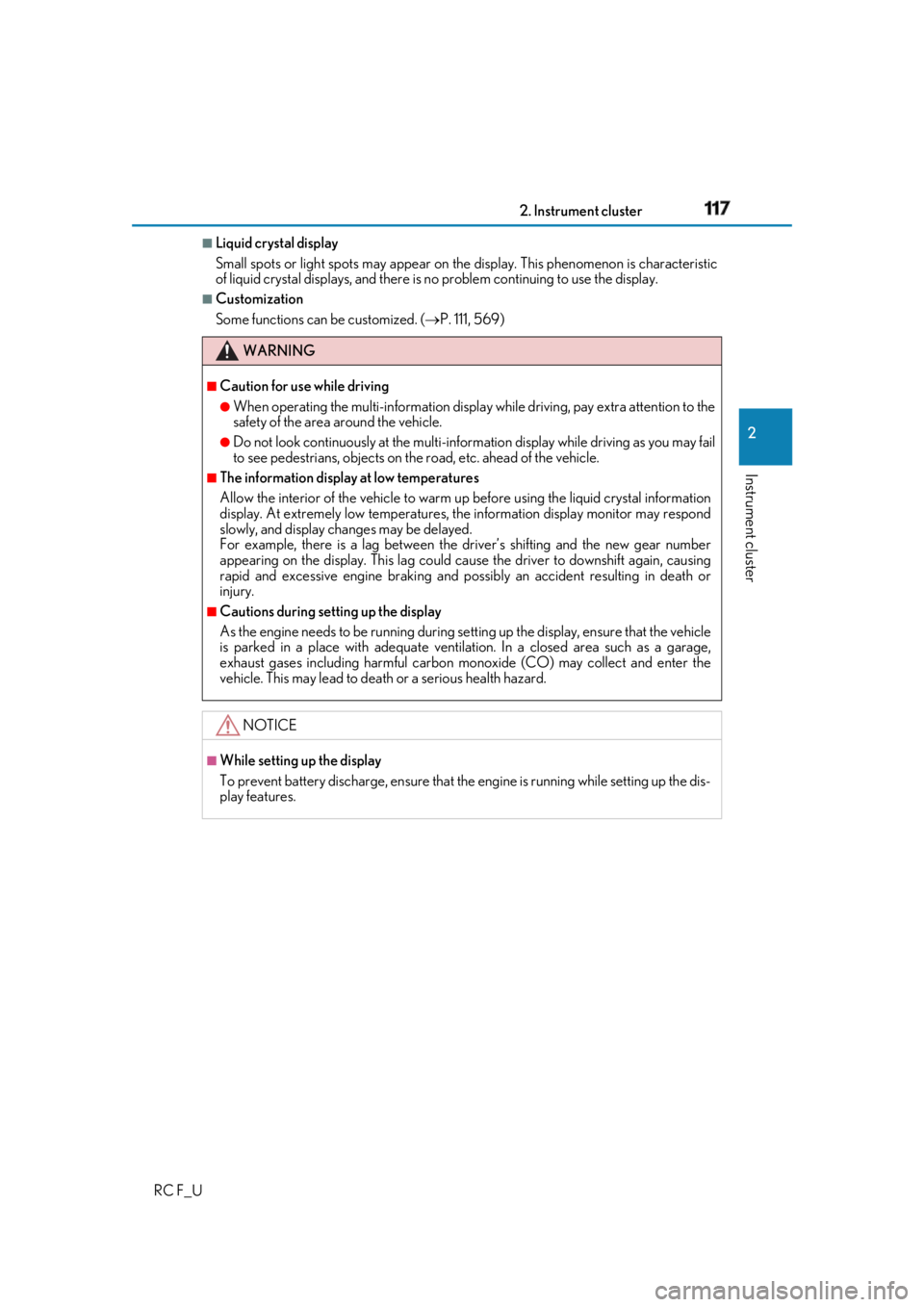
WARNING ■
Caution for use while driving ●
When operating the multi-information display while driving, pay extra attention to the
safety of the area around the vehicle. ●
Do not look continuously at the multi-info rmation display while dr iving as you may fail
to see pedestrians, objects on the road, etc. ahead of the vehicle. ■
The information display at low temperatures
Allow the interior of the vehicle to warm up before using the liquid crystal information
display. At extremely low temperatures, th e information display monitor may respond
slowly, and display changes may be delayed.
For example, there is a lag between the dr iver’s shifting and the new gear number
appearing on the display. This lag could ca use the driver to downshift again, causing
rapid and excessive engine braking and possibly an accident resulting in death or
injury. ■
Cautions during setting up the display
As the engine needs to be running during sett ing up the display, en sure that the vehicle
is parked in a place with adequate ventilation. In a closed area such as a garage,
exhaust gases including harmful carbon mo noxide (CO) may collect and enter the
vehicle. This may lead to death or a serious health hazard.
NOTICE ■
While setting up the display
To prevent battery discharge, ensure that the engine is running while setting up the dis-
play features.
Page 131 of 636
1312. Instrument cluster
2
Instrument cluster
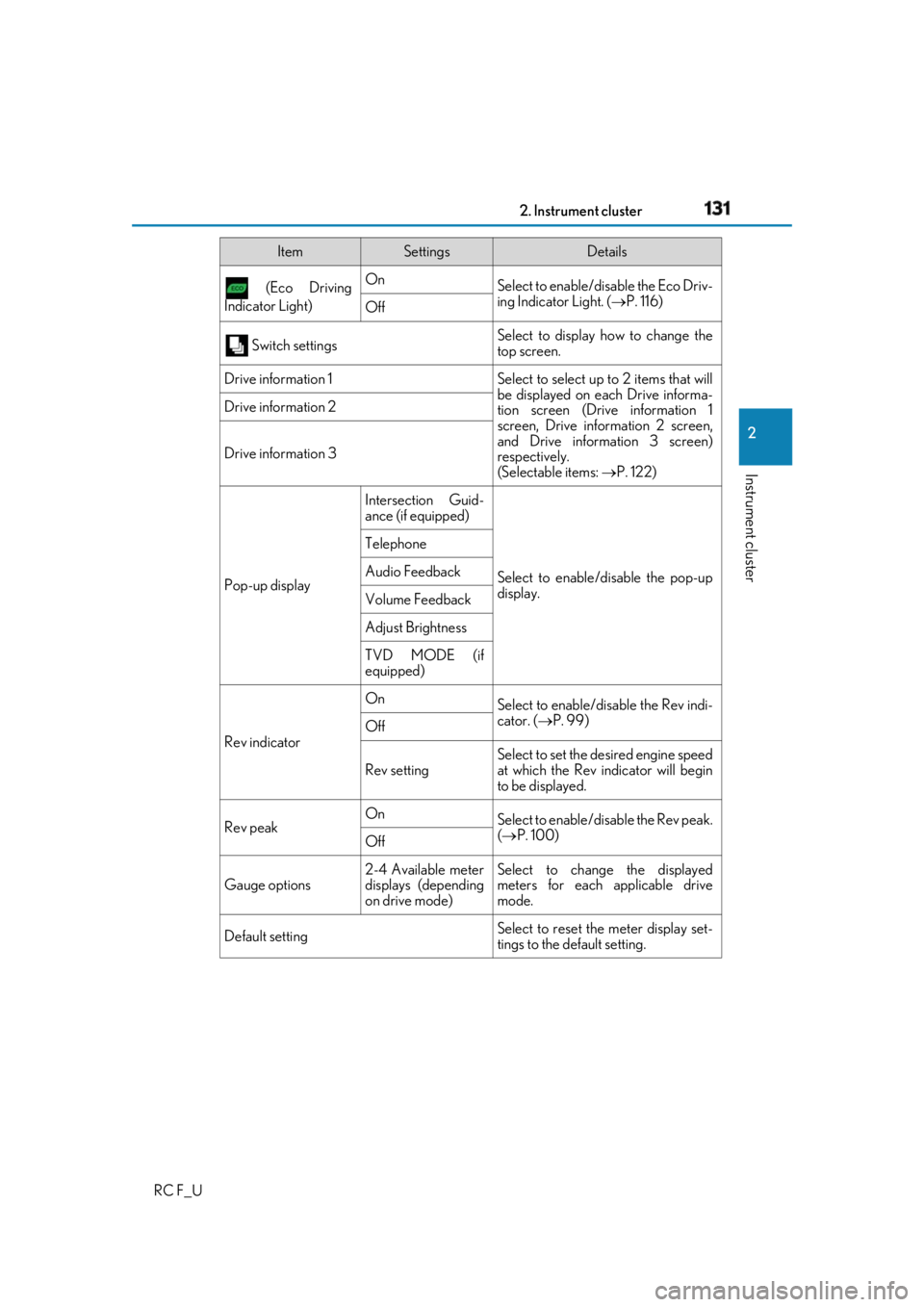
RC F_U (Eco Driving
Indicator Light) On
Select to enable/dis able the Eco Driv-
ing Indicator Light. ( P. 116)
Off
Switch settings Select to display how to change the
top screen.
Drive information 1 Select to select up to 2 items that will
be displayed on ea ch Drive informa-
tion screen (Drive information 1
screen, Drive information 2 screen,
and Drive inform ation 3 screen)
respectively.
(Selectable items: P. 122)Drive information 2
Drive information 3
Pop-up display Intersection Guid-
ance (if equipped)
Select to enable/disable the pop-up
display.Telephone
Audio Feedback
Volume Feedback
Adjust Brightness
TVD MODE (if
equipped)
Rev indicator On
Select to enable/disable the Rev indi-
cator. ( P. 99)
Off
Rev setting Select to set the desired engine speed
at which the Rev indicator will begin
to be displayed.
Rev peak On
Select to enable/disable the Rev peak.
( P. 100)
Off
Gauge options 2-4 Available meter
displays (depending
on drive mode) Select to change the displayed
meters for each applicable drive
mode.
Default setting Select to reset the meter display set-
tings to the default setting.Item Settings Details
Page 134 of 636
134 2. Instrument cluster
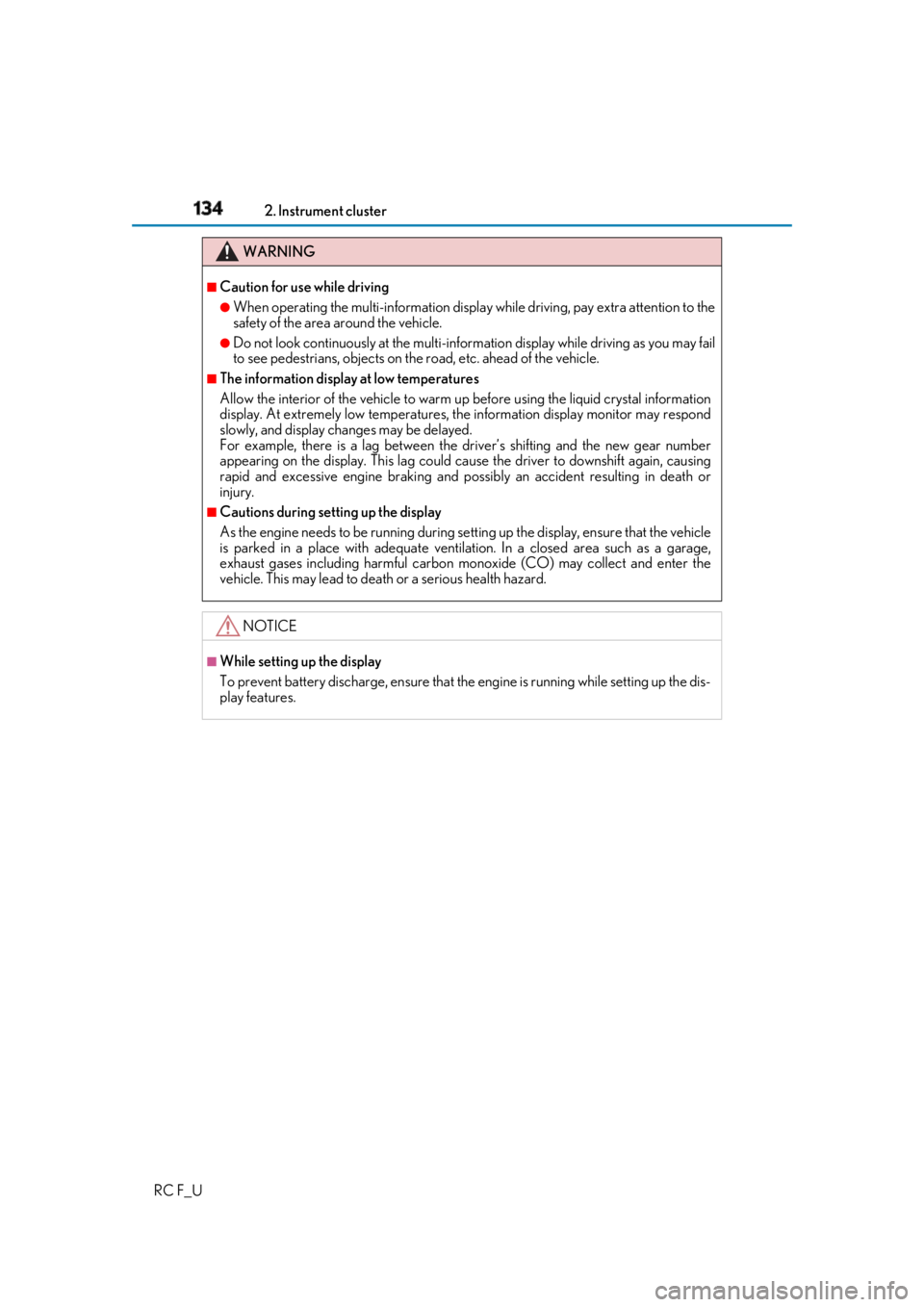
RC F_U WARNING ■
Caution for use while driving ●
When operating the multi-information display while driving, pay extra attention to the
safety of the area around the vehicle. ●
Do not look continuously at the multi-info rmation display while dr iving as you may fail
to see pedestrians, objects on the road, etc. ahead of the vehicle. ■
The information display at low temperatures
Allow the interior of the vehicle to warm up before using the liquid crystal information
display. At extremely low temperatures, th e information display monitor may respond
slowly, and display changes may be delayed.
For example, there is a lag between the dr iver’s shifting and the new gear number
appearing on the display. This lag could ca use the driver to downshift again, causing
rapid and excessive engine braking and possibly an accident resulting in death or
injury. ■
Cautions during setting up the display
As the engine needs to be running during sett ing up the display, en sure that the vehicle
is parked in a place with adequate ventilation. In a closed area such as a garage,
exhaust gases including harmful carbon mo noxide (CO) may collect and enter the
vehicle. This may lead to death or a serious health hazard.
NOTICE ■
While setting up the display
To prevent battery discharge, ensure that the engine is running while setting up the dis-
play features.
Page 158 of 636
158 3-2. Opening, closing and locking the doors and trunk
RC F_U ■
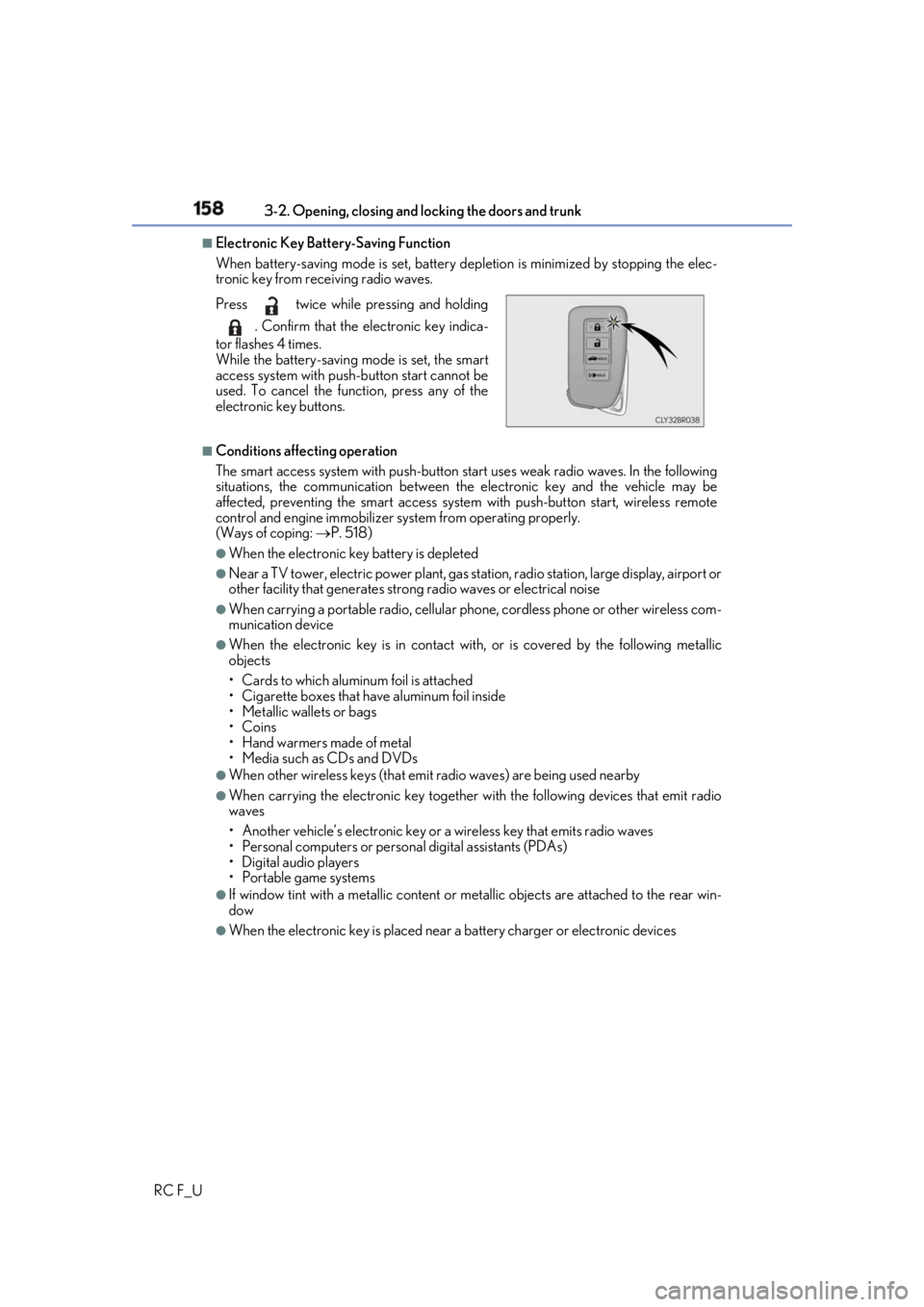
Electronic Key Battery-Saving Function
When battery-saving mode is set, battery depletion is minimized by stopping the elec-
tronic key from re ceiving radio waves.
■
Conditions affe cting operation
The smart access system with push-button st art uses weak radio wa ves. In the following
situations, the communication between the electronic key and the vehicle may be
affected, preventing the smar t access system with push-but ton start, wireless remote
control and engine immobilizer sy stem from operating properly.
(Ways of coping: P. 518)●
When the electronic key battery is depleted ●
Near a TV tower, electric power plant, gas st ation, radio station, la rge display, airport or
other facility that generates strong radio wave s or electrical noise●
When carrying a portable radio, cellular phone, cordless phone or other wireless com-
munication device ●
When the electronic key is in contact wi th, or is covered by the following metallic
objects
• Cards to which aluminum foil is attached
• Cigarette boxes that have aluminum foil inside
• Metallic wallets or bags
•Coins
• Hand warmers made of metal
• Media such as CDs and DVDs ●
When other wireless keys (that emit radio waves) are being used nearby ●
When carrying the electronic key together with the following devices that emit radio
waves
• Another vehicle’s electronic key or a wireless key that emits radio waves
• Personal computers or person al digital assistants (PDAs)
• Digital audio players
• Portable game systems ●
If window tint with a metallic content or me tallic objects are atta ched to the rear win-
dow ●
When the electronic key is placed near a battery charger or electronic devicesPress twice while pressing and holding
. Confirm that the electronic key indica-
tor flashes 4 times.
While the battery-saving mode is set, the smart
access system with push -button start cannot be
used. To cancel the function, press any of the
electronic key buttons.
Page 173 of 636
1733-3. Adjusting the seats
3
Operation of each component
RC F_U ■
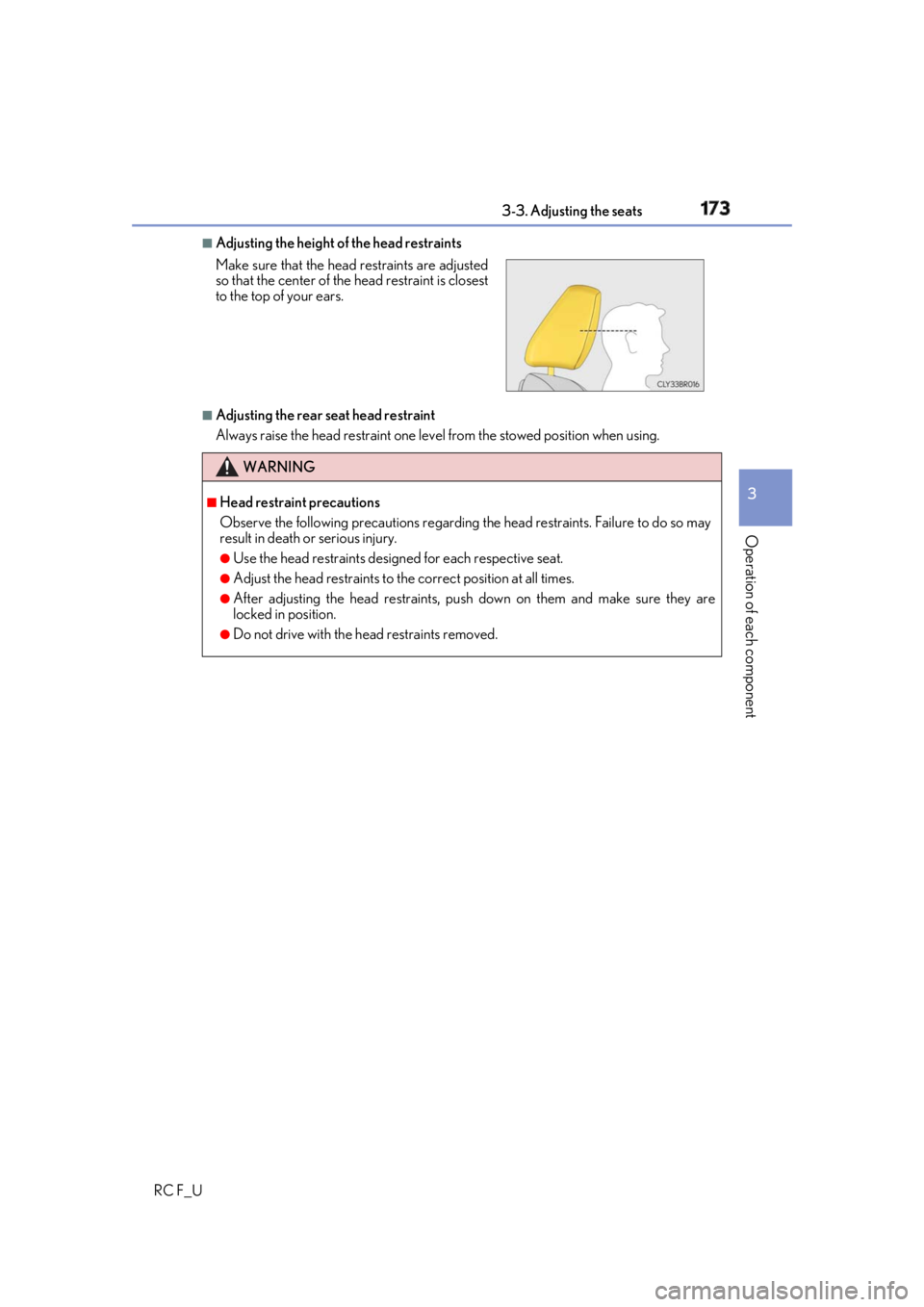
Adjusting the height of the head restraints
■
Adjusting the rear seat head restraint
Always raise the head restraint one leve l from the stowed position when using.Make sure that the head restraints are adjusted
so that the center of the head restraint is closest
to the top of your ears.
WARNING ■
Head restraint precautions
Observe the following precautions regarding th e head restraints. Failure to do so may
result in death or serious injury. ●
Use the head restraints design ed for each respective seat.●
Adjust the head restraints to th e correct position at all times.●
After adjusting the head restraints, push down on them and make sure they are
locked in position. ●
Do not drive with the head restraints removed.
Page 176 of 636
176 3-4. Adjusting the steering wheel and mirrors
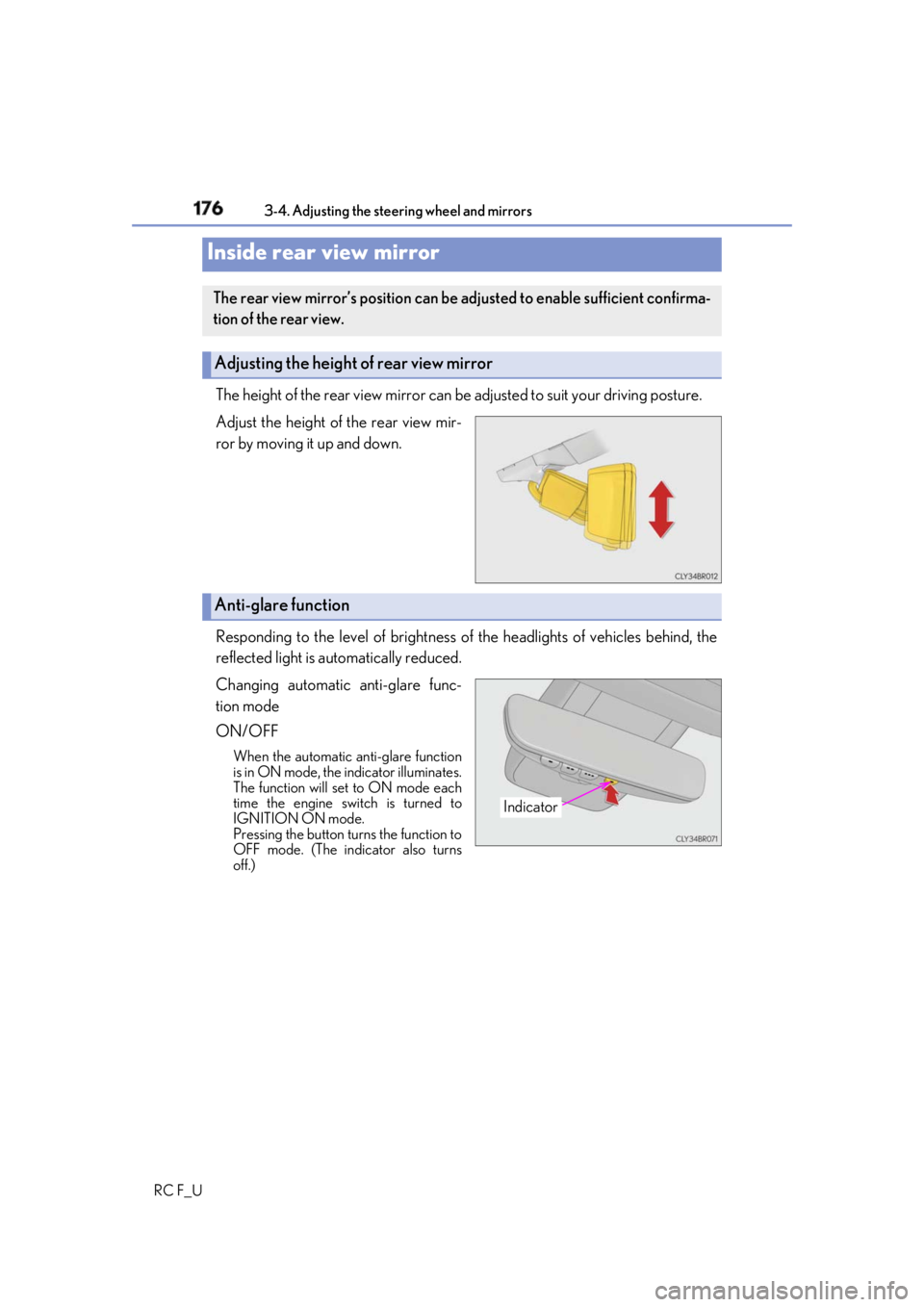
RC F_U The height of the rear view mirror can be adjusted to suit your driving posture.
Adjust the height of the rear view mir-
ror by moving it up and down.
Responding to the level of brightness of the headlights of vehicles behind, the
reflected light is automatically reduced.
Changing automatic anti-glare func-
tion mode
ON/OFF When the automatic anti-glare function
is in ON mode, the indicator illuminates.
The function will set to ON mode each
time the engine switch is turned to
IGNITION ON mode.
Pressing the button turns the function to
OFF mode. (The indicator also turns
off.)Inside rear view mirror The rear view mirror’s position can be adjusted to enable sufficient confirma-
tion of the rear view.
Adjusting the height of rear view mirror
Anti-glare function
Indicator
Page 185 of 636

1853-5. Opening, closing the windows and moon roof
3
Operation of each component
RC F_U WARNING
Observe the following precautions.
Failure to do so may result in death or serious injury. ■
Closing the windows ●
The driver is responsible for all the power window operations, including the operation
for the passengers. In order to prevent acci dental operation, espe cially by a child, do
not let a child operate the power windows. It is possible for children and other passen-
gers to have body parts caught in the powe r window. Also, when riding with a child, it
is recommended to use the window lock switch. ( P. 182)●
Check to make sure that all passengers do not have any part of their body in a posi-
tion where it could be caught wh en a window is being operated.●
When using the wireless remote control or mechanical key and operating the power
windows, operate the power window after checking to make sure that there is no pos-
sibility of any passenger having any of their body parts caught in the window. Also do
not let a child operate window by the wirele ss remote control or mechanical key. It is
possible for children and other passengers to get caught in the power window. ●
When exiting the vehicle, turn the engine sw itch off, carry the ke y and exit the vehicle
along with the child. There may be accidental operation, due to mischief, etc., that
may possibly lead to an accident. ■
Jam protection function ●
Never use any part of your body to intentionally activate the jam protection function. ●
The jam protection function may not work if something gets jammed just before the
window is fully closed. Be careful not to get any part of your body jammed in the win-
dow. ■
Catch protection function ●
Never use any part of your body or clothing to intentionally activate the catch protec-
tion function. ●
The catch protection function may not work if something gets caught just before the
window is fully opened. Be ca reful not to get any part of your body or clothing caught
in the window.
Page 189 of 636
1893-5. Opening, closing the windows and moon roof
3
Operation of each component
RC F_U WARNING
Observe the following precautions.
Failure to do so may cause death or serious injury. ■
Opening the moon roof ●
Do not allow any passengers to put their hands or heads outside the vehicle while it is
moving. ●
Do not sit on top of the moon roof. ■
Closing the moon roof ●
The driver is responsible for moon roof opening and closing operations.
In order to prevent accidental operation, especially by a child, do not let a child oper-
ate the moon roof. It is possible for child ren and other passengers to have body parts
caught in the moon roof. ●
Check to make sure that all passengers do not have any part of their body in a posi-
tion where it could be caught when the moon roof is being operated. ●
When using the wireless remote control or mechanical key and operating the moon
roof, operate the moon roof af ter checking to make sure th at there is no possibility of
any passenger having any of their body part s caught in the moon roof. Also, do not let
a child operate moon roof by the wireless remote control or mechanical key. It is pos-
sible for children and ot her passengers to get caught in the moon roof.●
When exiting the vehicle, turn the engine sw itch off, carry the ke y and exit the vehicle
along with the child. There may be accidental operation, due to mischief, etc., that
may possibly lead to an accident. ■
Jam protection function ●
Never use any part of your body to intentionally activate the jam protection function. ●
The jam protection function may not work if something gets caught just before the
moon roof is fully closed. Also, the jam prot ection function is not designed to operate
while the moon roof switch is being pressed. Take care so that your fingers, etc. do not
get caught.
NOTICE ■
To prevent damage to the moon roof●
Before opening, make sure that there are no foreign objects such as stones or ice
around the opening. ●
Do not hit the face or edge of the moon roof with hard objects.■
Operating the moon roof
There is the possibility that water or rain will get into the vehicle if you operate the
moon roof after a rainfall, snowfall or car wash. Wipe the moon roof dry with a cloth
before operating it.
Page 193 of 636
1934-1. Before driving
4
Driving
RC F_U ■
When starting off on an uphill
The hill-start assist control will activate. ( P. 312)■
Driving in the rain ●
Drive carefully when it is ra ining, because visibility will be reduced, the windows may
become fogged-up, and the road will be slippery. ●
Drive carefully when it starts to rain, beca use the road surface will be especially slip-
pery. ●
Refrain from high speeds when driving on an expressway in the rain, because there may
be a layer of water between the tires and th e road surface, preventing the steering and
brakes from operating properly. ■
Engine speed while driving
In the following conditions, th e engine speed may become high while driving. This is due
to automatic up-shifting control or down-shi fting implementation to meet driving condi-
tions. It does not indica te sudden acceleration.●
The vehicle is judged to be driving uphill or downhill ●
When the accelerato r pedal is released●
When the brake pedal is depressed while sport mode is selected ■
Restraining the engine output (Brake Override System)●
When the accelerator and brake pedals are depressed at the same time, the engine
output may be restrained. ●
A warning message is displayed on the mult i-information display while the system is
operating. ( P. 477)■
Restraining sudden start (Drive-Start Control)●
When the following unusual operation is performed, the engine output may be
restrained.
• When the shift lever is shifted from R to D, D to R, N to R, P to D, or P to R (D
includes M) with the accelerator pedal depressed, a warning message appears on
the multi-information display. ( P. 465)
• When the accelerator pedal is depressed t oo much while the vehicle is in reverse.●
While Drive-Start Control is being activated, your vehicle may have trouble escaping
from the mud or fresh snow. In such case, deactivate TRC ( P. 314) to cancel Drive-
Start Control so that the vehicle may beco me able to escape from the mud or fresh
snow. ■
Breaking in your new Lexus
To extend the life of the vehicle, observin g the following precautions is recommended:●
For the first 186 miles (300 km):
Avoid sudden stops. ●
For the first 621 miles (1000 km):
• Do not drive at extremely high speeds.
• Avoid sudden acceleration.
• Do not drive continuously in low gears.
• Do not drive at a constant speed for extended periods.