lane LEXUS RCF 2021 Owners Manual
[x] Cancel search | Manufacturer: LEXUS, Model Year: 2021, Model line: RCF, Model: LEXUS RCF 2021Pages: 408, PDF Size: 8.25 MB
Page 3 of 408
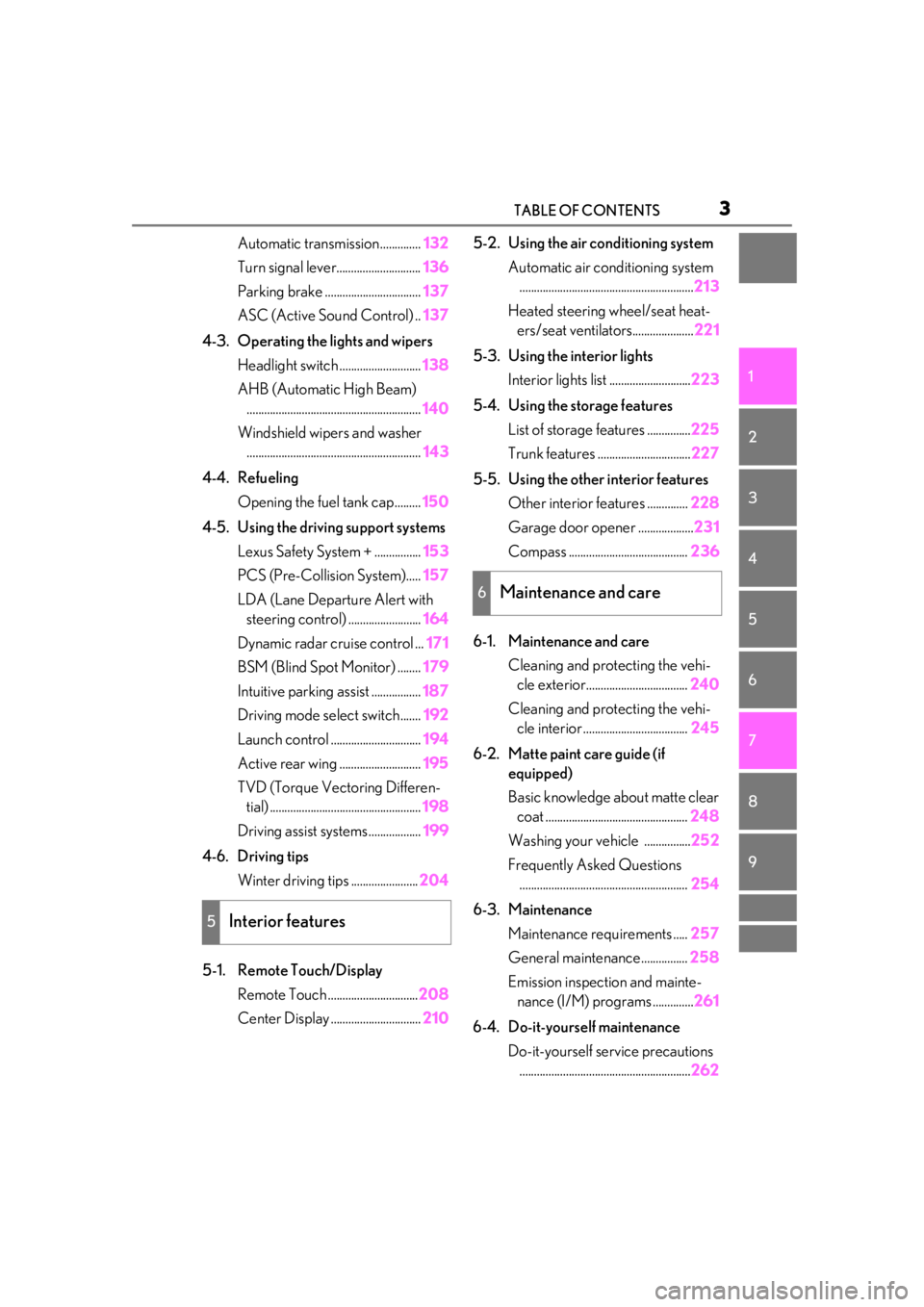
3TABLE OF CONTENTS
1
2
3
4
5
6
7
8
9
Automatic transmission..............132
Turn signal lever............................. 136
Parking brake ................................. 137
ASC (Active Sound Control) .. 137
4-3. Operating the lights and wipers Headlight switch ............................ 138
AHB (Automatic High Beam) ............................................................ 140
Windshield wipers and washer ............................................................ 143
4-4. Refueling Opening the fuel tank cap......... 150
4-5. Using the driving support systems Lexus Safety System + ................ 153
PCS (Pre-Collision System)..... 157
LDA (Lane Departure Alert with steering control) ......................... 164
Dynamic radar cruise control ... 171
BSM (Blind Spot Monitor) ........ 179
Intuitive parking assist ................. 187
Driving mode select switch....... 192
Launch control ............................... 194
Active rear wing ............................ 195
TVD (Torque Vect oring Differen-
tial) .................................................... 198
Driving assist systems .................. 199
4-6. Driving tips Winter driving tips ....................... 204
5-1. Remote Touch/Display Remote Touch ............................... 208
Center Display ............................... 2105-2. Using the air conditioning system
Automatic air conditioning system............................................................ 213
Heated steering wheel/seat heat- ers/seat ventilators..................... 221
5-3. Using the interior lights Interior lights list ............................ 223
5-4. Using the storage features List of storage features ............... 225
Trunk features ................................ 227
5-5. Using the other interior features Other interior features .............. 228
Garage door opener ................... 231
Compass ......................................... 236
6-1. Maintenance and care Cleaning and protecting the vehi-cle exterior................................... 240
Cleaning and protecting the vehi- cle interior .................................... 245
6-2. Matte paint care guide (if equipped)
Basic knowledge about matte clear coat ................................................. 248
Washing your vehicle ................ 252
Frequently Asked Questions .......................................................... 254
6-3. Maintenance Maintenance re quirements .....257
General maintenance................ 258
Emission inspection and mainte- nance (I/M) programs .............. 261
6-4. Do-
it-yourself maintenance
Do-it-yourself service precautions ........................................................... 262
5Interior features
6Maintenance and care
Page 17 of 408

17Pictorial index
Outside rear view mirror switches ..................................................................... P.110
Door lock switches ...................................................................................................P.94
Power window switches ......................................................................................... P.112
Window lock switch ................................................................................................ P.113
Tire pressure warning reset switch................................................................... P.277
*:If equippedAudio remote control switches
*
Paddle shift switches .................................................................................... P.134, 135
Meter control switches ........................................................................................... P.74
Vehicle-to-vehicle distance switch ................................................................... P.175
Cruise control switch.............................................................................................. P.171
LDA (Lane Departure Alert with steering control) switch ........................ P.164
Talk switch
*
Telephone switches*
*
: Refer to “NAVIGATION AND MULTIMEDIA SYSTEM OWNER’S MANUAL”.
B
C
D
E
F
A
B
C
D
E
F
G
H
Page 63 of 408
632-1. Instrument cluster
2
Vehicle status information and indicators
*1: These lights turn on when the engine switch is turned to IGNITION ON
mode to indicate that a system check is
being performed. They will turn off after
the engine is started, or after a few sec-
onds. There may be a malfunction in a
system if a light does not come on, or
turn off. Have the vehicle inspected by
your Lexus dealer.
*2: This light illuminates on the multi-infor-
mation display.
*3: This light illuminates on the center panel.
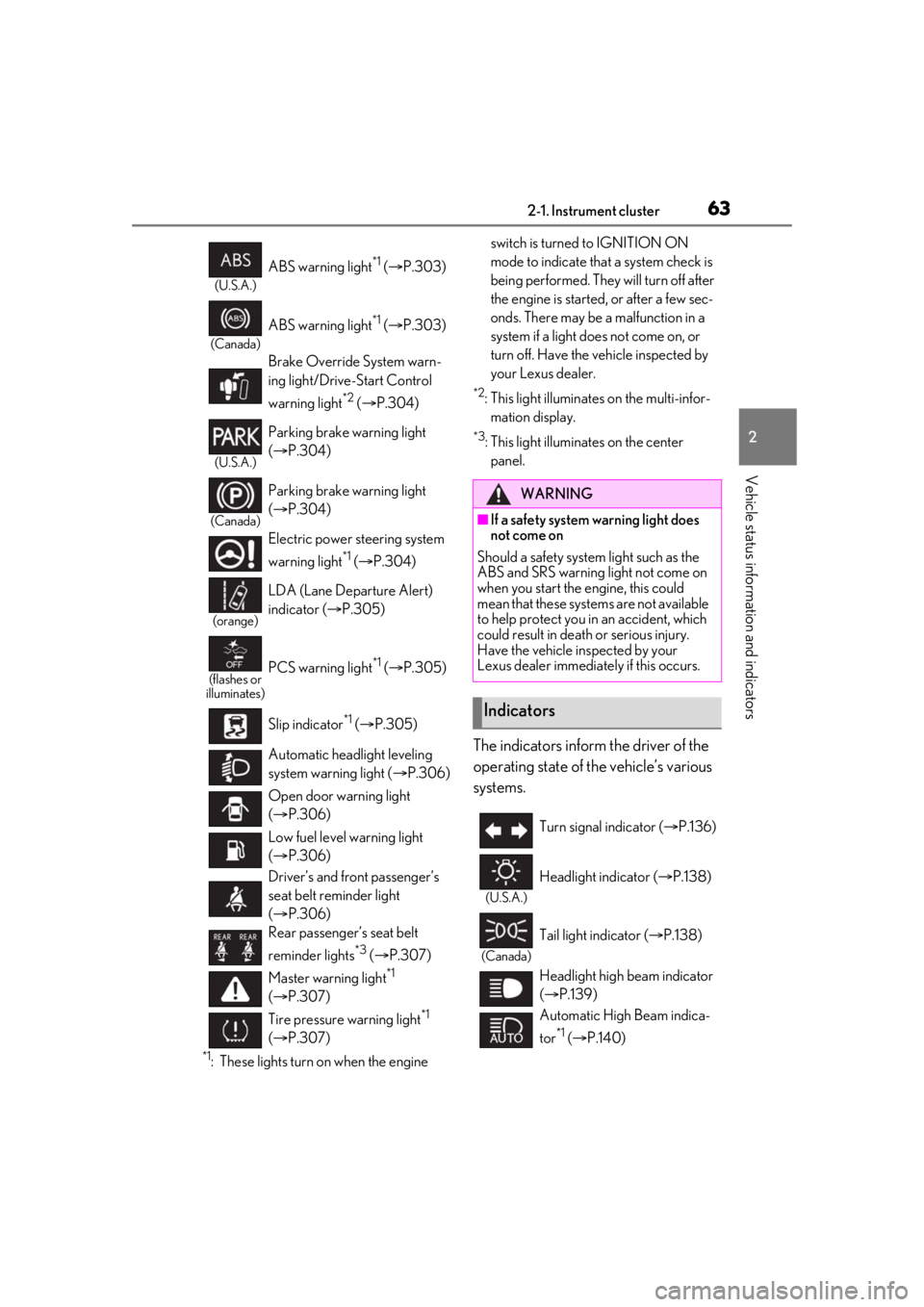
The indicators inform the driver of the
operating state of the vehicle’s various
systems.
(U.S.A.)
ABS warning light*1 ( P.303)
(Canada)
ABS warning light*1 ( P.303)
Brake Override System warn-
ing light/Drive-Start Control
warning light
*2 ( P.304)
(U.S.A.)
Parking brake warning light
( P.304)
(Canada)
Parking brake warning light
( P.304)
Electric power st eering system
warning light
*1 ( P.304)
(orange)
LDA (Lane Departure Alert)
indicator ( P.305)
(flashes or
illuminates)PCS warning light*1 ( P.305)
Slip indicator
*1 ( P.305)
Automatic headlight leveling
system warning light ( P.306)
Open door warning light
( P.306)
Low fuel level warning light
( P.306)
Driver’s and front passenger’s
seat belt reminder light
( P.306)
Rear passenger’s seat belt
reminder lights
*3 ( P.307)
Master warning light
*1
( P.307)
Tire pressure warning light
*1
( P.307)
WARNING
■If a safety system warning light does
not come on
Should a safety system light such as the
ABS and SRS warning light not come on
when you start the engine, this could
mean that these systems are not available
to help protect you in an accident, which
could result in death or serious injury.
Have the vehicle inspected by your
Lexus dealer immediately if this occurs.
Indicators
Turn signal indicator ( P.136)
(U.S.A.)
Headlight indicator ( P.138)
(Canada)
Tail light indicator ( P.138)
Headlight high beam indicator
( P.139)
Automatic High Beam indica-
tor
*1 ( P.140)
Page 64 of 408
642-1. Instrument cluster
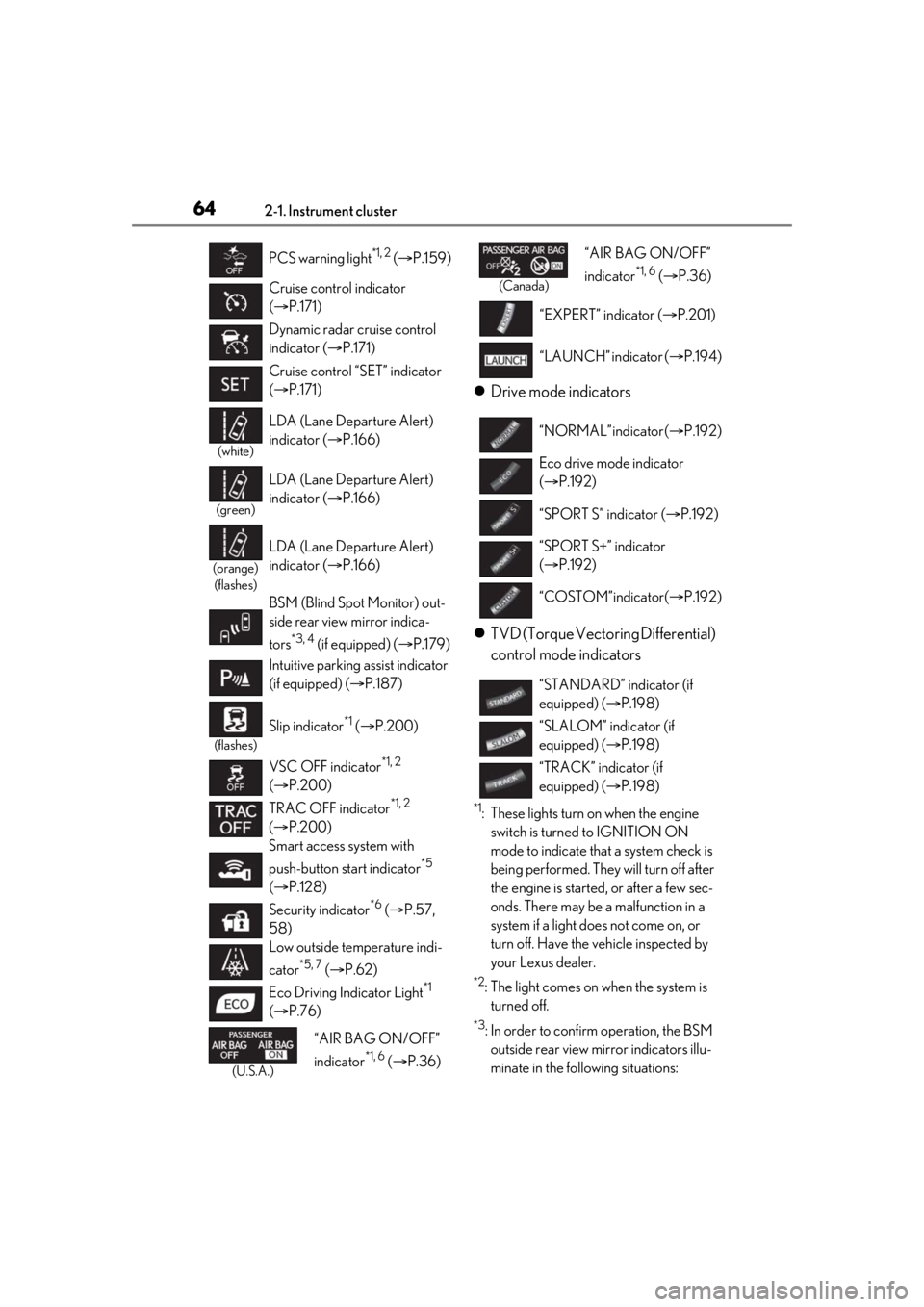
Drive mode indicators
TVD (Torque Vectoring Differential)
control mode indicators
*1: These lights turn on when the engine
switch is turned to IGNITION ON
mode to indicate that a system check is
being performed. They will turn off after
the engine is started, or after a few sec-
onds. There may be a malfunction in a
system if a light does not come on, or
turn off. Have the vehicle inspected by
your Lexus dealer.
*2: The light comes on when the system is turned off.
*3: In order to confirm operation, the BSM outside rear view mirror indicators illu-
minate in the following situations:
PCS warning light
*1, 2 (
P.159)
Cruise control indicator
( P.171)
Dynamic radar cruise control
indicator ( P.171)
Cruise control “SET” indicator
( P.171)
(white)
LDA (Lane Departure Alert)
indicator ( P.166)
(green)
LDA (Lane Departure Alert)
indicator ( P.166)
(orange)
(flashes)
LDA (Lane Departure Alert)
indicator ( P.166)
BSM (Blind Spot Monitor) out-
side rear view mirror indica-
tors
*3, 4 (if equipped) ( P.179)
Intuitive parking assist indicator
(if equipped) ( P.187)
(flashes)
Slip indicator*1 ( P.200)
VSC OFF indicator
*1, 2
( P.200)
TRAC OFF indicator
*1, 2
( P.200)
Smart access system with
push-button start indicator
*5
( P.128)
Security indicator
*6 ( P.57,
58)
Low outside temperature indi-
cator
*5, 7 ( P.62)
Eco Driving Indicator Light
*1
( P.76)
(U.S.A.)
“AIR BAG ON/OFF”
indicator
*1, 6 ( P.36)
(Canada)
“AIR BAG ON/OFF”
indicator
*1, 6 ( P.36)
“EXPERT” indicator ( P.201)
“LAUNCH” indicator ( P.194)
“NORMAL” indicator ( P.192)
Eco drive mode indicator
( P.192)
“SPORT S” indicator ( P.192)
“SPORT S+” indicator
( P.192)
“COSTOM” indicator ( P.192)
“STANDARD” indicator (if
equipped) ( P.198)
“SLALOM” indicator (if
equipped) ( P.198)
“TRACK” indicator (if
equipped) ( P.198)
Page 76 of 408
762-1. Instrument cluster
• After start: Displays elapsed time since engine start
Distance
• Driving range: Displays driving range
with remaining fuel
*3, 4
•After start: Displays drive distance since
vehicle start
Other
Blank: No item
*1:Resetting: P.75
*2: Use the displayed fuel consumption as a
reference.
*3: When only a small amount of fuel is added to the tank, the display may not
be updated.
When refueling, turn the engine switch
off. If the vehicle is refueled without
turning the engine switch off, the display
may not be updated.
*4: This distance is computed based on
your average fuel consumption. As a
result, the actual distance that can be
driven may differ from that displayed.
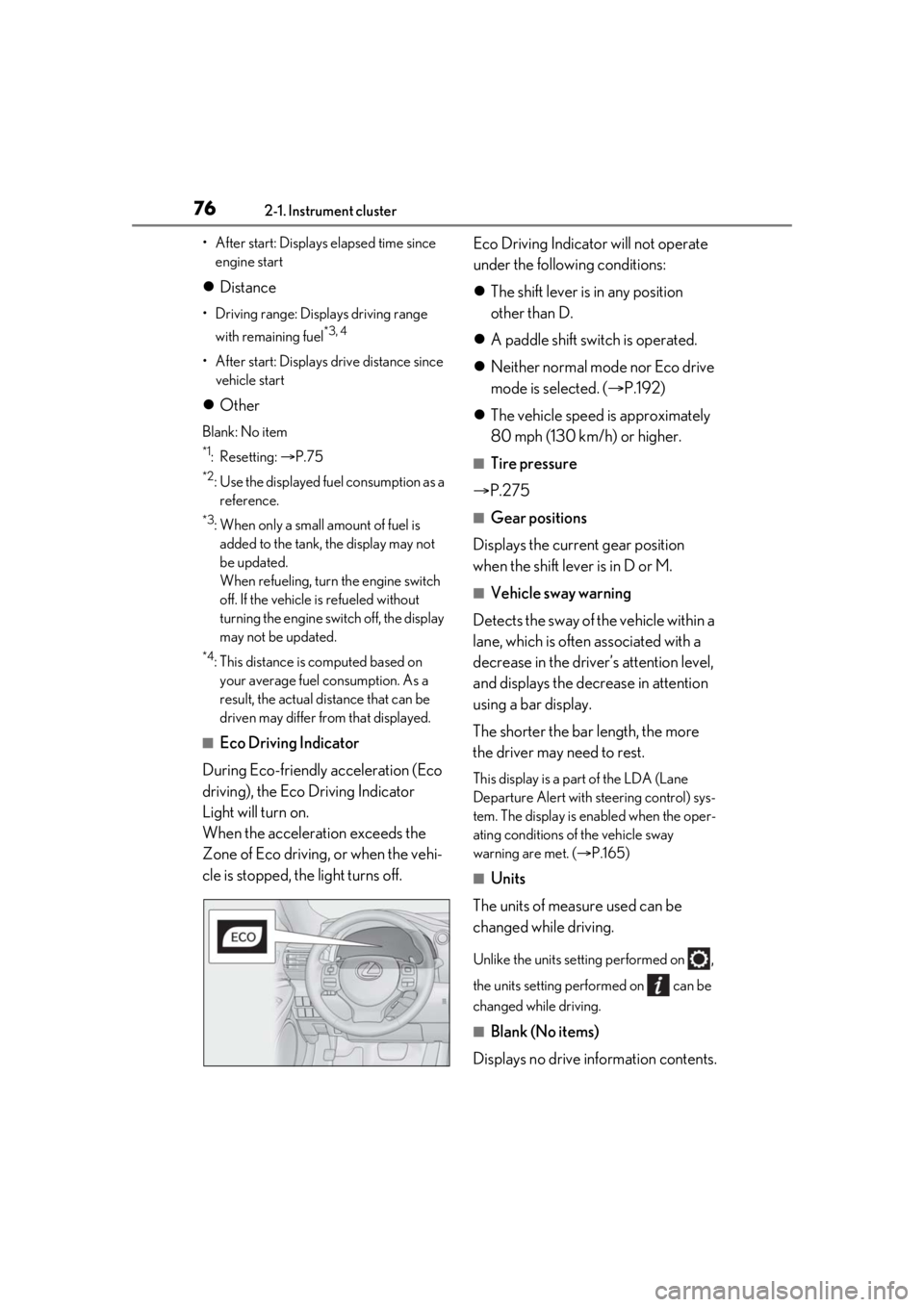
■Eco Driving Indicator
During Eco-friendly acceleration (Eco
driving), the Eco Driving Indicator
Light will turn on.
When the acceleration exceeds the
Zone of Eco driving, or when the vehi-
cle is stopped, the light turns off. Eco Driving Indicator will not operate
under the following conditions:
The shift lever is in any position
other than D.
A paddle shift switch is operated.
Neither normal mode nor Eco drive
mode is selected. ( P.192)
The vehicle speed is approximately
80 mph (130 km/h) or higher.
■Tire pressure
P.275
■Gear positions
Displays the current gear position
when the shift lever is in D or M.
■Vehicle sway warning
Detects the sway of the vehicle within a
lane, which is often associated with a
decrease in the driver’s attention level,
and displays the decrease in attention
using a bar display.
The shorter the bar length, the more
the driver may need to rest.
This display is a pa rt of the LDA (Lane
Departure Alert with steering control) sys-
tem. The display is en abled when the oper-
ating conditions of the vehicle sway
warning are met. ( P.165)
■Units
The units of measure used can be
changed while driving.
Unlike the units sett ing performed on ,
the units setting performed on can be
changed while driving.
■Blank (No items)
Displays no drive information contents.
Page 81 of 408
812-1. Instrument cluster
2
Vehicle status information and indicators
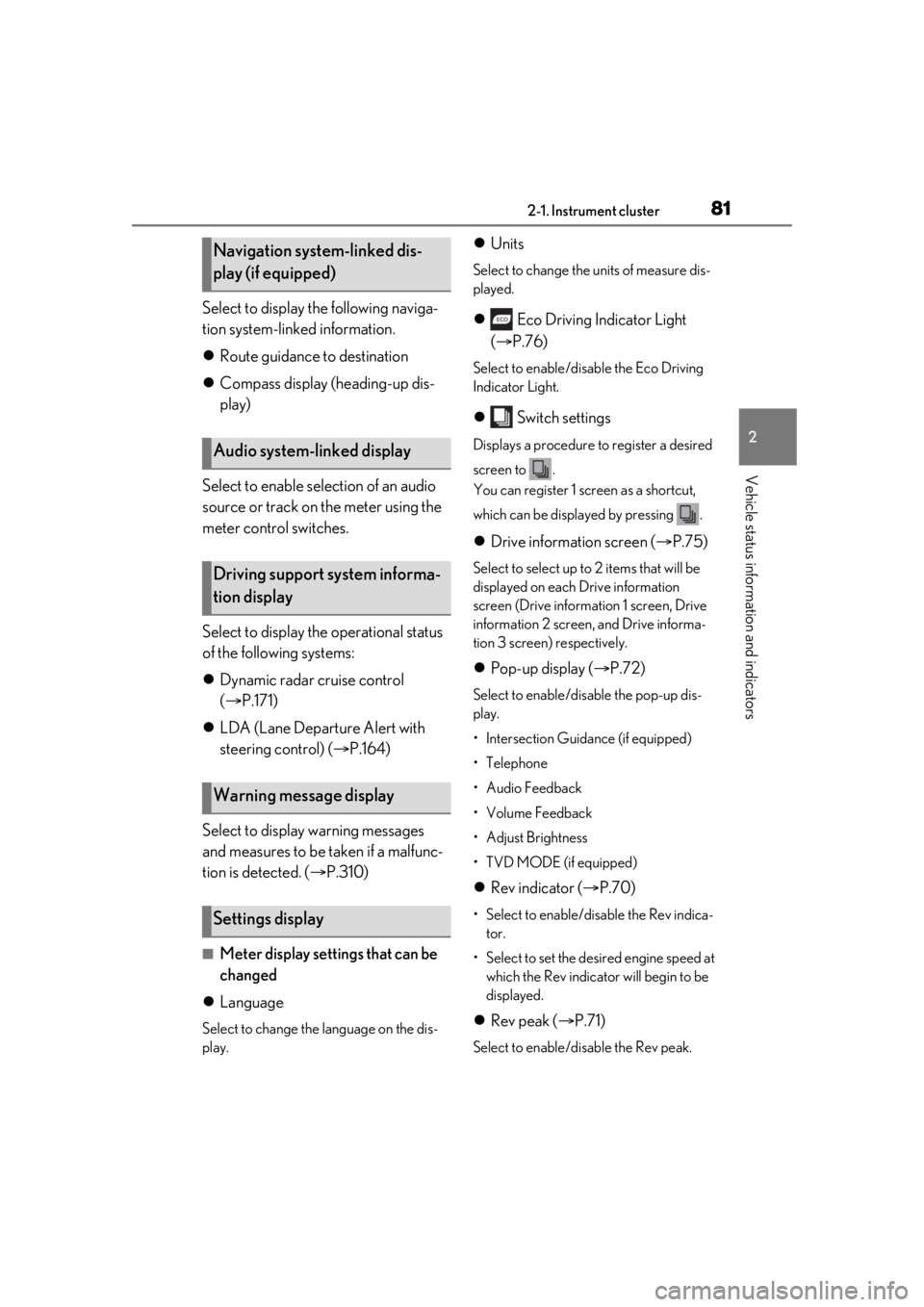
Select to display the following naviga-
tion system-linked information.
Route guidance to destination
Compass display (heading-up dis-
play)
Select to enable selection of an audio
source or track on the meter using the
meter control switches.
Select to display the operational status
of the following systems:
Dynamic radar cruise control
( P.171)
LDA (Lane Departure Alert with
steering control) ( P.164)
Select to display warning messages
and measures to be taken if a malfunc-
tion is detected. ( P.310)
■Meter display settings that can be
changed
Language
Select to change the language on the dis-
play.
Units
Select to change the units of measure dis-
played.
Eco Driving Indicator Light
( P.76)
Select to enable/disable the Eco Driving
Indicator Light.
Switch settings
Displays a procedure to register a desired
screen to .
You can register 1 screen as a shortcut,
which can be displayed by pressing .
Drive information screen ( P.75)
Select to select up to 2 items that will be
displayed on each Drive information
screen (Drive information 1 screen, Drive
information 2 screen, and Drive informa-
tion 3 screen) respectively.
Pop-up display ( P.72)
Select to enable/disable the pop-up dis-
play.
• Intersection Guidance (if equipped)
•Telephone
• Audio Feedback
• Volume Feedback
•Adjust Brightness
• TVD MODE (if equipped)
Rev indicator ( P.70)
• Select to enable/disable the Rev indica-
tor.
• Select to set the desired engine speed at which the Rev indicator will begin to be
displayed.
Rev peak ( P.71)
Select to enable/disable the Rev peak.
Navigation system-linked dis-
play (if equipped)
Audio system-linked display
Driving support system informa-
tion display
Warning message display
Settings display
Page 117 of 408
117
4
4
Driving
Driving
.4-1. Before drivingDriving the vehicle ...................... 118
Cargo and luggage ................... 124
Vehicle load limits ...................... 126
Trailer towing ............................... 127
Dinghy towing ............................. 127
4-2. Driving procedures Engine (ignition) switch ........... 128
Automatic transmission........... 132
Turn signal lever.......................... 136
Parking brake .............................. 137
ASC (Active Sound Control) ......................................................... 137
4-3. Operating the lights and wipers Headlight switch ......................... 138
AHB (Automatic High Beam) ......................................................... 140
Windshield wipers and washer ......................................................... 143
4-4. Refueling Opening the fuel tank cap...... 150
4-5. Using the driving support sys- tems
Lexus Safety System + ............. 153
PCS (Pre-Collision System) ......................................................... 157
LDA (Lane Departure Alert with steering control) ...................... 164
Dynamic radar cruise control .......................................................... 171
BSM (Blind Spot Monitor) ..... 179Intuitive parking assist ..............
187
Driving mode select switch ... 192
Launch control ............................ 194
Active rear wing ......................... 195
TVD (Torque Vectoring Differen- tial)................................................. 198
Driving assist systems............... 199
4-6. Driving tips Winter driving tips .................... 204
Page 136 of 408
1364-2. Driving procedures
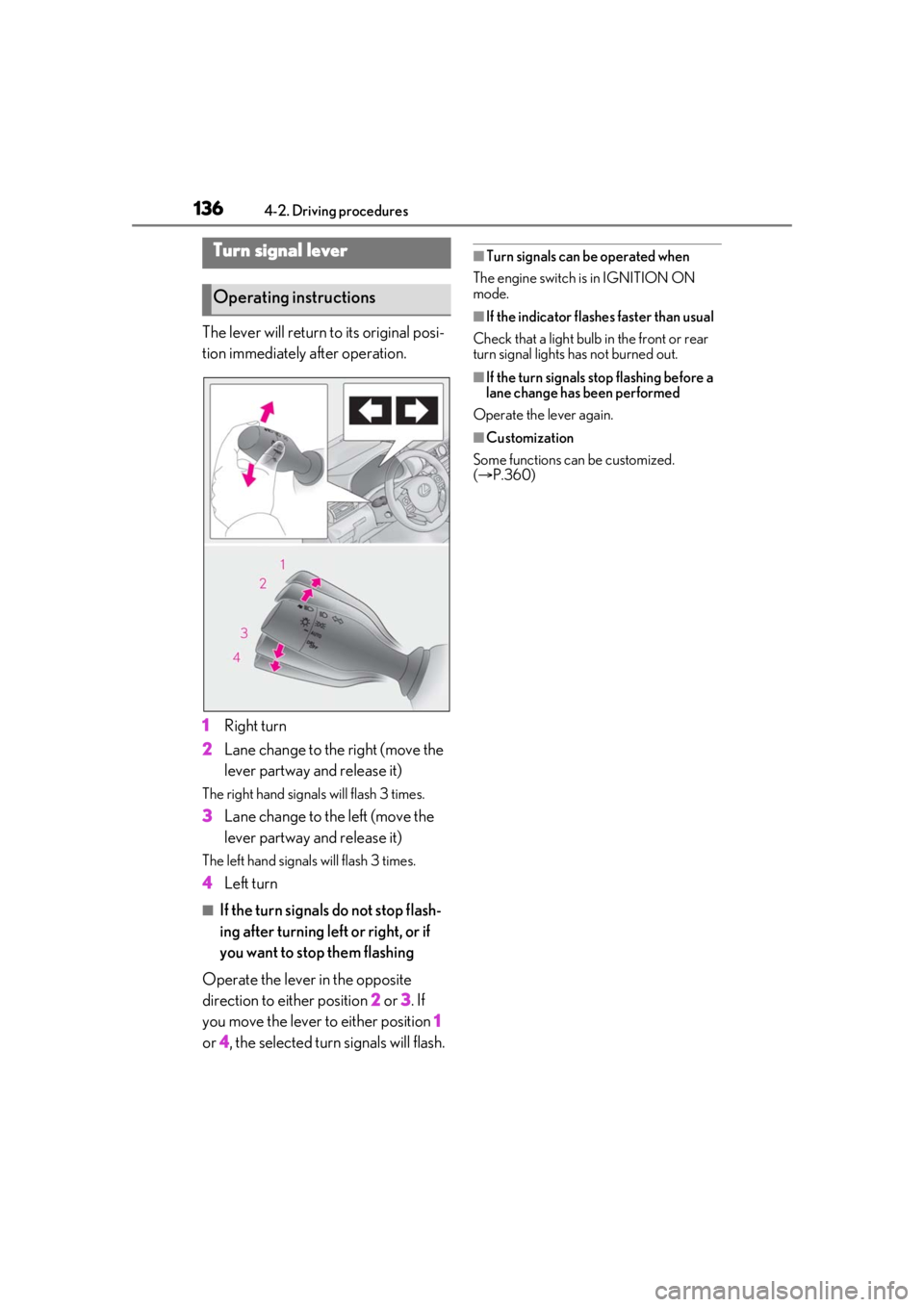
The lever will return to its original posi-
tion immediately after operation.
1Right turn
2 Lane change to the right (move the
lever partway and release it)
The right hand signals will flash 3 times.
3Lane change to the left (move the
lever partway and release it)
The left hand signals will flash 3 times.
4Left turn
■If the turn signals do not stop flash-
ing after turning left or right, or if
you want to stop them flashing
Operate the lever in the opposite
direction to either position 2 or 3 . If
you move the lever to either position 1
or 4, the selected turn signals will flash.
■Turn signals can be operated when
The engine switch is in IGNITION ON
mode.
■If the indicator flashes faster than usual
Check that a light bulb in the front or rear
turn signal lights has not burned out.
■If the turn signals stop flashing before a
lane change has been performed
Operate the lever again.
■Customization
Some functions can be customized.
( P.360)
Turn signal lever
Operating instructions
Page 140 of 408
1404-3. Operating the lights and wipers
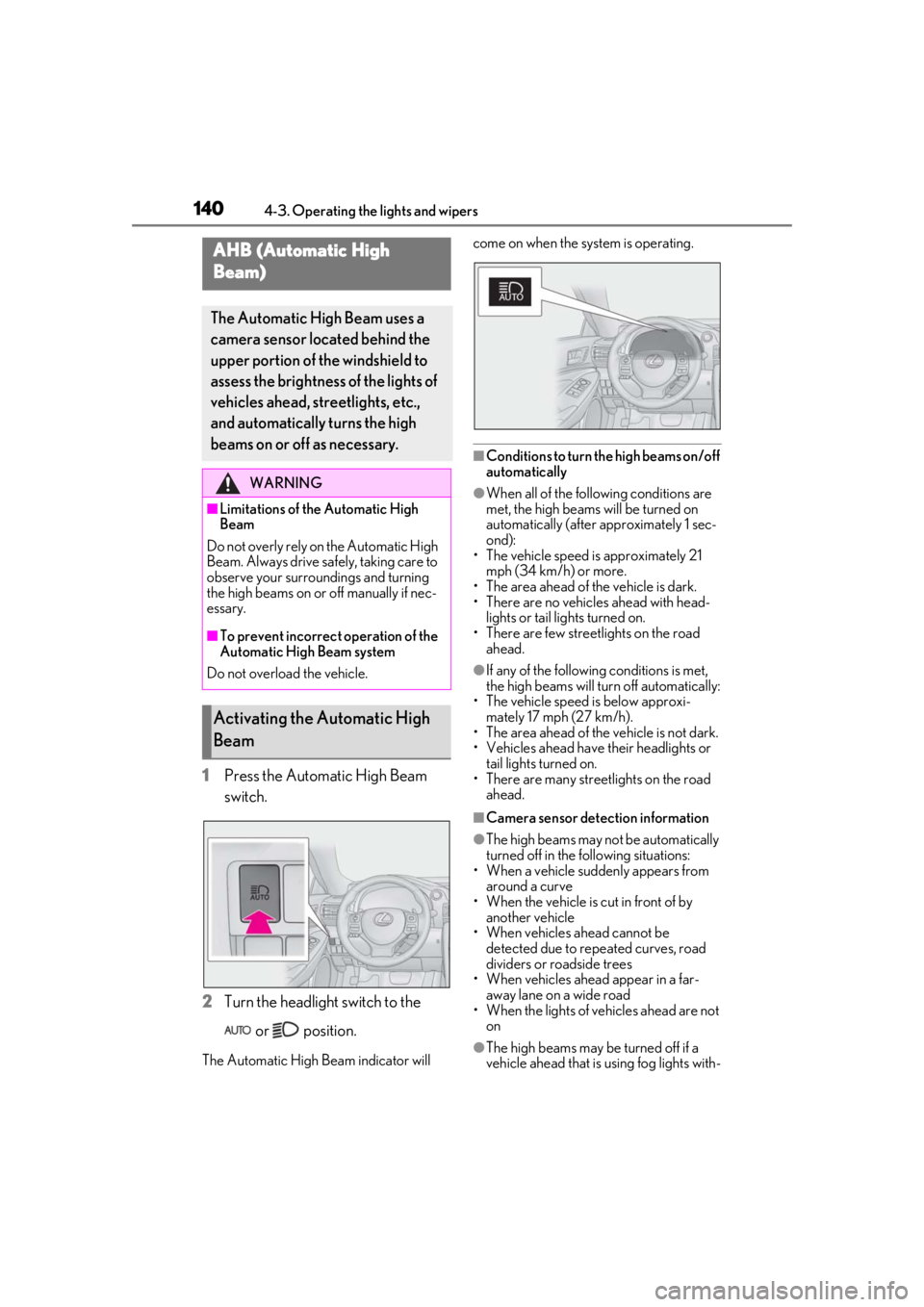
1Press the Automatic High Beam
switch.
2 Turn the headlight switch to the
or position.
The Automatic High Beam indicator will come on when the system is operating.
■Conditions to turn the high beams on/off
automatically
●When all of the follo
wing conditions are
met, the high beams will be turned on
automatically (after approximately 1 sec-
ond):
• The vehicle speed is approximately 21 mph (34 km/h) or more.
• The area ahead of the vehicle is dark.
• There are no vehicles ahead with head- lights or tail lights turned on.
• There are few streetlights on the road ahead.
●If any of the following conditions is met,
the high beams will turn off automatically:
• The vehicle speed is below approxi-
mately 17 mph (27 km/h).
• The area ahead of the vehicle is not dark.
• Vehicles ahead have their headlights or
tail lights turned on.
• There are many streetlights on the road ahead.
■Camera sensor dete ction information
●The high beams may not be automatically
turned off in the following situations:
• When a vehicle suddenly appears from around a curve
• When the vehicle is cut in front of by
another vehicle
• When vehicles ahead cannot be detected due to repeated curves, road
dividers or roadside trees
• When vehicles ahead appear in a far- away lane on a wide road
• When the lights of vehicles ahead are not
on
●The high beams may be turned off if a
vehicle ahead that is using fog lights with-
AHB (Automatic High
Beam)
The Automatic High Beam uses a
camera sensor located behind the
upper portion of the windshield to
assess the brightness of the lights of
vehicles ahead, streetlights, etc.,
and automatically turns the high
beams on or off as necessary.
WARNING
■Limitations of the Automatic High
Beam
Do not overly rely on the Automatic High
Beam. Always drive sa fely, taking care to
observe your surroundings and turning
the high beams on or off manually if nec-
essary.
■To prevent incorrect operation of the
Automatic High Beam system
Do not overload the vehicle.
Activating the Automatic High
Beam
Page 153 of 408
1534-5. Using the driving support systems
4
Driving
4-5.Using the driving support systems
■PCS (Pre-Collision System)
P.157
■LDA (Lane Departure Alert with
steering control)
P.164
■AHB (Automatic High Beam)
P.140
■Dynamic radar cruise control
P.171
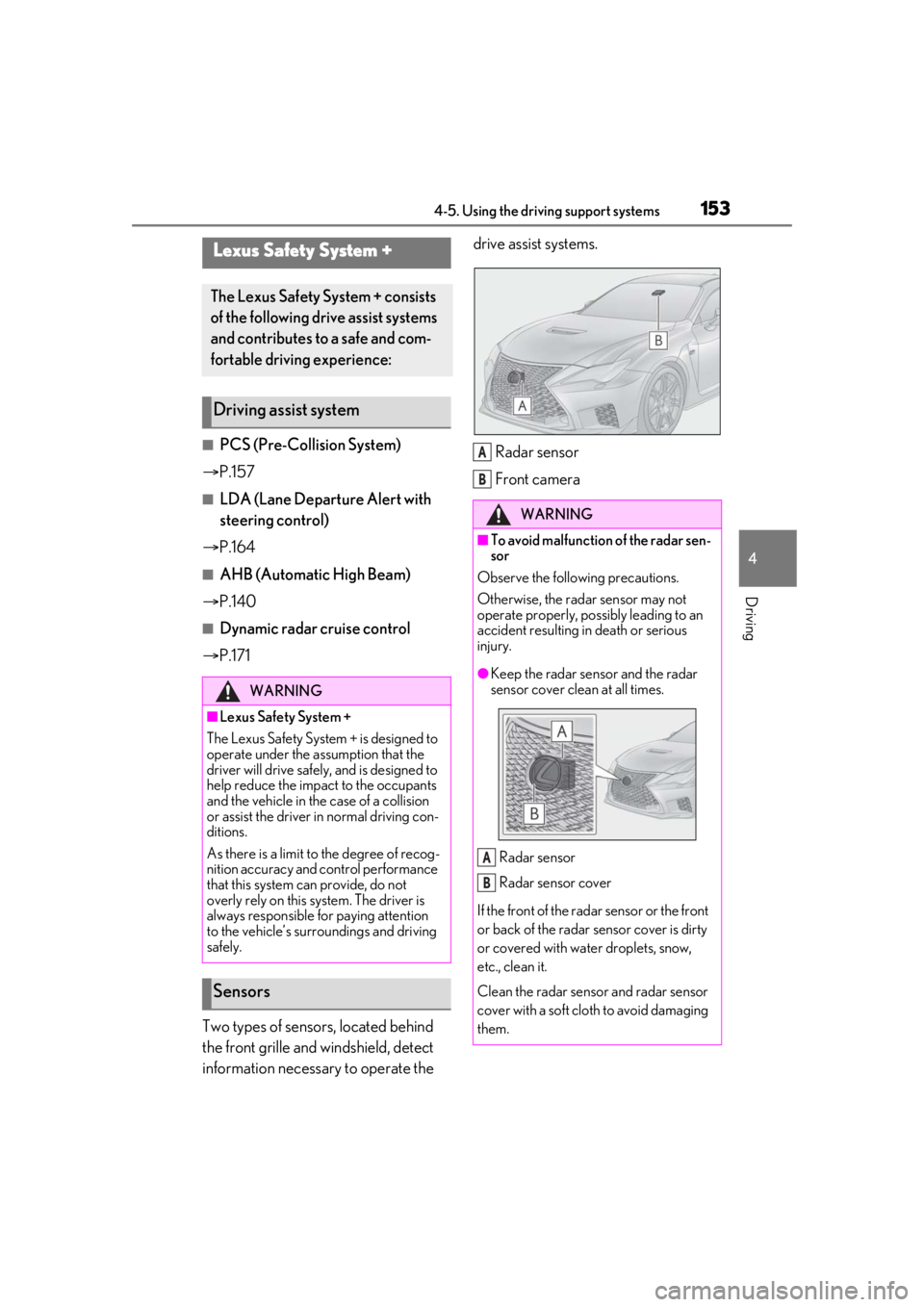
Two types of sensors, located behind
the front grille and windshield, detect
information necessary to operate the drive assist systems.
Radar sensor
Front camera
Lexus Safety System +
The Lexus Safety Sy stem + consists
of the following drive assist systems
and contributes to a safe and com-
fortable driving experience:
Driving assist system
WARNING
■Lexus Safety System +
The Lexus Safety System + is designed to
operate under the assumption that the
driver will drive safely, and is designed to
help reduce the impact to the occupants
and the vehicle in the case of a collision
or assist the driver in normal driving con-
ditions.
As there is a limit to the degree of recog-
nition accuracy and control performance
that this system can provide, do not
overly rely on this system. The driver is
always responsible for paying attention
to the vehicle’s surro undings and driving
safely.
Sensors
WARNING
■To avoid malfunction of the radar sen-
sor
Observe the following precautions.
Otherwise, the radar sensor may not
operate properly, possibly leading to an
accident resulting in death or serious
injury.
●Keep the radar sensor and the radar
sensor cover clean at all times.
Radar sensor
Radar sensor cover
If the front of the rada r sensor or the front
or back of the radar sensor cover is dirty
or covered with water droplets, snow,
etc., clean it.
Clean the radar sensor and radar sensor
cover with a soft cloth to avoid damaging
them.
A
B
A
B