audio LEXUS RX200T 2017 Owners Manual
[x] Cancel search | Manufacturer: LEXUS, Model Year: 2017, Model line: RX200T, Model: LEXUS RX200T 2017Pages: 776, PDF Size: 44.51 MB
Page 501 of 776
5015-9. Bluetooth® Phone
5
Lexus Display Audio system
RX350/RX200t_EE_OM48F32E
Move the controller to the left while on the message screen.
Select “Quick message” to display the “Quick message” screen.
Select the desired message and then select “Send”.
■Editing a quick message
Move the controller to the left while on the message screen.
Select “Quick message” and then th e desired message. Move the control-
ler to the left while the desired message is displayed.
Select “Edit”.
To return to the default message after editing, select “Default”.
Replying to a message
1
2
3
1
2
3
Page 503 of 776
5035-9. Bluetooth® Phone
5
Lexus Display Audio system
RX350/RX200t_EE_OM48F32E
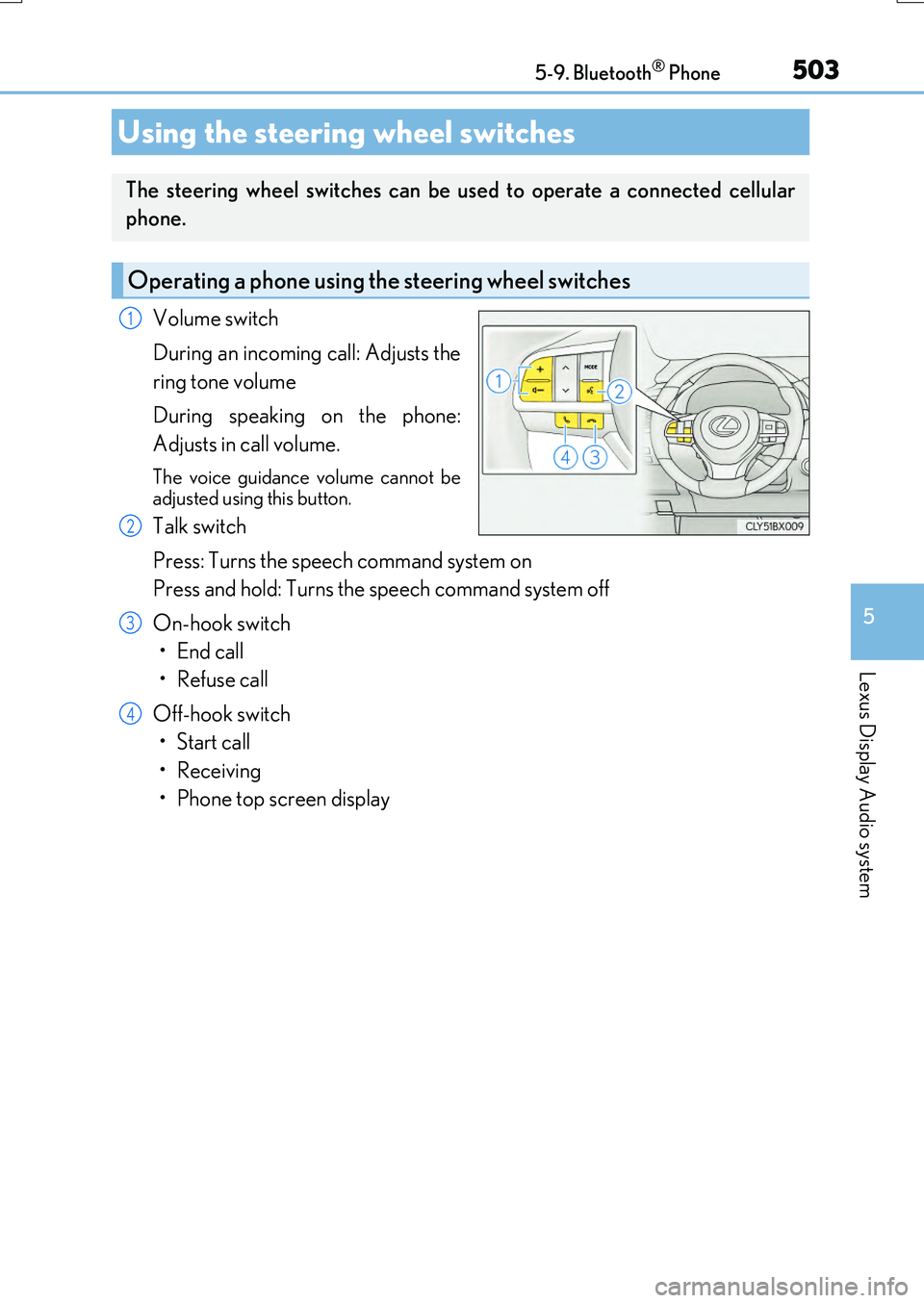
Volume switch
During an incoming call: Adjusts the
ring tone volume
During speaking on the phone:
Adjusts in call volume.
The voice guidance volume cannot be
adjusted using this button.
Talk switch
Press: Turns the speech command system on
Press and hold: Turns the speech command system off
On-hook switch
•End call
•Refuse call
Off-hook switch
• Start call
• Receiving
• Phone top screen display
Using the steering wheel switches
The steering wheel switches can be used to operate a connected cellular
phone.
Operating a phone using the steering wheel switches
1
2
3
4
Page 505 of 776
5055-9. Bluetooth® Phone
5
Lexus Display Audio system
RX350/RX200t_EE_OM48F32E
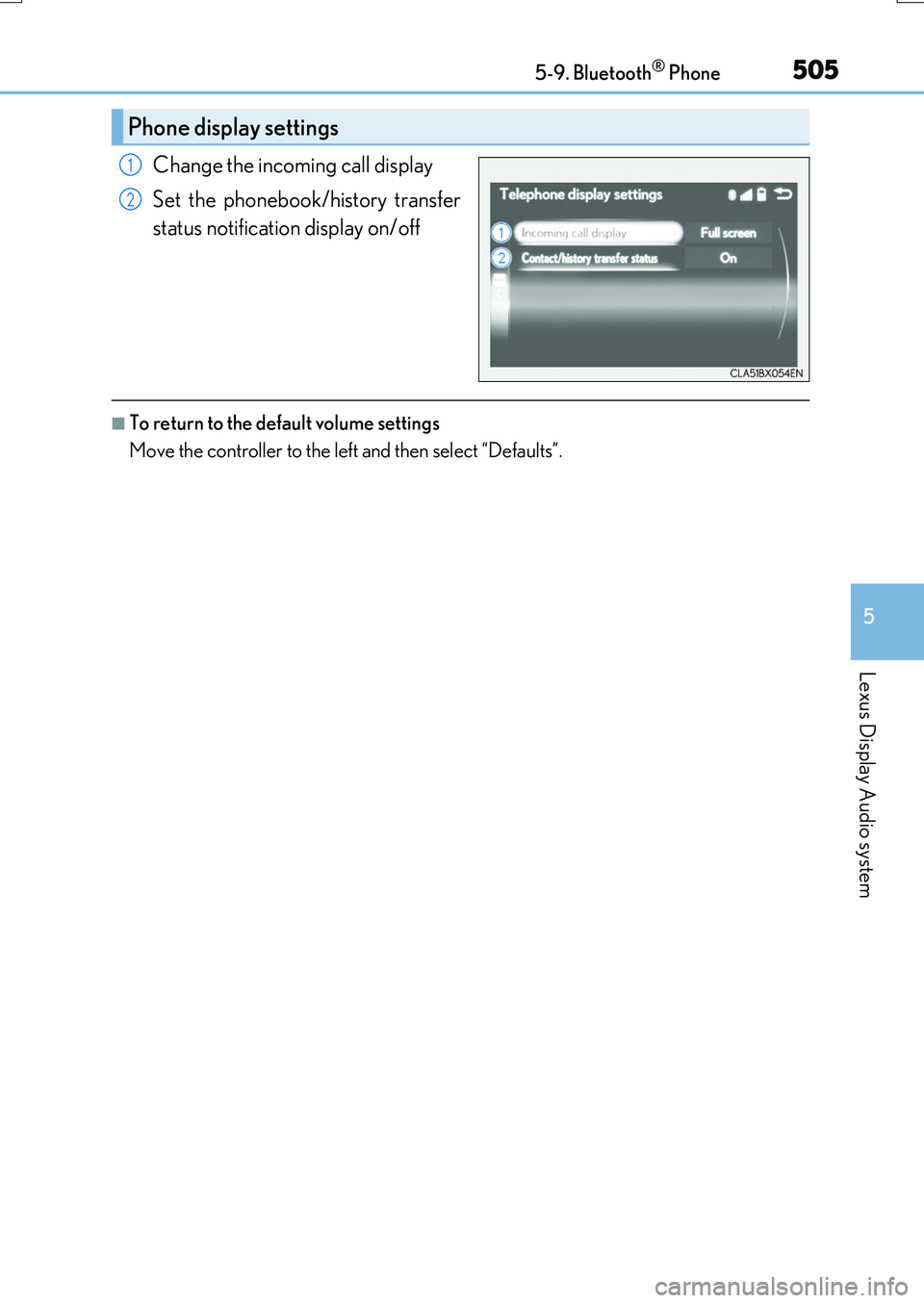
Change the incoming call display
Set the phonebook/history transfer
status notification display on/off
■To return to the default volume settings
Move the controller to the left and then select “Defaults”.
Phone display settings
1
2
Page 507 of 776
5075-10. Phonebook
5
Lexus Display Audio system
RX350/RX200t_EE_OM48F32E
Edit a contact (PBAP incompatible Bluetooth® phones, or compatible
phones with “Automatic transfer” off)
Select the desired contact to edit.
Delete contacts ( P. 508) (PBAP incompatible Bluetooth® phones, or
compatible phones with “Automatic transfer” off)
Edit a voice tag ( P. 526)
■Return to the default settings
Move the controller to the left and select “Defaults”.
You can transfer the phone numbers in your Bluetooth® phone to the system.
Operation methods differ between PBAP compatible and PBAP incompatible
Bluetooth® phones. If your cellular phone does not support either PBAP or
OPP services, you cannot transfer contacts.
Go to “Transfer contacts”: “MENU” button “Setup” “Telephone” “Con-
tact/call history settings” “Update contacts from telephone”
For PBAP compatible Bluetooth® phones when “Automatic transfer” is set to
on
Start the update automatically.
For PBAP compatible Bluetooth® phones when “Automatic transfer” is set to
off and PBAP incompatible Bluetooth® phones
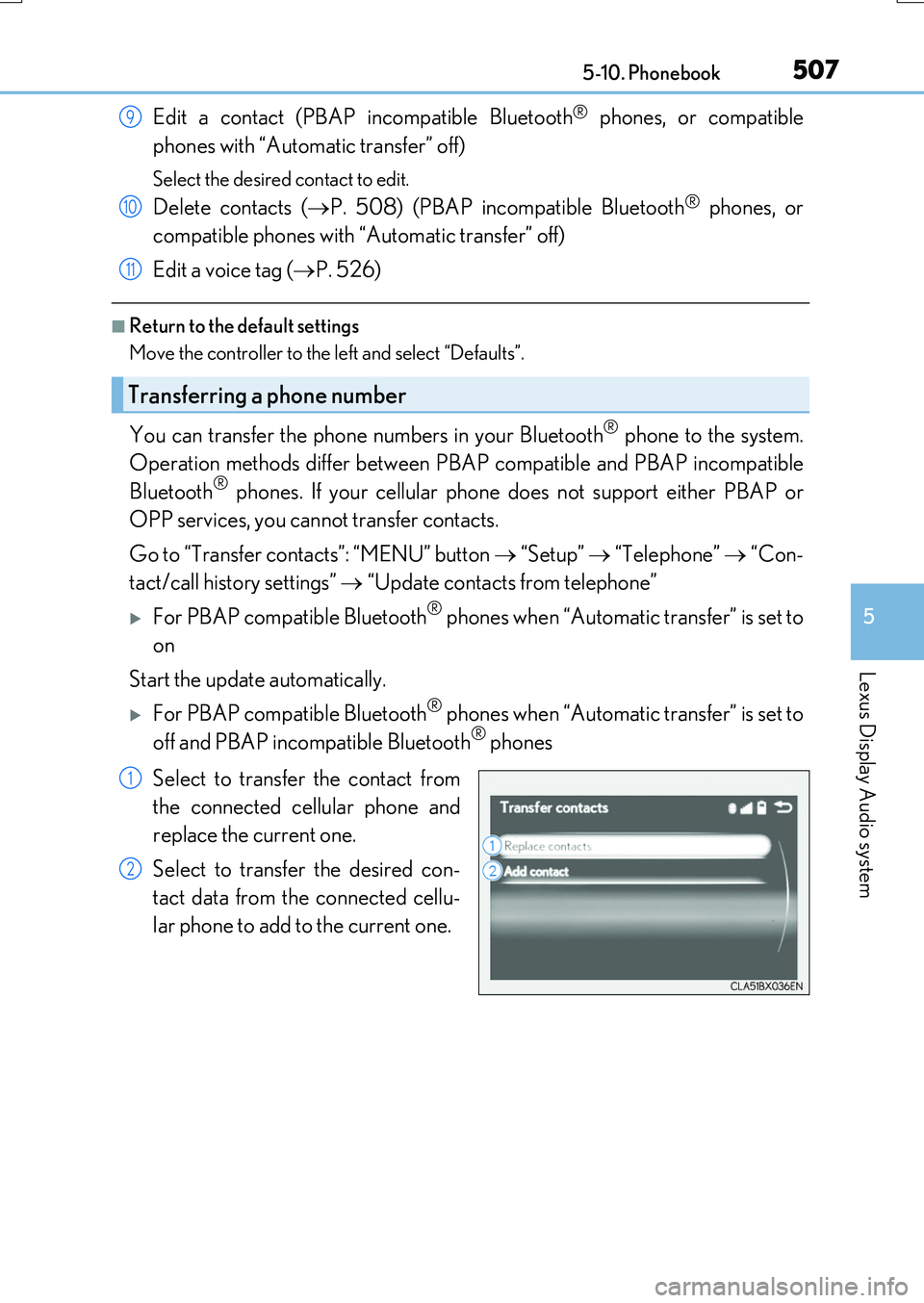
Select to transfer the contact from
the connected cellular phone and
replace the current one.
Select to transfer the desired con-
tact data from the connected cellu-
lar phone to add to the current one.
Transferring a phone number
9
10
11
1
2
Page 508 of 776
5085-10. Phonebook
RX350/RX200t_EE_OM48F32E
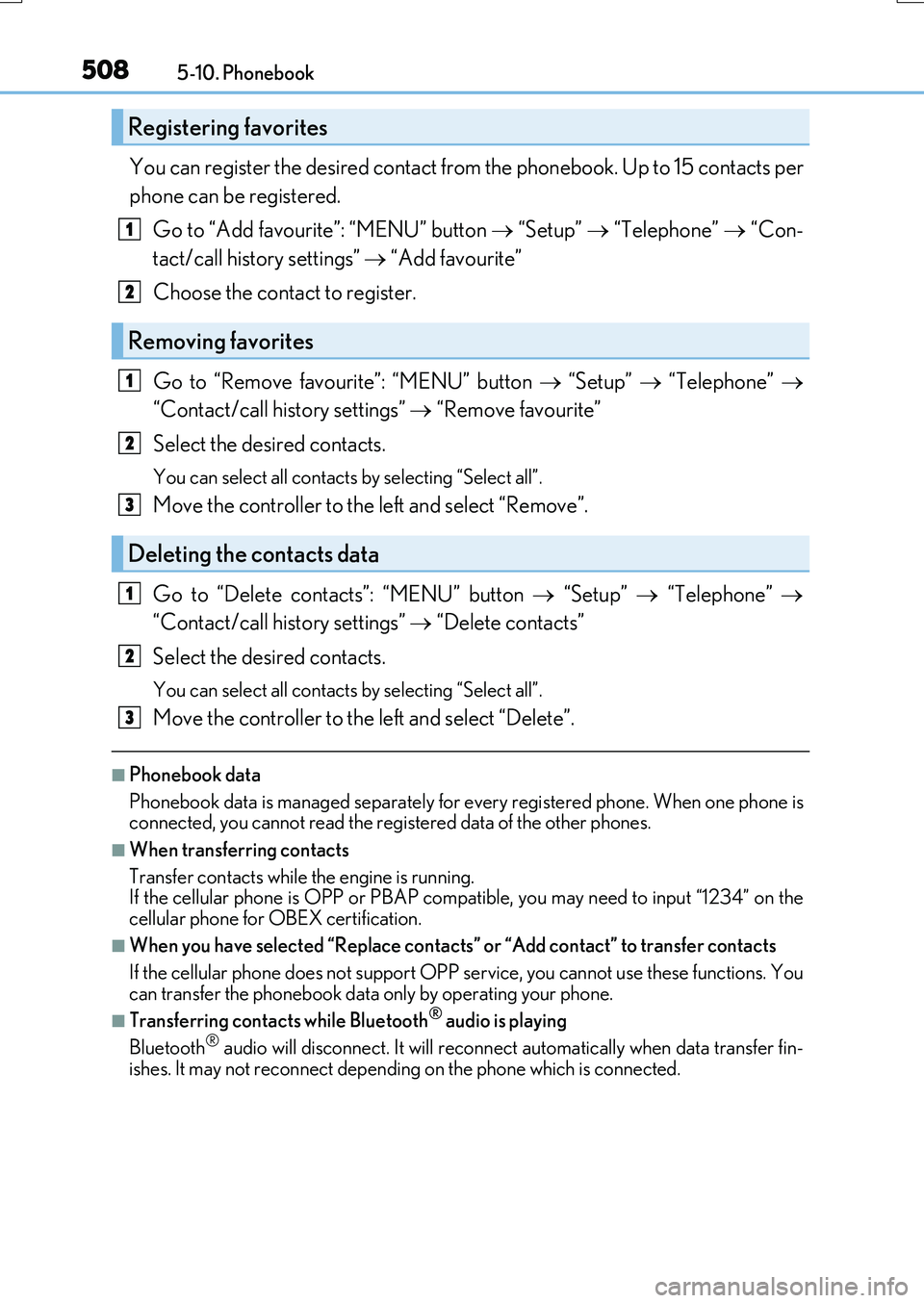
You can register the desired contact from the phonebook. Up to 15 contacts per
phone can be registered.
Go to “Add favourite”: “MENU” button “Setup” “Telephone” “Con-
tact/call history settings” “Add favourite”
Choose the contact to register.
Go to “Remove favourite”: “MENU” button “Setup” “Telephone”
“Contact/call history settings” “Remove favourite”
Select the desired contacts.
You can select all contacts by selecting “Select all”.
Move the controller to the left and select “Remove”.
Go to “Delete contacts”: “MENU” button “Setup” “Telephone”
“Contact/call history settings” “Delete contacts”
Select the desired contacts.
You can select all contacts by selecting “Select all”.
Move the controller to the left and select “Delete”.
■Phonebook data
Phonebook data is managed separately for every registered phone. When one phone is connected, you cannot read the registered data of the other phones.
■When transferring contacts
Transfer contacts while the engine is running. If the cellular phone is OPP or PBAP compat ible, you may need to input “1234” on the
cellular phone for OBEX certification.
■When you have selected “Replace contacts” or “Add contact” to transfer contacts
If the cellular phone does not support OPP se rvice, you cannot use these functions. You
can transfer the phonebook data only by operating your phone.
■Transferring contacts while Bluetooth® audio is playing
Bluetooth® audio will disconnect. It will reconnect automatically when data transfer fin-
ishes. It may not reconnect dependin g on the phone which is connected.
Registering favorites
Removing favorites
Deleting the contacts data
1
2
1
2
3
1
2
3
Page 509 of 776
5095-10. Phonebook
5
Lexus Display Audio system
RX350/RX200t_EE_OM48F32E
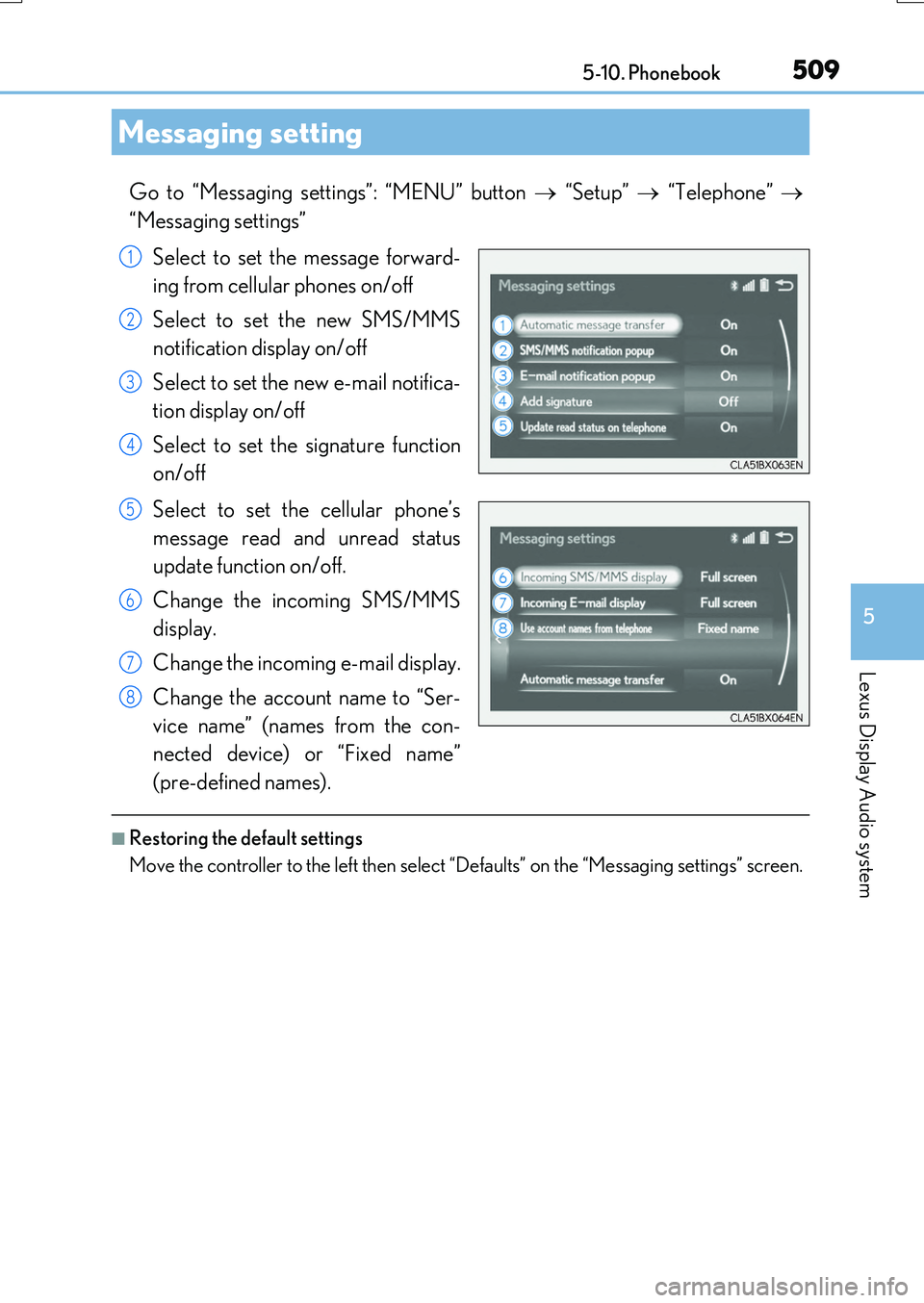
Go to “Messaging settings”: “MENU” button “Setup” “Telephone”
“Messaging settings”
Select to set the message forward-
ing from cellular phones on/off
Select to set the new SMS/MMS
notification display on/off
Select to set the new e-mail notifica-
tion display on/off
Select to set the signature function
on/off
Select to set the cellular phone’s
message read and unread status
update function on/off.
Change the incoming SMS/MMS
display.
Change the incoming e-mail display.
Change the account name to “Ser-
vice name” (names from the con-
nected device) or “Fixed name”
(pre-defined names).
■Restoring the default settings
Move the controller to the left then select “Defaults” on the “Messaging settings” screen.
Messaging setting
1
2
3
4
5
6
7
8
Page 511 of 776
5115-11. Bluetooth®
5
Lexus Display Audio system
RX350/RX200t_EE_OM48F32E
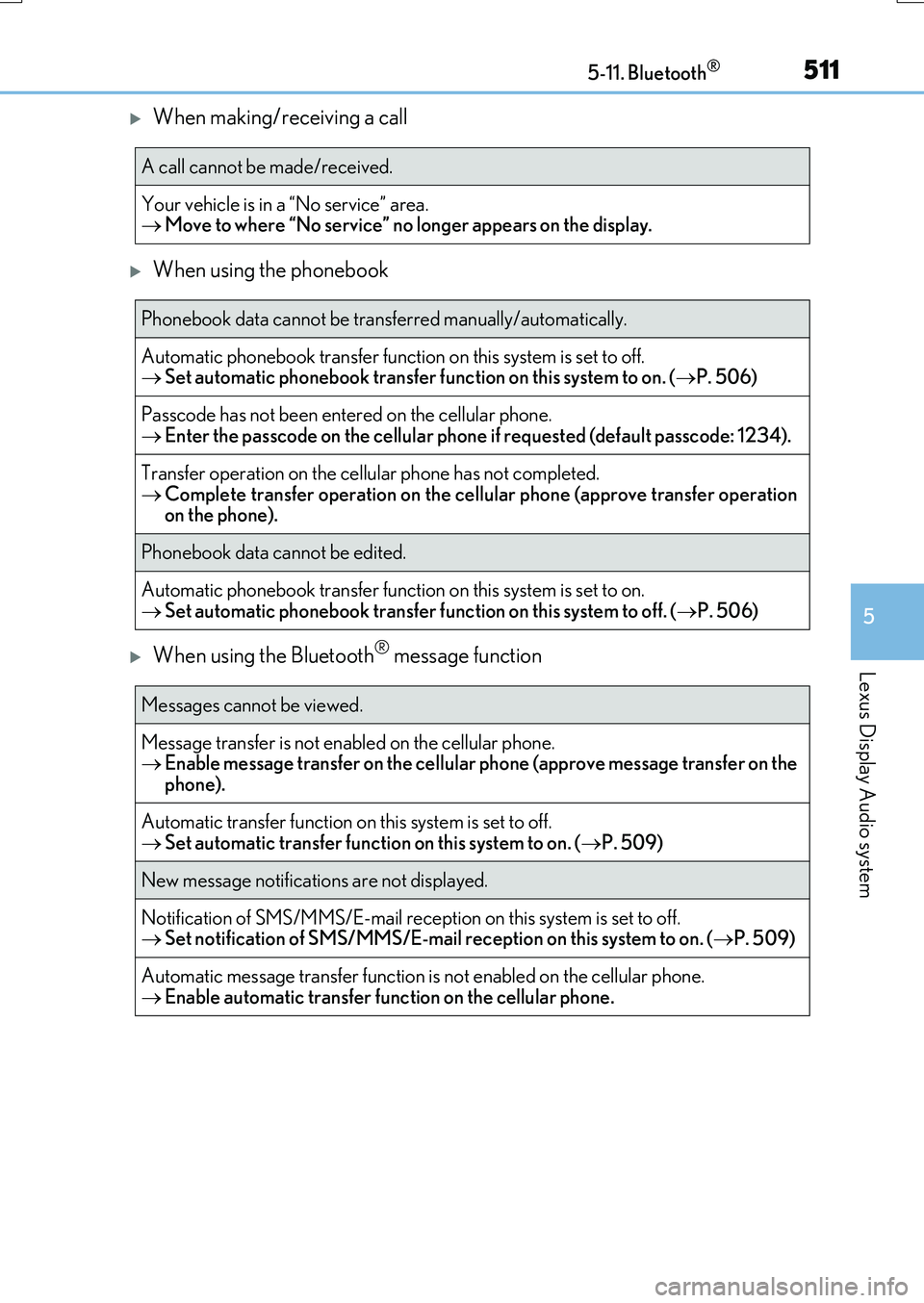
When making/receiving a call
When using the phonebook
When using the Bluetooth® message function
A call cannot be made/received.
Your vehicle is in a “No service” area. Move to where “No service” no longer appears on the display.
Phonebook data cannot be transferred manually/automatically.
Automatic phonebook transfer function on this system is set to off. Set automatic phonebook transfer function on this system to on. (P. 506)
Passcode has not been entered on the cellular phone.
Enter the passcode on the cellular phone if requested (default passcode: 1234).
Transfer operation on the cellular phone has not completed. Complete transfer operation on the cellular phone (approve transfer operation on the phone).
Phonebook data cannot be edited.
Automatic phonebook transfer function on this system is set to on.
Set automatic phonebook transfer function on this system to off. (P. 506)
Messages cannot be viewed.
Message transfer is not enabled on the cellular phone. Enable message transfer on the cellular phone (approve message transfer on the
phone).
Automatic transfer function on this system is set to off. Set automatic transfer function on this system to on. (P. 509)
New message notifications are not displayed.
Notification of SMS/MMS/E-mail reception on this system is set to off. Set notification of SMS/MMS/E-mail reception on this system to on. (P. 509)
Automatic message transfer function is not enabled on the cellular phone.
Enable automatic transfer function on the cellular phone.
Page 513 of 776
5135-11. Bluetooth®
5
Lexus Display Audio system
RX350/RX200t_EE_OM48F32E
■When using the Bluetooth® audio system
●In the following situations, the system may not function.
• If the portable audio player is turned off • If the portable audio player is not connected
• If the portable audio player’s battery is low
●There may be a delay if a cellular phone connection is made during Bluetooth® audio
play.
●Depending on the type of portable audio player that is connected to the system, opera- tion may differ slightly and certain functions may not be available.
■When using the hands-free system
●The audio system is muted when making a call.
●If both parties speak at the same time, it may be difficult to hear.
●If the received call volume is over ly loud, an echo may be heard. If the Bluetooth® phone is too close to the system, quality of the sound may deteriorate and connection status may deteriorate.
●In the following situations, it may be difficult to hear the other party:
• When driving on unpaved roads • When driving at high speeds
•If a window is open • If the air conditioning is blowing directly on the microphone• If there is interference from the network of the cellular phone
●Depending on the type phone, cert ain functions may not be available.
■Conditions under which the system will not operate
●If using a cellular phone that does not support Bluetooth®
●If the cellular phone is turned off
●If you are outside of cellular phone service coverage
●If the cellular phone is not connected
●If the cellular phone’s battery is low
●When outgoing calls are controlled, due to heavy traffic on phone lines, etc.
●When the cellular phone itself cannot be used
●When transferring phonebook data from the cellular phone
Bluetooth®
Page 514 of 776
5145-11. Bluetooth®
RX350/RX200t_EE_OM48F32E
■Bluetooth® antenna
The antenna is built into the display. If the portable audio player is behind the seat or in the glove box or console box, or is
touching or covered by me tal objects, the connection status may deteriorate. If the cellular phone is behind the seat or in the console box, or touching or covered by metal objects, the connecti on status may deteriorate.
■Battery charge/signal status
●This display may not correspond exactly with the portable audio player or cellular phone itself.
●This system does not have a charging function.
●The portable audio player or cellular phone battery will be depleted quickly when the device is connected to Bluetooth®.
■When using the Bluetooth® audio and hands-free system at the same time
The following problems may occur.
●The Bluetooth® audio connection may be interrupted.
●Noise may be heard during Bluetooth® audio playback.
■About the contact in this system
The following data is stored for every registered cellular phone. When another phone is
connecting, you cannot read the registered data.
●Contact data
●Call history
●Favorite
●Message
When removing a Bluetooth® phone from the system, the above-mentioned data is also deleted.
■About Bluetooth®
The Bluetooth® word mark and logos are regis-tered trademarks owned by the Bluetooth SIG,
Inc. and any use of such marks by FUJITSU TEN LIMITED is under license. Other trademarksand trade names are those of their respective
owners.
Page 515 of 776
5155-11. Bluetooth®
5
Lexus Display Audio system
RX350/RX200t_EE_OM48F32E
■Compatible models
The Bluetooth® audio system supports portable audio players with the following specifi- cations
●Bluetooth® specifications: Ver. 2.0, or higher (Recommend ed: Ver. 3.0 +EDR or higher)
●Profiles:
• A2DP (Advanced Audio Distribution Profile) Ver. 1.0, or higher (Recommended: Ver. 1.2 or higher) This is a profile to transmit stereo audio or high quality sound to the audio system.
• AVRCP (Audio/Video Remote Control Profile) Ver. 1.0 or higher (Recommended: Ver. 1.4 or higher) This is a profile to allow remote control the A/V equipment.
However, please note that some functions may be limited depending on the type of por- table audio player connected.
The hands-free system supports cellular ph ones with the following specifications.
●Bluetooth® specification: Ver. 2.0 or higher (Recommended : Ver. 3.0 +EDR or higher)
●Profiles:
• HFP (Hands Free Profile) Ver. 1.0 or higher (Recommended: Ver. 1.6 or higher) This is a profile to allow hands-free phone calls using a cellular phone or head set. It has outgoing and incoming call functions.
• OPP (Object Push Profile) Ver. 1.1 or higher (Recommended: Ver. 1.2) This is a profile to transfer phonebook data. When a Bluetooth® compatible cellular phone has both PBAP and OPP, OPP cannot be used.
• PBAP (Phone Book Access Profile) Ver. 1.0 or higher (Recommended: Ver. 1.1) This is a profile to tr ansfer phonebook data.
• MAP (Message Access Profile) Ver.1.0 or higher This is a profile to using phone message.If the cellular phone does not support HFP, you cannot register it with the hands-free sys-
tem. OPP, PBAP or MAP services must be selected individually.
■Reconnecting the portable audio player
If the portable audio player is disconnect ed due to poor reception when the engine
switch is turned to ACCESSORY or IGNITION ON mode, the system automatically reconnects the portable audio player.
If you have switched off the portable audio player yourself, follow the instructions below
to reconnect:
●Select the portable audio player again
●Enter the portable audio player
■When you sell your car
Be sure to delete your personal data. ( P. 451)