USB LEXUS RX200T 2017 Owner's Manual
[x] Cancel search | Manufacturer: LEXUS, Model Year: 2017, Model line: RX200T, Model: LEXUS RX200T 2017Pages: 776, PDF Size: 44.51 MB
Page 522 of 776
5225-12. Other function
RX350/RX200t_EE_OM48F32E
■Operational conditions
●When MirrorLink™ is activated, previous applications, run with a USB, are closed, and vice versa.
●Compatible devices
Smartphones, which passed the Car Connectivity Consortium certification program ver1.1 or later. Confirm with the smartphone manufacture or the distributor for theMirrorLink™ compatibility.
●Compatible applications Applications, which are certified by Car Connectivity Consortium as MirrorLink™Base-Certified or Drive-Certified applications.
■About MirrorLink™
MirrorLink is a registered trademark of Car Connectivity Consortium, Inc.
■When using MirrorLink™
●Check that the smartphone screen is unlo cked. Unlock the smartphone screen before connecting it to the Lexus Display Audio system. (Some smartphones may not be able to be connected via MirrorLink™ if the screen is locked.)
●Make sure that the smartphone has been connected via Bluetooth®. (Some smart-phones may not be able to perform hands-free calls using the MirrorLink™ function if it has not been connected to the vehicle via Bluetooth®.
●If a MirrorLink™ application cannot be started, check that the MirrorLink™ applica-tion certificate has not expired. The certificates of MirrorLink™ applications have an expiration date. (An internet connection is required to automatically update the certifi-
cate.) If a MirrorLink™ application becomes unavailable, it may be due to the certifi- cate expiring. In this case, the certificat e must be updated manually. Check with the smartphone manufacturer or application developer for how to update the certificate.
●Make sure the volume of the smartphone is set to an appropriate level. If the Mirror-Link™ application volume is excessively low even when the volume of the Lexus Dis- play Audio system is increased, check the vo lume of the smartphone and increase it as
necessary.
WARNING
■While driving
Do not connect smartphone or operate the controls.
Page 524 of 776
5245-12. Other function
RX350/RX200t_EE_OM48F32E
Go to “USB photo”: “MENU” button “Info” “USB 1 photo” or “USB 2
photo”
P. 445
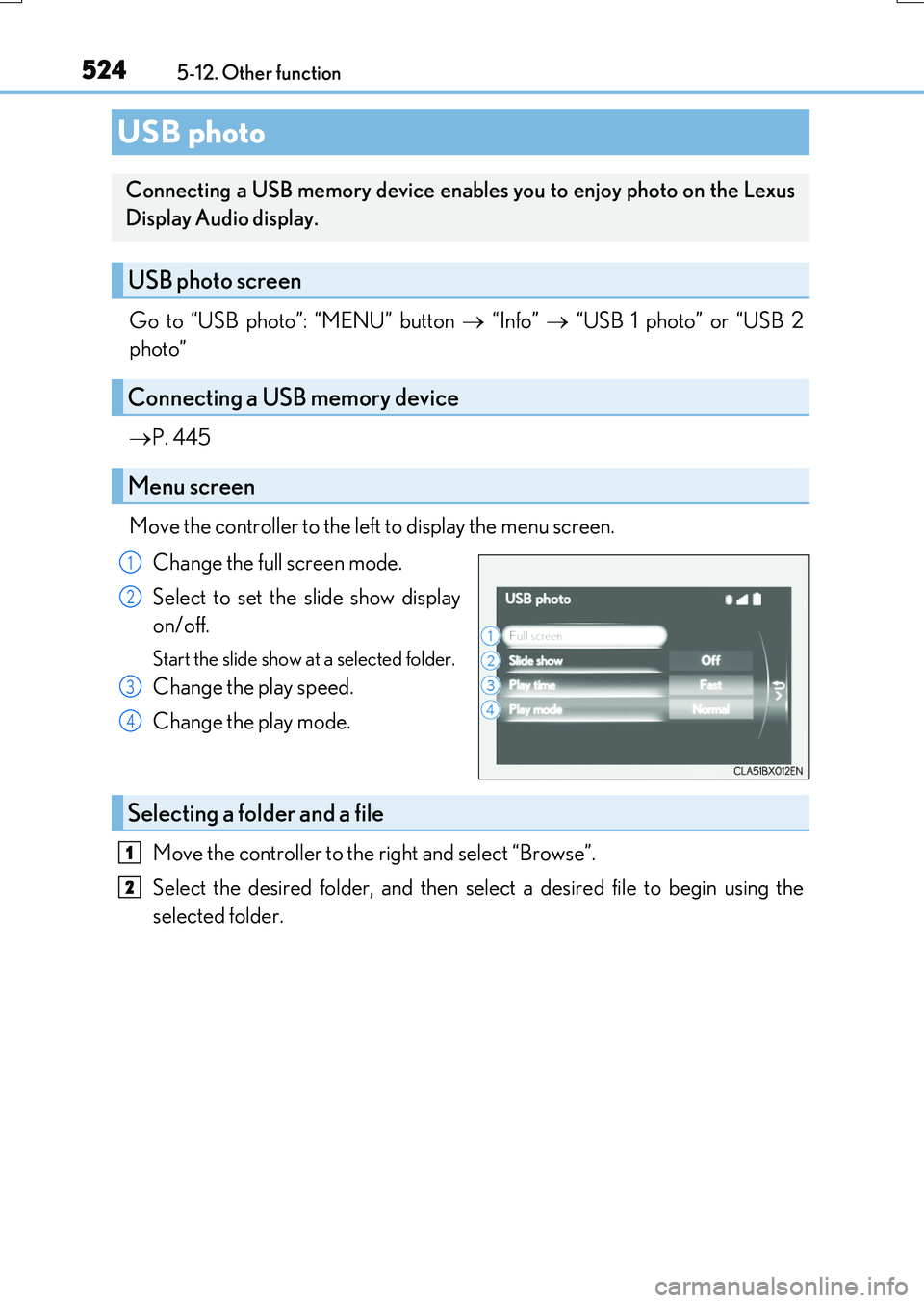
Move the controller to the left to display the menu screen.
Change the full screen mode.
Select to set the slide show display
on/off.
Start the slide show at a selected folder.
Change the play speed.
Change the play mode.
Move the controller to the right and select “Browse”.
Select the desired folder, and then select a desired file to begin using the
selected folder.
USB photo
Connecting a USB memory device enables you to enjoy photo on the Lexus
Display Audio display.
USB photo screen
Connecting a USB memory device
Menu screen
1
2
3
4
Selecting a folder and a file
1
2
Page 525 of 776
5255-12. Other function
5
Lexus Display Audio system
RX350/RX200t_EE_OM48F32E
■USB memory functions
P. 477
■USB memory
●Compatible devices
USB memory device that can be used for JPEG display.
●Compatible device formats
The following device format can be used:
• USB communication format: USB2.0 FS (480 Mbps) • File system format: FAT16/32 (Windows)• Correspondence class: Mass storage class
●JPEG file compatibility
• Compatible image size: Maximum 10MB
• Compatible pixel size: Maximum 10,000,000 pixels
NOTICE
■To prevent damage to the USB memory device or its terminals
P. 480
Page 759 of 776
759Alphabetical index
RX350/RX200t_EE_OM48F32E
Alarm ............................................................83
All-wheel drive lock mode................. 421
Anchor brackets ......................................58
Antenna
Radio ........................................................465
Smart entry & start system ............. 168
Anti-lock Brake System (ABS) ....... 422
Warning light ....................................... 667
Approach warning ............................... 336
Armrest ..................................................... 576
Assist grips .............................................. 577
Audio system (with Lexus
Display Audio System)....................438
Antenna ..................................................465
Audio input ........................................... 445
AUX port...............................................445
Bluetooth® audio ............................. 490
CD player ..............................................466
iPod........................................................... 472
MP3/WMA disc ...............................466
Optimal use ..........................................456
Portable music player....................... 481
Radio ........................................................ 464
Setup menu...........................................448
Steering wheel audio
switches............................................... 444
USB memory....................................... 476
Audio system
(with navigation system)*
Automatic air conditioning
system .................................................... 536
Air conditioning filter ....................... 633
Blower customization ..................... 543
S-FLOW mode ................................. 538
Automatic headlight leveling
system .....................................................267
Automatic High Beam ........................274
Automatic light control system....... 265
Automatic transmission .......................251
If the shift lever cannot be
shifted from P................................... 256
M mode.................................................. 253
Paddle shift switches............ 252, 253
AUX port................................................. 445
Auxiliary boxes ............................ 561, 565
*: Refer to the “NAVIGATION SYSTEM OWNER’S MANUAL”.
Page 773 of 776
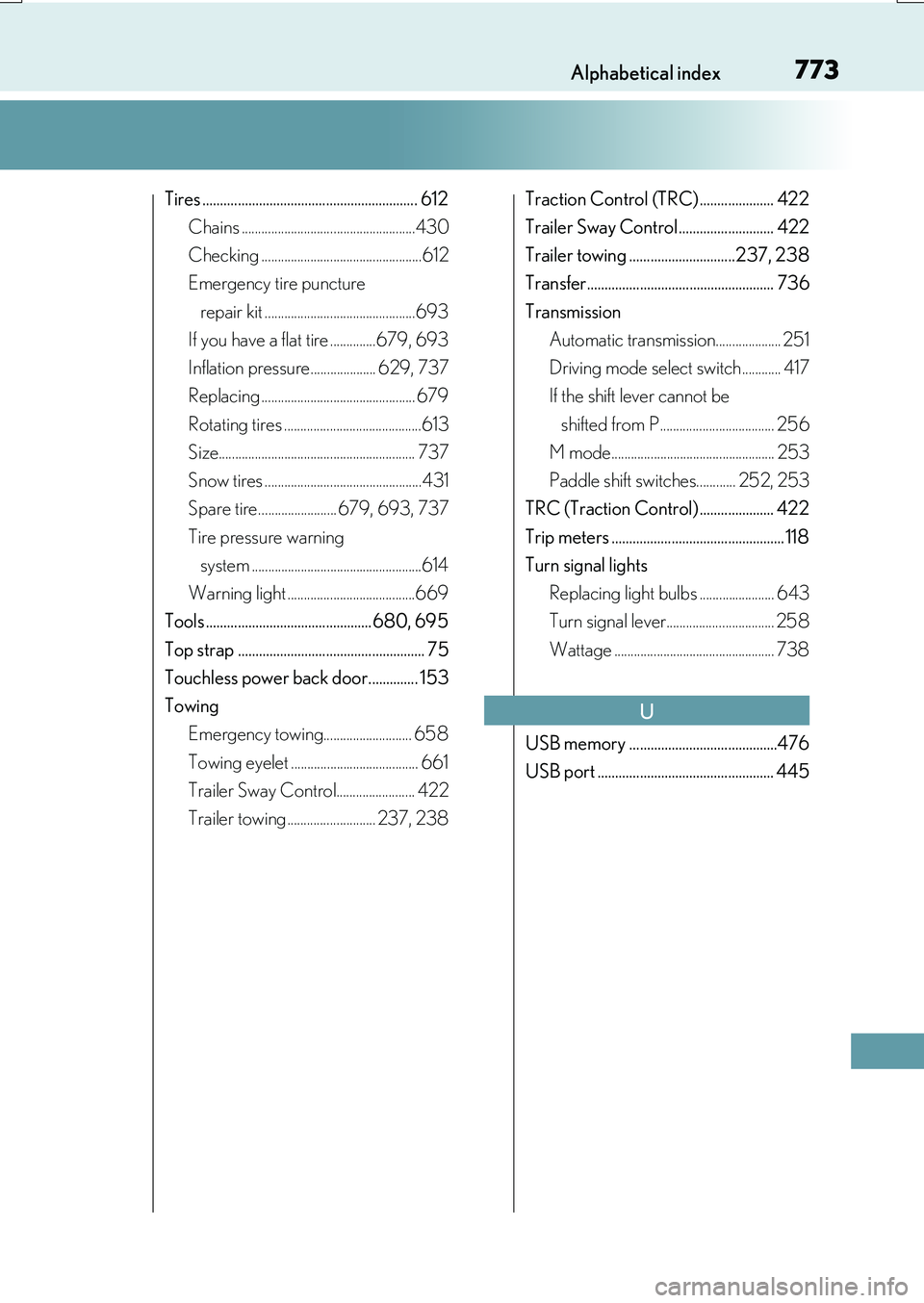
773Alphabetical index
RX350/RX200t_EE_OM48F32E
Tires ............................................................. 612
Chains .....................................................430
Checking .................................................612
Emergency tire puncture
repair kit ..............................................693
If you have a flat tire ..............679, 693
Inflation pressure.................... 629, 737
Replacing ............................................... 679
Rotating tires ..........................................613
Size............................................................ 737
Snow tires ................................................431
Spare tire........................ 679, 693, 737
Tire pressure warning
system ....................................................614
Warning light .......................................669
Tools ............................................... 680, 695
Top strap ..................................................... 75
Touchless power back door.............. 153
Towing
Emergency towing........................... 658
Towing eyelet ....................................... 661
Trailer Sway Control........................ 422
Trailer towing ........................... 237, 238
Traction Control (TRC) ..................... 422
Trailer Sway Control........................... 422
Trailer towing ..............................237, 238
Transfer..................................................... 736
Transmission
Automatic transmission.................... 251
Driving mode select switch............ 417
If the shift lever cannot be
shifted from P................................... 256
M mode.................................................. 253
Paddle shift switches............ 252, 253
TRC (Traction Control) ..................... 422
Trip meters ................................................. 118
Turn signal lights
Replacing light bulbs ....................... 643
Turn signal lever................................. 258
Wattage ................................................. 738
USB memory ..........................................476
USB port .................................................. 445
U