Low LEXUS RX200T 2017 Repair Manual
[x] Cancel search | Manufacturer: LEXUS, Model Year: 2017, Model line: RX200T, Model: LEXUS RX200T 2017Pages: 776, PDF Size: 44.51 MB
Page 120 of 776
1202. Instrument cluster
RX350/RX200t_EE_OM48F32E
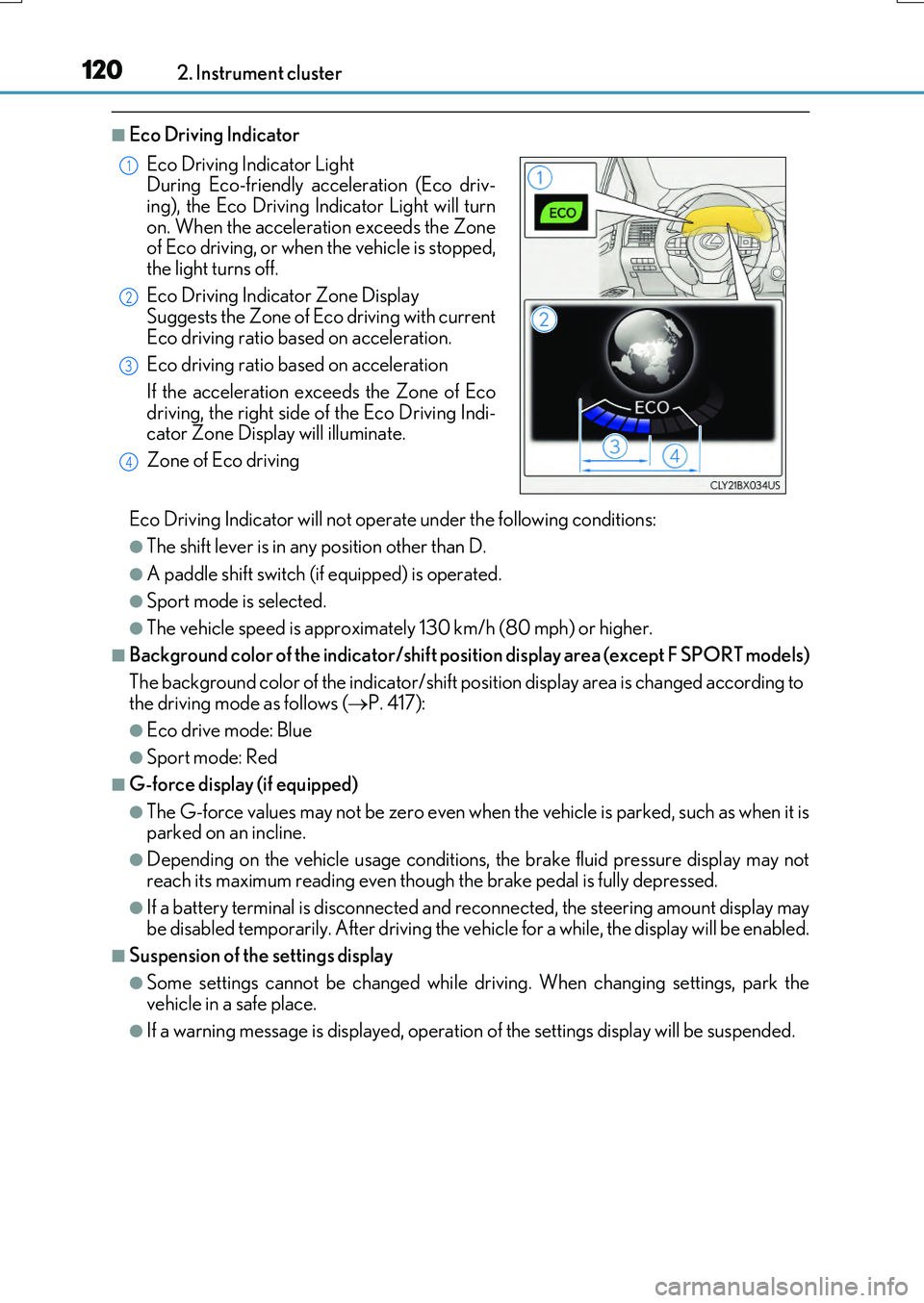
■Eco Driving Indicator
Eco Driving Indicator will not operate under the following conditions:
●The shift lever is in any position other than D.
●A paddle shift switch (if equipped) is operated.
●Sport mode is selected.
●The vehicle speed is approximately 130 km/h (80 mph) or higher.
■Background color of the indicator/shift position display area (except F SPORT models)
The background color of the indicator/shift position display area is changed according to the driving mode as follows ( P. 417):
●Eco drive mode: Blue
●Sport mode: Red
■G-force display (if equipped)
●The G-force values may not be zero even when the vehicle is parked, such as when it is parked on an incline.
●Depending on the vehicle usage conditions, the brake fluid pressure display may not
reach its maximum reading even though the brake pedal is fully depressed.
●If a battery terminal is disconnected and reconnected, the steering amount display may be disabled temporarily. After driving the ve hicle for a while, the display will be enabled.
■Suspension of the settings display
●Some settings cannot be changed while driving. When changing settings, park the vehicle in a safe place.
●If a warning message is displayed, operation of the settings display will be suspended.
Eco Driving Indicator Light During Eco-friendly acceleration (Eco driv-
ing), the Eco Driving In dicator Light will turn on. When the acceleration exceeds the Zoneof Eco driving, or when the vehicle is stopped,
the light turns off.
Eco Driving Indicator Zone Display Suggests the Zone of Eco driving with current
Eco driving ratio based on acceleration.
Eco driving ratio based on acceleration
If the acceleration exceeds the Zone of Eco
driving, the right side of the Eco Driving Indi- cator Zone Display will illuminate.
Zone of Eco driving
1
2
3
4
Page 121 of 776
1212. Instrument cluster
2
Instrument cluster
RX350/RX200t_EE_OM48F32E
■Tire pressure
●It may take a few minutes to display the tire inflation pressure after the engine switch is turned to IGNITION ON mode. It may also take a few minutes to display the tire infla-
tion pressure after inflation pressure has been adjusted.
●“---” may be displayed if the tire position information cannot be determined due to unfavorable radio wave conditions.
●Tire inflation pressure changes with temperature. The displayed values may also be dif-ferent from the values measured using a tire pressure gauge.
■Liquid crystal display
Small spots or light spots may appear on th e display. This phenomenon is characteristic of liquid crystal displays, and there is no problem continuing to use the display.
■Customization
Some functions can be customized. ( P. 110, 740)
WARNING
■Caution for use while driving
●When operating the multi-information display while driving, pay extra attention to the safety of the area around the vehicle.
●Do not look continuously at the multi-info rmation display while driving as you may fail to see pedestrians, objects on the road, etc. ahead of the vehicle.
■The information display at low temperatures
Allow the interior of the vehicle to warm up before using the liquid crystal information display. At extremely low temperatures, th e information display monitor may respond slowly, and display changes may be delayed.
For example, there is a lag between the dr iver’s shifting and the new gear number appearing on the display. This lag could cau se the driver to downshift again, causing rapid and excessive engine braking and po ssibly an accident resulting in death or
injury.
■Cautions during setting up the display
As the engine needs to be running during setting up the display, ensure that the vehicle
is parked in a place with adequate ventilation. In a closed area such as a garage, exhaust gases including harmful carbon monoxide (CO) may collect and enter thevehicle. This may lead to death or a serious health hazard.
NOTICE
■While setting up the display
To prevent battery discharge, ensure that the engine is running while setting up the dis- play features.
Page 122 of 776
1222. Instrument cluster
RX350/RX200t_EE_OM48F32E
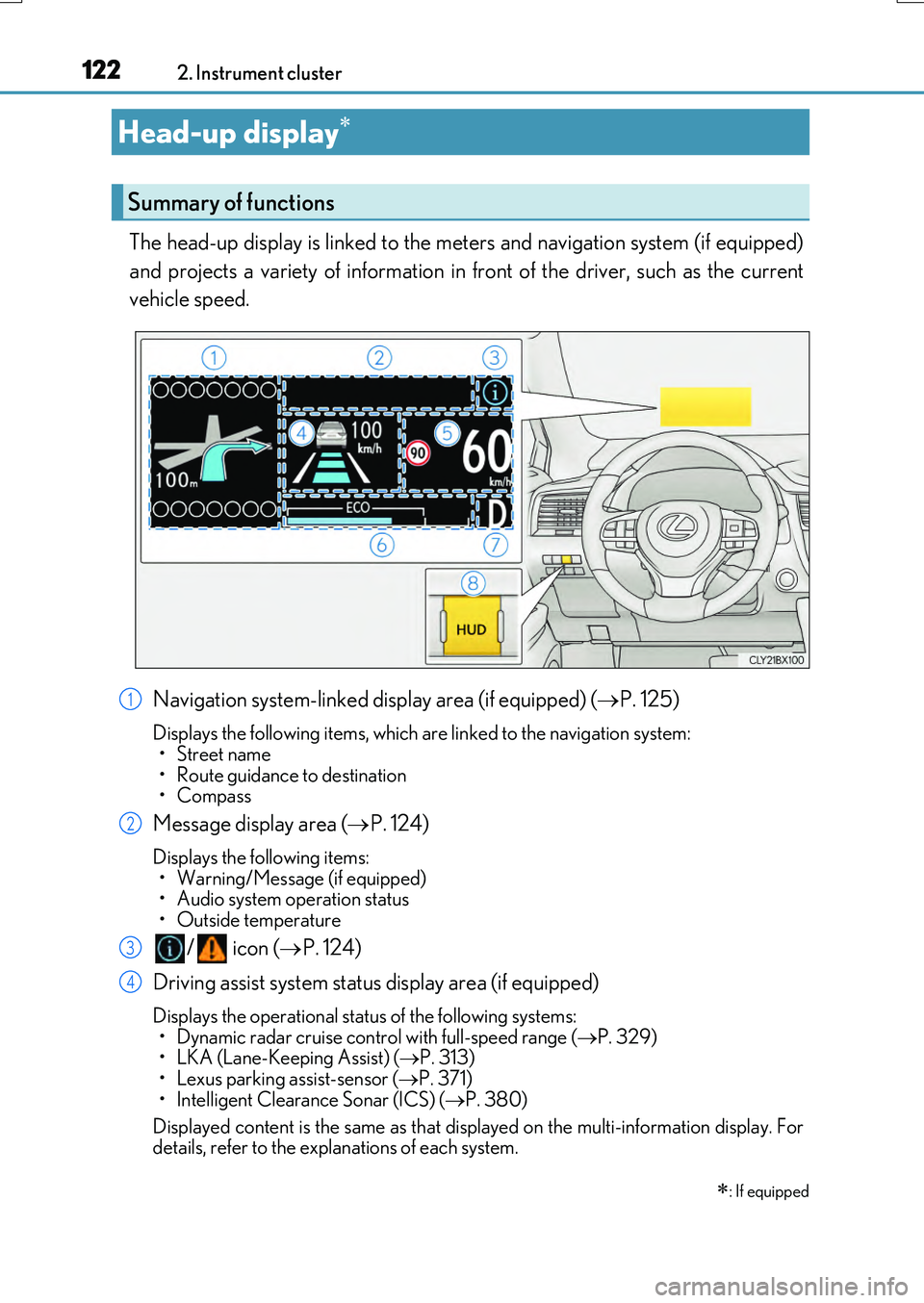
The head-up display is linked to the meters and navigation system (if equipped)
and projects a variety of information in front of the driver, such as the current
vehicle speed.
Navigation system-linked display area (if equipped) ( P. 125)
Displays the following items, which are linked to the navigation system: •Street name
• Route guidance to destination • Compass
Message display area ( P. 124)
Displays the following items: • Warning/Message (if equipped)• Audio system operation status
• Outside temperature
/ icon ( P. 124)
Driving assist system status display area (if equipped)
Displays the operational status of the following systems:
• Dynamic radar cruise cont rol with full-speed range (P. 329) • LKA (Lane-Keeping Assist) ( P. 313) • Lexus parking assist-sensor ( P. 371)
• Intelligent Clearance Sonar (ICS) ( P. 380)
Displayed content is the same as that disp layed on the multi-information display. For details, refer to the explanations of each system.
Head-up display
: If equipped
Summary of functions
1
2
3
4
Page 123 of 776
1232. Instrument cluster
2
Instrument cluster
RX350/RX200t_EE_OM48F32E
Vehicle speed display area
Displays the following items:
• Vehicle speed • Road sign icons recognized by the RSA (if equipped) ( P. 324)
Eco Driving Indicator/Tachometer (P. 125)
Shift position display ( P. 251)
HUD (Head-up display) switch ( P. 123)
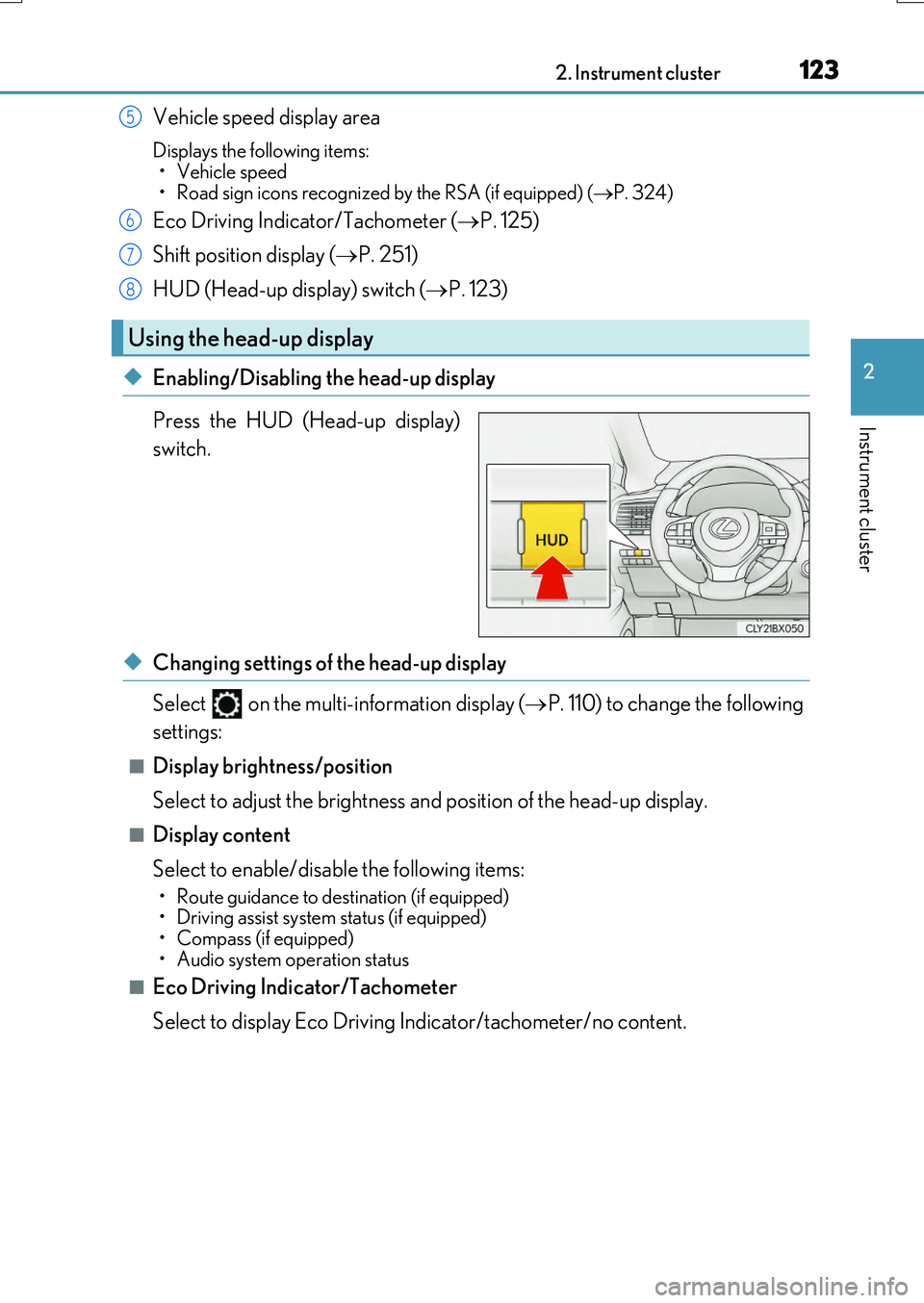
◆Enabling/Disabling the head-up display
Press the HUD (Head-up display)
switch.
◆Changing settings of the head-up display
Select on the multi-information display ( P. 110) to change the following
settings:
■Display brightness/position
Select to adjust the brightness and position of the head-up display.
■Display content
Select to enable/disable the following items:
• Route guidance to destination (if equipped) • Driving assist system status (if equipped)• Compass (if equipped)
• Audio system operation status
■Eco Driving Indicator/Tachometer
Select to display Eco Driving Indicator/tachometer/no content.
Using the head-up display
5
6
7
8
Page 124 of 776
1242. Instrument cluster
RX350/RX200t_EE_OM48F32E
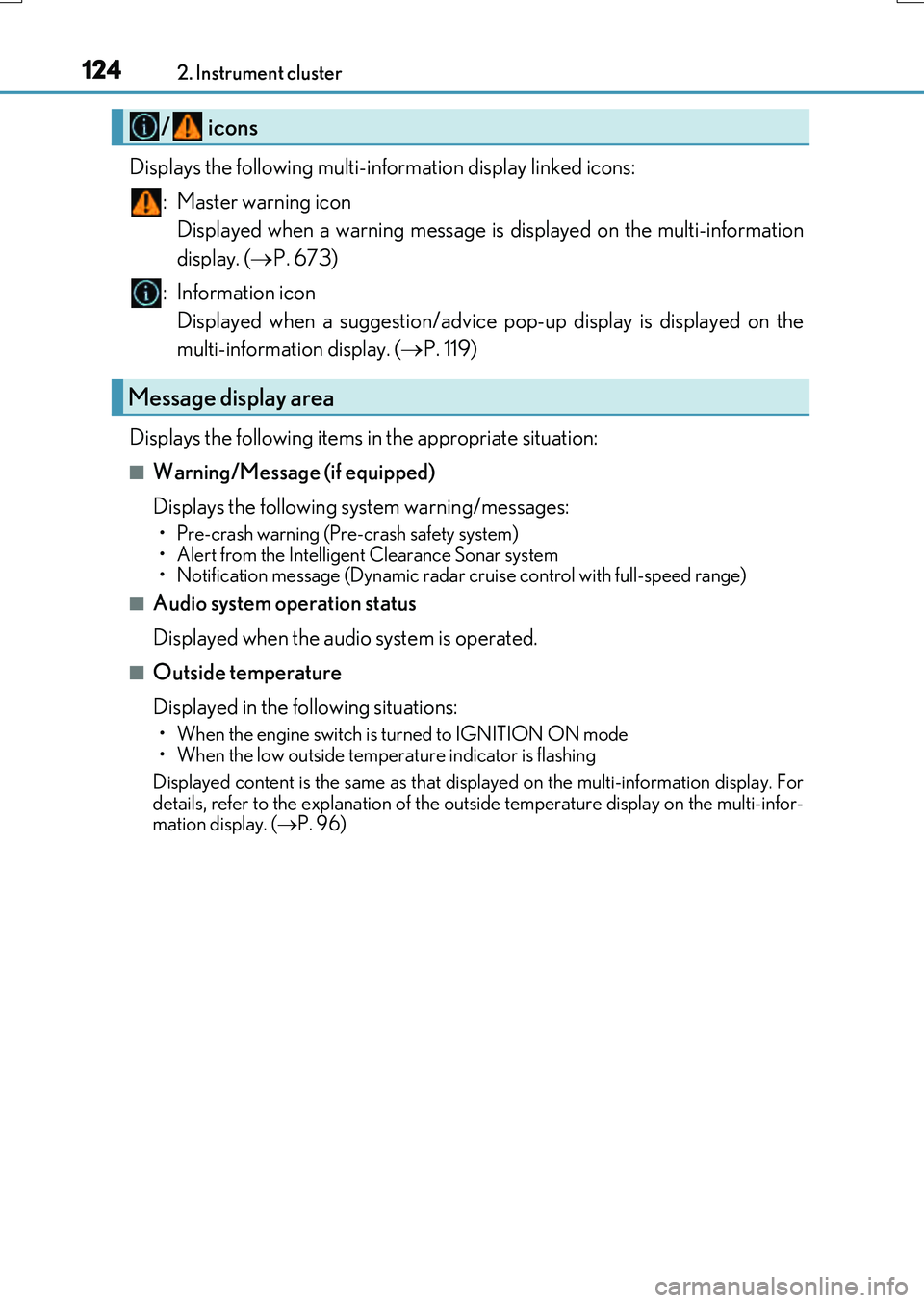
Displays the following multi-information display linked icons: : Master warning icon Displayed when a warning message is displayed on the multi-information
display. ( P. 673)
: Information icon Displayed when a suggestion/advice po p-up display is displayed on the
multi-information display. ( P. 119)
Displays the following items in the appropriate situation:
■Warning/Message (if equipped)
Displays the following system warning/messages:
• Pre-crash warning (Pre -crash safety system)
• Alert from the Intelligent Clearance Sonar system
• Notification message (Dynamic radar cr uise control with full-speed range)
■Audio system operation status
Displayed when the audio system is operated.
■Outside temperature
Displayed in the following situations:
• When the engine switch is turned to IGNITION ON mode
• When the low outside temperature indicator is flashing
Displayed content is the same as that disp layed on the multi-information display. For
details, refer to the explanation of the outside temperature display on the multi-infor-
mation display. ( P. 96)
/ icons
Message display area
Page 125 of 776
1252. Instrument cluster
2
Instrument cluster
RX350/RX200t_EE_OM48F32E
Displays the following items which are linked to the navigation system:
■Street name
The name of the street that the vehicle is currently driving on is displayed on
the bottom of the display area.
When the navigation system is performing route guidance, the name of the
next street will be displayed on the top of the display area.
■Route guidance to destination
Displayed when the navigation system is performing route guidance. When
approaching an intersection, an arrow will be displayed to indicate the sug-
gested direction of travel.
■Compass
Displays the direction of travel.
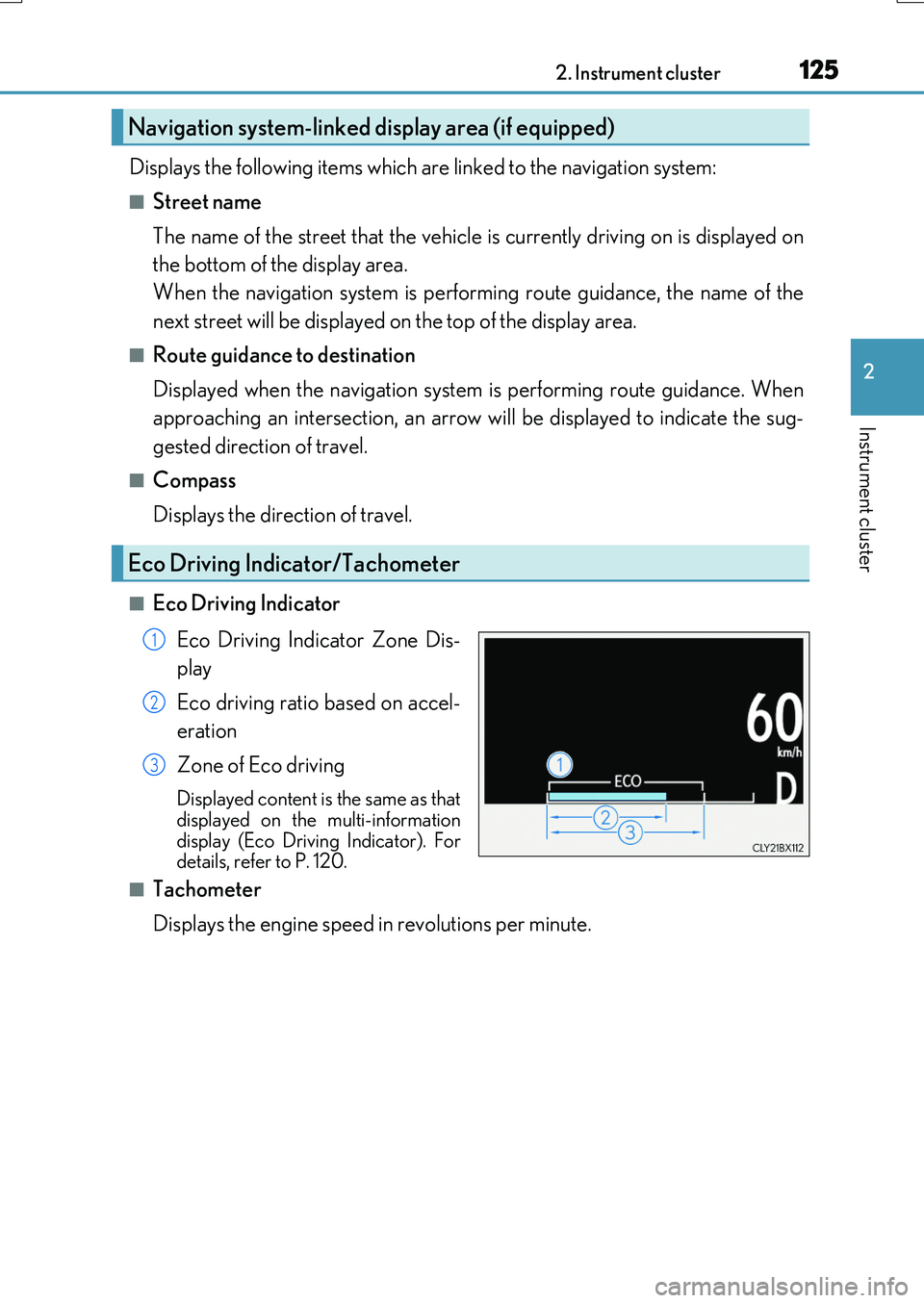
■Eco Driving Indicator
Eco Driving Indicator Zone Dis-
play
Eco driving ratio based on accel-
eration
Zone of Eco driving
Displayed content is the same as that displayed on the multi-information
display (Eco Driving Indicator). For details, refer to P. 120.
■Tachometer
Displays the engine speed in revolutions per minute.
Navigation system-linked display area (if equipped)
Eco Driving Indicator/Tachometer
1
2
3
Page 134 of 776
134
RX350/RX200t_EE_OM48F32E
3-1. Key information
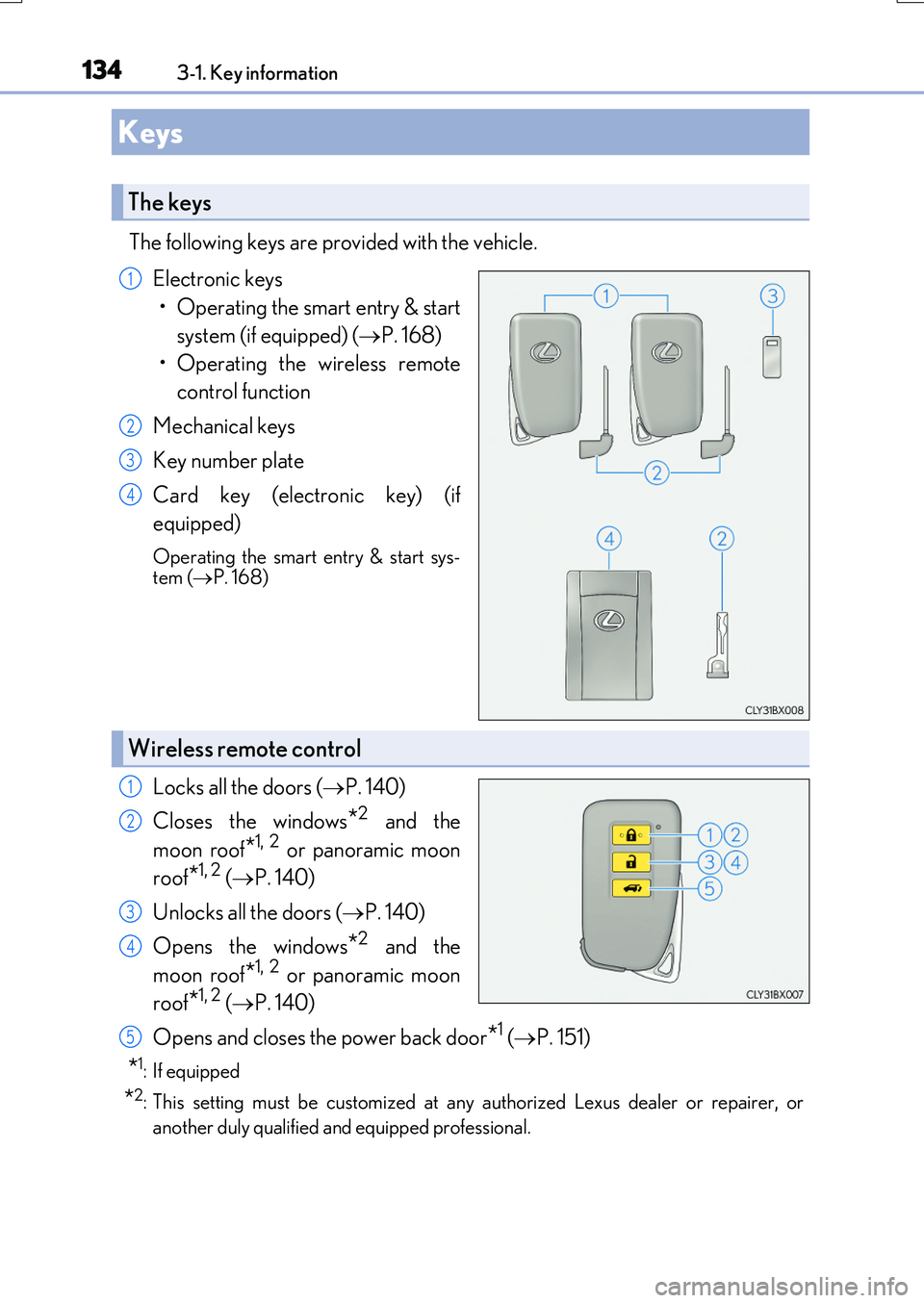
The following keys are provided with the vehicle.
Electronic keys
• Operating the smart entry & start
system (if equipped) ( P. 168)
• Operating the wireless remote
control function
Mechanical keys
Key number plate
Card key (electronic key) (if
equipped)
Operating the smart entry & start sys- tem ( P. 168)
Locks all the doors (P. 140)
Closes the windows*2 and the
moon roof*1, 2 or panoramic moon
roof*1, 2 ( P. 140)
Unlocks all the doors ( P. 140)
Opens the windows*2 and the
moon roof*1, 2 or panoramic moon
roof*1, 2 ( P. 140)
Opens and closes the power back door*1 ( P. 151)
*1: If equipped
*2: This setting must be customized at any authorized Lexus dealer or repairer, or
another duly qualified an d equipped professional.
Keys
The keys
1
2
3
4
Wireless remote control
1
2
3
4
5
Page 137 of 776
1373-1. Key information
3
Operation of each component
RX350/RX200t_EE_OM48F32E
■Electronic key battery depletion
●The standard battery life is 1 to 2 years. (The card key battery life is about a year and a half.)
●If the battery becomes low, an alarm will soun d in the cabin when the engine is stopped. ( P. 638)
●As the electronic key always receives radio waves, the battery will become depleted
even if the electronic key is not used. The following symptoms indicate that the elec- tronic key battery may be depleted. Replace the battery when necessary. ( P. 638)
• The smart entry & start system or the wireless remote control does not operate.
• The detection area becomes smaller. • The LED indicator on the key surface does not turn on.
●To avoid serious deterioration, do not leave the electronic key within 1 m (3 ft.) of thefollowing electrical appliances that produce a magnetic field:
•TVs
• Personal computers • Cellular phones, cordless phones and battery chargers• Recharging cellular phones or cordless phones
• Induction cookers • Table lamps
■Replacing the battery
P. 638
■Confirmation of the registered key number
The number of keys already registered to the vehicle can be confirmed. Ask any autho-
rized Lexus dealer or repairer, or another du ly qualified and equipped professional for details.
■If a wrong key is used
The key cylinder rotates freely, isolated from the internal mechanism.
Page 138 of 776

1383-1. Key information
RX350/RX200t_EE_OM48F32E
NOTICE
■To prevent key damage
●Do not drop the keys, subject them to strong shocks or bend them.
●Do not expose the keys to high temperatures for long periods of time.
●Do not get the keys wet or wash them in an ultrasonic washer, etc.
●Do not attach metallic or magnetic materials to the keys or place the keys close to such materials.
●Do not disassemble the keys.
●Do not attach a sticker or anything else to the surface of the electronic key.
●Do not place the keys near objects that produce magnetic fields, such as TVs, audio
systems and induction cookers, or medical electrical equipment, such as low-fre- quency therapy equipment.
■Carrying the electronic key on your person
Carry the electronic key 10 cm (3.9 in.) or more away from electric appliances that are turned on. Radio waves emitted from electric a ppliances within 10 cm (3.9 in.) of the electronic key may interfere with the key, causing the key to not function properly.
■In case of a smart entry & start system malfunction or other key-related problems
Take your vehicle with all the electronic keys provided with your vehicle, including the card key, to any authorized Lexus dealer or repairer, or another duly qualified and
equipped professional.
■When an electronic key is lost
If the electronic key remains lost, the risk of vehicle theft increases significantly. Visit
any authorized Lexus dealer or repairer, or another duly qualified and equipped pro- fessional immediately with all remaining el ectronic keys and the card key that were provided with your vehicle.
Page 139 of 776

1393-1. Key information
3
Operation of each component
RX350/RX200t_EE_OM48F32E
NOTICE
■Handling the card key (if equipped)
●Do not apply excess force when inserting the mechanical key into the card key. Doing so may damage the card key.
●If the battery or card key terminals get wet, the battery may corrode and the card keymay stop working.If the key is dropped into water, or if drinki ng water, etc. is spilled on the key, immedi-
ately remove the battery cover and wipe the battery and terminals. (To remove the battery cover, lightly grasp and pull it.) If the battery is corroded, have any authorized Lexus dealer or repairer, or another duly qualified and equipped professional replace
the battery.
●Do not crush the battery cover or use a screwdriver to remove the battery cover. Forcibly removing the battery co ver may bend or damage the key.
●If the battery cover is frequently removed, the battery cover may become loose.
●When installing the battery, make sure to check the direction of the battery. Installing the battery in the wrong direction may cause the battery to deplete rapidly.
●The surface of the card key may be damaged, or its coating may peel off in the follow- ing situations:
• The card key is carried together with hard objects, such as coins and keys.
• The card key is scraped with a sharp object, such as the tip of a mechanical pencil. • The surface of the card key is wiped with thinner or benzene.