Low LEXUS RX200T 2017 Workshop Manual
[x] Cancel search | Manufacturer: LEXUS, Model Year: 2017, Model line: RX200T, Model: LEXUS RX200T 2017Pages: 776, PDF Size: 44.51 MB
Page 107 of 776
1072. Instrument cluster
2
Instrument cluster
RX350/RX200t_EE_OM48F32E
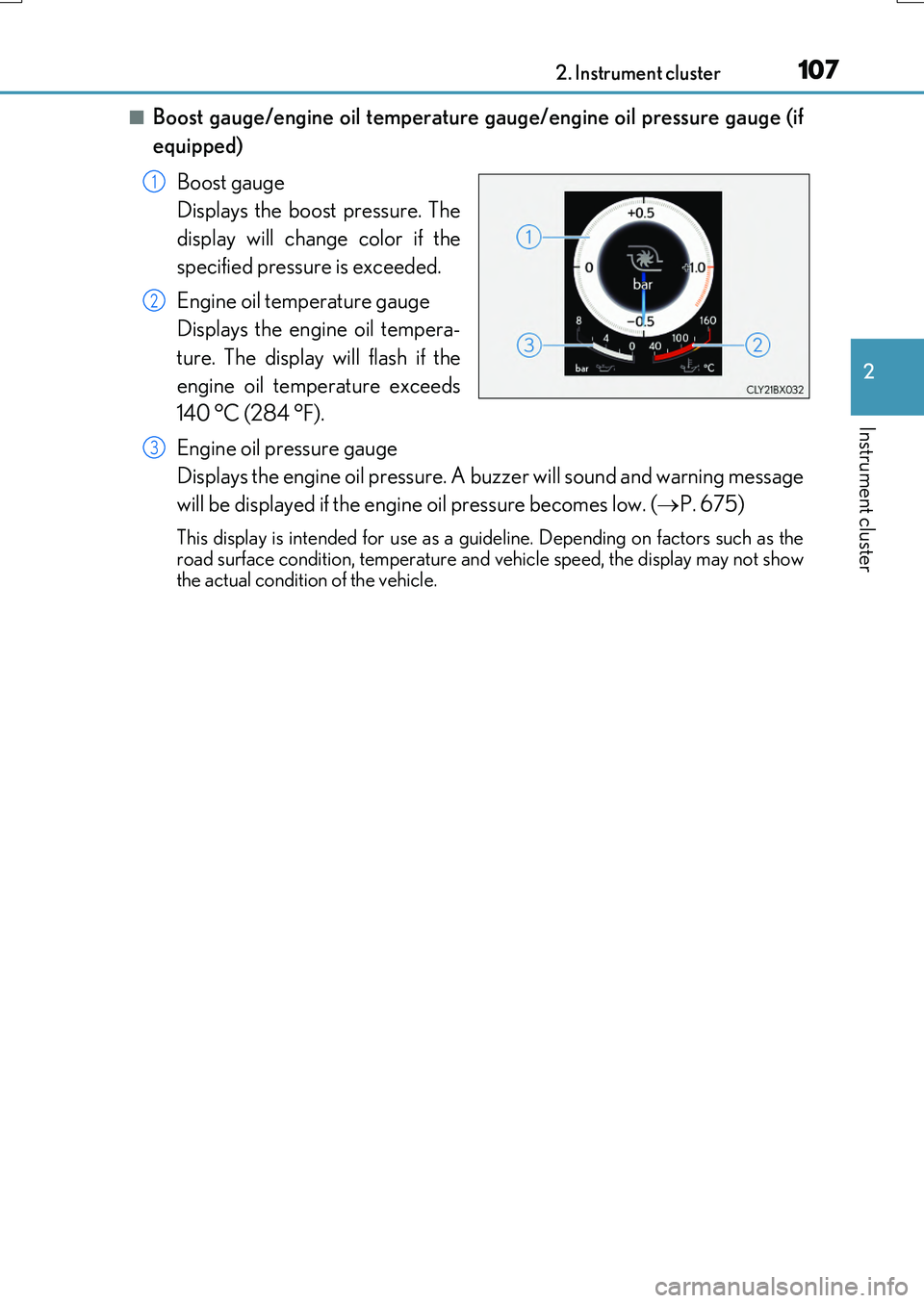
■Boost gauge/engine oil temperature gauge/engine oil pressure gauge (if
equipped)
Boost gauge
Displays the boost pressure. The
display will change color if the
specified pressure is exceeded.
Engine oil temperature gauge
Displays the engine oil tempera-
ture. The display will flash if the
engine oil temperature exceeds
140 °C (284 °F).
Engine oil pressure gauge
Displays the engine oil pressure. A buzzer will sound and warning message
will be displayed if the engine oil pressure becomes low. ( P. 675)
This display is intended for use as a guideline. Depending on factors such as the road surface condition, temperature and vehicle speed, the display may not show
the actual condition of the vehicle.
1
2
3
Page 109 of 776
1092. Instrument cluster
2
Instrument cluster
RX350/RX200t_EE_OM48F32E
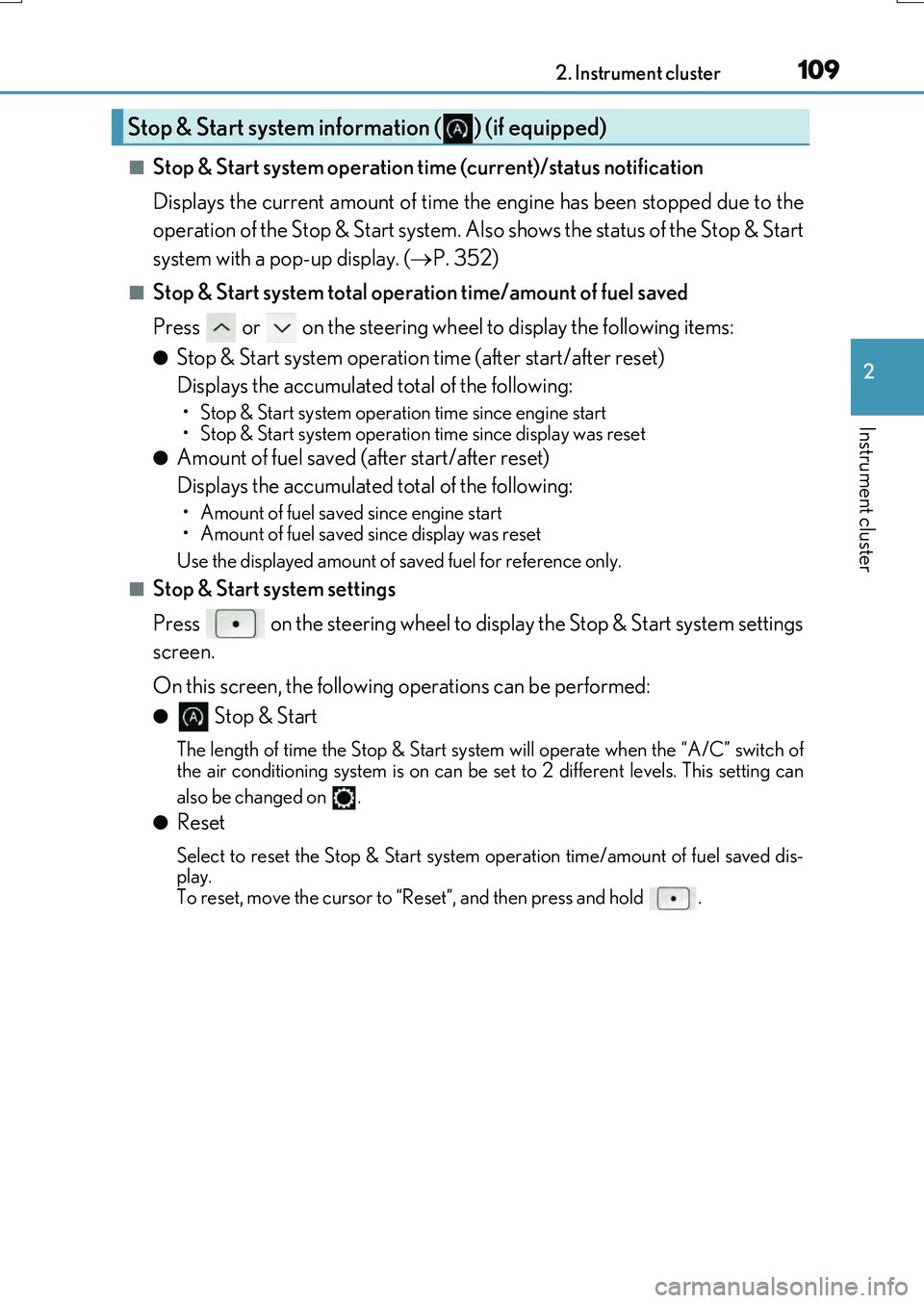
■Stop & Start system operation time (current)/status notification
Displays the current amount of time the engine has been stopped due to the
operation of the Stop & Start system. Also shows the status of the Stop & Start
system with a pop-up display. ( P. 352)
■Stop & Start system total operation time/amount of fuel saved
Press or on the steering wheel to display the following items:
●Stop & Start system operation time (after start/after reset)
Displays the accumulated total of the following:
• Stop & Start system operation time since engine start
• Stop & Start system operation time since display was reset
●Amount of fuel saved (a fter start/after reset)
Displays the accumulated total of the following:
• Amount of fuel saved since engine start
• Amount of fuel saved since display was reset
Use the displayed amount of saved fuel for reference only.
■Stop & Start system settings
Press on the steering wheel to display the Stop & Start system settings
screen.
On this screen, the following operations can be performed:
● Stop & Start
The length of time the Stop & Start syst em will operate when the “A/C” switch of
the air conditioning system is on can be set to 2 different levels. This setting can
also be changed on .
●Reset
Select to reset the Stop & Start system operation time/amount of fuel saved dis-
play.
To reset, move the cursor to “Reset”, and then press and hold .
Stop & Start system information ( ) (if equipped)
Page 110 of 776
1102. Instrument cluster
RX350/RX200t_EE_OM48F32E
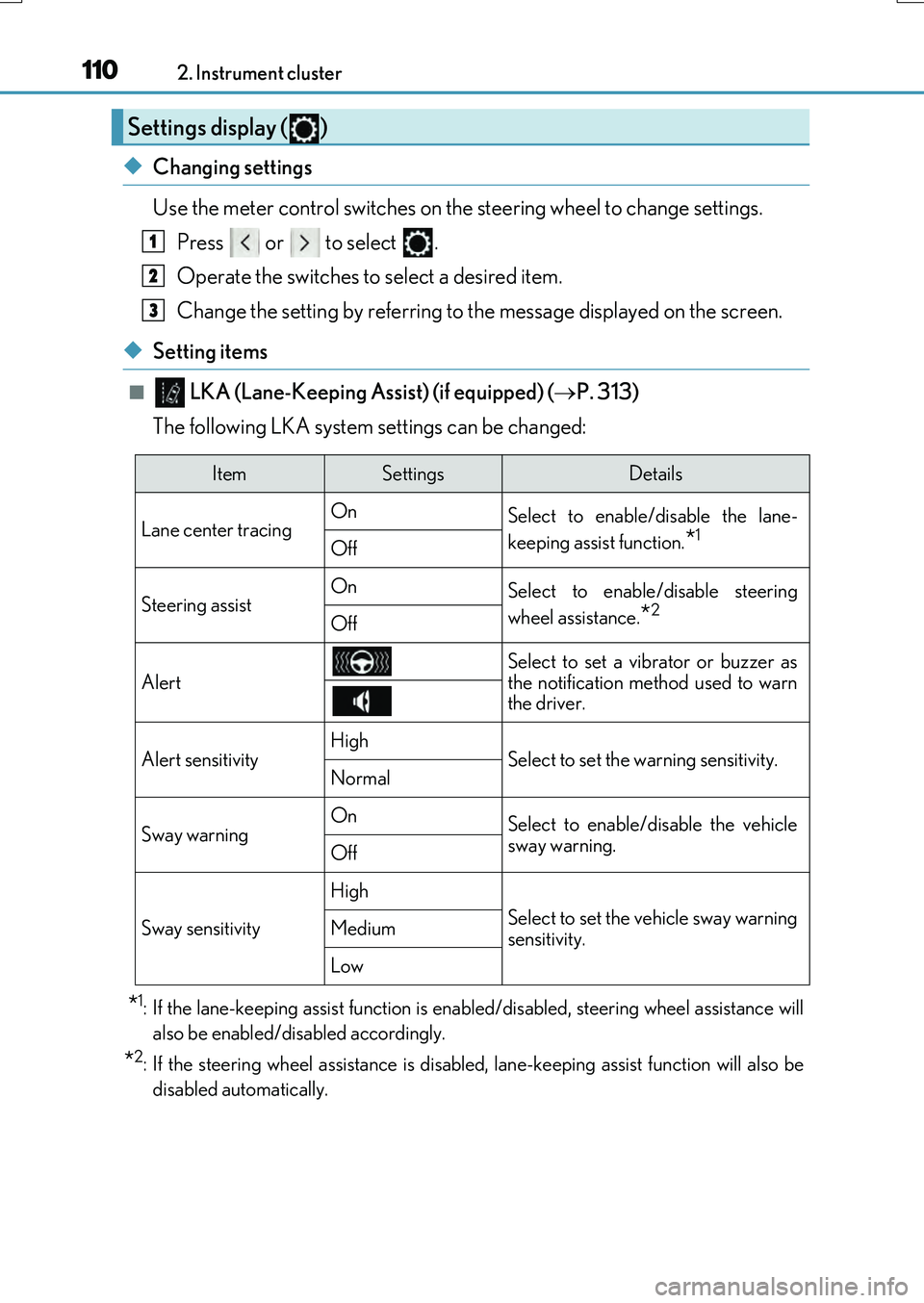
◆Changing settings
Use the meter control switches on the steering wheel to change settings.
Press or to select .
Operate the switches to select a desired item.
Change the setting by referring to the message displayed on the screen.
◆Setting items
■ LKA (Lane-Keeping Assist) (if equipped) (P. 313)
The following LKA system settings can be changed:
*1: If the lane-keeping assist function is enabled/disabled, steering wheel assistance will
also be enabled/disabled accordingly.
*2: If the steering wheel assistance is disabl ed, lane-keeping assist function will also be
disabled automatically.
Settings display ( )
1
2
3
ItemSettingsDetails
Lane center tracing On Select to enable/disable the lane-
keeping assist function.*1Off
Steering assistOnSelect to enable/disable steering
wheel assistance.*2Off
Alert
Select to set a vibrator or buzzer as
the notification method used to warn the driver.
Alert sensitivityHighSelect to set the warning sensitivity.Normal
Sway warningOnSelect to enable/disable the vehicle
sway warning.Off
Sway sensitivity
High
Select to set the vehicle sway warning
sensitivity.Medium
Low
Page 111 of 776
1112. Instrument cluster
2
Instrument cluster
RX350/RX200t_EE_OM48F32E
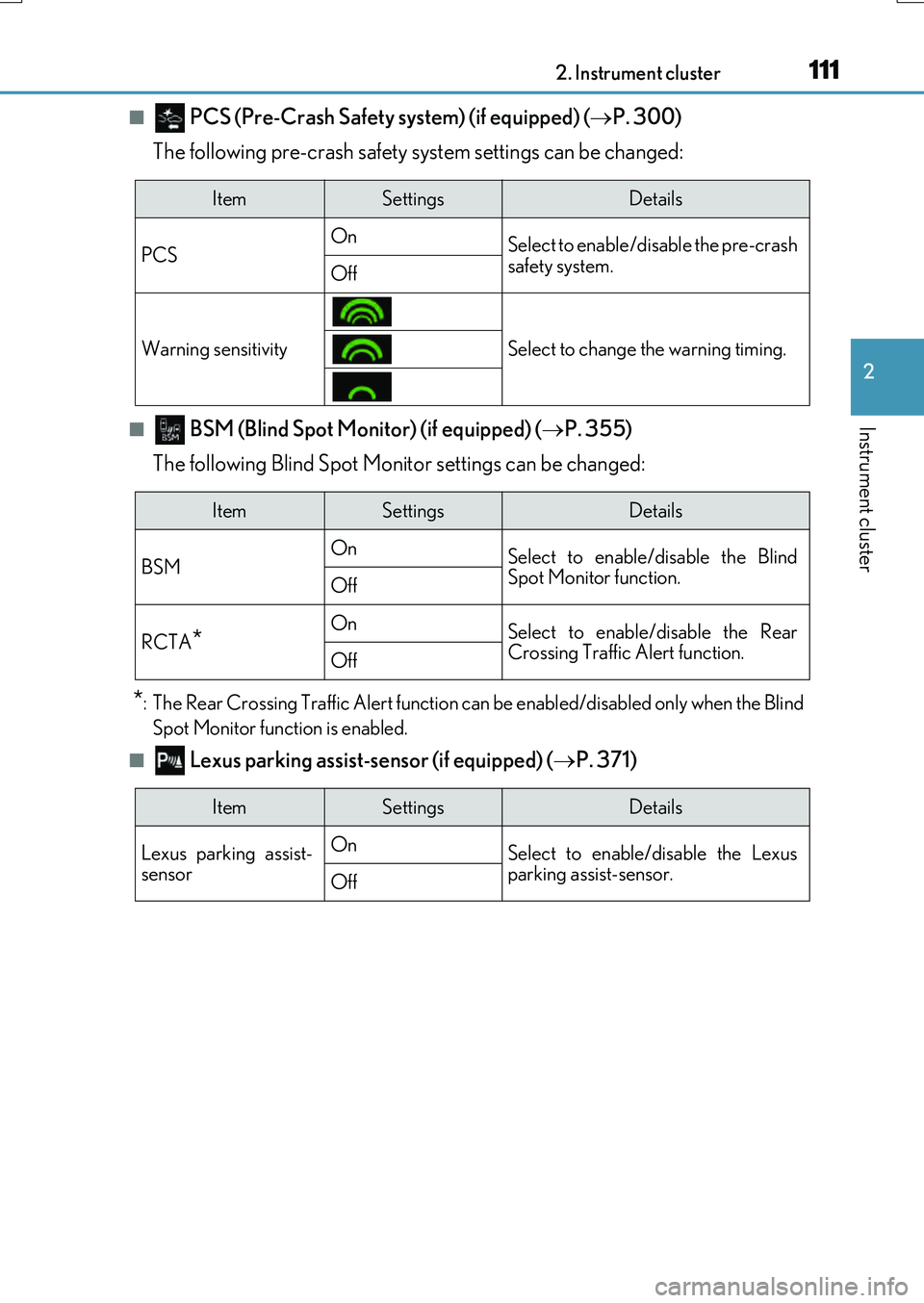
■ PCS (Pre-Crash Safety system) (if equipped) (P. 300)
The following pre-crash safety system settings can be changed:
■ BSM (Blind Spot Monitor) (if equipped) ( P. 355)
The following Blind Spot Moni tor settings can be changed:
*: The Rear Crossing Traffic Alert function can be enabled/disabled only when the Blind
Spot Monitor function is enabled.
■ Lexus parking assist-sensor (if equipped) ( P. 371)
ItemSettingsDetails
PCS On Select to enable/disable the pre-crash
safety system.Off
Warning sensitivitySelect to change the warning timing.
ItemSettingsDetails
BSM On Select to enable/disable the Blind Spot Monitor function.Off
RCTA*OnSelect to enable/disable the RearCrossing Traffic Alert function.Off
ItemSettingsDetails
Lexus parking assist- sensor
On Select to enable/disable the Lexus parking assist-sensor. Off
Page 112 of 776
1122. Instrument cluster
RX350/RX200t_EE_OM48F32E
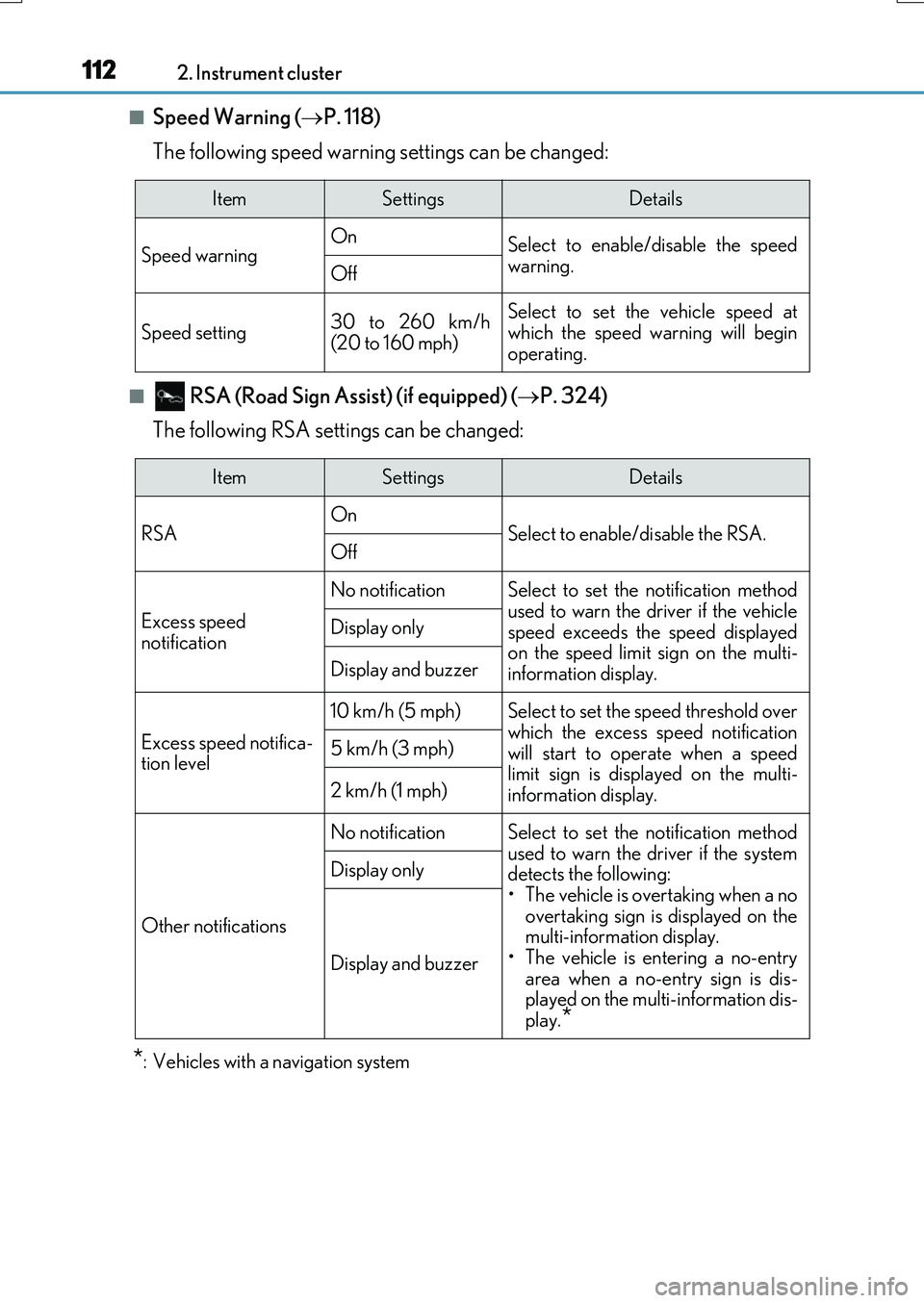
■Speed Warning (P. 118)
The following speed warning settings can be changed:
■ RSA (Road Sign Assi st) (if equipped) (P. 324)
The following RSA settings can be changed:
*: Vehicles with a navigation system
ItemSettingsDetails
Speed warning On Select to enable/disable the speed
warning.Off
Speed setting30 to 260 km/h (20 to 160 mph)
Select to set the vehicle speed atwhich the speed warning will begin
operating.
ItemSettingsDetails
RSA On Select to enable/disable the RSA.Off
Excess speed
notification
No notificationSelect to set the notification method
used to warn the driver if the vehicle speed exceeds the speed displayedon the speed limit sign on the multi-
information display.
Display only
Display and buzzer
Excess speed notifica- tion level
10 km/h (5 mph)Select to set the speed threshold overwhich the excess speed notification
will start to operate when a speed limit sign is disp layed on the multi- information display.
5 km/h (3 mph)
2 km/h (1 mph)
Other notifications
No notificationSelect to set the notification method
used to warn the driver if the system detects the following:• The vehicle is overtaking when a no
overtaking sign is displayed on the multi-information display.• The vehicle is entering a no-entry
area when a no-entry sign is dis- played on the multi-information dis-play.*
Display only
Display and buzzer
Page 113 of 776
1132. Instrument cluster
2
Instrument cluster
RX350/RX200t_EE_OM48F32E
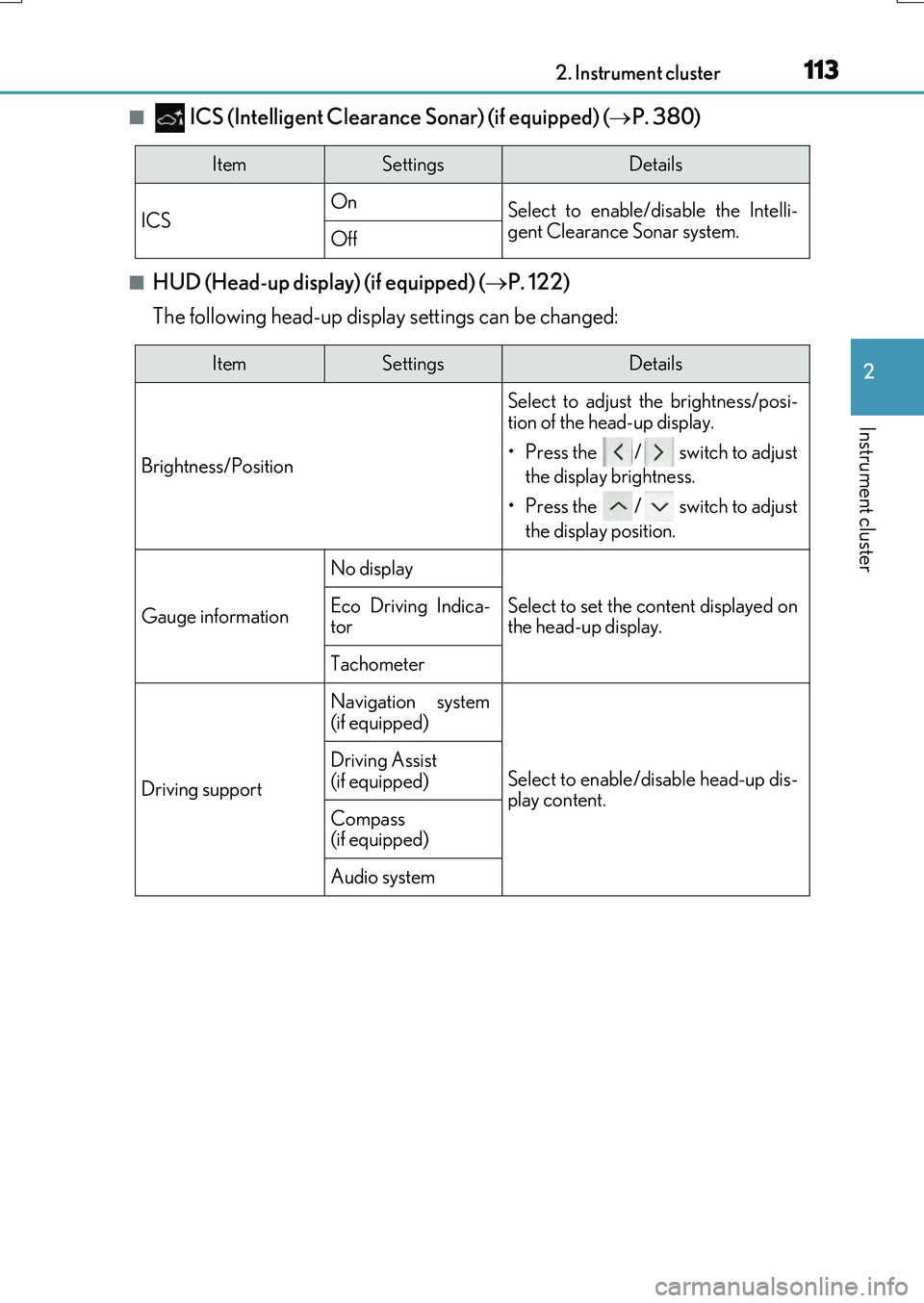
■ ICS (Intelligent Clearance Sonar) (if equipped) (P. 380)
■HUD (Head-up display) (if equipped) (P. 122)
The following head-up display settings can be changed:
ItemSettingsDetails
ICS On Select to enable/disable the Intelli- gent Clearance Sonar system.Off
ItemSettingsDetails
Brightness/Position
Select to adjust the brightness/posi-
tion of the head-up display.
• Press the / switch to adjust
the display brightness.
• Press the / switch to adjust
the display position.
Gauge information
No display
Select to set the content displayed on the head-up display.Eco Driving Indica-tor
Tachometer
Driving support
Navigation system
(if equipped)
Select to enable/disable head-up dis- play content.
Driving Assist (if equipped)
Compass (if equipped)
Audio system
Page 114 of 776

1142. Instrument cluster
RX350/RX200t_EE_OM48F32E
■Clock (on multi-information display) (P. 96)
Vehicles with a navigation system
The following clock setting can be changed:
Vehicles with a Lexus Display Audio system
The following clock settings can be changed:
Press the / switch to select an item and then press the / switch to
change the setting or adjust the time.
ItemSettingsDetails
Display mode 12-hour display Select to set the display mode of the clock.24-hour display
ItemSettingsDetails
Display mode 12-hour display Select to set the display mode of the clock.24-hour display
Adjust timeSelect to adjust the hour/minute.
Page 115 of 776
1152. Instrument cluster
2
Instrument cluster
RX350/RX200t_EE_OM48F32E
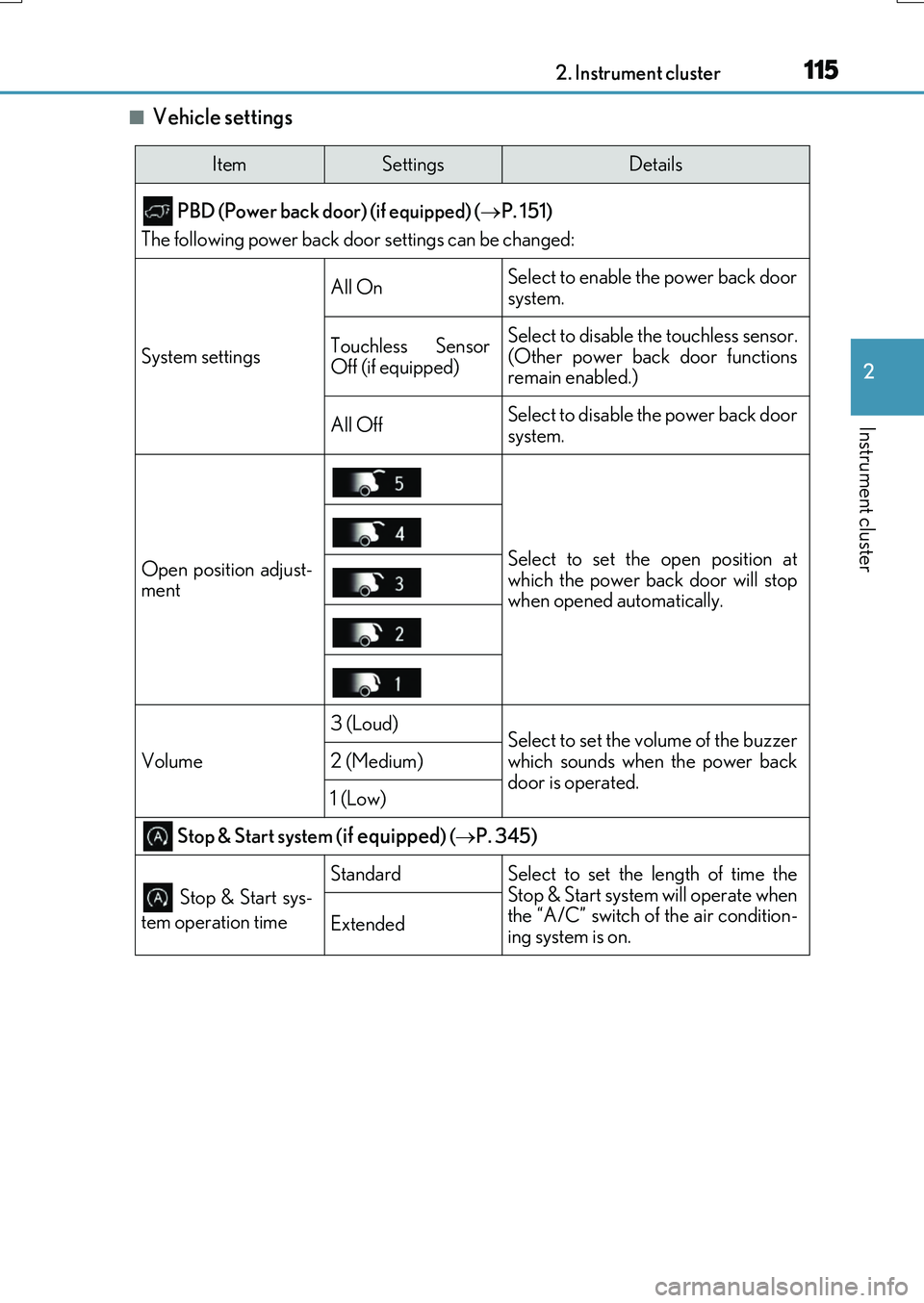
■Vehicle settings
ItemSettingsDetails
PBD (Power back door) (if equipped) ( P. 151)
The following power back door settings can be changed:
System settings
All OnSelect to enable the power back door
system.
Touchless Sensor
Off (if equipped)Select to disable the touchless sensor.
(Other power back door functions
remain enabled.)
All OffSelect to disable the power back door
system.
Open position adjust-
mentSelect to set the open position at
which the power back door will stop
when opened automatically.
Volume
3 (Loud)Select to set the volume of the buzzer
which sounds when the power back
door is operated.
2 (Medium)
1 (Low)
Stop & Start system (if equipped) ( P. 345)
Stop & Start sys-
tem operation time
StandardSelect to set the length of time the
Stop & Start system will operate when
the “A/C” switch of the air condition-
ing system is on.
Extended
Page 118 of 776
1182. Instrument cluster
RX350/RX200t_EE_OM48F32E
◆Display items
■Odometer
Displays the total distance the vehicle has been driven.
■Trip meter A/trip meter B
Displays the distance the vehicle has been driven since the meter was last
reset. Trip meters A and B can be used to record and display different dis-
tances independently.
To reset, display the desired trip meter and press and hold the “ODO/TRIP”
switch.
■ Distance until next engine oil change
Displays the distance the vehicle can be driven until an oil change is neces-
sary.
◆Pop-up display
In some situations the following will be temporarily displayed:
■ Stop & Start system operation time (current) (if equipped)
This display will be displayed when the engine is stopped due to the operation
of the Stop & Start system.
■ Distance until next engine oil change
Displays the distance until the next engine oil change. This display will be dis-
played in the following situations:
• When the engine switch is turned to IGNITION ON mode.
• When a warning message indicating that oil maintenance should be performed
soon or is required is displayed.
◆Speed warning
When set to on, the vehicle speed at which the speed warning will start oper-
ating will be displayed. If the vehicle exceeds the set speed, the speed display
will flash and a buzzer will sound.
• To display the odometer, etc. while the speed warning is set to on, press the “ODO/ TRIP” switch. (If the switch has not been operated for a certain amount of time, the
speed warning will be displayed.)
• The speed at which the speed warning w ill start operating can be changed on .
( P. 110)
Odometer/trip meter display area
Page 119 of 776
1192. Instrument cluster
2
Instrument cluster
RX350/RX200t_EE_OM48F32E
Displays suggestions to the driver in the following situations. To select a response
to a displayed suggestion, use the meter control switches.
The suggestion function can be turned on/off. (Customizable features: P. 740)
■Suggestion to enable the po wer back door (if equipped)
If the power back door system is disabled (setting on set to off) and the
power back door switch on the instrument panel is operated, a suggestion
message will be displayed asking if you wish to enable the power back door
system. To enable the power back door system, select “Yes”.
After enabling the power back door system, press the power back door switch
again to open or close the power back door.
■Suggestion to close the power windows (linked to windshield wiper opera-
tion)
If the windshield wipers are operated with a power window open, a suggestion
message will be displayed asking if you wish to close the power windows. To
close all of the power windows, select “Yes”.
■Suggestion to close the po wer windows (linked to engine switch operation)
If the engine switch is turned off with a power window open, a suggestion
message will be displayed asking if you wish to close the power windows. To
close all of the power windows, select “Yes”.
Suggestion function