length LEXUS RX200T 2017 Owners Manual
[x] Cancel search | Manufacturer: LEXUS, Model Year: 2017, Model line: RX200T, Model: LEXUS RX200T 2017Pages: 776, PDF Size: 44.51 MB
Page 106 of 776
1062. Instrument cluster
RX350/RX200t_EE_OM48F32E
*1: Resetting: P. 103
*2: Use the displayed fuel consumption as a reference.
*3: When only a small amount of fuel is added to the tank, the display may not be
updated.
When refueling, turn the engine switch off. If the vehicle is refueled without turning the
engine switch off, the display may not be updated.
*4: This distance is computed based on your average fuel consumption. As a result, the
actual distance that can be driven may differ from that displayed.
■Eco Driving Indicator
P. 120
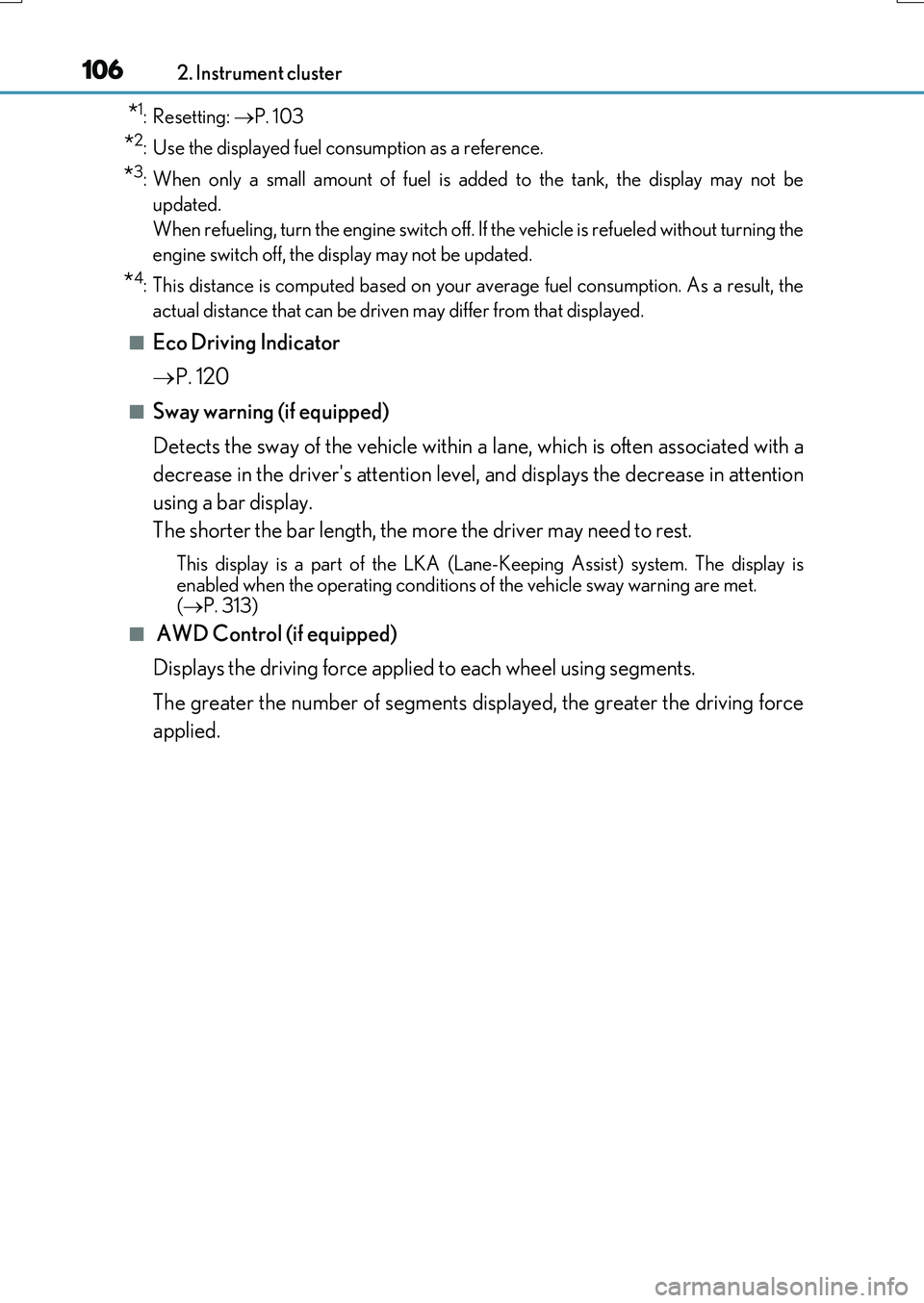
■Sway warning (if equipped)
Detects the sway of the vehicle within a lane, which is often associated with a
decrease in the driver's attention level, and displays the decrease in attention
using a bar display.
The shorter the bar length, the more the driver may need to rest.
This display is a part of the LKA (Lan e-Keeping Assist) system. The display is
enabled when the operating conditions of the vehicle sway warning are met. ( P. 313)
■ AWD Control (if equipped)
Displays the driving force applied to each wheel using segments.
The greater the number of segments displayed, the greater the driving force
applied.
Page 109 of 776
1092. Instrument cluster
2
Instrument cluster
RX350/RX200t_EE_OM48F32E
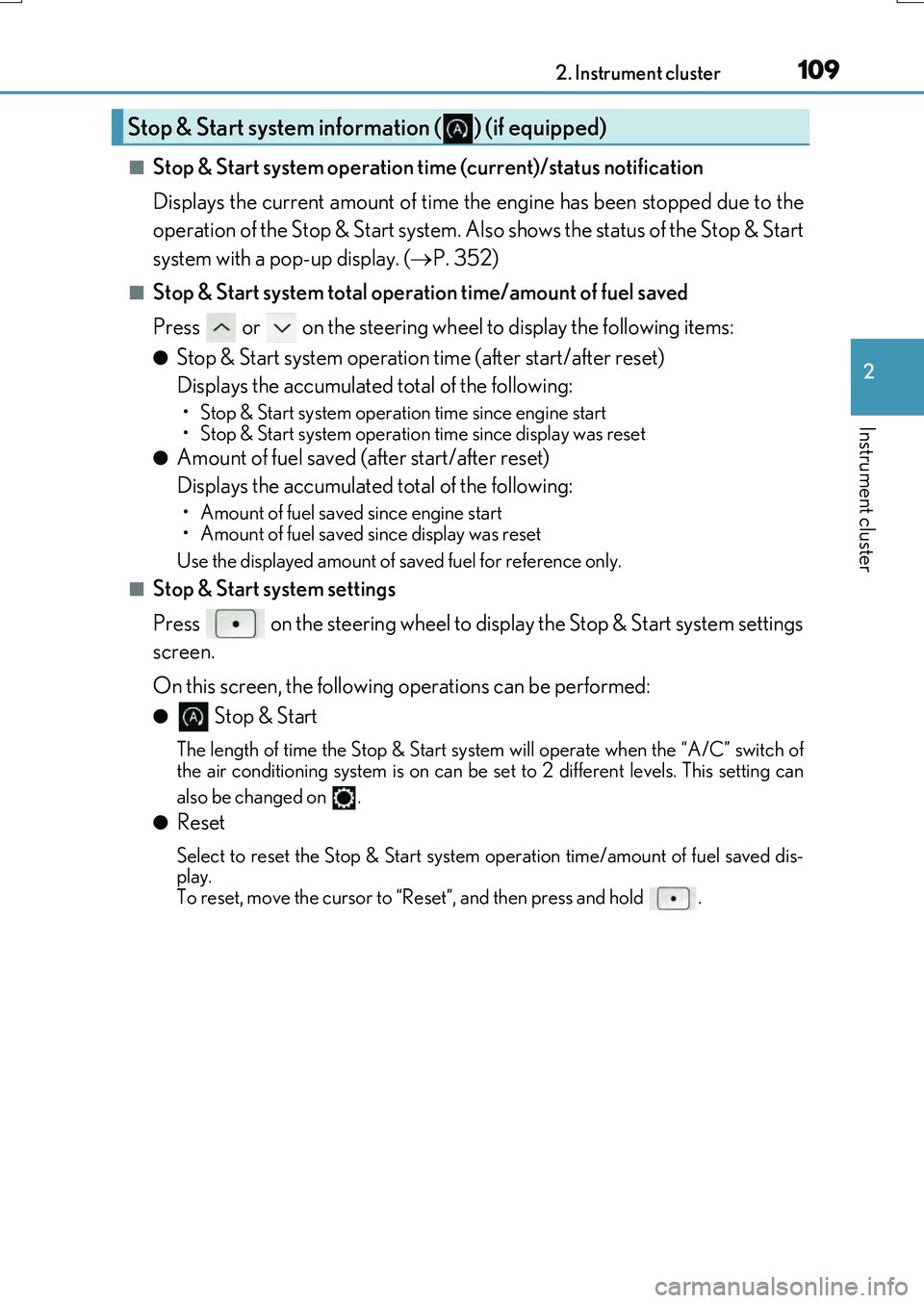
■Stop & Start system operation time (current)/status notification
Displays the current amount of time the engine has been stopped due to the
operation of the Stop & Start system. Also shows the status of the Stop & Start
system with a pop-up display. ( P. 352)
■Stop & Start system total operation time/amount of fuel saved
Press or on the steering wheel to display the following items:
●Stop & Start system operation time (after start/after reset)
Displays the accumulated total of the following:
• Stop & Start system operation time since engine start
• Stop & Start system operation time since display was reset
●Amount of fuel saved (a fter start/after reset)
Displays the accumulated total of the following:
• Amount of fuel saved since engine start
• Amount of fuel saved since display was reset
Use the displayed amount of saved fuel for reference only.
■Stop & Start system settings
Press on the steering wheel to display the Stop & Start system settings
screen.
On this screen, the following operations can be performed:
● Stop & Start
The length of time the Stop & Start syst em will operate when the “A/C” switch of
the air conditioning system is on can be set to 2 different levels. This setting can
also be changed on .
●Reset
Select to reset the Stop & Start system operation time/amount of fuel saved dis-
play.
To reset, move the cursor to “Reset”, and then press and hold .
Stop & Start system information ( ) (if equipped)
Page 115 of 776
1152. Instrument cluster
2
Instrument cluster
RX350/RX200t_EE_OM48F32E
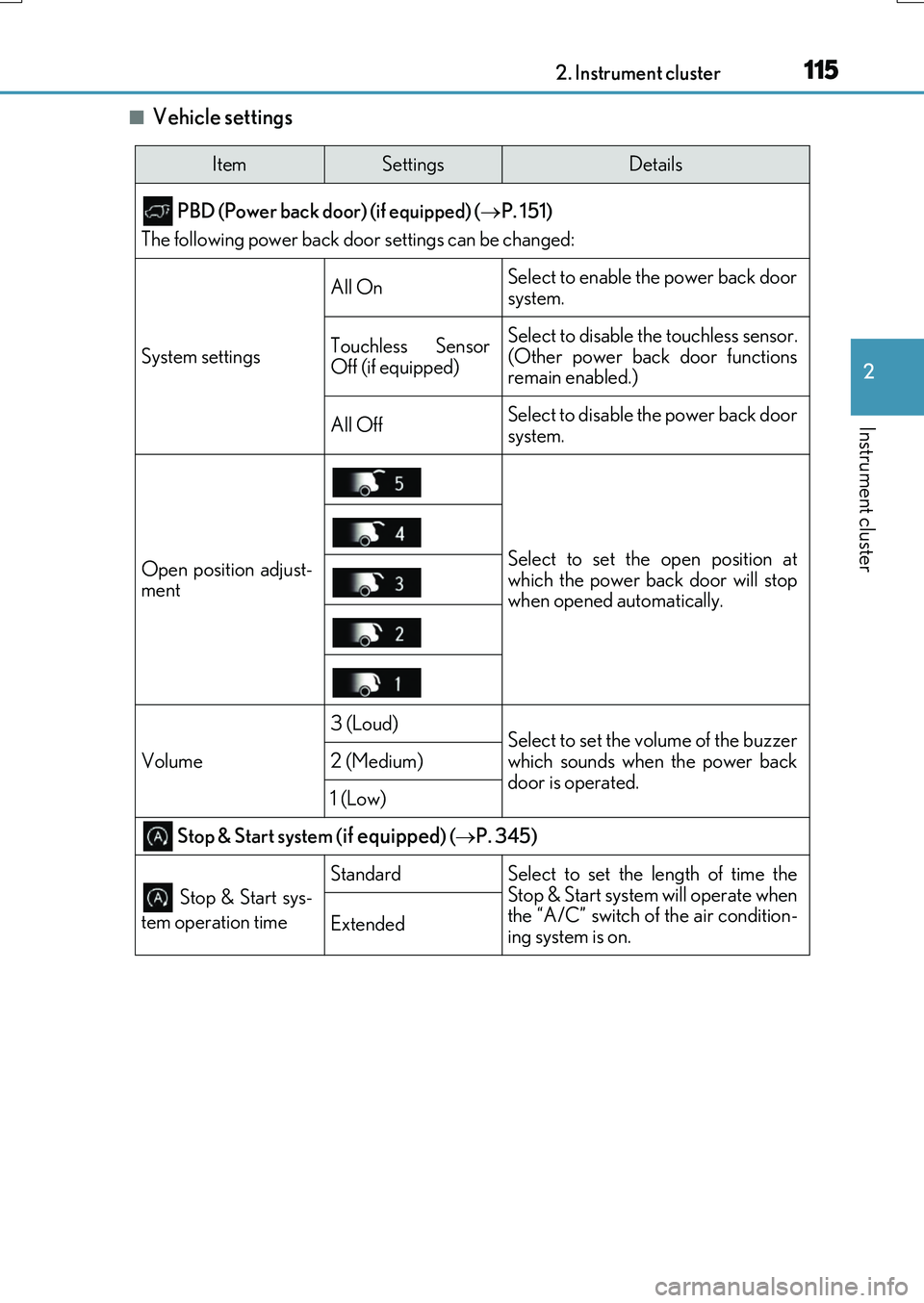
■Vehicle settings
ItemSettingsDetails
PBD (Power back door) (if equipped) ( P. 151)
The following power back door settings can be changed:
System settings
All OnSelect to enable the power back door
system.
Touchless Sensor
Off (if equipped)Select to disable the touchless sensor.
(Other power back door functions
remain enabled.)
All OffSelect to disable the power back door
system.
Open position adjust-
mentSelect to set the open position at
which the power back door will stop
when opened automatically.
Volume
3 (Loud)Select to set the volume of the buzzer
which sounds when the power back
door is operated.
2 (Medium)
1 (Low)
Stop & Start system (if equipped) ( P. 345)
Stop & Start sys-
tem operation time
StandardSelect to set the length of time the
Stop & Start system will operate when
the “A/C” switch of the air condition-
ing system is on.
Extended
Page 185 of 776
185
3
Operation of each component
RX350/RX200t_EE_OM48F32E
3-3. Adjusting the seats
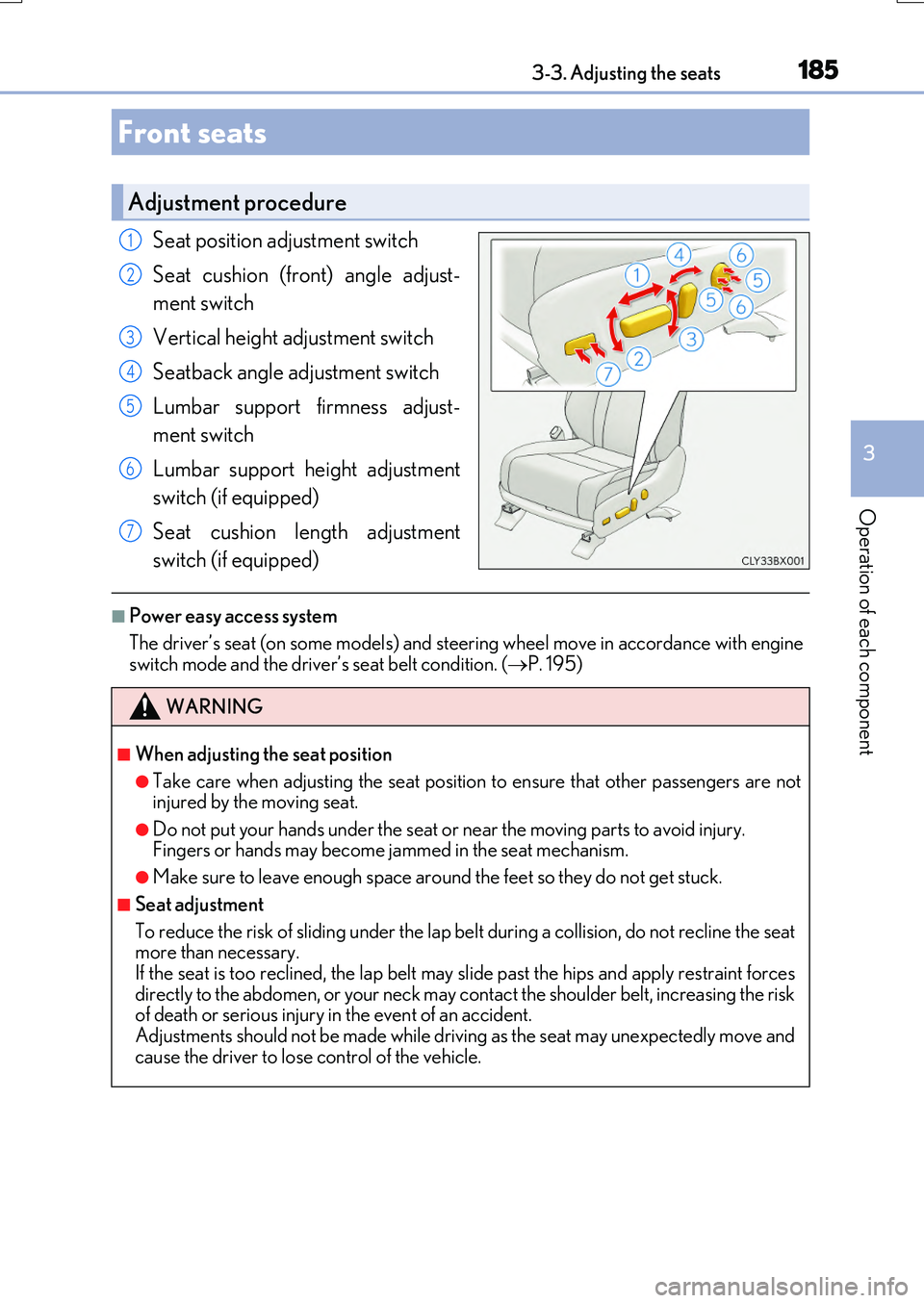
Seat position adjustment switch
Seat cushion (front) angle adjust-
ment switch
Vertical height adjustment switch
Seatback angle adjustment switch
Lumbar support firmness adjust-
ment switch
Lumbar support height adjustment
switch (if equipped)
Seat cushion length adjustment
switch (if equipped)
■Power easy access system
The driver’s seat (on some models) and steering wheel move in accordance with engine switch mode and the driver’s seat belt condition. ( P. 195)
Front seats
Adjustment procedure
1
2
3
4
5
6
7
WARNING
■When adjusting the seat position
●Take care when adjusting the seat position to ensure that other passengers are not injured by the moving seat.
●Do not put your hands under the seat or near the moving parts to avoid injury. Fingers or hands may become jammed in the seat mechanism.
●Make sure to leave enough space around the feet so they do not get stuck.
■Seat adjustment
To reduce the risk of sliding under the lap be lt during a collision, do not recline the seat more than necessary.
If the seat is too reclined, th e lap belt may slide past the hips and apply restraint forces directly to the abdomen, or your neck may contact the shoulder belt, increasing the riskof death or serious injury in the event of an accident.
Adjustments should not be made while driving as the seat may unexpectedly move and cause the driver to lose control of the vehicle.
Page 236 of 776
2364-1. Before driving
RX350/RX200t_EE_OM48F32E
WARNING
■When using a roof luggage carrier (vehicles with roof rails)
Observe the following precautions:
●Place the cargo so that its weight is distributed evenly between the front and rear
axles.
●If loading long or wide cargo, never exceed the vehicle overall length or width. ( P. 726)
●Before driving, make sure the cargo is securely fastened on the roof luggage carrier.
●Loading cargo on the roof luggage carrier will make the center of gravity of the vehi- cle higher. Avoid high speeds, sudden starts, sharp turns, sudden braking or abrupt
maneuvers, otherwise it may result in loss of control or vehicle rollover due to failure to operate this vehicle correctly and result in death or serious injury.
●If driving for a long distance, on rough roads, or at high speeds, stop the vehicle now
and then during the trip to make sure the cargo remains in its place.
●Do not exceed 75 kg (165 lb.) cargo weight on the roof luggage carrier.
NOTICE
■When loading cargo (vehicles with a moon roof or panoramic moon roof)
Be careful not to scratch the surface of the moon roof or panoramic moon roof.
Page 243 of 776
2434-1. Before driving
4
Driving
RX350/RX200t_EE_OM48F32E
Your vehicle will handle differently when towing a trailer. In order to avoid acci-
dent, death or serious injury, keep the following in mind when towing:
■Checking connections between trailer and lights
Stop the vehicle and check the operation of the connection between the
trailer and lights after driving for a brief period as well as before starting off.
■Practicing driving with a coupled trailer
●Get the feel for turning, stopping an d reversing with the trailer coupled by
practicing in an area with no or light traffic.
●When reversing with a coupled trailer, hold the section of the steering
wheel nearest to you and rotate clockwise to turn the trailer left or
counterclockwise to turn it right. Always rotate a little at a time to prevent
steering error. Have someone guide you when reversing to lessen the risk
of an accident.
■Increasing vehicle-to-vehicle distance
At a speed of 10 km/h (6 mph), the distance to the vehicle running ahead of
you should be equivalent to or greater than the combined length of your vehi-
cle and trailer. Avoid sudden braking that may cause skidding. Otherwise, the
vehicle may spin out of control. This is especially true when driving on wet or
slippery road surfaces.
■Sudden acceleration/steering input/cornering
Executing sharp turns when towing may result in the trailer colliding with your
vehicle. Decelerate well in advance when approaching turns and take them
slowly and carefully to avoid sudden braking.
■Important points regarding turning
The wheels of the trailer will travel clos er to the inside of the curve than the
wheels of the vehicle. To make allowance for this, take the turns wider than you
would normally do.
Guidance
Page 244 of 776
2444-1. Before driving
RX350/RX200t_EE_OM48F32E
■Important points regarding stability
Vehicle movement resulting from unev en road surfaces and strong cross-
winds will affect handling. The vehicle may also be rocked by passing buses or
large trucks. Frequently check behind when moving alongside such vehicles.
As soon as such vehicle movement occurs, immediately start to decelerate
smoothly by slowly applying the brakes. Always steer the vehicle straight
ahead while braking.
■Passing other vehicles
Consider the total combined length of your vehicle and trailer and ensure that
the vehicle-to-vehicle distance is sufficient before executing lane changes.
■Transmission information
To maintain engine braking efficiency and charging system performance,
when using engine braking, do not use the transmission in D. If in the M mode,
the transmission shift range position must be in 4 or lower. ( P. 251)
■If the engine overheats
Towing a loaded trailer up a long, steep incline in temperatures exceeding
30 C (85F) may result in the engine overheating. If the engine coolant tem-
perature gauge indicates that the engine is overheating, turn the air condition-
ing off immediately, leave the road and stop the vehicle in a safe place.
( P. 718)
■When parking the vehicle
Always place wheel chocks under the wheels of both the vehicle and trailer.
Set the parking brake and shift the shift lever to P.
Page 351 of 776
3514-5. Using the driving support systems
4
Driving
RX350/RX200t_EE_OM48F32E
■Air conditioning system while the engine is stopped by the Stop & Start system
●If the air conditioning system is being used in automatic mode, the fan speed may be reduced or the fan may be stopped while the engine is stopped by the Stop & Start sys-
tem in order to reduce changes in the cabin temperature.
●To ensure air conditioning system performanc e when the vehicle is stopped, disable the Stop & Start system by pressing the Stop & Start cancel switch.
■Changing the idling stop time with the air conditioning system on
The length of time the Stop & Start system will operate when the air conditioning system
is on can be changed on the ( P. 109) or (P. 110). (The length of time the Stop
& Start system will operate when the air condit ioning system is off cannot be changed.)
■The Stop & Start system protection function
●When an excessively loud sound is being projected by the audio system, the audio sys- tem may be automatically cut off in order to reduce battery consumption. If this occurs,
turn the engine switch off, wait for 3 seconds or longer and then turn it to ACCES- SORY mode or IGNITION ON mode to re-enable the audio system.
●The audio system may not be activated when the battery terminals are disconnected
and then reconnected. If this occurs, turn the engine switch off and then repeat the fol- lowing operation twice to activate the audio system normally.
• Turn the engine switch to IGNITION ON mode and then to OFF.
■Replacing the battery
P. 717
■Displaying the Stop & Start system status
P. 109
Page 430 of 776
4304-6. Driving tips
RX350/RX200t_EE_OM48F32E
Accelerate the vehicle slowly, keep a safe distance between you and the vehicle
ahead, and drive at a reduced speed suitable to road conditions.
●Park the vehicle and move the shift lever to P without setting the parking
brake. The parking brake may freeze up, preventing it from being released. If
the vehicle is parked without setting the parking brake, make sure to block the
wheels.
Failure to do so may be dangerous because it may cause the vehicle to move
unexpectedly, possibly leading to an accident.
When the parking brake is in automatic mode, release the parking brake after shifting
the shift lever to P. ( P. 259)
●If the vehicle is parked without setting the parking brake, confirm that the shift
lever cannot be moved out of P*.
*: The shift lever will be locked if it is atte mpted to be shifted from P to any other posi-
tion without depressing the brake pedal. If the shift lever can be shifted from P, there
may be a problem with the shift lock system. Have the vehicle inspected by any
authorized Lexus dealer or repairer, or an other duly qualified and equipped profes-
sional immediately.
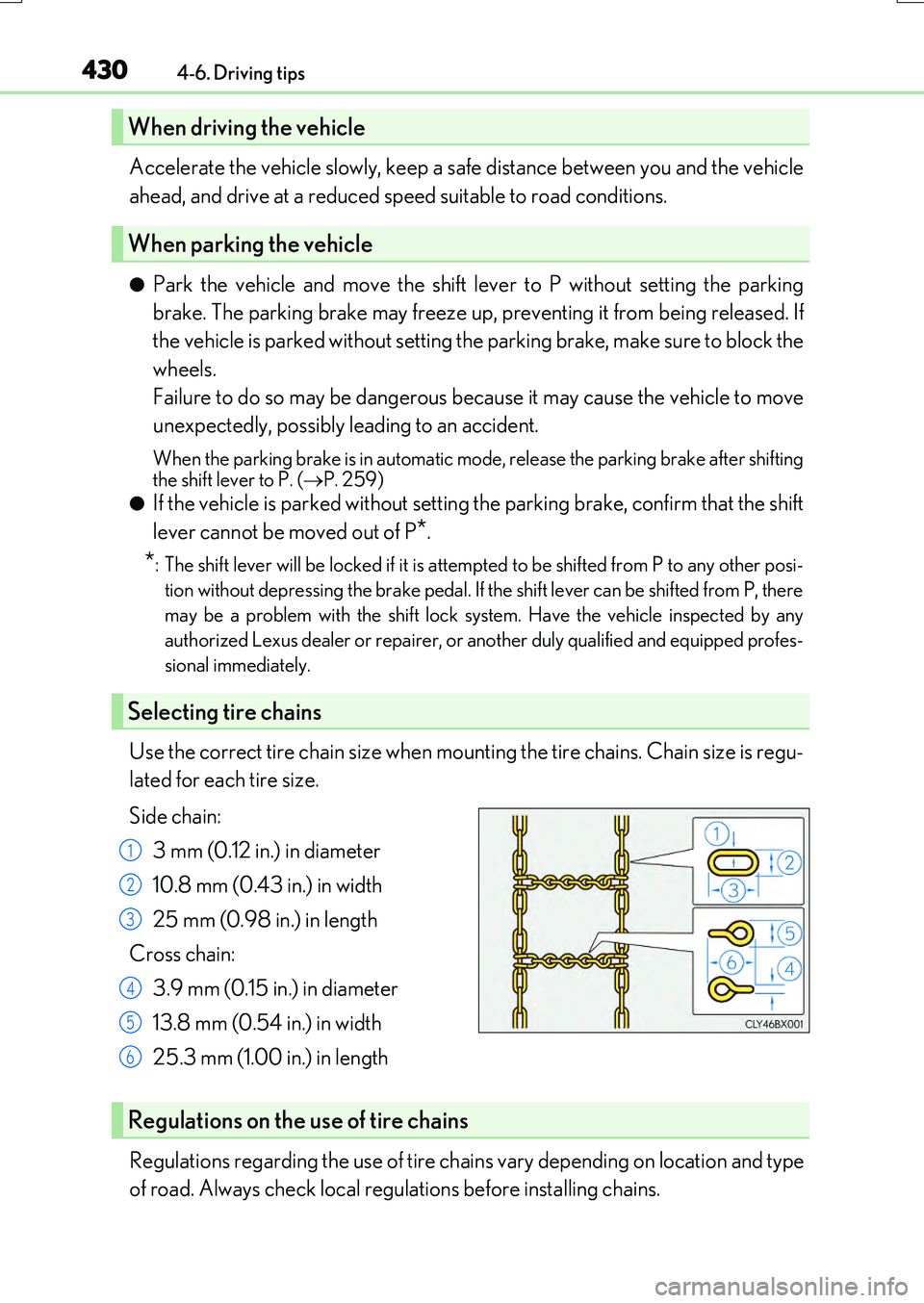
Use the correct tire chain size when mounting the tire chains. Chain size is regu-
lated for each tire size.
Side chain:
3 mm (0.12 in.) in diameter
10.8 mm (0.43 in.) in width
25 mm (0.98 in.) in length
Cross chain:
3.9 mm (0.15 in.) in diameter
13.8 mm (0.54 in.) in width
25.3 mm (1.00 in.) in length
Regulations regarding the use of tire chai ns vary depending on location and type
of road. Always check local regulations before installing chains.
When driving the vehicle
When parking the vehicle
Selecting tire chains
1
2
3
4
5
6
Regulations on the use of tire chains
Page 468 of 776
4685-5. Playing an audio CD and MP3/WMA/AAC discs
RX350/RX200t_EE_OM48F32E
●MP3 file compatibility
• Compatible standards MP3 (MPEG1 LAYER3, MPEG2 LSF LAYER3)
• Compatible sampling frequencies MPEG1 LAYER3: 32, 44.1, 48 (kHz) MPEG2 LSF LAYER3: 16, 22.05, 24 (kHz)
• Compatible bit rates (c ompatible with VBR) MPEG1 LAYER3: 32-320 (kbps) MPEG2 LSF LAYER3: 8-160 (kbps)
• Compatible channel modes: stereo, joint stereo, dual channel and monaural
●WMA file compatibility
• Compatible standards WMA Ver. 7, 8, 9 (only compatible with Windows Media Audio Standard)• Compatible sampling frequencies
32, 44.1, 48 (kHz) • Compatible bit rates (only compatible with 2-channel playback) Ver. 7, 8: CBR 48-192 (kbps)
Ver. 9: CBR 48-320 (kbps)
●AAC file compatibility
• Compatible standards MPEG4/AAC-LC• Compatible sampling frequencies
11.025/12/16/22.05/24/32/44.1/48 (kHz) • Compatible bit rates 16-320 (kbps)
• Compatible channel modes: 1 ch and 2 ch
●Compatible media
Media that can be used for MP3, WMA and AAC playback are CD-Rs and CD- RWs.
Playback in some instances may not be poss ible if the CD-R or CD-RW is not final- ized. Playback may not be possible or the au dio may jump if the disc is scratched or marked with fingerprints.
●Compatible disc formats
The following disc formats can be used.
• Disc formats: CD-ROM Mode 1 and Mode 2
CD-ROM XA Mode 2, Form 1 and Form 2 • File formats: ISO9660 Level 1, Level 2, (Romeo, Joliet) UDF (2.01 or lower)
MP3, WMA and AAC files written in any format other than those listed above may not play correctly, and their file names and folder names may not be displayed cor-rectly.
Items related to standards and limitations are as follows.
• Maximum directory hierarchy: 8 levels (including the root) • Maximum length of folder names/file names: 32 characters
• Maximum number of folders: 192 (including the root) • Maximum number of files per disc: 255