tow LEXUS RX200T 2017 Owners Manual
[x] Cancel search | Manufacturer: LEXUS, Model Year: 2017, Model line: RX200T, Model: LEXUS RX200T 2017Pages: 776, PDF Size: 44.51 MB
Page 3 of 776
3
1
9
8
7
6
4
3
2
RX350/RX200t_EE_OM48F32E
5
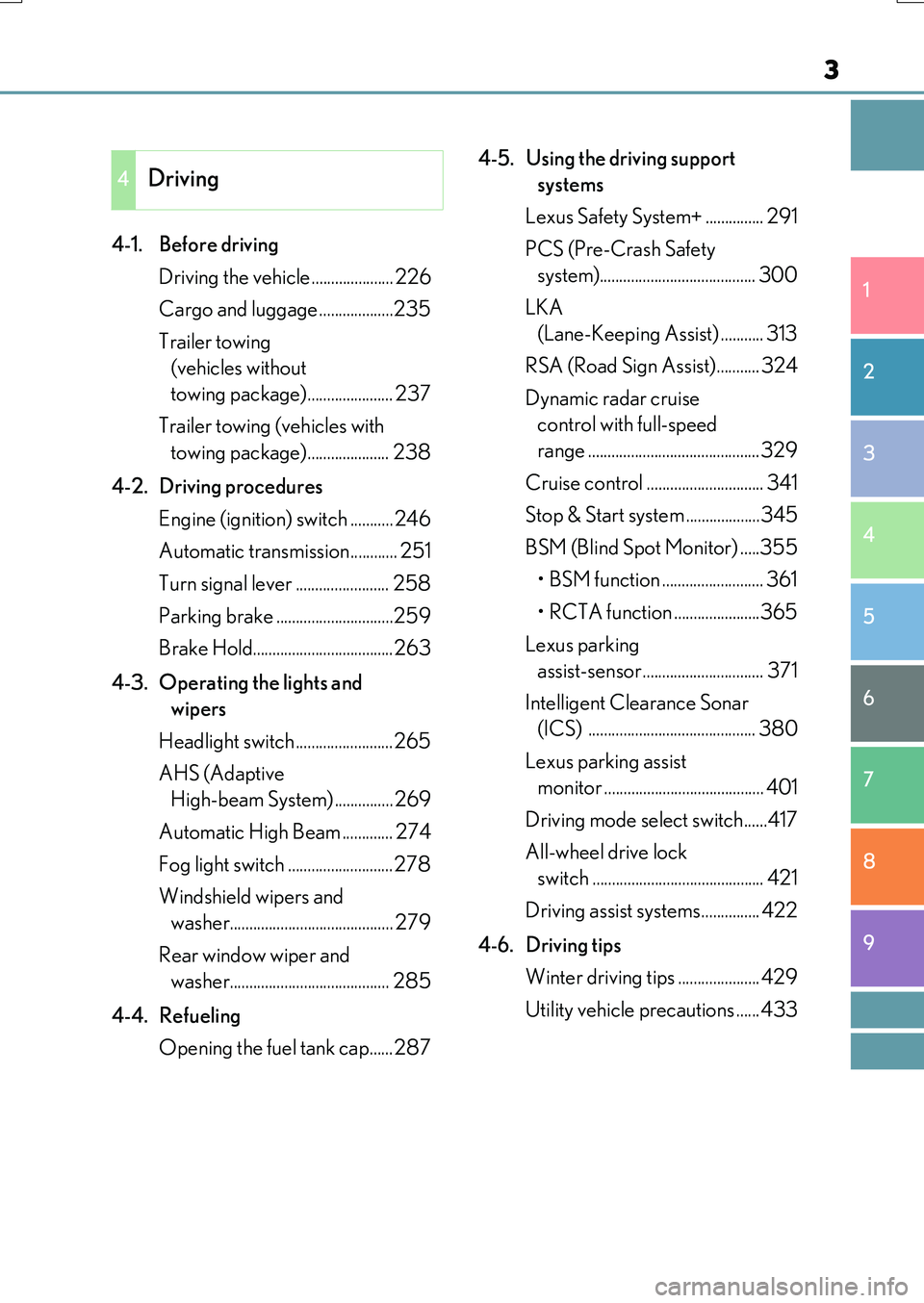
4-1. Before driving
Driving the vehicle ..................... 226
Cargo and luggage ...................235
Trailer towing
(vehicles without
towing package)...................... 237
Trailer towing (vehicles with
towing package)..................... 238
4-2. Driving procedures
Engine (ignition) switch ...........246
Automatic transmission............ 251
Turn signal lever ........................ 258
Parking brake ..............................259
Brake Hold....................................263
4-3. Operating the lights and
wipers
Headlight switch .........................265
AHS (Adaptive
High-beam System) ...............269
Automatic High Beam ............. 274
Fog light switch ...........................278
Windshield wipers and
washer.......................................... 279
Rear window wiper and
washer......................................... 285
4-4. Refueling
Opening the fuel tank cap......287
4-5. Using the driving support
systems
Lexus Safety System+ ............... 291
PCS (Pre-Crash Safety
system)........................................ 300
LKA
(Lane-Keeping Assist) ........... 313
RSA (Road Sign Assist)........... 324
Dynamic radar cruise
control with full-speed
range ............................................ 329
Cruise control .............................. 341
Stop & Start system ...................345
BSM (Blind Spot Monitor) .....355
• BSM function .......................... 361
• RCTA function ......................365
Lexus parking
assist-sensor............................... 371
Intelligent Clearance Sonar
(ICS) ........................................... 380
Lexus parking assist
monitor ......................................... 401
Driving mode select switch......417
All-wheel drive lock
switch ............................................ 421
Driving assist systems............... 422
4-6. Driving tips
Winter driving tips ..................... 429
Utility vehicle precautions ......433
4Driving
Page 7 of 776
7
1
9
8
7
6
4
3
2
RX350/RX200t_EE_OM48F32E
5
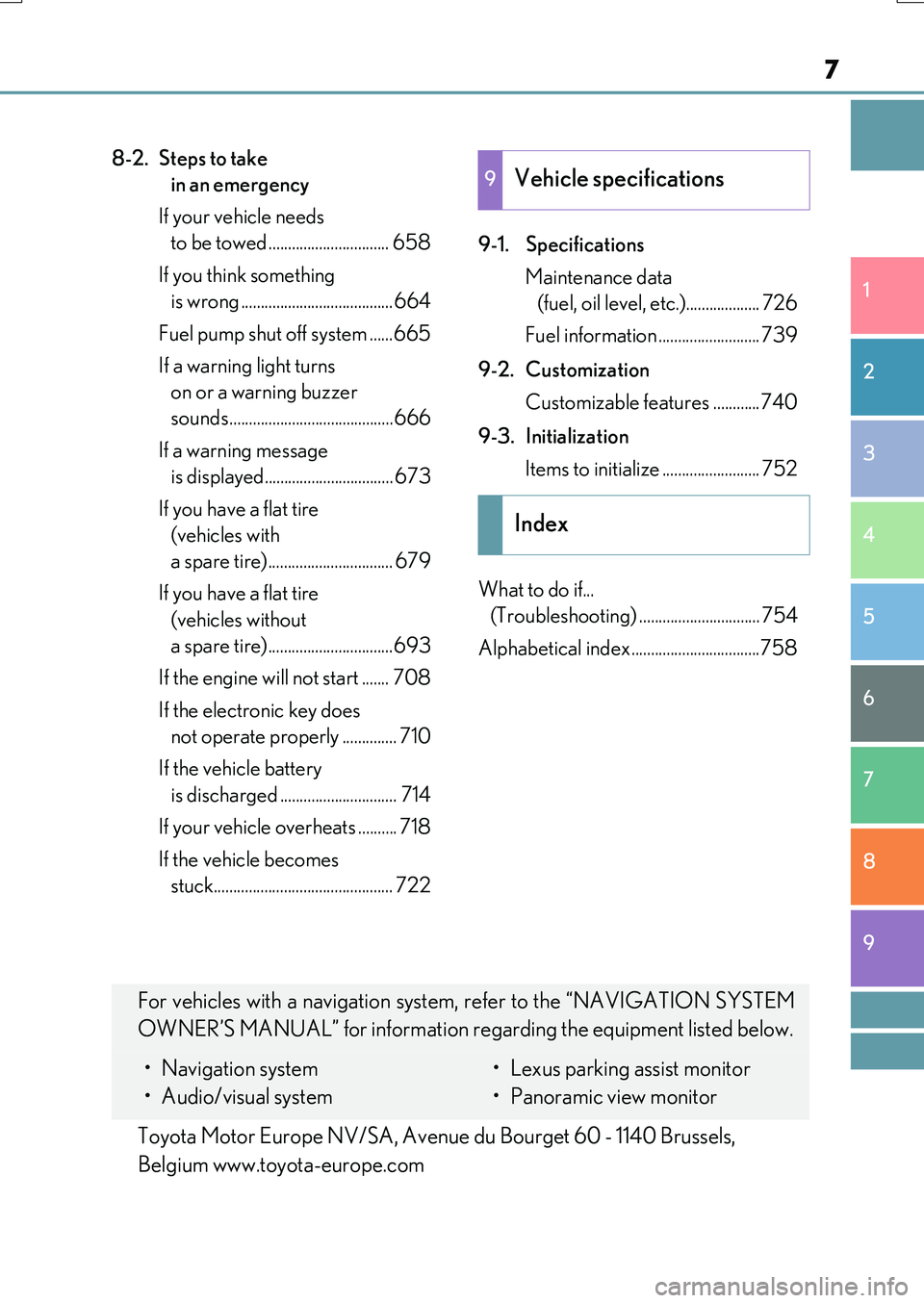
8-2. Steps to take
in an emergency
If your vehicle needs
to be towed ............................... 658
If you think something
is wrong .......................................664
Fuel pump shut off system ......665
If a warning light turns
on or a warning buzzer
sounds..........................................666
If a warning message
is displayed................................. 673
If you have a flat tire
(vehicles with
a spare tire)................................ 679
If you have a flat tire
(vehicles without
a spare tire)................................693
If the engine will not start ....... 708
If the electronic key does
not operate properly .............. 710
If the vehicle battery
is discharged .............................. 714
If your vehicle overheats .......... 718
If the vehicle becomes
stuck.............................................. 722
9-1. Specifications
Maintenance data
(fuel, oil level, etc.)................... 726
Fuel information .......................... 739
9-2. Customization
Customizable features ............740
9-3. Initialization
Items to initialize ......................... 752
What to do if...
(Troubleshooting) ............................... 754
Alphabetical index .................................758
9Vehicle specifications
Index
For vehicles with a navigation system, refer to the “NAVIGATION SYSTEM
OWNER’S MANUAL” for information regarding the equipment listed below.
• Navigation system
• Audio/visual system
• Lexus parking assist monitor
• Panoramic view monitor
Toyota Motor Europe NV/SA, Avenue du Bourget 60 - 1140 Brussels,
Belgium www.toyota-europe.com
Page 14 of 776
14Pictorial index
RX350/RX200t_EE_OM48F32E
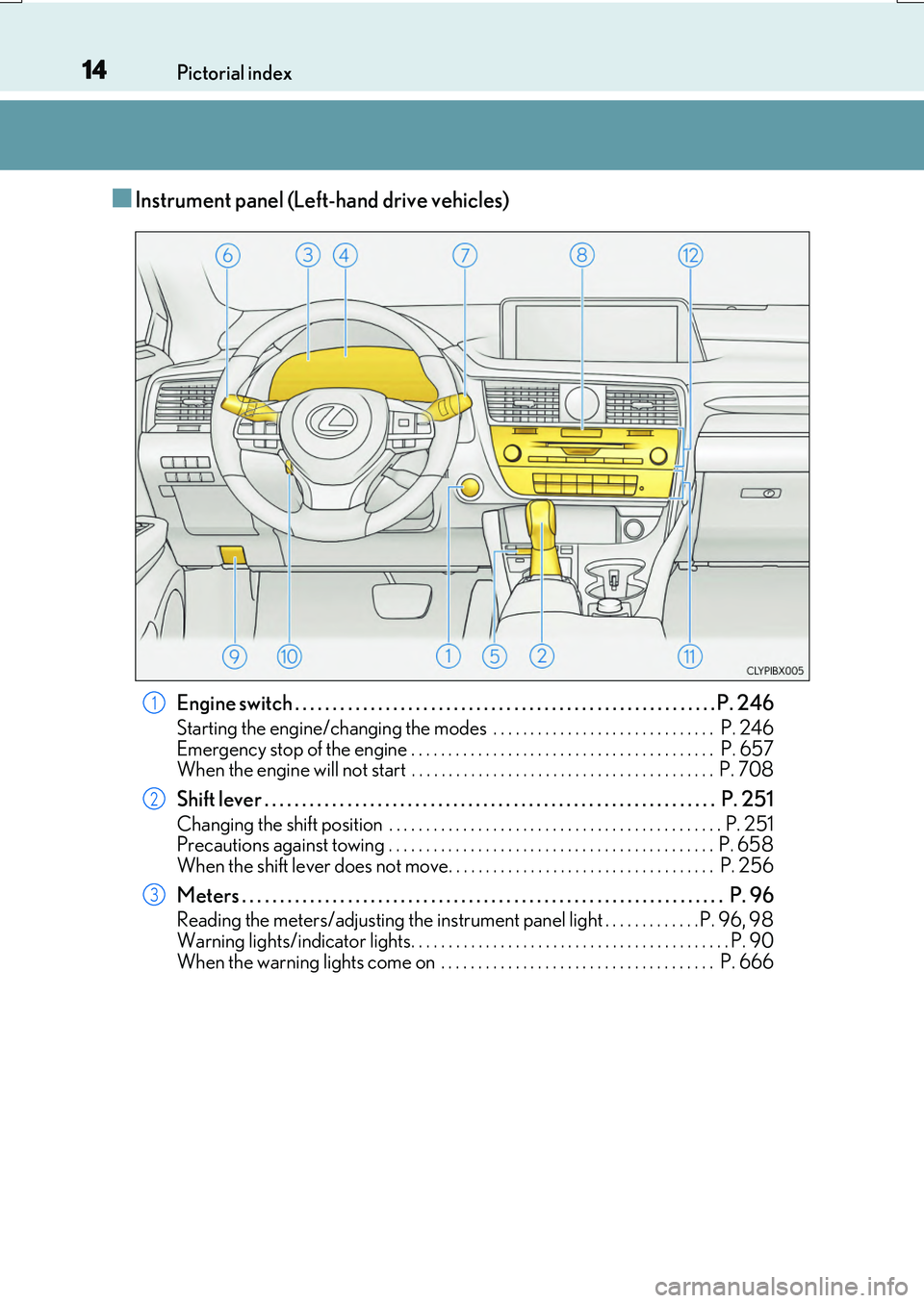
■Instrument panel (Left-hand drive vehicles)
Engine switch . . . . . . . . . . . . . . . . . . . . . . . . . . . . . . . . . . . . . . . . . . . . . . . . . . . . . . . . P. 246
Starting the engine/changing the modes . . . . . . . . . . . . . . . . . . . . . . . . . . . . . . P. 246
Emergency stop of the engine . . . . . . . . . . . . . . . . . . . . . . . . . . . . . . . . . . . . . . . . . P. 657 When the engine will not start . . . . . . . . . . . . . . . . . . . . . . . . . . . . . . . . . . . . . . . . . P. 708
Shift lever . . . . . . . . . . . . . . . . . . . . . . . . . . . . . . . . . . . . . . . . . . . . . . . . . . . . . . . . . . . . P. 251
Changing the shift position . . . . . . . . . . . . . . . . . . . . . . . . . . . . . . . . . . . . . . . . . . . . . P. 251 Precautions against towing . . . . . . . . . . . . . . . . . . . . . . . . . . . . . . . . . . . . . . . . . . . . P. 658
When the shift lever does not move. . . . . . . . . . . . . . . . . . . . . . . . . . . . . . . . . . . . P. 256
Meters . . . . . . . . . . . . . . . . . . . . . . . . . . . . . . . . . . . . . . . . . . . . . . . . . . . . . . . . . . . . . . . . P. 96
Reading the meters/adjusting the instrument panel light . . . . . . . . . . . . . P. 96, 98
Warning lights/indicator lights. . . . . . . . . . . . . . . . . . . . . . . . . . . . . . . . . . . . . . . . . . . P. 90 When the warning lights come on . . . . . . . . . . . . . . . . . . . . . . . . . . . . . . . . . . . . . P. 666
1
2
3
Page 22 of 776
22Pictorial index
RX350/RX200t_EE_OM48F32E
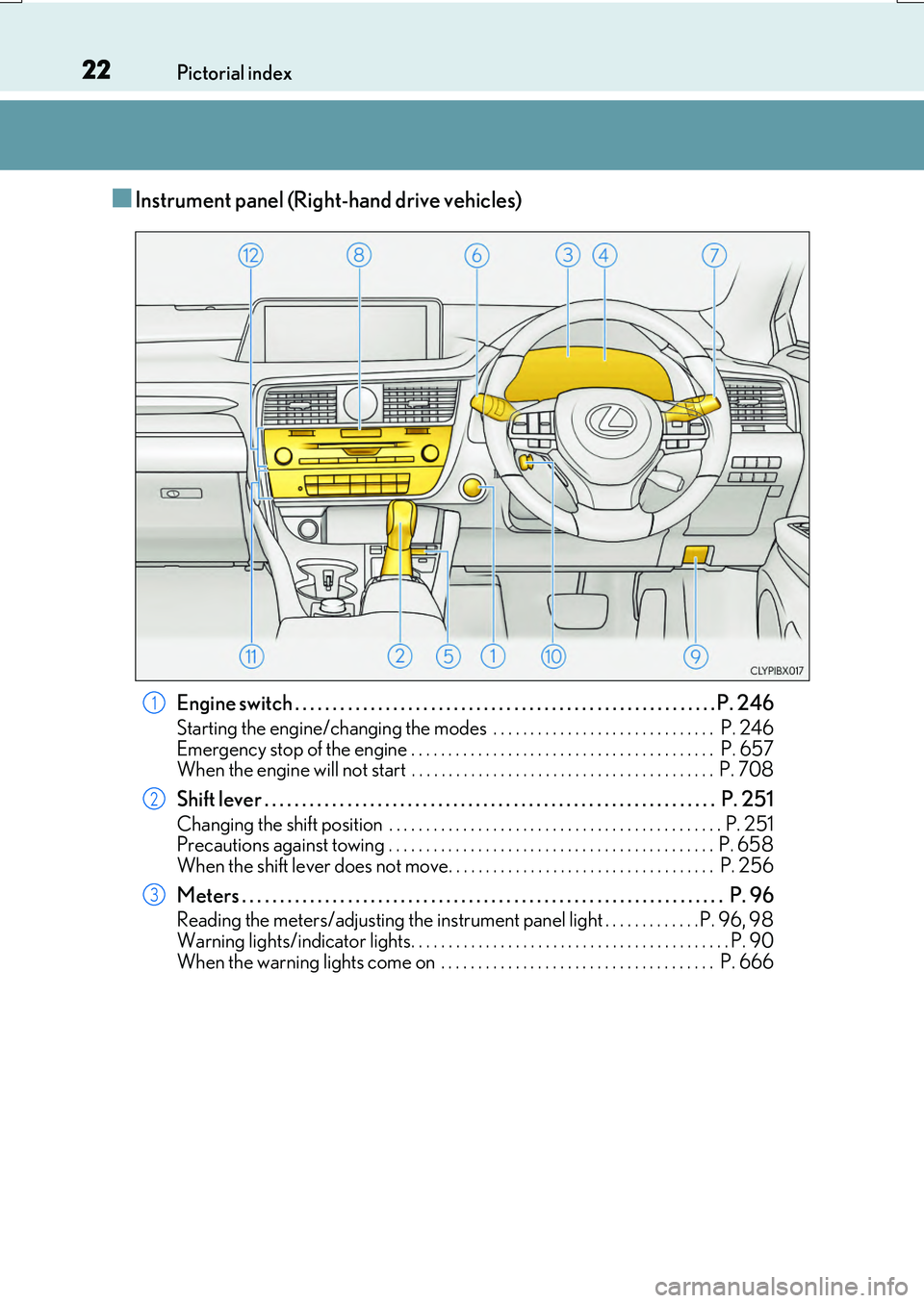
■Instrument panel (Right-hand drive vehicles)
Engine switch . . . . . . . . . . . . . . . . . . . . . . . . . . . . . . . . . . . . . . . . . . . . . . . . . . . . . . . . P. 246
Starting the engine/changing the modes . . . . . . . . . . . . . . . . . . . . . . . . . . . . . . P. 246
Emergency stop of the engine . . . . . . . . . . . . . . . . . . . . . . . . . . . . . . . . . . . . . . . . . P. 657 When the engine will not start . . . . . . . . . . . . . . . . . . . . . . . . . . . . . . . . . . . . . . . . . P. 708
Shift lever . . . . . . . . . . . . . . . . . . . . . . . . . . . . . . . . . . . . . . . . . . . . . . . . . . . . . . . . . . . . P. 251
Changing the shift position . . . . . . . . . . . . . . . . . . . . . . . . . . . . . . . . . . . . . . . . . . . . . P. 251 Precautions against towing . . . . . . . . . . . . . . . . . . . . . . . . . . . . . . . . . . . . . . . . . . . . P. 658
When the shift lever does not move. . . . . . . . . . . . . . . . . . . . . . . . . . . . . . . . . . . . P. 256
Meters . . . . . . . . . . . . . . . . . . . . . . . . . . . . . . . . . . . . . . . . . . . . . . . . . . . . . . . . . . . . . . . . P. 96
Reading the meters/adjusting the instrument panel light . . . . . . . . . . . . . P. 96, 98
Warning lights/indicator lights. . . . . . . . . . . . . . . . . . . . . . . . . . . . . . . . . . . . . . . . . . . P. 90 When the warning lights come on . . . . . . . . . . . . . . . . . . . . . . . . . . . . . . . . . . . . . P. 666
1
2
3
Page 43 of 776
431-1. For safe use
1
For safety and security
RX350/RX200t_EE_OM48F32E
WARNING
■SRS airbag precautions
Observe the following precaution s regarding the SRS airbags. Failure to do so may cause death or serious injury.
●The driver and all passengers in the vehicle must wear their seat belts properly.The SRS airbags are supplemental devices to be used with the seat belts.
●The SRS driver airbag deploys with considerable force, and can cause death or seri-
ous injury especially if the driv er is very close to the airbag.
Since the risk zone for the driver’s airbag is the first 50 - 75 mm (2 - 3 in.) of inflation, placing yourself 250 mm (10 in.) from your driver airbag provides you with a clear
margin of safety. This distance is measured from the center of the steering wheel to your breastbone. If you sit less than 250 mm (10 in.) away now, you can change yourdriving position in several ways:
• Move your seat to the rear as far as you can while still reaching the pedals com- fortably.• Slightly recline the back of the seat.
Although vehicle designs vary, many drivers can achieve the 250 mm (10 in.) dis- tance, even with the driver seat all the way forward, simply by reclining the back ofthe seat somewhat. If reclining the back of your seat makes it hard to see the road,
raise yourself by using a firm, non-slippery cushion, or raise the seat if your vehicle has that feature.• If your steering wheel is adjustable, tilt it downward. This points the airbag toward
your chest instead of your head and neck. The seat should be adjusted as recommend ed above, while still maintaining control of the foot pedals, steering wheel, and your view of the instrument panel controls.
●The SRS front passenger airbag also deploys with considerable force, and can causedeath or serious injury especially if the fron t passenger is very close to the airbag. The front passenger seat should be as far from the airbag as possible with the seatback
adjusted, so the front passenger sits upright.
●Improperly seated and/or restrained infant s and children can be killed or seriously injured by a deploying airbag. An infant or child who is too small to use a seat belt
should be properly secured using a child restraint system. Lexus strongly recom- mends that all infants and children be placed in the rear seats of the vehicle and prop-erly restrained. The rear seats are safer for infants and children than the front
passenger seat. ( P. 54)
Page 44 of 776
441-1. For safe use
RX350/RX200t_EE_OM48F32E
WARNING
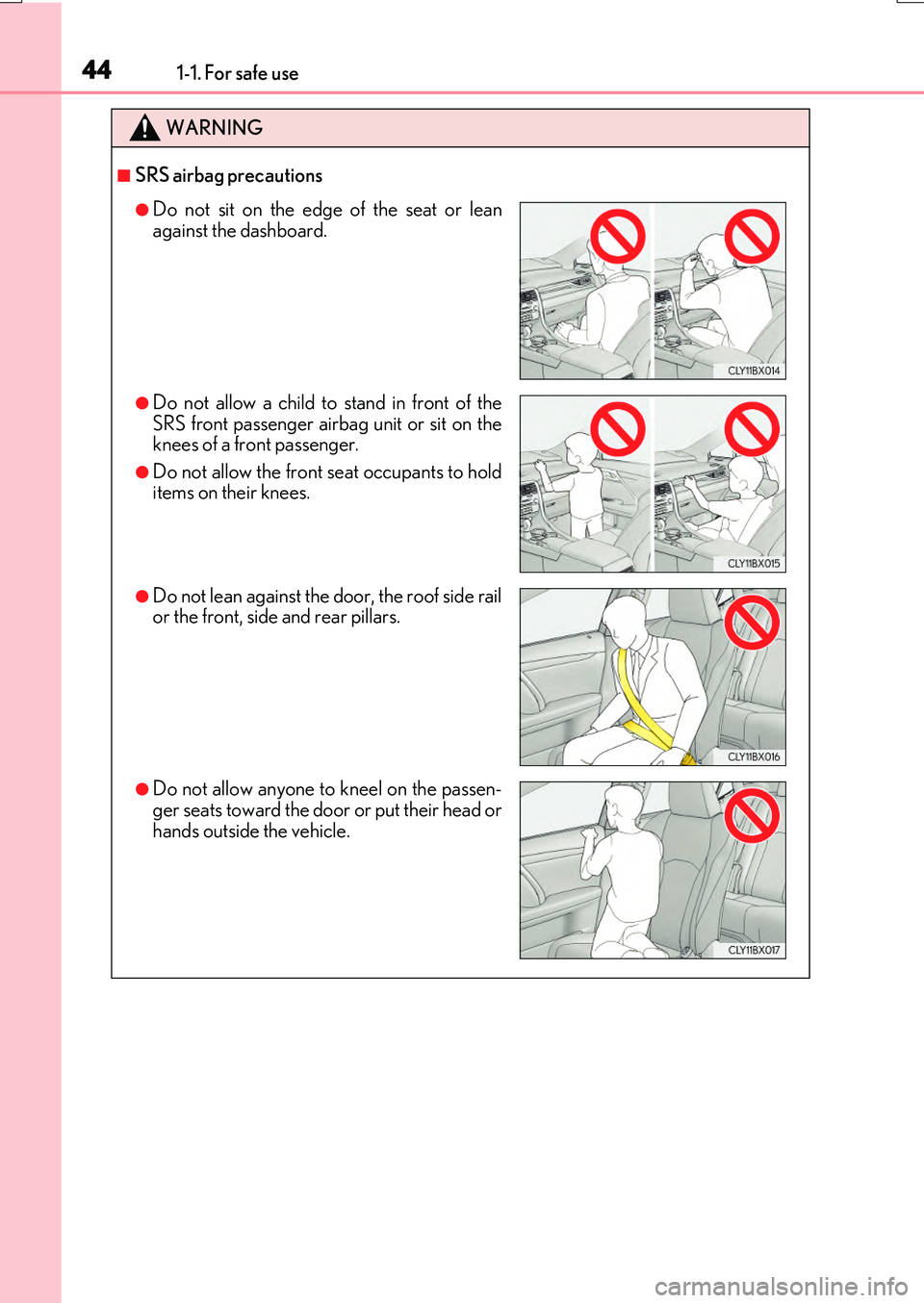
■SRS airbag precautions
●Do not sit on the edge of the seat or lean
against the dashboard.
●Do not allow a child to stand in front of the SRS front passenger airbag unit or sit on theknees of a front passenger.
●Do not allow the front seat occupants to holditems on their knees.
●Do not lean against the door, the roof side railor the front, side and rear pillars.
●Do not allow anyone to kneel on the passen-ger seats toward the door or put their head or
hands outside the vehicle.
Page 67 of 776
671-2. Child safety
1
For safety and security
RX350/RX200t_EE_OM48F32E
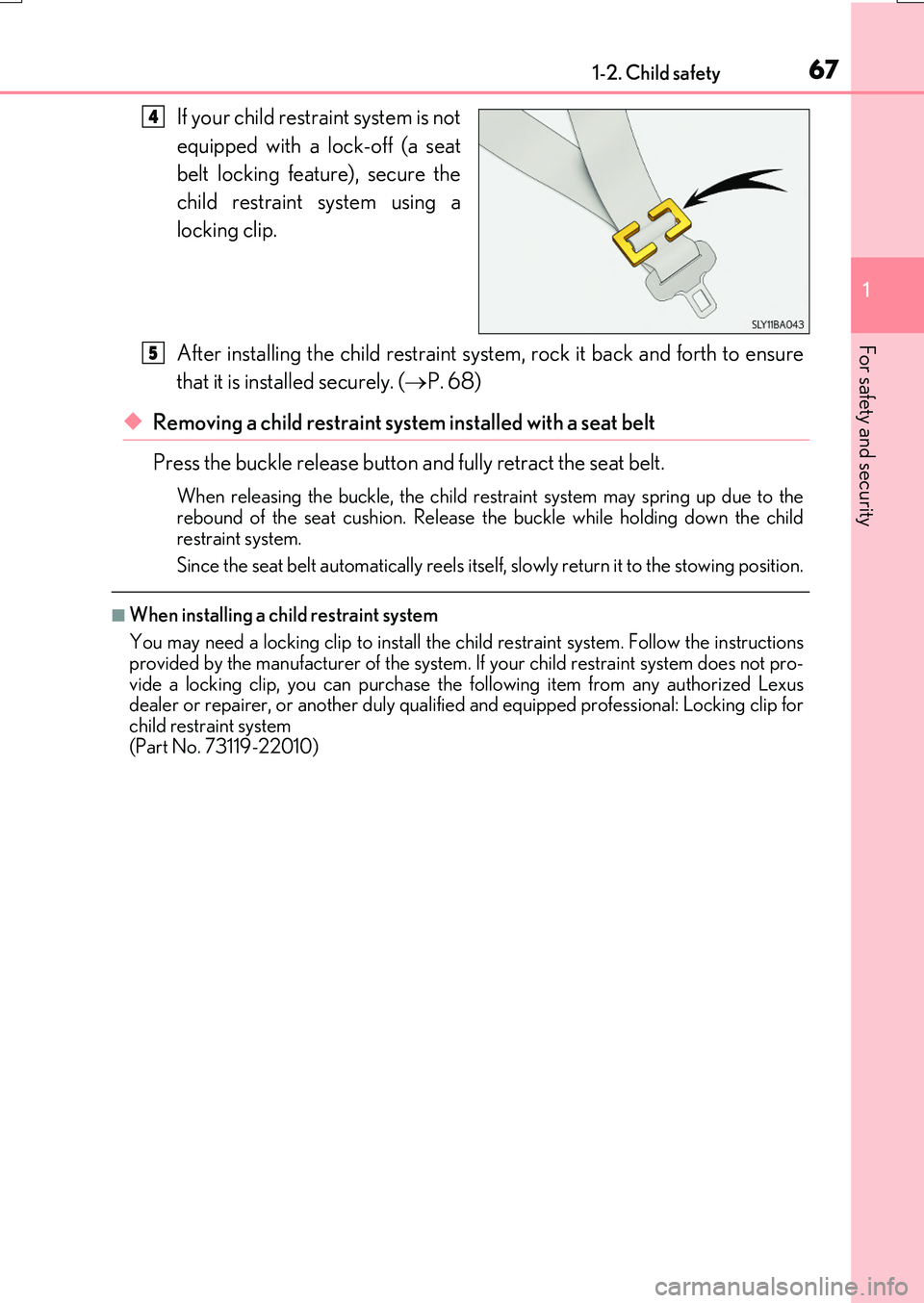
If your child restraint system is not
equipped with a lock-off (a seat
belt locking feature), secure the
child restraint system using a
locking clip.
After installing the child restraint system, rock it back and forth to ensure
that it is installed securely. ( P. 68)
◆Removing a child restraint system installed with a seat belt
Press the buckle release button and fully retract the seat belt.
When releasing the bu ckle, the child restraint system may spring up due to the rebound of the seat cushion. Release the buckle while holding down the child
restraint system.
Since the seat belt automatically reels itself , slowly return it to the stowing position.
■When installing a child restraint system
You may need a locking clip to install the child restraint system. Follow the instructions provided by the manufacturer of the system. If your child restraint system does not pro-
vide a locking clip, you can purchase the following item from any authorized Lexus dealer or repairer, or another duly qualified and equipped professional: Locking clip forchild restraint system
(Part No. 73119-22010)
4
5
Page 85 of 776

851-3. Theft deterrent system
1
For safety and security
RX350/RX200t_EE_OM48F32E
●The intrusion sensor detects intruders or movement in the vehicle.
●The tilt sensor detects changes in vehicle inclination, such as when the vehicle
is towed away.
This system is designed to deter and pr event vehicle theft but does not guarantee
absolute security against all intrusions.
■Setting the intrusion sensor and tilt sensor
The intrusion sensor and tilt sensor will be set automatically when the alarm is
set. ( P. 83)
■Canceling the intrusion sensor and tilt sensor
If you are leaving pets or other moving things inside the vehicle, make sure to
disable the intrusion sensor and tilt sensor before setting the alarm, as they will
respond to movement inside the vehicle.
Turn the engine switch off.
Press the intrusion sensor and tilt
sensor cancel switch.
A message will be shown on the
multi-information display in the
instrument cluster.
The intrusion sensor and tilt sen-
sor will revert to on each time the
engine switch is turned to IGNI-
TION ON mode.
NOTICE
■To ensure the system operates correctly
Do not modify or remove the system. If modi fied or removed, the proper operation of the system cannot be guaranteed.
Intrusion sensor (if equipped) /Intrusion sensor and tilt sensor
(if equipped)
1
2
Page 153 of 776
1533-2. Opening, closing and locking the doors
3
Operation of each component
RX350/RX200t_EE_OM48F32E
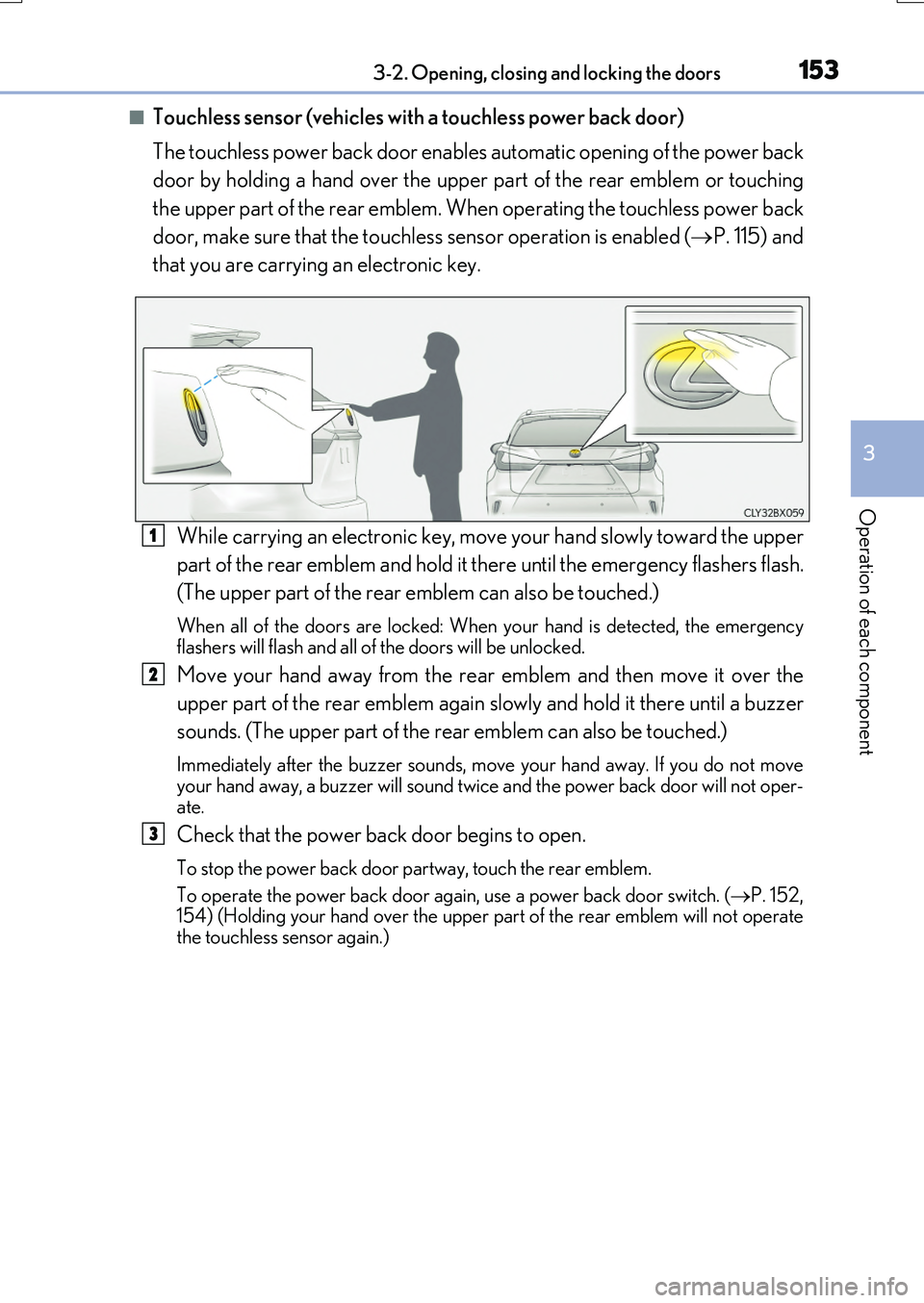
■Touchless sensor (vehicles with a touchless power back door)
The touchless power back door enable s automatic opening of the power back
door by holding a hand over the upper part of the rear emblem or touching
the upper part of the rear emblem. When operating the touchless power back
door, make sure that the touchless sensor operation is enabled ( P. 115) and
that you are carrying an electronic key.
While carrying an electronic key, move your hand slowly toward the upper
part of the rear emblem and hold it there until the emergency flashers flash.
(The upper part of the rear emblem can also be touched.)
When all of the doors are locked: When your hand is detected, the emergency flashers will flash and all of the doors will be unlocked.
Move your hand away from the rear emblem and then move it over the
upper part of the rear emblem again slowly and hold it there until a buzzer
sounds. (The upper part of the re ar emblem can also be touched.)
Immediately after the buzzer sounds, move your hand away. If you do not move your hand away, a buzzer will sound twice and the power back door will not oper-
ate.
Check that the power back door begins to open.
To stop the power back door partway, touch the rear emblem.
To operate the power back door again, use a power back door switch. ( P. 152, 154) (Holding your hand over the upper part of the rear emblem will not operate
the touchless sensor again.)
1
2
3
Page 160 of 776
1603-2. Opening, closing and locking the doors
RX350/RX200t_EE_OM48F32E
■Situations in which the touchless sensor may malfunction (vehicles with a touchless power back door)
In the following situations, the touchless sensor may operate unintentionally.
To prevent unintentional operation, keep the electronic key out of the operational range or disable the touchless sensor operation. ( P. 115)
●When a large amount of water is applied to the rear emblem, such as in heavy rain
●When the vehicle is being washed and water is applied to the rear emblem
●When dirt is wiped off the rear emblem
●If someone leans toward or against the rear emblem
●When a metal object is brought near the rear emblem
●When a vehicle cover is installed or removed near the rear emblem
■Situations in which the touchless sensor may not operate properly (vehicles with a
touchless power back door)
If the touchless sensor does not operate in the following situations, use the back door opener switch to open the power back door. ( P. 154)
●In the following situations, the sensitivity of the touchless sensor may be temporarily reduced and the touchless sensor may not operate:
• When a large amount of wate r is applied to the rear emblem, such as in heavy rain
• When the vehicle is being washed and water is applied to the rear emblem • For several seconds after dirt is wiped off the rear emblem • When the rear emblem is covered with mud, snow, ice, etc.
• When the vehicle has been parked for a while near objects that may move and con- tact the rear emblem, such as tall grass or trees• When an external radio wave sour ce is near the touchless sensor
●The touchless sensor may not operate in the following situations:
• When an electronic key is not being carried • When an electronic key is no t within the operational range • When an external radio wave source interferes with the communication between
the vehicle and electronic key ( P. 170) • When the power back door is not fully closed• When a hand is held pa rallel to the rear emblem*
*: The detection settings can be changed by any authorized Lexus dealer or repairer,
or another duly qualified and equipped professional. ( P. 742)
■Customization
Some functions can be customized. ( P. 110, 740)