audio LEXUS RX270 2014 User Guide
[x] Cancel search | Manufacturer: LEXUS, Model Year: 2014, Model line: RX270, Model: LEXUS RX270 2014Pages: 652, PDF Size: 48.98 MB
Page 312 of 652
312
RX350/270_EE
3-1. Using the air
conditioning system
and defogger
Automatic air
conditioning system ............. 314
Rear window defogger
switch ....................................... 321
Windshield wiper
de-icer ................................... 322
3-2. Using the audio system
Audio system .......................... 323
Using the radio........................ 326
Using the CD player ............ 330
Playing MP3 and WMA
discs ......................................... 337
Operating an iPod ................ 344
Operating a USB
memory ................................. 353
Bluetooth
® audio system...... 361
Using the Bluetooth®
audio system ......................... 366
Operating a Bluetooth
®
enabled portable
player ...................................... 369
RX350_270_EE_48D77E.book 312 ページ 2014年1月24日 金曜日 午前10時4分
Page 313 of 652
3Interior features
313
RX350/270_EE
Setting up a Bluetooth®
enabled portable
player...................................... 372
Bluetooth
® audio system
setup ........................................ 376
Optimal use of the audio
system...................................... 377
Using the AUX port............... 379
Using the steering wheel
audio switches....................... 381
Hands-free system
for mobile phones ............... 384
Using the hands-free
system (for mobile
phones) ................................... 391
Making a phone call............... 397
Setting a mobile phone ......... 401
Security and system
setup ....................................... 405
Using the phone book ............. 411
3-3. Using the interior lights
Interior lights list ...................... 417
• Interior lights .......................... 418
• Personal lights ....................... 4183-4. Using the storage
features
List of storage features ........ 420
• Glove box ................................421
• Bottle holders/
door pockets ......................... 422
• Cup holders .......................... 423
• Console box .......................... 426
• Coin holder ............................427
• Auxiliary box......................... 428
• Under tray ............................. 429
3-5. Other interior features
Sun visors ................................. 430
Vanity mirror............................. 431
Clock ........................................ 432
Outside temperature
display .................................... 433
Multi-display light
control.................................... 434
Power outlets........................... 435
Heated steering wheel ......... 437
Seat heaters and
ventilators ............................. 439
Armrest ...................................... 441
Coat hooks ............................... 442
Assist grips .............................. 443
Floor mat................................... 444
Luggage compartment
features .................................. 446
RX350_270_EE_48D77E.book 313 ページ 2014年1月24日 金曜日 午前10時4分
Page 323 of 652
323
3
Interior features
RX350/270_EE
3-2. Using the audio system
Audio system
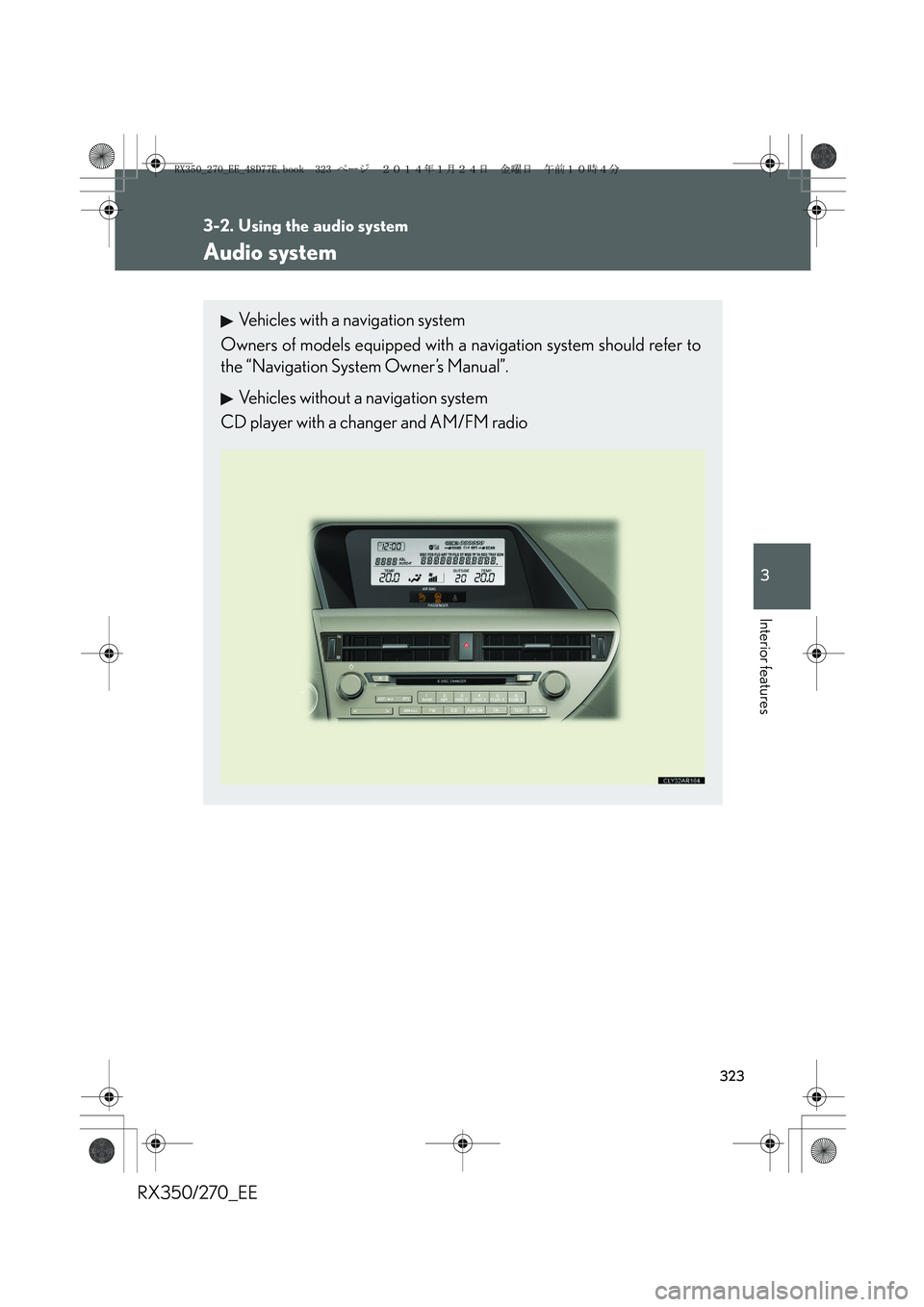
Vehicles with a navigation system
Owners of models equipped with a navigation system should refer to
the “Navigation System Owner’s Manual”.
Vehicles without a navigation system
CD player with a changer and AM/FM radio
RX350_270_EE_48D77E.book 323 ページ 2014年1月24日 金曜日 午前10時4分
Page 324 of 652
324
3-2. Using the audio system
RX350/270_EE
■Using mobile phones
Interference may be heard through the audio system’s speakers if a mobile phone is
being used inside or close to the vehicle while the audio system is operating.
Ti t l ePa g e
Using the radioP. 3 2 6
Using the CD playerP. 3 3 0
Playing MP3 and WMA discsP. 3 3 7
Operating an iPodP. 3 4 4
Operating a USB memoryP. 3 5 3
Bluetooth® audio systemP. 3 6 1
Optimal use of the audio systemP. 3 7 7
Using the AUX portP. 3 7 9
Using the steering wheel audio switchesP. 3 8 1
Hands-free system for mobile phonesP. 3 8 4
RX350_270_EE_48D77E.book 324 ページ 2014年1月24日 金曜日 午前10時4分
Page 325 of 652
325
3-2. Using the audio system
3
Interior features
RX350/270_EE
CAUTION
■Certification for the radio (for Italy)
IL PRODUTTORE PIONEER CORPORATION 4-1, Meguro 1-Chome, Meguro-
Ku, Tokyo, Japan DI QUESTO APPARECCHIO MODELLO 86120-48Q90
(radio-CD player) DICHIARA CHE ESSO E’ CONFORME AL D.M.28.08.1995
No.548, OTTEMPERANDO ALLE PRESCRIZIONI DI CUI AL D.M.25.6.1985
(PARAGRAFO 3,ALL.A) ED AL D.M.27.8.1987 (PARAGRAFO 3,ALL.I).
■Certification for the disc player with a changer
This product is a class 1 laser product classified under the Safety of laser products,
IEC 60825-1:2007, and contains a class 1 M laser module. To ensure continued
safety, do not remove any covers or attempt to gain access to the inside of the prod-
uct. Refer all servicing to qualified personnel.
NOTICE
■To prevent battery discharge
Do not leave the audio system on longer than necessary when the engine is off.
■To avoid damaging the audio system
Take care not to spill drinks or other fluids over the audio system.
CLASS 1 LASER PRODUCT
CAUTION - CLASS 1 M INVISIBLE LASER
RADIATION WHEN OPEN, DO NOT
VIEW DIRECTLY WITH OPTICAL
INSTRUMENTS.
RX350_270_EE_48D77E.book 325 ページ 2014年1月24日 金曜日 午前10時4分
Page 326 of 652
326
3-2. Using the audio system
RX350/270_EE
Using the radio
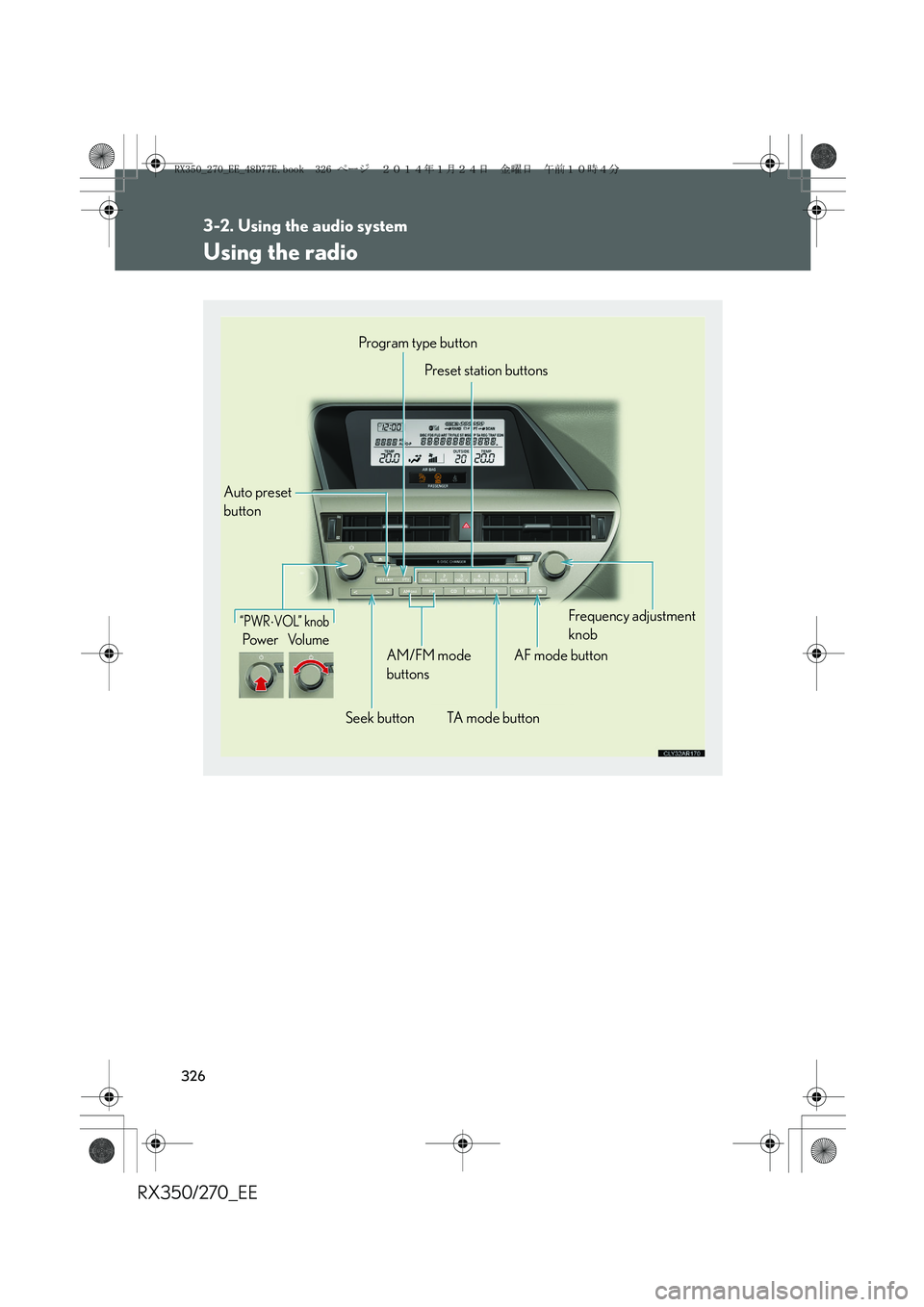
“PWR⋅VOL” knob
Pow e rVo l u m e
Auto preset
buttonProgram type button
Preset station buttons
Seek buttonAM/FM mode
buttons
TA mode buttonAF mode buttonFrequency adjustment
knob
RX350_270_EE_48D77E.book 326 ページ 2014年1月24日 金曜日 午前10時4分
Page 327 of 652
327
3-2. Using the audio system
3
Interior features
RX350/270_EE
Setting station presets
■Manual operation
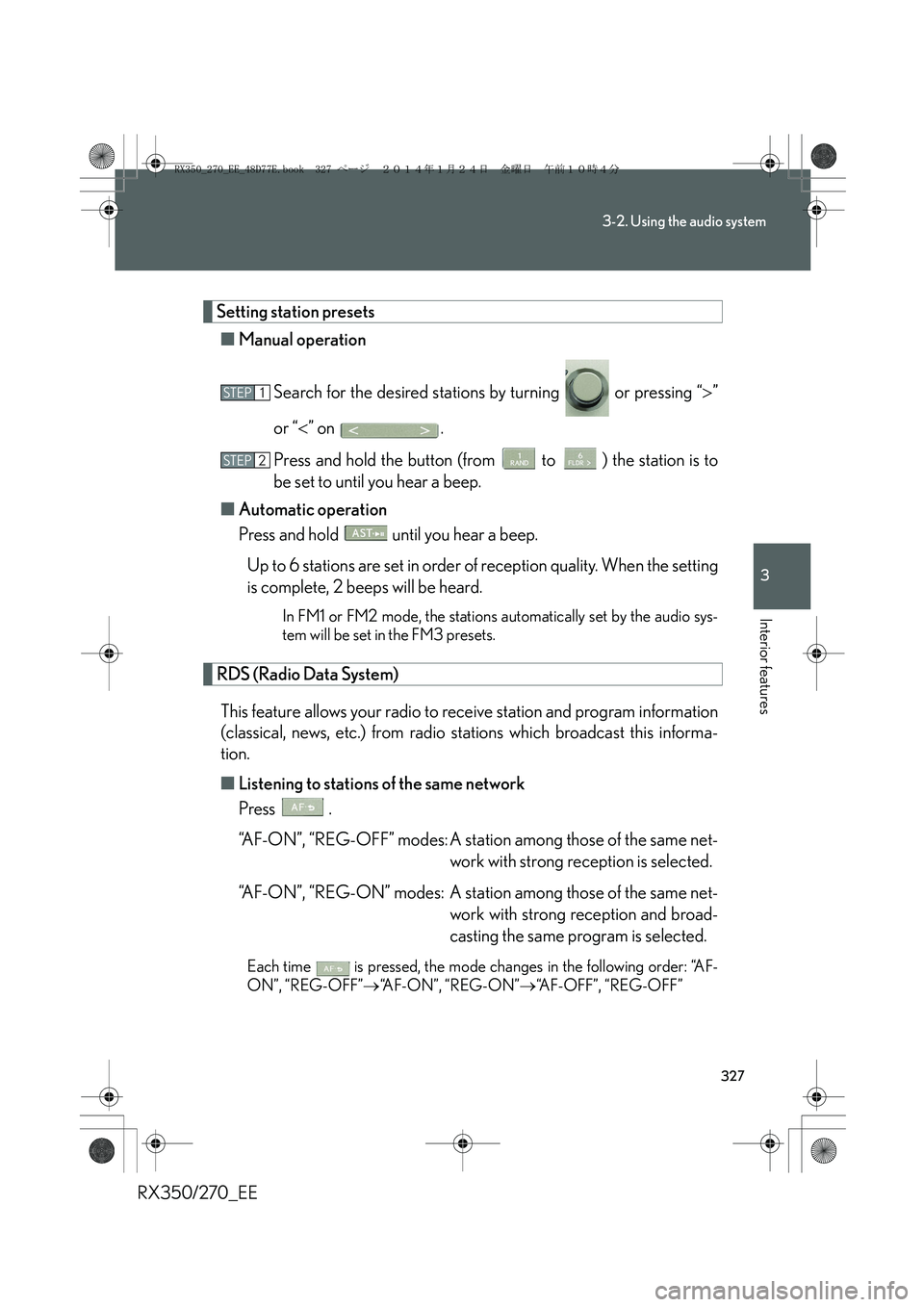
Search for the desired stations by turning or pressing “>”
or “<” on .
Press and hold the button (from to ) the station is to
be set to until you hear a beep.
■Automatic operation
Press and hold until you hear a beep.
Up to 6 stations are set in order of reception quality. When the setting
is complete, 2 beeps will be heard.
In FM1 or FM2 mode, the stations automatically set by the audio sys-
tem will be set in the FM3 presets.
RDS (Radio Data System)
This feature allows your radio to receive station and program information
(classical, news, etc.) from radio stations which broadcast this informa-
tion.
■Listening to stations of the same network
Press .
“AF-ON”, “REG-OFF” modes: A station among those of the same net-
work with strong reception is selected.
“AF-ON”, “REG-ON” modes: A station among those of the same net-
work with strong reception and broad-
casting the same program is selected.
Each time is pressed, the mode changes in the following order: “AF-
ON”, “REG-OFF”→“AF-ON”, “REG-ON”→“AF-OFF”, “REG-OFF”
STEP1
STEP2
RX350_270_EE_48D77E.book 327 ページ 2014年1月24日 金曜日 午前10時4分
Page 328 of 652
328
3-2. Using the audio system
RX350/270_EE■Selecting a program type
Press .
Each time is pressed, the program type changes in the following order:
“NEWS”→“SPORTS”→“TALK”→“POP”→“CLASSICS”
■Traffic information
Press .
TP mode: The system automatically switches to traffic information
when a broadcast with a traffic information signal is
received.
The station returns to the previous one when the traffic informa-
tion ends.
TA mode: Traffic information can be heard only when a signal is
received. The system switches to mute mode when a signal
is not received. In CD or MP3/WMA mode, the system
automatically switches to traffic information when a signal is
received.
The audio system returns to mute, CD or MP3/WMA mode
when the traffic information ends.
Audio system mode changes as follows each time is pressed:
FM modes: “TP”→“TA”→off
Modes other than radio modes: “TA”→off
■Emergency broadcast reception mode
“ALARM” appears in the display in the event that an emergency
broadcast is received, and the emergency broadcast is aired.
RX350_270_EE_48D77E.book 328 ページ 2014年1月24日 金曜日 午前10時4分
Page 329 of 652
329
3-2. Using the audio system
3
Interior features
RX350/270_EE
■EON (Enhanced Other Network) system (for traffic announcement function)
If the RDS station (with EON data) you are listening to is not broadcasting a traffic
information program and the audio system is in TA (Traffic announcement) mode,
the radio will be switched automatically to a station broadcasting a traffic informa-
tion program in the EON AF list when traffic information begins.
■When the battery is disconnected
All preset stations are erased.
■Reception sensitivity
●It is difficult to maintain perfect radio reception at all times due to the continually
changing position of the antenna, differences in signal strength and surrounding
objects, such as trains and transmitters.
●When is used, automatic station selection and automatic registering of
the stations may not be possible.
●The radio antenna is mounted inside the rear spoiler and the rear window. To
maintain clear radio reception, do not attach metallic window tinting or other
metallic objects to the antenna wire mounted inside the rear window.
■Digital Audio Broadcast (DAB) radio
The optional radio antenna and tuner are necessary for the use of Digital Audio
Broadcast (DAB) radio.
RX350_270_EE_48D77E.book 329 ページ 2014年1月24日 金曜日 午前10時4分
Page 330 of 652
330
3-2. Using the audio system
RX350/270_EE
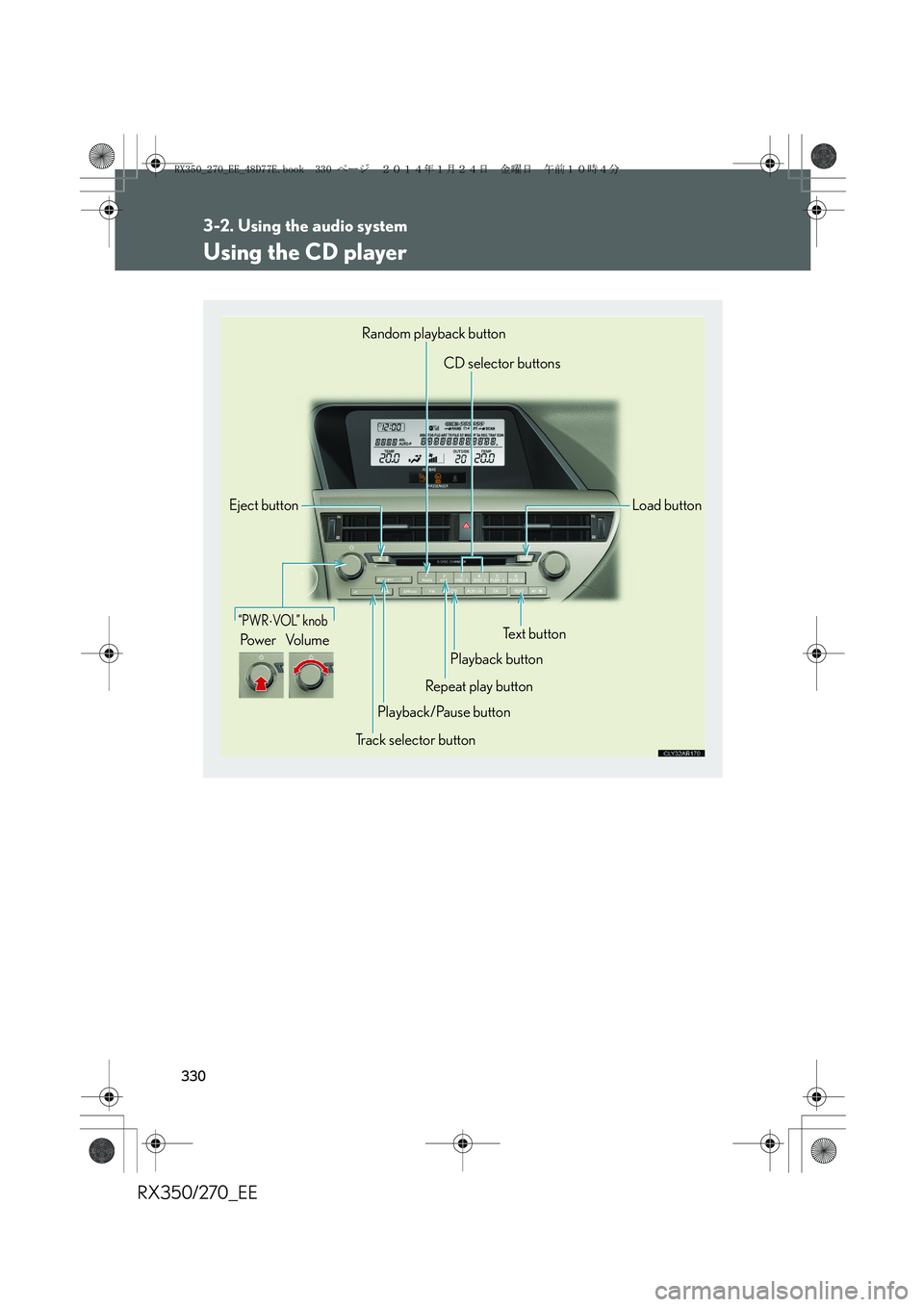
Using the CD player
“PWR⋅VOL” knob
Pow e r Vo l u m e
Random playback button
CD selector buttons
Load button
Text button
Playback button
Repeat play button
Playback/Pause button
Track selector button Eject button
RX350_270_EE_48D77E.book 330 ページ 2014年1月24日 金曜日 午前10時4分