change time LEXUS RX270 2014 User Guide
[x] Cancel search | Manufacturer: LEXUS, Model Year: 2014, Model line: RX270, Model: LEXUS RX270 2014Pages: 652, PDF Size: 48.98 MB
Page 262 of 652
262
2-4. Using other driving systems
RX350/270_EE
NOTICE
■Do not select “LO” mode when driving on bumpy roads.
If the underbody of the vehicle touches a rugged road surface, the vehicle may be
damaged. Also be careful when driving while the vehicle is automatically returning
from luggage or “LO” mode to “N” mode.
■Automatic return to “N” mode
In the following situations, the height of the vehicle will automatically increase. Be
careful in any place where overhead space is limited.
●The vehicle begins to move while still in luggage mode.
●The engine is restarted while the vehicle is in “LO” mode.
■Vehicle height while parked
If the temperature changes or the vehicle is parked for a long time, the vehicle
height may decrease.
RX350_270_EE_48D77E.book 262 ページ 2014年1月24日 金曜日 午前10時4分
Page 316 of 652
316
3-1. Using the air conditioning system and defogger
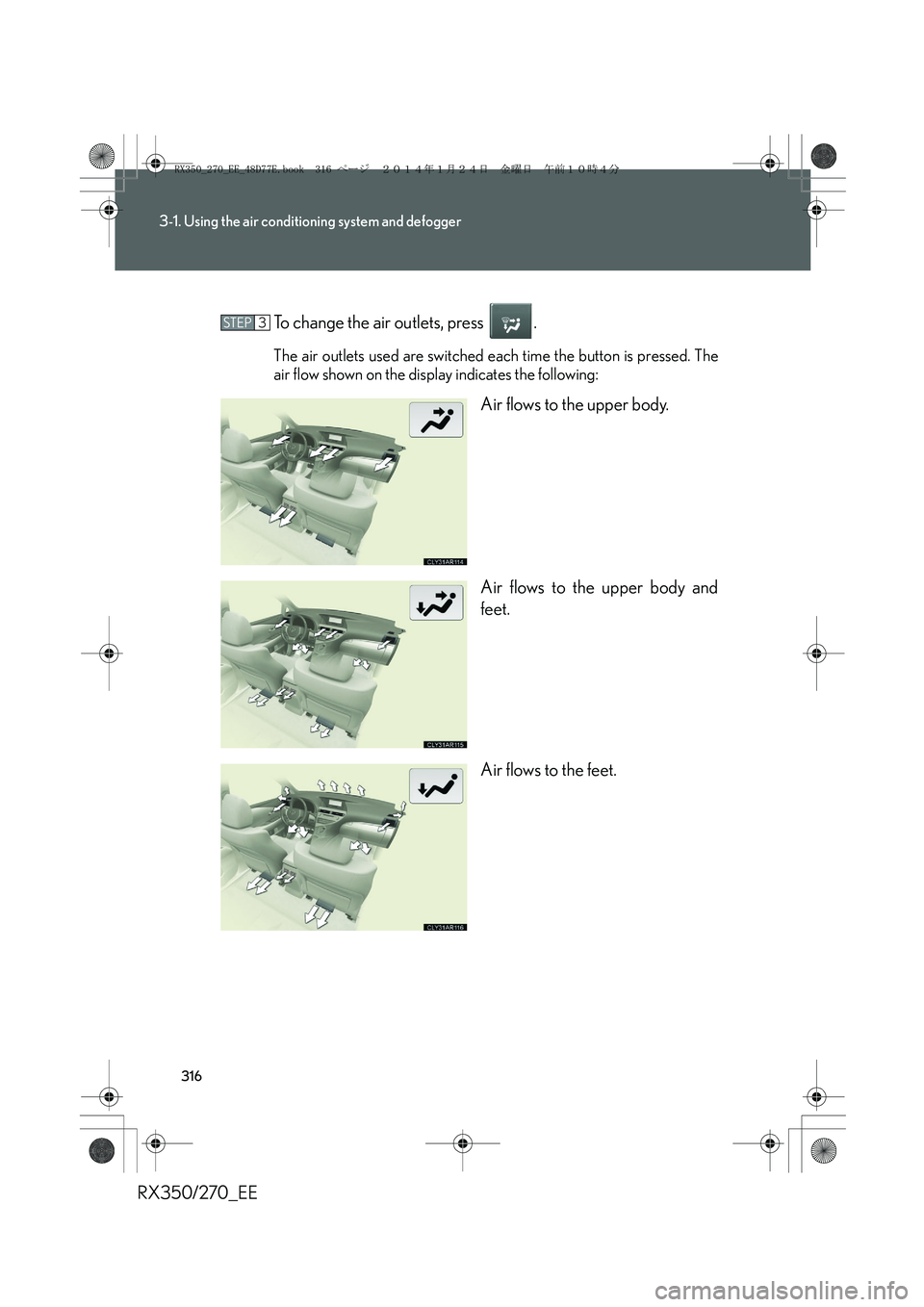
RX350/270_EETo change the air outlets, press .
The air outlets used are switched each time the button is pressed. The
air flow shown on the display indicates the following:
Air flows to the upper body.
Air flows to the upper body and
feet.
Air flows to the feet.
STEP3
RX350_270_EE_48D77E.book 316 ページ 2014年1月24日 金曜日 午前10時4分
Page 321 of 652
321
3-1. Using the air conditioning system and defogger
3
Interior features
RX350/270_EE
Rear window defogger switch
■Operating conditions
The “ENGINE START STOP” switch is in IGNITION ON mode.
■The outside rear view mirror defoggers
Turning the rear window defogger on will turn the outside rear view mirror defog-
gers on.
CAUTION
■When the outside rear view mirror defoggers are on
Do not touch the outside surface of the rear view mirrors, as they can become very
hot and burn you.
Defoggers are used to defog the rear window, and to remove raindrops,
dew and frost from the outside rear view mirrors.
Vehicles with a navigation system
Owners of models equipped with a navigation system should refer to
the “Navigation System Owner’s Manual”.
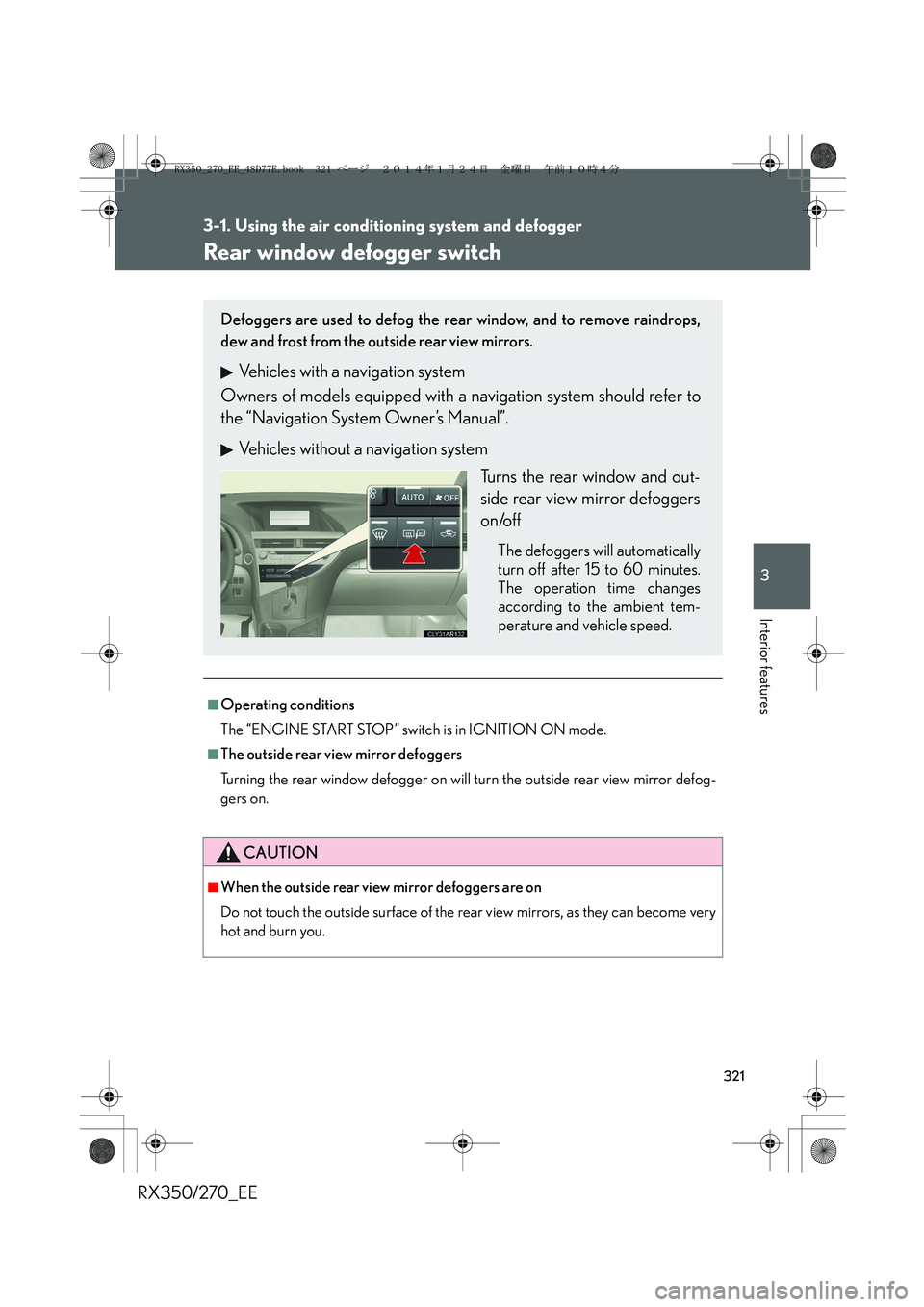
Vehicles without a navigation system
Turns the rear window and out-
side rear view mirror defoggers
on/off
The defoggers will automatically
turn off after 15 to 60 minutes.
The operation time changes
according to the ambient tem-
perature and vehicle speed.
RX350_270_EE_48D77E.book 321 ページ 2014年1月24日 金曜日 午前10時4分
Page 327 of 652
327
3-2. Using the audio system
3
Interior features
RX350/270_EE
Setting station presets
■Manual operation
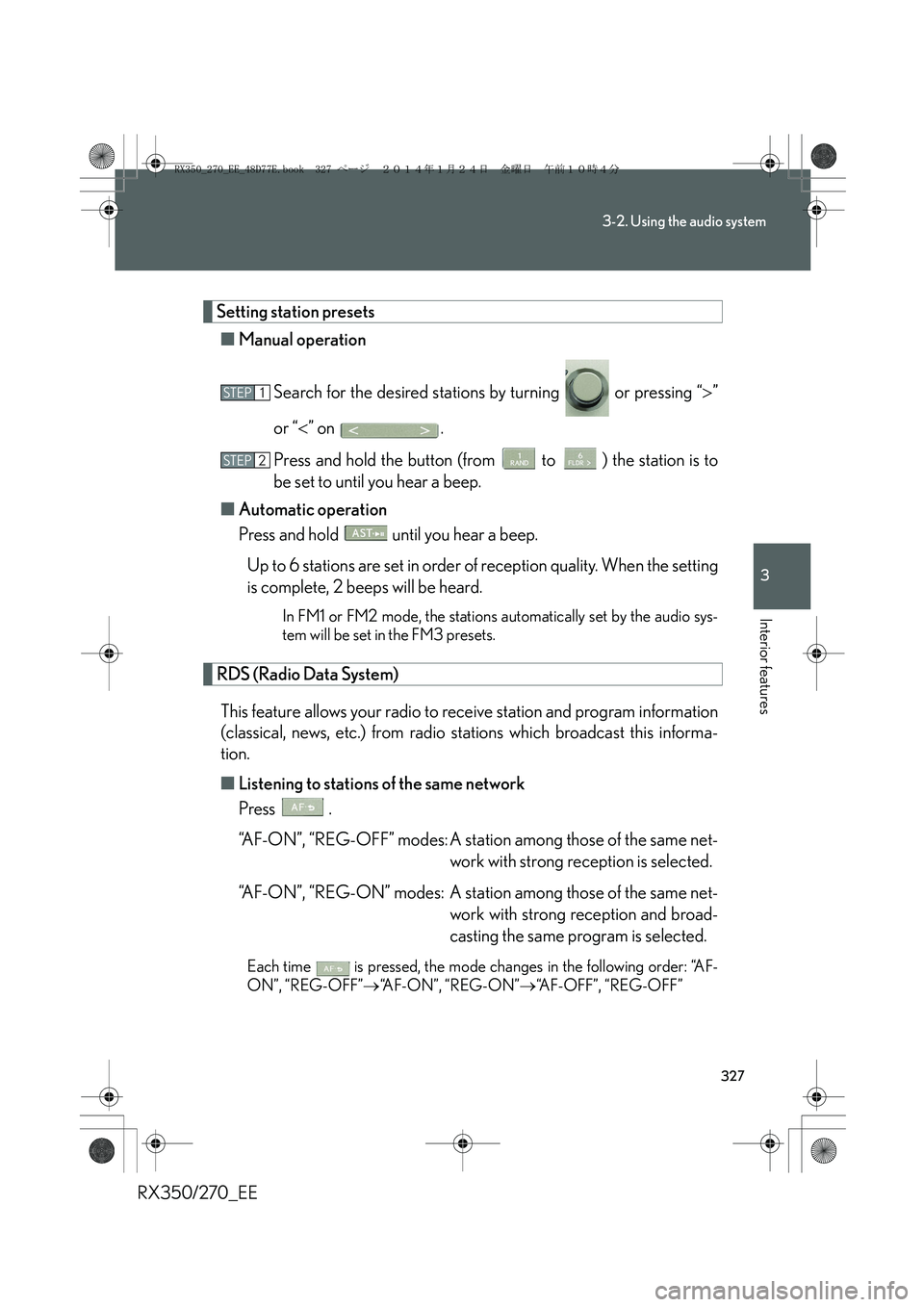
Search for the desired stations by turning or pressing “>”
or “<” on .
Press and hold the button (from to ) the station is to
be set to until you hear a beep.
■Automatic operation
Press and hold until you hear a beep.
Up to 6 stations are set in order of reception quality. When the setting
is complete, 2 beeps will be heard.
In FM1 or FM2 mode, the stations automatically set by the audio sys-
tem will be set in the FM3 presets.
RDS (Radio Data System)
This feature allows your radio to receive station and program information
(classical, news, etc.) from radio stations which broadcast this informa-
tion.
■Listening to stations of the same network
Press .
“AF-ON”, “REG-OFF” modes: A station among those of the same net-
work with strong reception is selected.
“AF-ON”, “REG-ON” modes: A station among those of the same net-
work with strong reception and broad-
casting the same program is selected.
Each time is pressed, the mode changes in the following order: “AF-
ON”, “REG-OFF”→“AF-ON”, “REG-ON”→“AF-OFF”, “REG-OFF”
STEP1
STEP2
RX350_270_EE_48D77E.book 327 ページ 2014年1月24日 金曜日 午前10時4分
Page 328 of 652
328
3-2. Using the audio system
RX350/270_EE■Selecting a program type
Press .
Each time is pressed, the program type changes in the following order:
“NEWS”→“SPORTS”→“TALK”→“POP”→“CLASSICS”
■Traffic information
Press .
TP mode: The system automatically switches to traffic information
when a broadcast with a traffic information signal is
received.
The station returns to the previous one when the traffic informa-
tion ends.
TA mode: Traffic information can be heard only when a signal is
received. The system switches to mute mode when a signal
is not received. In CD or MP3/WMA mode, the system
automatically switches to traffic information when a signal is
received.
The audio system returns to mute, CD or MP3/WMA mode
when the traffic information ends.
Audio system mode changes as follows each time is pressed:
FM modes: “TP”→“TA”→off
Modes other than radio modes: “TA”→off
■Emergency broadcast reception mode
“ALARM” appears in the display in the event that an emergency
broadcast is received, and the emergency broadcast is aired.
RX350_270_EE_48D77E.book 328 ページ 2014年1月24日 金曜日 午前10時4分
Page 333 of 652
333
3-2. Using the audio system
3
Interior features
RX350/270_EE
Random playback
■Current CD
Press .
Songs are played in random order.
To cancel, press again.
■All CDs
Press and hold until you hear a beep.
Tracks on all loaded CDs are played in random order.
To cancel, press again.
Repeat play
■Repeating a track
Press .
To cancel, press again.
■Repeating all of the tracks on a CD
Press and hold until you hear a beep.
To cancel, press again.
Switching the display
Press .
Each time the button is pressed, the display changes in the following order:
Elapsed time → CD title → Tr a c k t i t l e
RX350_270_EE_48D77E.book 333 ページ 2014年1月24日 金曜日 午前10時4分
Page 339 of 652
339
3-2. Using the audio system
3
Interior features
RX350/270_EE
Random playback
■Playing files from a folder in random order
Press .
To cancel, press again.
■Playing all the files from a disc in random order
Press and hold until you hear a beep.
To cancel, press again.
Repeat play
■Repeating a file
Press .
To cancel, press again.
■Repeating all the files in a folder
Press and hold until you hear a beep.
To cancel, press again.
Switching the display
Press .
Each time the button is pressed, the display changes in the following order:
Folder no./File no./Elapsed time → Folder name → File name → Album title
(MP3 only) → Track title → Artist name
RX350_270_EE_48D77E.book 339 ページ 2014年1月24日 金曜日 午前10時4分
Page 348 of 652
348
3-2. Using the audio system
RX350/270_EE
Selecting songs
Tu r n o r p r e s s “>” or “<” on to select the desired
song.
Playing and pausing songs
To play or pause a song, press .
Fast-forwarding and reversing songs
To fast-forward or reverse, press and hold “>” or “<” on
until you hear a beep.
Shuffle playback
■Playing songs from one playlist or album in random order
Press .
To cancel, press again.
■Playing songs from all the playlists or albums in random order
Press and hold until you hear a beep.
To cancel, press again.
Repeat play
Press .
To cancel, press again.
Switching the display
Press .
Each time the button is pressed, the display changes in the following order:
Elapsed time → Album title → Track title → Artist name
RX350_270_EE_48D77E.book 348 ページ 2014年1月24日 金曜日 午前10時4分
Page 356 of 652
356
3-2. Using the audio system
RX350/270_EE
Repeat play
■Repeating a file
Press .
To cancel, press again.
■Repeating all the files in a folder
Press and hold until you hear a beep.
To cancel, press again.
Switching the display
Press .
Each time the button is pressed, the display changes in the following order:
Elapsed time → Folder name → File name → Album title (MP3 only) →
Tr a c k t i t l e → Artist name
■USB memory functions
●Depending on the USB memory that is connected to the system, the device
itself may not be operable and certain functions may not be available. If the
device is inoperable or a function is unavailable due to a malfunction (as
opposed to a system specification), disconnecting the device and reconnecting
it once again may resolve the problem.
●If the USB memory still does not begin operation after being disconnected and
reconnected, format the memory.
■Display
→P. 3 3 4
■Error messages
“ERROR”: This indicates a problem in the USB memory or its connection.
“NO MUSIC”: This indicates that no MP3/WMA files are included in the USB
memory.
RX350_270_EE_48D77E.book 356 ページ 2014年1月24日 金曜日 午前10時4分
Page 370 of 652
370
3-2. Using the audio system
RX350/270_EE
Selecting an album
To select the desired album, press or .
Selecting tracks
Press “>” or “<” on to select the desired track.
Playing and pausing tracks
To play or pause a track, press .
Fast-forwarding and reversing tracks
To fast-forward or reverse, press and hold “>” or “<” on
until you hear a beep.
Random playback
Press .
To cancel, press again.
Repeat play
Press .
To cancel, press again.
Switching the display
Press .
Each time the button is pressed, the display changes in the following order:
Elapsed time → Album title → Track title → Artist name
RX350_270_EE_48D77E.book 370 ページ 2014年1月24日 金曜日 午前10時4分