warning LEXUS RX270 2014 Workshop Manual
[x] Cancel search | Manufacturer: LEXUS, Model Year: 2014, Model line: RX270, Model: LEXUS RX270 2014Pages: 652, PDF Size: 48.98 MB
Page 559 of 652
5
559
5-2. Steps to take in an emergency
When trouble arises
RX350/270_EE
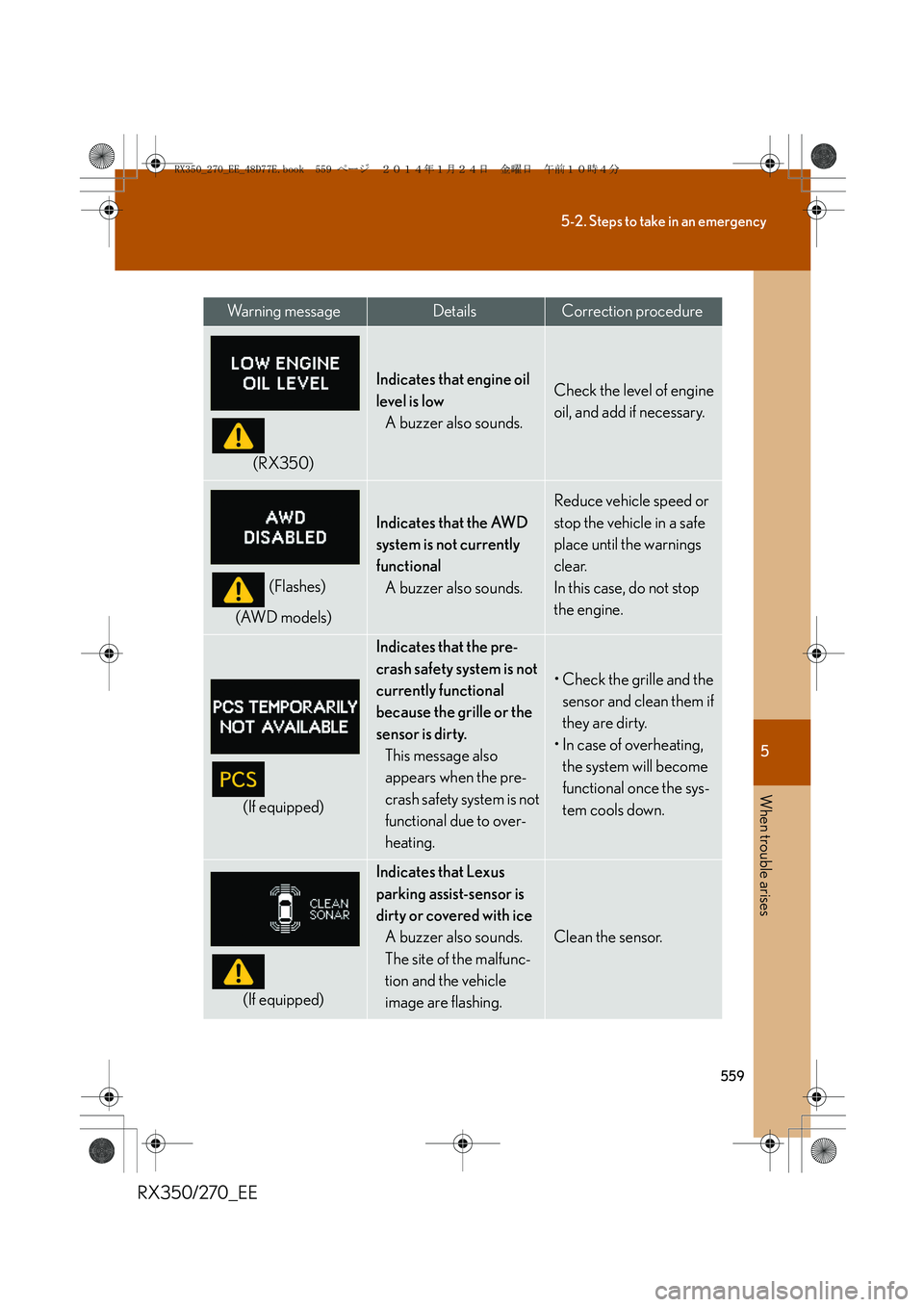
(RX350)
Indicates that engine oil
level is low
A buzzer also sounds.Check the level of engine
oil, and add if necessary.
(Flashes)
(AWD models)
Indicates that the AWD
system is not currently
functional
A buzzer also sounds.
Reduce vehicle speed or
stop the vehicle in a safe
place until the warnings
clear.
In this case, do not stop
the engine.
(If equipped)
Indicates that the pre-
crash safety system is not
currently functional
because the grille or the
sensor is dirty.
This message also
appears when the pre-
crash safety system is not
functional due to over-
heating.
• Check the grille and the
sensor and clean them if
they are dirty.
• In case of overheating,
the system will become
functional once the sys-
tem cools down.
(If equipped)
Indicates that Lexus
parking assist-sensor is
dirty or covered with ice
A buzzer also sounds.
The site of the malfunc-
tion and the vehicle
image are flashing.
Clean the sensor.
Wa r n i n g m e s s a g eDetailsCorrection procedure
RX350_270_EE_48D77E.book 559 ページ 2014年1月24日 金曜日 午前10時4分
Page 563 of 652
5
563
5-2. Steps to take in an emergency
When trouble arises
RX350/270_EE
Have the malfunction repaired immediately
After taking the specified steps to correct the suspected problem, check
that the warning message and light go off.
Interior
buzzerExterior
buzzerWa r n i n g m e s s a g eDetailsCorrection
procedure
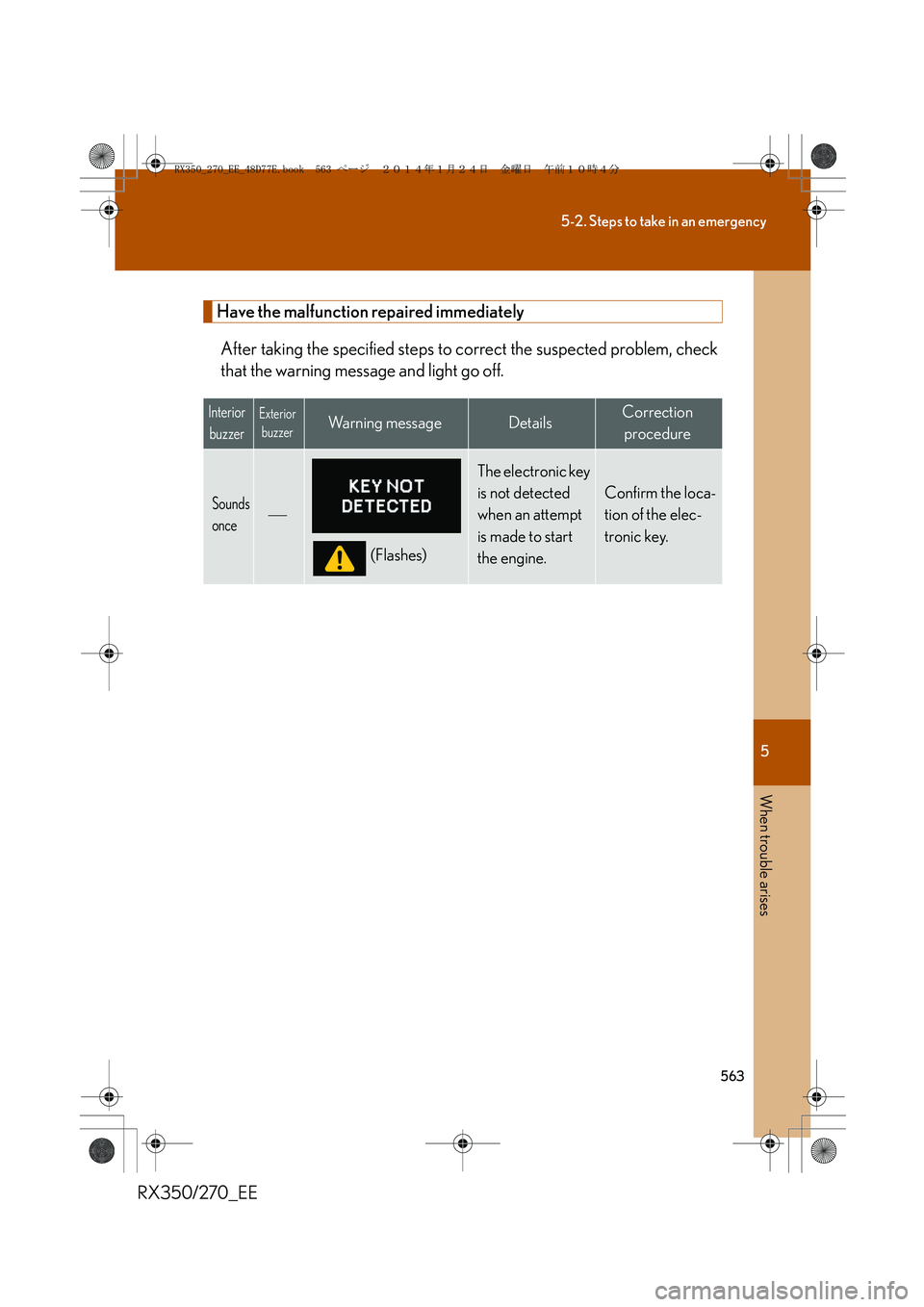
Sounds
once
(Flashes)
The electronic key
is not detected
when an attempt
is made to start
the engine.
Confirm the loca-
tion of the elec-
tronic key.
RX350_270_EE_48D77E.book 563 ページ 2014年1月24日 金曜日 午前10時4分
Page 571 of 652
5
571
5-2. Steps to take in an emergency
When trouble arises
RX350/270_EE
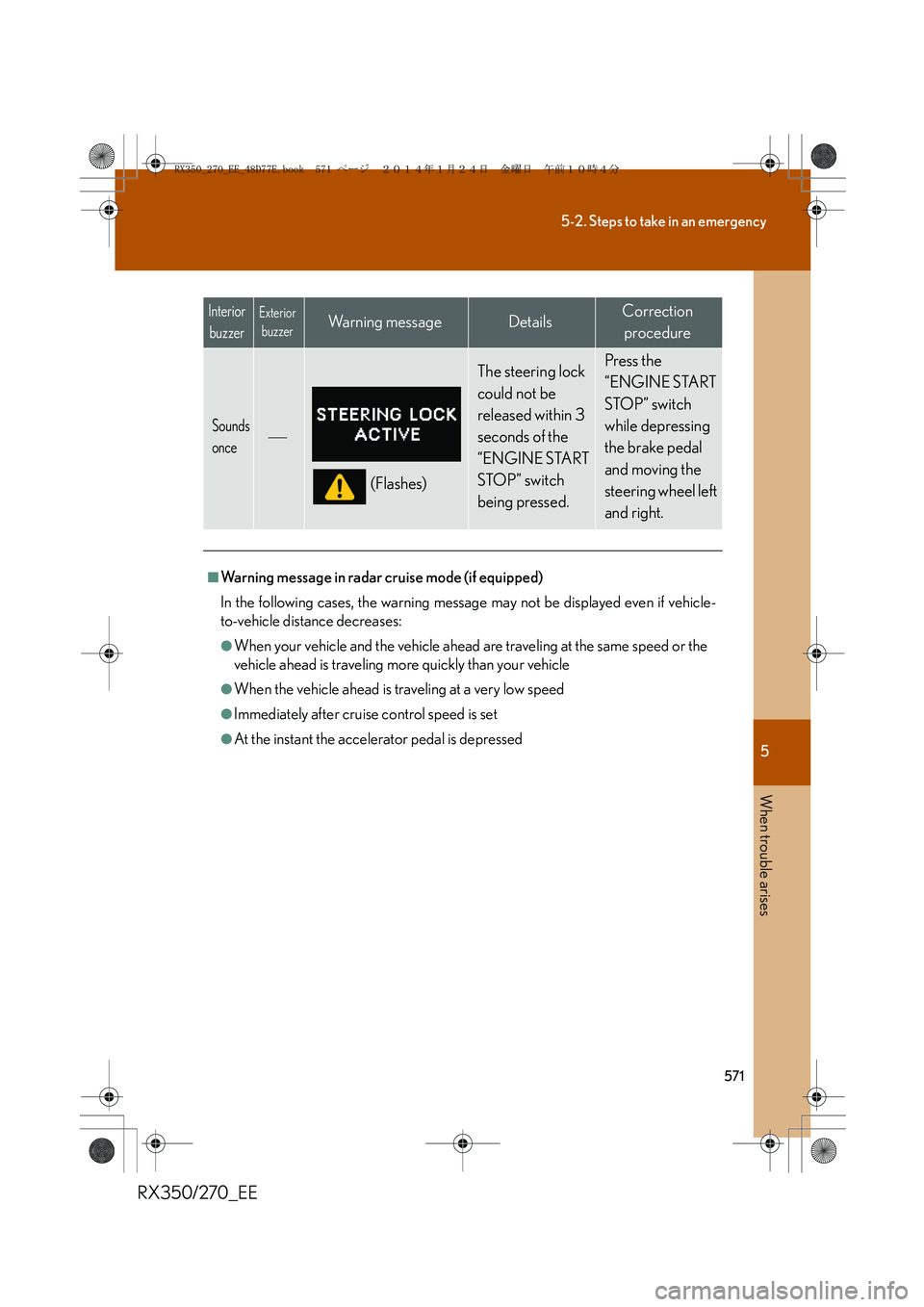
Sounds
once
(Flashes)
The steering lock
could not be
released within 3
seconds of the
“ENGINE START
STOP” switch
being pressed. Press the
“ENGINE START
STOP” switch
while depressing
the brake pedal
and moving the
steering wheel left
and right.
■Warning message in radar cruise mode (if equipped)
In the following cases, the warning message may not be displayed even if vehicle-
to-vehicle distance decreases:
●When your vehicle and the vehicle ahead are traveling at the same speed or the
vehicle ahead is traveling more quickly than your vehicle
●When the vehicle ahead is traveling at a very low speed
●Immediately after cruise control speed is set
●At the instant the accelerator pedal is depressed
Interior
buzzerExterior
buzzerWa r n i n g m e s s a g eDetailsCorrection
procedure
RX350_270_EE_48D77E.book 571 ページ 2014年1月24日 金曜日 午前10時4分
Page 581 of 652
5
581
5-2. Steps to take in an emergency
When trouble arises
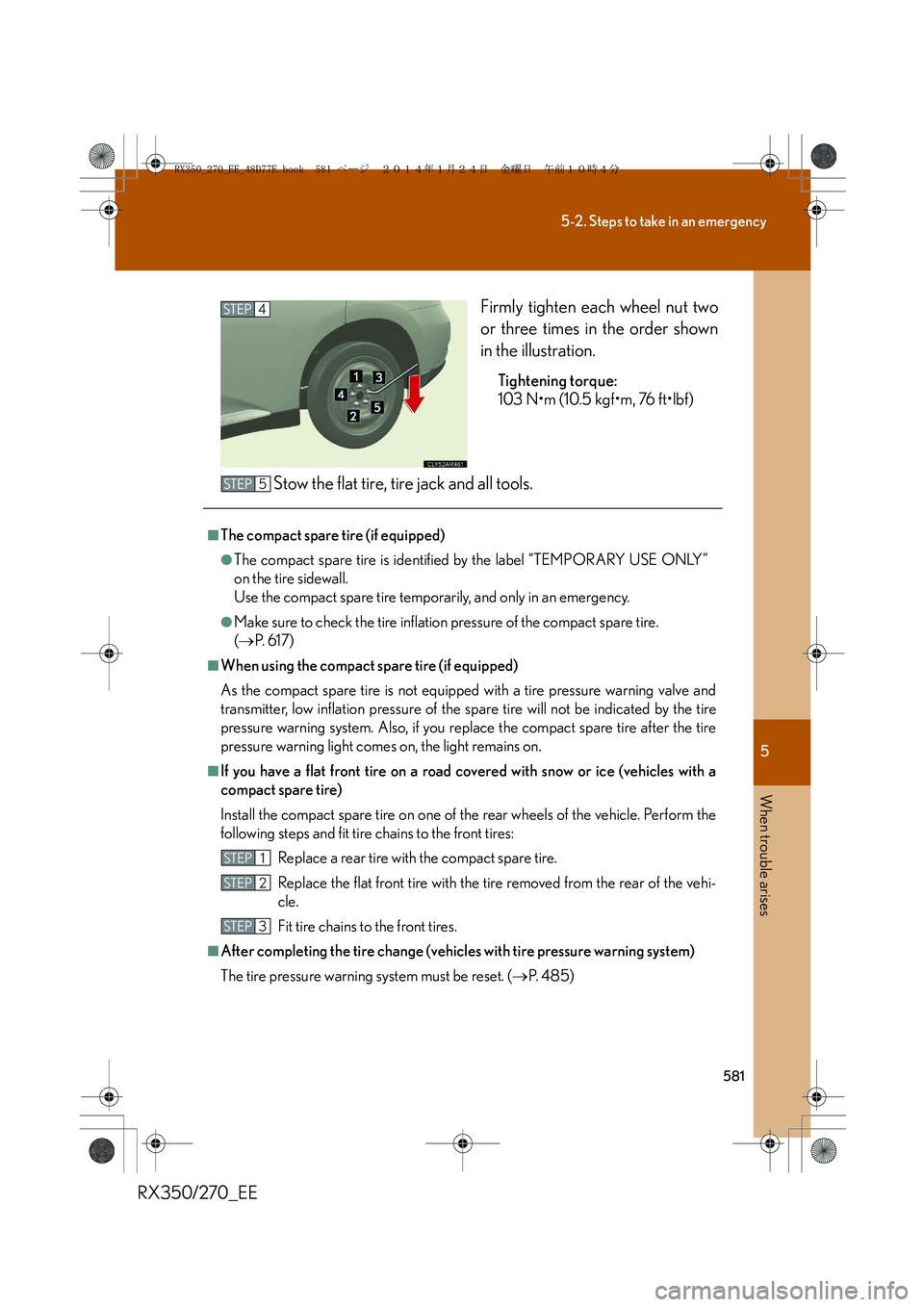
RX350/270_EEFirmly tighten each wheel nut two
or three times in the order shown
in the illustration.
Tightening torque:
103 N•m (10.5 kgf•m, 76 ft•lbf)
Stow the flat tire, tire jack and all tools.
STEP4
■The compact spare tire (if equipped)
●The compact spare tire is identified by the label “TEMPORARY USE ONLY”
on the tire sidewall.
Use the compact spare tire temporarily, and only in an emergency.
●Make sure to check the tire inflation pressure of the compact spare tire.
(→P. 6 1 7 )
■When using the compact spare tire (if equipped)
As the compact spare tire is not equipped with a tire pressure warning valve and
transmitter, low inflation pressure of the spare tire will not be indicated by the tire
pressure warning system. Also, if you replace the compact spare tire after the tire
pressure warning light comes on, the light remains on.
■If you have a flat front tire on a road covered with snow or ice (vehicles with a
compact spare tire)
Install the compact spare tire on one of the rear wheels of the vehicle. Perform the
following steps and fit tire chains to the front tires:
Replace a rear tire with the compact spare tire.
Replace the flat front tire with the tire removed from the rear of the vehi-
cle.
Fit tire chains to the front tires.
■After completing the tire change (vehicles with tire pressure warning system)
The tire pressure warning system must be reset. (→P. 4 8 5 )
STEP5
STEP1
STEP2
STEP3
RX350_270_EE_48D77E.book 581 ページ 2014年1月24日 金曜日 午前10時4分
Page 586 of 652
586
5-2. Steps to take in an emergency
RX350/270_EE
NOTICE
■Do not drive the vehicle with a flat tire
Do not continue driving with a flat tire.
Driving even a short distance with a flat tire can damage the tire and the wheel
beyond repair.
■Be careful when driving over bumps with the compact spare tire installed on the
vehicle.
The vehicle becomes lower when driving with the compact spare tire compared to
when driving with standard tires. Be careful when driving over uneven road sur-
faces.
■Driving with tire chains and the compact spare tire
Do not fit tire chains to the compact spare tire.
Tire chains may damage the vehicle body and adversely affect driving performance.
■When replacing the tires (vehicles with tire pressure warning system)
When removing or fitting the wheels, tires or the tire pressure warning valve and
transmitter, contact any authorized Lexus dealer or repairer, or another duly quali-
fied and equipped professional as the tire pressure warning valve and transmitter
may be damaged if not handled correctly.
■To avoid damage to the tire pressure warning valves and transmitters (vehicles
with tire pressure warning system)
When a tire is repaired with liquid sealants, the tire pressure warning valve and
transmitter may not operate properly. If a liquid sealant is used, contact any autho-
rized Lexus dealer or repairer, or another duly qualified and equipped professional
or other qualified service shop as soon as possible. Make sure to replace the tire
pressure warning valve and transmitter when replacing the tire. (→P. 4 8 4 )
RX350_270_EE_48D77E.book 586 ページ 2014年1月24日 金曜日 午前10時4分
Page 625 of 652
625
6-2. Customization
6
Vehicle specifications
RX350/270_EE
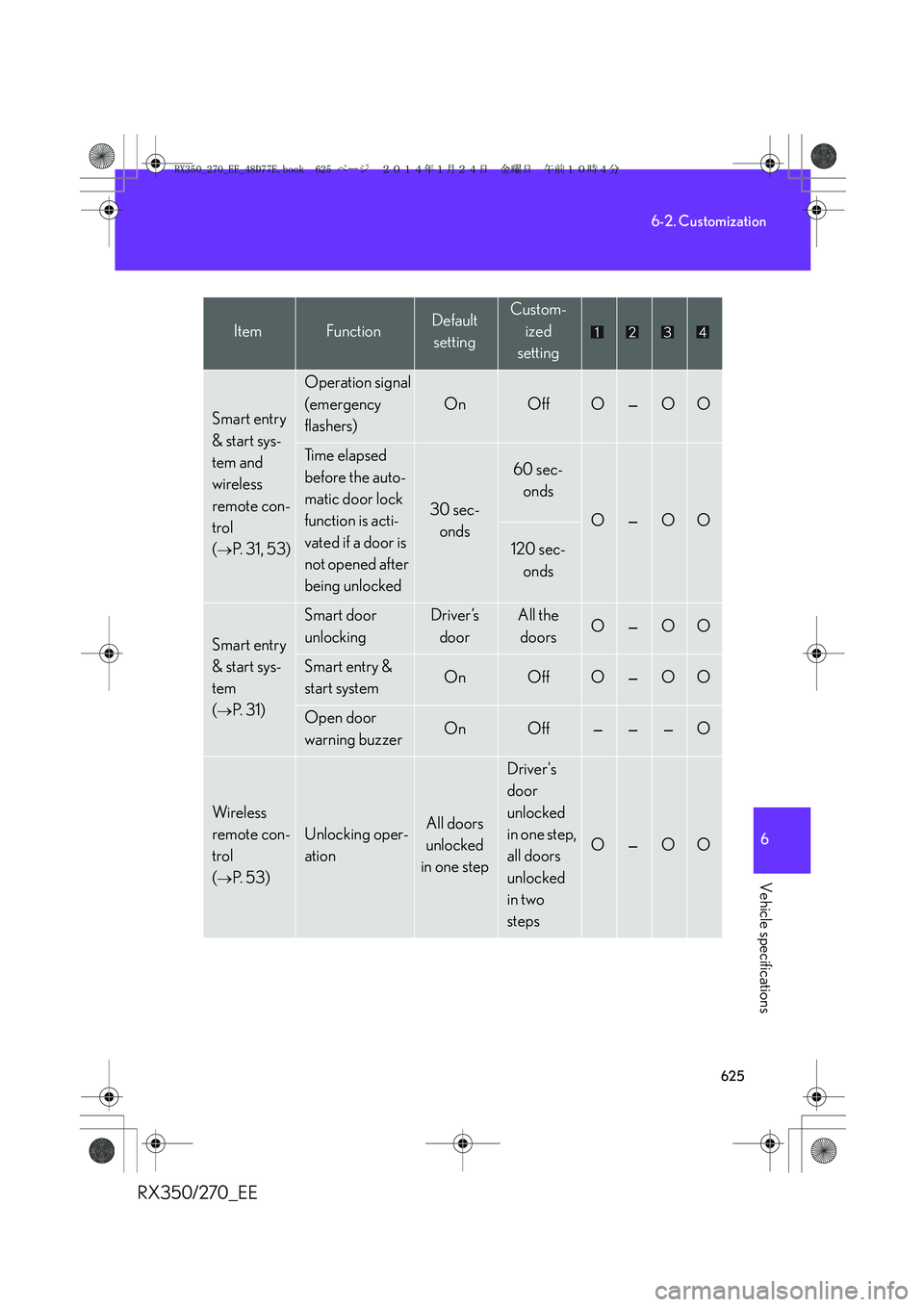
Smart entry
& start sys-
tem and
wireless
remote con-
trol
(
→P. 3 1 , 5 3 )
Operation signal
(emergency
flashers)
OnOffO—OO
Ti m e e l a p s e d
before the auto-
matic door lock
function is acti-
vated if a door is
not opened after
being unlocked
30 sec-
onds
60 sec-
onds
O—OO
120 sec-
onds
Smart entry
& start sys-
tem
(
→P. 3 1 )
Smart door
unlockingDriver’s
doorAll the
doorsO—OO
Smart entry &
start systemOnOffO—OO
Open door
warning buzzerOnOff———O
Wireless
remote con-
trol
(
→P. 5 3 )
Unlocking oper-
ationAll doors
unlocked
in one step
Driver's
door
unlocked
in one step,
all doors
unlocked
in two
steps
O—OO
ItemFunctionDefault
settingCustom-
ized
setting
RX350_270_EE_48D77E.book 625 ページ 2014年1月24日 金曜日 午前10時4分
Page 632 of 652
632
6-2. Customization
RX350/270_EE
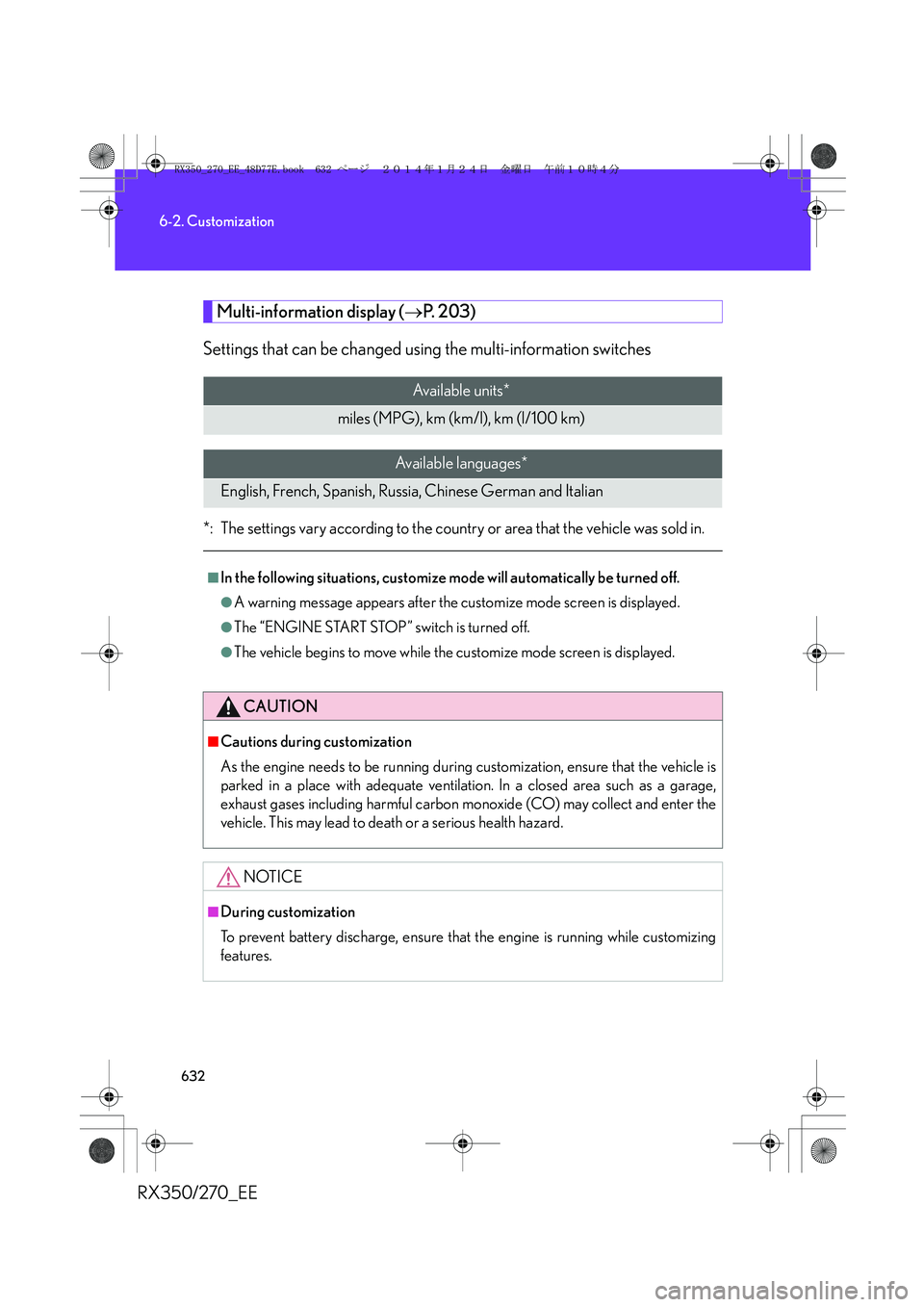
Multi-information display (→P. 2 0 3 )
Settings that can be changed using the multi-information switches
*: The settings vary according to the country or area that the vehicle was sold in.
Available units*
miles (MPG), km (km/l), km (l/100 km)
Available languages*
English, French, Spanish, Russia, Chinese German and Italian
■In the following situations, customize mode will automatically be turned off.
●A warning message appears after the customize mode screen is displayed.
●The “ENGINE START STOP” switch is turned off.
●The vehicle begins to move while the customize mode screen is displayed.
CAUTION
■Cautions during customization
As the engine needs to be running during customization, ensure that the vehicle is
parked in a place with adequate ventilation. In a closed area such as a garage,
exhaust gases including harmful carbon monoxide (CO) may collect and enter the
vehicle. This may lead to death or a serious health hazard.
NOTICE
■During customization
To prevent battery discharge, ensure that the engine is running while customizing
features.
RX350_270_EE_48D77E.book 632 ページ 2014年1月24日 金曜日 午前10時4分
Page 633 of 652
633
6
Vehicle specifications
RX350/270_EE
6-3. Initialization
Items to initialize
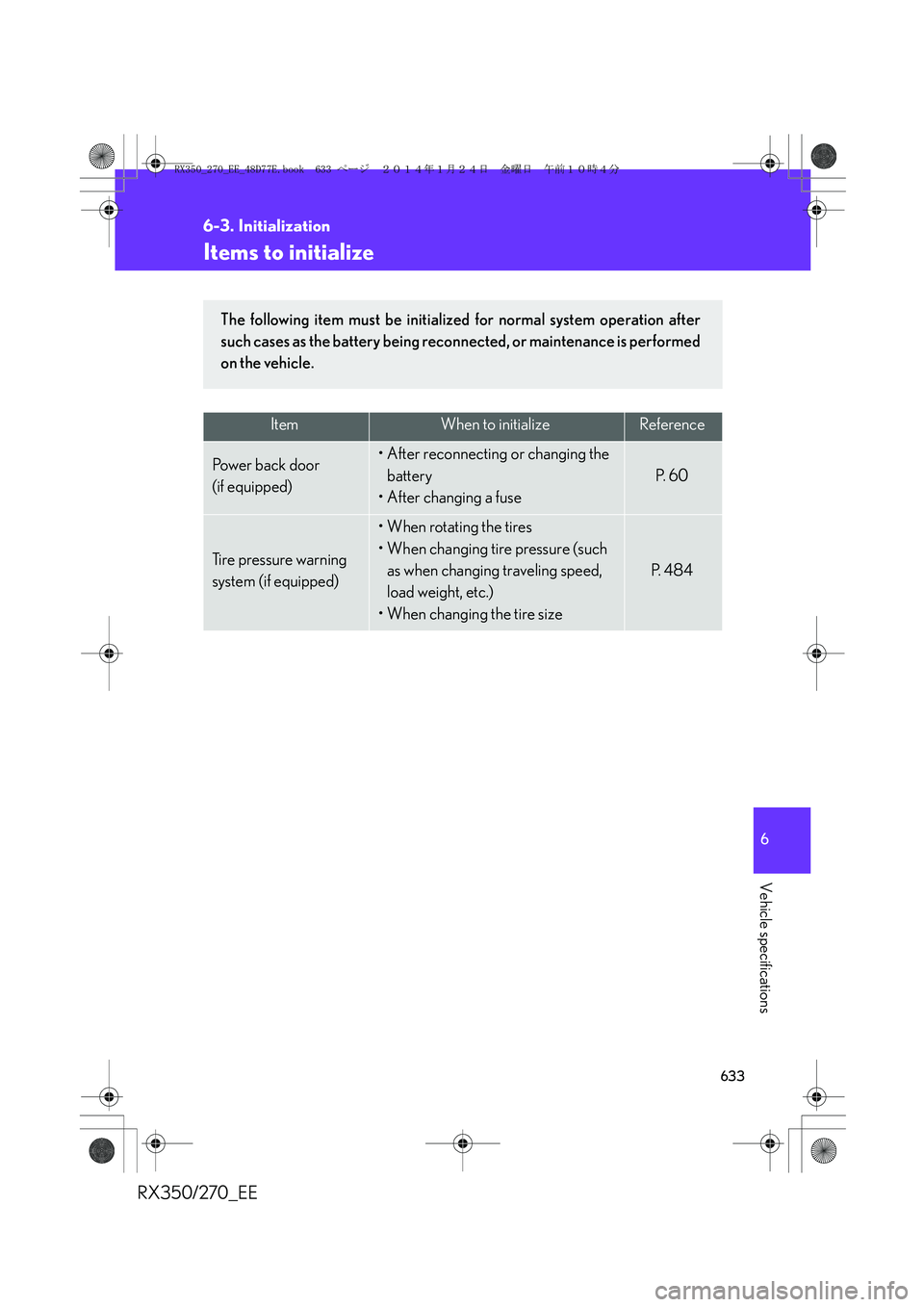
ItemWhen to initializeReference
Po w e r b a c k d o o r
(if equipped)• After reconnecting or changing the
battery
• After changing a fuse
P. 6 0
Tire pressure warning
system (if equipped)
• When rotating the tires
• When changing tire pressure (such
as when changing traveling speed,
load weight, etc.)
•When changing the tire size
P. 4 8 4
The following item must be initialized for normal system operation after
such cases as the battery being reconnected, or maintenance is performed
on the vehicle.
RX350_270_EE_48D77E.book 633 ページ 2014年1月24日 金曜日 午前10時4分
Page 637 of 652
637
RX350/270_EE
Alphabetical index
Alphabetical index
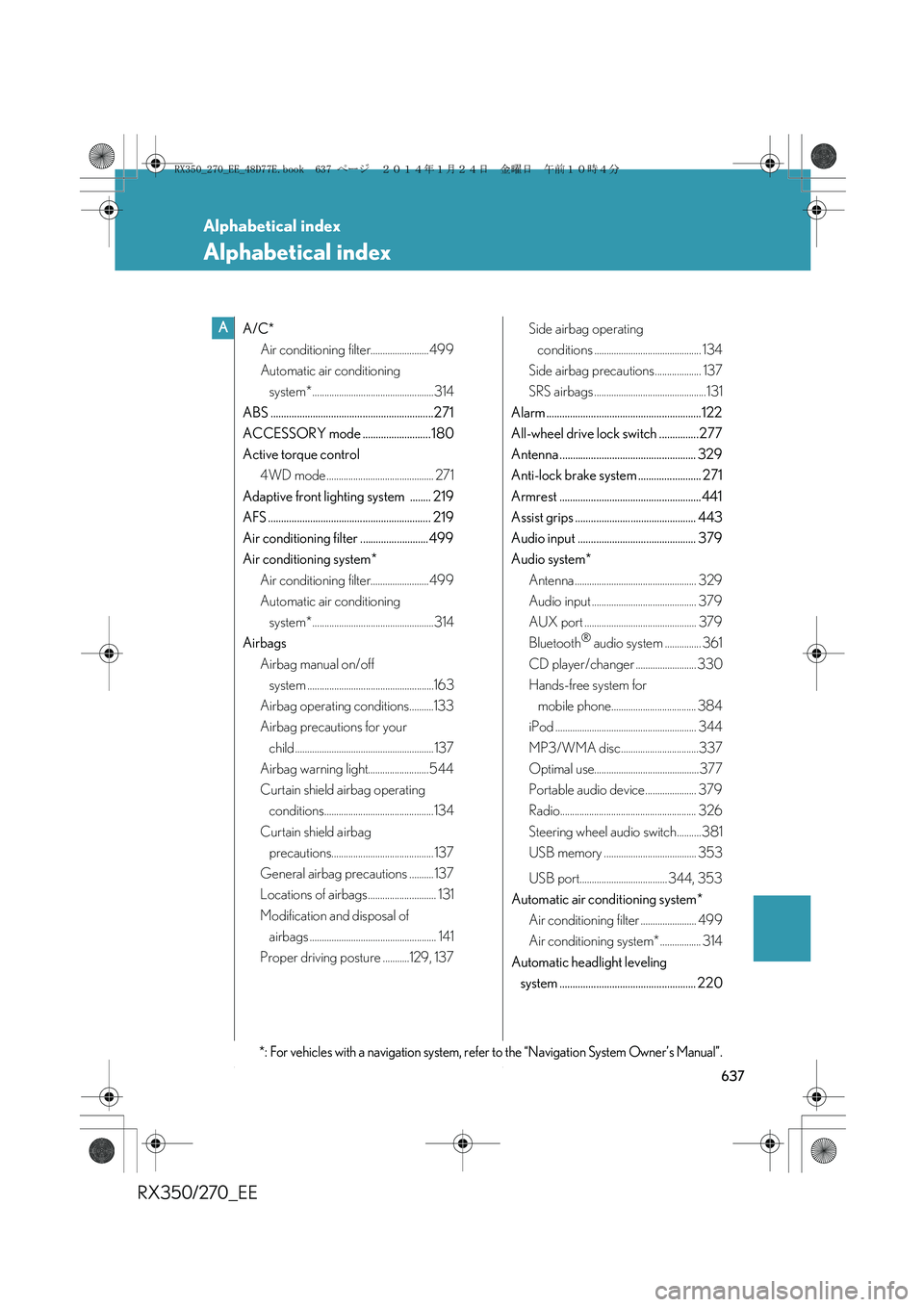
A/C*
Air conditioning filter........................499
Automatic air conditioning
system*..................................................314
ABS ..............................................................271
ACCESSORY mode .......................... 180
Active torque control
4WD mode ............................................ 271
Adaptive front lighting system ........ 219
AFS .............................................................. 219
Air conditioning filter .......................... 499
Air conditioning system*
Air conditioning filter........................499
Automatic air conditioning
system*..................................................314
Airbags
Airbag manual on/off
system ....................................................163
Airbag operating conditions..........133
Airbag precautions for your
child ......................................................... 137
Airbag warning light......................... 544
Curtain shield airbag operating
conditions.............................................134
Curtain shield airbag
precautions.......................................... 137
General airbag precautions .......... 137
Locations of airbags............................ 131
Modification and disposal of
airbags .................................................... 141
Proper driving posture ...........129, 137Side airbag operating
conditions ............................................ 134
Side airbag precautions................... 137
SRS airbags ..............................................131
Alarm ........................................................... 122
All-wheel drive lock switch ...............277
Antenna .................................................... 329
Anti-lock brake system ........................ 271
Armrest ......................................................441
Assist grips .............................................. 443
Audio input ............................................. 379
Audio system*
Antenna .................................................. 329
Audio input ........................................... 379
AUX port .............................................. 379
Bluetooth
® audio system ............... 361
CD player/changer ......................... 330
Hands-free system for
mobile phone................................... 384
iPod .......................................................... 344
MP3/WMA disc................................337
Optimal use........................................... 377
Portable audio device..................... 379
Radio........................................................ 326
Steering wheel audio switch..........381
USB memory ...................................... 353
USB port.................................... 344, 353
Automatic air conditioning system*
Air conditioning filter ....................... 499
Air conditioning system* ................. 314
Automatic headlight leveling
system .................................................... 220
A
*: For vehicles with a navigation system, refer to the “Navigation System Owner’s Manual”.
RX350_270_EE_48D77E.book 637 ページ 2014年1月24日 金曜日 午前10時4分
Page 639 of 652
639
Alphabetical index
RX350/270_EE
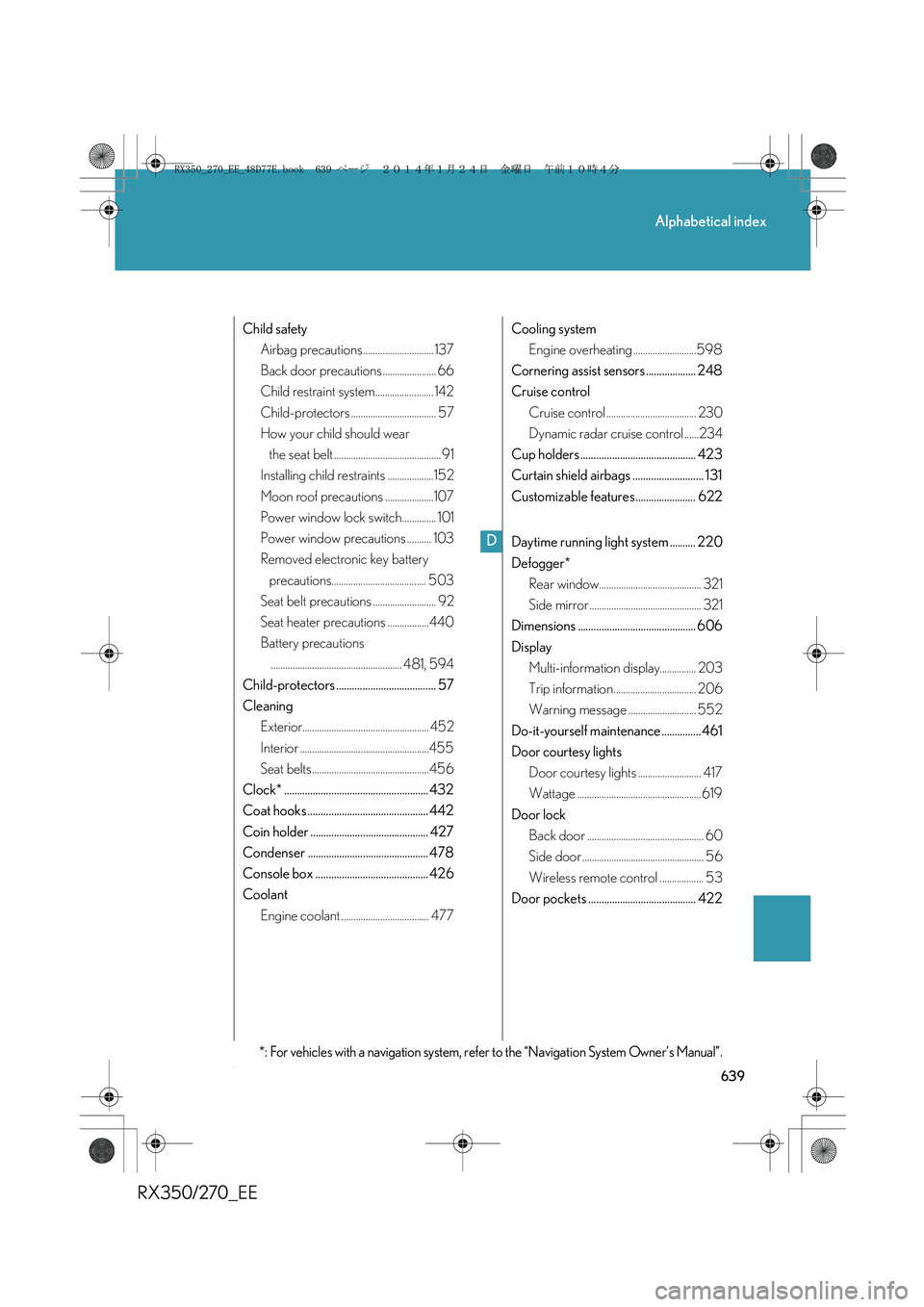
Child safety
Airbag precautions ............................. 137
Back door precautions ...................... 66
Child restraint system........................ 142
Child-protectors ................................... 57
How your child should wear
the seat belt ............................................ 91
Installing child restraints ...................152
Moon roof precautions ....................107
Power window lock switch.............. 101
Power window precautions .......... 103
Removed electronic key battery
precautions....................................... 503
Seat belt precautions .......................... 92
Seat heater precautions .................440
Battery precautions
...................................................... 481, 594
Child-protectors ...................................... 57
Cleaning
Exterior.................................................... 452
Interior .....................................................455
Seat belts................................................456
Clock* ....................................................... 432
Coat hooks .............................................. 442
Coin holder ............................................. 427
Condenser .............................................. 478
Console box ........................................... 426
Coolant
Engine coolant .................................... 477Cooling system
Engine overheating ..........................598
Cornering assist sensors ................... 248
Cruise control
Cruise control ..................................... 230
Dynamic radar cruise control ......234
Cup holders ............................................ 423
Curtain shield airbags ........................... 131
Customizable features....................... 622
Daytime running light system .......... 220
Defogger*
Rear window.......................................... 321
Side mirror .............................................. 321
Dimensions ............................................. 606
Display
Multi-information display............... 203
Trip information.................................. 206
Warning message ............................ 552
Do-it-yourself maintenance ............... 461
Door courtesy lights
Door courtesy lights .......................... 417
Wattage ................................................... 619
Door lock
Back door ................................................ 60
Side door .................................................. 56
Wireless remote control .................. 53
Door pockets ......................................... 422
D
*: For vehicles with a navigation system, refer to the “Navigation System Owner’s Manual”.
RX350_270_EE_48D77E.book 639 ページ 2014年1月24日 金曜日 午前10時4分